Archive
Posts Tagged ‘VBA’
How to get dkRandomdata to run on 64-bit Excel
2014/08/22
Leave a comment
- Dick Kusleika made this very useful random data generator for Excel (more random data sources I plan to list here).
- To get this to run on 64-bit Excel 2013, I need to make a few quick changes in the source (which will break on 32-bit Excel):
- First, the usual “must be updated for use on 64-bit systems”:
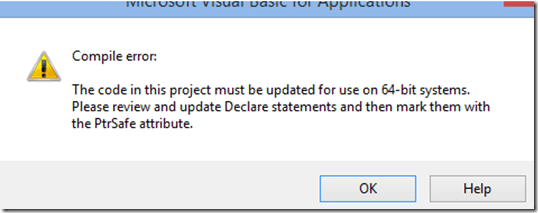 , fixed by this (but note the 1st line):
Private mlParentPtr As LongPtr 'trp:Long
#If VBA7 Then
Private Declare PtrSafe Sub CopyMemory Lib "kernel32" Alias "RtlMoveMemory" _
	(dest As Any, Source As Any, ByVal bytes As Long)
#Else
Private Declare Sub CopyMemory Lib "kernel32" Alias "RtlMoveMemory" _
(dest As Any, Source As Any, ByVal bytes As Long)
#End If
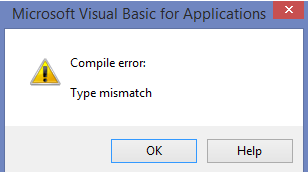
- Then, to fix the various “Type mismatch” errors
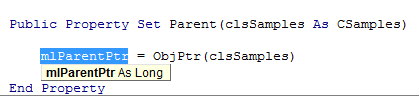
 , e.g. at
  , change Lomg into PtrLong: in these locations:
-
above: Private mlParentPtr As LongPtr 'trp:Long
-
Private Function ObjFromPtr(ByVal pObj As LongPtr) As Object
'trp Private Function ObjFromPtr(ByVal pObj As Long) As Object
-
- First, the usual “must be updated for use on 64-bit systems”:
- Then I am finally getting to the xmlDoc As MSXML2.DOMDocument error on Windows 8.1, but that has been solved in the comments here earlier this year (also for Windows 8.1, but apparently with Excel 32-bit): I changed MSXML2.DOMDocument to MSXML2.DOMDocument60 where I could:
-
Dim xmlDoc As MSXML2.DOMDocument60 'trp: Dim xmlDoc As MSXML2.DOMDocument
-
WriteToFile:
-
Dim xmlDoc As MSXML2.DOMDocument60 'here it is already fixed? Dim xmlDoc As MSXML2.DOMDocument6
-
Dim xmlStyle As MSXML2.DOMDocument60
-
Dim xmlOutput As MSXML2.DOMDocument60
-
-
LoadFromFile(): Dim xmlDoc As MSXML2.DOMDocument60
'trp: Dim xmlDoc As MSXML2.DOMDocument
-
testxml() (looks like the XML issue has been worked on since the comments):
-
Dim xmlDoc As MSXML2.DOMDocument60 'trp: Dim xmlDoc As MSXML2.DOMDocument
-
Set xmlDoc = New MSXML2.DOMDocument60 'trp: New MSXML2.DOMDocument
-
-
test_writetofile():
-
Set xmlDoc = New MSXML2.DOMDocument60 'here it is already fixed, and here
-
Set xmlStyle = New MSXML2.DOMDocument60
-
Set xmlOutput = New MSXML2.DOMDocument60
-
-
- Finally, if you have trouble getting the add-in buttons to show in Excel 2013 ribbon, close all workbooks, and you may (but I did not) have to restart Excel (KB2761240):

- Viola. And I sure like me some Seinfeld references in my sample data….



Categories: e-infrastructure, office-software, service-is-programming
64-bit, addins, Dkrandomdata, MS-Excel, VBA
Bugs in MS-Calendaranalytics?
2014/03/25
Leave a comment
- Is there an Off-by-1 bug in MS-Calendaranalytics pivot chart?
- I am hovering (as an example) over the first name in the upper list which displays the right name as tooltip, the first name in the second list

- I guess I could learn DAX to fix this one myself, but what I have found myself doing is copy/paste the legend control from underneath, which does not exhibit this apparent bug, as a screenshot over the wrong legend (Seems strangely inadequate!).
- I am hovering (as an example) over the first name in the upper list which displays the right name as tooltip, the first name in the second list
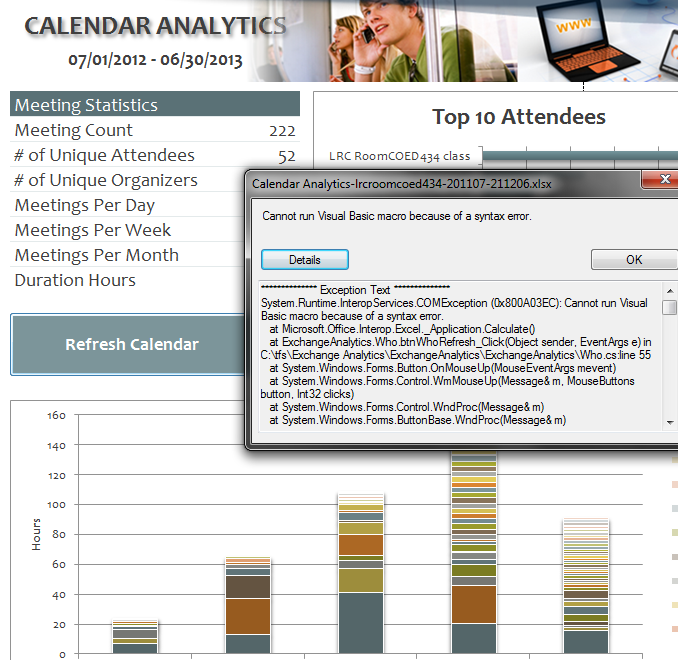
- Cannot run visual basic macro because of a syntax error”
 Version 1 on Excel 2010 (64-bit) on Windows 7 (64-bit). Restarting (Excel/Windows) made this go away.
 - This stopped working on load from one day to the next, without the file getting saved and updated in between: System.Runtime.InteropServices.COMException (0x80070490): Element not found. (Exception from HRESULT: 0x80070490)
at Microsoft.VisualStudio.Tools.Office.Runtime.Interop.IHostItemProvider.GetHostExtender(String extenderType, String extenderCookie, IntPtr& extenderObject)
at Microsoft.VisualStudio.Tools.Office.Runtime.DomainCreator.ExecuteCustomization.Microsoft.Office.Tools.IHostItemProvider.GetHostExtender(Type primaryType, String primaryCookie)
at Microsoft.Office.Tools.Excel.ControlSiteImpl..ctor(IServiceProvider serviceProvider, IHostItemProvider hostItemProvider, String primaryCookie, String identifier, Object containerComponent, UInt32 officeVersion, Control control, _OLEObject extenderControl, Boolean isDynamic)
at Microsoft.Office.Tools.Excel.FactoryImpl.Microsoft.Office.Tools.Excel.Factory.CreateControlSite(IServiceProvider serviceProvider, IHostItemProvider hostItemProvider, String primaryCookie, String identifier, Object containerComponent, Control control)
at Microsoft.Office.Tools.Excel.Controls.Button..ctor(Factory factory, IHostItemProvider hostItemProvider, IServiceProvider serviceProvider, String cookie, String extenderCookie, Object container, String identifier)
at ExchangeAnalytics.Sheet4.InitializeControls() in C:\tfs\Exchange Analytics\ExchangeAnalytics\ExchangeAnalytics\What.Designer.cs:line 169
at ExchangeAnalytics.Sheet4.Initialize() in C:\tfs\Exchange Analytics\ExchangeAnalytics\ExchangeAnalytics\What.Designer.cs:line 55
at Microsoft.VisualStudio.Tools.Office.Runtime.DomainCreator.ExecuteCustomization.ExecutePhase(ExecutionPhases executionPhases)
at Microsoft.VisualStudio.Tools.Office.Runtime.DomainCreator.ExecuteCustomization.Microsoft.VisualStudio.Tools.Office.Runtime.Interop.IExecuteCustomization2.LoadEntryPoints(IntPtr serviceProvider)

Code documentation for a quiz template based on MS-Word
2014/01/28
Leave a comment
- trpQuizGenerator allows for using simple markup (view training here) to produce cloze quizzes in large fonts, for easy screen sharing through the face-to-face classroom management system (see samples of quizzes based on this template here.)
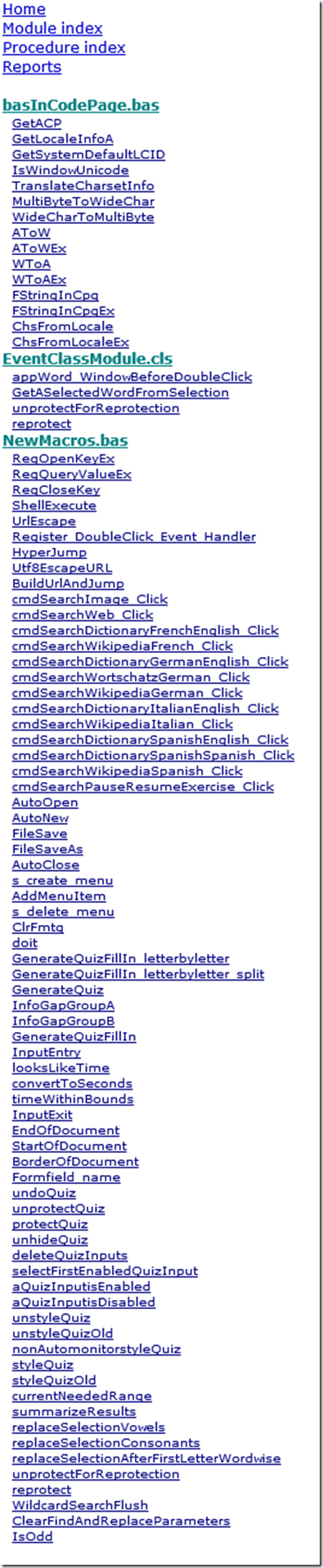
- Click the table of contents below to browse the VBA documentation built with Aivosto.
Categories: documentation, service-is-assessing, service-is-programming
aivosto.com, MS-Word, trpQuiz, VBA
Code documentation for a job ticket assignment and reporting application
2013/01/28
Leave a comment
- JobAssignments allows for managing job tickets with easy tagging and filtering of task assignments, and for aggregate analysis and reporting.
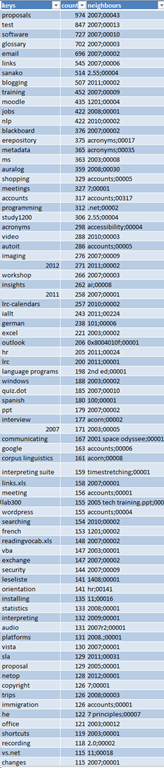
- Originally developed only for simple tag aggregation reports (watch a demo), JobAssignments can now also analyze the tag graph:

- Click the table of contents on the right to browse the VBA documentation built with Aivosto.


Source code samples
2012/07/29
Leave a comment
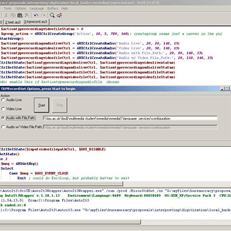 |
source code
|
|||
 |
 |
 |
 |
 |
 |
 |
|||
Categories: screenshot-albums, sourcecode
auralog-tell-me-more, autoit, c#, regular-expressions, sanako-study-1200, VBA
Spanish movie subtitles exercise project
2012/02/03
Leave a comment
- objective:
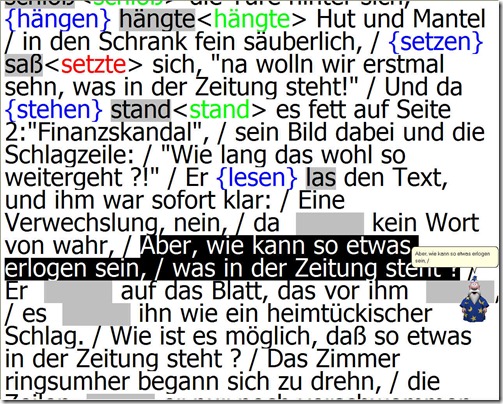
- To facilitate lesson delivery and student interaction in our Language Resource Center I have programmed a VBA- and MS-Word- based cloze quiz template with batch creation based on a simple markup language and rich autocorrecting functions that use string metric algorithms (Damerau-Levenshtein).
 The template supports typical activities in the digital language lab: digital audio- and video-based listening comprehensions, e.g. Quiz Template with Chanson Lyrics,
  and speaking and dialoguing activities for language learning or other examples):
 - Teachers can use them as exercise-generating engines: the templates allow copy/paste of their own exercises into this template. To also automatically create language teaching materials with the required markup in French, German, Italian and Spanish (mostly based on movie subtitles) for this template, I wrote a C#-program that applies an expanding library of regular expressions which can match typical language learner tasks:
- function words,
 e.g for Spanish Movie Subtitling Exercise Creation,
- affixes/infixes
- and lexical subsets taken from corpus linguistic research on word-frequency (SUBTLEX, Opensubtitles)).
- function words,
- This template support the learner by strengthening learner autonomy and providing immediate corrective feedback and – in conjunction with the grouping facilities of the Center’s classroom management system infrastructure – allow for custom-tailored instruction based on the immediately available outcome of formative assessments, and also automated summative feedback:
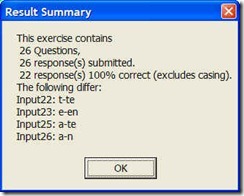
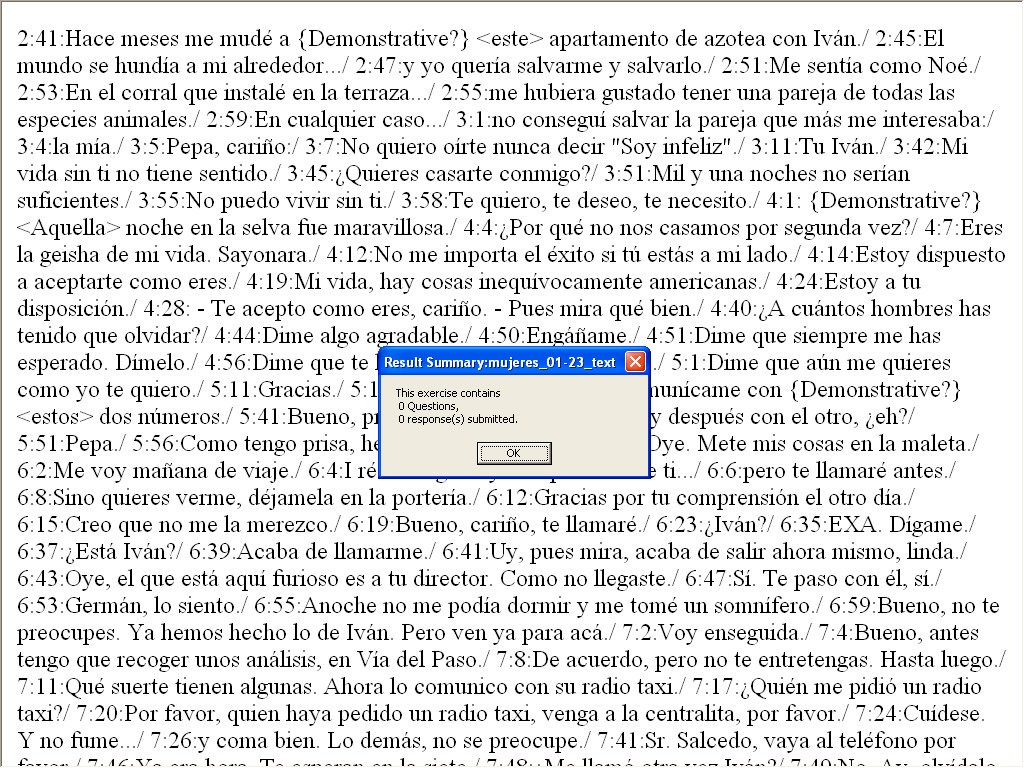
- A Spanish TA can provide meaningful vocabulary and grammar questions as input for cloze listening comprehension exercises that I will create on the basis of subtitles I have for Spanish movies being used in (= put on reserve for viewing in the LRC by) the Spanish program consistent exercises that students can take while watching the movie in class adapted meaningfully to technical possibilities of template
- Screencasts Demos:
- making of template exercises
- manually marked up: Part II to minute 4, Part III
- alternatively, markup can be generated by regular expressions which we will try to develop:
- use of template exercises : Part II, from minute 4
- materials
- source texts:subtitle files for proof reading
- Amores Perros
- Pedro Almodovar – Mujeres al borde de un ataque de nervios
- Pedro Almodovar – Hable Con Ella
- ideas for exercise needs that fit into this cloze format
- grammar
- function words
- affixes
- vocabulary
- frequency-based wordlists from corpus linguistics
- word lists from current textbook
- grammar
- source texts:subtitle files for proof reading
- Deliverables: combos of
- materials
- exercise ideas
- making of template exercises
- To facilitate lesson delivery and student interaction in our Language Resource Center I have programmed a VBA- and MS-Word- based cloze quiz template with batch creation based on a simple markup language and rich autocorrecting functions that use string metric algorithms (Damerau-Levenshtein).



Examples of Quizzes based on MS-Word template
2011/03/02
2 comments
You can view a series of examples for formative assessments, used during face-to-face teaching (German) settings, in this screencast: .
.
Categories: e-languages, Screencasts, service-is-learning-materials-creation, software-old
MS-Word, trpQuiz, VBA


Questions? Read the About. Or just ask me a quick Our Databases: Resources with calendars -- Language learning material Moodle Sites, multimedia files -- films


FAQs for LRC student staff or for students or for teachers. To search our FAQs, in the browser addressbar, add after "https://plagwitz.wordpress.com/feed/?tag=faqs+/" "+TAG1" (from tag cloud below) OR "https://plagwitz.wordpress.com/feed/tag=faqs
&category_name=" "CAT1" (from category hierarchy below). OR search both categories and tags, and multiple TAGs/CATs (connect with "," for OR-search, with "+" for AND-search), like so: https://plagwitz.wordpress.com/feed/?tag=TAG1+TAG2+...TAGn&category_name=CAT1
+CAT2+...CATn"
Other ways to find help
If you cannot find it here, look there: 5,500 Language-Learning Links and Programs for learning or teaching 150 languages
Shortcuts:Our Lists, Our Maps, LRC Staff Moodle Site,LRC Project Moodle Site, 49erexpress, UNCC Moodle, Student Recordings: s:claslcslrcsanakostudent
Learning usage samples: Sanako oral exam, Kaltura webcam presentation, Dictation with speech recognition, Sanako written exam, Chinese and Japanese interactive stroke-order practice
Test the Sanako Installer, Webbrowser Popup Konfigurator for XP, or Windows7, faster LRC TeacherPC Log-in Let MS facilitate diacritics writing by installing for you US-International keyboard layout
This is my personal blog (Google+). The views expressed on these pages are mine alone and not those of my employer. The information in this weblog is provided “AS IS” with no warranties, and confers no rights.
 Thomas' Work Space