Error code 14001 when installing Audacity
- Symptom: Audacity installation seems to complete without error, but attempting to start Audacity at the end of the installation process results in an error about bad environment with the above error code.
- For your reference: It is has been the missing Visual C++ redistributable installation here in the past on staff computers.
- Solution: Download and install the redistributable, then try restarting Audacity: It should start now.
Professional Development for Persian instructors
Persian Curriculum Design (Advanced)
Startalk Program in Washington DC
June 4, 2012 — June 15, 2012 ~ Residential Program
In the course of two intensive weeks, this program will help instructors in facing the challenges of the twenty-first century in teaching Persian. This professional development program will include sessions on standards-based curriculum planning, multi-media technology, learner-centered classroom strategies, and second language acquisition theories, as well as familiarity with assessment tools. Applications are accepted from novice and experienced instructors of Persian. Familiarity with Standards-based language teaching preferred. A limited number of stipends ($500) will be available to applicants, and accommodation available for out of town participants.
DEADLINE: April 30, 2012
To apply, please fill out the application here, and email your CV to persian@gwu.edu. Please forward any inquiries to persian@gwu.edu, or call for inquiries: Professor Pardis Minuchehr at (202) 994-7948.
How to use Audacity to repeat audio cues for students when creating listening learning materials
 .
.How to combine oral cue audio with images in Sanako Study 1200 authoring-tool
- This 100-second authoring tool screencast
 shows how to
 - preview the audio in the authoring tool,
- add an image and
- set its display time on the timeline,
- If you make an error by assigning non-sensible times, the authoring tool helps you by flagging it red:
- save (save frequently, on my Windows-XP SP3 machine, the image display within the authoring tool caused frequent BSODs, seemed video-driver-related).
- View results (application during a class) here.

How to use visual instead of aural cues during a Sanako oral proficiency exam
- This exam file has been authored with the Sanako Study 1200 TBA:authoring tool. It is displayed from the Sanako tutor application:
- images on a projection screen connected to the teacher computer,
- aural portion through the tutor-controlled Sanako student player and headsets.
- To protect the integrity and allow for reuse of the exam, only the initial instruction, example and collection of the results of an exam with visual cues are shown in this screencast
 .
.
How to load the university Drupal calendars into your favorite calendar application
- If you go to our university calendar webpages, you may see

- a top menu allowing you to select either Year,Month,Week, or Day
- a bottom right corner calendar icon (why not the well established ics icon?) which, changing with the view you selected, points to the same (directory) link as the views, but resolves to an ICS file when clicked in your browser
- The default action on click is an open/save option: either way, AFAIK, you will download and point your desktop calendar application (e.g. MS-Outlook) to this file. Even if you do this only per year, this is not only tedious, but the hope that nothing will change in the course of things seems futile.
- The best way that I have found to make this a live calendar subscription is this: in your ICS-compatible calendar application, where it asks you for the calendar URL, load one of the links provided under the calendar icon, e.g. that for the year. But before clicking “OK”, remove anything (= any filter) after “ical” portion of the link.
- In MS-Outlook, this procedure looks like this:

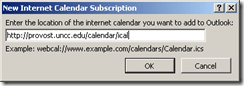 , and the result looks like this: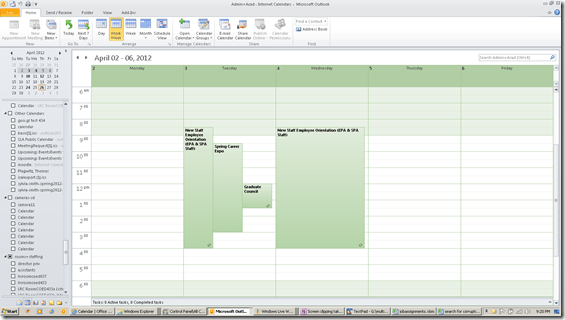
- If you open the downloadable ICS, an open it (mental note: are there other iCAL readers to examine the data, short of loading the calendar into your desktop, phone or cloud calendar software?) you will notice that these calendars are a Drupal-based offering: “PRODID:-//Drupal iCal API//EN”
- Sample Links
- Calendar examples for your web browser: http://provost.uncc.edu/calendar, http://registrar.uncc.edu/calendar
- Calendar year ICS examples for your calendar reader: http://provost.uncc.edu/calendar/ical/2012, http://registrar.uncc.edu/calendar/ical/2012
- The provost’s calendar includes the registrar’s calendar: Administrative and Academic. the color-coding will be lost in translation when loading via ICS. I have not found a way to load the Administrative calendar separately, to use my calendar application to manage the coloring.
- Are there more calendar pages that are of general interest?


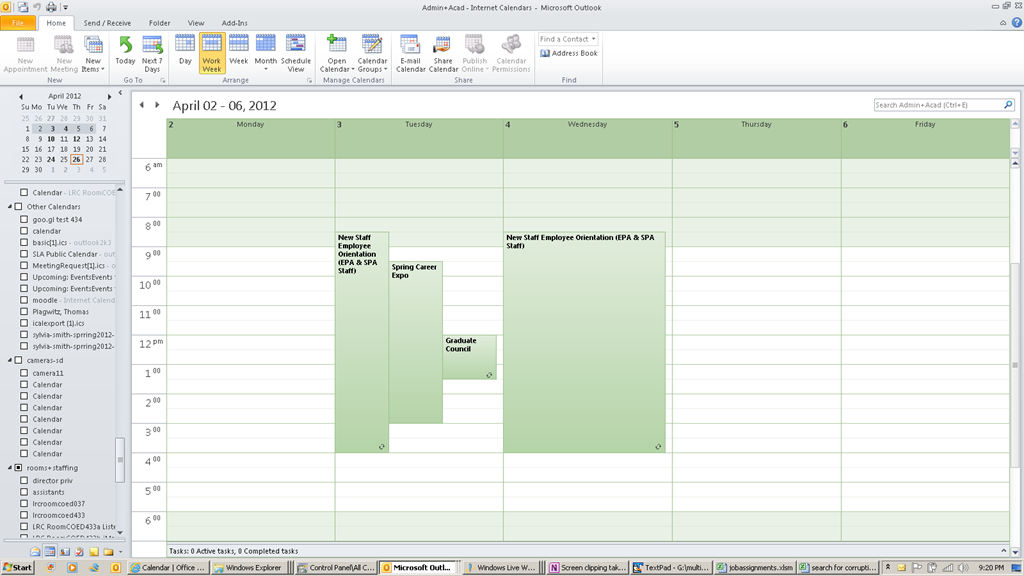
Calendar ICS corruption
- The (Drupal-based?) ICS linked for the ACADEMIC calendar does not display properly in MS-Outlook and other ICS-compatible calendar readers (all events form the Academic calendar seem to get display at the current date and time when this screenshot was taken. The ICS portion for the Administrative calendar does not seem to have the same problem).

- Both do seem to display on the Provost webpage:

- The same holds true for the underlying registrar calendar ICS that is aggregated by the provost’s page.
- Some debugging information when loading http://provost.uncc.edu/calendar/ical : “You have subscribed to “p.”. 19 out of 169 events were successfully added to your calendar. There seemed to be some problems with the other events in the file you were importing.”


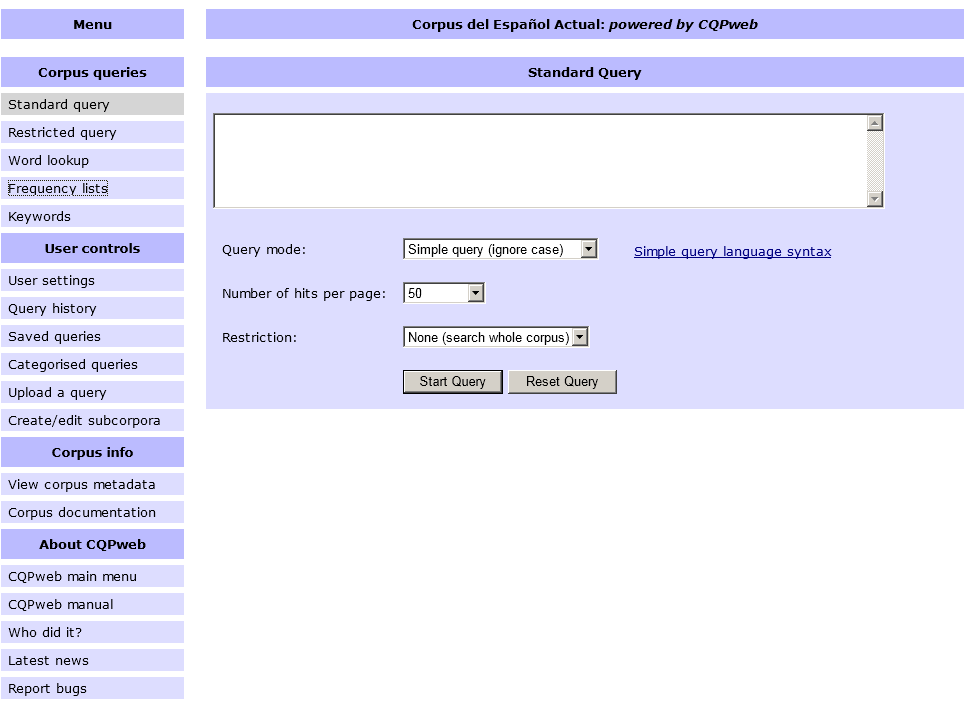
Corpus del Español Actual (CEA)
-
Link:
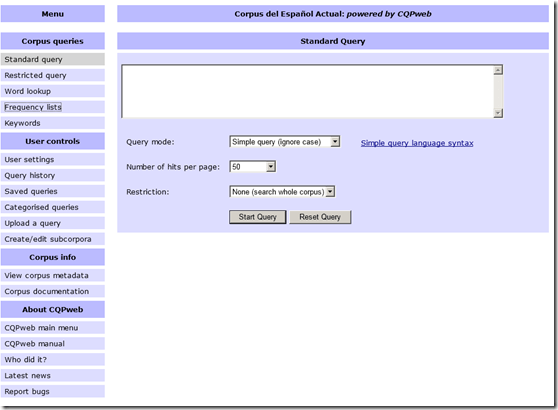
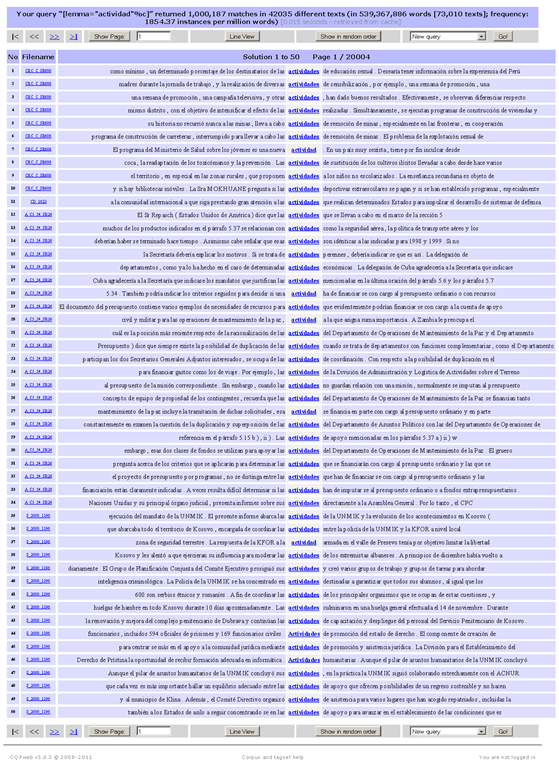
- Example of KWIC view result:

- Based on Europarl, Wikicorpus (2006!), MultiUN. From their metadata page:
Metadata for Corpus del Español Actual
Corpus name
Corpus del Español Actual
CQPweb’s short handles for this corpus
cea / CEA
Total number of corpus texts
73,010
Total words in all corpus texts
539,367,886
Word types in the corpus
1,680,309
Type:token ratio
0 types per token
Text metadata and word-level annotation
The database stores the following information for each text in the corpus:
There is no text-level metadata for this corpus.
The primary classification of texts is based on:
A primary classification scheme for texts has not been set.
Words in this corpus are annotated with:
Lemma (Lemma)
Part-Of-Speech (POS)
WStart (WStart)
The primary tagging scheme is:
Part-Of-Speech
Further information about this corpus is available on the web at:
- To use, “consult the IMS’s brief description of the regular-expression syntax used by the CQP and their list of sample queries. If you wish to define your query in terms of grammatical and inflectional categories, you can use the part-of-speech tags listed on the CEA’s Corpus Tags page.”
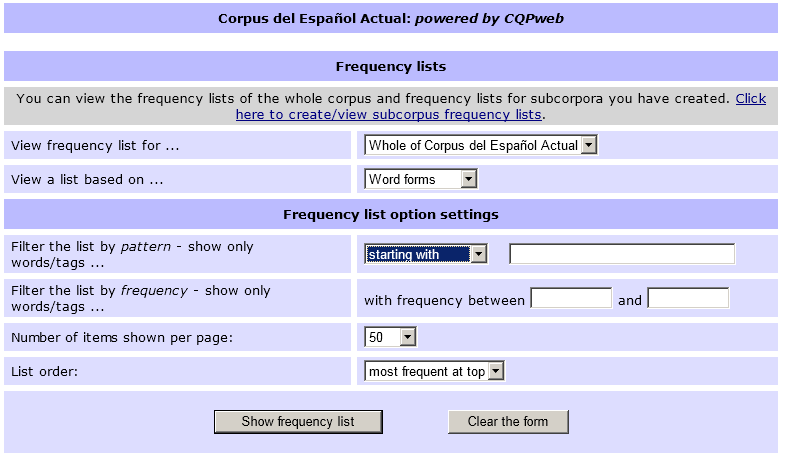
- Also provides frequency data (based on word forms or lemmas, and others – up to a 1000):

- Examples of a frequency query result (click for full-size image. Note that a lemmatized list was requested here which links all inflected forms back to the lemma, and vice versa, upon clicking the lemma, displays a KWIC view containing all forms subsumed under that lemma, see picture above):




Questions? Read the About. Or just ask me a quick Our Databases: Resources with calendars -- Language learning material Moodle Sites, multimedia files -- films


FAQs for LRC student staff or for students or for teachers. To search our FAQs, in the browser addressbar, add after "https://plagwitz.wordpress.com/feed/?tag=faqs+/" "+TAG1" (from tag cloud below) OR "https://plagwitz.wordpress.com/feed/tag=faqs
&category_name=" "CAT1" (from category hierarchy below). OR search both categories and tags, and multiple TAGs/CATs (connect with "," for OR-search, with "+" for AND-search), like so: https://plagwitz.wordpress.com/feed/?tag=TAG1+TAG2+...TAGn&category_name=CAT1
+CAT2+...CATn"
Other ways to find help
If you cannot find it here, look there: 5,500 Language-Learning Links and Programs for learning or teaching 150 languages
Shortcuts:Our Lists, Our Maps, LRC Staff Moodle Site,LRC Project Moodle Site, 49erexpress, UNCC Moodle, Student Recordings: s:claslcslrcsanakostudent
Learning usage samples: Sanako oral exam, Kaltura webcam presentation, Dictation with speech recognition, Sanako written exam, Chinese and Japanese interactive stroke-order practice
Test the Sanako Installer, Webbrowser Popup Konfigurator for XP, or Windows7, faster LRC TeacherPC Log-in Let MS facilitate diacritics writing by installing for you US-International keyboard layout
This is my personal blog (Google+). The views expressed on these pages are mine alone and not those of my employer. The information in this weblog is provided “AS IS” with no warranties, and confers no rights.

