How to transcribe English into phonetic alphabet using Phonetizer.com
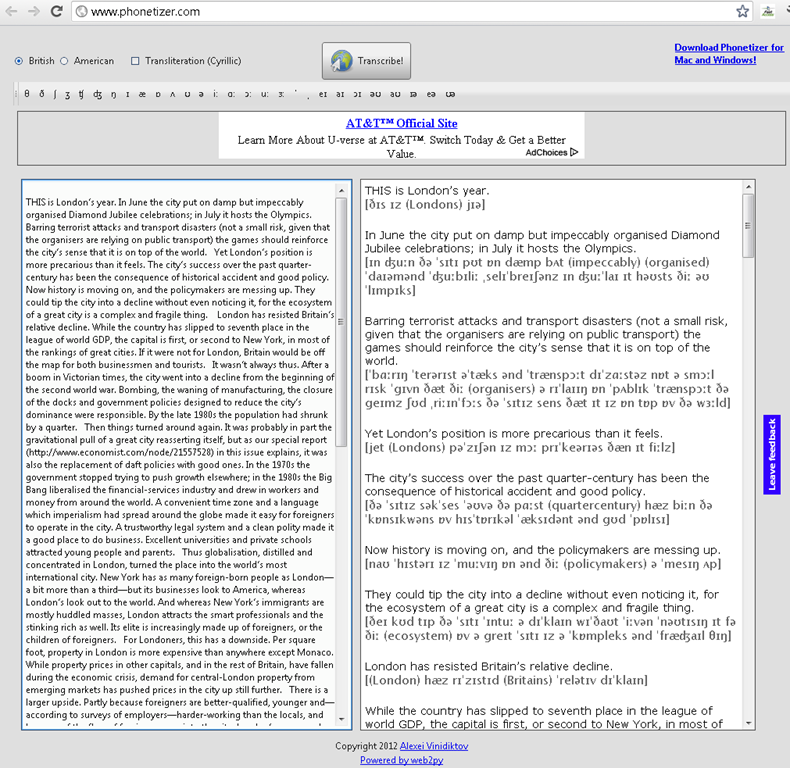
Phonetizer transcribes into IPA. The vocabulary seems somewhat limited (45000 claimed) – English spelling variants do not help, although Phonetizer offers BE as an input option. I have not found a length limit for the transcription with an article from the current Economist of over 1000 words – should be plenty for most reading/recording assignments in the LRC. Easy as (web2)py.  The web version is advertisement-based. The downloadable version is not free, so we cannot install it in the LRC, unfortunately.
Windows 7 US-English with German language pack

Just to make sure, we are still in EDT…  (and the date and other formats do not get changed with the display language either, but so does help and feedback).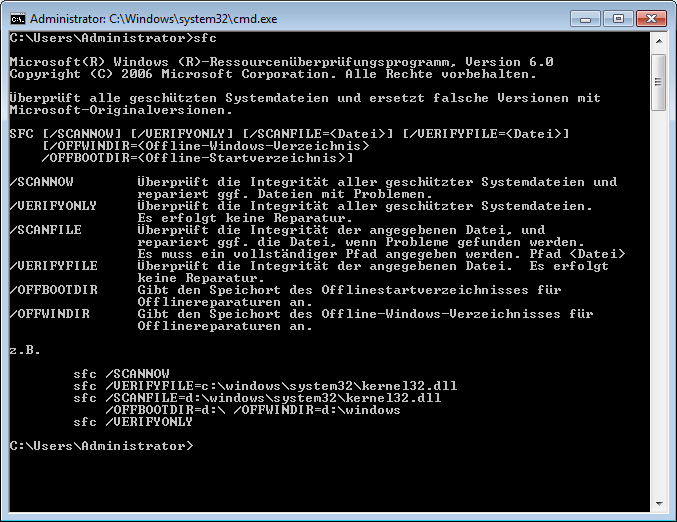
Can you find the error in Microsoft’s German localization in the command line window? Post it below.
Google-Translate for phonetization?
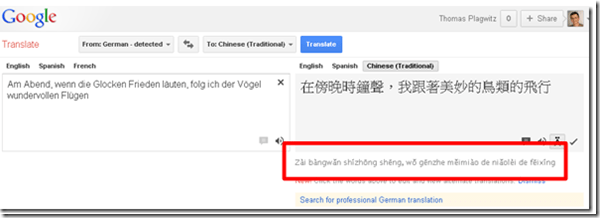
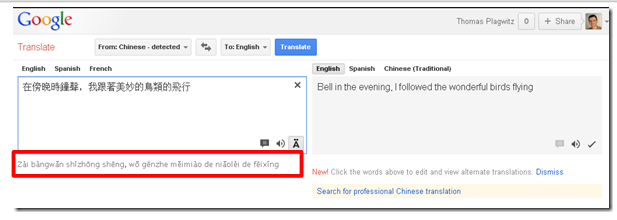
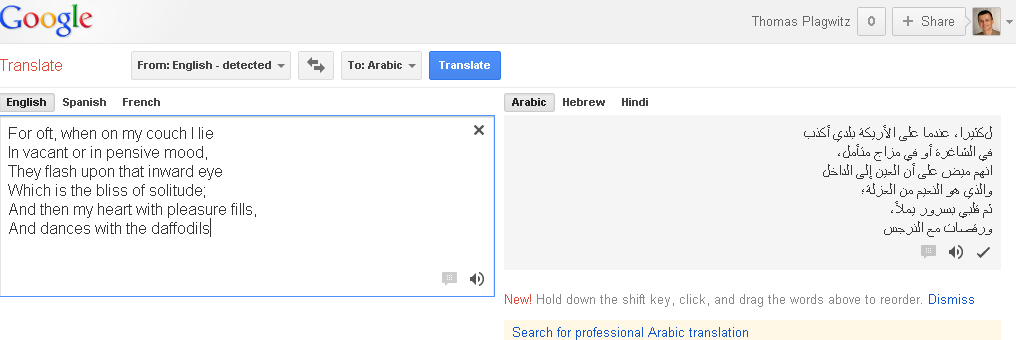
- Google-Translate also offers some phonetic transliterations. You may have noticed this when attempting (remember, though, that it is for a reason that they link to “professional translation” services, and also invite anybody to amend the machine translation offered) to translate from English into other languages,

- However, if you type or paste non-Romanized text into the source textbox, you also get the option button “read phonetically” (meaning transliterate to phonetic symbols or phonetize).
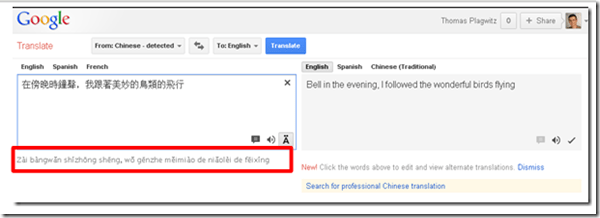
- Limited use in the LRC: Few languages are supported.
- Only languages written in non-roman letters are offered. E.g. French or German are not deemed difficult enough (I know a few that would beg to differ
 ).
).
- Arabic, Farsi and Hebrew are also not supported (root cause: right-to-left? Strangely these right-to-left-languages work in the TBA:Google transliterate IME which attempts to do roughly the opposite of phonetization):

- Leaves: Chinese, Greek, Hindi, Japanese, Russian. However, note finally that not a standard phonetic alphabet is being used either for these transcriptions.


Phonetic transcription websites
Computerized Language resource centers are supposed to work wonders improving SLA students’ pronunciation: Can’t computers analyze and visualize sound for us?
However, it turned out there seems to be a considerable “impedance mismatch” not only between computers analyzing and understanding the signal, but also between a computer voice graph and the capability of a language learner to process and improve pronunciation on the basis of it.
Voice graphs may have some use for tonal languages. But can you even tell from a voice graph of a letter which sound is being produced?
Enter the traditional phonetic transcription that pre-computerized language learners remember from their paper dictionaries (provided you can teach your language learners phonetic symbol sets like the IPA). Not only are good online dictionaries perfectible capable of displaying phonetic symbol sets on the web (it’s all in Unicode nowadays).
There are now experimental programs that can automate the transcription of text into phonetic symbol sets for e.g. English, Portuguese or Spanish. The more advanced ones also come with text-to-speech.
You can provide your students with audio (or, text-to-speech capability provided) or text models and have them study the phonetic transcription, listen to the audio, and record their model imitation in the LRC. Maybe you will find that practice with recording and a phonetic transcription of the recorded text is more useful for your students’ pronunciation practice than a fancy voice graph.
How to do successful Moodle-Kaltura webcam recording assignments
Kaltura turned out to have a number of limitations, and we have some of our own in the LRC. Both required some debugging and finding of workarounds, which you can benefit of if you follow carefully our step-by-step guides for teachers or for students.

Yes, Chrome, you too can display my RSS feeds nicely…
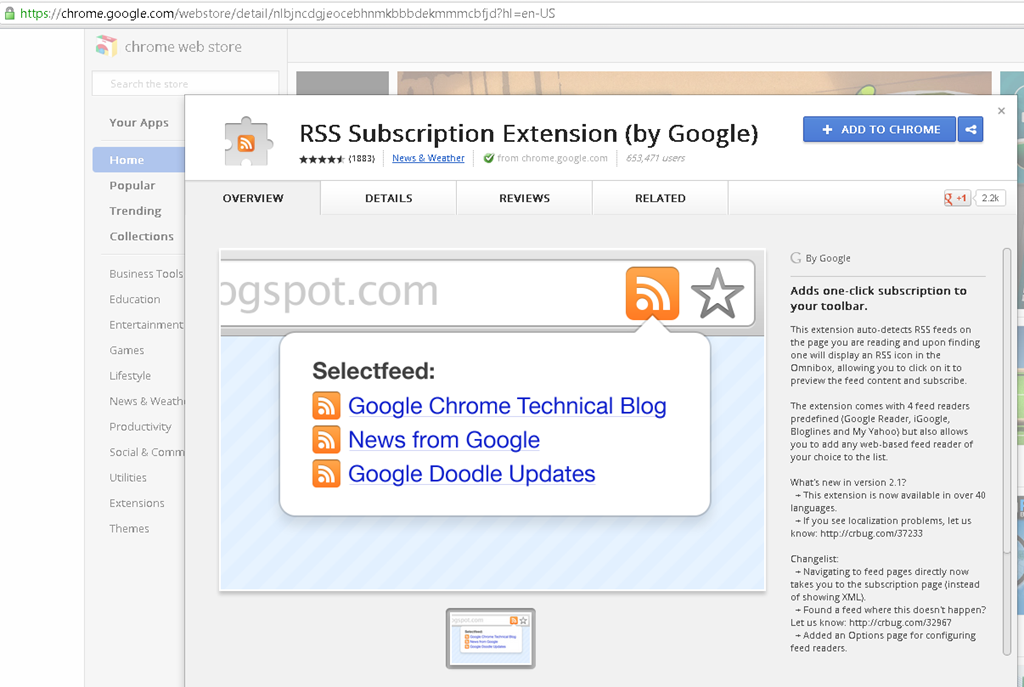
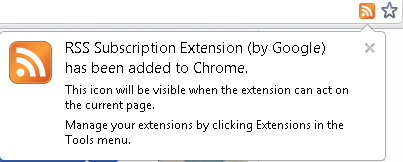
… if you install this extension made by Google themselves (who, I think, should include this RSS feed display extension in the default Chrome distribution):
No comparison with Internet-Explorer’s feed display, but much legible than the XML code display Chrome defaults to:

LRC Calendars setup, documentation and training
I have written dozens of posts on the MS-Exchange/Outlook/OWA/Ninermail calendaring system that I set up for room reservation, equipment circulation, and staff timetabling in the LRC, the most recent 50 of which you also can view here – which should display like below in Firefox feed display. If you use Internet Explorer which has a nicer RSS feed display, you get to a list of articles where you cannot only browse, but search within the search results:



Questions? Read the About. Or just ask me a quick Our Databases: Resources with calendars -- Language learning material Moodle Sites, multimedia files -- films


FAQs for LRC student staff or for students or for teachers. To search our FAQs, in the browser addressbar, add after "https://plagwitz.wordpress.com/feed/?tag=faqs+/" "+TAG1" (from tag cloud below) OR "https://plagwitz.wordpress.com/feed/tag=faqs
&category_name=" "CAT1" (from category hierarchy below). OR search both categories and tags, and multiple TAGs/CATs (connect with "," for OR-search, with "+" for AND-search), like so: https://plagwitz.wordpress.com/feed/?tag=TAG1+TAG2+...TAGn&category_name=CAT1
+CAT2+...CATn"
Other ways to find help
If you cannot find it here, look there: 5,500 Language-Learning Links and Programs for learning or teaching 150 languages
Shortcuts:Our Lists, Our Maps, LRC Staff Moodle Site,LRC Project Moodle Site, 49erexpress, UNCC Moodle, Student Recordings: s:claslcslrcsanakostudent
Learning usage samples: Sanako oral exam, Kaltura webcam presentation, Dictation with speech recognition, Sanako written exam, Chinese and Japanese interactive stroke-order practice
Test the Sanako Installer, Webbrowser Popup Konfigurator for XP, or Windows7, faster LRC TeacherPC Log-in Let MS facilitate diacritics writing by installing for you US-International keyboard layout
This is my personal blog (Google+). The views expressed on these pages are mine alone and not those of my employer. The information in this weblog is provided “AS IS” with no warranties, and confers no rights.

