How to test Blackboard IM (formerly Wimba Pronto) for Vista Higher Learning Textbooks
2014/02/04
Leave a comment
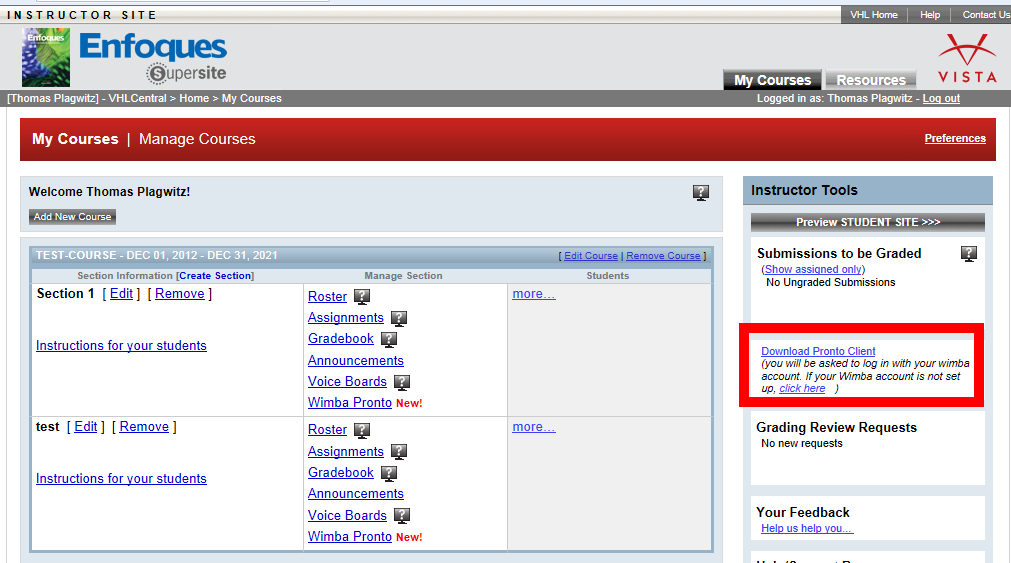
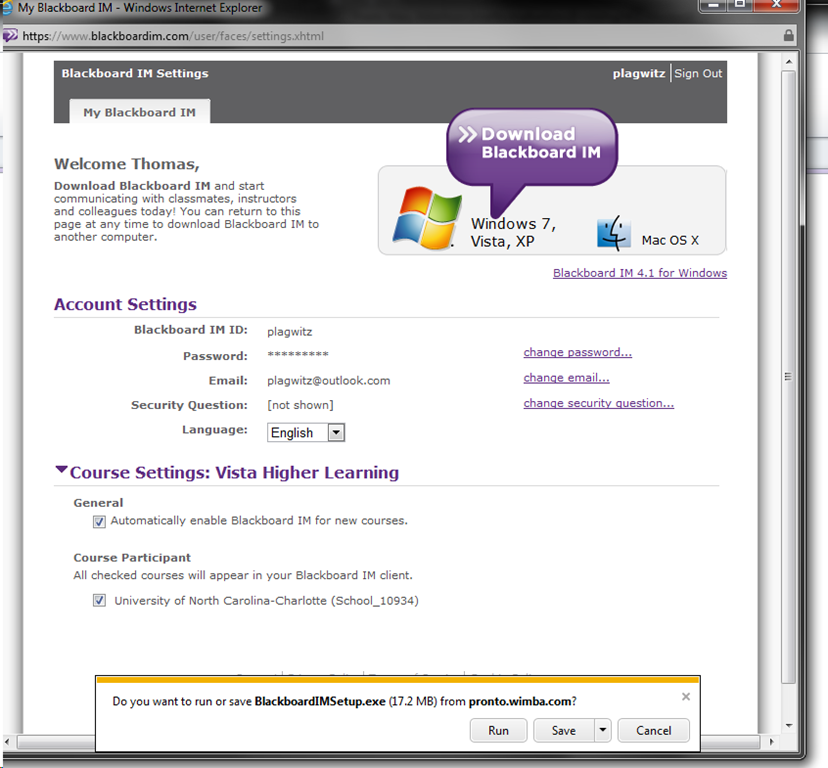
- After logging in on vhlcentral.com,
- the Software is linked on your “My courses” page:
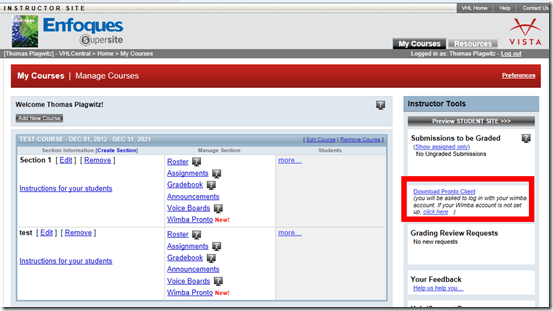
- Download and install:

- After install:
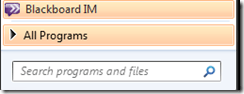
- Mine was already enabled, but the help says:
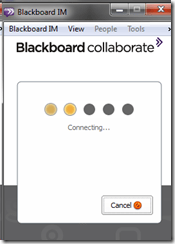
 Log in (Note: my account info was different form my vhlcentral.com)

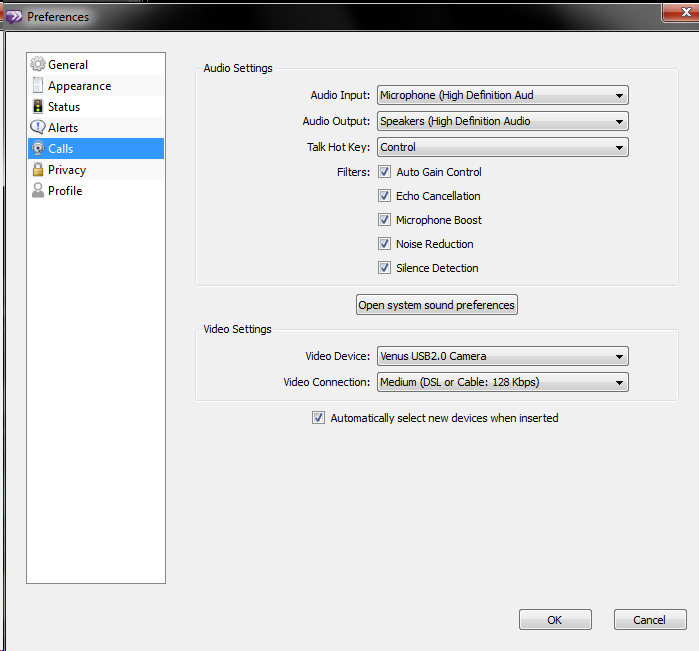
- Check out the Tools menu
- Audio settings should be especially interesting, but there ix no built-on test:

- Need a partner for testing ..


Categories: e-infrastructure, Student-Computers, textbooks, web-conferencing
audio, blackboard, enfoques, im, image2014spring, java, pronto, supersite, vistahigherlearning, wimba
Protected: Are oral exams failing since language students have not been given write access to the Sanako share?
2014/02/03
Enter your password to view comments.
Experiencing frequent crashes of Sanako student light recorder
2014/02/03
Leave a comment
- The new weekly headset check by LRC assistants brought to light that the Sanako student recorder (updated to 7.1, but I did not observe this during a very brief test at start of term):
- Students provide us with large sets of photos like this:
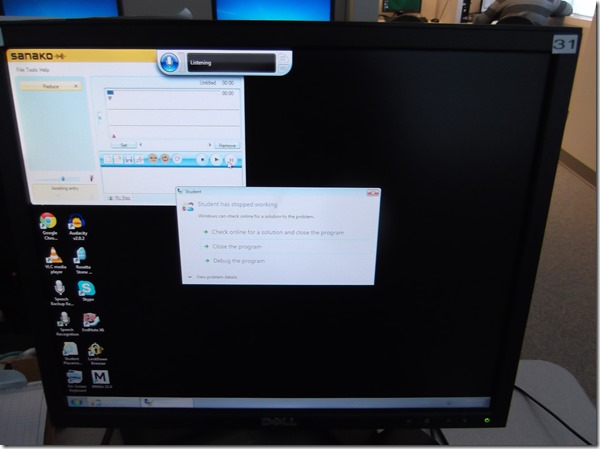
- Need to investigate:
- what is the detail ?
- only on startup? what happens when the sanako is closed and restarted?
- collect the sanako log files before the (frozen) computer gets restarted

Categories: digital-audio-lab, e-languages, Glitches&Errors
7.1, sanako-study-1200, student.exe
Old new problem in Sanako Study 1200 version 7 with 2 student recorder exe’s running simultaneously on client, under different user accounts?
2014/01/31
Leave a comment
- –
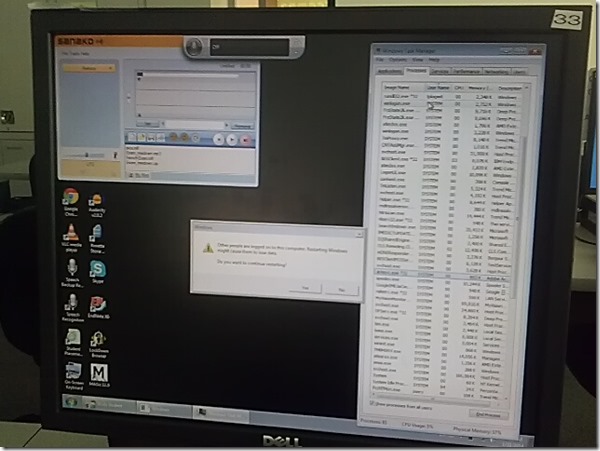
- This images is too low resolution, but I am trying to demonstrate that we still experience the same issue as in the fall: two users can be logged in simultaneously. In both cases ones was me. this can cause the language lab software to fail.
- If generally this is supposed to be prevented in our computing environment, what may be the root cause in these instances?
- I am pretty sure mstsc’ing has nothing to do with it. I do not remote into that PC usually.
- Is it possible for another user to log in when previous (administrative?) users got locked?

Categories: digital-audio-lab, e-infrastructure, Glitches&Errors, os
image2014spring, sanako-study-1200
How students need to work around Sanako startup issues at start of 2014
2014/01/31
Leave a comment
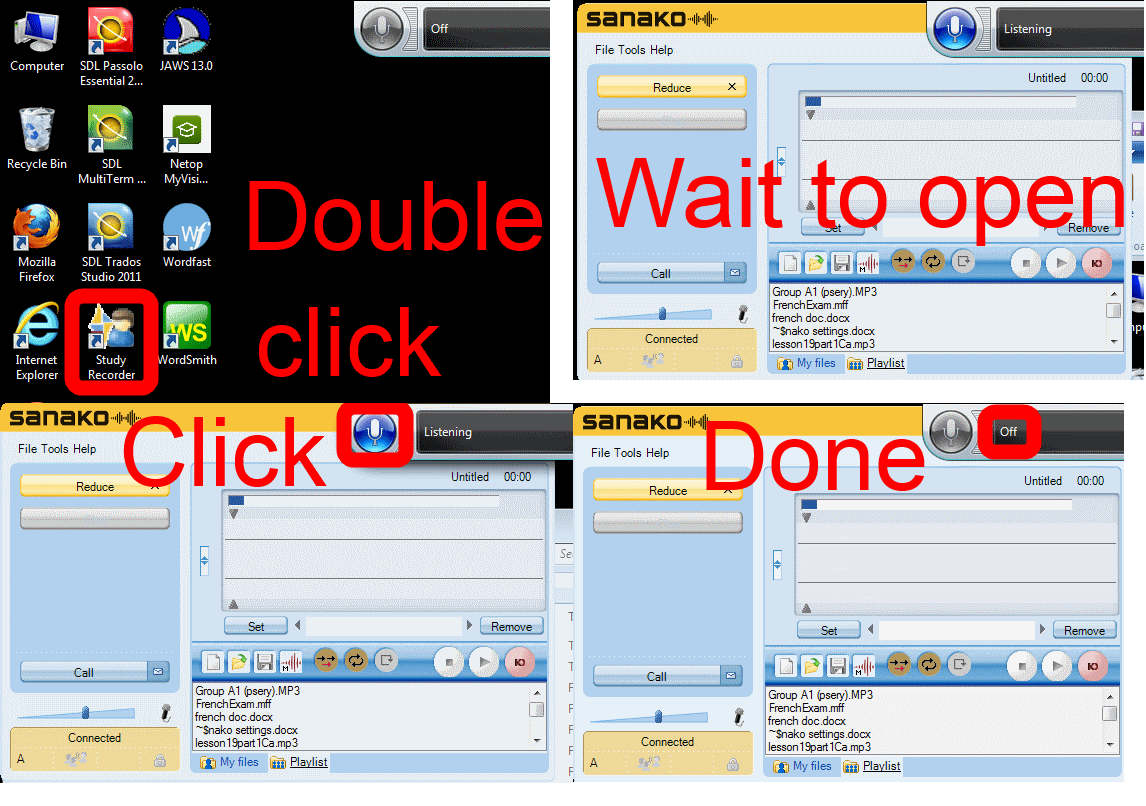
UPDATE: Step 1 is not necessary anymore, Step2 (Microphone click) still is.
Categories: animated-GIFs, audience-is-students, audience-is-teachers, digital-audio-lab, e-languages, Glitches&Errors, Institution-is-University-of-North-Carolina-Charlotte, Listening, multimedia-recording, service-is-testing-troubleshooting-debugging, Speaking, Student-Computers
image2014spring, sanako-study-1200, student.exe

How to get started with the new text-to-speech support in Sanako 7
2014/01/31
Leave a comment
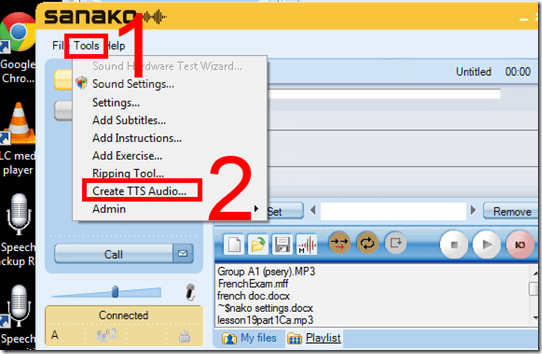
- With the new text-to-speech feature, students can generate their own pronunciation help:
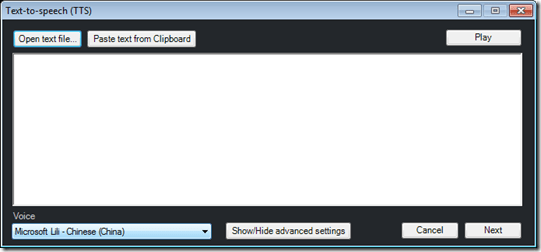
- Using the button:Advanced settings, you can even
- vary the speed of,
- insert bookmarks to use with Sanako player
- or insert thinking pauses for the learner into the audio – excellent ideas, I find
 !
!
- Unfortunately, the LRC currently has voices only for English and Mandarin. Extra voices cost extra
 .
. - Then there is Google translate text-to-speech, but that cannot be saved to file.


How to create a form on Google Apps
2014/01/31
Leave a comment
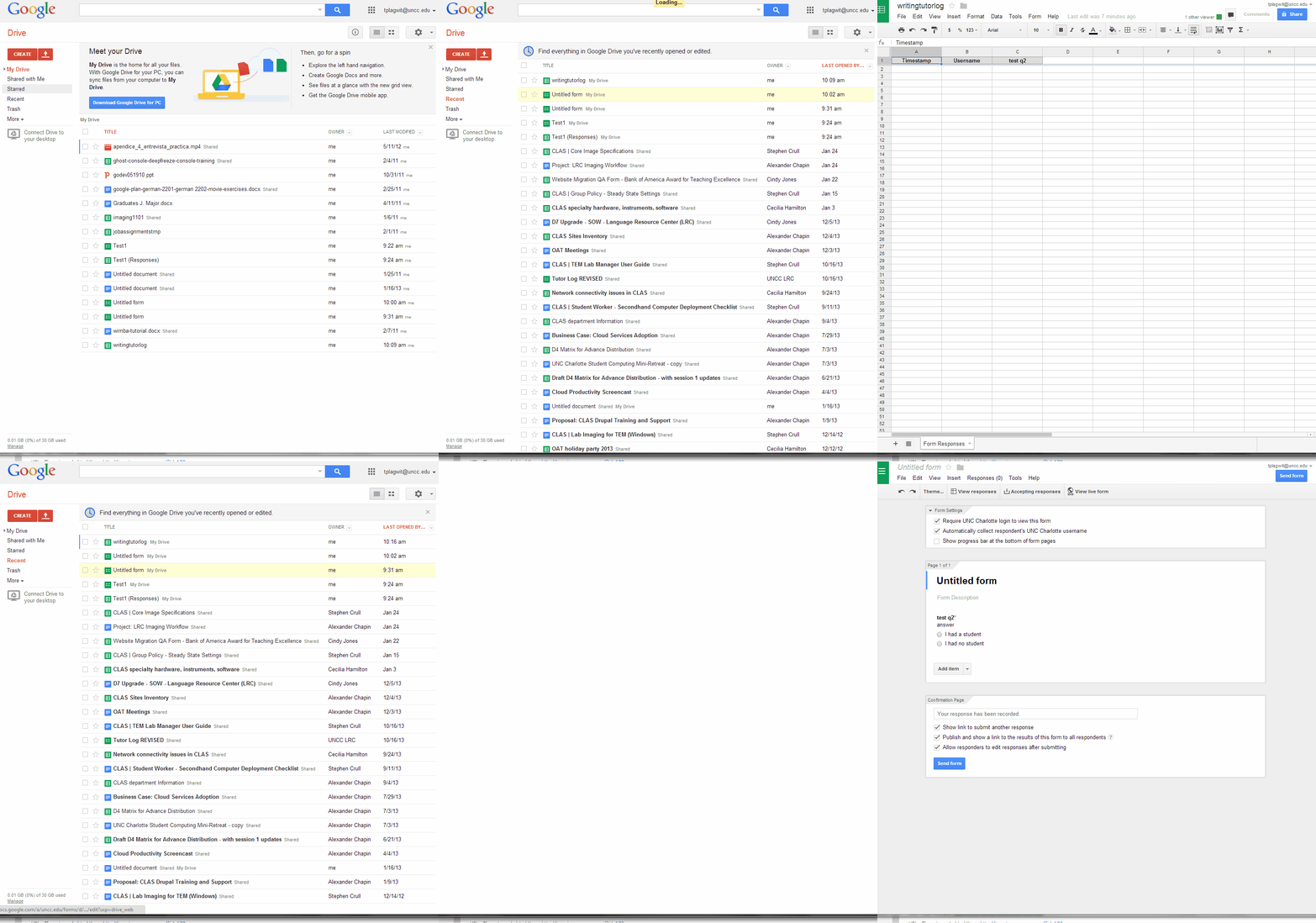
- If you want to collect input from others (including students outside of a course = Moodle), including recurring input from the same student (multiple submissions are the default andsingle submission limit can apparently only be enforced offwith JavaScript hacks)(.
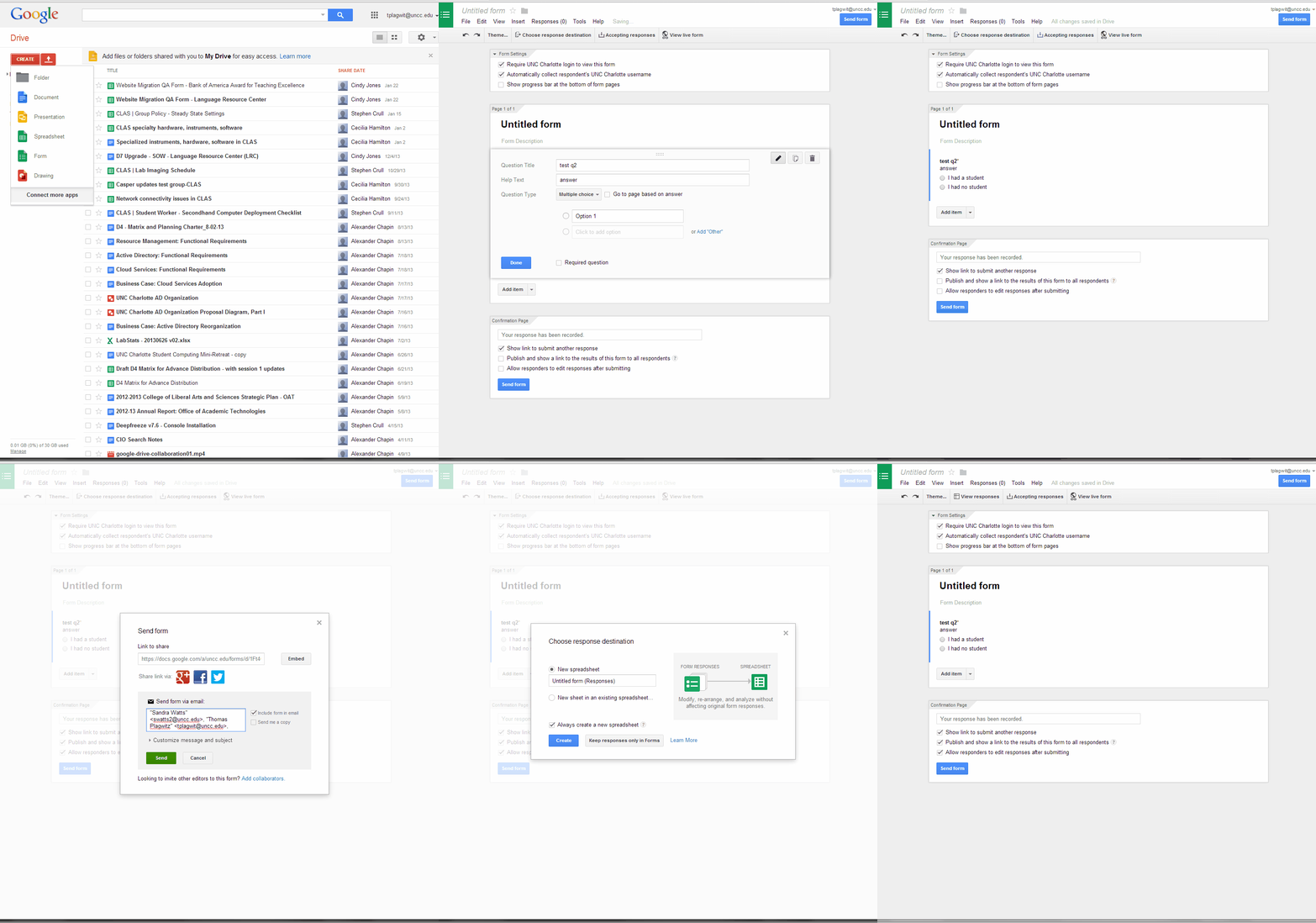
- Do this to create a form in Google Apps:

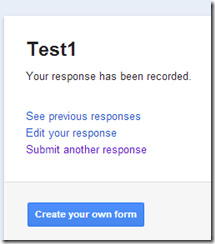
- Here is what you can have your submitters see:


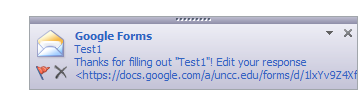
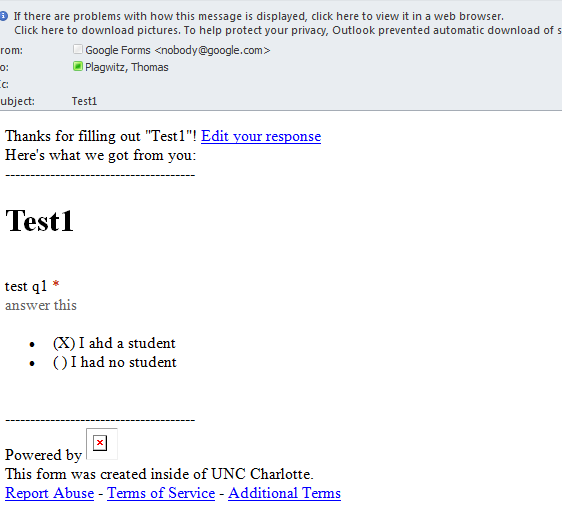
- Here is what you get:




Questions? Read the About. Or just ask me a quick Our Databases: Resources with calendars -- Language learning material Moodle Sites, multimedia files -- films


FAQs for LRC student staff or for students or for teachers. To search our FAQs, in the browser addressbar, add after "https://plagwitz.wordpress.com/feed/?tag=faqs+/" "+TAG1" (from tag cloud below) OR "https://plagwitz.wordpress.com/feed/tag=faqs
&category_name=" "CAT1" (from category hierarchy below). OR search both categories and tags, and multiple TAGs/CATs (connect with "," for OR-search, with "+" for AND-search), like so: https://plagwitz.wordpress.com/feed/?tag=TAG1+TAG2+...TAGn&category_name=CAT1
+CAT2+...CATn"
Other ways to find help
If you cannot find it here, look there: 5,500 Language-Learning Links and Programs for learning or teaching 150 languages
Shortcuts:Our Lists, Our Maps, LRC Staff Moodle Site,LRC Project Moodle Site, 49erexpress, UNCC Moodle, Student Recordings: s:claslcslrcsanakostudent
Learning usage samples: Sanako oral exam, Kaltura webcam presentation, Dictation with speech recognition, Sanako written exam, Chinese and Japanese interactive stroke-order practice
Test the Sanako Installer, Webbrowser Popup Konfigurator for XP, or Windows7, faster LRC TeacherPC Log-in Let MS facilitate diacritics writing by installing for you US-International keyboard layout
This is my personal blog (Google+). The views expressed on these pages are mine alone and not those of my employer. The information in this weblog is provided “AS IS” with no warranties, and confers no rights.
 Thomas' Work Space