Archive
How to secure headphones on Lab PC
An LRC classic: In an attempt to improve, students will unplug/reseat and/or break headphone connectors, and render the LRC computers useless for even basic audio listening/recording use. In our attempt to prevent this and protect student users from themselves, here is what we have to work with on the rear of Dell Optiplex 760 (mini form factor): 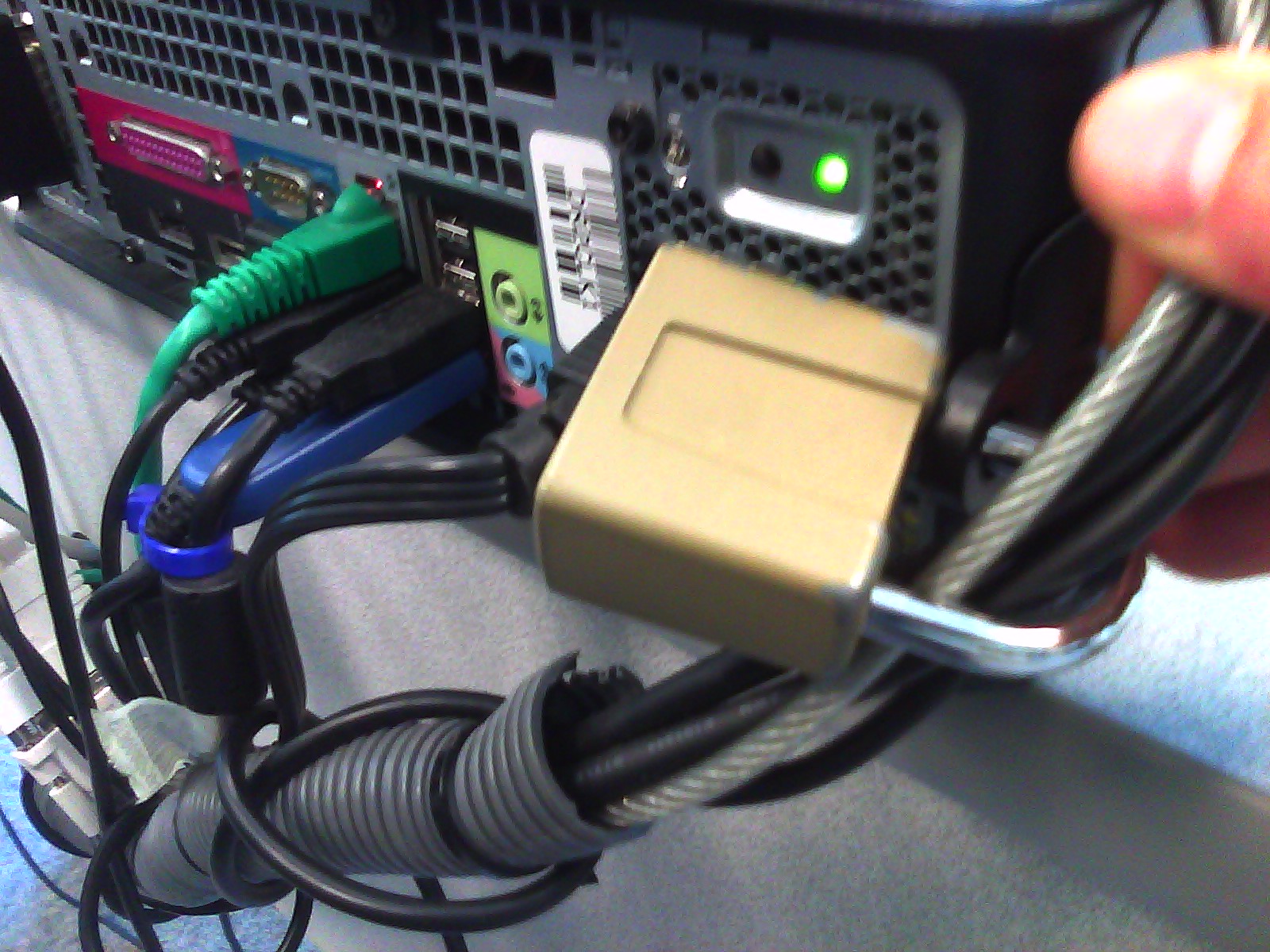 .
.
Cables tied to one another seems to be not stable neough. Maybe try, on top of the old (loop-headphone-cable-through-)washer-trick, a cable-tie looped through the rear grate openings which are closer and more accessible than the already installed lock?
Remember to switch to a 32-bit web browser if your SkyDrive online documents fail to open in MS-Office 2010.
- I would have thought that in this day and age, usage metrics data would have prompted MS to put that problem root and resolution – open the web page and the “Open in [Excel/Word/PowerPoint]" in a 32-bit browser - more prominently in the error messages .
- Instead, if using a 64-bit browser, you may be seeing
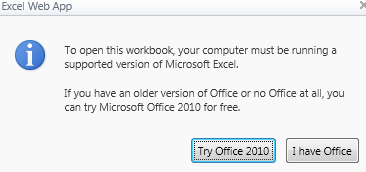
- this:
 (“To open this workbook, your computer must be running a supported version of Microsoft Excel. If you have an older version of Office or no Office at all, you can try Microsoft Office 2010 for free")
 - or this
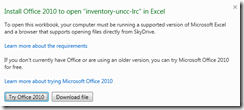 (“Install Office 2010 to open [your filename] in Excel. To open this workbook your computer must be running a supported version of Microsoft Excel and a browser that supports opening files directly from SkyDrive. Learn more about the requirements If you don’t currently have Office or are using an older version, you can try Microsoft Office 2010 for free. Learn more about trying Microsoft Office 2010. ”)
 - or this
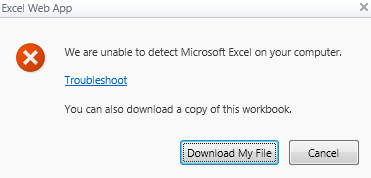
 ("We are unable to detect Microsoft Excel on your computer. Troubleshoot You can also download a copy of this workbook).
 - If e.g. you `run this browser:
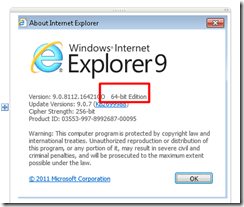
- Only if you follow the troubleshoot link, you find the 64-bitness of the browser mentioned.


How to fix inability to open notebook from web in MS-OneNote
- A lot of people seem to experience this problem, where the menu item “Open in OneNote” in the OneNote webapp results in the error: “To open this notebook your computer must be running a supported version of Microsoft OneNote and a browser that supports opening files directly from the Office Web Apps.”
- Here is what seems to have solved it for me (it only started to work when owssupp.dll was reinstalled. However, some of the earlier steps may also be necessary, notably adding to the “trusted sites”).
- To open from OneNote desktop, as opposed to form the webapp, I tried to find out the URL of OneNote notebook
- Easiest way is subtracting the edit.aspx portion from the OneNote webapp URL you are viewing.
- Or if you can open the notebook on a different computer in OneNote, right-click on the notebook in the left tree and choose properties, or hover over one of its section headers above it to read the tooltip).
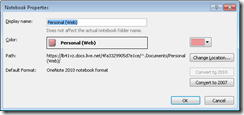
- Then in OneNote on the offending computer, menu:file/open/ instead of browsing, paste the URL. This failed without providing any feedback:

- Then I tried following the tips under the link “troubleshooting” in the error message.
- However, Firefox had the office plugin already enabled:
- I made sure you I was not not running Internet Explorer IE 64-bit.
- In IE 32-bit: Enable the SharePoint OpenDocuments Class add-on in “Tools”/”Manage Add-ons”: Display the list of add-ons, Dropdown “Show” / “All add-ons” / SharePoint OpenDocuments Class, “Enable”, this had also already been the case.

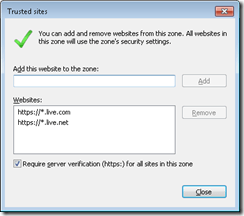
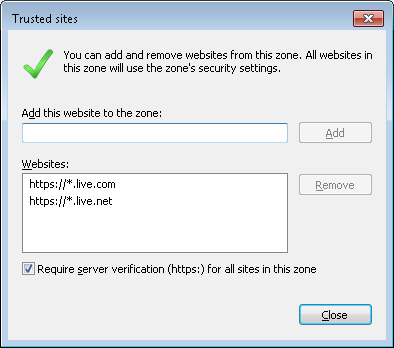
- I added in IE trusted sites (these were missing – did it matter?): Tools / Internet Options./ Security / Trusted sites/ Level needs to be lower than High, Sites, Add this website to this zone box, added liv e.com and live.net (IE adds the asterisk) :
- I then followed the MS Answers forum instructions to reinstall MS-Office, or rather remove and reenable the owssupp.dll:
- before:
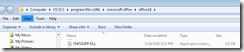 , then rename extension to “old”.
 - In control panel / programs and features / office 2010 professional plus / configure / office tools / Microsoft SharePoint Foundation support, run from my computer, to re-add the SharePoint plugin:
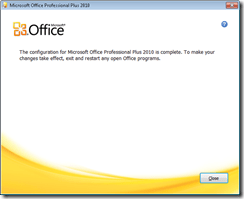
- after:
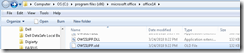
- Voilà: Now I could open in OneNote from OneNote webapp:

- before:
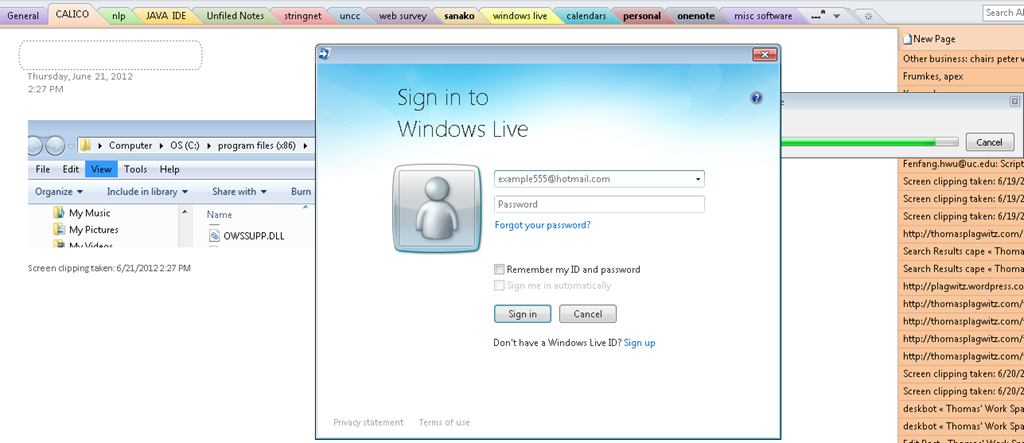
- Here is wishing that this were easier.., but now I can also open from OneNote / File / Open, and give the URL on live.net (giving the URL does not open directly, I have to press open again to open the OpenNotebook.onetoc2):






NetOp School 6 not upgrading
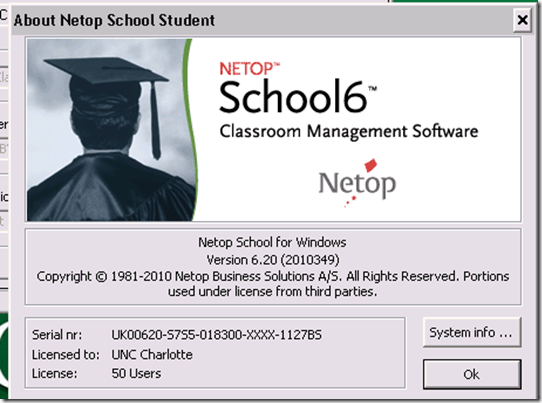
- Here is what we have:
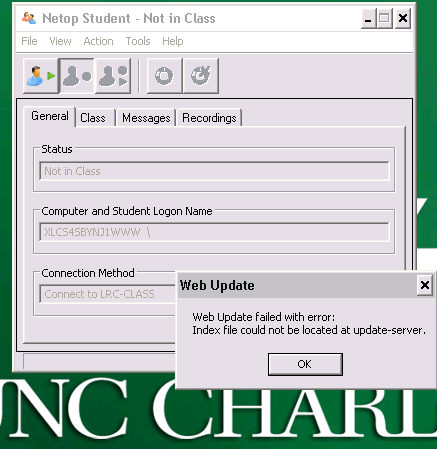
- Here is what get:

- And for the indexing servers: “ Web Update failed with error: Index file could not be located at update-server.”

Mac Mini (Mid 2010) Overview
Just trying to make the basic troubleshooting information more accessible from the field:

 Taken from: http://manuals.info.apple.com/en_US/Mac_mini_Mid2010_User_Guide.pdf
Protected: SelfReg – registration of devices on the UNCC network in 5 easy steps
Classroom Management Systems deemed a necessity in Higher Education computer labs
As seen in a teaching lab of a top-20 US university.



Questions? Read the About. Or just ask me a quick Our Databases: Resources with calendars -- Language learning material Moodle Sites, multimedia files -- films


FAQs for LRC student staff or for students or for teachers. To search our FAQs, in the browser addressbar, add after "https://plagwitz.wordpress.com/feed/?tag=faqs+/" "+TAG1" (from tag cloud below) OR "https://plagwitz.wordpress.com/feed/tag=faqs
&category_name=" "CAT1" (from category hierarchy below). OR search both categories and tags, and multiple TAGs/CATs (connect with "," for OR-search, with "+" for AND-search), like so: https://plagwitz.wordpress.com/feed/?tag=TAG1+TAG2+...TAGn&category_name=CAT1
+CAT2+...CATn"
Other ways to find help
If you cannot find it here, look there: 5,500 Language-Learning Links and Programs for learning or teaching 150 languages
Shortcuts:Our Lists, Our Maps, LRC Staff Moodle Site,LRC Project Moodle Site, 49erexpress, UNCC Moodle, Student Recordings: s:claslcslrcsanakostudent
Learning usage samples: Sanako oral exam, Kaltura webcam presentation, Dictation with speech recognition, Sanako written exam, Chinese and Japanese interactive stroke-order practice
Test the Sanako Installer, Webbrowser Popup Konfigurator for XP, or Windows7, faster LRC TeacherPC Log-in Let MS facilitate diacritics writing by installing for you US-International keyboard layout
This is my personal blog (Google+). The views expressed on these pages are mine alone and not those of my employer. The information in this weblog is provided “AS IS” with no warranties, and confers no rights.
 Thomas' Work Space