Archive
How to use Bulk Rename’s RegEx matching capability
Much desired, but took me a while to figure that one out:
By default, any filename with a matched substrings will be replaced by nothing;

What you want to remain, you have to refer to in the replacement with backticks:
UIowa.edu phonetics website for learners of English, German and Spanish
Hone your foreign language pronunciation skills by learning about phonetics: This oft-recommended University of Iowa phonetics website “contains animated libraries of the phonetic sounds (….) for each consonant and vowel”, including “an animated articulatory diagram, a step-by-step description, and video-audio of the sound spoken in context”.

Windows 7 US-English with German language pack

Just to make sure, we are still in EDT…  (and the date and other formats do not get changed with the display language either, but so does help and feedback).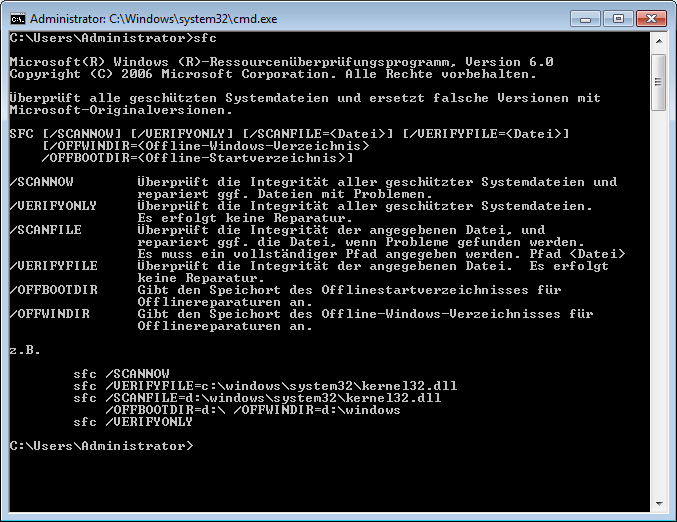
Can you find the error in Microsoft’s German localization in the command line window? Post it below.
How to do successful Moodle-Kaltura webcam recording assignments
Kaltura turned out to have a number of limitations, and we have some of our own in the LRC. Both required some debugging and finding of workarounds, which you can benefit of if you follow carefully our step-by-step guides for teachers or for students.

Yes, Chrome, you too can display my RSS feeds nicely…
… if you install this extension made by Google themselves (who, I think, should include this RSS feed display extension in the default Chrome distribution):
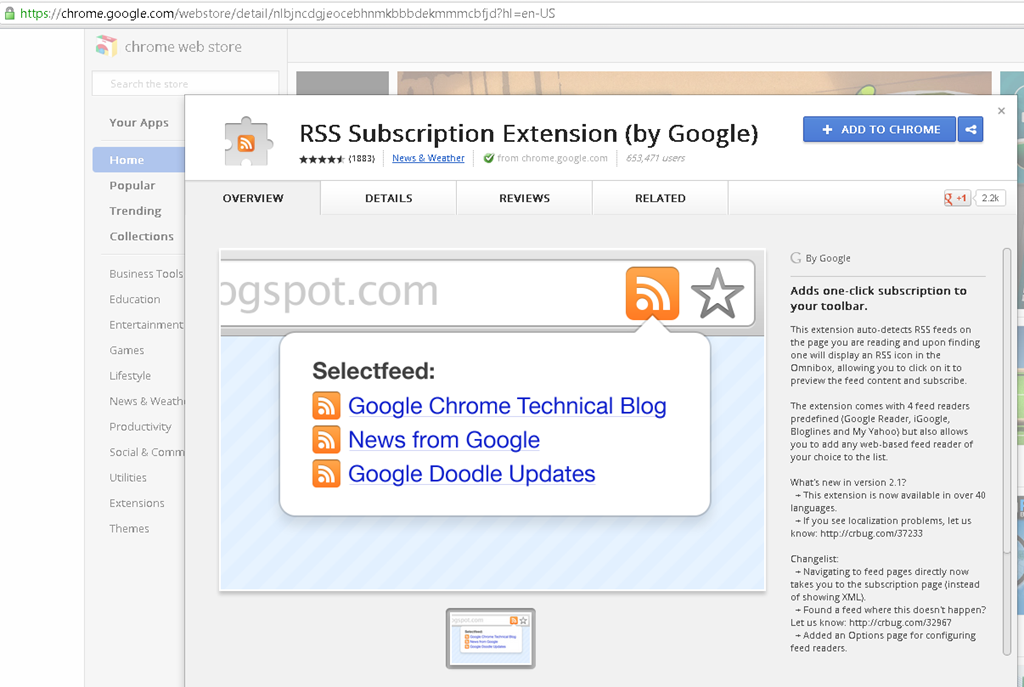
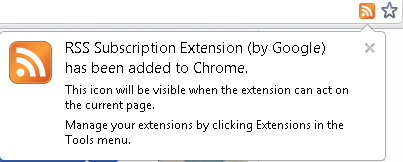
No comparison with Internet-Explorer’s feed display, but much legible than the XML code display Chrome defaults to:

LRC Calendars setup, documentation and training
I have written dozens of posts on the MS-Exchange/Outlook/OWA/Ninermail calendaring system that I set up for room reservation, equipment circulation, and staff timetabling in the LRC, the most recent 50 of which you also can view here – which should display like below in Firefox feed display. If you use Internet Explorer which has a nicer RSS feed display, you get to a list of articles where you cannot only browse, but search within the search results:

Making audio cues for model imitation/question-response oral exams with Sanako Study 1200
We can easily record and post-process audio files in the LRC for use with the Sanako Study 1200 oral exam activities.
This can work not only for outcome exams (course- or chapter-wise), but also or formative assessment:
Think converting your textbook-based “drills” into Sanako, like repetitively recapitulating the newly acquired vocabulary item “donut” with different cues:
Example: “What can you do with [student can enter her favorite new vocabulary item for the current class] on [teacher can ask for one social web service after the other that her students likely are familiar with]?”. In response, student has to practice vocabularry item by forming sentences that fit the vocabulary item that fit like in the whiteboard example.
We can add to these recordings the features explained in the slide below.
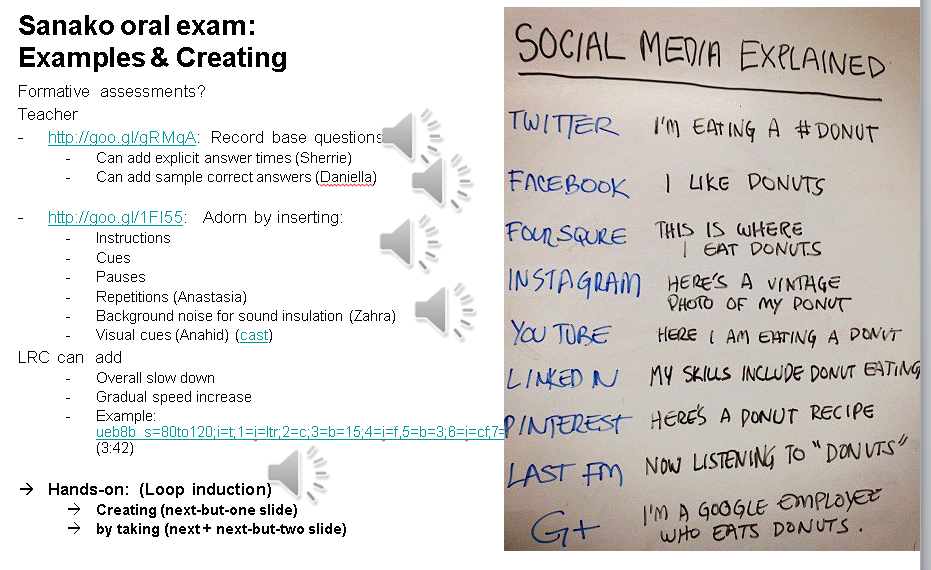
I’d be happy to play you examples from this slide – and more – in the LRC (not to be published here so that the exam files can be reused).


Questions? Read the About. Or just ask me a quick Our Databases: Resources with calendars -- Language learning material Moodle Sites, multimedia files -- films


FAQs for LRC student staff or for students or for teachers. To search our FAQs, in the browser addressbar, add after "https://plagwitz.wordpress.com/feed/?tag=faqs+/" "+TAG1" (from tag cloud below) OR "https://plagwitz.wordpress.com/feed/tag=faqs
&category_name=" "CAT1" (from category hierarchy below). OR search both categories and tags, and multiple TAGs/CATs (connect with "," for OR-search, with "+" for AND-search), like so: https://plagwitz.wordpress.com/feed/?tag=TAG1+TAG2+...TAGn&category_name=CAT1
+CAT2+...CATn"
Other ways to find help
If you cannot find it here, look there: 5,500 Language-Learning Links and Programs for learning or teaching 150 languages
Shortcuts:Our Lists, Our Maps, LRC Staff Moodle Site,LRC Project Moodle Site, 49erexpress, UNCC Moodle, Student Recordings: s:claslcslrcsanakostudent
Learning usage samples: Sanako oral exam, Kaltura webcam presentation, Dictation with speech recognition, Sanako written exam, Chinese and Japanese interactive stroke-order practice
Test the Sanako Installer, Webbrowser Popup Konfigurator for XP, or Windows7, faster LRC TeacherPC Log-in Let MS facilitate diacritics writing by installing for you US-International keyboard layout
This is my personal blog (Google+). The views expressed on these pages are mine alone and not those of my employer. The information in this weblog is provided “AS IS” with no warranties, and confers no rights.
 Thomas' Work Space