Archive
Archive for the ‘technology-domains-is-any’ Category
Courseworld.org offers foreign language learning video clips
2013/10/01
Leave a comment
- Over a 100 videos currently available:
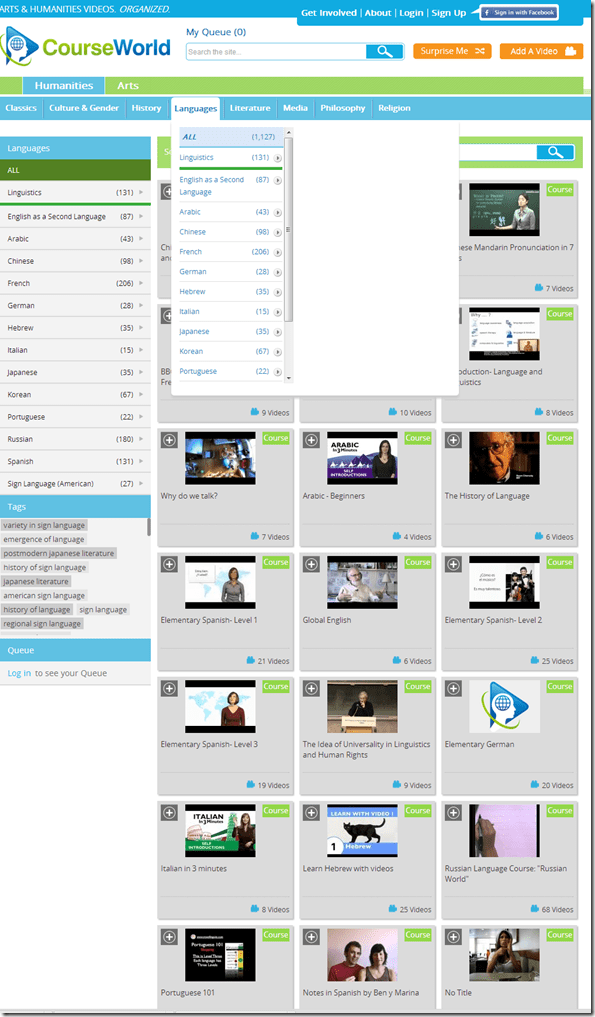
- Summaries show when you hover over a video tile:

- Can it beat YouTube.com for scope? Can it beat textbook-integrated videos for applicability? Likely not, but you may find an add-on for your course, and even more for self-study.


Categories: Arabic, audience-is-students, audience-is-teachers, e-languages, French, German, Hebrew, Italian, Japanese, Korean, Mandarin, Portuguese, Russian, Spanish, Videos, websites
self-study
Student users in the wrong time zone still cause problems with our equipment circulation system
2013/09/30
Leave a comment
- Imagine you are trying to pick up an item on local time, but the previous users will return it on Japan time – or (like in the example below)`vice versa. It happens all the time here …
- We can see the misconfiguration when opening the meeting in Outlook (Desktop), but we rarely do this.

- What gets routinely done here is opening the meeting in the OWA of the organizer:
- is there an obvious way to see the time zone for the organizer?
- The best I have found is this, and it is anything but obvious, deeply hidden in the OWA settings dialogues. Any change with Office365?

Japanese Language Tools (Proofing, dictionary, furigana) in the LRC MS-Office 2010 installation
2013/09/30
Leave a comment
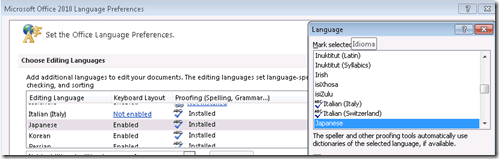
- Even if not showing in MS-Word’s Language selector),
-
-

-
Even though there is no Japanese Thesaurus:

-
There are these tools:
-
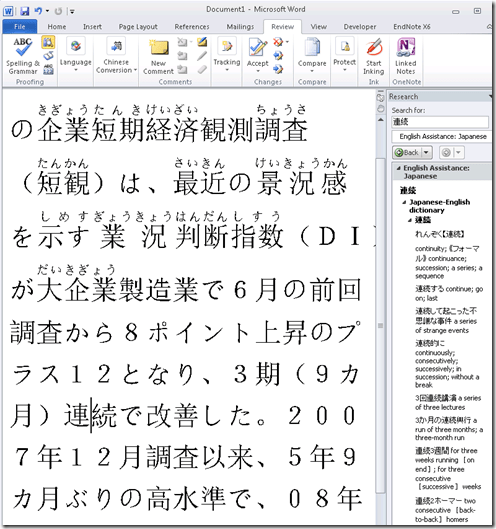
In the Research pane, "English Assistance: Japanese" (in the ribbon / "Review" tab, Proofing section, press the
 , then ALT-Click a character to start a lookup:
 -
-
a Japanese Consistency Checker:

-
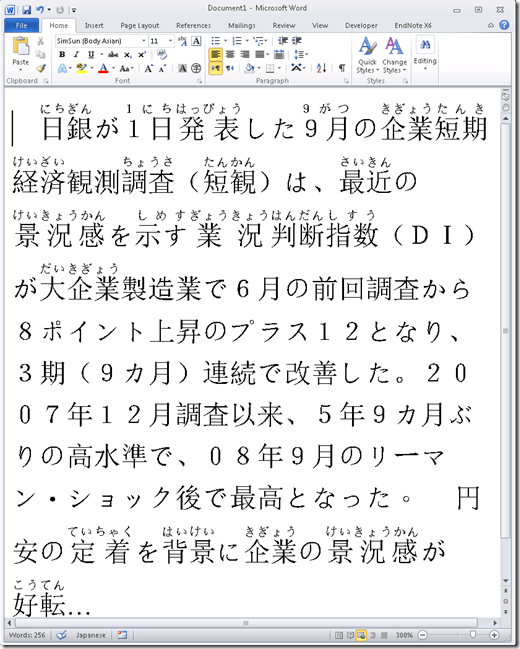
Furigana:
-
To enable:

-
Result (in view / Web layout):
-
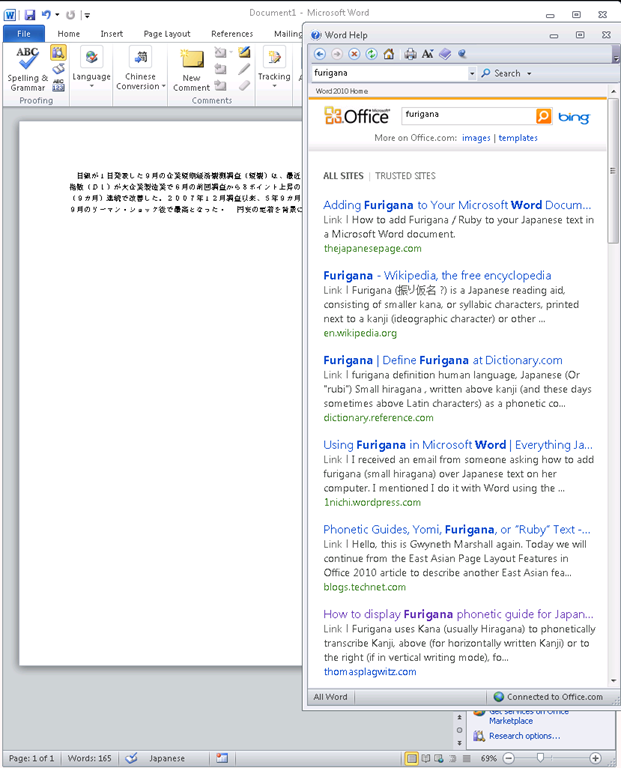
Incidentally, my blog has not quite made it into the TOP 5 of MSW-Office help content:

-
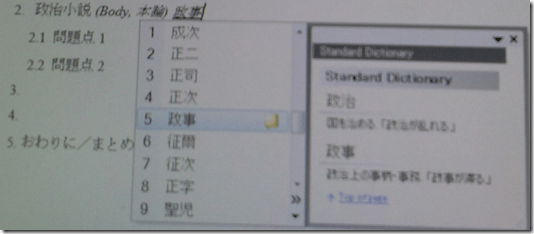
In addition, for Office, but also beyond, there are the tools of the MS-Office Input method editor (which include dictionary help when you write):



Categories: audience-is-students, audience-is-teachers, Dictionaries, e-languages, Japanese, Listening-Stations, LRCRoomCoed434, office-software, Presenter-Computer, Reading, service-is-configuring-learning-tools, small-group-work-spaces, Student-Computers, Writing
dictionaries, furigana, proofing-tools
New problem in Sanako Study 1200 version 7 with 2 student recorder exe’s running simultaneously on client, under different user accounts?
2013/09/25
Leave a comment
- UPDATE: Also an issue in the spring term on the teacher computer..
- UPDATE: still an issue in the spring term.

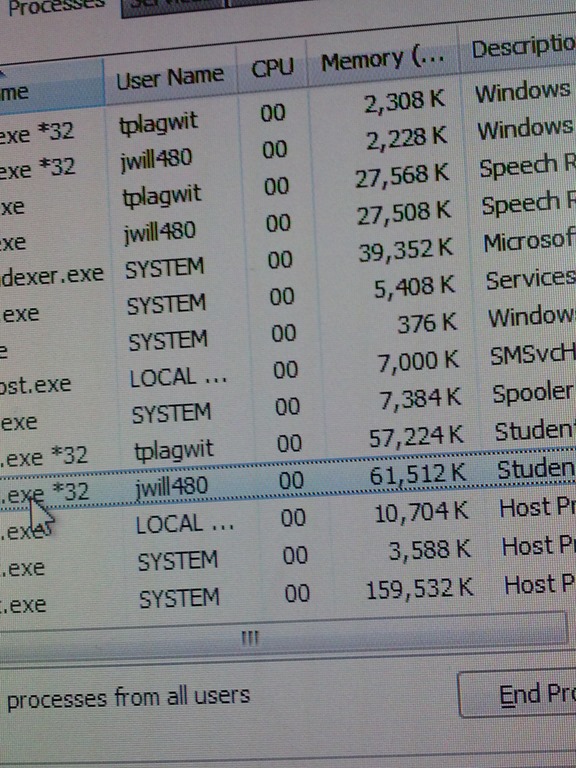
- This cannot be good (brought this student down).
- How is this possible?
- Presumably the student logged out an admin during a Sanako activity (we frequently have to place late-coming students sit and use an administrator computer, but they do not always get at term start that they are not supposed to log the admin out and in)
- So this seems another (special) case of the recently observed student managing to exit the Sanako during an activity (helper.exe was running alright).

How to get the model and serial number of your iMac
2013/09/24
Leave a comment
According to Apple, you can find it on the foot for the type of iMacs I have seen around here. 
Categories: audience-is-teachers, e-infrastructure, faculty-offices

Protected: Collaborating on and reusing teaching materials in the LRC
2013/09/17
Enter your password to view comments.


Questions? Read the About. Or just ask me a quick Our Databases: Resources with calendars -- Language learning material Moodle Sites, multimedia files -- films


FAQs for LRC student staff or for students or for teachers. To search our FAQs, in the browser addressbar, add after "https://plagwitz.wordpress.com/feed/?tag=faqs+/" "+TAG1" (from tag cloud below) OR "https://plagwitz.wordpress.com/feed/tag=faqs
&category_name=" "CAT1" (from category hierarchy below). OR search both categories and tags, and multiple TAGs/CATs (connect with "," for OR-search, with "+" for AND-search), like so: https://plagwitz.wordpress.com/feed/?tag=TAG1+TAG2+...TAGn&category_name=CAT1
+CAT2+...CATn"
Other ways to find help
If you cannot find it here, look there: 5,500 Language-Learning Links and Programs for learning or teaching 150 languages
Shortcuts:Our Lists, Our Maps, LRC Staff Moodle Site,LRC Project Moodle Site, 49erexpress, UNCC Moodle, Student Recordings: s:claslcslrcsanakostudent
Learning usage samples: Sanako oral exam, Kaltura webcam presentation, Dictation with speech recognition, Sanako written exam, Chinese and Japanese interactive stroke-order practice
Test the Sanako Installer, Webbrowser Popup Konfigurator for XP, or Windows7, faster LRC TeacherPC Log-in Let MS facilitate diacritics writing by installing for you US-International keyboard layout
This is my personal blog (Google+). The views expressed on these pages are mine alone and not those of my employer. The information in this weblog is provided “AS IS” with no warranties, and confers no rights.
 Thomas' Work Space