Archive
Protected: How to get rid of themeswitcher appcrashes on Lab pcs?
Use parentheses to search in MS-OneNote for a string that includes punctuation
The default is OR search around punctuation characters. Before parenthesis:

After:

Pretty obvious, but took me a while to figure out…
Why Sanako error Study files does not exist?
Well, it does, as the lower window proves. What gives? 
First steps with the teacher-training-setup for Sanako Study 1200 v7 in a deepfrozen computer lab environment
- I remember a time when the vendor travelled onsite to provide faculty induction into the Sanako Lab300, they set up the student PCs with a special version of the tutor software that multiple faculty could gain hands-on experience during a workshop.
- I have sorely missed this facility during my own 8 years’ of experience training faculty in using the successor product, Sanako Study 1200. No longer: With Sanako 7, Sanako provides to the digital audio lab manager an installer that sets up a similar environment for faculty in a Sanako Study 1200 lab. Below are some observations how to get this to run what should be a fairly typical HE language lab environment
- Install, in frozen state, as admin:
- Uninstall Sanako student recorder from appwiz.cpl
- Install "S:\COAS\LCS\MYDEPT\LRC\Secure\software\Sanako\7\TeacherTrainingSETUP.EXE" (right-click, run as admin)
- Is mostly hands-free, but I’d prefer an MSI with a /quiet install option, then I could automate that.
- One could write AutoIt script compiled to .exe that uninstalls student recorder? Need to know the msicache location ?
- Neither Uninstall of student recorder nor install of teacher-training-setup require a restart - is suitable for installation on otherwise frozen lab installation
- Additional setup required:
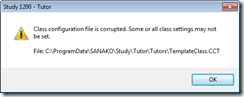
- I got an error about corrupt student settings file, but it worked.
- Loading students from "corridor"
- On unfrozen office computer, I got an error about student settings corrupt, but teacher could load students
- On frozen lab computer, I get no error, but teacher does not see students, although 5 have been started – Is an original student settings hanging around?
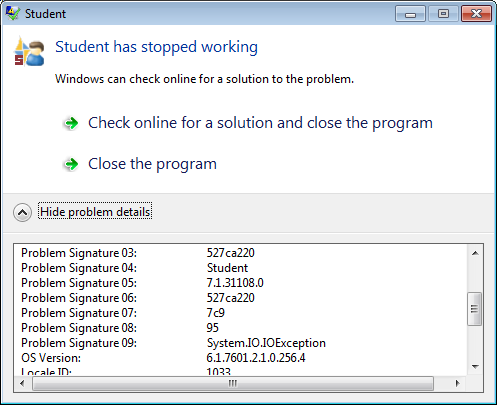
- After tutor setup (do not require tutor login) and restart, I get this error on the tutor:
- And this crash of the student:

- But now is see these signs of success :
- on student t

- on tutor this :

- And it works:
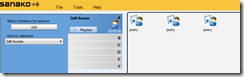
- on student t
- We have to unblock tutor in firewall twice:
- Initiate a screen sharing , then unblock :

- For audio: initiate a model imitation with collect, then unblock.
- Initiate a screen sharing , then unblock :
- Set Collection path:
- Initiate a homework collection , set collect path to a suitable folder (here S:\COAS\LCS\LRC\sanako\student).
- Not needed for audio collection.
- Other observations:
- Uses file download, not stream audio, to students: You can see the tutor and the student applications at the same time, monitoring the effects your tutor operations would have in the classroom
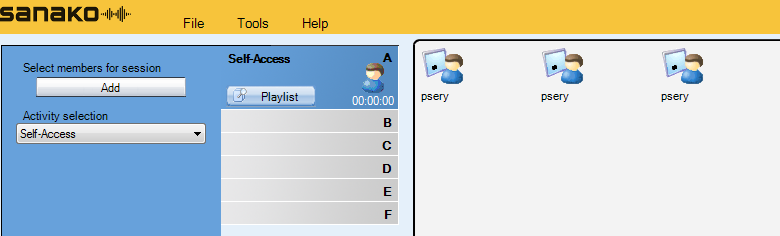
- Why at first 2 students and then 3?

- Why at first 2 students and then 3?
- Remote control:
- Note that screen sharing will switch aero off on your computer
- Note that button:"collaborate" does weird things to your mouse, make sure you can even get back to the button:"monitor" to turn it off.
- Uses file download, not stream audio, to students: You can see the tutor and the student applications at the same time, monitoring the effects your tutor operations would have in the classroom
- Setup TeacherTrainingSETUP for each workshop participant.
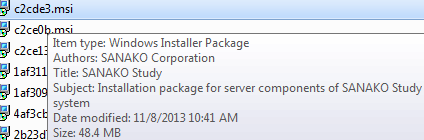
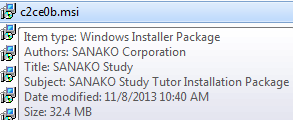
- The msi packages contained in teacher training setup as of Fall 2013, in case you ever get around automating the installer using AutoIt that you can deploy it from teacher station instead of having to touch each machine, please share:
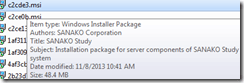
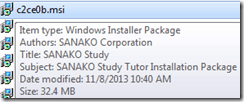

- The msi packages contained in teacher training setup as of Fall 2013, in case you ever get around automating the installer using AutoIt that you can deploy it from teacher station instead of having to touch each machine, please share:






MS-Exchange and Outlook enable managing scheduling of 100+ functional resources
High-level Reporting: ![clip_image004[5]](https://thomasplagwitz.com/wp-content/uploads/2014/07/clip_image0045.jpg "clip_image004[5]")
Also, it is easy to manage calendars by group calendars, e.g.
![clip_image002[5]](https://thomasplagwitz.com/wp-content/uploads/2014/07/clip_image0025.jpg "clip_image002[5]")
Creation of calendar groups is also easy via the outlook address book:
![clip_image006[5]](https://thomasplagwitz.com/wp-content/uploads/2014/07/clip_image0065.jpg "clip_image006[5]")
It is Outlook (Desktop) currently only (not Exchange 2010 OWA) that allows for High-level Reporting. And even here, there are limitations:
![clip_image007[5]](https://thomasplagwitz.com/wp-content/uploads/2014/07/clip_image0075.png "clip_image007[5]")
Prevent multiple user login to avoid “Another instance of Tutor is already running in another user’s session on this computer” by disabling fast user switching
- Problem: As reported earlier (in the Spring and in the Fall term), for the student PCs, Sanako issues (but likely also general performance problems, and reportedly problems on classroom computers outside of the LRC) caused by multiple users being logged into the same PC – not limited to logging in from remote via MSTSC - seem on the increase this term (this year?), also on the teacher PC, where they prevent the digital audio lab from starting:
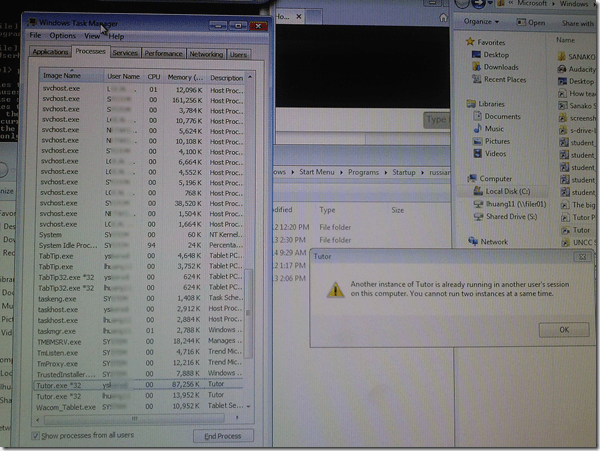
- Workaround: force restart of the computer (time-consuming, though).
- Solution: Avoid, better prevent multiple user login, maybe by disabling fast user switching?
- Registry: HKEY_LOCAL_MACHINE\Software\Microsoft\Windows\CurrentVersion\Policies\System\HideFastUserSwitching =1, or
- Group policy: Computer Configuration\Policies\Administrative Templates\System\Logon\Hide Entry points=Enabled.
- Other considerations:
- Side effects: unclear?
- Root cause: Not enough data. Why do users remain logged in in the first place?

Getting rid of “You must restart your computer to apply these changes”
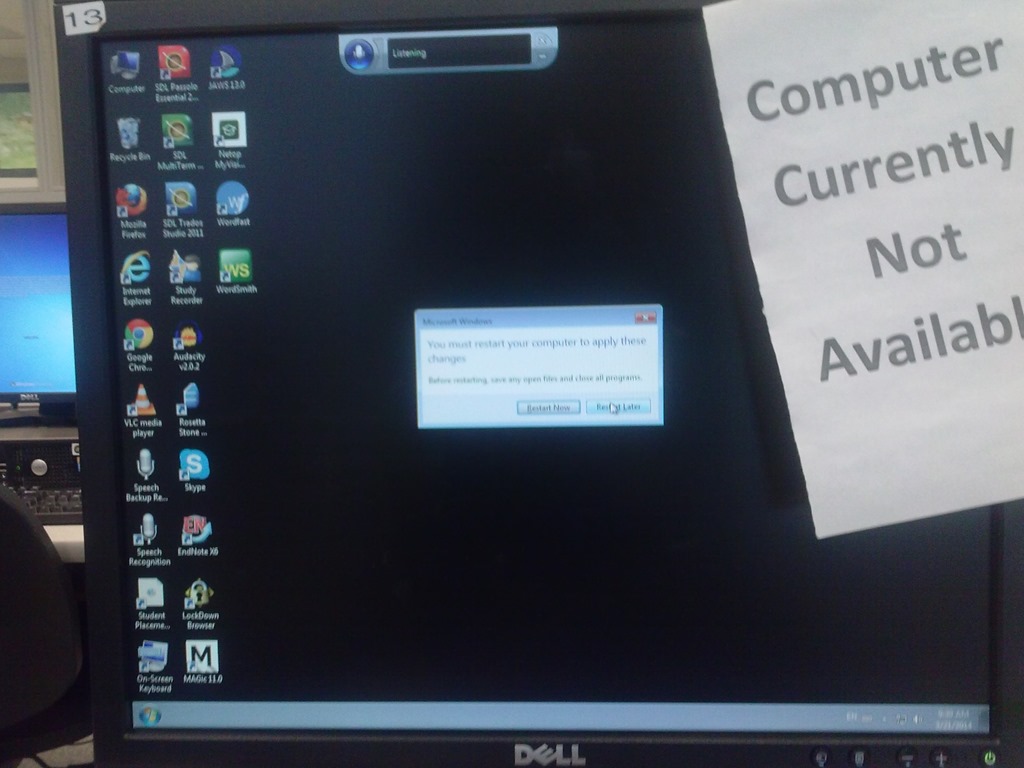
I am seeing this on several computers when I or students log in. To make matters worse, “Restart now” is the default selected button, and the computers are deepfrozen, which will not only lead to loss of (potentially valuable face-to-face class) time, but could even result in an infinite loop if we do not get rid of this message.



Questions? Read the About. Or just ask me a quick Our Databases: Resources with calendars -- Language learning material Moodle Sites, multimedia files -- films


FAQs for LRC student staff or for students or for teachers. To search our FAQs, in the browser addressbar, add after "https://plagwitz.wordpress.com/feed/?tag=faqs+/" "+TAG1" (from tag cloud below) OR "https://plagwitz.wordpress.com/feed/tag=faqs
&category_name=" "CAT1" (from category hierarchy below). OR search both categories and tags, and multiple TAGs/CATs (connect with "," for OR-search, with "+" for AND-search), like so: https://plagwitz.wordpress.com/feed/?tag=TAG1+TAG2+...TAGn&category_name=CAT1
+CAT2+...CATn"
Other ways to find help
If you cannot find it here, look there: 5,500 Language-Learning Links and Programs for learning or teaching 150 languages
Shortcuts:Our Lists, Our Maps, LRC Staff Moodle Site,LRC Project Moodle Site, 49erexpress, UNCC Moodle, Student Recordings: s:claslcslrcsanakostudent
Learning usage samples: Sanako oral exam, Kaltura webcam presentation, Dictation with speech recognition, Sanako written exam, Chinese and Japanese interactive stroke-order practice
Test the Sanako Installer, Webbrowser Popup Konfigurator for XP, or Windows7, faster LRC TeacherPC Log-in Let MS facilitate diacritics writing by installing for you US-International keyboard layout
This is my personal blog (Google+). The views expressed on these pages are mine alone and not those of my employer. The information in this weblog is provided “AS IS” with no warranties, and confers no rights.
 Thomas' Work Space