Archive
Archive for the ‘e-infrastructure’ Category
Cancelling a meeting request in Outlook 2007
2013/09/16
Leave a comment
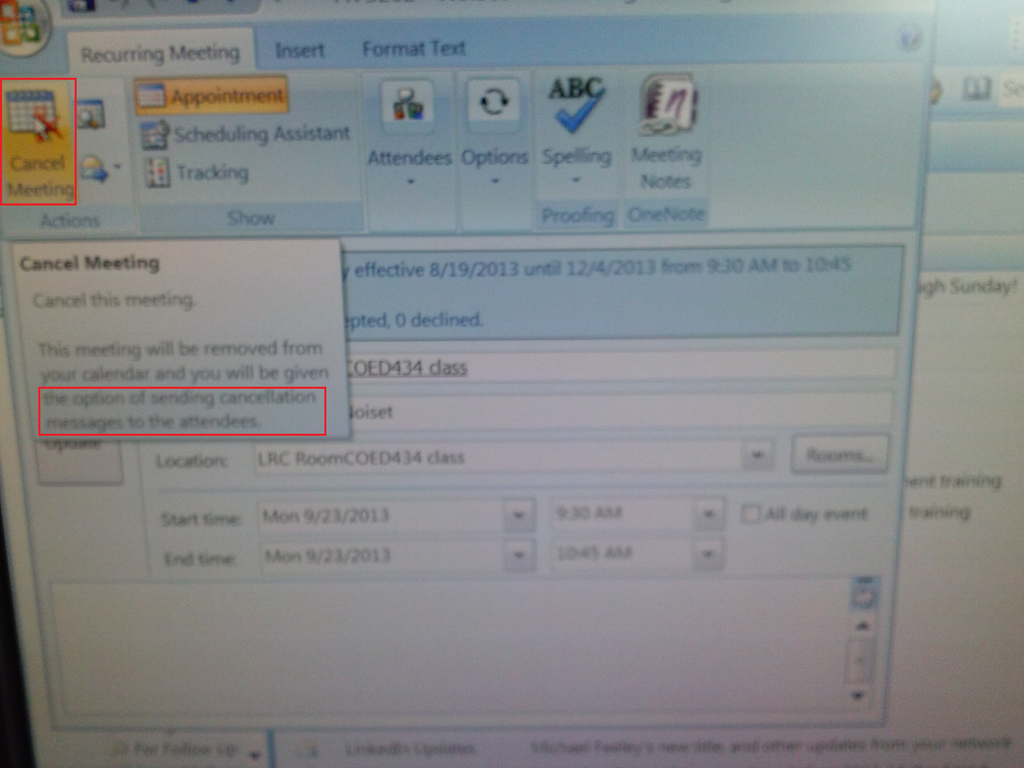
- Do not merely delete the meeting from your calendar;
- rather: open it and use the button: cancel meeting, like so:

LRC web browser popup blockers are currently misconfigured
2013/09/14
Leave a comment
- Problem: I noticed that mail.uncc.edu is not configured correctly, when our hands-on exercises during out training of film students and lrc assistants failed, but I did not have the time to take photos of which browser was involved.
- Workarounds:
- You can always (hold the key:) CTRL-click on the link where your web browsing fails.
- I have a temp solution for the lab, but why not configure these few sites, if you get fed that your users need it.
- Solution: We already asked for these sites be allowed through popup blockers of web browsers in use (chrome, firefox, internet explorer 8):
- *.uncc.edu
- *.mt202sabameeting.com
- *.Mygermanlabs.com
- *.pearsoned.com
- *.pearsoncmg.com
- *.mylanguagelabs.com
- *.mylabs.px.pearsoned.com
- *.pearsonvt.wimba.com
- *.outlook.com
- newly added: *.connect.mcgraw-hill.com.
What to do if university websites seem to be not working, nothing happens when you click?
2013/09/14
Leave a comment
- Try and get the popup blocker on your office or lab PC fixed here (if you are on Windows 7 here, you need to use the 64-bit version): choose "Run" – preferable to “Download” and "Open".
- Then use Internet Explorer to try again what you were trying to do on one of our websites.
- Background:
- My users have been reporting for a while problems getting simple things done on campus websites. Last week I observed a few in their office and in the LRC being stalled by mis- or non-configured popup blocker, and not noticing the cause, being flummoxed.
- The above little program configures the built-in internet explorer popup blocker to allow popups from websites that are part of our infrastructure.
- It does not attempt to configure other popup blockers, whether inside or outside of this web browser.
- The end user could also try
- (holding the key:) CTRL-click on the link where your web browsing fails.
- Or configure the popup blocker manually.
- However, it would likely be best if this were done via GPO…
The Scheduling Assistant is simply multiple calendars displayed as parallel timelines for easier comparison
2013/09/09
Leave a comment
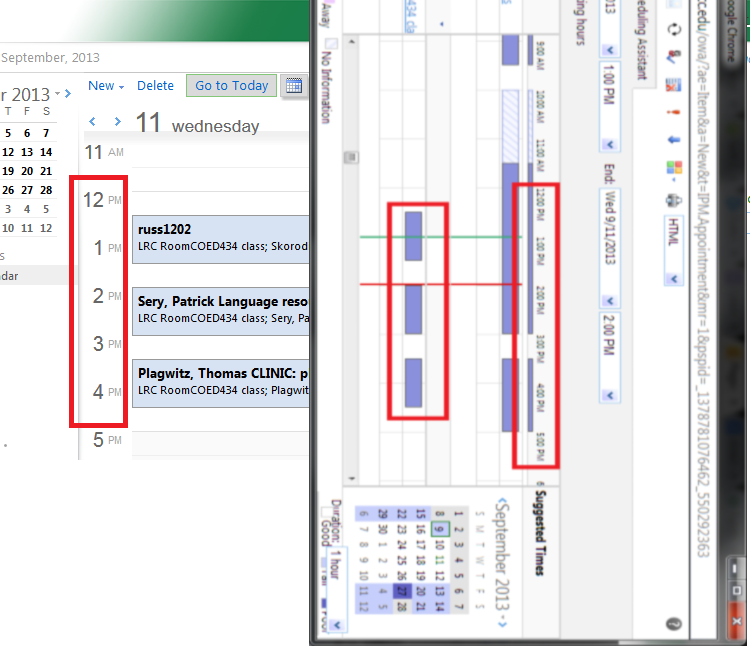
- We are all conversant in reading a daily – like here for the classroom-, weekly or monthly calendar sheet:
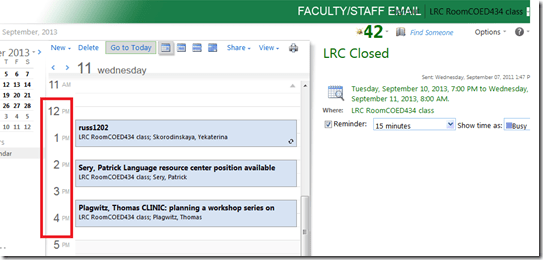
- If you send a Meeting request to the classroom to book it, the Scheduling Assistant displays exactly the same free/busy information for the classroom.
- Same pattern of events as above:
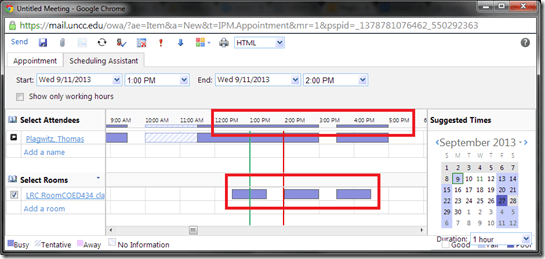
- Except that it is folded from a calendar into a timeline format (and in OWA does not display text explanatory beyond with what/whom the room is busy).
- This timeline format may be less familiar, but is much more practical to compare the availability for the multiple participants of a meeting.
- Same pattern of events as above:
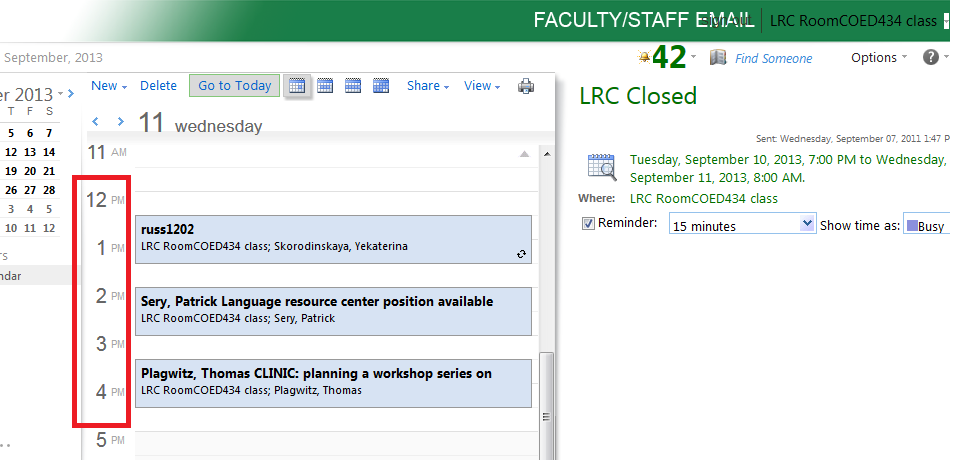
- Compare here: Same pattern for the room booking on both views.

How to set up your computer to access ASCM URLS with Adobe Digital Edition for DRM-protected eBooks
2013/09/09
Leave a comment
-
I downloaded the Adobe digital Edition from here: http://www.adobe.com/products/digital-editions/download.html
-
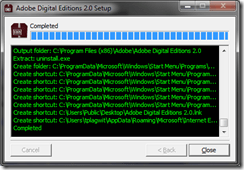
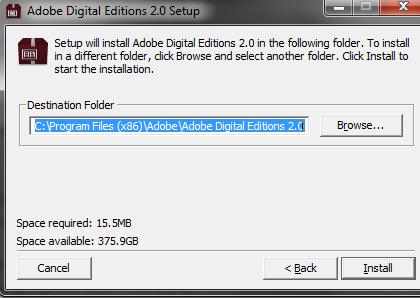
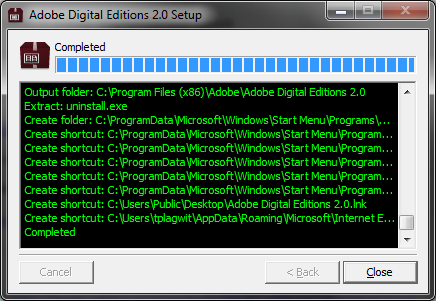
I installed the downloaded Adobe Digital edition like so:
-

-

-
-
I can now run the Adobe Digital Edition program:
-
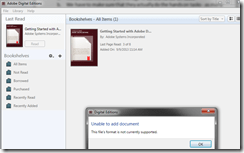
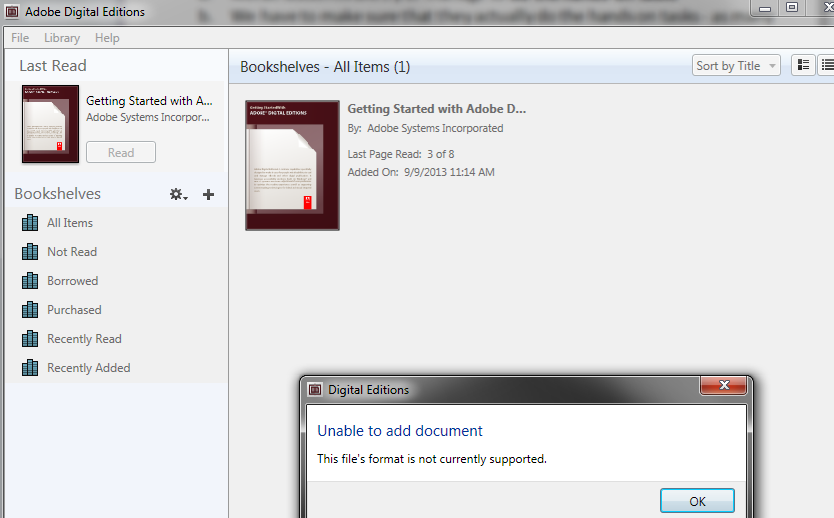
However, File / open / paste url won’t work.
-
-
Also, if I download the ASCM file, Windows still does not know which application to open ASCM file with
-

-
I CAN HOWEVER DOWNLOAD AN ASCM FILE AND DRAG drop this into an open digital edition window, to get this at least
-

-
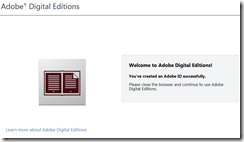
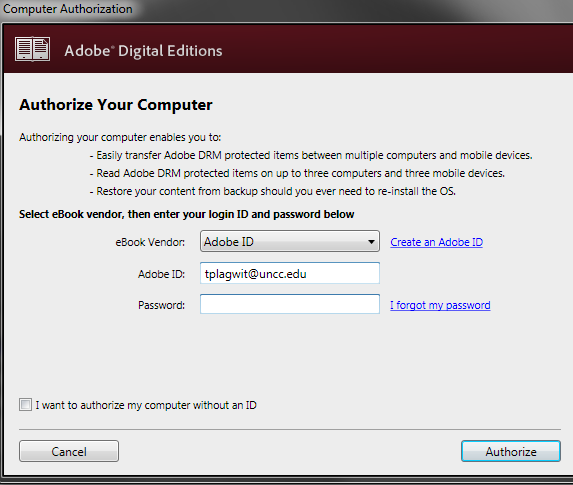
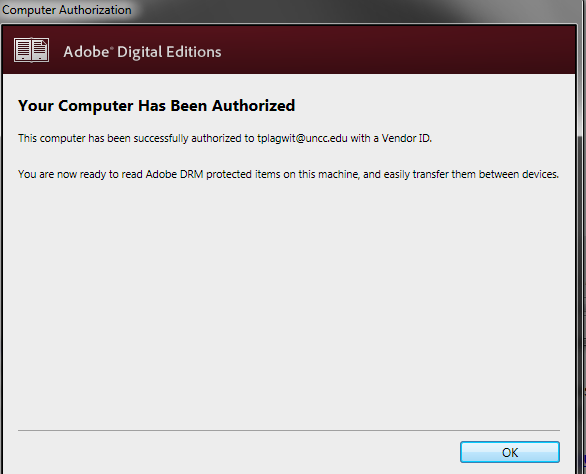
I went down the "authorize your computer" route:
-

-
-
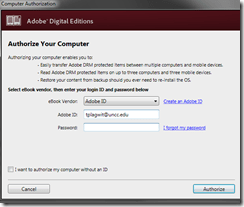
-
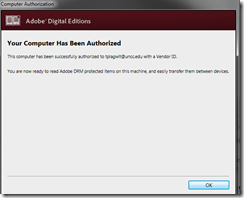
-
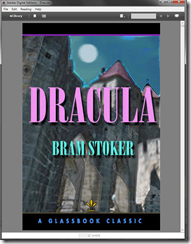
Here is my first example (from the Adobe samples website):
-
-
From now on, I can simply click on adobe digital edition links with ASCM files.
-
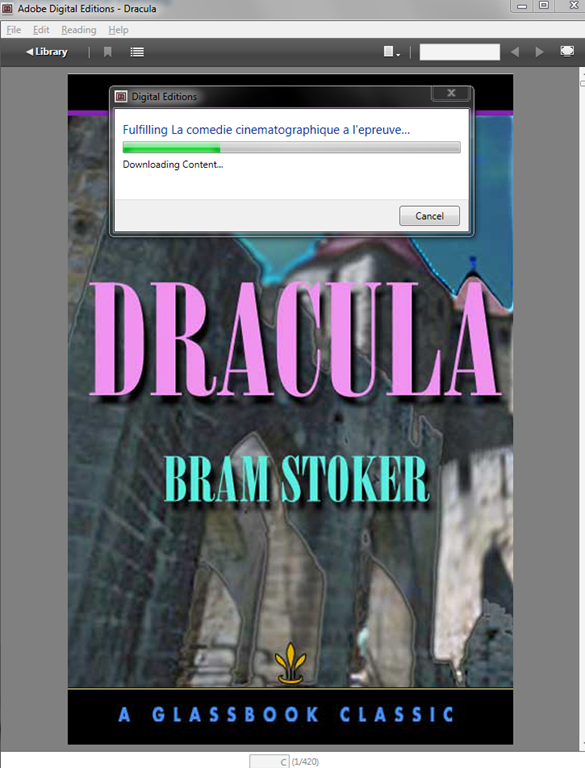
When getting the download dialogue, I can skip saving and click "open":
-

-
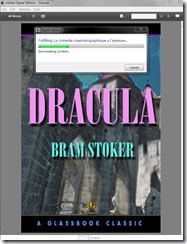
-

-
Note: you are consuming a license if you open te ebook with your account.






"Server busy” error?
2013/09/08
Leave a comment
- This dialogue appears regularly on student log in:
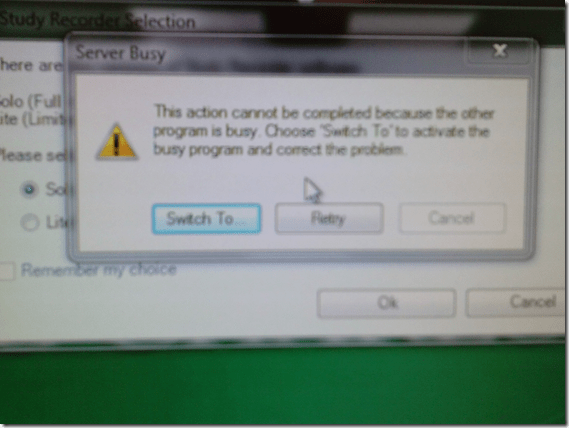
- Update: This seems to have disappeared in the 2nd half of the term.
Categories: e-infrastructure, Glitches&Errors
7, image2013, ms-windows
“I can haz all my online appointment and schedule information in one merged calendar in NINERMAIL?”
2013/09/06
Leave a comment
- Yes, you can! Overlay calendars, a much needed feature from Outlook Desktop (as we mentioned earlier) has finally made it into the web version of Outlook (in Office365 the migration of which from live@edu will be finished by the end off the month), as was announced today: “Users can have multiple calendars in a merged view.”
- Example: In Outlook Desktop (not available to students), you can not only add a calendar like, icsexport.ics to the right, but, if you click on the (1) little black arrow, add/merge icsexport.ics to the (2) already overlaid calendars on the left, which is much more usable if you need to aggregate content from different sources:

- And now also in OFFICE365 NINERMAIL:

- This should make the sharing of calendar information much easier, not only for the about 100 LRC resource calendars, but also for other useful calendars that are published on campus:
- the new LCS calendar
- the registrar’s academic calendar
- the campus-wide faculty calendar
- last not least: your Moodle calendar (view all your moodle assignment deadlines in one place, the same place you check your email)
- And more… ? Do you know of other calendars, and/or a way to discover them?
- The details
- yet need to be panned out. We assume the feature will “just work” like above in Outlook Desktop when you
- We’ll provide more information and examples once we see this feature… TBA

Categories: audience-is-language-learning-center-staff, audience-is-language-learning-center-temp-staff, audience-is-students, audience-is-teachers, e-infrastructure, Institution-is-University-of-North-Carolina-Charlotte, office-software
calendaring, live@edu, ms-exchange, office365, outlook, outlook-live, resources, scheduling, sharing, subscribing
Protected: Signs that your language lab computers or network may need upgrading…
2013/08/27
Enter your password to view comments.
Categories: e-infrastructure, Glitches&Errors


Questions? Read the About. Or just ask me a quick Our Databases: Resources with calendars -- Language learning material Moodle Sites, multimedia files -- films


FAQs for LRC student staff or for students or for teachers. To search our FAQs, in the browser addressbar, add after "https://plagwitz.wordpress.com/feed/?tag=faqs+/" "+TAG1" (from tag cloud below) OR "https://plagwitz.wordpress.com/feed/tag=faqs
&category_name=" "CAT1" (from category hierarchy below). OR search both categories and tags, and multiple TAGs/CATs (connect with "," for OR-search, with "+" for AND-search), like so: https://plagwitz.wordpress.com/feed/?tag=TAG1+TAG2+...TAGn&category_name=CAT1
+CAT2+...CATn"
Other ways to find help
If you cannot find it here, look there: 5,500 Language-Learning Links and Programs for learning or teaching 150 languages
Shortcuts:Our Lists, Our Maps, LRC Staff Moodle Site,LRC Project Moodle Site, 49erexpress, UNCC Moodle, Student Recordings: s:claslcslrcsanakostudent
Learning usage samples: Sanako oral exam, Kaltura webcam presentation, Dictation with speech recognition, Sanako written exam, Chinese and Japanese interactive stroke-order practice
Test the Sanako Installer, Webbrowser Popup Konfigurator for XP, or Windows7, faster LRC TeacherPC Log-in Let MS facilitate diacritics writing by installing for you US-International keyboard layout
This is my personal blog (Google+). The views expressed on these pages are mine alone and not those of my employer. The information in this weblog is provided “AS IS” with no warranties, and confers no rights.
 Thomas' Work Space