Archive
Mimicking the annual “All-Japan Phone-Answering Competition” in the digital audio lab?

One of my first endeavors in a digital audio lab was pairing distant students over the headphones to have them practice doing business over the phone in Spanish. Today’s New York Times article on the annual “All-Japan Phone-Answering Competition” made me wonder whether a digital audio lab could not mimic this also (especially since the digital audio lab is quite conducive to “drilling in” rules and – as the competition does, too – focusing on intonation and articulation).
“Formal phone answering is serious business in Japan, with many rules intended to head off offensive or awkward moments. A search on Amazon’s Japanese website found more than 60 books specifically on phone manners, and dozens more on business etiquette in general. Most appeared to be aimed at women, like “How to Talk Like a Workplace Beauty.”
A polite office worker picks up calls during the first or second rings; if, for unavoidable reasons, the caller is left waiting for three rings or more, an apology is in order. The conversation itself is carried out in a formal, honorific spoken form of language — peppered with exclamations like “I’m horrified to ask this request, but …” At the end of the call, the receptionist must listen for the caller to hang up before putting down the receiver. Hanging up first is a serious faux pas. (…)Each contestant runs through a three-minute conversation. Judges scrutinize the conversations for impeccable Japanese phone etiquette: good tone, volume, speed, pronunciation, articulation and use of words. A strong contestant takes appropriate pauses between phrases, and stays friendly, but not overly friendly. Throughout, proper exclamations to signal attention and empathy must be used.”
The latter scrutinization could possibly be conducted as a peer evaluation.
The Times article seems highly critical of the traditional, clerical role of women who still dominate these competitions. However, in the reader commentaries, there is an interesting backlash from people who have experienced, enjoyed and brought back Japanese culture to this country.
So the lesson plan sounds like it could quite easily transcend the above digital audio lab utilization into the intercultural realm and lead to interesting comparisons and discussions.
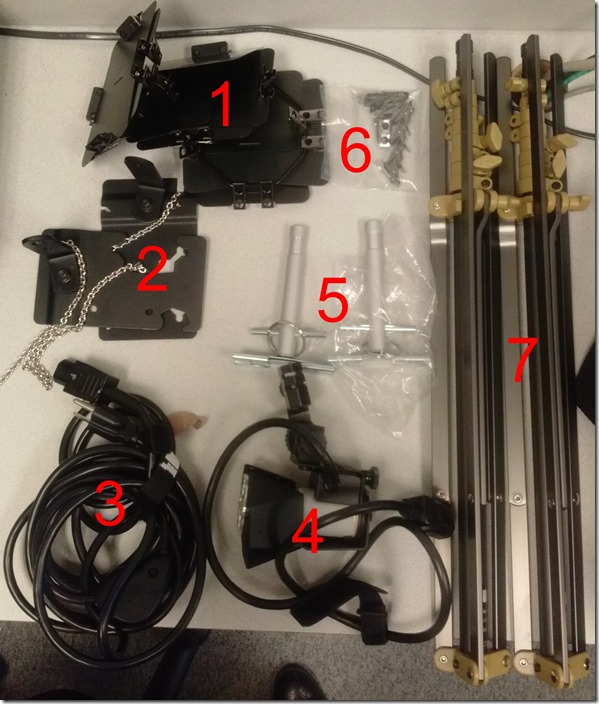
Checklist for light-kits
- Parts: 25 each, .i.e.:
- 4 plates (1)
- 2 more plates (2)
- 3 extension power cables (3)
- 3 lamps (4), containing 3 bulbs (not pictured)
- 2 thingamabobs (5)
- 8 clamps (6)
- 2 stands (7)
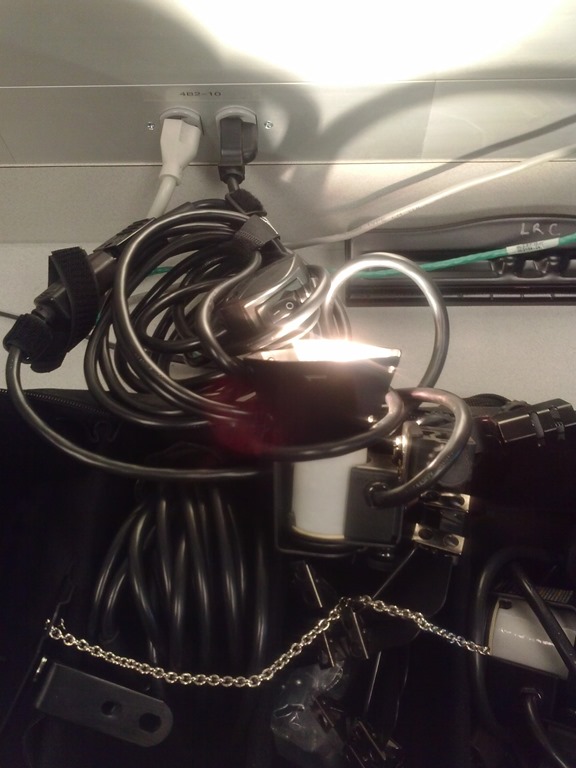
- Functionality: plug them in and turn them on, like so:


Free German online proofing tool by Duden
- Don’t have MS-Word Proofing Tools, and can’t come to the LRC which has proofing tools for German and many other languages installed?
- Try Duden’s (= authoritative German dictionary publisher, and nowadays much more) free (up to 800 characters at a time; a time-limited (=30 days add-in for MS-Word is also available) Online version:

- Use it wisely: Learning is not cheating. But please consult your teacher whether this is legitimate help.
- Now how’s the quality? Drop us a comment below.
Exam integrity considerations during mock and proctored written exams in the LRC
The easiest way to hold a mock or proctor a written exam in the LRC is provide the students a printout of the exam. For larger classes preparing, and under some circumstances (writing impediment due to injury), providing the MS-Word file on a computer to the student would seem a more convenient solution.
However, the LRC prides itself in the large collection of MS-Office proofing tools it has installed and preconfigured – accessing which from within MS-Word could be construed as cheating during a writing exam. As a matter of fact, since MS-Word auto-detects language, under-waving of misspelled words and incorrect Grammar provides unsolicited and unavoidable extra help.
MS-Office proofing tools could be turned off by using a special MS-word template as the basis for the exam. Easier and quicker is using the SANAKO which can not only block internet access of the examined students, but also block use of entire applications like MS-Word.
Instead of in MS-Word, your students could write their responses in an application that is not part of the proofing tools infrastructure, like Notepad. Western language diacritics can easily be written in any application on LRC PCs thanks to US-International keyboard layout, and non-Western characters even easier than on paper.
For full security, the best environment for exams we can offer remains Respondus lockdown browser, integrated with Moodle, but this requires converting the exam to into a Moodle quiz (which Respondus has tools to facilitate). In certain cases, it might be easiest to create a “dummy” quiz with one long text input field, which your students could type everything in, without having access to any other resources (internet, proofing tools, chat, what not…). However, this quiz still would have to be in your Moodle course so that your students can access access, and their results get put into your gradebook.
Outside of Moodle – if you do not want to go down the Respondus-path – , you can rely on the SANAKO homework collection feature and my langlabemailer to receive the results.
UYork.ca phonetics website for learners of English

A very usable Flash application on the IPA, covering the vowels, diacritics, diphthongs and triphthongs (displaying in linear animations – pictured above – how these more complex have to be altered over time during their production), and suprasegmentals.
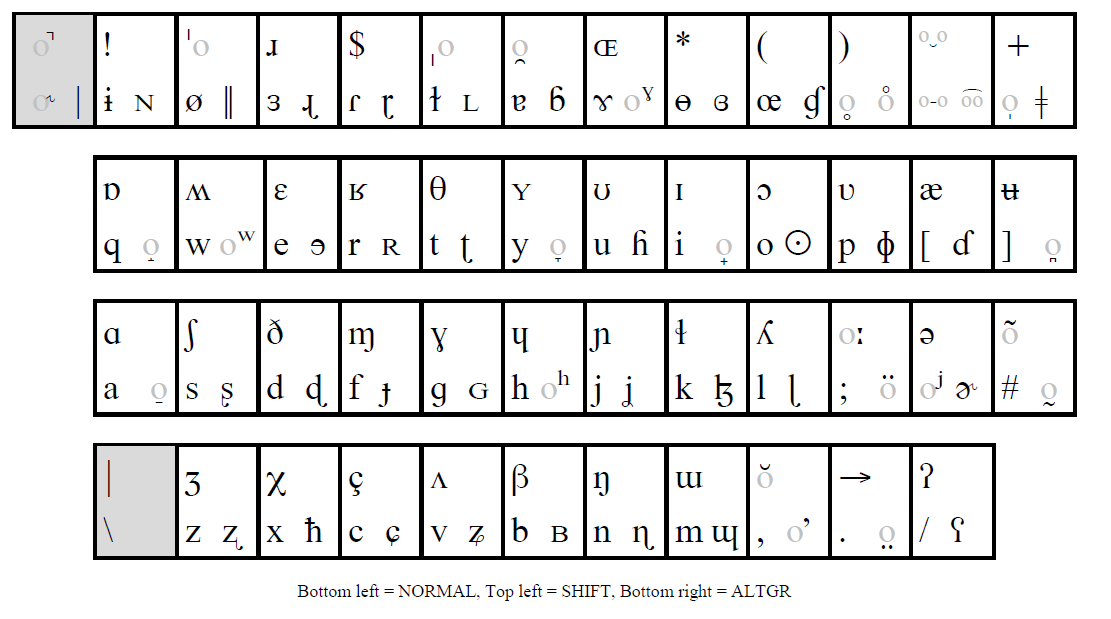
How to type phonetic symbols on a computer
- Web-based On-screen-keyboards (point-and-click; low learning curve, but no fast typing speed; typing into a textbox from where you can copy/paste the result into other programs):
- http://westonruter.github.com/ipa-chart/keyboard/: Sounds are systematically organized. Suitable for learners, but also good for teacher demonstrations.

- Partially based on keyboard shortcuts: http://www.ipatrainer.com/user/site/index.php?pageID=ipawriter:

- http://ipa.typeit.org/full/: Other than the English version, the full version includes non-English sounds. The interface is optimized for fast typing (sorted by keyboard key). Presumably better for teachers using a screen projector as a whiteboard.

- i2speak.com (reviewed here earlier):


- Update: Richard Ishida’s seems also impressive,

- and you can use phonetics terminology to get characters selected, like so:

- http://ipa.typeit.org/full/: Other than the English version, the full version includes non-English sounds. The interface is optimized for fast typing (sorted by keyboard key). Presumably better for teachers using a screen projector as a whiteboard.
- http://westonruter.github.com/ipa-chart/keyboard/: Sounds are systematically organized. Suitable for learners, but also good for teacher demonstrations.
- Windows-based:
- http://www.phon.ucl.ac.uk/resource/phonetics/: MS-Windows keyboard layout. May be good for even faster typing, if you can memorize the keyboard layout or add keyboard stickers (we unfortunately have too many languages vying for our hardware keyboard space already). Requires download & installation (may be added to the LRC keyboards during next imaging if we receive enough requests).
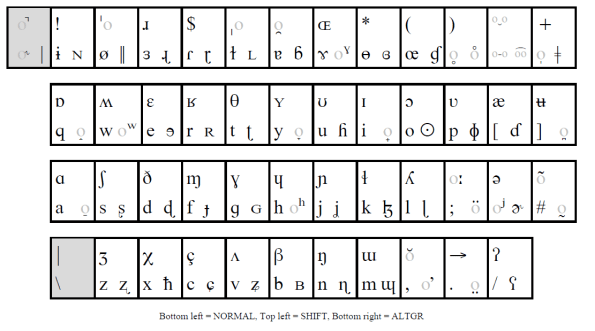
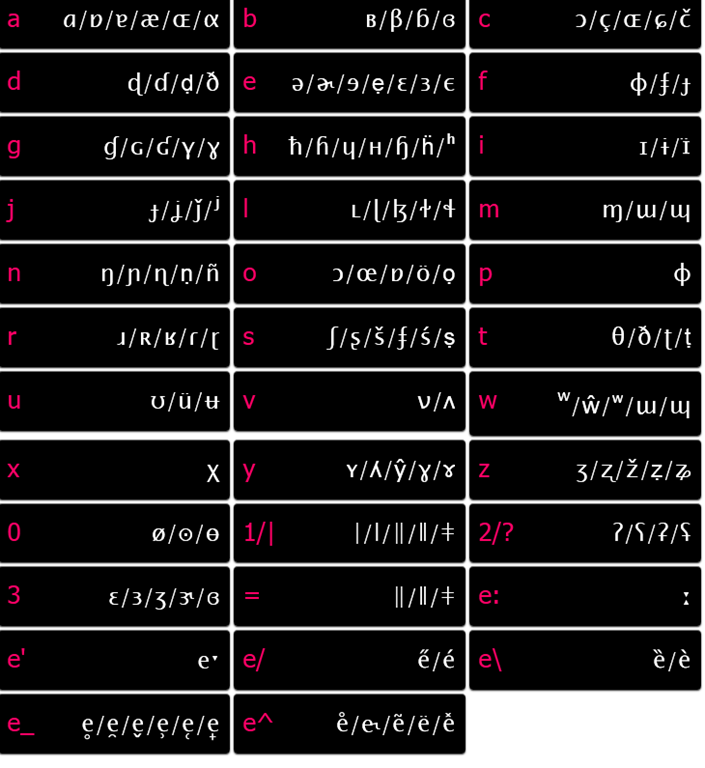
- http://staff.washington.edu/dmontero/IPACharmap/.

- http://sourceforge.net/projects/allchars/: If you are use to the ALT+### method of entering characters and are still on XP, this may be for you: You can generate your own keyboard shortcuts for phonetic characters.
- MS-Word:
- http://email.eva.mpg.de/~bibiko/downloads/uniqoder/uniqoder.html: Allows to select IPA-Symbols from a toolbar. Untested.
- http://www.phon.ucl.ac.uk/resource/phonetics/: MS-Windows keyboard layout. May be good for even faster typing, if you can memorize the keyboard layout or add keyboard stickers (we unfortunately have too many languages vying for our hardware keyboard space already). Requires download & installation (may be added to the LRC keyboards during next imaging if we receive enough requests).
- There are also always X-Sampa and CXS and ASCII-IPA: ways of writing IPA in plain ASCII messages – but yet another thing to teach novices in phonetics may be a bridge too far.




How to create screencasts of student presentations for the language learner ePortfolio in the digital audio lab
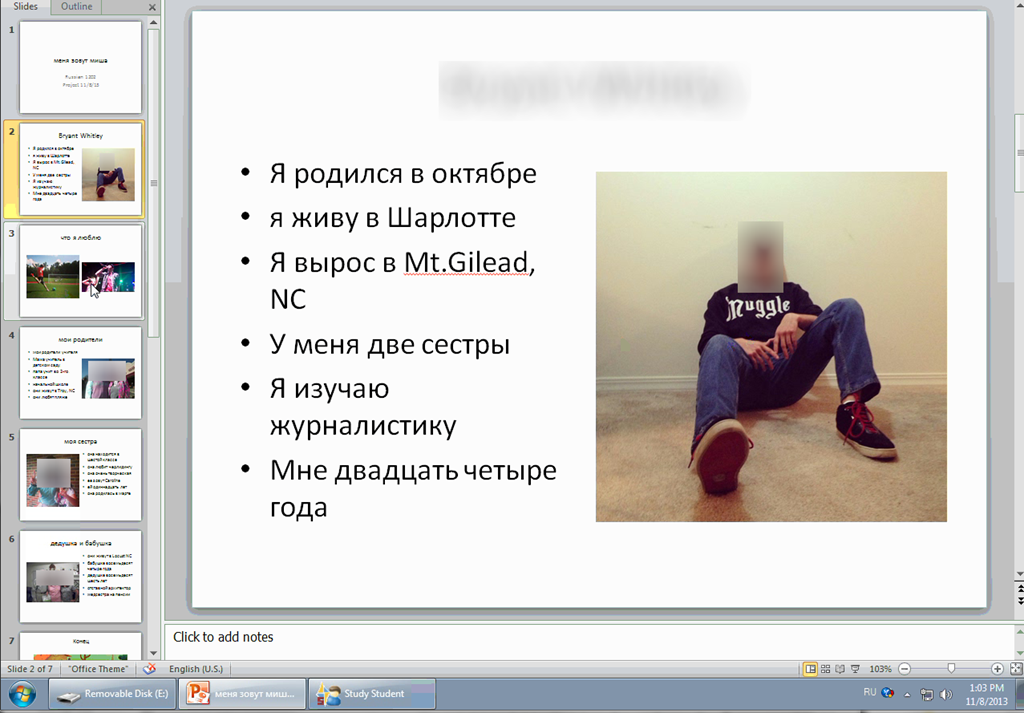
- Students can now easily video-record their own screens during class presentations – not only when using PowerPoint; instead students could demo a website, like their Facebook page.
- Last year, we were limited to PowerPoint’s record slideshow with timing and narration feature, and either send the PPSX (small, but requires the PowerPoint viewer) or the “Save as” video (new in PowerPoint 2010; computing intensive and large file size).
- Now with MS-Community Clips, screencasts are
- minimal effort to create (keyboard shortcut WIN+ALT+R or T; save on desktop; drag/drop into Sanako homework folder)
- and little effort to distribute:
- Students could have uploaded to a Moodle’ file upload assignment (default file size limit: 64MB) or Kaltura file upload assignment (not sure whether there is a size limit). This seems more suitable for assignments with screencasts recordings.
- In this instance
- Sanako collected the Homework files to the Sanako share,
- my langlabemailer emailed them as attachment (so far tested to allow for 25MB attachment size, the equivalent of 7-8 minute screencast, a hefty space to fill in L2! We also established: 45MB is too much…
 ) to the originating student and teacher, for review, grading –
- and – provided it passes muster as an attractive and significant piece – possibly for re-use in the student’s language learner ePortfolio.
- In addition,
- Before the presentations, the teacher easily collaborated on proof-reading the slide decks of individual students, by using the Sanako Remote control screen sharing feature.
- During the presentation, students followed more closely – which seemed to increase their attention and comprehension -, thanks to audio and screen being shared to them from the presenter, using the Sanako’s “Model student” feature.


Questions? Read the About. Or just ask me a quick Our Databases: Resources with calendars -- Language learning material Moodle Sites, multimedia files -- films


FAQs for LRC student staff or for students or for teachers. To search our FAQs, in the browser addressbar, add after "https://plagwitz.wordpress.com/feed/?tag=faqs+/" "+TAG1" (from tag cloud below) OR "https://plagwitz.wordpress.com/feed/tag=faqs
&category_name=" "CAT1" (from category hierarchy below). OR search both categories and tags, and multiple TAGs/CATs (connect with "," for OR-search, with "+" for AND-search), like so: https://plagwitz.wordpress.com/feed/?tag=TAG1+TAG2+...TAGn&category_name=CAT1
+CAT2+...CATn"
Other ways to find help
If you cannot find it here, look there: 5,500 Language-Learning Links and Programs for learning or teaching 150 languages
Shortcuts:Our Lists, Our Maps, LRC Staff Moodle Site,LRC Project Moodle Site, 49erexpress, UNCC Moodle, Student Recordings: s:claslcslrcsanakostudent
Learning usage samples: Sanako oral exam, Kaltura webcam presentation, Dictation with speech recognition, Sanako written exam, Chinese and Japanese interactive stroke-order practice
Test the Sanako Installer, Webbrowser Popup Konfigurator for XP, or Windows7, faster LRC TeacherPC Log-in Let MS facilitate diacritics writing by installing for you US-International keyboard layout
This is my personal blog (Google+). The views expressed on these pages are mine alone and not those of my employer. The information in this weblog is provided “AS IS” with no warranties, and confers no rights.
 Thomas' Work Space