Archive
How to configure Java not to check for updates in the frozen computer lab
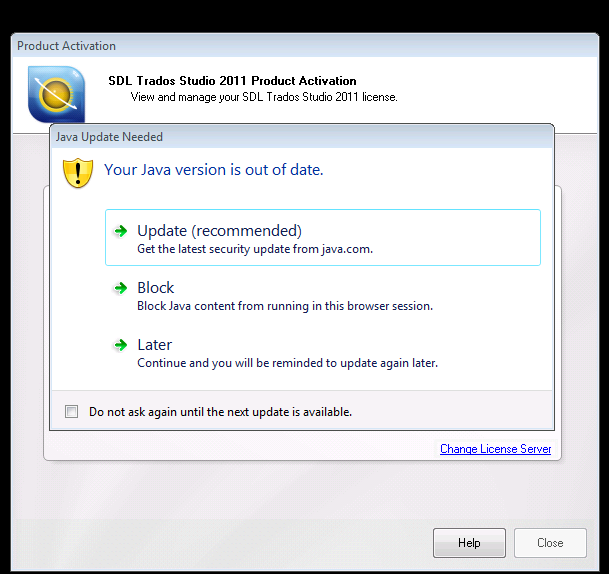
- Many applications – both web-based or standalone – in the LRC rely on Java. They currently all start Java with the autoupdater:
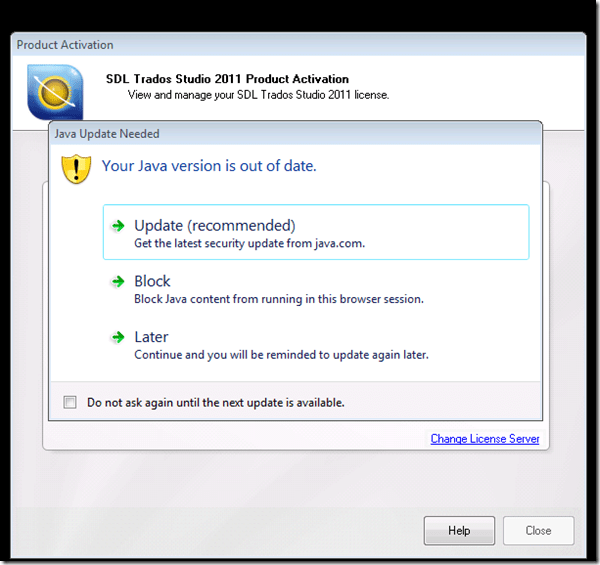
- and may at least temporarily allow for Java versions not tested for compatibility with LRC applications
- which should not cause permanent problems, since the computers are frozen, but does cause client s unnecessary hassle and delays
- provided that
- the LRC applications have been tested to work with the reasonably recent version of Java in the LRC image
- and staying on this version for, say, a term, causes no overarching security concerns (if it does, the more recent Java version should be frozen into the underlying software image anyway, after testing for compatibility with LRC applications).
- The answer how to shut out the autoupdater is likely in the Java control panel. This screenshot is from version 7.51 while we have 7.45, but likely similar

- Registry keys note 32-bit and 64-bit)
- HKLM\SOFTWARE\JavaSoft\Java Update\Policy EnableAutoUpdateCheck
- HKLM\SOFTWARE\Wow6432Node\JavaSoft\Java Update\Policy EnableAutoUpdateCheck
- HKLM\SOFTWARE\JavaSoft\Java Update\Policy EnableJavaUpdate
- HKLM\SOFTWARE\Wow6432Node\JavaSoft\Java Update\Policy EnableJavaUpdate
- For programmatically configuring this, a quick web search finds this:
-
deployment.expiration.check.enabled
Boolean
true
Must be “true” to prompt users to update the JRE when an out-of-date JRE is found on their system. Set to “false” to suppress the prompt.
-
This is a setting in here: The deployment.config file is used for specifying the System-Level deployment.properties in the infrastructure. By default no deployment.config file exists; thus, no system-wide deployment.properties file exists. If deployment.config exists, it is located in one of the directories shown in the following table.
Operating System:Windows
Location
• <Windows Directory>\Sun\Java\Deployment\deployment.config
• ${deployment.java.home}\lib\deployment.config -
in addition, likely this should be included: “SomeKey=SomeValue, may be locked by including another key, SomeKey.locked … so that the user cannot change it”.
-
Information is from http://docs.oracle.com/javase/7/docs/technotes/guides/jweb/index.html which may likely contain other information needed to configure JAVA in the LRC environment.


Quizlet.com for Vocabulary learning practice
Neallt 2014 is featuring a presentation on “Using Quizlet.com to generate and share vocabulary activities” (William Price, University of Pittsburgh). I cannot attend, but the program inspired me to hold my own sneak preview:
Quizlet.com is yet another site that provides a variety of flashcard and quiz activities for a given wordlist. A nice example is the “Speller”activity – which proves a text-to-speech generated aural cue for dictation (not included in this video):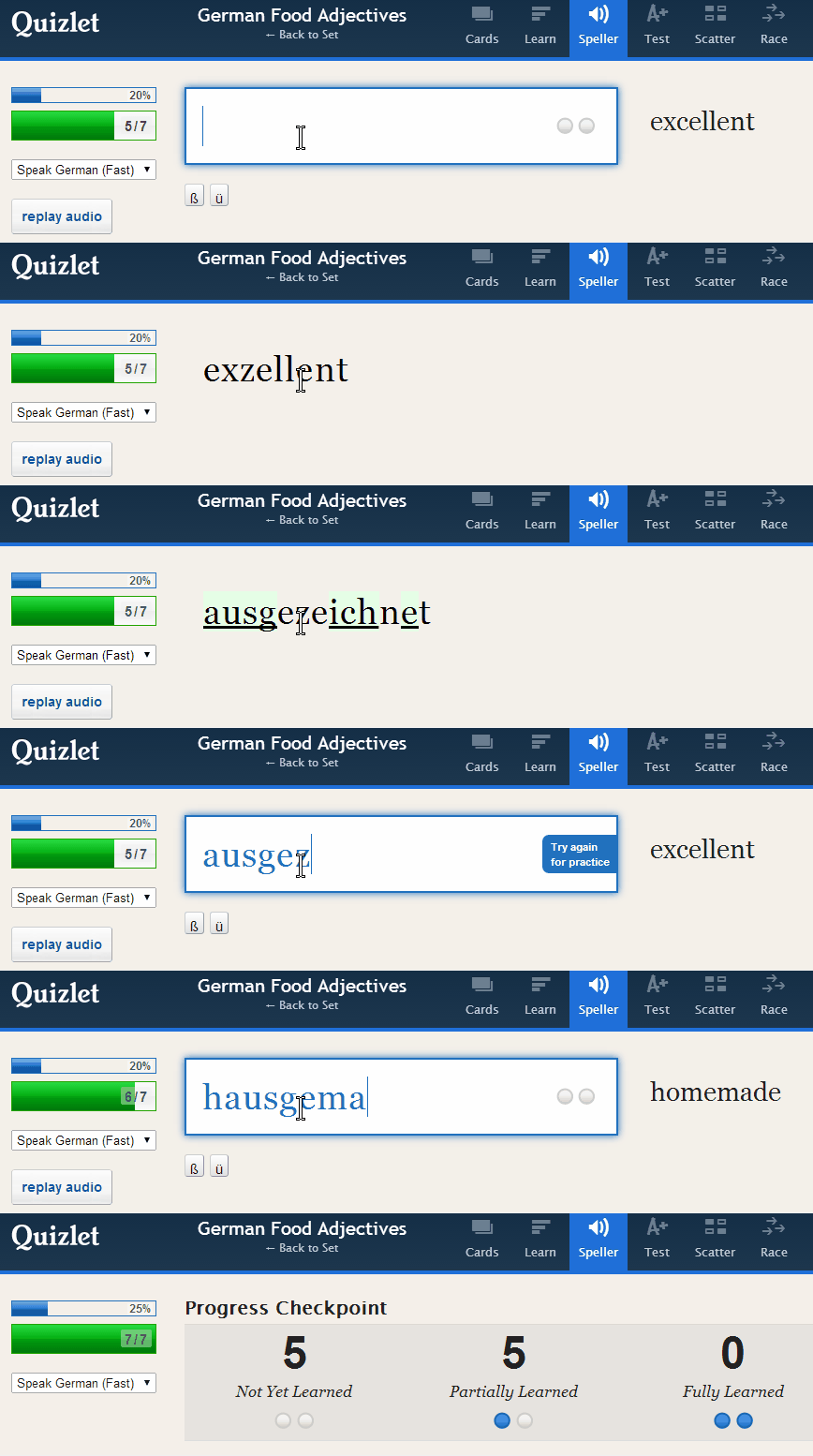
Or step-by-step:
 Unfortunately, the AI seems limited to only 1-1 L1-L2 relationships (which precludes how vocabulary seems to be learnt best: in phrasal contexts):

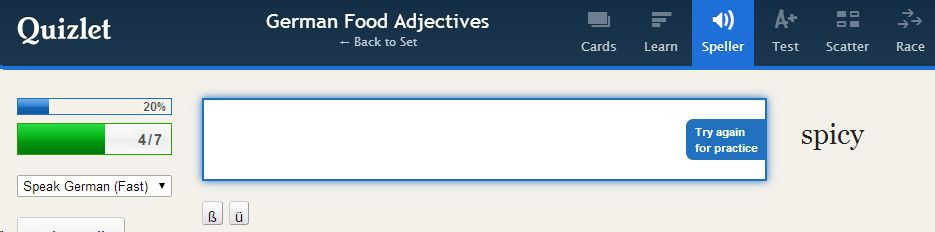
Feedback on “wrong” user input is color red, aural and visual presentation of the correct form: 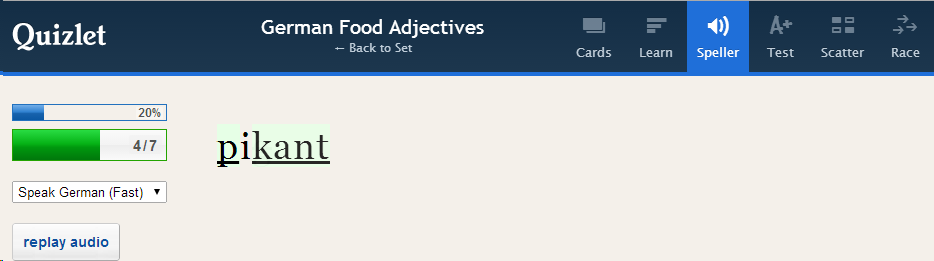
Then the application re-prompts for user input and allows user correction:
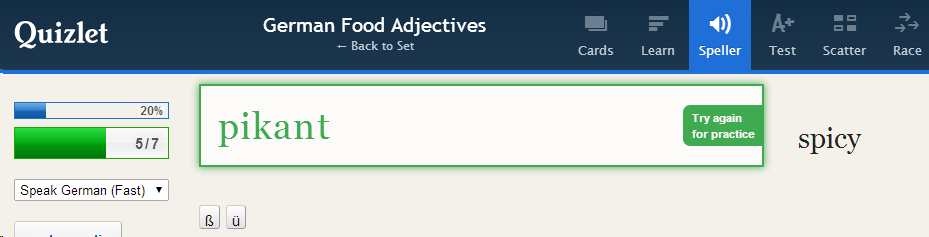
This is a “Test activity. Foreign language character input seems easy (but does beg the question since the inputs appear only when they are needed…)

Mix-and-match is called Scatter:

Here is the activity overview: 
Wait, there is more: 
Quizlet supports many dozen languages, including non-western, including ancient, not differentiating between modern and ancient Greek, but the browsing capabilities – admittedly a hard task – are somewhat flat (search and language)):
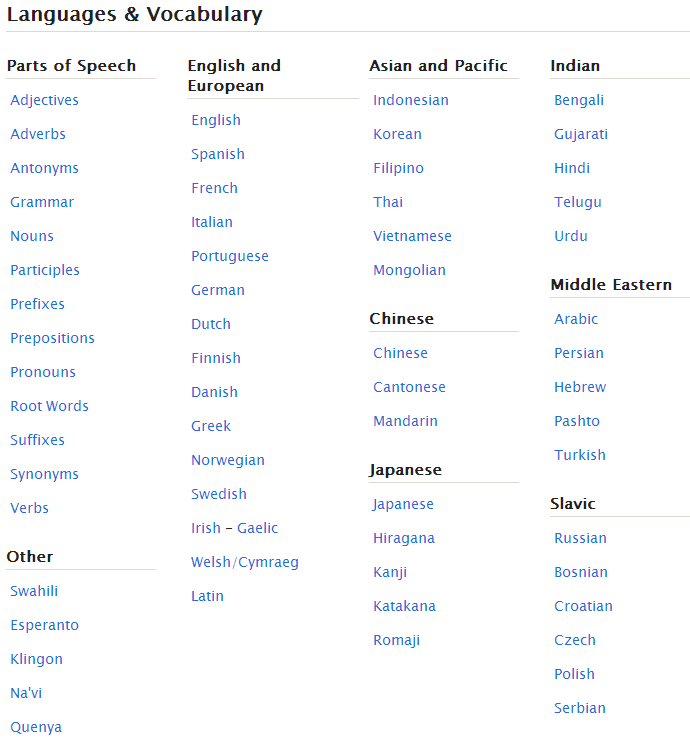
And boasts 20 million sets (as of today – many consisting of 2 terms or few more). As so often, usefulness for class instruction hinges on the availability of textbook-aligned vocabulary lists. However, if you have them with your textbooks, Quizlet makes it automatic to generate uploaded materials into exercises.
However, as said, you may not like how much you have to dumb it down.
German Frame Semantic Online Lexicon
“The German Frame-based Dictionary is an attempt to apply the linguistic theory of Frame Semantics to the language classroom”, and is “based on the German FrameNet at the University of Texas at Austin, a digital archive of how German words are used in real life contexts”. How to Use the German Frame-based Dictionary.
Example Frame pagE:

The Frames available are limited, but instructive samples which can help the naïve user with dictionary use: 


There are also some Arbeitsblätter, but only a few: 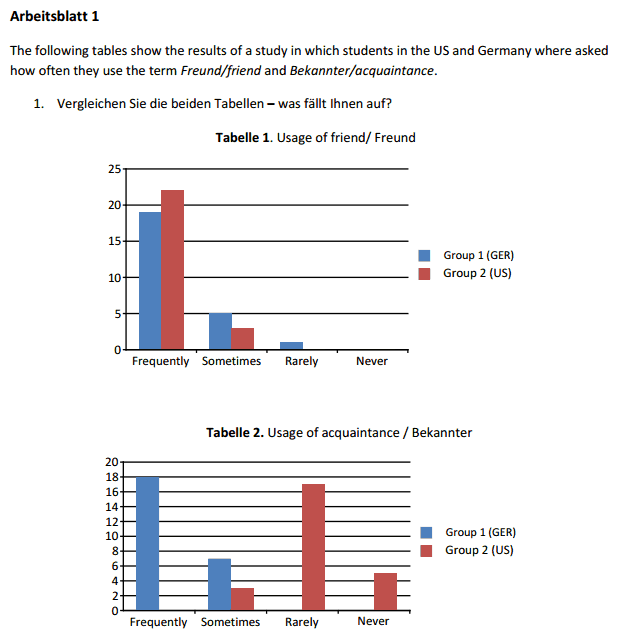
(On the occasion of Charles Fillmore’s death).
How to get started with the new text-to-speech support in Sanako 7
- With the new text-to-speech feature, students can generate their own pronunciation help:
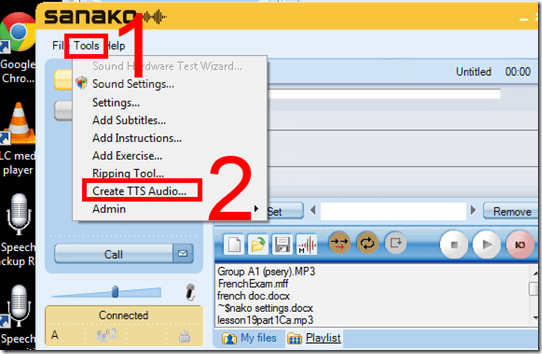
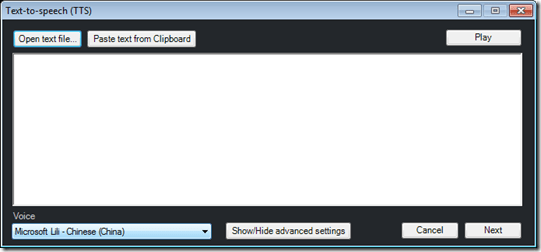
- Using the button:Advanced settings, you can even
- vary the speed of,
- insert bookmarks to use with Sanako player
- or insert thinking pauses for the learner into the audio – excellent ideas, I find
 !
!
- Unfortunately, the LRC currently has voices only for English and Mandarin. Extra voices cost extra
 .
. - Then there is Google translate text-to-speech, but that cannot be saved to file.


Free interactive online learning materials for Heinle Interaction
- Available here – in spite of the prominent user login button, you do not need to sign up.
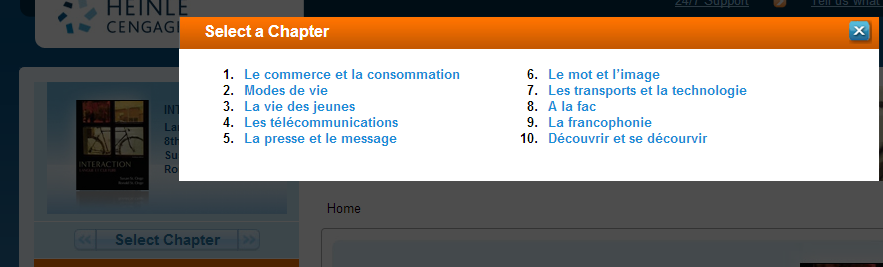
- Rather simply click the “Select Chapter” to get started.

- You then have access to some of these types of exercises, per chapter:

- Free (a (free) account is not needed):
- Tutorial Quiz
- Audio
- Web Search Activities
- Concentration
- Heinle Playlist
- Google Earth Coordinates
- Web Links
- Not free
- Flashcards
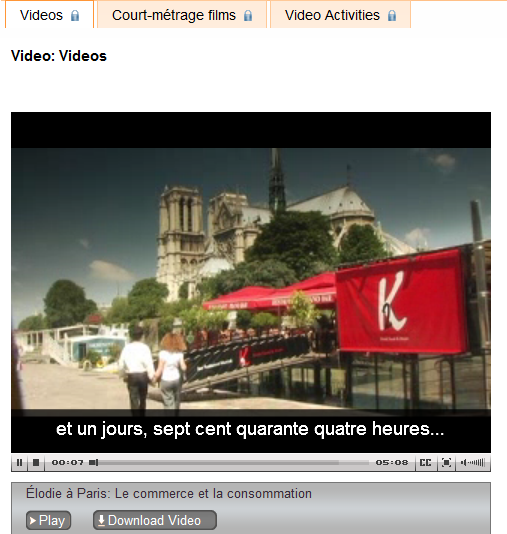
- Video (except for chapter 1 as taster)
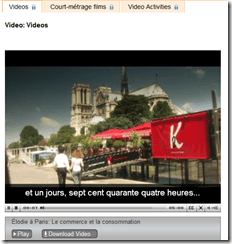
- Podcasts
- Crossword
- Chapter Glossary
- What this content is good for:
- Practicing. Including with a tutor, for since this content is not assessed, there is no ethical issue if the tutor helps with these materials.
- It is from edition 8, which is not the current edition – but I expect it to be still reasonably to the current chapters chapter:
- Le commerce et la consommation
- Modes de vie
- La vie des jeunes
- Les télécommunications
- La presse et le message
- Le mot et l’image
- Les transports et la technologie
- A la fac
- La francophonie
- Découvrir et se décourvir

LRC Faculty Showcase: Enhancing reading fluency in Spanish through Online Courses
- The videos of the presentation by Maria Mahaffey, Emily Kristoff and Shaun Stone on SPAN2200, using Hot Potatoes exercises in Moodle, and the ensuing discussion, are available on the intranet:
- PowerPoint screencast with audio: “S:\CLAS\LCS\MYDEPT\mahaffey\span2200\showcase\SLP_2014_PowerPoint.wmv” (size: 130MB).
- Video with presenter and PowerPoint on projector: “S:\CLAS\LCS\MYDEPT\mahaffey\span2200\showcase\showcase-SLP-2014.mp4” (size:410MB).
Overview over speech recognition assignment possibilities in the LRC–from beginning to end
- UPDATE: now with more videos to watch.
- First switch languages, once you are in the right language:
- The speech recognition loads at startup with this window:

- or can be started from the desktop shortcut:

- To activate = make it start/stop listening, click on the microphone

- create and save individualized voice training data (only the first time you use speech recognition in the LRC),
- Watch how to train (for English, short 5 minutes);
- Watch how to back up/restore;
- beginner voice training example (long, before/after effect in speech recognition),
- homework assignment exercise design,
- Watch how (for English, with correction in MS-Word)
- dictation example.





Questions? Read the About. Or just ask me a quick Our Databases: Resources with calendars -- Language learning material Moodle Sites, multimedia files -- films


FAQs for LRC student staff or for students or for teachers. To search our FAQs, in the browser addressbar, add after "https://plagwitz.wordpress.com/feed/?tag=faqs+/" "+TAG1" (from tag cloud below) OR "https://plagwitz.wordpress.com/feed/tag=faqs
&category_name=" "CAT1" (from category hierarchy below). OR search both categories and tags, and multiple TAGs/CATs (connect with "," for OR-search, with "+" for AND-search), like so: https://plagwitz.wordpress.com/feed/?tag=TAG1+TAG2+...TAGn&category_name=CAT1
+CAT2+...CATn"
Other ways to find help
If you cannot find it here, look there: 5,500 Language-Learning Links and Programs for learning or teaching 150 languages
Shortcuts:Our Lists, Our Maps, LRC Staff Moodle Site,LRC Project Moodle Site, 49erexpress, UNCC Moodle, Student Recordings: s:claslcslrcsanakostudent
Learning usage samples: Sanako oral exam, Kaltura webcam presentation, Dictation with speech recognition, Sanako written exam, Chinese and Japanese interactive stroke-order practice
Test the Sanako Installer, Webbrowser Popup Konfigurator for XP, or Windows7, faster LRC TeacherPC Log-in Let MS facilitate diacritics writing by installing for you US-International keyboard layout
This is my personal blog (Google+). The views expressed on these pages are mine alone and not those of my employer. The information in this weblog is provided “AS IS” with no warranties, and confers no rights.
 Thomas' Work Space