Archive
Character Input Methods for SLA (Western)
For studying (typing) Western Languages (= need for diacritics only; whether you have a US keyboard hardware or UK which is pretty similar), we recommend the MS Windows US International Keyboard layout which is based on “dead keys”.
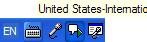
Currently installed in the LLC are the Language Bar (floating on top of screen or accessible from the taskbar) with these keyboard layouts:
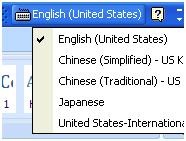
Keyboard layout settings are application/window specific, and “US” (non-international) is still the default for new applications/windows, so prepare to switch after you start a new application;
There are keyboard shortcuts for switching, however, “Key settings”: “switch between input languages” , using LEFT ALT + SHIFT, does not work. Workaround: use the language bar for switching:
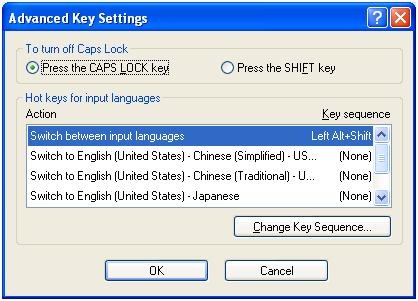
Windows keyboard layout settings can be temperamental – if you find you cannot switch to a certain layout anymore, you may have to restart the computer.
Use the following keyboard shortcuts to enter diacritics more easily:
|
Press (together, then release) |
then press |
Example Result |
|
` (accent grave) |
any letter that can have this accent, e.g. "a”, also cedilla ç |
à |
|
‘ (apostrophe) |
á |
|
|
^ (caret)- |
â |
|
|
~ (tilde) |
ã |
|
|
” (double quotation marks) |
ä |
|
|
CTRL+& |
Z or z |
æ |
|
rightALT+ |
X or x |
œ |
|
rightAlt+n |
|
ñ |
|
ALT+CTRL+? |
|
¿ |
|
rightAlt+? |
|
|
|
ALT+CTRL+! |
|
¡ |
|
rightAlt+1 |
|
|
|
rightAlt+s |
S |
ß |
To access the original, now dead keys, press space bar after pressing the dead key.
|
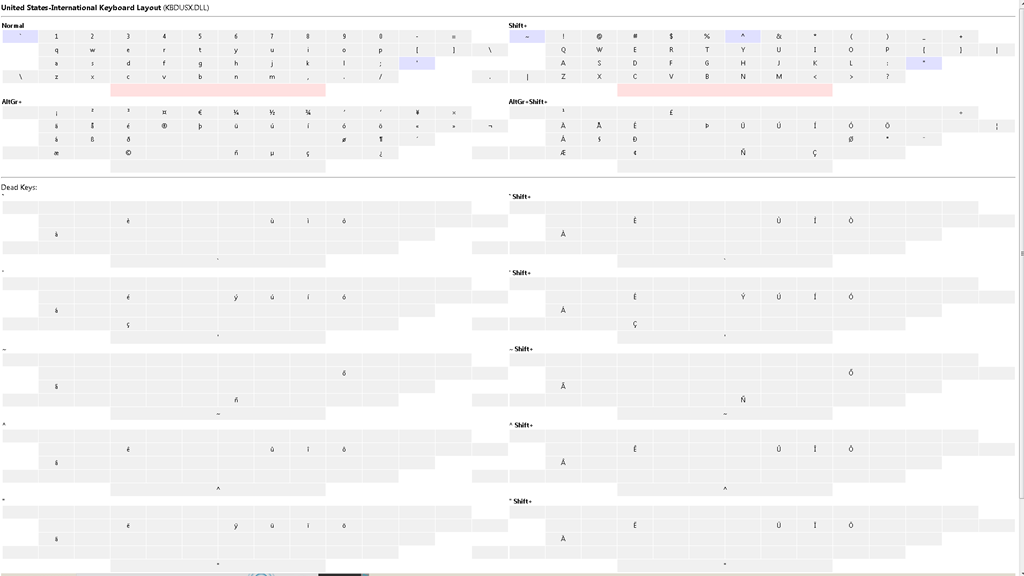
Modifiers(blue)/Layout |
Note the new modifier = “dead” keys, indicated by light blue color (click to enlarge) |
|
Normal |
|
|
|
|
|
Shift |
|
|
|
US International |
|
|
|
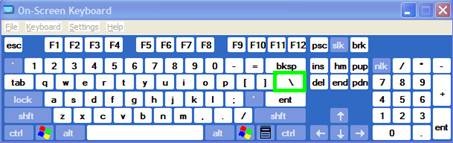
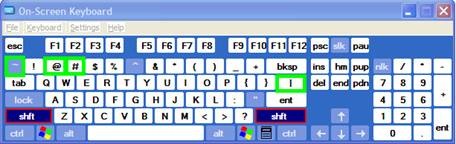
Screencast of US International in action here: deadkeys.wmv
Interactive Demo of installation procedure (personal computers outside of the LLC) here: keyboard_usinternational.swf
Planned improvements:
- Use LEFT ALT+Shift to switch to (Software) “Keyboard Layout” “United-States International”.
- Use other keyboard short cuts to access a desired keyboard layout directly
- Dock the “Language Bar” in the Taskbar, then hover over it to make sure you selected the proper “Keyboard Layout”.
· 
Immerse yourself into your language of study by switching the user interface language on LRC PCs
- Ever imagine yourself studying or working in an e.g. Spanish– Japanese- or Chinese- speaking country? Then you will likely find yourself in front of a computer display that is in that language – what if you could get a sneak preview before you go?
- You can now switch the interface language of the LRC Windows 7 computers (including Internet Explorer and MS-Office (note that you have to change the editing language separately) to your language of study (How?).
- All non-classical languages studied here are supported:
Language Native name Arabic العربية Chinese (Simplified) 中文(简体) Chinese (Traditional) 中文 (繁體) English English French français German Deutsch Greek Ελληνικά Hebrew עברית Italian italiano Japanese 日本語 Korean 한국어 Polish polski Portuguese (Brazil) Português Portuguese (Portugal) português Russian Русский Spanish español - Some languages, however, come only with the limited support of a MS Language Interface Pack :
-
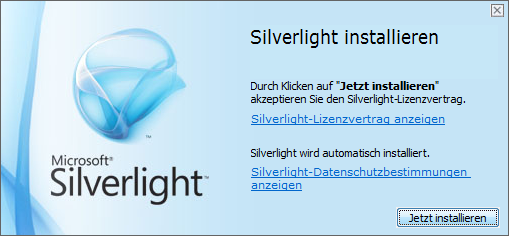
Hindi हिंदी KiSwahili Kiswahili Persian (Farsi) فارسی Yoruba ede Yorùbá - Below are examples (for German) what you get when you switch the operating system language:


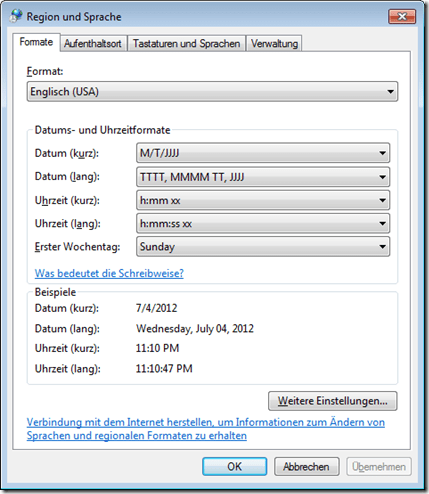

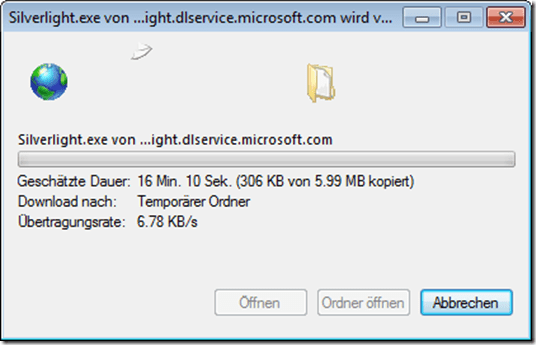
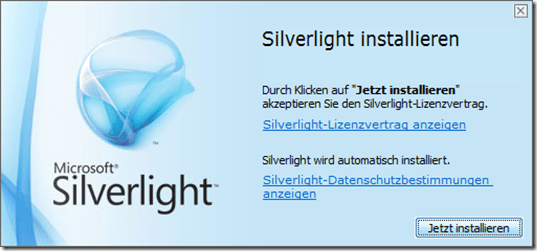
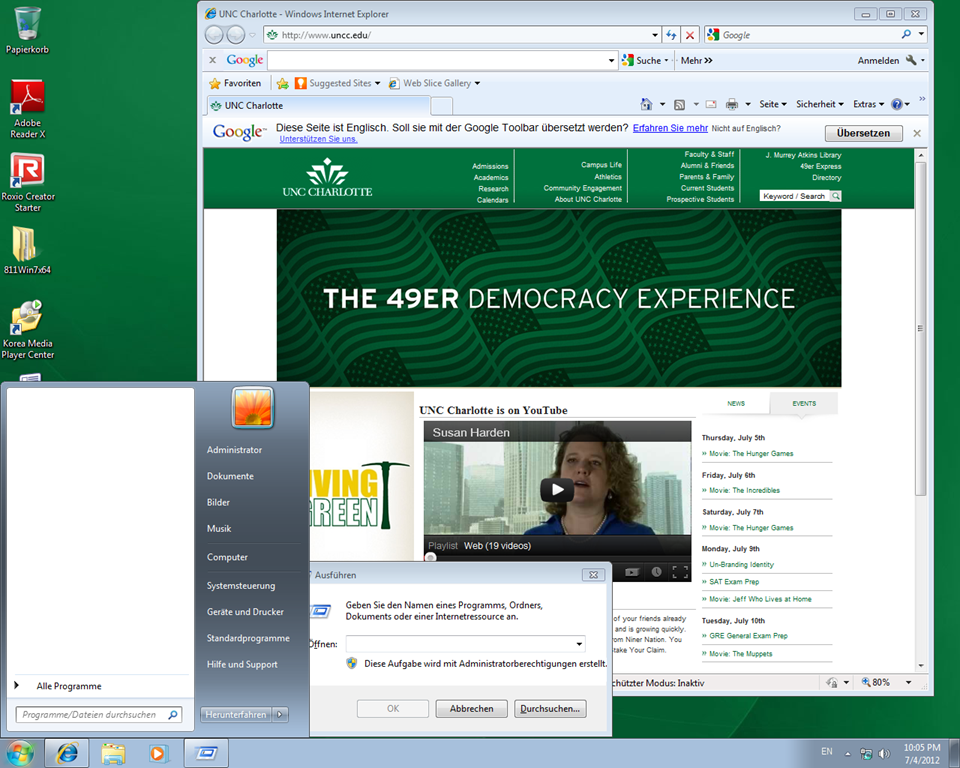
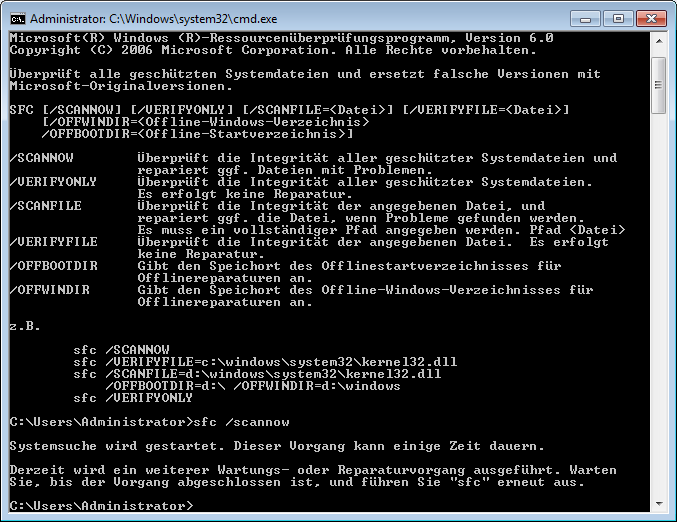

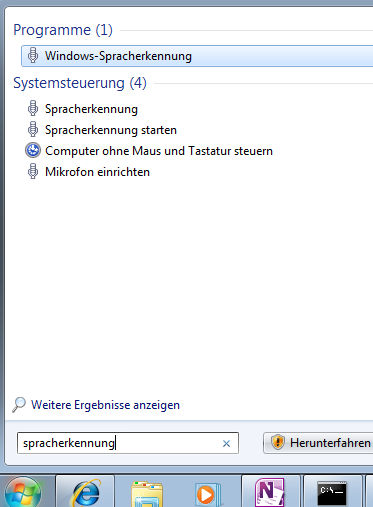

Foreign language support in LRC MS-Office 2010
- A full set of proofing tools is available, thanks to MS-Office Language Packs installed on the Windows 7 computers, for all non-classical languages studied here:
-
Language Native name Arabic العربية Chinese (Simplified) 中文(简体) Chinese (Traditional) 中文 (繁體) English English French français German Deutsch Greek Ελληνικά Hebrew עברית Hindi हिंदी Italian italiano Japanese 日本語 Korean 한국어 Polish polski Portuguese (Brazil) Português Portuguese (Portugal) português Russian Русский Spanish español - Some languages have only limited features provided by the MS-Language Interface Pack:
-
KiSwahili Kiswahili Persian (Farsi) فارسی Yoruba ede Yorùbá
How to change the display language and speech recognition language on LRC Windows 7 computers (and which languages are available)
- UPDATE: Since this page seems to be getting a lot of hits, I want to clarify: The step-by-step guide below only applies after you installed (free) language (or language interface) packs (see list here) on Windows 7 Enterprise or Ultimate SKU (others SKUs cannot add multiple language interfaces). UPDATE2: Things got much easier with Windows 8.
- In order to
- view the GUI of Windows and Internet Explorer in a foreign language,
- use the speech recognition in (a subset of the below) foreign languages,
- and also switch the default language of MS-Office
- Double-click the desktop shortcut “Region and language – Keyboards and languages”.
- Select the desired language from the dropdown box, click “OK”.

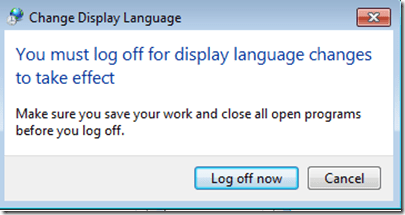
- Click: “Log off now”:
- “Log back in” (without restarting).
- And if you want the available display languages in English,
- here are the fully supported (MS Language packs):
Language Native name Arabic العربية Chinese (Simplified) 中文(简体) Chinese (Traditional) 中文 (繁體) English English French français German Deutsch Greek Ελληνικά Hebrew עברית Italian italiano Japanese 日本語 Korean 한국어 Polish polski Portuguese (Brazil) Português Portuguese (Portugal) português Russian Русский Spanish español - and here the partially supported (MS-Language Interface packs):
Hindi हिंदी KiSwahili Kiswahili Persian (Farsi) فارسی Yoruba ede Yorùbá - And here are the languages that support speech recognition:


Making audio cues for model imitation/question-response oral exams with Sanako Study 1200
We can easily record and post-process audio files in the LRC for use with the Sanako Study 1200 oral exam activities.
This can work not only for outcome exams (course- or chapter-wise), but also or formative assessment:
Think converting your textbook-based “drills” into Sanako, like repetitively recapitulating the newly acquired vocabulary item “donut” with different cues:
Example: “What can you do with [student can enter her favorite new vocabulary item for the current class] on [teacher can ask for one social web service after the other that her students likely are familiar with]?”. In response, student has to practice vocabularry item by forming sentences that fit the vocabulary item that fit like in the whiteboard example.
We can add to these recordings the features explained in the slide below.
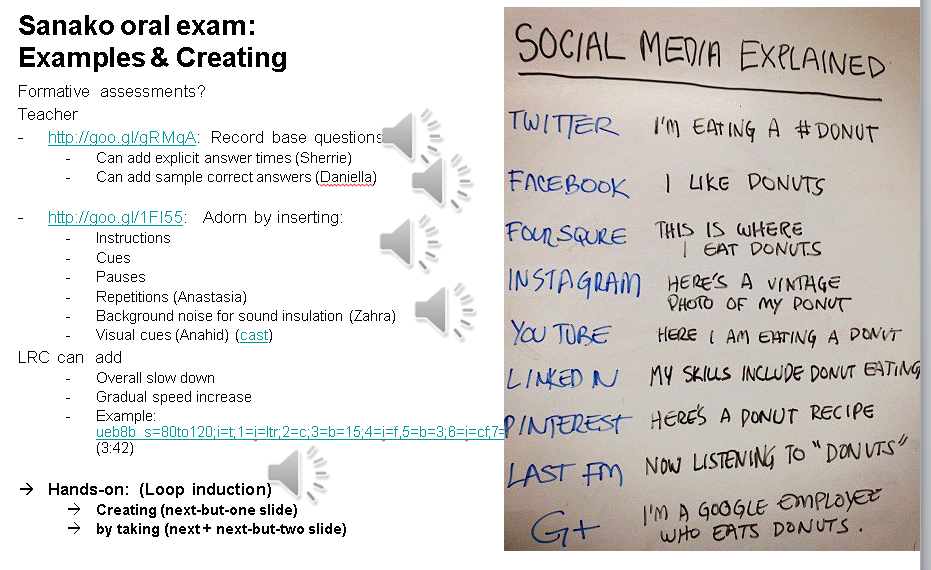
I’d be happy to play you examples from this slide – and more – in the LRC (not to be published here so that the exam files can be reused).
Setting up European Union translation memories and document corpora for SDL-Trados
-
SDL-Trados installation allows the translation program to teach this industry-standard computer-aided translation application . So far, however, we had no actually translation memory loaded into this translation software.
-
The European Union is a powerhouse for translation and interpreting – at least for the wide range of their member languages many of which are world languages – , and makes some of their resources – which have been set up for translation and interpreting study use here before – available to the community free of charge as reported during a variety of LREC’s.
-
This spring, the Language Technology Group at the Joint Research Centre of the European Union this spring updated their translation memory offer DTG-TM can fill that void at least for the European Languages that have a translation component at UNC-Charlotte.
-
We download on demand (too big to store: http://langtech.jrc.ec.europa.eu/DGT-TM.html#Download)
-
Is the DGT-TM 2011 truly a superset of the 2007, or should both be merged? probably too much work?
-
-
and extract only the language pairs with English and the language only the languages “1”ed here : “G:\myfiles\doc\education\humanities\computer_linguistics\corpus\texts\multi\DGT-tm\DGT-tm_statistics.xlsx” (using “G:\myfiles\doc\education\humanities\computer_linguistics\corpus\texts\multi\DGT-tm\TMXtract.exe”)
-
and convert
-
English is the source language by default, but should be the target language in our programs,
-
The TMX format this translation memory is distributed provided in, should be “upgradeable ” to the SDL Trados Studio 2011/2011 SP1 format in the Upgrade Translation Memories wizard”.,
-
TBA:where is this component?
-
-
-
configure the Trados to load the translation memory
-
how much computing resources does this use up?
-
how do you load a tm?
-
can you load in demand instead of preload all?
-
- Here are the statistics for the translation memories for “our” languages
-
uncc Language Language code Number of units in DGT – release 2007 Number of units in DGT – release 2011 1 English EN 2187504 2286514 1 German DE 532668 1922568 1 Greek EL 371039 1901490 1 Spanish ES 509054 1907649 1 French FR 1106442 1853773 1 Italian IT 542873 1926532 1 Polish PL 1052136 1879469 1 Portuguese PT 945203 1922585 Total 8 8 7246919 15600580
-
-
Would it be of interest to have the document-focused jrc-acquis distribution of the materials underlying the translation materials available on student/teachers TRADOS computers so that sample texts can be loaded for which reliable translation suggestions will be available – this is not certain for texts from all domains – and the use of a translation memory can be trained in under realistic conditions?
-
“The DGT Translation Memory is a collection of translation units, from which the full text cannot be reproduced. The JRC-Acquis is mostly a collection of full texts with additional information on which sentences are aligned with each other.”
-
It remains to be seen how easily one can transfer documents from this distribution into Trados to work with the translation memory
-
Here is where to download:
-
uncc
lang
inc
1
de
1
en
1
es
1
fr
1
it
1
pl
1
pt
-
The JRC-Acquis comes with these statistics:
-
-
uncc
Language ISO code
Number of texts
Total No words
Total No characters
Average No words
1
de
23541
32059892
232748675
1361.87
1
en
23545
34588383
210692059
1469.03
1
es
23573
38926161
238016756
1651.3
1
fr
23627
39100499
234758290
1654.91
1
it
23472
35764670
230677013
1523.72
1
pl
23478
29713003
214464026
1265.57
1
pt
23505
37221668
227499418
1583.56
Total
7
164741
247374276
1588856237
10509.96
-
- What other multi corpora are there (for other domains and other non-European languages)?


Questions? Read the About. Or just ask me a quick Our Databases: Resources with calendars -- Language learning material Moodle Sites, multimedia files -- films


FAQs for LRC student staff or for students or for teachers. To search our FAQs, in the browser addressbar, add after "https://plagwitz.wordpress.com/feed/?tag=faqs+/" "+TAG1" (from tag cloud below) OR "https://plagwitz.wordpress.com/feed/tag=faqs
&category_name=" "CAT1" (from category hierarchy below). OR search both categories and tags, and multiple TAGs/CATs (connect with "," for OR-search, with "+" for AND-search), like so: https://plagwitz.wordpress.com/feed/?tag=TAG1+TAG2+...TAGn&category_name=CAT1
+CAT2+...CATn"
Other ways to find help
If you cannot find it here, look there: 5,500 Language-Learning Links and Programs for learning or teaching 150 languages
Shortcuts:Our Lists, Our Maps, LRC Staff Moodle Site,LRC Project Moodle Site, 49erexpress, UNCC Moodle, Student Recordings: s:claslcslrcsanakostudent
Learning usage samples: Sanako oral exam, Kaltura webcam presentation, Dictation with speech recognition, Sanako written exam, Chinese and Japanese interactive stroke-order practice
Test the Sanako Installer, Webbrowser Popup Konfigurator for XP, or Windows7, faster LRC TeacherPC Log-in Let MS facilitate diacritics writing by installing for you US-International keyboard layout
This is my personal blog (Google+). The views expressed on these pages are mine alone and not those of my employer. The information in this weblog is provided “AS IS” with no warranties, and confers no rights.
 Thomas' Work Space