Archive
Search Rhapsodie, a syntactic and prosodic Treebank of spoken French
- The Rhapsodie Treebank is made up of “57 short samples of spoken French (5 minutes long on average, amounting to 3 hours of speech and a 33 000 word corpus)” endowed with an orthographical phoneme-aligned transcription”.
- Rhapsodie can be searched at http://www.projet-rhapsodie.fr/queryql.html:

- View list, read (1) text or (2”phonetic transcription, click (3) and (4) to listen to found segment

- You can also search for text and download:

- The best is obviously the markup and query language – and hence has a learning curve.


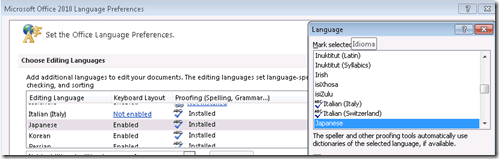
Japanese Language Tools (Proofing, dictionary, furigana) in the LRC MS-Office 2010 installation
- Even if not showing in MS-Word’s Language selector),
-
-

-
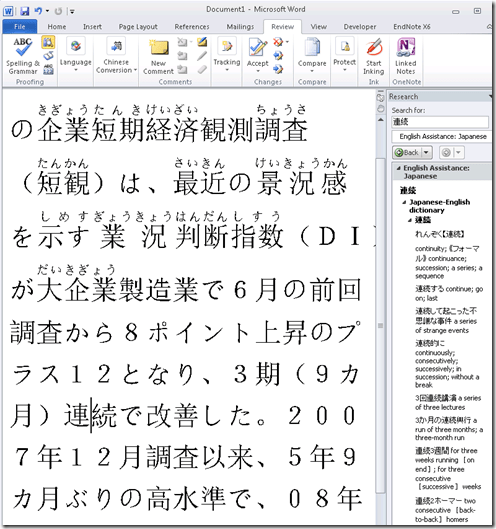
Even though there is no Japanese Thesaurus:

-
There are these tools:
-
In the Research pane, "English Assistance: Japanese" (in the ribbon / "Review" tab, Proofing section, press the
 , then ALT-Click a character to start a lookup:
 -
-
a Japanese Consistency Checker:

-
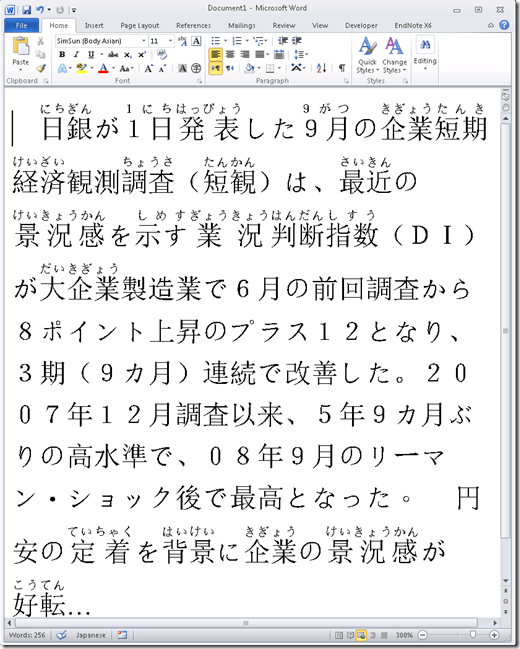
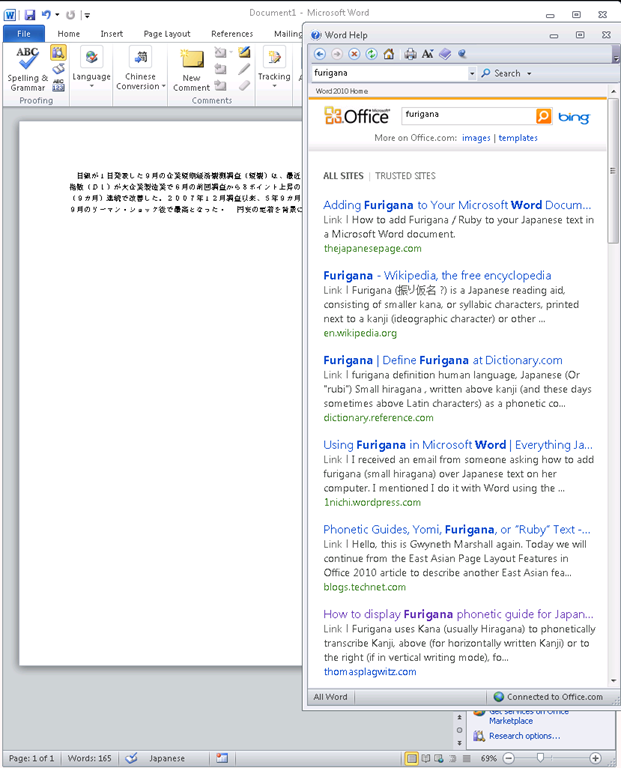
Furigana:
-
To enable:

-
Result (in view / Web layout):
-
Incidentally, my blog has not quite made it into the TOP 5 of MSW-Office help content:

-
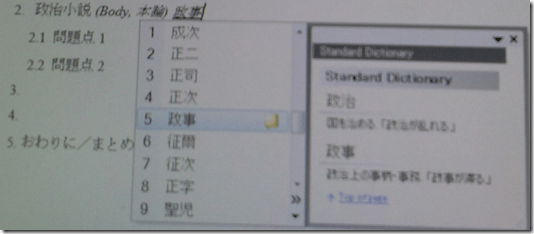
In addition, for Office, but also beyond, there are the tools of the MS-Office Input method editor (which include dictionary help when you write):



Setting up tutor support for Hybrid Spanish in the LRC, from 1-on-1 to Emporium
- The LRC can answer the Hybrid Spanish need to move tutoring into the LRC in a variety of ways, depending on scale of need:
- immediately on a small scale, using its small group rooms:
- 1-2 seats next to the tutor (lrcroomcoed433d) plus space for 1-2 students to wait in line (lrcroomcoed433). Group room 2 is the one along the wall next to the door. Not more than 2 students will fit there – on the sofa – at a time, with the tutor sitting at the desk. Since there is no space, other students cannot crowd the space/hog the tutor, but will be forced to move.
- Other Hybrid Spanish students can line up in lrcroomcoed433 (what we made into the “iMacs Faculty” room for you), and work in the online textbook while they wait online even when the other tutors (which we are going to move in there for you, see room calendar) use up the iMacs next to the door.
- The group rooms are merely my personal “hack” to make the LRC fit the changing departmental needs better. Our renovation proposal asked for more standard facilities, but we could secure only a couple of man hours to move our existing furniture. The hacked group rooms are small (photo included here), not (unlike proposed) sound proof and that the area in front of the reception desk with 3 customer lines can get rather busy when assistants help students, faculty and tutors. The LRC help desk constantly has students and teachers asking for help and checking out equipment, media, and starting proctored quizzes, sometimes in lines.
- Whiteboard: the department has installed the whiteboard in lrcroomcoed434 last year. Hybrid Spanish can use it there, or if the department has the funds, they could buy another and install it in group room 2. In the group room, for 1 on 1 tutoring, Hybrid Spanish could use the computer instead. Would it help at all Hybrid Spanish if we installed a 2nd screen, keyboard and mouse on this computer?
- “in person sign-in“: I’d be more than happy to help Hybrid Spanish look into how the LRC calendars could be used for students signing up for time slots with tutors, in a location easily readable and writable to all students – I have been meaning to do this for a long time for our tutors that are in only for a few hours per week. However, the need for setting up a restrictive sign-in could be alleviated by having a line where students at least can continue working on online Puntos at a a computer by themselves (=lrcroomcoed433), or, even better, can flexibly work on online Puntos , get help from a tutor, continue working on online Puntos, ask more help from a tutor.
- on a medium scale:
- If Hybrid Spanish need to accommodate more than 4-5 students – combined tutoring and lining up – at a time, I’d recommend using up the right half of the main classroom lrcroomcoed434 for this, even if not for a supervised/blended human/online homework session using the Sanako.
- Hybrid Spanish tutors could just move between the computers pedestrian-wise, manage the queue of students manually etc. At least Hybrid Spanish would have plenty of space to accommodate all students that show up, including the pile-ups we have experience.
- Large scale via “hybrid tutoring” using Sanako:
- On a larger scale (which we may encourage tutor-seeking students to create once they see we are able to scale this way), I could show Hybrid Spanish tutors how they could use the SANAKO to monitor and help students via screensharing, manage a queue of students “calling” for help (including the students seeing how they progress in the queue), send text messages and webpages to students, or fully remote control their computers to help or collaborate with them. Tutors can also form groups to address more than 1 student at a time, address all students present via the Sanako, or simply use the projector to demonstrate to them all. Or, as said, use the lrcroomcoed434 whiteboard (it is at the other end of the classroom from the teacher podium, we should change that, lots of teachers want to rather see their student’s faces when lecturing, they can see the students’ screen now through the Sanako).
- Hybrid Spanish students would not have to leave and with the SANAKO (or without, but not as easily) could queue up to ask questions, when they need to, or even be proactively monitored and helped by the tutors, I realize that our tutor are students also and that we do not want to overtax them. I do not know why Hybrid Spanish students hang around. However, the emporium at other universities was introduced as a go-to area for students that feel lost. The LRC would love to be that go-to area for language students here, provided we have the tools to help the students find their way – I think we have some, and would love to show Hybrid Spanish how Hybrid Spanish can take advantage of them. Of course everything that involves 1600 students per term needs to be carefully planned, especially with our limited seats in the LRC.
- When we last tried to share the classroom with Spanish tutoring, we had incidents with teachers no wanting the tutors there, while the tutors were unwilling to move. This is why the LRC set up the group rooms in the first place. In addition, the LRC online calendars now allows the teachers to book, or cancel booking, the room on the fly, and the tutors can see this calendar on the fly. Improved communication on sharing should allow for increase in actual usage of Lrcroomcoed434, without stepping on each other’s feet: they can be prepared to move back out to their group room, when the teacher moves in (and the SANAKO allows the tutors to also force the log out of their students form the lrcroomcoed434 computers for the class moving in). We would then not formally book the classroom for Hybrid Spanish, but rather still the group room, and rely on Hybrid Spanish students moving to the group room for the time slots that classes are scheduled in the classroom (easy enough to see in the LRC calendars, either from the calendar links on the LRC homepage, or by subscribing from NINERMAIL).
Protected: Native speaker recordings for Voilà vocabulary
Making computerized vocabulary quizzes for use in the LRC from Prof. Koralova’s Friendly Russian textbook
You can browse on the Group room PC to this folder with the
source files (read acces), you just need to look at the Word versions: S:\COAS\LCS\LRC\sanako\student\friendly-russian-docx-student-copy
In the source files, new vocabulary that the students have to learn, appears in 2 forms
1. Either under the heading “new words”, mostly with English meaning in a sparate column
2. Or in the running text, colored in red (and with no entirely obvious English translation for me who I do not speak Russian, but likely for you).
The target file is here (in most browsers other than Internet Explorer 64-bit, you should be able to open this in EXCEL for easier editing).
We need Russian and English in 2 columns. The computer program we are going to feed these flash cards into is quite simple in its automatic evaluation. That’s why we need to enable students to guess exactly the Russian from the English flash card side (and vice versa). Hence we may need to simplify the entries in both.
To give a few examples:
– Complicated lists of variants (inflected forms, similar phrases etc.) need to be broken up into separate rows
– linguistic metadata (like gender “fem.”– but maybe not articles: “la maison – das Haus” -, irregular verb) in a separate column, per language.
I included an example (from chapter 4, section 6) what I think the end result is supposed to look like:
Source example:
ти́хо (adv.) – quiet(ly); тишина́ (n.) – stillness; quiet
никогда́ – never; ти́хо, как никогда́ – quiet as never (before); когда́ – when
В чём де́ло? – idiom: What’s the matter?
ах да – oh yes
матч – match; game
почти́ – almost
ка́ждый – each; every
ме́сяц – month
всё в поря́дке (idiom)– everything is OK (lit.: everything is in order)
что ещё на́до? – what else (does one) need?
Target example:
|
russian |
metadata |
english |
metadata2 |
|
Ти́хо |
quiet |
||
|
тишина́ |
stillness |
||
|
тишина́ |
quiet |
||
|
никогда́ |
never |
||
|
ти́хо, как никогда́ |
quiet as never before |
||
|
когда́ |
when |
||
|
В чём де́ло? |
What’s the matter? |
||
|
ах да |
oh yes |
||
|
матч |
match |
||
|
матч |
game |
||
|
почти́ |
almost |
||
|
ка́ждый |
each |
||
|
ка́ждый |
every |
||
|
ме́сяц |
month |
||
|
всё в поря́дке |
everything is OK |
||
|
что ещё на́до? |
what else does one need? |
||
Hint: the easiest way to get the vocabulary charts Russian – English from Word into 2 columns in Excel: CTRL+H, “find:” space-space, “Replace”:^t (for tab), then copy/pasting the result makes 2 columns for Russian/English.
New issues with Respondus-lockdown-browser
- Problem description:
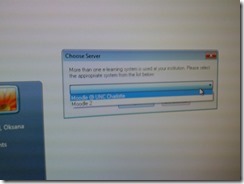
- Upon starting the quiz, Students are asked to select the right Moodle server (assuming Moodle2 is the right answer – how long will this step be necessary?)
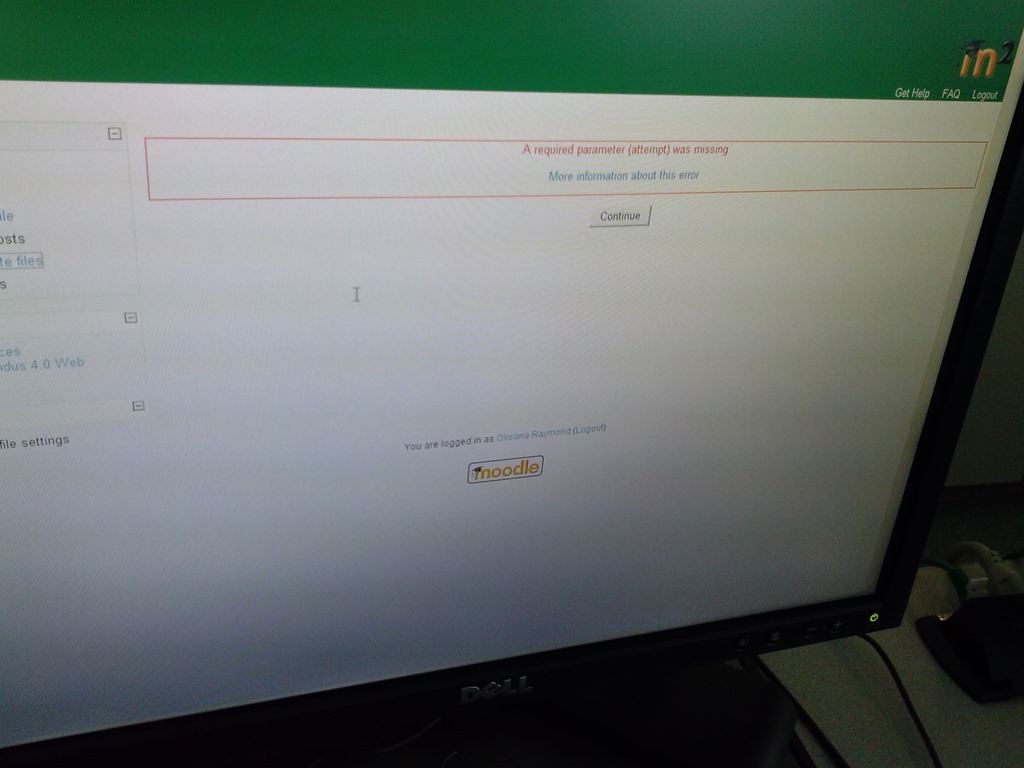
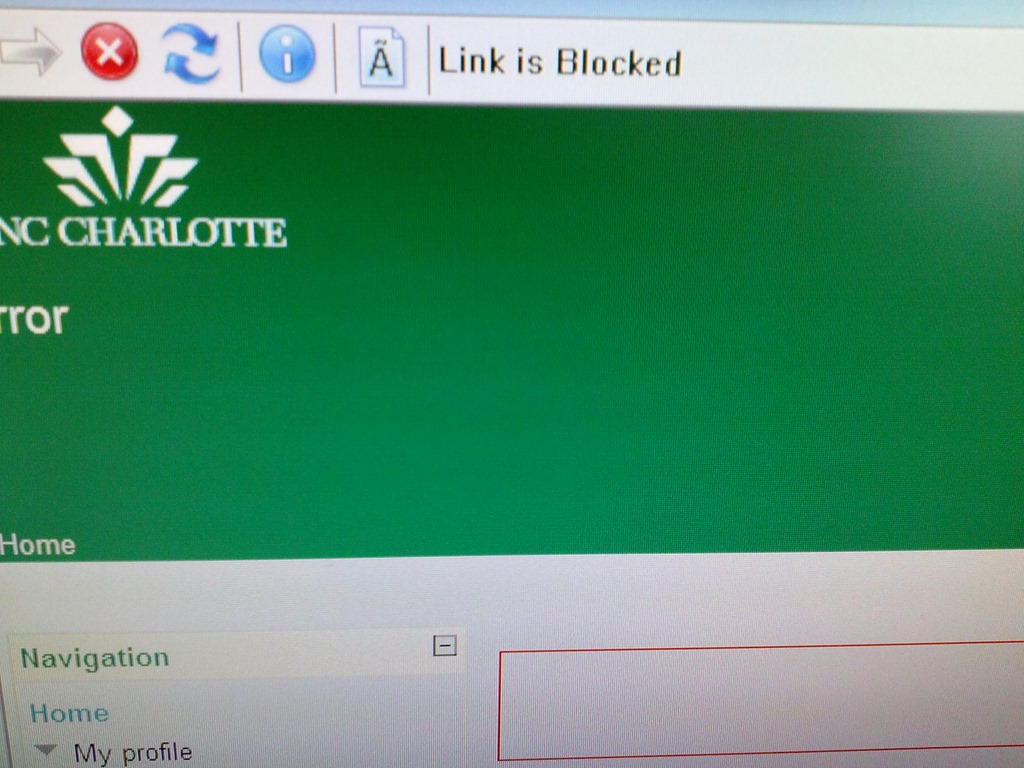
- When they are finished with the quiz, Students receive a combined “Ar required parameter is missing” (a link with “more information on this error” is offered underneath the red error message, but cannot be opened) and “Link is blocked” error

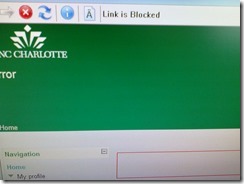
- before they reach the “SAVED” screen with the “submit all and finish”button: Meaning their attempt was not saved and since it cannot be submitted, will be lost.
- When logging in on a different computer, and starting the quiz in Lockdown browser, it tells students that the attempt is in progress,
- upon continue, they have to start afresh (nothing has been saved).
- This is on version from Dec 6 , 2012.

- Upon starting the quiz, Students are asked to select the right Moodle server (assuming Moodle2 is the right answer – how long will this step be necessary?)
- Workaround: Restarting the quiz on a different computer has been the best workaround I have seen so far.


Wacom Bamboo Tablet enables Teacher to draw characters for class
- We set up one of the Wacom Tablets which we have used for Hanzi/Kanji/Hanja practice in our student group rooms, at the LRC teacher station. Benefit:
- drawing characters where typing (including with IMEs) is not a satisfactory option. This includes
- IPA
- I noticed phonetics teachers making heavy use of the whiteboard and document camera/projector to transcribe.
- We tested a Phonetics keyboard, but remembering your keyboard shortcuts has a learning curve;
- Besides, the keyboard is currently not user-switchable.
- stroke-order demonstration for East-Asian languages.
- IPA
- Unlike the document camera, the Wacom could be set up at the teacher station – no need to move to the other end of the room, and works without need for the video switch we consider replacing.
- To use, you can
- e.g. start MS-paint (click start-button, “Run”, type “mspaint”, click “OK”)),
- select the “pencil” menu icon to the right of the center here:
 ,
, - remove the pen from pouch on the side of the wacom tablet next to the keyboard,
- draw digitally with the pen tip (soft),
- select the “eraser”menu icon to the right of the center here:

- turn the pen and rub to digitally erase (or “select all”and press the “del” key),
- finally save the drawing, if you want to reuse it or share it with students (e.g. using the Sanako playlist ).
- To change settings, go to the control panel (click start-button, “Run”, type “control”, click “OK”and start the Wacom Bamboo Control Panel Applet,
- if you do not like the Wacom tablet input panel being set to represent the entire left screen that is visible to students on the projector.
- if you are not right-handed,
- etc.
- drawing characters where typing (including with IMEs) is not a satisfactory option. This includes


Protected: Many input languages, keyboards and IMEs requested are not accessible to most LRC users


Questions? Read the About. Or just ask me a quick Our Databases: Resources with calendars -- Language learning material Moodle Sites, multimedia files -- films


FAQs for LRC student staff or for students or for teachers. To search our FAQs, in the browser addressbar, add after "https://plagwitz.wordpress.com/feed/?tag=faqs+/" "+TAG1" (from tag cloud below) OR "https://plagwitz.wordpress.com/feed/tag=faqs
&category_name=" "CAT1" (from category hierarchy below). OR search both categories and tags, and multiple TAGs/CATs (connect with "," for OR-search, with "+" for AND-search), like so: https://plagwitz.wordpress.com/feed/?tag=TAG1+TAG2+...TAGn&category_name=CAT1
+CAT2+...CATn"
Other ways to find help
If you cannot find it here, look there: 5,500 Language-Learning Links and Programs for learning or teaching 150 languages
Shortcuts:Our Lists, Our Maps, LRC Staff Moodle Site,LRC Project Moodle Site, 49erexpress, UNCC Moodle, Student Recordings: s:claslcslrcsanakostudent
Learning usage samples: Sanako oral exam, Kaltura webcam presentation, Dictation with speech recognition, Sanako written exam, Chinese and Japanese interactive stroke-order practice
Test the Sanako Installer, Webbrowser Popup Konfigurator for XP, or Windows7, faster LRC TeacherPC Log-in Let MS facilitate diacritics writing by installing for you US-International keyboard layout
This is my personal blog (Google+). The views expressed on these pages are mine alone and not those of my employer. The information in this weblog is provided “AS IS” with no warranties, and confers no rights.
 Thomas' Work Space