Archive
Using WebParts syntax to navigate OWA?
When you train in OWA, you can take advantage of sending your students directly to certain interfaces of OWA, for doing specific hands-on tasks. If they are not alreay logged in, they seem to get redirected to the desired view in the end Working example:
https://mail.uncc.edu/owa/?cmd=contents&fpath=Calendar&view=Weekly&archivestub=1
Limitations seem to be in the browsers: IE> Firefox > Safari.
However, I could not find a way to send a user to a specific view of an OWA published calendar (seems to default always to monthly). Non-working eexamples:
bad request http://mail.uncc.edu/owa/calendar/LRCtutor11@uncc.edu/Calendar/calendar.html?view=Weekly 404 http://mail.uncc.edu/owa/calendar/LRCtutor11@uncc.edu/Calendar/Weekly/calendar.html#
See documentation here: http://technet.microsoft.com/en-us/library/bb232199.aspx
Can you use webbparts to save your users to have to change the view  when they open up a calendar like http://mail.uncc.edu/owa/calendar/LRCRoomCOED434@uncc.edu/Calendar/calendar.html#, or another way to open this calendar not in its (monthly) default view?
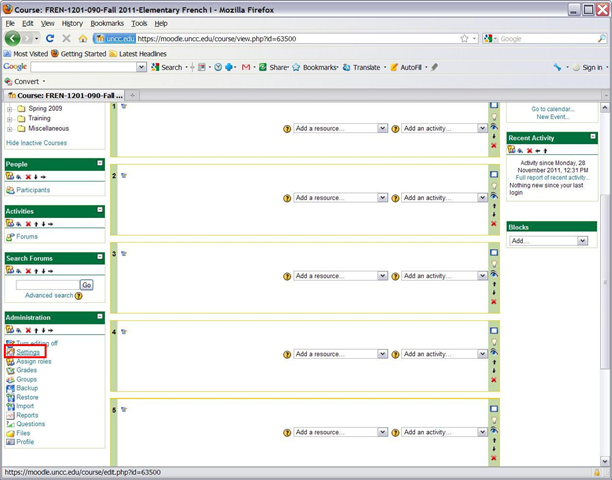
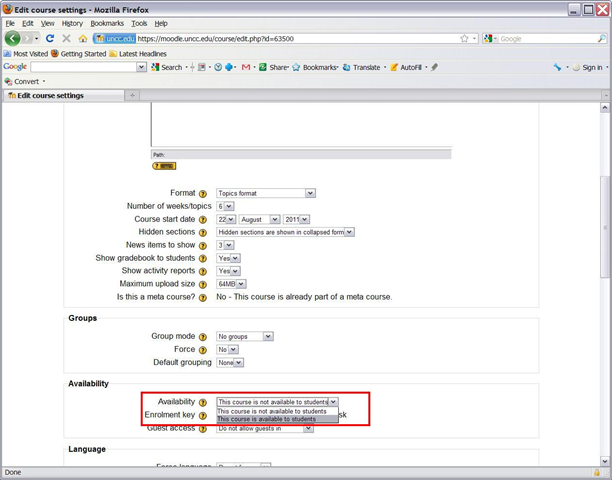
How to start the term with making your Moodle courses available to your students
- Three simple steps:

-


- Beats making courses available by default, when you might still refine them.

How to duplicate assignments in Moodle course sections by importing
- Limitation: You cannot use other users’content. Use the backup/restore content procedure instead.
- Benefits are:
- You can save the time it would take to redo the assignment from scratch.
- plus avoid breaking things when you try and copy the assignment over manually: this built –in way does not break links.
- But have to jump through these hoops:
- Start here:
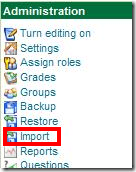
- Choose your source course which has the assignment:
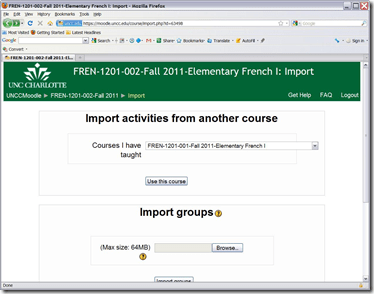
- Then choose what assignment you want to import:
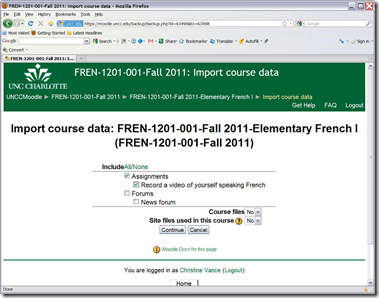
- Jump

- through
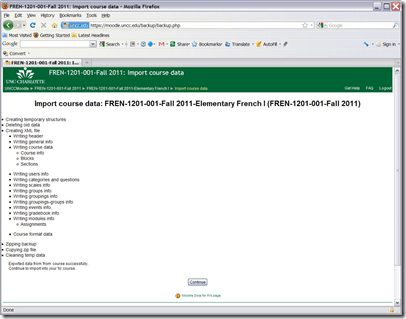
- the

- hoops

- done:
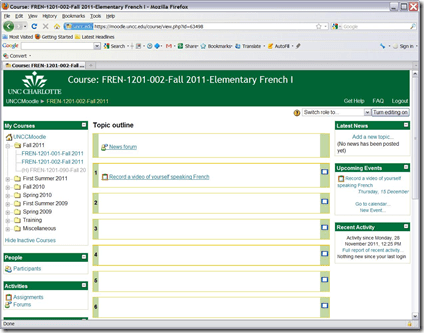
- Choose your source course which has the assignment:
- Start here:


How to poll for the best meeting time using Meeting Requests
- Please also see the follow-up user-perspective video here: How to respond to a poll for the best meeting time using Meeting Requests.
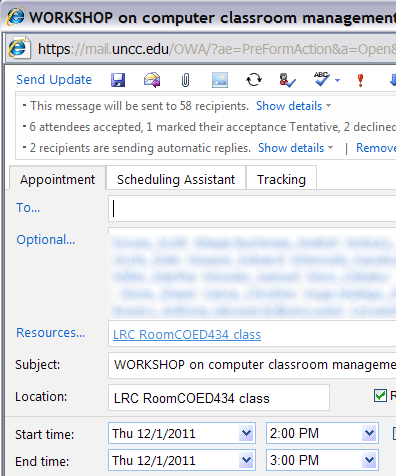
- A traditional issue around the LRC is getting busy teachers to agree on a common workshop time. Ideally, the scheduling assistant would automate this by allowing you to see the common free time slot in their busy timelines. However, this requires that the university calendaring system has already been widely adopted. In the meantime, meeting requests can still greatly facilitate finding this most common free time, by serving as a poll.
- To find the most popular time slot, send a number of alternative meeting requests with the instruction: “If interested in the workshop, please accept those times during which you could attend. I will only not cancel the most popular meeting time”. (Make sure that respondents know that they can “Edit response before sending” to include a message, or else this will skew the tally).
- At the end, you can easily tally the response in your calendar, and, as the meeting organizer, cancel the unpopular ones:

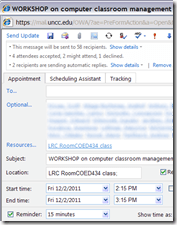

- And you can spare everybody one final summary email: “ Mark your calendars!” . The interested parties’ calendar has already be marked.


How to use the online Portuguese pronunciation help to generate phonetic alphabet transcriptions and text-to-speech
- Go to http://www.co.it.pt/~labfala/g2p/
- Write or paste your text into the textbox:“Grafemas”
- Choose your preferred phonetic alphabet (IPA, SAMPA) and other options.
- Press button: “Converter” to see results.
- Press button: “Sintetizar” to hear results.
- Like so:
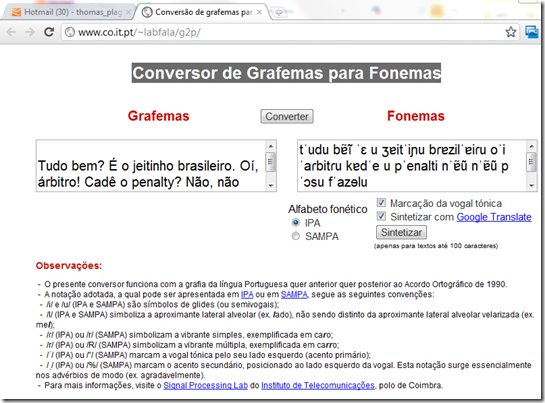
- Or click here to view a demo (requires Windows Media Player) with audio (download requires Windows Media Player). Our example was:
- Input: Tudo bem? É o jeitinho brasileiro. Oí, árbitro! Cadê o penalty? Não, não posso faze-lo.
- Output: tˈudu bɐ̃ĩ ˈɛ u ʒɐitˈiɲu bɾɐzilˈɐiɾu oˈi ˈaɾbitɾu kɐdˈe u pˈenalti nˈɐ̃ũ nˈɐ̃ũ pˈɔsu fˈazɘlu

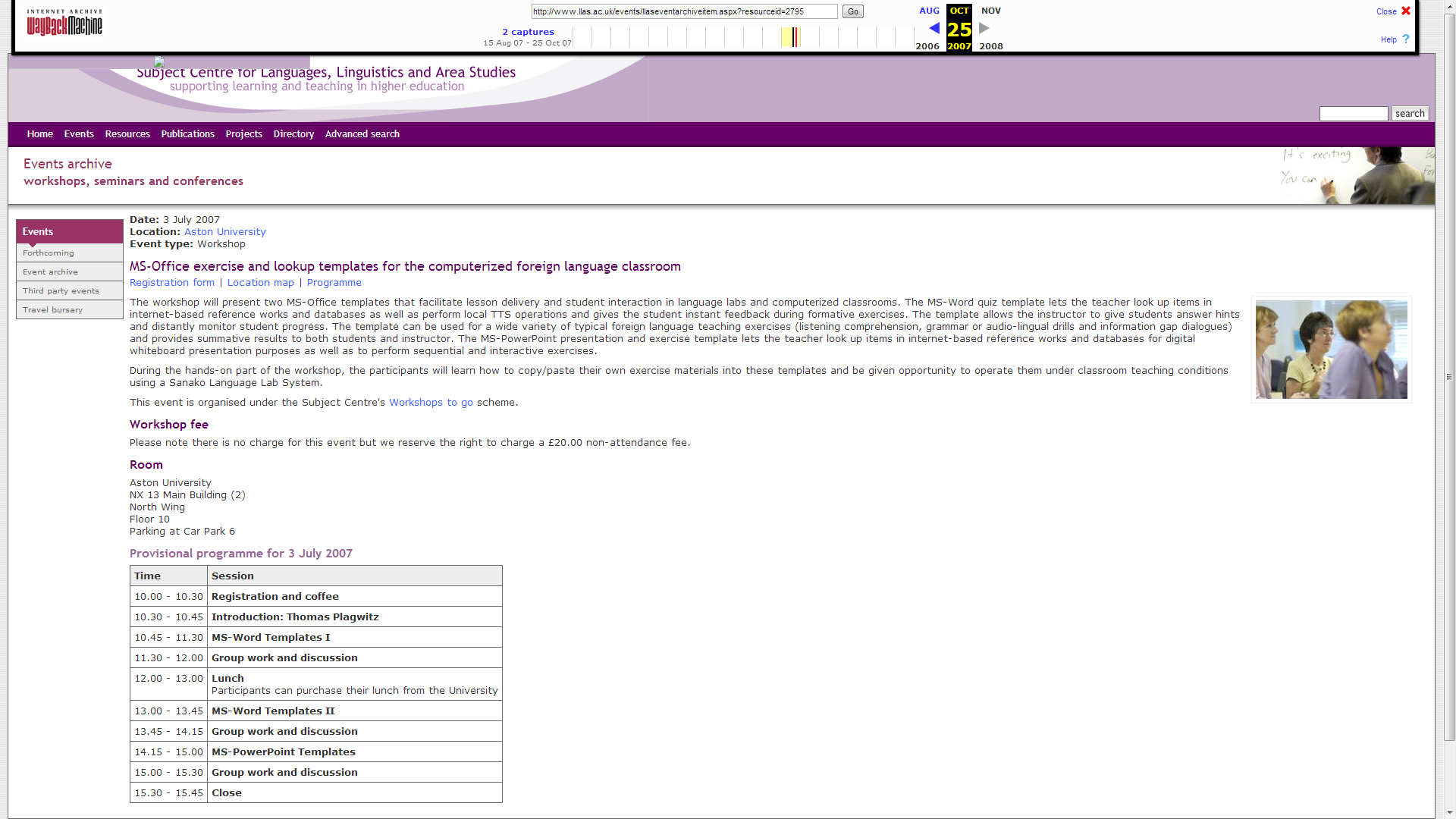
MS-Office Templates for the computerized Foreign Language Classroom. LLAS-sponsored Workshop2Go.

An LLAS-sponsored workshop held at Aston University in Birmingham and University of Nottingham. This is a raw unedited screencast of the former from the presenter screen (sorry, the video of demonstration screencasts played during this screencast do not get recorded due to hardware acceleration – I’ll insert them if I get around to cut this screencast).


Questions? Read the About. Or just ask me a quick Our Databases: Resources with calendars -- Language learning material Moodle Sites, multimedia files -- films


FAQs for LRC student staff or for students or for teachers. To search our FAQs, in the browser addressbar, add after "https://plagwitz.wordpress.com/feed/?tag=faqs+/" "+TAG1" (from tag cloud below) OR "https://plagwitz.wordpress.com/feed/tag=faqs
&category_name=" "CAT1" (from category hierarchy below). OR search both categories and tags, and multiple TAGs/CATs (connect with "," for OR-search, with "+" for AND-search), like so: https://plagwitz.wordpress.com/feed/?tag=TAG1+TAG2+...TAGn&category_name=CAT1
+CAT2+...CATn"
Other ways to find help
If you cannot find it here, look there: 5,500 Language-Learning Links and Programs for learning or teaching 150 languages
Shortcuts:Our Lists, Our Maps, LRC Staff Moodle Site,LRC Project Moodle Site, 49erexpress, UNCC Moodle, Student Recordings: s:claslcslrcsanakostudent
Learning usage samples: Sanako oral exam, Kaltura webcam presentation, Dictation with speech recognition, Sanako written exam, Chinese and Japanese interactive stroke-order practice
Test the Sanako Installer, Webbrowser Popup Konfigurator for XP, or Windows7, faster LRC TeacherPC Log-in Let MS facilitate diacritics writing by installing for you US-International keyboard layout
This is my personal blog (Google+). The views expressed on these pages are mine alone and not those of my employer. The information in this weblog is provided “AS IS” with no warranties, and confers no rights.
 Thomas' Work Space