Archive
First steps with the Sanako Study 1200 vocabulary test activity
- Click to watch an example below of the new (in version 6, we are now on 7) activity:”Vocabulary Test”
 which allows you to administer during a face-top-face-class just exactly what its name says –
 - with these benefits:
- needing no paper,
- digital contents
- “can” and reuse past tests with ease
- TBA: can you swap target and source language?
- blending automated and teacher feedback:
- the example I give below is based on what the teacher gave me: single words and very short idiomatic expression.
- You can use longer phrases (I prefer teaching and studying vocabulary in context), but then it become increasingly unlikely that the automated feedback is accurate (The automated feedback is limited to exact, up to case-insensitive string matching – now distance metrics).
- You can override the automated feedback before sending the results back to the student. This is somewhat practical, since the submitting is fast and not all students will finish at the same time, and if you provided students with the follow up activity after submission, The teacher overriding the feedback gets unpractical in large classes, so it is recommended restricting the test to short source/target language pairs. Also be clear about or minimize punctuation and, if required, the format of other metalinguistic information (gender, plural forms etc).
- Issues:
- not communicative, how can this be used or fitted in with other activities to make best use of a fully computerized face-to-face teaching environment?
- simplistic autocorrecting algorithm (case-insensitive, otherwise exact, right or wrong, my way or the highway” string matching)
- no tracking, no memory, personalization only via the other built-in Sanako personalization features (groups – to be left to the teacher to handle)
- no learning content – at least no vocabulary learning materials usable out of the box for us (TBA).
A comparison of options for student oral photo presentation assignment
- Objective: Student presents personal photos in target language (e.g. home). b
- Contenders for Tools:
- Voicethread (free version)
- University-environment
- For Multimedia authoring:
- MS-PowerPoint
- not yet contenders
- MS-Community Clips (screen capture recording, to be installed)
- benefit: single purpose, record yourself talking while flipping through the images on your computer
- cost: new tool to learn, and no long term perspective
- Sanako Student Recorder: not a contender, it has subtitling options, but cannot author multimedia presentations (teachers used to with the Sanako authoring tool, but this is not longer supported).
- MS-Community Clips (screen capture recording, to be installed)
- As LMS: Moodle.
- For Multimedia authoring:
- Comparison:
- Student
- Authoring:
- (PowerPoint ties:) Image upload is easy in Voicethread (including batches):
 , but PowerPoints Insert / Photo album is as fast (if you have digital photos).
 - Image narration:
- (PowerPoint ties:) Image upload is easy in Voicethread (including batches):
-
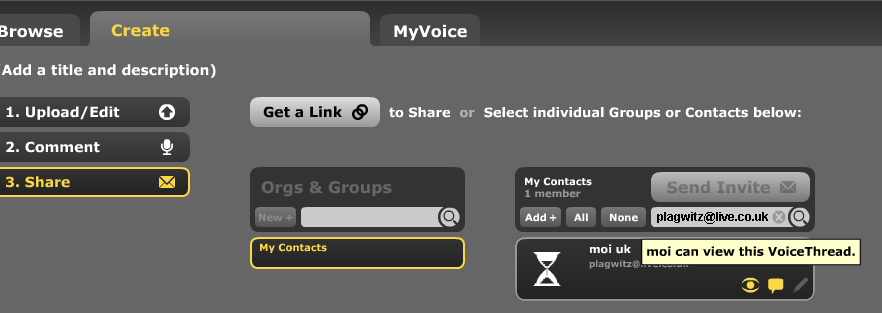
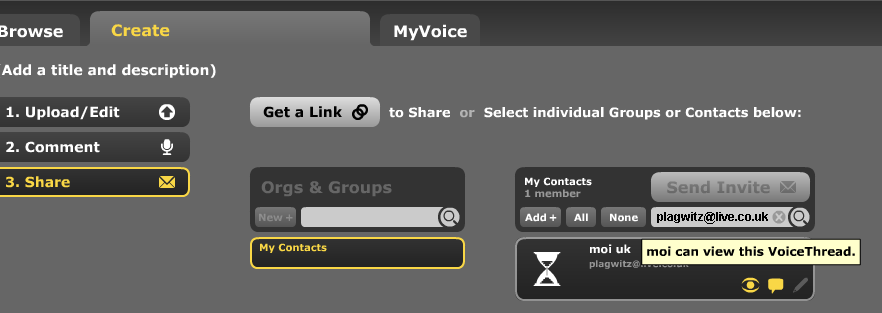
Assignment submission: Voicethread (free) has no support for assignments, only for sharing. Students have to find a way to submit their Voicethread,
- either by email or invitation to pre-created contacts:

- or, – with higher initial setup cost, but greater reusability benefit – by invitation to a pre-created contact:
 ,
, 

- either by email or invitation to pre-created contacts:
- Sharing/peer-editing/grading:
- (Moodle would win where it has peer-grading options. YMMV:) Sharing within the class is possible, but sharing with "anyone" is a privacy (possibly FERPA) issue, and sharing with a handmade class list (no import) is tedious.
- Authoring:
- Teacher: grading
- Managing submissions
- (LMS wins?:) Voicethread (free) does not allow an export that could be uploaded to the LMS.
 Student can email links or invitations like these:
 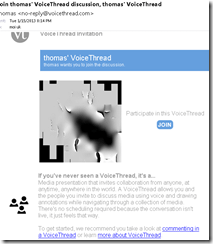 . It is up to you managing them, and completion of assignment and grading for the class. This is no LMS gradebook.
 - (Voicethread wins:) PowerPoint can be saved as a slideshow that starts on click (save as .ppsx) (including with narration). But opening and listening, without the need for saving to a local file, remains easier in Voicethread.
- (LMS wins?:) Voicethread (free) does not allow an export that could be uploaded to the LMS.
- (Voicethread wins:) Providing feedback is possible,
 including oral
  – but is this insert recording? And providing editing access is not the default: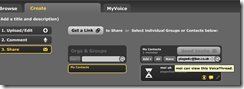
- Record-keeping:
- (Moodle wins:) Voicethread: Uh.. oh..?! I see no retention story, especially not in the free version. With Moodle, you can leave all that to the institutional support.
- Managing submissions
- Student: receiving feedback
- (A tie:) Voicethread’s audio feedback versus Moodle/PowerPoints gradebook access.
- Learning curve:
- Voicethread has the advantage of being a specialized tool (relatively few options, still relatively simple interface – few distractions).
- Other tools have the advantage of greater familiarity in the long run and reusability. Of course it depends also where you are working: stable positions get greater benefit from embarking on the institutional environment.
- Student
-
Summary: PowerPoint/Moodle remains the solution for the pedagogical task at hand that the LRC currently supports. Fortunately
- a narration of a picture presentation using PowerPoint and
- its submission by the student and grading by the teacher on the basis of a Moodle single file upload assignment are not too difficult.

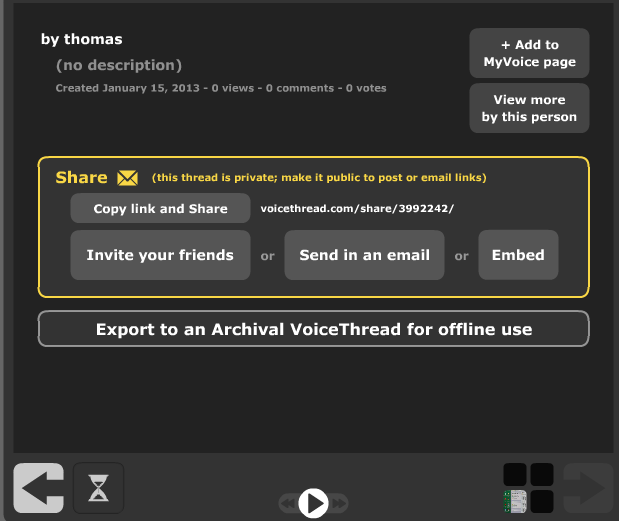
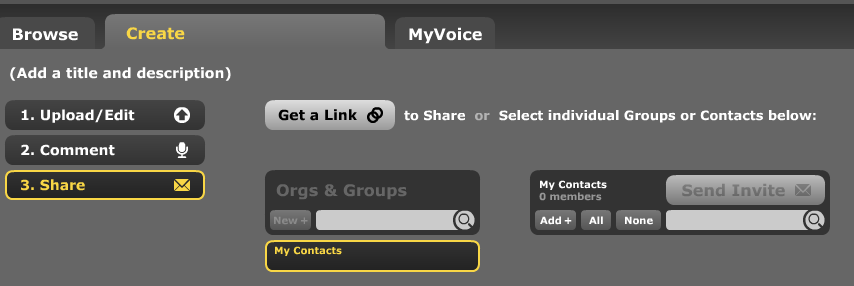



MS Windows Media Encoder, your free audio and video encoding utility
- Benefits
- Free
- Can cut and convert
- video
- Makes screencasts also.
- can capture video
- audio
- including pause removal.
- video
- can stream
- Limitation: Outputs only to MS media formats (WMA, WMV) (
- Download here. There is also a 64-bit version.
- Officially supported on
- Windows 2000 and XP. I use it on Vista and Windows 7 (both 64-bit) also (for audio; no guarantees).
- f I remember correctly, Windows Media Encoder has a built-in limit to support only up to 4 CPU cores, you may have to limit CPU usage if you run on more advanced hardware platforms).
- a bit of config:
- For good quality video and audio, put a prx file like this in "C:\Program Files (x86)\Windows Media Components".
- Put a wme file like this anywhere and start by double clicking the file, then press green “Record” button.
A few tools for speech transcription
- For teacher (research, learning material production etc.) transcription tasks (as opposed to language learner tasks, for which we can use the Sanako),
- if you have
- no switch (foot pedal) hardware (which usually comes with its own software), :
- no budget (a professional, but not free tool described here earlier is Swift-TX)
- available freeware tools that can speed up your transcriptions tasks are:
- Simple enough, but functional for the occasional transcription task: http://www-personal.umich.edu/~ebreck/code/sscriber/.
- More oriented towards research and large-scale (corpora) transcriptions:
Mylanguagelab.com “Authentication failed” glitch in audio recorder
Common error in IE8 when students review their test before submitting. No worries, the student recording is not lost. Still, what is the solution?

Ipatrainer.com community provides free phonetic transcription tables with sounds and exercises
- This is looking good, but …
- There seem to be some coding issues, I am getting server errors 500 after registering.
- The site is advertisement-based.
- There is no content beyond the IPA sound which would put these bare basics in phonetics into language learning context and practice.
- Site Contains:
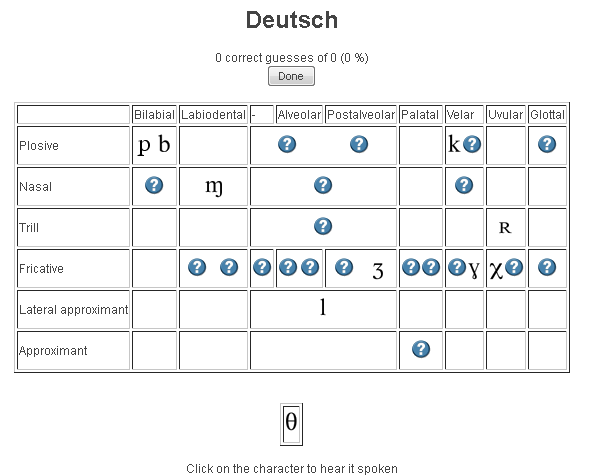
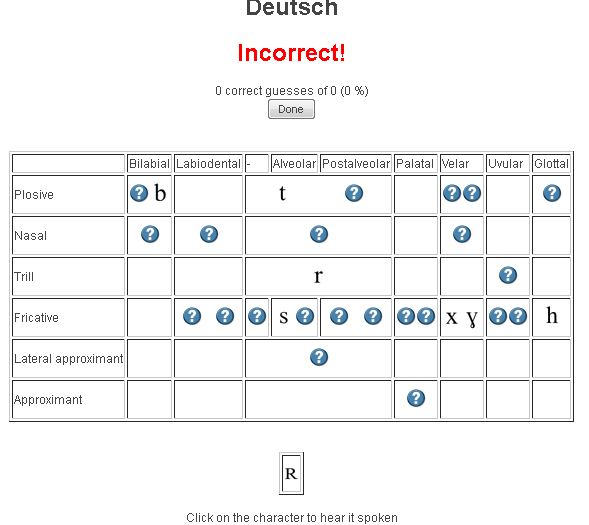
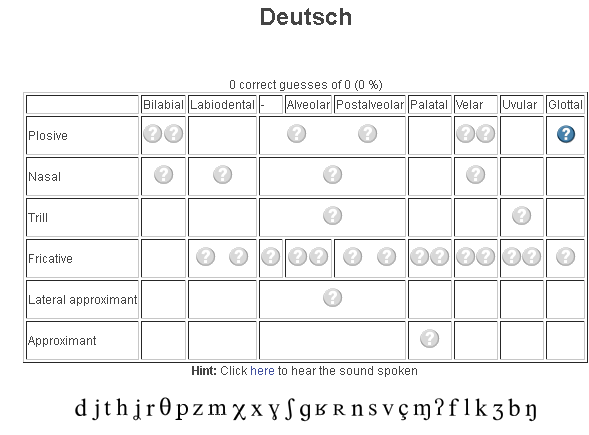
- tables for teaching your language – complete with phonetic symbols and sound samples

- and exercises for your students (e.g. Memory games, Identifying characters


 , places,
  and sounds.
- tables for teaching your language – complete with phonetic symbols and sound samples
- You can
- Create your own, after free registration,
- or assign one of the ones from many other teachers.
- Most popular ones are listed here: http://www.ipatrainer.com/user/site/?language=, and if the use numbers are accurate, there must be really some serious IPA learning going on here…
- I see no way to browse other tables without having the username of the teacher who created and assigned it.
- There is also a phonetic writer.
- And a user forum, in its infancy.



Animated GIFs workflow using MS-OneNote, MS-Paint, Irfanview and UnFREEZ
- To keep things simple (and, at least in our work environment, free) during smaller Animated GIF projects (larger projects may warrant use of ImageMagick, scriptable image editor), you can use
- MS-OneNote screen clipping (configured right, it seems the fastest way to collect source material)
- Update: I recommend now screenshotcaptor instead, if you do screenshot projects more than occasionally. MS-Paint (or pretty much any image editor) to mark up your images
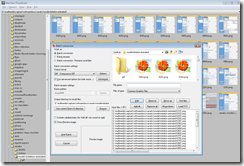
- IrfanView to batch convert to GIF:

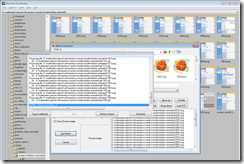
- UnFreez to easily create animated GIFs in differing speeds:

 , which can be automated.


Video quizzes on Youtube.com in Beta
Video Questions Editor lets channel owners display multiple-choice questions on top of their videos as they play (I see only a “start” in the timeline), offer hints, get results on your feedback page.
But if it supports only summaries, not usernames, it is more a poll than a quiz, which limits it usefulness in foreign language classes as much as that you apparently are limited to your own uploads, and cannot link your questions to the wealth of foreign language video uploaded by others…


Questions? Read the About. Or just ask me a quick Our Databases: Resources with calendars -- Language learning material Moodle Sites, multimedia files -- films


FAQs for LRC student staff or for students or for teachers. To search our FAQs, in the browser addressbar, add after "https://plagwitz.wordpress.com/feed/?tag=faqs+/" "+TAG1" (from tag cloud below) OR "https://plagwitz.wordpress.com/feed/tag=faqs
&category_name=" "CAT1" (from category hierarchy below). OR search both categories and tags, and multiple TAGs/CATs (connect with "," for OR-search, with "+" for AND-search), like so: https://plagwitz.wordpress.com/feed/?tag=TAG1+TAG2+...TAGn&category_name=CAT1
+CAT2+...CATn"
Other ways to find help
If you cannot find it here, look there: 5,500 Language-Learning Links and Programs for learning or teaching 150 languages
Shortcuts:Our Lists, Our Maps, LRC Staff Moodle Site,LRC Project Moodle Site, 49erexpress, UNCC Moodle, Student Recordings: s:claslcslrcsanakostudent
Learning usage samples: Sanako oral exam, Kaltura webcam presentation, Dictation with speech recognition, Sanako written exam, Chinese and Japanese interactive stroke-order practice
Test the Sanako Installer, Webbrowser Popup Konfigurator for XP, or Windows7, faster LRC TeacherPC Log-in Let MS facilitate diacritics writing by installing for you US-International keyboard layout
This is my personal blog (Google+). The views expressed on these pages are mine alone and not those of my employer. The information in this weblog is provided “AS IS” with no warranties, and confers no rights.
 Thomas' Work Space