Archive
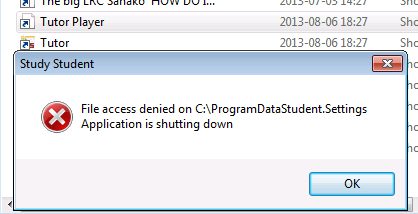
Our tutorplayer installation which comes with Sanako study 1200 tutor on the teacher computer is broken

- What’s with the non-existent path hard-coded here? Missing path delimiter? But that is not enoguh to fix the path: There is a student.settings in C:\ProgramData\Sanako\Study\Student\Tutor.Settings – not sure why tutorplayer is not accessing this file.
- Which is double annoying since I just had to enable MFF as default recording save format for some teachers that need dual track support which is buggy with MP3.
MS-Exchange and Outlook enable managing scheduling of 100+ functional resources
High-level Reporting: ![clip_image004[5]](https://thomasplagwitz.com/wp-content/uploads/2014/07/clip_image0045.jpg "clip_image004[5]")
Also, it is easy to manage calendars by group calendars, e.g.
![clip_image002[5]](https://thomasplagwitz.com/wp-content/uploads/2014/07/clip_image0025.jpg "clip_image002[5]")
Creation of calendar groups is also easy via the outlook address book:
![clip_image006[5]](https://thomasplagwitz.com/wp-content/uploads/2014/07/clip_image0065.jpg "clip_image006[5]")
It is Outlook (Desktop) currently only (not Exchange 2010 OWA) that allows for High-level Reporting. And even here, there are limitations:
![clip_image007[5]](https://thomasplagwitz.com/wp-content/uploads/2014/07/clip_image0075.png "clip_image007[5]")
How to create a form on Google Apps
- If you want to collect input from others (including students outside of a course = Moodle), including recurring input from the same student (multiple submissions are the default andsingle submission limit can apparently only be enforced offwith JavaScript hacks)(.
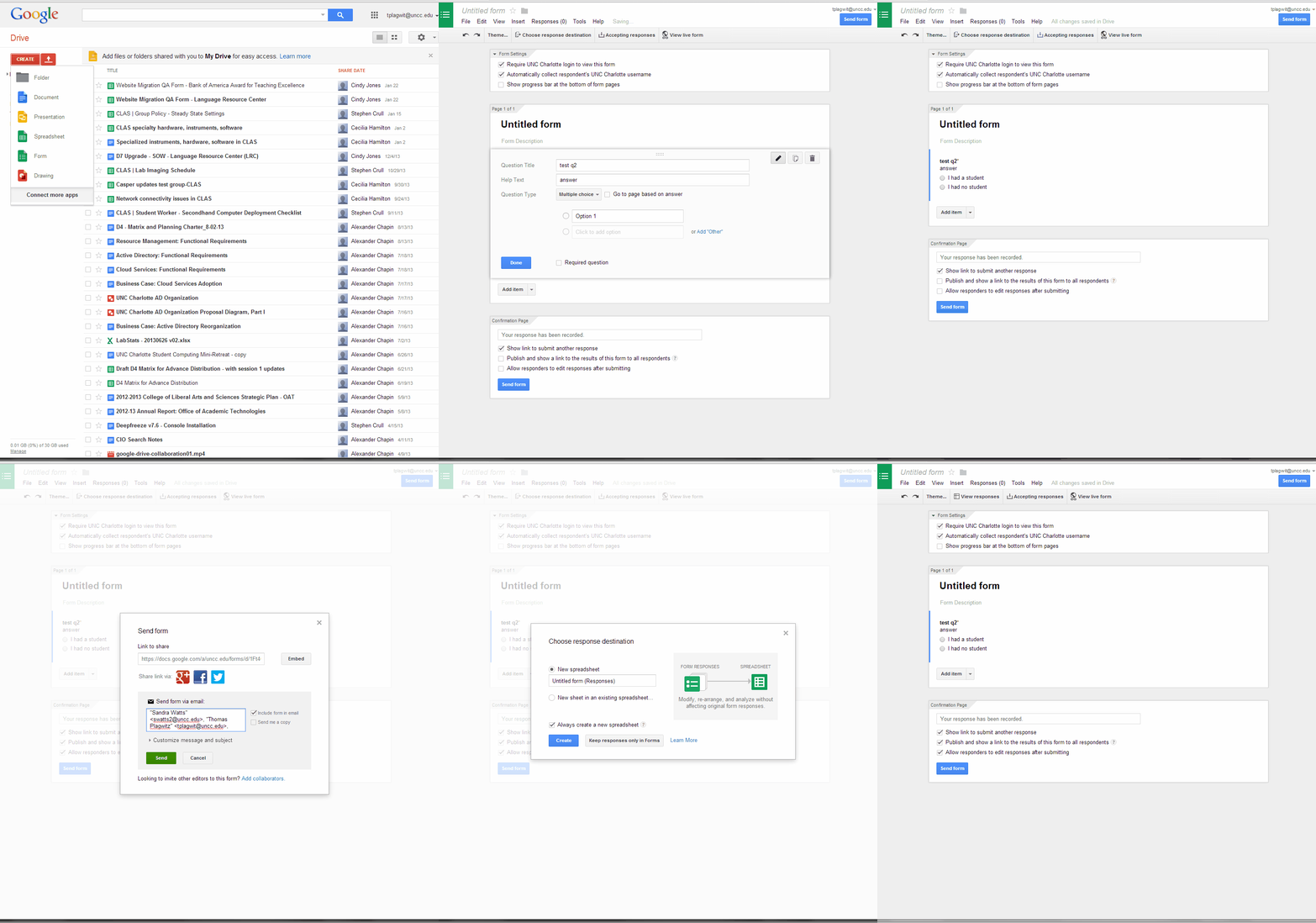
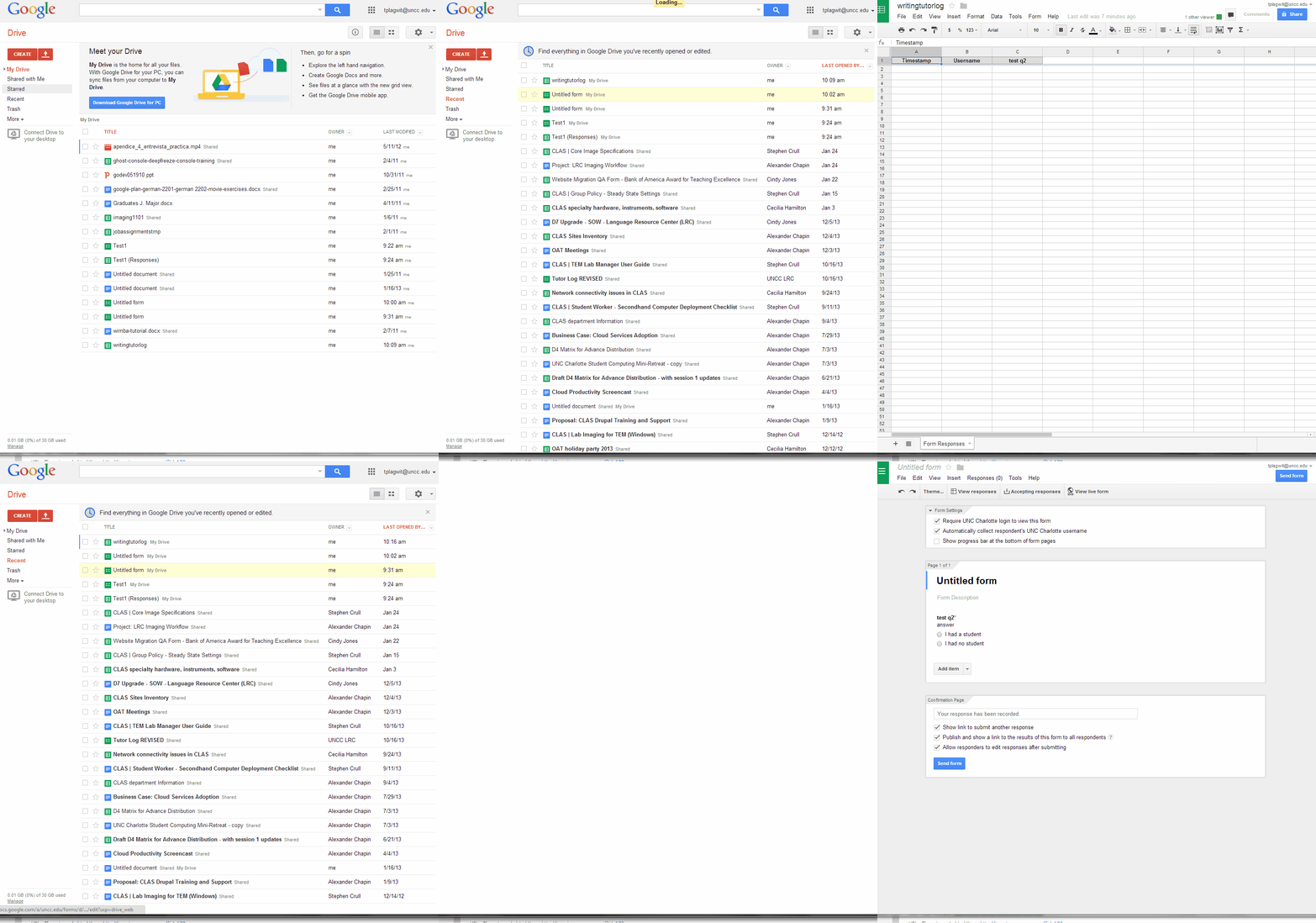
- Do this to create a form in Google Apps:

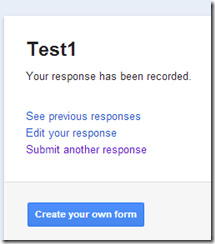
- Here is what you can have your submitters see:


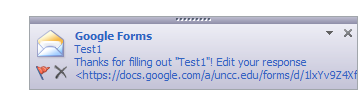
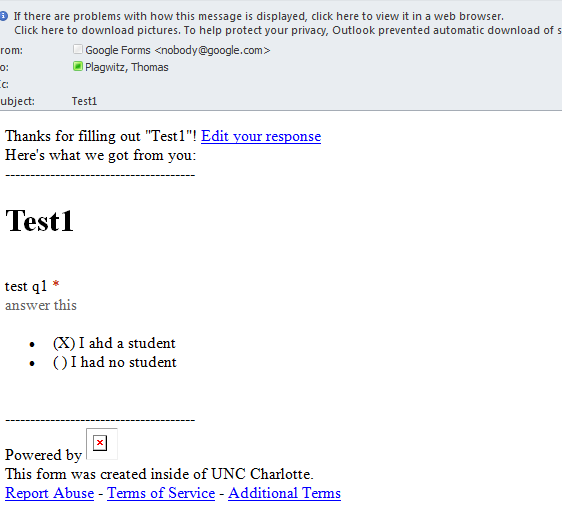
- Here is what you get:


Camera available to document issues
Find it in coed436 and take it with you during routine checks and when assisting clients.

Best way I found to merge WordPress.com tags
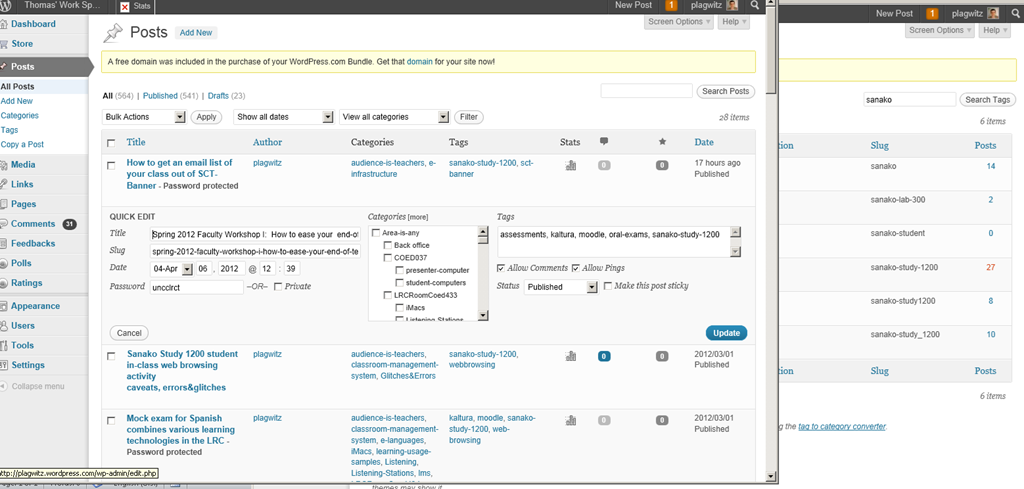
I am talking about merging spurious variant tags into one canonical form. This is a workaround for the fact that you cannot just update when the update could require wordpress.com to merge the article set form the old tag into an existing article set under the new tag. The work around involves accessing the spurious tags from the admin / tags interface (window on the right); then opening the "posts" for each spurious tag in a new window. In the posts window to the left, do the "quick edit". I tried saving myself some deleting in the left window by, after opening the left window, deleting the tag in the right window; but the old tag has already been preloaded for the Quick edit into the left window . Well, Quick edit makes it pretty painless. Is a global search/replace for wordpress.com conceivable? Warning: Don’t hit "Edit" after deleting the tag and try to go back – you will have to hunt for your posts manually.
JAVA warning dialogues to bypass during NanoGong activities
- You may be prompted to update JAVA – likely a not a bad idea:
![java outdated warning_thumb[1]](https://thomasplagwitz.com/wp-content/uploads/2013/10/java-outdated-warning_thumb1_thumb1.png?w=560&h=354 "java outdated warning_thumb[1]")
- Click “RUN”:
![image_thumb[8]_thumb[1]](https://thomasplagwitz.com/wp-content/uploads/2013/10/image_thumb8_thumb1_thumb1.png?w=461&h=542 "image_thumb[8]_thumb[1]")
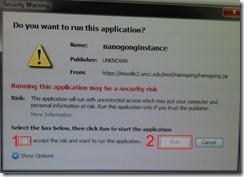
- Check (1) “Accept”and Click (2) “Run”:

- Click “Don’t Block”:
![CAM03106_thumb[1]](https://thomasplagwitz.com/wp-content/uploads/2013/10/cam03106_thumb1_thumb1.jpg?w=556&h=294 "CAM03106_thumb[1]")
- Even more annoying when warning dialogues do not come to the foreground, and your computer/web browser simply seems to be stuck. Check your task bar/dock for blinking/jumping JAVA notifications, like here:
 .
. - You have to bypass these dialogues only once – per session (lab) or possibly per computer. Choose the right answer, for university assignments, it is safe to “Allow! Allow! Allow! (“run”, “don’t block:”, update”, what ever – use common sense).
- Remember, thinks could be worse, – like if you try to use NanoGong in a Firefox that has not been explicitly configured to allow JAVA applets – read more on our troubleshooting NanoGong page.
![java outdated warning_thumb[1]](https://thomasplagwitz.com/wp-content/uploads/2013/10/java-outdated-warning_thumb11.png "java outdated warning_thumb[1]")
![image_thumb[8]_thumb[1]](https://thomasplagwitz.com/wp-content/uploads/2013/10/image_thumb8_thumb11.png "image_thumb[8]_thumb[1]")
![CAM03106_thumb[1]](https://thomasplagwitz.com/wp-content/uploads/2013/10/cam03106_thumb11.jpg "CAM03106_thumb[1]")
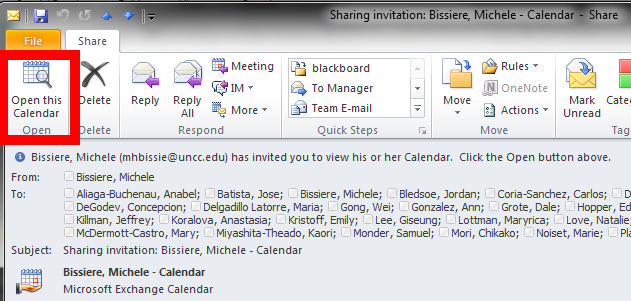
If you receive a calendar sharing invitation, click “Open the calendar”
- In Outlook (Desktop), like it says in the first item on the upper left:

- This will add the calendar to the list of calendars on the left of your Outlook, like so

- That is, if you do a calendar overlay, like so.



Questions? Read the About. Or just ask me a quick Our Databases: Resources with calendars -- Language learning material Moodle Sites, multimedia files -- films


FAQs for LRC student staff or for students or for teachers. To search our FAQs, in the browser addressbar, add after "https://plagwitz.wordpress.com/feed/?tag=faqs+/" "+TAG1" (from tag cloud below) OR "https://plagwitz.wordpress.com/feed/tag=faqs
&category_name=" "CAT1" (from category hierarchy below). OR search both categories and tags, and multiple TAGs/CATs (connect with "," for OR-search, with "+" for AND-search), like so: https://plagwitz.wordpress.com/feed/?tag=TAG1+TAG2+...TAGn&category_name=CAT1
+CAT2+...CATn"
Other ways to find help
If you cannot find it here, look there: 5,500 Language-Learning Links and Programs for learning or teaching 150 languages
Shortcuts:Our Lists, Our Maps, LRC Staff Moodle Site,LRC Project Moodle Site, 49erexpress, UNCC Moodle, Student Recordings: s:claslcslrcsanakostudent
Learning usage samples: Sanako oral exam, Kaltura webcam presentation, Dictation with speech recognition, Sanako written exam, Chinese and Japanese interactive stroke-order practice
Test the Sanako Installer, Webbrowser Popup Konfigurator for XP, or Windows7, faster LRC TeacherPC Log-in Let MS facilitate diacritics writing by installing for you US-International keyboard layout
This is my personal blog (Google+). The views expressed on these pages are mine alone and not those of my employer. The information in this weblog is provided “AS IS” with no warranties, and confers no rights.
 Thomas' Work Space