Archive
LRC Resource mailboxes configuration using PowerShell
See below or click for larger view.
Protected: LRC Outlook/Exchange Resource mailboxes update for Winter 2012
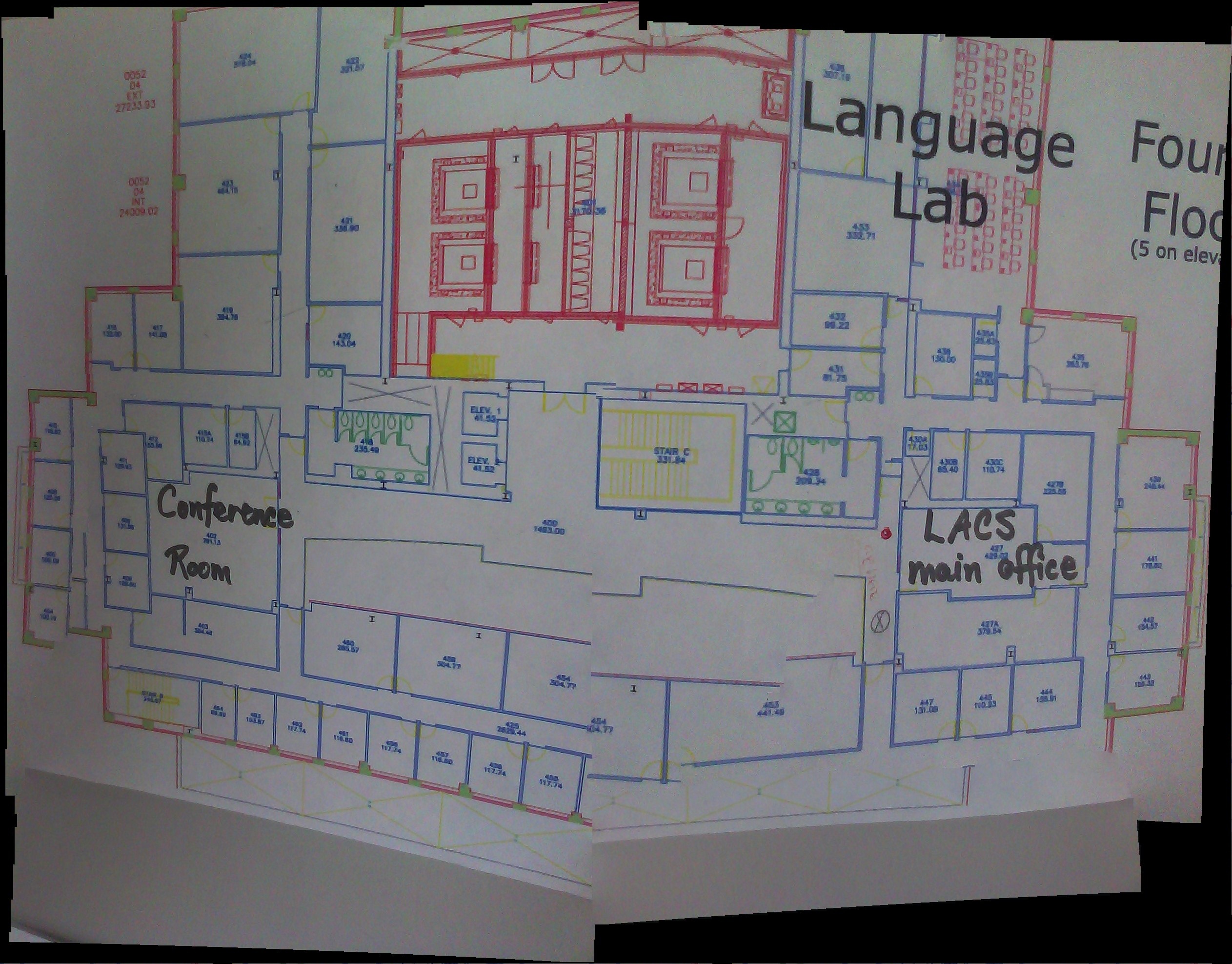
Location of the Language Resource Center (LRC) on the UNCC Campus Map

We are across from Student Union, in the COED building with Languages and Culture Studies (LCS), top floor – look for the banners on the wall.
How we provide more computer support for walk-up clients at the LRC reception desk
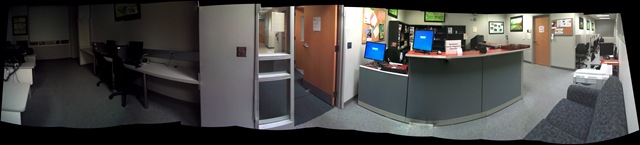
- We have set up 3 PCs at the reception desk. They all contain an exactly identical software configuration (based on Symantec Ghost imaging and Faronics Deepfreeze).
- Except that two (we could not get hold of another monitor) have a secondary screen connected that can extend the Windows Desktop, or mirror it (use CTRL-ALT-F11 and CTRL-ALT-F10 to switch between the modes of the )
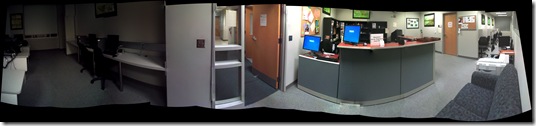

- To aid in this communication over the counter, press CTRL-2 to freeze and on the screen (uses MS-ZoomIt) which helps when pointing out screen elements.
- So that LRC staff and clients can both use the university’s most important web applications, the computers have been configured to automatically launch a number of web browsers on startup, and within each browser, open a number of home pages with(LRC website, Moodle, NINERNET, faculty&staff Mail, WordPress, Excel Web App with he LRC databases for hardware, software, media and learning materials inventories). (When done, instead of closing the browser, use the “sign out” link of each web application).
- As a reminder, the most basic instructions (with keyboard shortcuts) have been posted on both primary and secondary monitor.
- Can we also implement a screen sharing solution allowing for MS-remote assistance, to enable reception desk LRC staff to escalate client questions they cannot resolve, like our IT department?

How teachers can grade student recordings done with the LRC Sanako Study-1200 in their Office
-
Teacher on their office PC (MAC users talk to http://helpdesk.uncc.edu) can press
 windows-key+e, and in the window, that opens,
 -
browse to the student mp3 recordings with date and time in the folder name on s:\coas\lcs\labs\lrctest\sanako\student (no S: drive on office PC? talk to http://helpdesk.uncc.edu, but in the meantime, trywindows-key+r, paste = \\DATASERV1\DVOL1\coas\lcs\labs\lrctest\sanako\student”, click “OK”),
-
open the student recording file, either by double-clicking to, presumably, open it in Windows Media Player, or, preferably, by selecting multiple files, right-clicking and choosing “Open with” to open them for comparative grading (read some tips) in Audacity.

The Language Resource Center within the Department of Languages and Cultural Studies in the College of Education building
Sanako Study 1200: Student Basics II: The Screencast
This screencast covers the basics of Study 1200 for students
For a quick guide to the Student interface, see Student Basics I: The Screenshots
Language Learning Links of Lore: A Links Management System around Y2K
Based on GossamerThreads’ Links Management systems (one of the best open source PERL-CGI resource web database systems of its era), this language learning links system that I first implemented in Canada in the late 90s and took with me to the US.
Benefits: The system went beyond the usual “visit a website” foreign language elearning exercise of this pre-LMS day by allowing students to publish online, thus introducing a Web 2.0 collaboration element that shared meaningful exercises in the German learning community. We had contributions from Kingston, Toronto, Detroit and Des Moines.

The system was both reasonably easy to use for teachers (How_to_add_a_links_assignment_in_90secs) and productive for students who could improve their language skills by interacting with, reviewing and presenting authentic target language websites, while having quick access to other computerized language learning resources, like fledgling online dictionaries (also stored in and searchable from the same interface).
Example output:


Highlights included reviews of websites dedicated to online shopping, travel booking, mapping, live webcams, and much more…
See here is an example of an Yippee! assignment conducted during one of the face-to-face classes in the language center:
Limitations: All links needed to fit into a pre-tagging strictly hierarchical categorization tree. A GUI, but no batches – I preferred to write myself PERL scripts to batch update the underlying database files.


Questions? Read the About. Or just ask me a quick Our Databases: Resources with calendars -- Language learning material Moodle Sites, multimedia files -- films


FAQs for LRC student staff or for students or for teachers. To search our FAQs, in the browser addressbar, add after "https://plagwitz.wordpress.com/feed/?tag=faqs+/" "+TAG1" (from tag cloud below) OR "https://plagwitz.wordpress.com/feed/tag=faqs
&category_name=" "CAT1" (from category hierarchy below). OR search both categories and tags, and multiple TAGs/CATs (connect with "," for OR-search, with "+" for AND-search), like so: https://plagwitz.wordpress.com/feed/?tag=TAG1+TAG2+...TAGn&category_name=CAT1
+CAT2+...CATn"
Other ways to find help
If you cannot find it here, look there: 5,500 Language-Learning Links and Programs for learning or teaching 150 languages
Shortcuts:Our Lists, Our Maps, LRC Staff Moodle Site,LRC Project Moodle Site, 49erexpress, UNCC Moodle, Student Recordings: s:claslcslrcsanakostudent
Learning usage samples: Sanako oral exam, Kaltura webcam presentation, Dictation with speech recognition, Sanako written exam, Chinese and Japanese interactive stroke-order practice
Test the Sanako Installer, Webbrowser Popup Konfigurator for XP, or Windows7, faster LRC TeacherPC Log-in Let MS facilitate diacritics writing by installing for you US-International keyboard layout
This is my personal blog (Google+). The views expressed on these pages are mine alone and not those of my employer. The information in this weblog is provided “AS IS” with no warranties, and confers no rights.
 Thomas' Work Space