Archive
Archive for the ‘Genre-is-any’ Category
Acting as a Proxy when approving student workers’ time of behalf of others in Webtimeentry
2012/02/10
Leave a comment
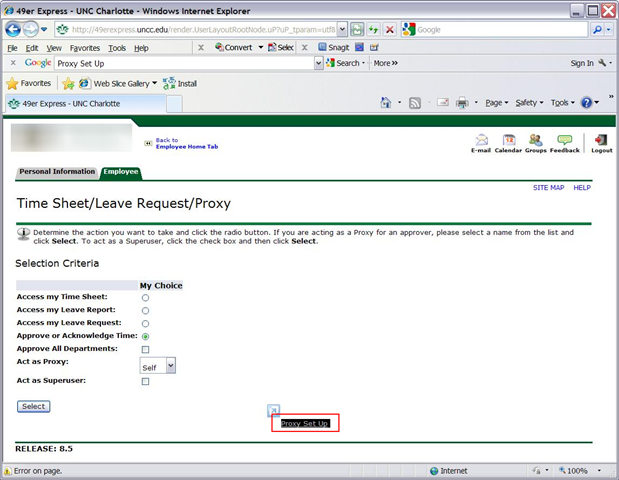
- You need to be set up as a proxy by the primary approver:

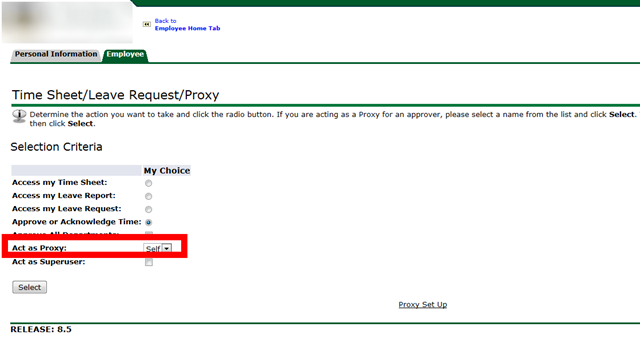
- Once you have been set up as a proxy:

- you can follow the instructions for the dropdown on the approve times screen:


Protected: New resources mailboxes not visible in the GAL for student accounts in live@edu?
2012/02/09
Enter your password to view comments.
Categories: audience-is-IT-staff, e-infrastructure, Glitches&Errors
2007, 2010, 2011, calendaring, gal, ms-exchange, ms-outlook, publishing, resources, scheduling
How to navigate your Moodle gradebook more easily by hiding columns
2012/02/09
Leave a comment
- Clicking on the minus-icon next to aggregate columns will hide the assignments in this category; clicking the plus-icon will unhide:

- before (wide)

- after (narrow, better overview)


Categories: audience-is-teachers, documentation, e-learning, lms
gradebook, moodle
Screencasts for Spring 2012 Student Staff Workshop: LRC layout,, calendaring, tutoring, example Japanese
2012/02/05
Leave a comment
- Here are two screencasts of my presentation:
- one for the right screen/participant screen (using the Study1200 teacher to student screen casting). Requires Windows Media Player on PC, like in the LRC: download from MS-SkyDrive.
- one for the left screen/projector, where I displayed mostly a PowerPoint. You can watch this in parallel using another player, e.g. the VLC player, like in the LRC. However, it can also stream from MS-SkyDrive.
Failure due to timeouts when capturing image from Symantec-Ghost
2012/02/01
Leave a comment
- do not thin I Have not seen that before: image capture starts successfully, but client times out in the middle; happens repeatedly both during the day and at night?

- What else to try?
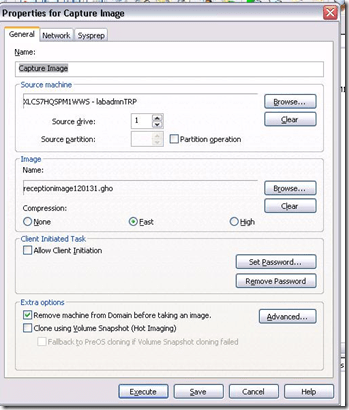
- Solution/workaround: inconclusive. First try w/o Deepfreeze installed and with high compression worked. But third try without any changes had also finally succeeded (although deploying that image was not tested).


How a teacher creates a Moodle file upload assignment for writing
2012/01/30
1 comment
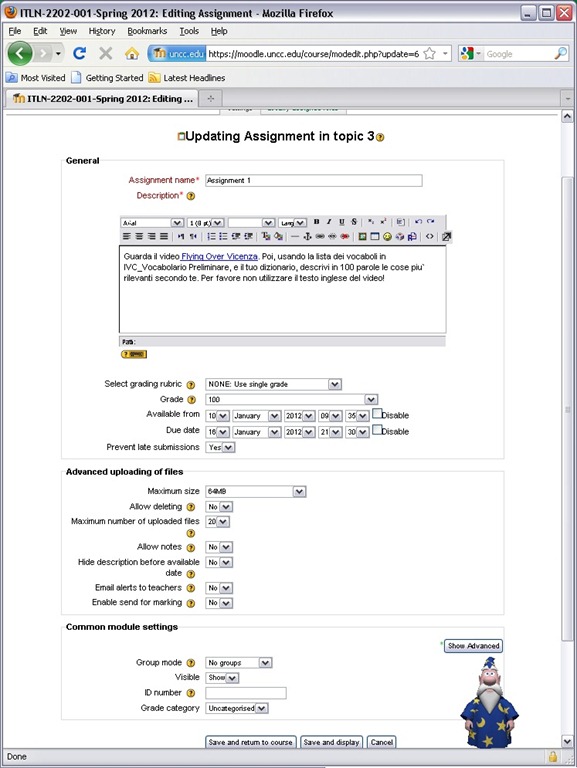
- In your Moodle course, turn editing on, choose Assignment: Advanced upload of files (required for response file from teacher).
- Provide name and instructions. Choose the desired options (uploading one file is enough):
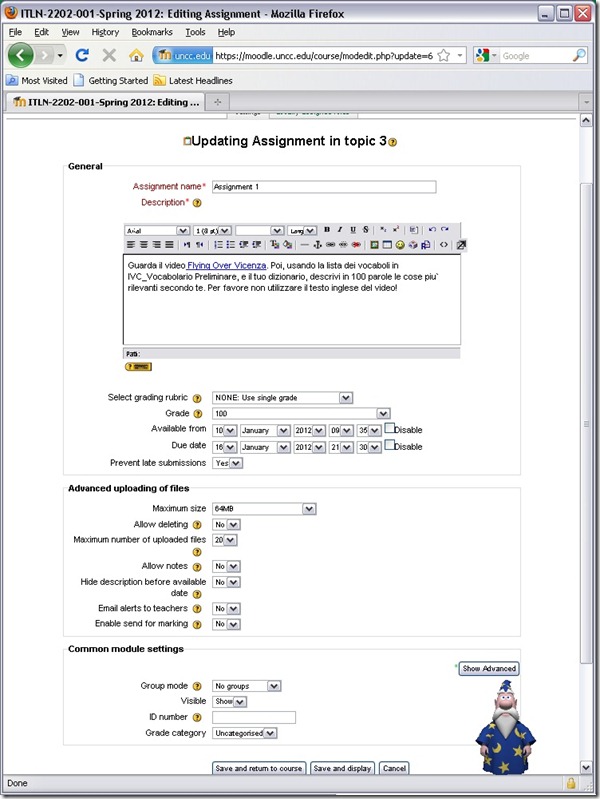
- A gradebook column will be automatically created, and will be initially empty.

- Instruct your students how to take the MS-Word upload assignment, and when (if you leave the default availability/due date on, the assignment will automatically appear in their Moodle Calendar, and can appear in their Ninermail calendar).

Problem with Endnote and Word 2010 on Teacher computer
2012/01/27
Leave a comment
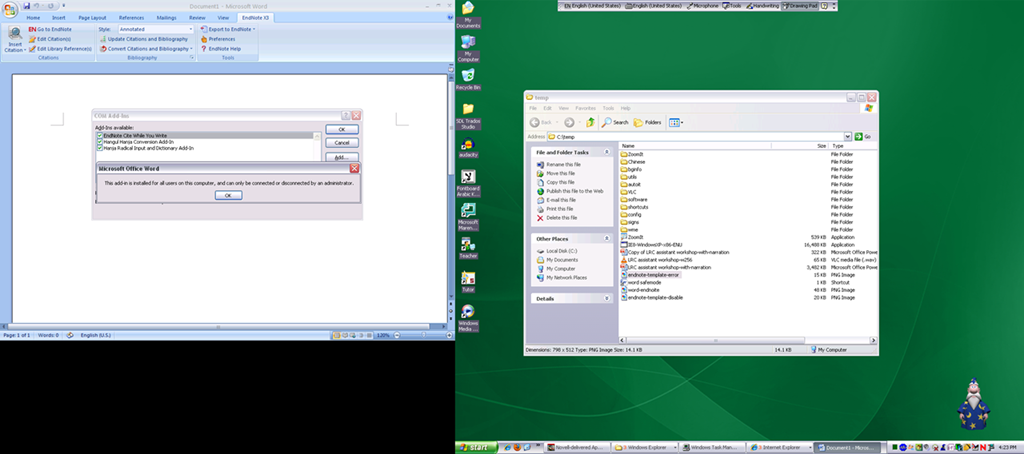
- errors abound when opening word:


- workaround: disable endnot Add-in
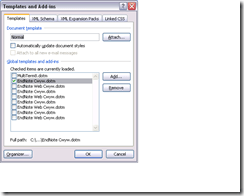
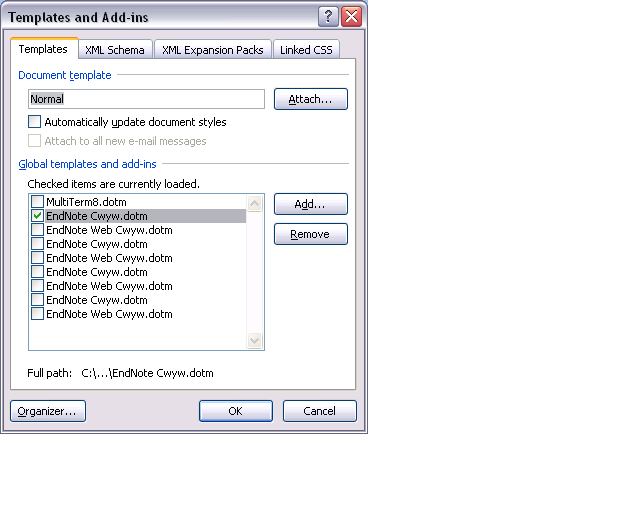
- more errors when having recovered documents in the document template.
- Workaround: start MS-word in safe mode, clean the document recovery template.


Protected: Novell migration and drive letter mapping
2012/01/27
Enter your password to view comments.
Categories: audience-is-IT-staff, e-infrastructure, Glitches&Errors
novell


Questions? Read the About. Or just ask me a quick Our Databases: Resources with calendars -- Language learning material Moodle Sites, multimedia files -- films


FAQs for LRC student staff or for students or for teachers. To search our FAQs, in the browser addressbar, add after "https://plagwitz.wordpress.com/feed/?tag=faqs+/" "+TAG1" (from tag cloud below) OR "https://plagwitz.wordpress.com/feed/tag=faqs
&category_name=" "CAT1" (from category hierarchy below). OR search both categories and tags, and multiple TAGs/CATs (connect with "," for OR-search, with "+" for AND-search), like so: https://plagwitz.wordpress.com/feed/?tag=TAG1+TAG2+...TAGn&category_name=CAT1
+CAT2+...CATn"
Other ways to find help
If you cannot find it here, look there: 5,500 Language-Learning Links and Programs for learning or teaching 150 languages
Shortcuts:Our Lists, Our Maps, LRC Staff Moodle Site,LRC Project Moodle Site, 49erexpress, UNCC Moodle, Student Recordings: s:claslcslrcsanakostudent
Learning usage samples: Sanako oral exam, Kaltura webcam presentation, Dictation with speech recognition, Sanako written exam, Chinese and Japanese interactive stroke-order practice
Test the Sanako Installer, Webbrowser Popup Konfigurator for XP, or Windows7, faster LRC TeacherPC Log-in Let MS facilitate diacritics writing by installing for you US-International keyboard layout
This is my personal blog (Google+). The views expressed on these pages are mine alone and not those of my employer. The information in this weblog is provided “AS IS” with no warranties, and confers no rights.
 Thomas' Work Space