Archive
Archive for the ‘Genre-is-any’ Category
Old new problem in Sanako Study 1200 version 7 with 2 student recorder exe’s running simultaneously on client, under different user accounts?
2014/01/31
Leave a comment
- –
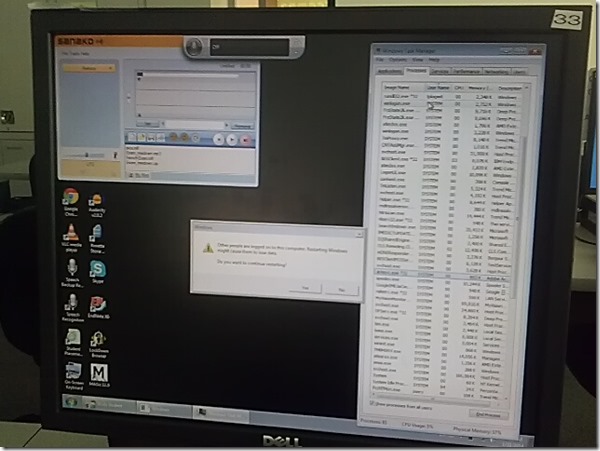
- This images is too low resolution, but I am trying to demonstrate that we still experience the same issue as in the fall: two users can be logged in simultaneously. In both cases ones was me. this can cause the language lab software to fail.
- If generally this is supposed to be prevented in our computing environment, what may be the root cause in these instances?
- I am pretty sure mstsc’ing has nothing to do with it. I do not remote into that PC usually.
- Is it possible for another user to log in when previous (administrative?) users got locked?

Categories: digital-audio-lab, e-infrastructure, Glitches&Errors, os
image2014spring, sanako-study-1200
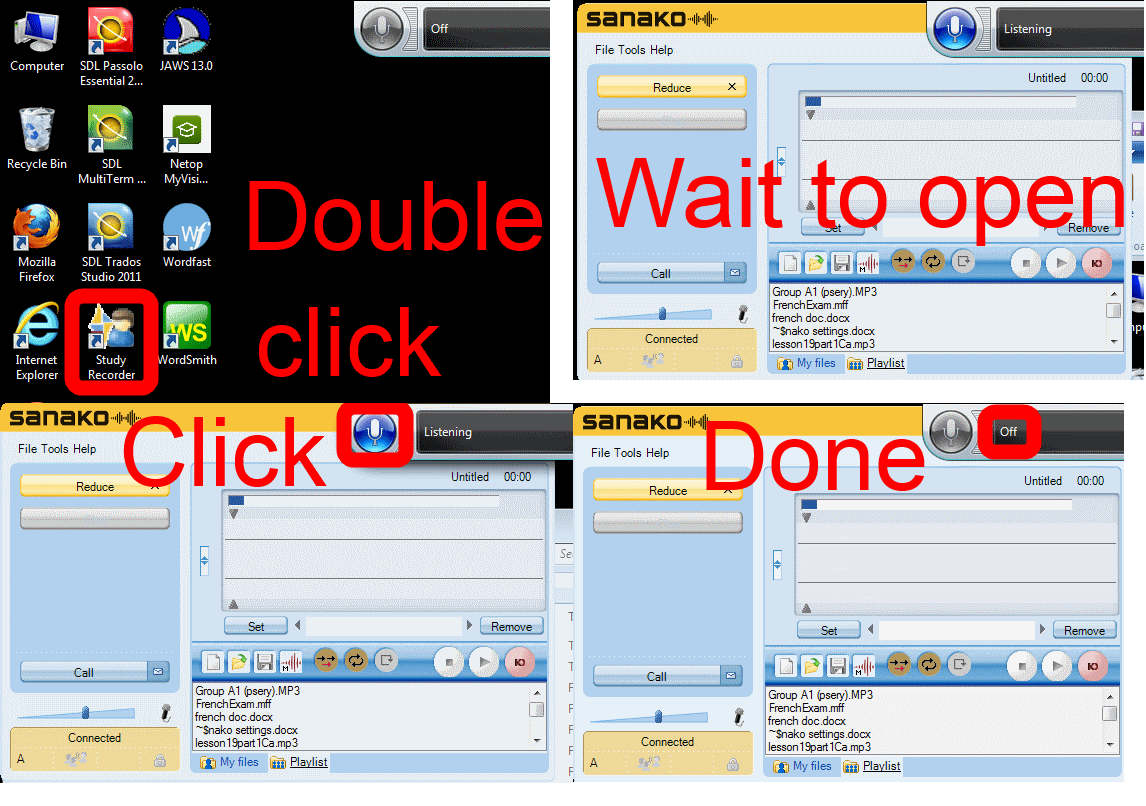
How students need to work around Sanako startup issues at start of 2014
2014/01/31
Leave a comment
UPDATE: Step 1 is not necessary anymore, Step2 (Microphone click) still is.
Categories: animated-GIFs, audience-is-students, audience-is-teachers, digital-audio-lab, e-languages, Glitches&Errors, Institution-is-University-of-North-Carolina-Charlotte, Listening, multimedia-recording, service-is-testing-troubleshooting-debugging, Speaking, Student-Computers
image2014spring, sanako-study-1200, student.exe
Free interactive online learning materials for Heinle Interaction
2014/01/30
Leave a comment
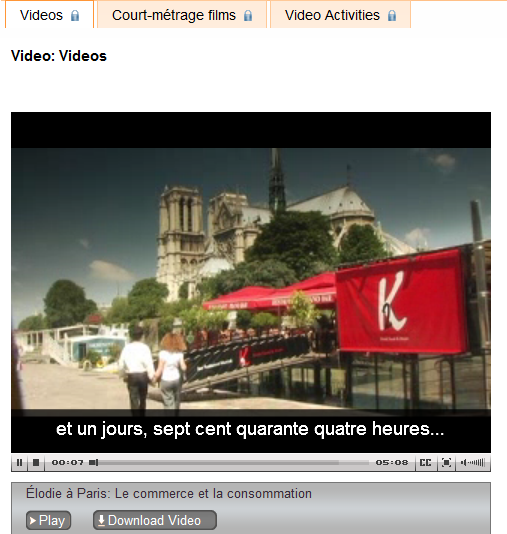
- Available here – in spite of the prominent user login button, you do not need to sign up.
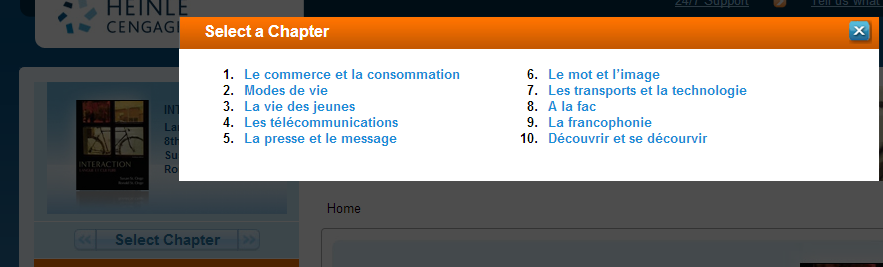
- Rather simply click the “Select Chapter” to get started.

- You then have access to some of these types of exercises, per chapter:

- Free (a (free) account is not needed):
- Tutorial Quiz
- Audio
- Web Search Activities
- Concentration
- Heinle Playlist
- Google Earth Coordinates
- Web Links
- Not free
- Flashcards
- Video (except for chapter 1 as taster)
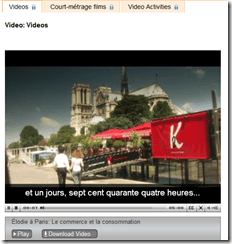
- Podcasts
- Crossword
- Chapter Glossary
- What this content is good for:
- Practicing. Including with a tutor, for since this content is not assessed, there is no ethical issue if the tutor helps with these materials.
- It is from edition 8, which is not the current edition – but I expect it to be still reasonably to the current chapters chapter:
- Le commerce et la consommation
- Modes de vie
- La vie des jeunes
- Les télécommunications
- La presse et le message
- Le mot et l’image
- Les transports et la technologie
- A la fac
- La francophonie
- Découvrir et se décourvir

Protected: Facilitating equipment circulation and room booking with website calendar aggregation?
2014/01/29
Enter your password to view comments.
Code documentation for a quiz template based on MS-Word
2014/01/28
Leave a comment
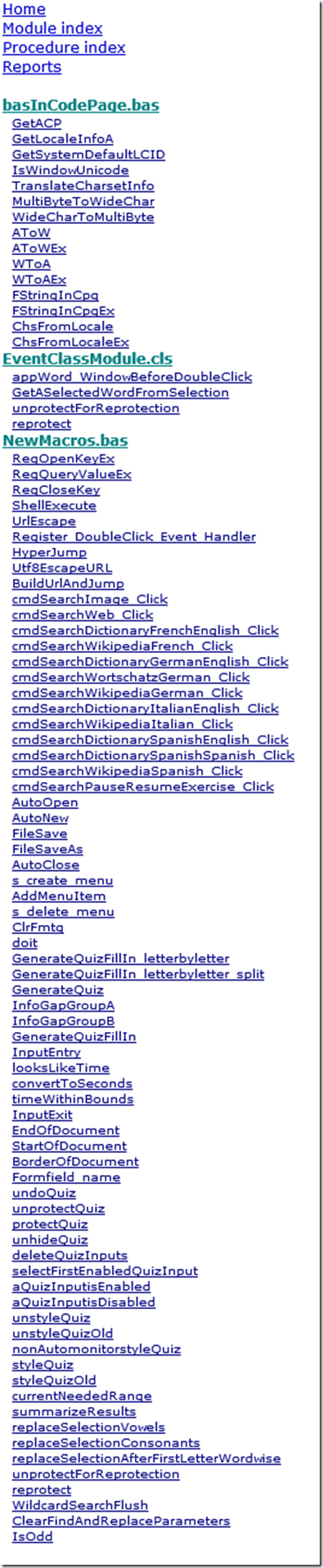
- trpQuizGenerator allows for using simple markup (view training here) to produce cloze quizzes in large fonts, for easy screen sharing through the face-to-face classroom management system (see samples of quizzes based on this template here.)
- Click the table of contents below to browse the VBA documentation built with Aivosto.
Categories: documentation, service-is-assessing, service-is-programming
aivosto.com, MS-Word, trpQuiz, VBA
“Back to basics”: Need once again to default to color scheme basic on teacher computer
2014/01/27
Leave a comment
- Same problem as last term: (What made it come unstuck/unfixed?):


- No Sanako screen sharing activity involved here, but MS-Community-Clips screen sharing.
- Classes are moving in, and we cannot have the teacher computer slow to a crawl and eventually crash in the middle of a Sanako class, especially not when an assessment is involved.


LRC Faculty Showcase: Enhancing reading fluency in Spanish through Online Courses
2014/01/24
Leave a comment
- The videos of the presentation by Maria Mahaffey, Emily Kristoff and Shaun Stone on SPAN2200, using Hot Potatoes exercises in Moodle, and the ensuing discussion, are available on the intranet:
- PowerPoint screencast with audio: “S:\CLAS\LCS\MYDEPT\mahaffey\span2200\showcase\SLP_2014_PowerPoint.wmv” (size: 130MB).
- Video with presenter and PowerPoint on projector: “S:\CLAS\LCS\MYDEPT\mahaffey\span2200\showcase\showcase-SLP-2014.mp4” (size:410MB).


Questions? Read the About. Or just ask me a quick Our Databases: Resources with calendars -- Language learning material Moodle Sites, multimedia files -- films


FAQs for LRC student staff or for students or for teachers. To search our FAQs, in the browser addressbar, add after "https://plagwitz.wordpress.com/feed/?tag=faqs+/" "+TAG1" (from tag cloud below) OR "https://plagwitz.wordpress.com/feed/tag=faqs
&category_name=" "CAT1" (from category hierarchy below). OR search both categories and tags, and multiple TAGs/CATs (connect with "," for OR-search, with "+" for AND-search), like so: https://plagwitz.wordpress.com/feed/?tag=TAG1+TAG2+...TAGn&category_name=CAT1
+CAT2+...CATn"
Other ways to find help
If you cannot find it here, look there: 5,500 Language-Learning Links and Programs for learning or teaching 150 languages
Shortcuts:Our Lists, Our Maps, LRC Staff Moodle Site,LRC Project Moodle Site, 49erexpress, UNCC Moodle, Student Recordings: s:claslcslrcsanakostudent
Learning usage samples: Sanako oral exam, Kaltura webcam presentation, Dictation with speech recognition, Sanako written exam, Chinese and Japanese interactive stroke-order practice
Test the Sanako Installer, Webbrowser Popup Konfigurator for XP, or Windows7, faster LRC TeacherPC Log-in Let MS facilitate diacritics writing by installing for you US-International keyboard layout
This is my personal blog (Google+). The views expressed on these pages are mine alone and not those of my employer. The information in this weblog is provided “AS IS” with no warranties, and confers no rights.
 Thomas' Work Space