Archive
Archive for the ‘documentation’ Category
How to record your speech with Audacity
2012/01/11
Leave a comment
- For a cut-and-dry recording session, the LRC has a simple instruction on
- For more advanced editing with Audacity, I have a detailed screencast here.
Calendaring: How to view all your Moodle course assignments in Ninermail, OWA or MS-Outlook – Shortest
2012/01/05
3 comments

Categories: audience-is-students, audience-is-teachers, documentation, lms, Screenshots, step-by-step-guides
calendaring, FAQs, moodle, ms-outlook, OWA
Sharing and reusing Moodle learning content using backup and restore, part III: Shared intermediate courses
2012/01/03
1 comment
- You can facilitate the sharing process if you link source and destination Moodle courses via a Moodle course that is itself shared between the teachers (= all teachers can backup from or restore/import into this shared course), but not to students.
- By backing up to and restoring from such a shared Moodle course, you can more easily inspect the shared course content than
- if you’d import into the destination course to inspect,
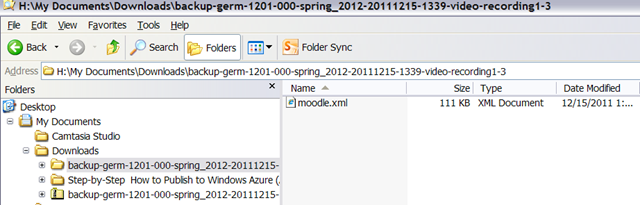
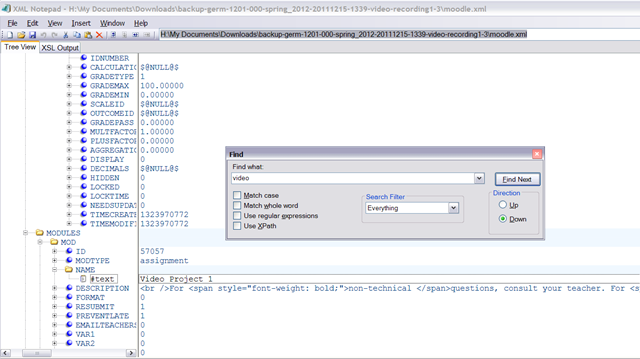
- or either inspect the unzipped XML of the Moodle course backed-up content format, like here:
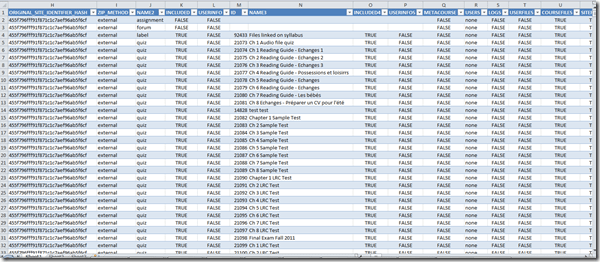
- which can be a daunting perspective on your content:

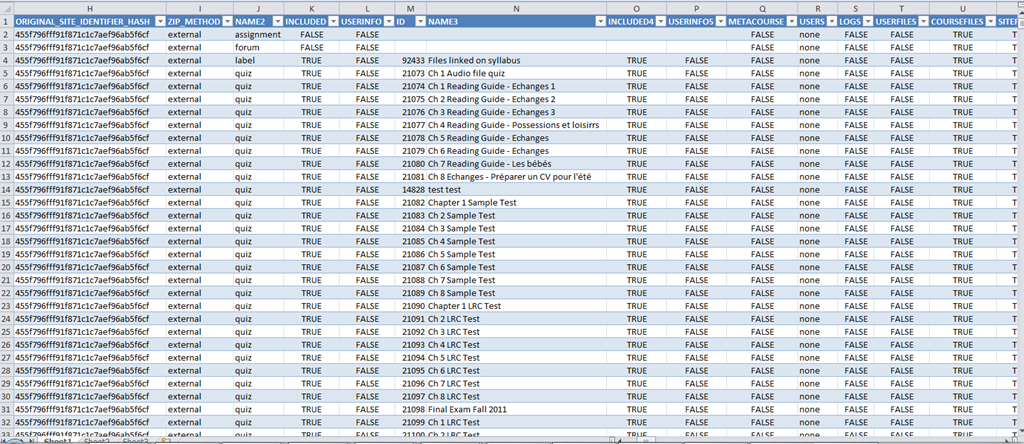
- A little more instructive are the Moodle course export file columns in a handy list, with sample content (where available in our case – sample content does not represent an actual “row”, but merges multiple “rows”, using Excel’s “Paste Special’/ “Skip blanks”):
- As you can see, there are fewer than 254 column (meaning you can even load this into Excel <2007), and apparently you get to actual teaching content already on nesting level 3.

Meeting Requests in OWA – from the source
2011/12/22
1 comment
How to check if components of Shotgun Microphones (05-08) are complete
2011/12/20
Leave a comment
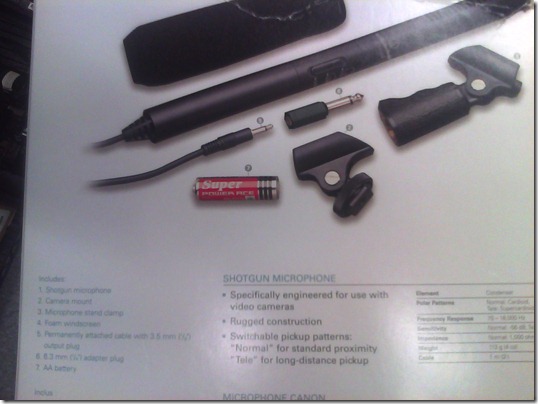
- Use this list:
- micro
- seat1
- seat2
- cable1
- cable2
- adapter1/4”
- windshield
- Or use the illustration from the microphone package:

How to check if components of Microphone Boom pole (01-04) are complete
2011/12/20
Leave a comment
- Boom
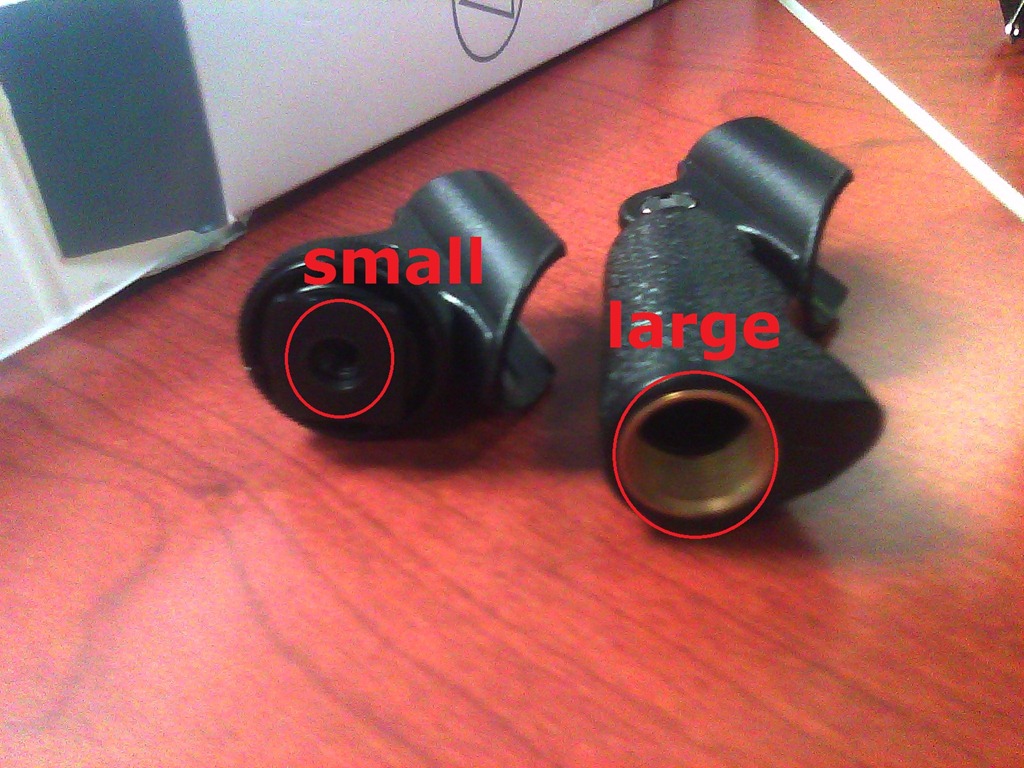
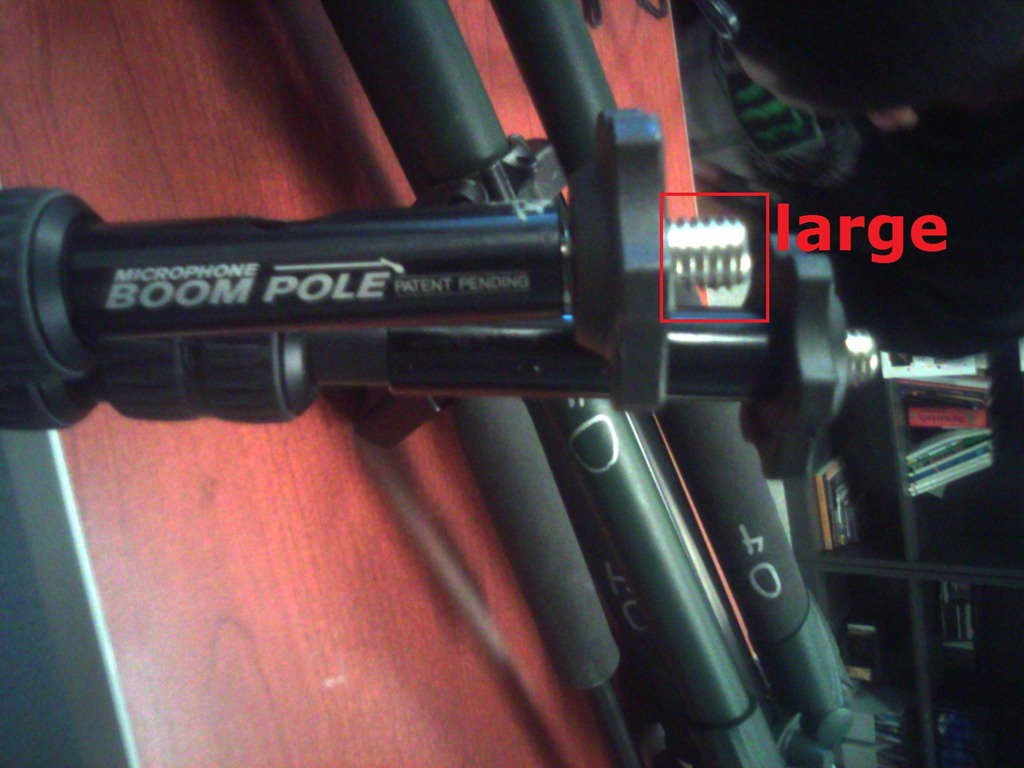
- Adapter for microphone holder. To change the screw size to that of the microphone holder you have

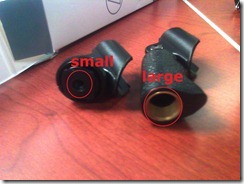 , you can unscrew the adapter and turn it around – however, do not lose it!



Sharing and reusing Moodle learning content using backup and restore, part I: Backup
2011/12/15
4 comments
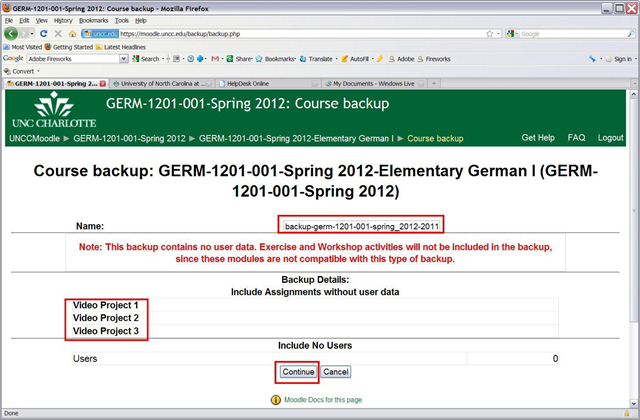
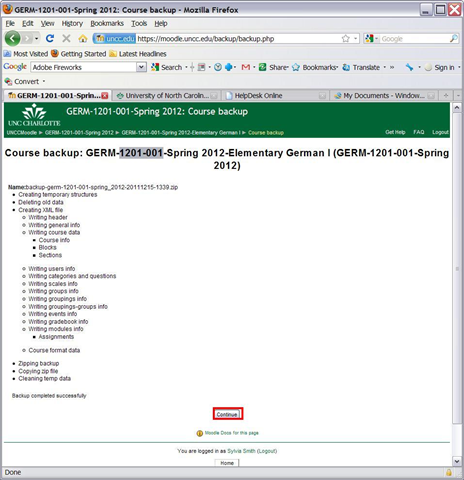
To reuse your own content, you can import. To use somebody else’s content, the other user can backup his content (even though not shown below, a subset of the content of a course can be chosen) and share (by downloading the file created within the course file area) the backup file with you (a zip-archive that contains an xml file), for the other user to restore. Like so: 


Sharing and reusing Moodle learning content using backup and restore, part II: restoring
2011/12/15
4 comments
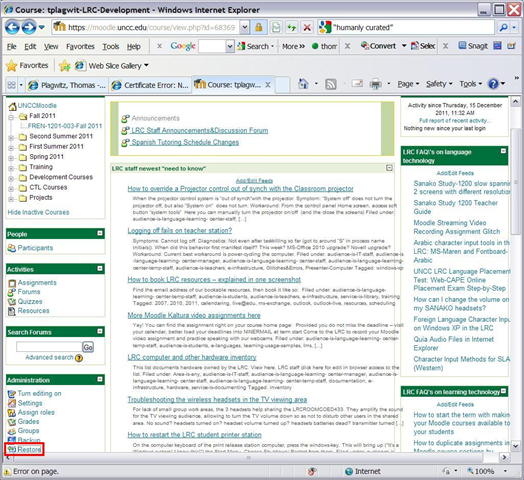
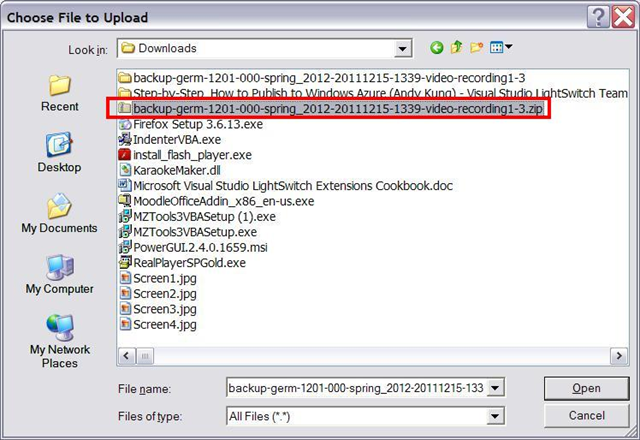
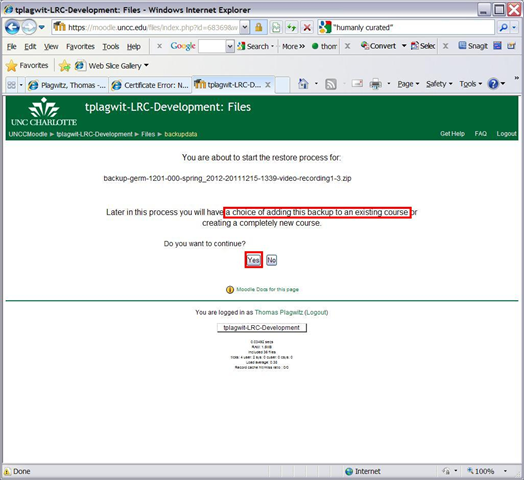
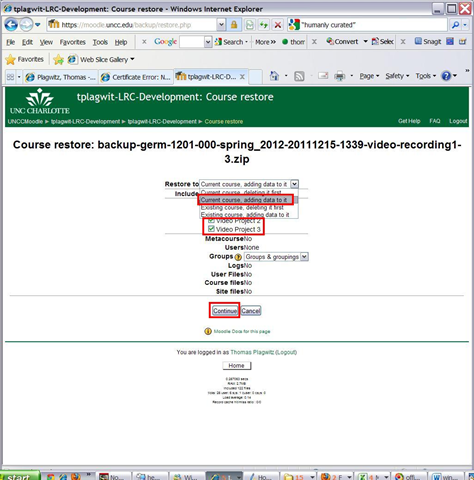
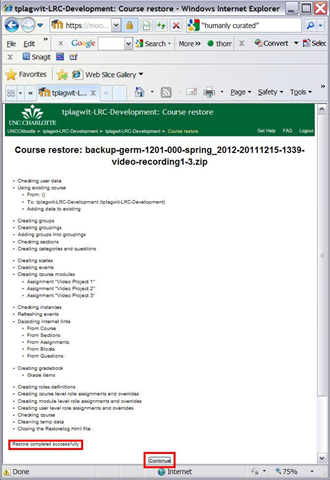
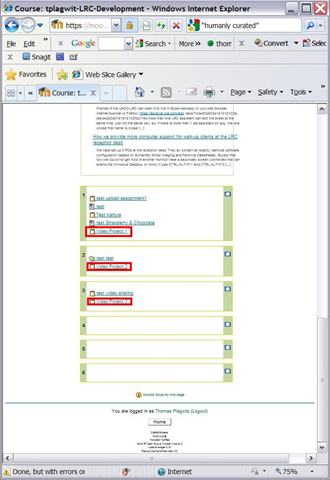
Here I am restoring the backup I made from a different user’s Moodle course in part 1:backup, to add the learning content to my own target course:






Now how can we scale this collaboration on Moodle learning content without an erepository?


Questions? Read the About. Or just ask me a quick Our Databases: Resources with calendars -- Language learning material Moodle Sites, multimedia files -- films


FAQs for LRC student staff or for students or for teachers. To search our FAQs, in the browser addressbar, add after "https://plagwitz.wordpress.com/feed/?tag=faqs+/" "+TAG1" (from tag cloud below) OR "https://plagwitz.wordpress.com/feed/tag=faqs
&category_name=" "CAT1" (from category hierarchy below). OR search both categories and tags, and multiple TAGs/CATs (connect with "," for OR-search, with "+" for AND-search), like so: https://plagwitz.wordpress.com/feed/?tag=TAG1+TAG2+...TAGn&category_name=CAT1
+CAT2+...CATn"
Other ways to find help
If you cannot find it here, look there: 5,500 Language-Learning Links and Programs for learning or teaching 150 languages
Shortcuts:Our Lists, Our Maps, LRC Staff Moodle Site,LRC Project Moodle Site, 49erexpress, UNCC Moodle, Student Recordings: s:claslcslrcsanakostudent
Learning usage samples: Sanako oral exam, Kaltura webcam presentation, Dictation with speech recognition, Sanako written exam, Chinese and Japanese interactive stroke-order practice
Test the Sanako Installer, Webbrowser Popup Konfigurator for XP, or Windows7, faster LRC TeacherPC Log-in Let MS facilitate diacritics writing by installing for you US-International keyboard layout
This is my personal blog (Google+). The views expressed on these pages are mine alone and not those of my employer. The information in this weblog is provided “AS IS” with no warranties, and confers no rights.
 Thomas' Work Space