Archive
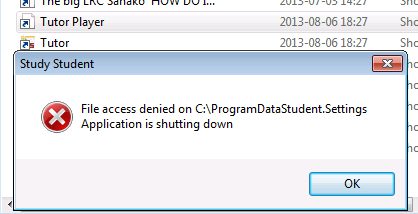
Our tutorplayer installation which comes with Sanako study 1200 tutor on the teacher computer is broken

- What’s with the non-existent path hard-coded here? Missing path delimiter? But that is not enoguh to fix the path: There is a student.settings in C:\ProgramData\Sanako\Study\Student\Tutor.Settings – not sure why tutorplayer is not accessing this file.
- Which is double annoying since I just had to enable MFF as default recording save format for some teachers that need dual track support which is buggy with MP3.
No usable dual track audio from Sanako Study 1200 version 7 when saving as MP3?
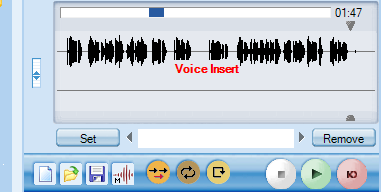
- We have not been using the dual track recording capabilities of the Sanako much here yet, or have relied on the diachronic separation of channels that the Sanako voice-insert mode provides. Now, however, we want to apply the Sanako to consecutive interpreting in our MA program where there is more of a need for the reviewing student/grading teacher to switch between source and target language on the recorded dual-track audio.
- As far as I remember, dual track recording, one of the core features of the digital audio lab, used to work out of the box in Sanako (up to version 5 on XP?), but to my surprise, no more when I saved a student exercise, the left and right channel were identical (and the source and interpreter voices very hard to separate, the entire interpretation impossible to follow).
- I had noticed before that with version 7 (at least, we skipped 6) all recording was dual channel, but simply duplicated the left and right audio channel (isn’t this a waste of bandwidth and storage resources?).
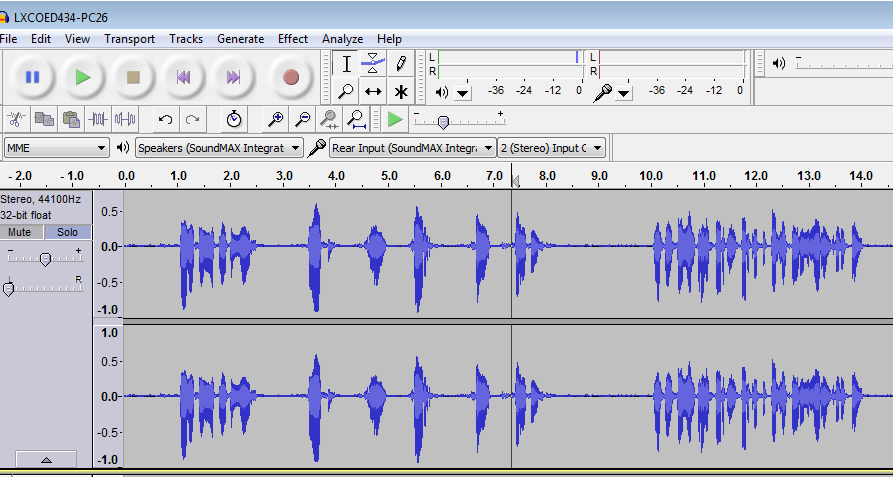
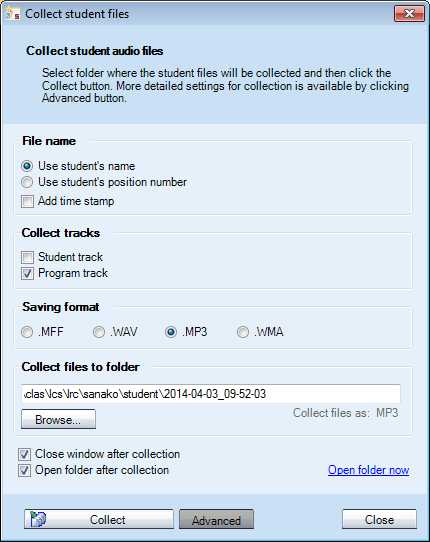
- I tested our 7.1 installation (on Windows 7 64-bit), by changing the advanced collection settings, for an interpreting audio file, clapping from the teacher station:
- First I changed the tracks to be saved:
- Test1:
 .This mixes student and program down onto each channel: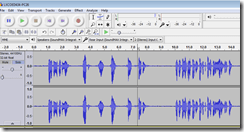
- Test 2:
 , Program track only, as expected (no clapping)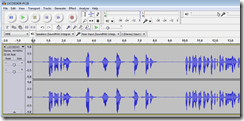
- Test 3:
 Student track, as expected (only clapping – pretty much)
- Workaround: After trying whether I can save manually from the student station, it occurred to me to change the file format also
- WMA:
- dual track
- works with “Save AS” from the student.exe (where the mp# options is conspicuously absent, or am I missing something):

- won’t work with “collect” from the tutor.exe: both tracks (saving both is – fortunately – only an option for “save as“ WMA from the student exe. You can also save only the student track as WMA) get mixed down to one (and the student is far too soft) , as you can witness here:

- works with “Save AS” from the student.exe (where the mp# options is conspicuously absent, or am I missing something):
- WMA is a technically nice, efficient (small file size) and widely supported format, but does require an add-on installation on the MacOS X, not to mention mobile devices.
- WMA on Windows plays in Windows Media Player, but from version 12, Windows Media Player has no easy way to adjust the balance anymore, you have to dig relatively deeply into the OS (mmsys.cpl) itself.
- dual track
- MFF:
- dual track works
also(saving single track is actually not an option in this format)both using- the student recorder “Save as” (which can also mix both tracks, see above)
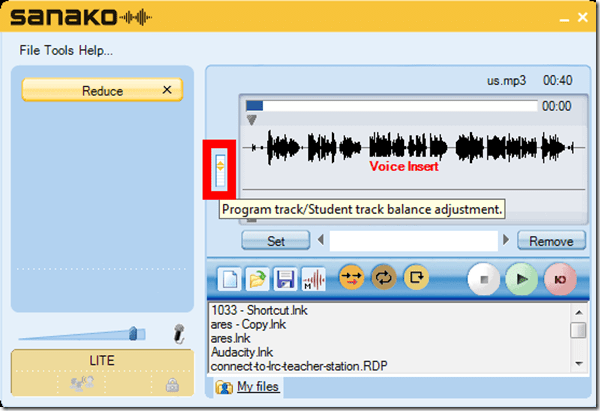
- “collect” from the tutor.exe: you can fade in the left and right channel with the balance tool that you find in the student recorder to the left of the timeline.
- Unfortunately,
- the file size quickly gets out of hand:

- and for no obvious reason, the biggest here is 12 times the size, but not longer than the smallest, and also only a 5-minute recording (I know that mff stores also the user’s bookmark information, but this can hardly be the culprit):

- compare this with how WMA compresses:
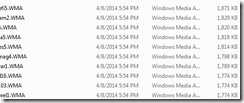
- MFF is a proprietary format, which only the Sanako recorder can play. This may be a nice way to get more adoption of the free Sanako student recorder which is great for language learning. However, I had not originally planned on forcing my users to use it who are most comfortable with mp3.
- the file size quickly gets out of hand:
- dual track works
- In addition, I now have a the problem with how to switch the Sanako default collection to MFF for interpreting teachers without confusing regular users.
- WMA:
 .
.
 ,
,




Protected: Sanako Student Recorder Appcrash
You need to click the Sanako Student Recorder Playlist and Homework tab to refresh changes
The Playlist does not sync automatically:

The playlist syncs (reflects what is actually there) when you click “Playlist”:
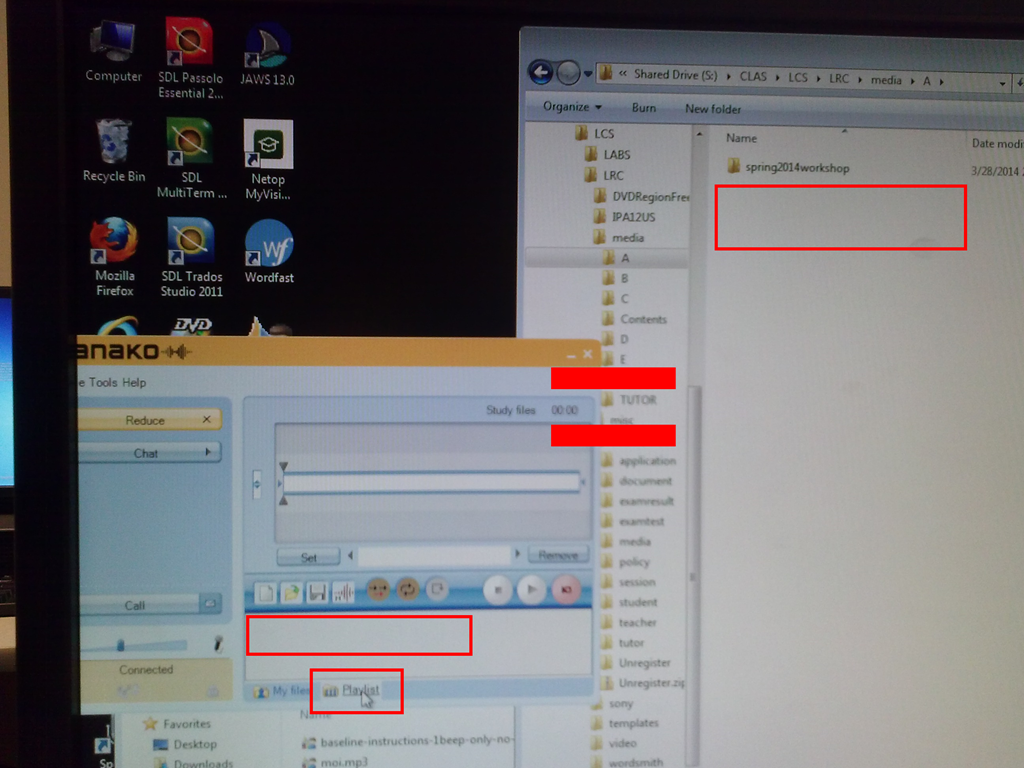
Why Sanako error Study files does not exist?
Well, it does, as the lower window proves. What gives? 
Learn and teach writing in your second language on Lang-8.com

Improving language learning with technology for me seems to have 2 avenues: AI and human intelligence. Automated feedback on writing provided by proofing tools – even if they have become smarter and more contextual to spot (in MS-Word 2007 and up) common errors like your/you’re or their/there – makes one wonder about the feasibility of the former. But that automated essay-scoring tools which have been developed and deployed (at least for ESL) claim to score similarly as teachers makes one wonder about much more… Correcting writing remains expensive!
So may be we should look into crowd-sourced writing correction which needs no cutting edge NLP, only well-understood WWW-infrastructural technology to connect interested parties, but requires social engineering to attract and keep good contributors (and a viable business model to stay afloat: This site seems freemium).
Reading online comments and postings in your native language makes one wonder: can language teachers be replaced by crowdsourcing? I became aware of this the language learning website that offers peer correction of writing input by native-speaker through a language learner corpus. I have not thoroughly evaluated the site, but the fact that its data is being used by SLA researchers here (http://cl.naist.jp/nldata/lang-8/) seems a strong indicator that the work done on the website is of value.
To judge by the numbers accompanying the corpus (it is a snapshot from 2010, a newer version is available however on request), these are the most-represented L2 on lang-8.com: 
How to manage balance on stereo audio using Audacity, Sanako student recorder, or any audio player on Windows
- For language lab use, stereo is more important than usual, since the channels may carry source versus translation/interpretation, L1 versus L2, teacher versus student, model versus imitation and so forth.
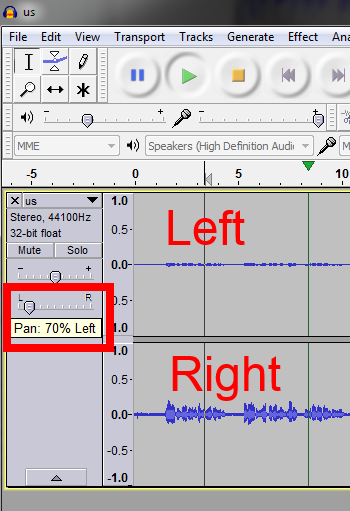
- You can choose which channel to listen to by adjusting the balance for stereo playback.
- In the Sanako Student recorder (free for all), click here:
- In Audacity, click here::

- From any other player on Windows, hold Win-key and press R, type mmsys.cpl, on tab playback, double click the speaker you are outputting to, and on tab levels, change “Balance”:



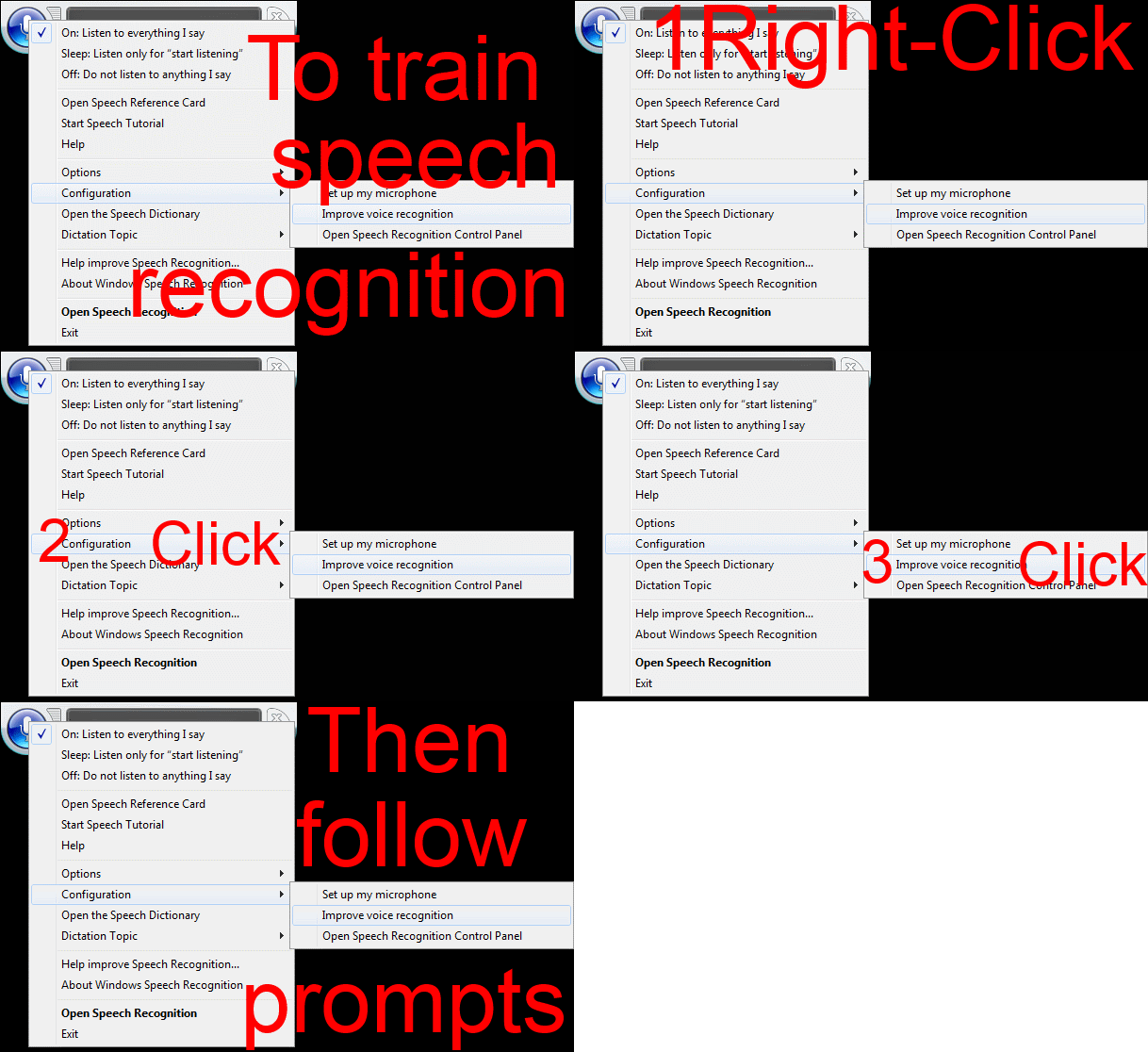
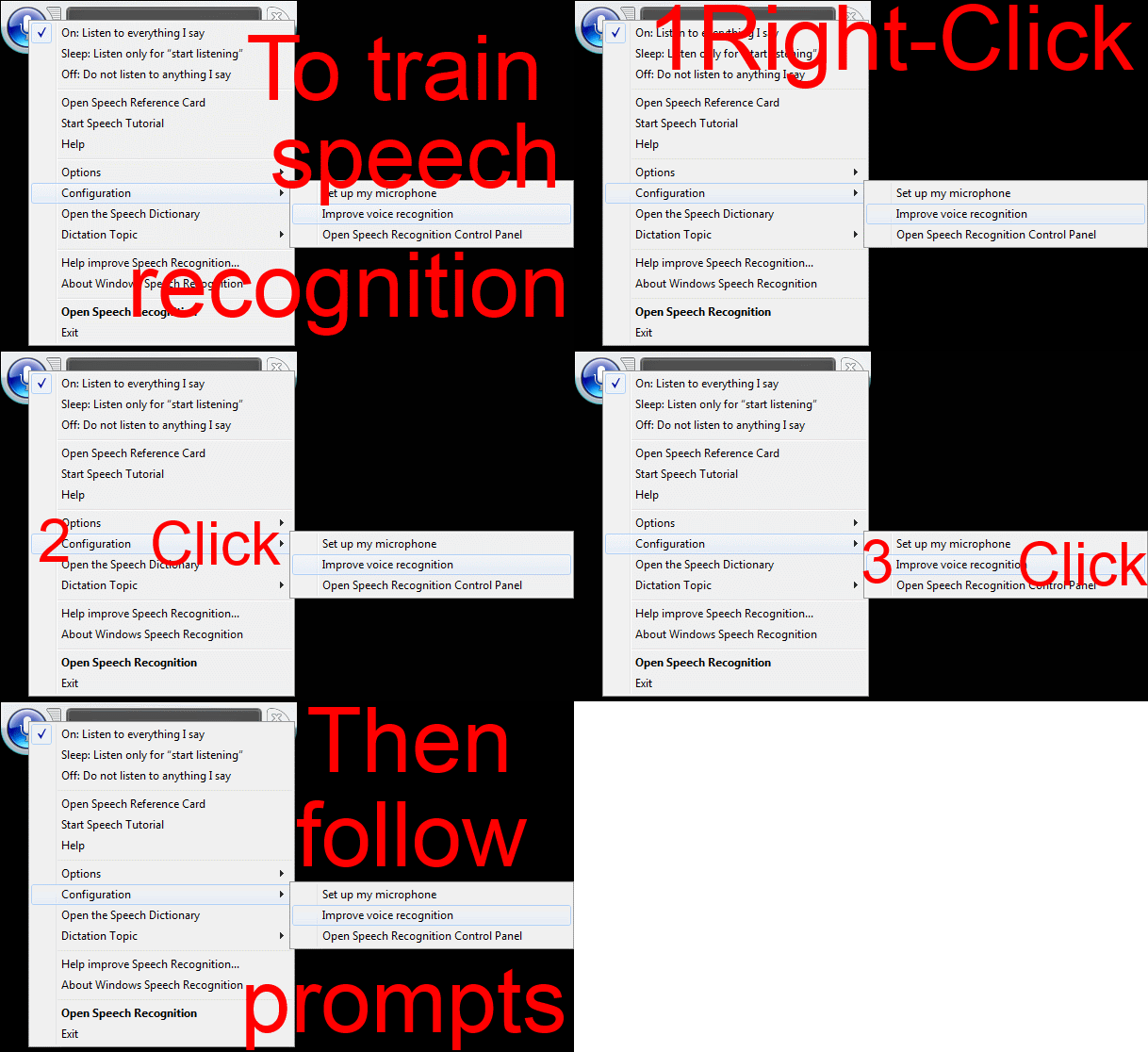
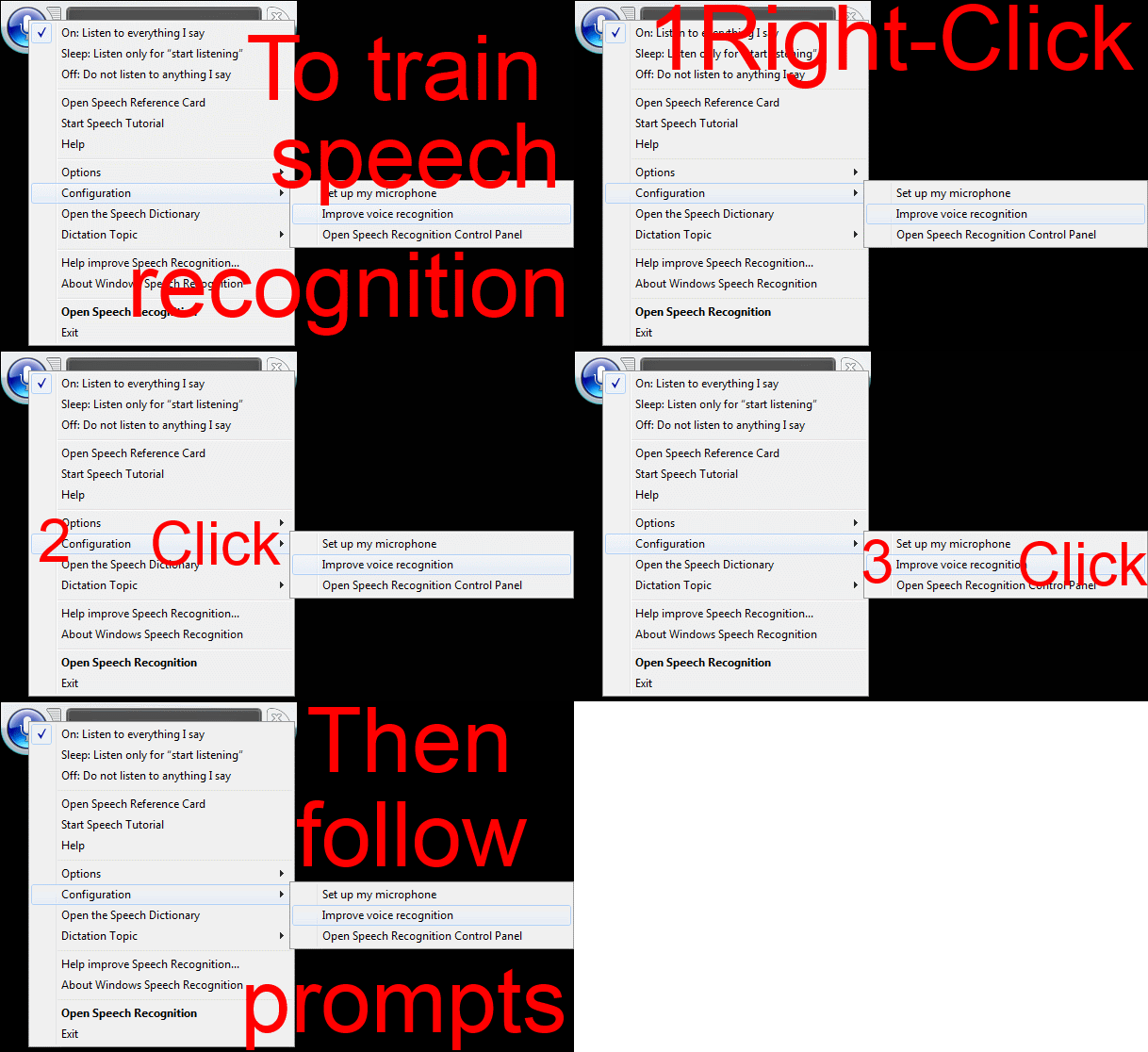
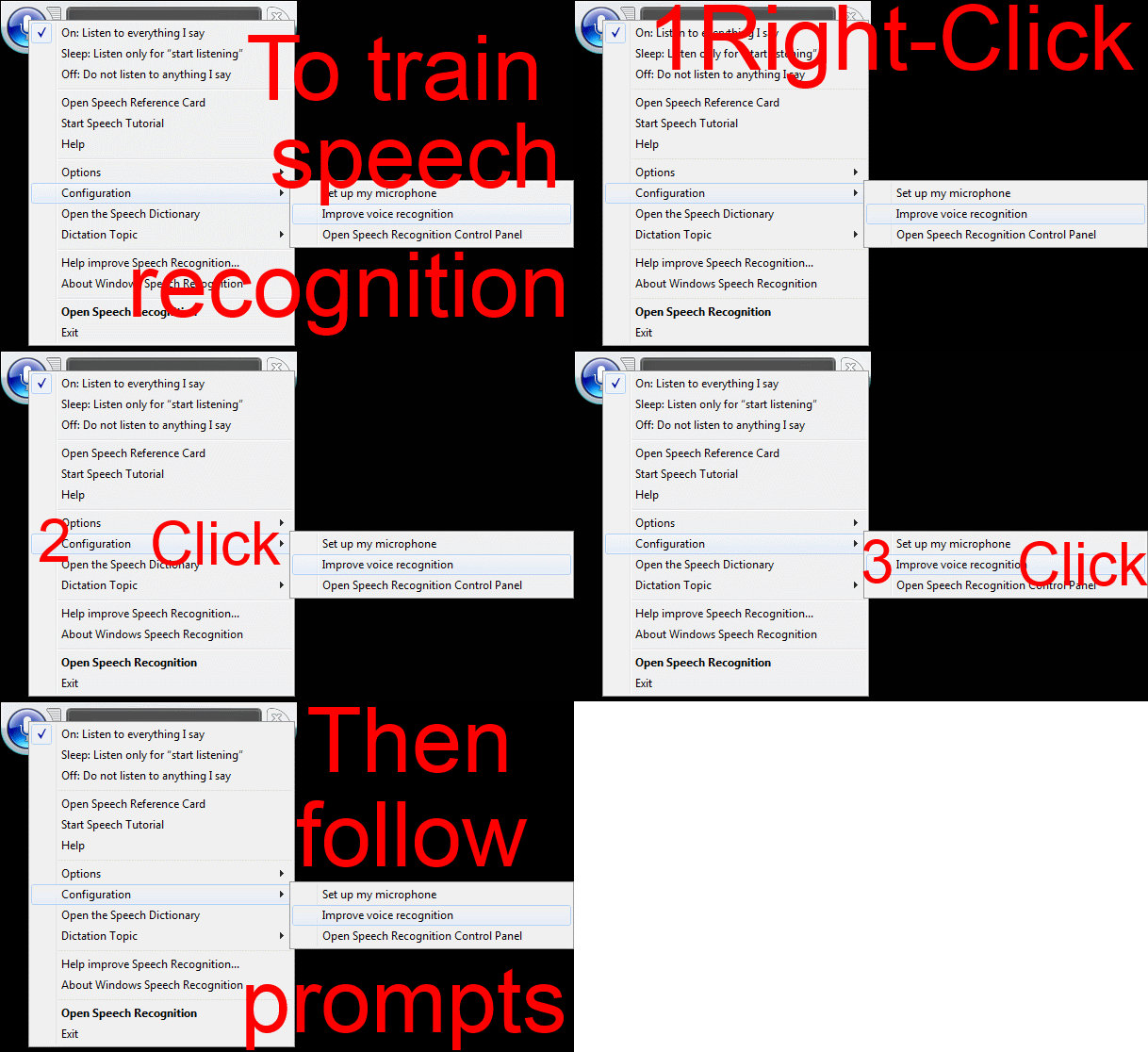
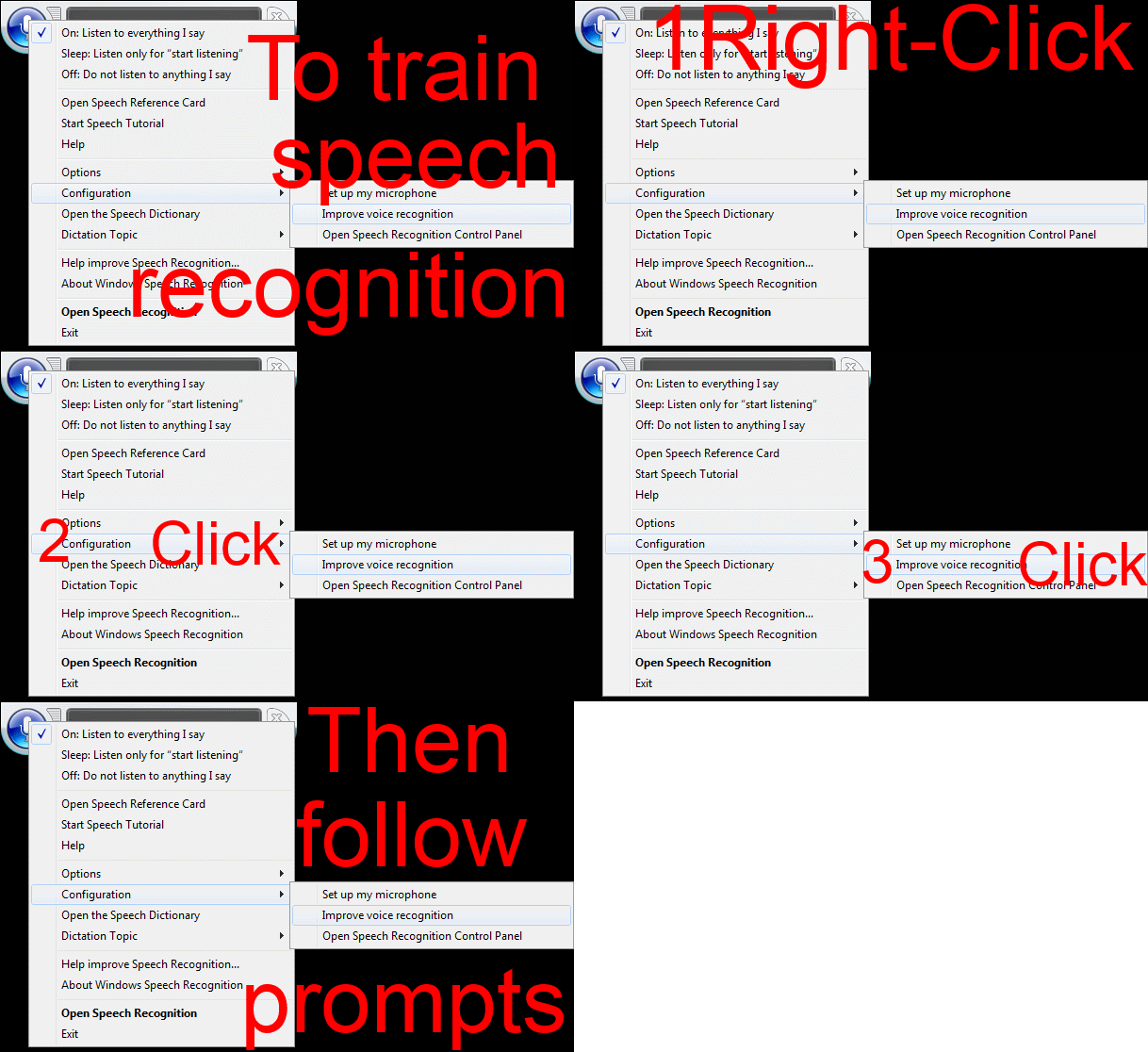
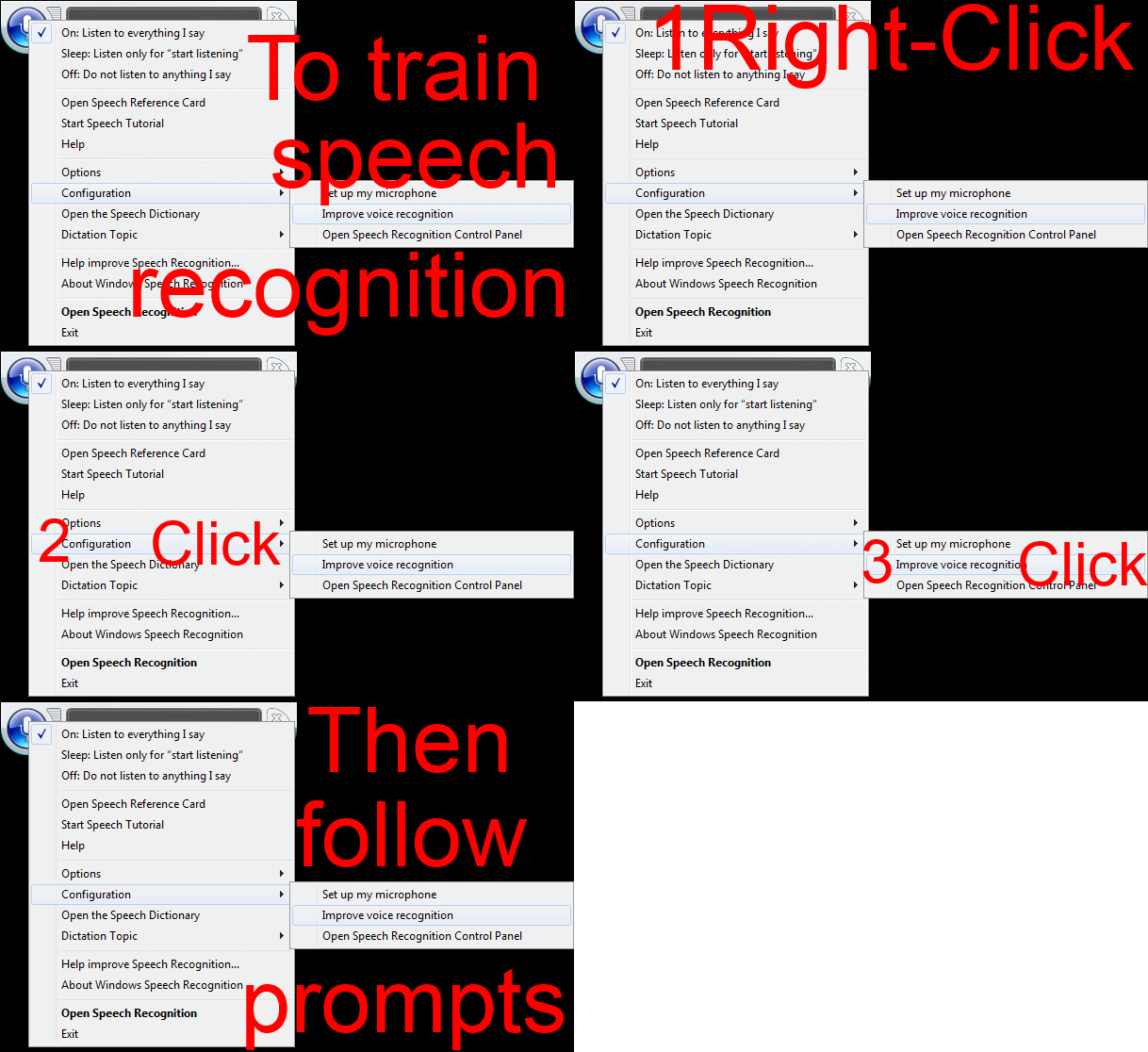
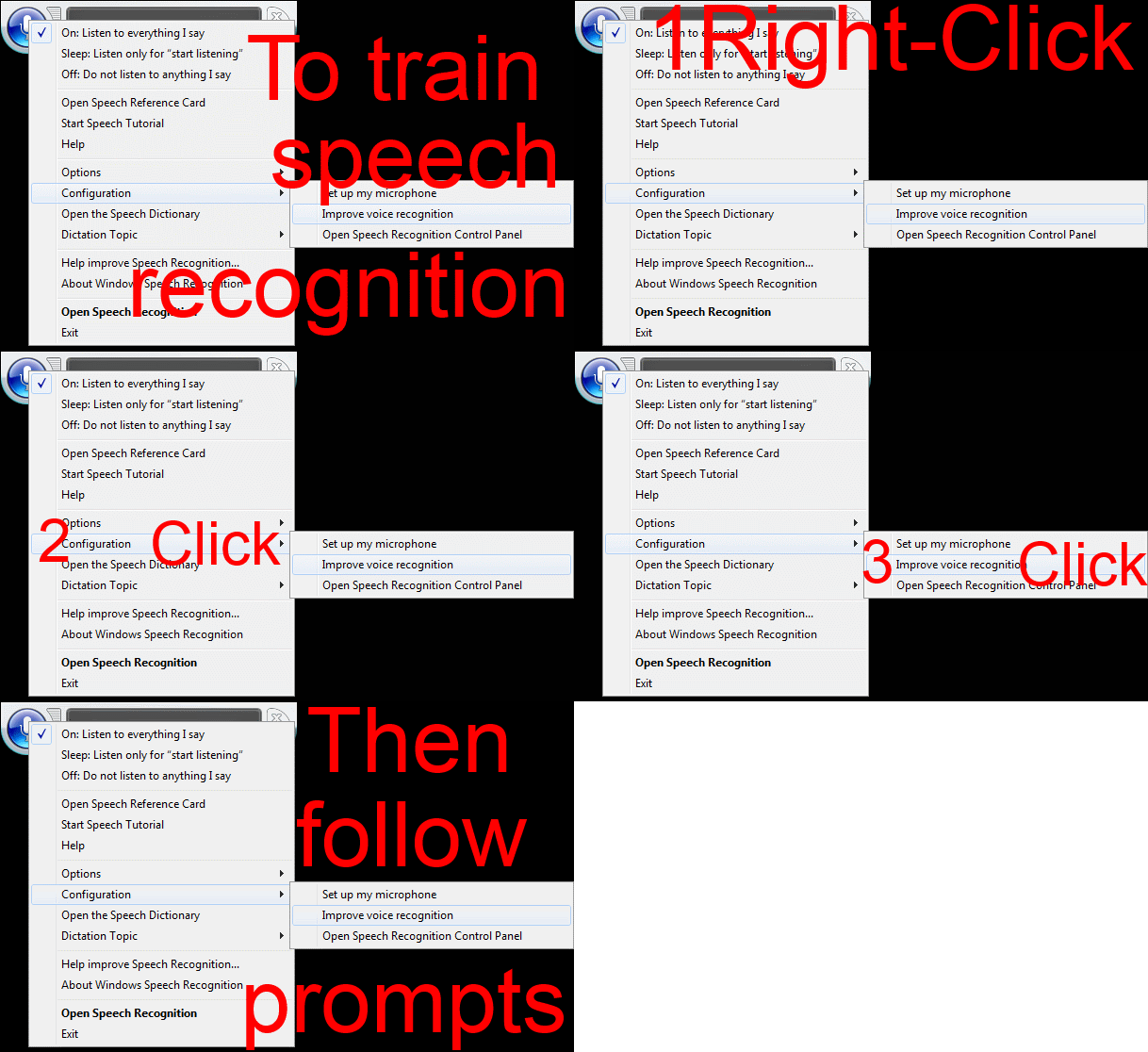
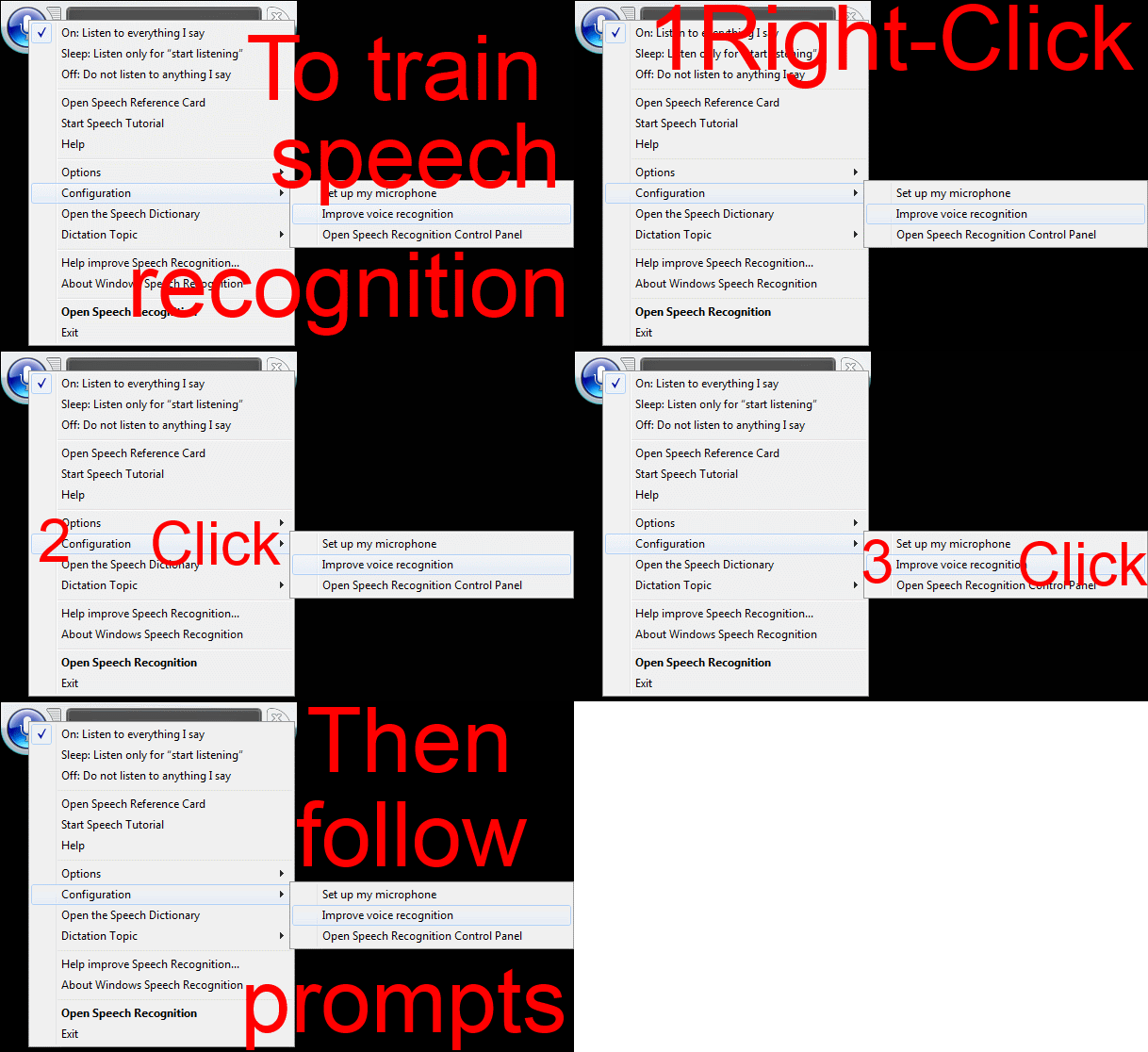
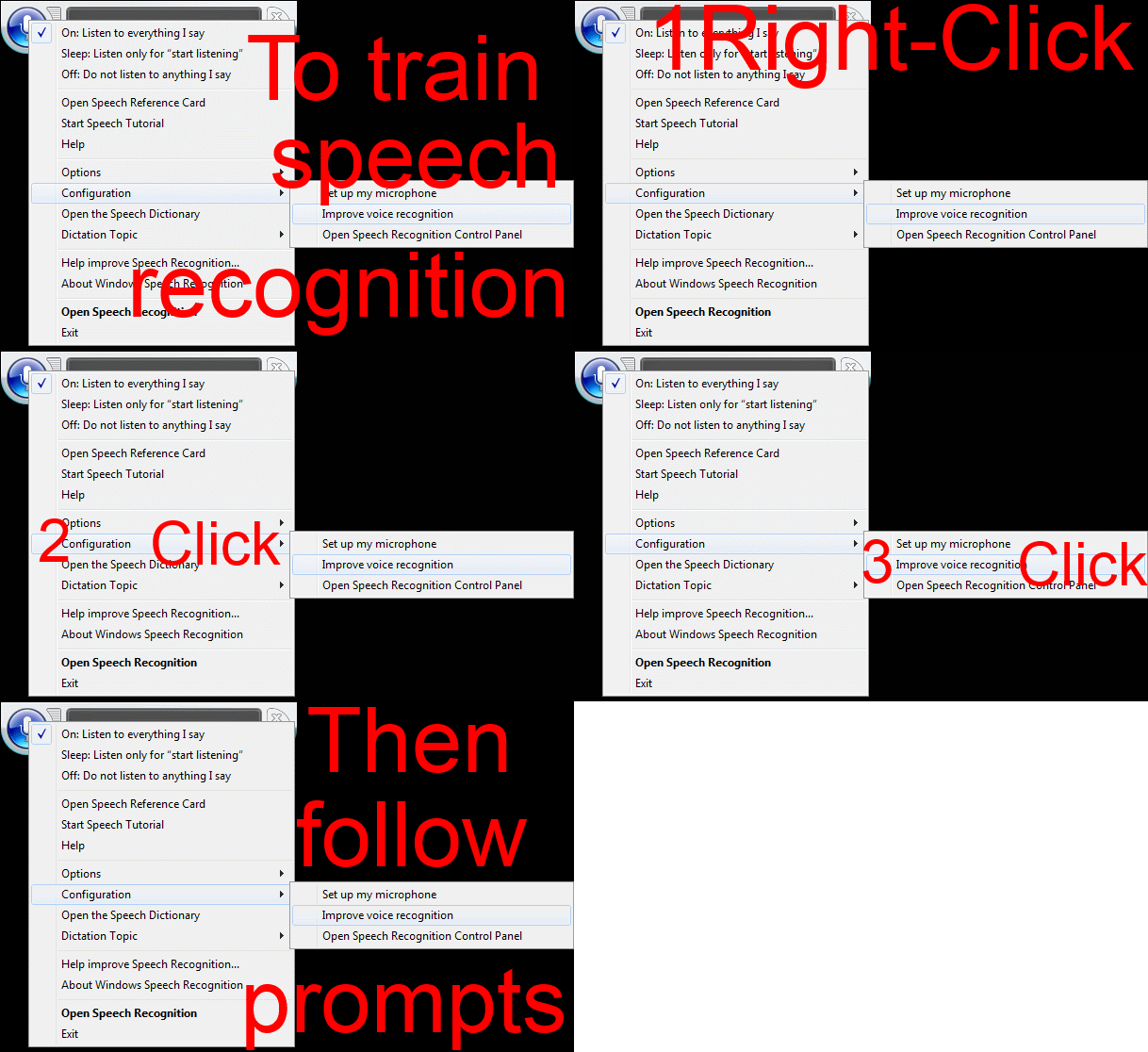
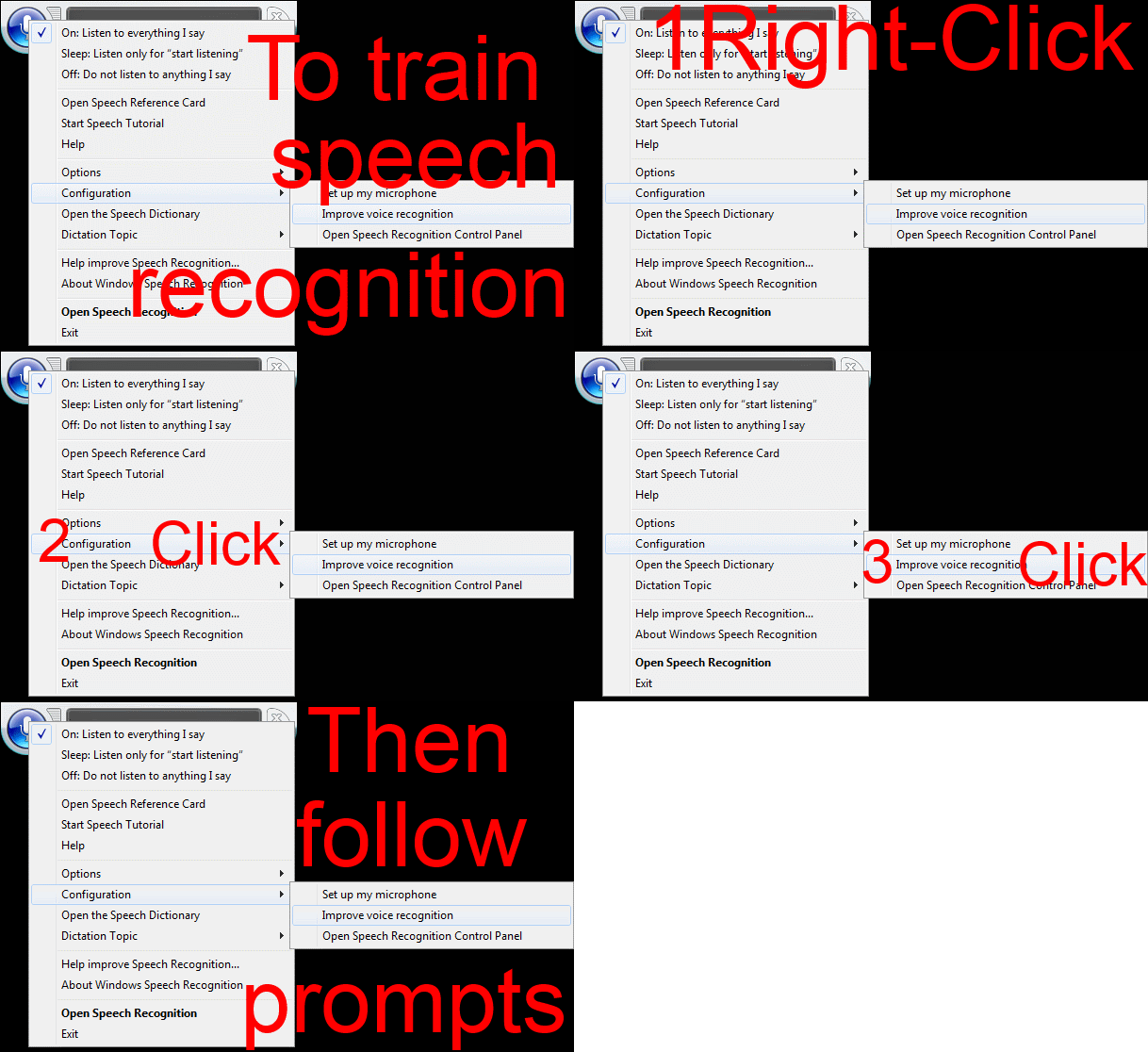
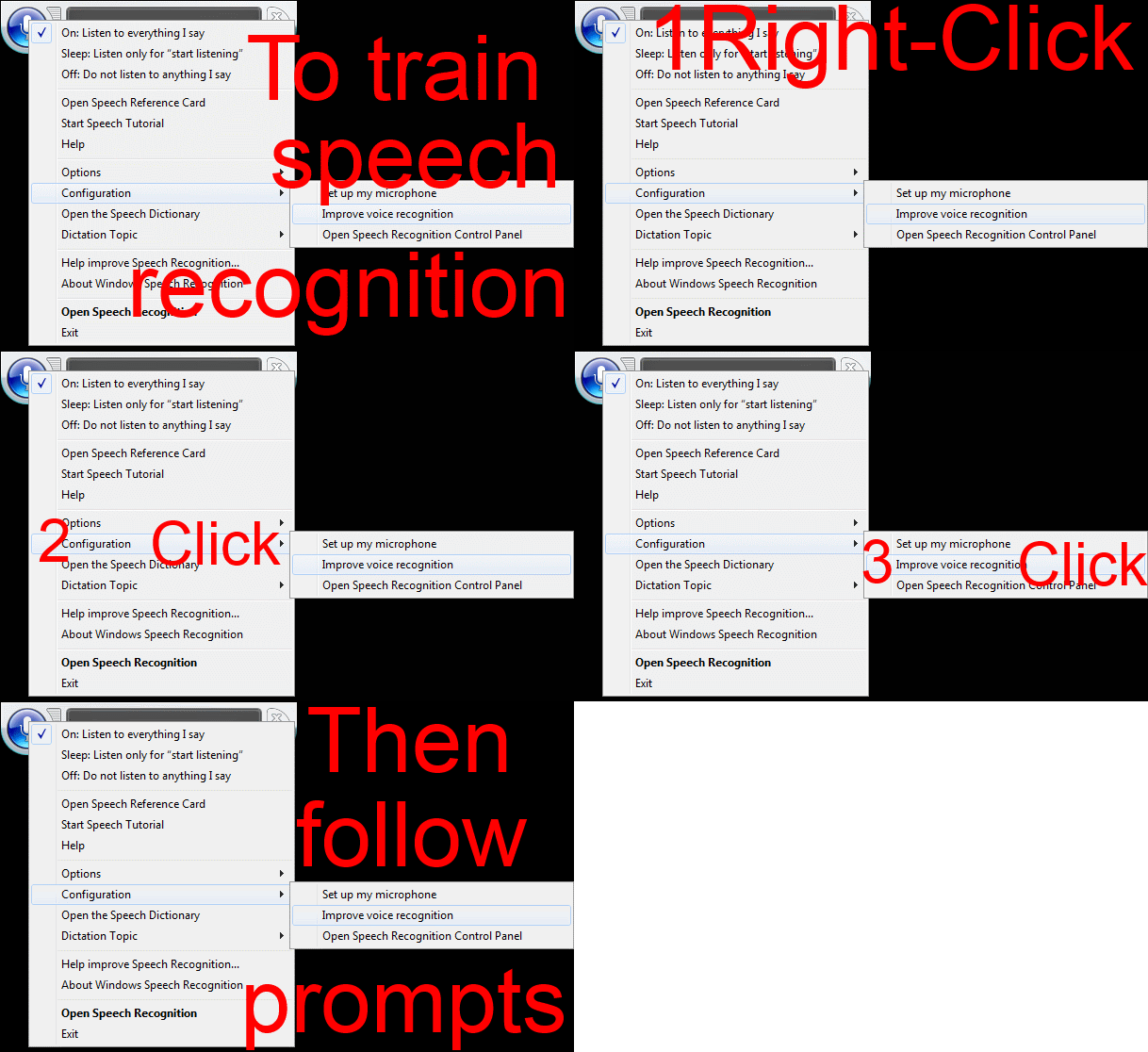
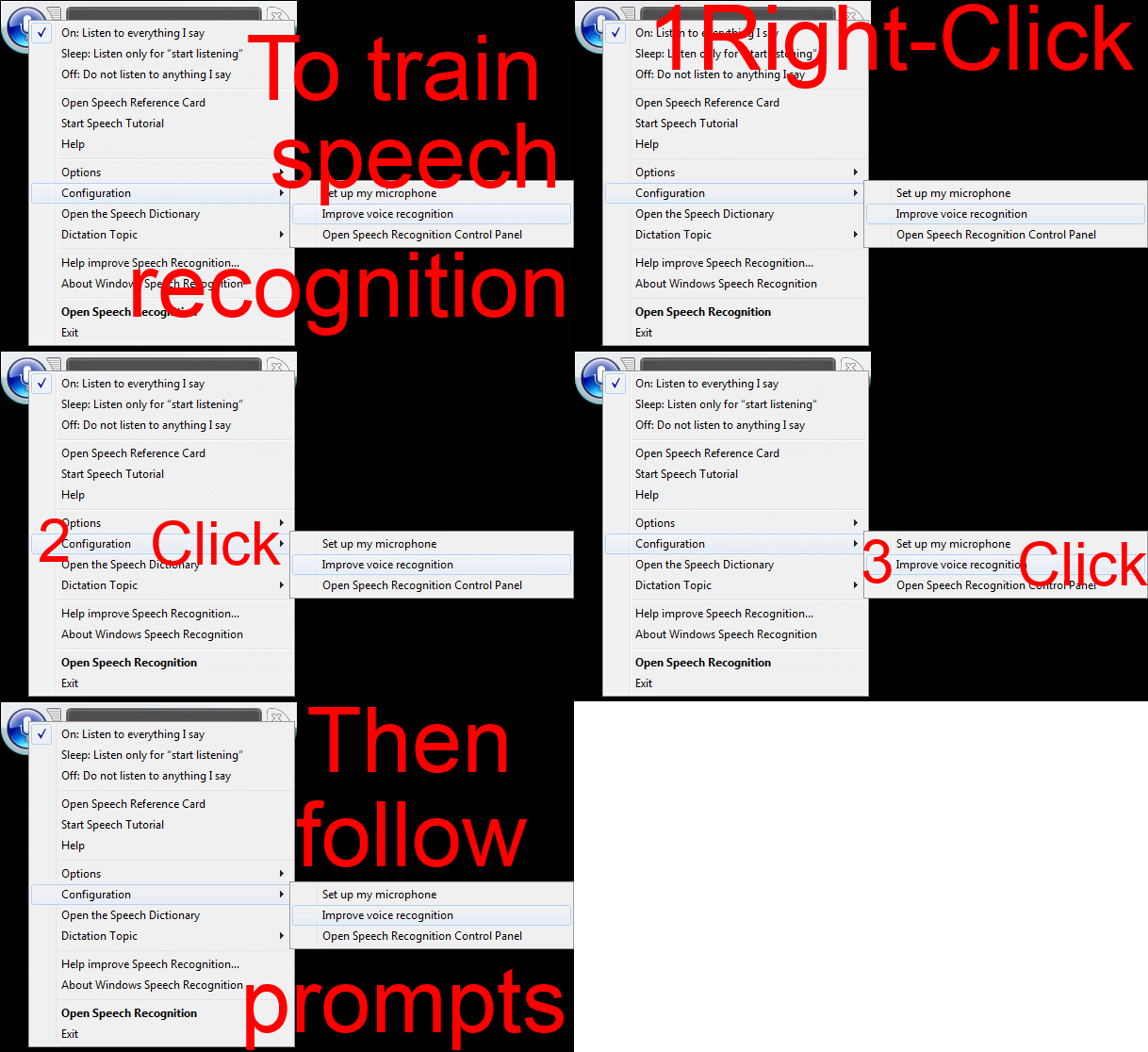
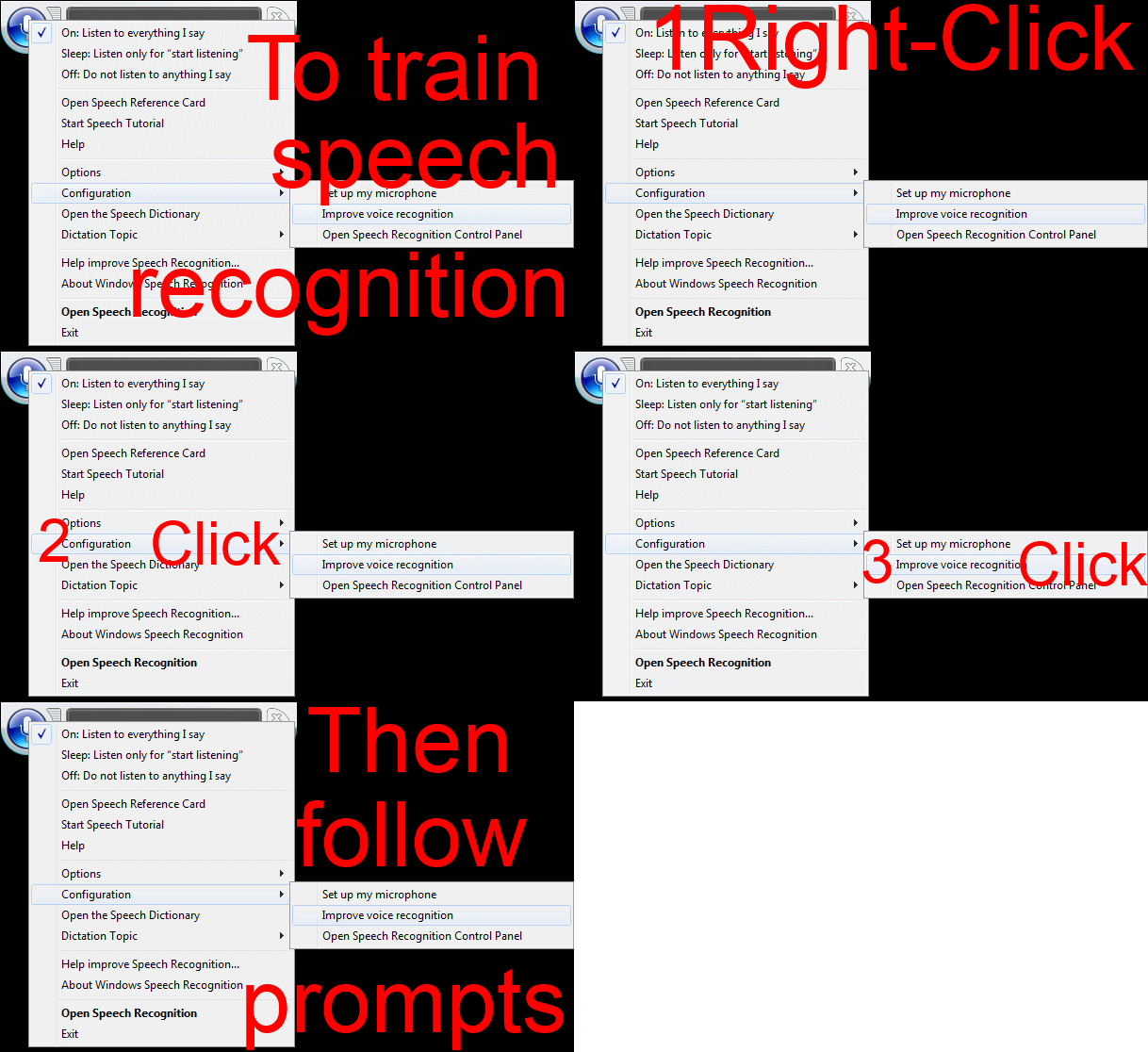
Watch how to start voice training of Windows speech recognition–the ultimate training…
…using animated GIFs. Slower? Click 0.50sec, 0.50sec, 0.75sec, 1sec, 2sec, 3sec, 4sec, 5sec, 6sec, 7sec, 8sec, 9sec, 10sec.


Questions? Read the About. Or just ask me a quick Our Databases: Resources with calendars -- Language learning material Moodle Sites, multimedia files -- films


FAQs for LRC student staff or for students or for teachers. To search our FAQs, in the browser addressbar, add after "https://plagwitz.wordpress.com/feed/?tag=faqs+/" "+TAG1" (from tag cloud below) OR "https://plagwitz.wordpress.com/feed/tag=faqs
&category_name=" "CAT1" (from category hierarchy below). OR search both categories and tags, and multiple TAGs/CATs (connect with "," for OR-search, with "+" for AND-search), like so: https://plagwitz.wordpress.com/feed/?tag=TAG1+TAG2+...TAGn&category_name=CAT1
+CAT2+...CATn"
Other ways to find help
If you cannot find it here, look there: 5,500 Language-Learning Links and Programs for learning or teaching 150 languages
Shortcuts:Our Lists, Our Maps, LRC Staff Moodle Site,LRC Project Moodle Site, 49erexpress, UNCC Moodle, Student Recordings: s:claslcslrcsanakostudent
Learning usage samples: Sanako oral exam, Kaltura webcam presentation, Dictation with speech recognition, Sanako written exam, Chinese and Japanese interactive stroke-order practice
Test the Sanako Installer, Webbrowser Popup Konfigurator for XP, or Windows7, faster LRC TeacherPC Log-in Let MS facilitate diacritics writing by installing for you US-International keyboard layout
This is my personal blog (Google+). The views expressed on these pages are mine alone and not those of my employer. The information in this weblog is provided “AS IS” with no warranties, and confers no rights.
 Thomas' Work Space