Archive
FERPA in the Language Resource Center
Here I am collecting (i.e. simply curating; my thanks go to http://www2.ed.gov/policy/gen/guid/fpco/ferpa/students.html and http://counsel.cua.edu/ferpa/questions/index.cfm) guidance and a few opinions on cases that are common in the Language Resource Center:
- http://www2.ed.gov/policy/gen/guid/fpco/ferpa/students.html:
This guidance document is designed to provide eligible students with some general information regarding FERPA and their rights, and to address some of the basic questions most frequently asked by eligible students. You can review the FERPA regulations, frequently asked questions, significant opinions of the Office, and other information regarding FERPA at our Website as follows:
www.ed.gov/policy/gen/guid/fpco/index.html
The term "education records" is defined as those records that contain information directly related to a student and which are maintained by an educational agency or institution or by a party acting for the agency or institution.
FERPA generally prohibits the improper disclosure of personally identifiable information derived from education records.
Another exception permits a school to non-consensually disclose personally identifiable information from a student’s education records when such information has been appropriately designated as directory information. "Directory information" is defined as information contained in the education records of a student that would not generally be considered harmful or an invasion of privacy if disclosed. Directory information could include information such as the student’s name, address, e-mail address, telephone listing, photograph, date and place of birth, major field of study, participation in officially recognized activities and sports, weight and height of members of athletic teams, dates of attendance, degrees and awards received, the most recent previous educational agency or institution attended, grade level or year (such as freshman or junior), and enrollment status (undergraduate or graduate; full-time or part-time).
A school may disclose directory information without consent if it has given public notice of the types of information it has designated as directory information, the eligible student’s right to restrict the disclosure of such information, and the period of time within which an eligible student has to notify the school that he or she does not want any or all of those types of information designated as directory information. Also, FERPA does not require a school to notify eligible students individually of the types of information it has designated as directory information. Rather, the school may provide this notice by any means likely to inform eligible students of the types of information it has designated as directory information.
Pasted from <http://www2.ed.gov/policy/gen/guid/fpco/ferpa/students.html>
- Q Is a student’s assignment (written or perhaps a video production), once handed in to a professor, an education record protected by FERPA? A In a September 1, 1993, opinion letter to the American Library Association, LeRoy Rooker, the Director of the Family Policy Compliance Office, stated the following: "Generally any written examination or paper that is prepared by a student and that reveals or discloses a student’s identity would be considered an ‘education record’ under [the regulatory] definition (so long as it is maintained by the institution). That is, in ordinary circumstances FERPA prevents an institution from disclosing or publishing a student’s written examination or paper without prior written consent, except in accordance with the specific exceptions set forth in 34 C.F.R. § 99.31." 34 CFR 99.31 lists a number of exceptions, including disclosure to other school officials with a legitimate educational interest; disclosure in connection with financial aid for certain purposes; stated and local educational authorities; and to accrediting organizations among others."
-
- Q. My institution has migrated to Google for email and now is interested in making Google Docs available to the community. The idea is that faculty and students will be able to collaborate on documents using Google Docs which would make the learning environment richer. I am concerned that this "sharing" may inadvertently lead to the inappropriate disclosure of FERPA protected information especially the information of those students who have opted out of disclosing "directory information". I would love to learn what other institutions have done to deal with this issue. A. The first thing to figure out is whether your contract with Google (which typically covers both e-mail and apps together) is FERPA-compliant to begin with. Google doesn’t "volunteer" that, so chances are it isn’t, which raises issues as to whether you can disclose information even to Google. To the extent that the "docs" are accessible only to students enrolled in a particular class, I believe that your faculty have some leeway to discuss students and their work — much as they do in a physical class. (For example, FPCO has stated that students have no right under FERPA to remain anonymous in class, and, as one Justice noted in the Owasso case, much to the dismay of law students everywhere, FERPA does not prohibit use of the Socratic method.) However, if the "docs" are accessible more broadly, your faculty could not post anything that would constitute an education record without the student’s consent, and it’s worth thinking through, from a policy perspective, whether faculty should be allowed to require students to post things directly to an open site. Another issue to think through is copyright. While most of the commercial CMS systems are now capable of facilitating TEACH compliance easily, through integration with your SIS, my understanding of Google Apps is that it currently would require each individual faculty member to take all of the necessary steps manually. Answer courtesy of Steven J. McDonald, General Counsel, Rhode Island School of Design.
- Q. An on-campus speaker was videotaped, and the sponsoring department wants to put the video up on its website (i.e., non-commercial use). The videographer was in plain sight. The speaker’s consent was obtained, but not those of students who asked questions (mostly off-camera). Anyone have a problem with posting the video? A. If any of the students are "personally identifiable" (under FERPA’s broad definition), I think you’d need FERPA consent. In a similar context, FPCO has stated that the transcript of a hearing that was held open at the student’s request is still an "education record" and therefore can’t be released without the student’s consent. You can include photographs in your list of directory information, but I doubt FPCO would agree to audio, at least generically. Answer courtesy of Steven J. McDonald, General Counsel, Rhode Island School of Design.
- Q. My institution has migrated to Google for email and now is interested in making Google Docs available to the community. The idea is that faculty and students will be able to collaborate on documents using Google Docs which would make the learning environment richer. I am concerned that this "sharing" may inadvertently lead to the inappropriate disclosure of FERPA protected information especially the information of those students who have opted out of disclosing "directory information". I would love to learn what other institutions have done to deal with this issue. A. The first thing to figure out is whether your contract with Google (which typically covers both e-mail and apps together) is FERPA-compliant to begin with. Google doesn’t "volunteer" that, so chances are it isn’t, which raises issues as to whether you can disclose information even to Google. To the extent that the "docs" are accessible only to students enrolled in a particular class, I believe that your faculty have some leeway to discuss students and their work — much as they do in a physical class. (For example, FPCO has stated that students have no right under FERPA to remain anonymous in class, and, as one Justice noted in the Owasso case, much to the dismay of law students everywhere, FERPA does not prohibit use of the Socratic method.) However, if the "docs" are accessible more broadly, your faculty could not post anything that would constitute an education record without the student’s consent, and it’s worth thinking through, from a policy perspective, whether faculty should be allowed to require students to post things directly to an open site. Another issue to think through is copyright. While most of the commercial CMS systems are now capable of facilitating TEACH compliance easily, through integration with your SIS, my understanding of Google Apps is that it currently would require each individual faculty member to take all of the necessary steps manually. Answer courtesy of Steven J. McDonald, General Counsel, Rhode Island School of Design.
A comparison of options for student oral photo presentation assignment
- Objective: Student presents personal photos in target language (e.g. home). b
- Contenders for Tools:
- Voicethread (free version)
- University-environment
- For Multimedia authoring:
- MS-PowerPoint
- not yet contenders
- MS-Community Clips (screen capture recording, to be installed)
- benefit: single purpose, record yourself talking while flipping through the images on your computer
- cost: new tool to learn, and no long term perspective
- Sanako Student Recorder: not a contender, it has subtitling options, but cannot author multimedia presentations (teachers used to with the Sanako authoring tool, but this is not longer supported).
- MS-Community Clips (screen capture recording, to be installed)
- As LMS: Moodle.
- For Multimedia authoring:
- Comparison:
- Student
- Authoring:
- (PowerPoint ties:) Image upload is easy in Voicethread (including batches):
 , but PowerPoints Insert / Photo album is as fast (if you have digital photos).
 - Image narration:
- (PowerPoint ties:) Image upload is easy in Voicethread (including batches):
-
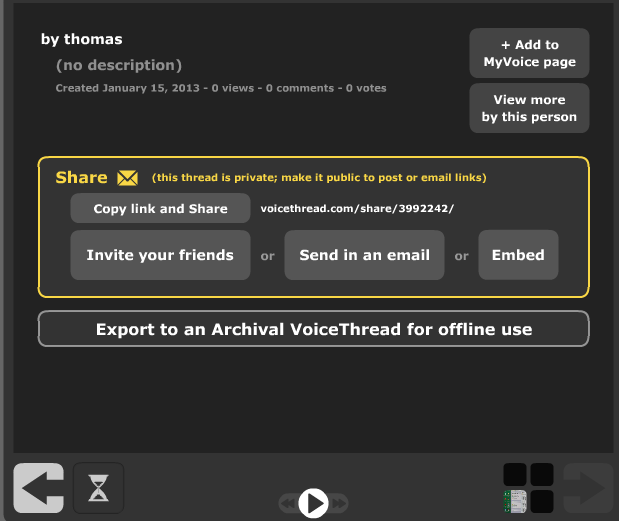
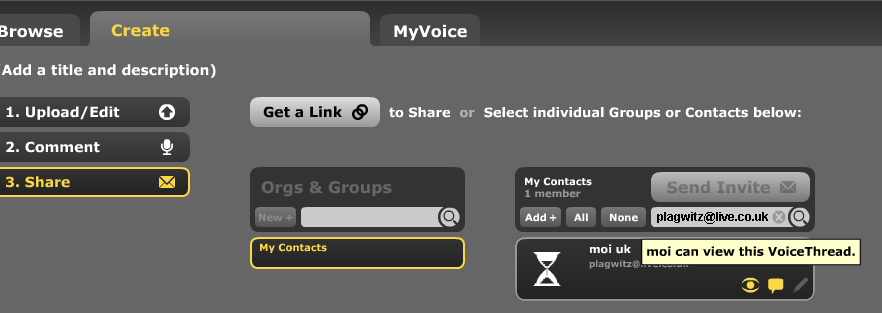
Assignment submission: Voicethread (free) has no support for assignments, only for sharing. Students have to find a way to submit their Voicethread,
- either by email or invitation to pre-created contacts:

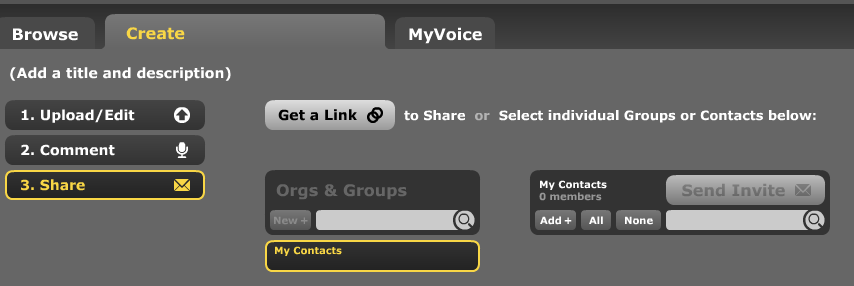
- or, – with higher initial setup cost, but greater reusability benefit – by invitation to a pre-created contact:
 ,
, 

- either by email or invitation to pre-created contacts:
- Sharing/peer-editing/grading:
- (Moodle would win where it has peer-grading options. YMMV:) Sharing within the class is possible, but sharing with "anyone" is a privacy (possibly FERPA) issue, and sharing with a handmade class list (no import) is tedious.
- Authoring:
- Teacher: grading
- Managing submissions
- (LMS wins?:) Voicethread (free) does not allow an export that could be uploaded to the LMS.
 Student can email links or invitations like these:
 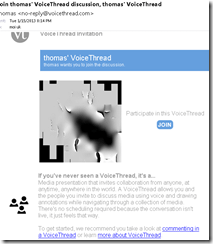 . It is up to you managing them, and completion of assignment and grading for the class. This is no LMS gradebook.
 - (Voicethread wins:) PowerPoint can be saved as a slideshow that starts on click (save as .ppsx) (including with narration). But opening and listening, without the need for saving to a local file, remains easier in Voicethread.
- (LMS wins?:) Voicethread (free) does not allow an export that could be uploaded to the LMS.
- (Voicethread wins:) Providing feedback is possible,
 including oral
  – but is this insert recording? And providing editing access is not the default: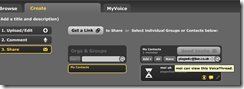
- Record-keeping:
- (Moodle wins:) Voicethread: Uh.. oh..?! I see no retention story, especially not in the free version. With Moodle, you can leave all that to the institutional support.
- Managing submissions
- Student: receiving feedback
- (A tie:) Voicethread’s audio feedback versus Moodle/PowerPoints gradebook access.
- Learning curve:
- Voicethread has the advantage of being a specialized tool (relatively few options, still relatively simple interface – few distractions).
- Other tools have the advantage of greater familiarity in the long run and reusability. Of course it depends also where you are working: stable positions get greater benefit from embarking on the institutional environment.
- Student
-
Summary: PowerPoint/Moodle remains the solution for the pedagogical task at hand that the LRC currently supports. Fortunately
- a narration of a picture presentation using PowerPoint and
- its submission by the student and grading by the teacher on the basis of a Moodle single file upload assignment are not too difficult.




How teachers can record audio materials here
The purpose of doing a recording of learning materials for the SANAKO during a faculty workshop is merely to get you started. The use of the SANAKO is not limited to the LRC. After taking the workshop, you can:
-
if needed,
-
check out one of the LRC faculty headphones (we have now 5 for faculty use in our list of LRC resources),
-
install the Sanako standalone recorder on your office or home PC,
-
-
start the recorder and press the red record button,
-
read your questions into the headset microphone, preferably after you have put them in the format of my exam template (consider this sample exam recording a model),
-
use something like a bell, whistle (or simply clap your hands) to create audible cues for when you want to start/stop speaking cues
-
watch the timer on the Student Recorder to leave the same amount of response time for the students as you announced after the questions
-
save the file to the proper location that I listed here: https://thomasplagwitz.com/2012/11/06/how-teachers-find-their-sanako-materials/ .
That’s all. If you need a refresher, please come to one of my bi-weekly LRC “Sanako Clinics” that will appear in the LRC hours&events calendar.
LRC Spring 2013 announcements
Over the break SANAKO permissions for students and teachers were set up according to vendor specifications.
Benefits on LRC computers, office PCs (and MACs, except for Sanako standalone recorder; try also home computers if you use university network shares from home):
1. Teachers in LCS and ELTI can save their learning material files directly from their office PCs to the SANAKO folders for distribution within the LRC.
2. Teachers don’t anymore have to request permission for SANAKO before first visit of the LRC with students enrolled in ARBC, CHNS, ELT, FLED, FREN, GERM, GREK, ITLN , JAPN, LACS, LATN , LTAM, PORT, RUSS, SPAN, TRAN, they automatically have access to use the SANAKO in the LRC.
3. Teachers can from their office PCs grade their students’
- writing with written feedback
- and recordings with oral feedback using Sanako voice-insert
- and have the feedback automatically distributed to students (requires finalization of my langlabemailer extension for the SANAKO).
While I have no tools to test the permissions, I am optimistic that this will work much better than the unfinished configuration we had to make do with during the first 21 months of the SANAKO. In the unlikely event that you run into errors, let us know like so: https://thomasplagwitz.com/2011/10/18/how-to-make-a-screenshot-of-your-computer-screen/).
Unfortunately, the SANAKO root folder had to be changed also due to new ITS requirements. This breaks the folder shortcuts (not the standalone recorder) that I have manually added to some teacher’s computers. I am investigating whether a new computer management tool ITS is introducing (TEM) can do this update of shortcut, as well install of shortcuts and Sanako standalone recorder. In the meantime, I updated goo.gl/yqR18 (password:uncclrct), your entry point to SANAKO folders (explanation and clickable link) , whether you work on the LRC teacher computer on your office PC or MAC. I also have a simple step-by-step how to install the standalone student recorder if you need it sooner: goo.gl/LzuDE.
Workshops: Teachers have requested earlier SANAKO workshops this term, at the same time finding common time for LRC workshop scheduling has proven to be difficult. So I would like to test 2 new things:
1. expanding the self-access training materials collection introduce during the last workshop: goo.gl/r5Izg (work in progress, your companion at the teacher station with step-by-step videos for common Sanako activities.
2. offering a bi-weekly drop-in clinic (from week 3) for preparing activities based on these training materials.
a. Where: All clinics will be in the LRC main classroom, in the hope of using the SANAKO hands-on the creation and delivery of learning materials/activities, helping multiple teachers simultaneously.
When: So that everybody can find a time that fits into their schedule, the time-slot of the clinic will be rolling through-out the term (starting on Tuesday at an even hour and on Thursday at an odd hour), and continuing 2hrs later each consecutive week (barring your prior booking of the LRC for classes and exams which take priority – please book as soon as you finalize your syllabus so that I can finalize the clinic schedule). Just look for "Sanako Clinic" in the LRC calendar (http://mail.uncc.edu/owa/calendar/LRCRoomCOED434@uncc.edu/Calendar/calendar.html, or to be able to search, add it to your NINERMAIL like so: https://thomasplagwitz.com/2011/11/21/how-to-subscribe-to-an-lrc-calendar/) and drop-in to create plans and materials for SANAKO activities like in the companion. If, however, you need a different time slot, send a meeting request to LRCroomcoed434@uncc.edu and me and I will reschedule for this week (please "signal" early so as to avoid "bumping " other clinic attendants.
Imran’s Phonetic Keyboard for Arabic

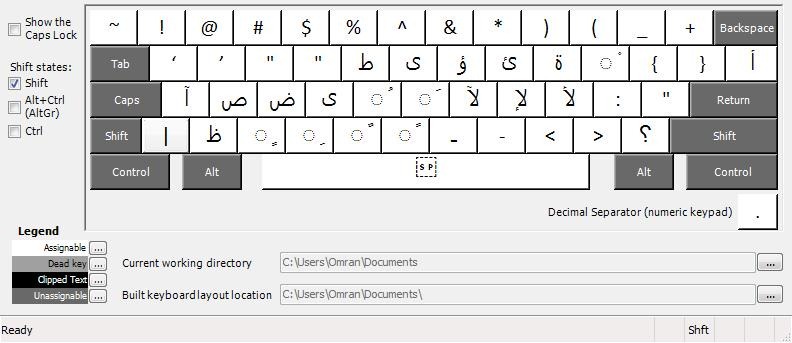

Learners of Arabic who type in Arabic on a Western Keyboard prefer a keyboard layout closer to the phonetic of the US keyboard than the Arabic keyboard layouts that MS provides (but try also phonetically transcribing IME like Google Arabic Input or Microsoft Maren – provided the pedagogy of your writing assignment permits that! Also note the LRC has 1 hardware keyboard with overlay keys for Arabic). Here is what your keyboard installation looks like in intl.cpl: 
The big LRC SANAKO “How do I…?”
(Work in progress).
View larger Word version than this embed:
Pictolang, another flashcard site for vocabulary learning
- Distinguishing mark: Pictolang is based on the Culturally authentic Picture Lexicon. Here is an overview of the currently available languages and imagery:
-
Language Region # Images German 2631 Mandarin China 2336 ESL North America 2074 Russian 1420 French France 1231 Spanish Southern Cone 1022 Spanish Mexico 1000 Spanish Central America & Caribbean 872 Spanish Peninsular 579 Arabic 287 Special Collections 151 Ukrainian 139 Japanese 106 French Canada 47 Arabic Oman 11 - You can focus vocabulary your study on specific topics, which will likely integrate it better with your core textbook material (often divided into topical chapters).

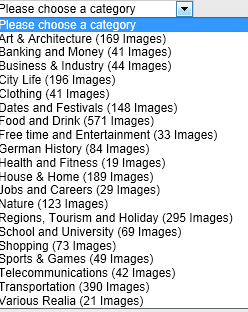
- Suitable for self-study, the use of CAPL makes this an especially interesting tool for preparing work/study/travel abroad. It also allows for playing a classroom flashcard game in language culture and area studies, where the teacher can provide context and background information in the images from the target culture.

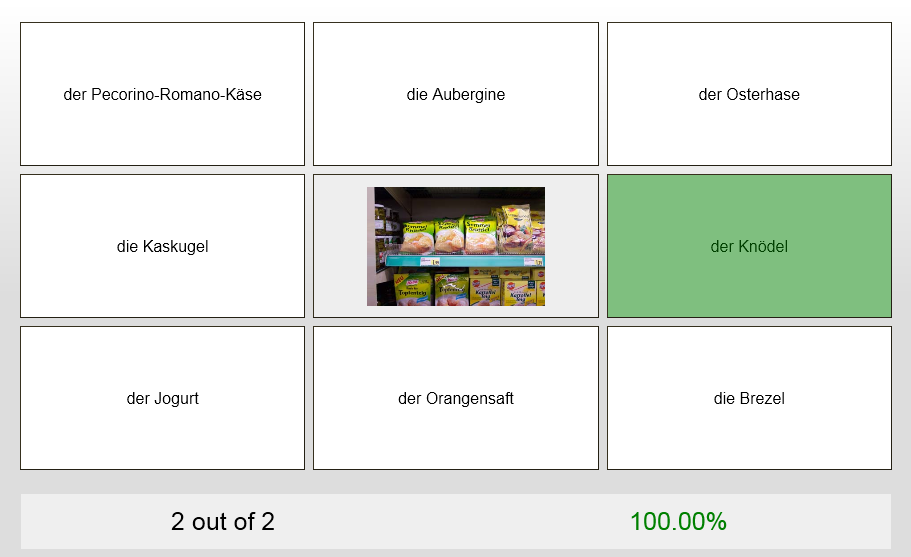
- Example o the Word Match Game right answer feedback:
- Wrong answer feedback:




Questions? Read the About. Or just ask me a quick Our Databases: Resources with calendars -- Language learning material Moodle Sites, multimedia files -- films


FAQs for LRC student staff or for students or for teachers. To search our FAQs, in the browser addressbar, add after "https://plagwitz.wordpress.com/feed/?tag=faqs+/" "+TAG1" (from tag cloud below) OR "https://plagwitz.wordpress.com/feed/tag=faqs
&category_name=" "CAT1" (from category hierarchy below). OR search both categories and tags, and multiple TAGs/CATs (connect with "," for OR-search, with "+" for AND-search), like so: https://plagwitz.wordpress.com/feed/?tag=TAG1+TAG2+...TAGn&category_name=CAT1
+CAT2+...CATn"
Other ways to find help
If you cannot find it here, look there: 5,500 Language-Learning Links and Programs for learning or teaching 150 languages
Shortcuts:Our Lists, Our Maps, LRC Staff Moodle Site,LRC Project Moodle Site, 49erexpress, UNCC Moodle, Student Recordings: s:claslcslrcsanakostudent
Learning usage samples: Sanako oral exam, Kaltura webcam presentation, Dictation with speech recognition, Sanako written exam, Chinese and Japanese interactive stroke-order practice
Test the Sanako Installer, Webbrowser Popup Konfigurator for XP, or Windows7, faster LRC TeacherPC Log-in Let MS facilitate diacritics writing by installing for you US-International keyboard layout
This is my personal blog (Google+). The views expressed on these pages are mine alone and not those of my employer. The information in this weblog is provided “AS IS” with no warranties, and confers no rights.
 Thomas' Work Space