Archive
Archive for December, 2013
Checklist for Voice recorder 03
2013/12/23
Leave a comment
- Are the Parts there?
- Recorder (consisting of : removable cover for usb-connector and recorder)
- Batteries (1) AAA

- Test the Functionality
- Insert batteries in recorder (if needed, replace from box on shelves with sign "office supplies")
- Record for 15sec.
- Playback
- Format memory to completely delete , according to manual : WS-100w/ USB
- Turn recorder on
- Press and hold the Menu button
- Press FF (fast forward) 4 times to get to format
- Press Play then FF to get to "yes"
- Press Play
- You be asked "are you sure?", press FF (yes) then Play to start formatting
- Maintenance
- If needed, replace batteries from box on shelves with sign "office supplies".

Checklist for Voice recorder 01-02
2013/12/23
Leave a comment
- Are the Parts there?
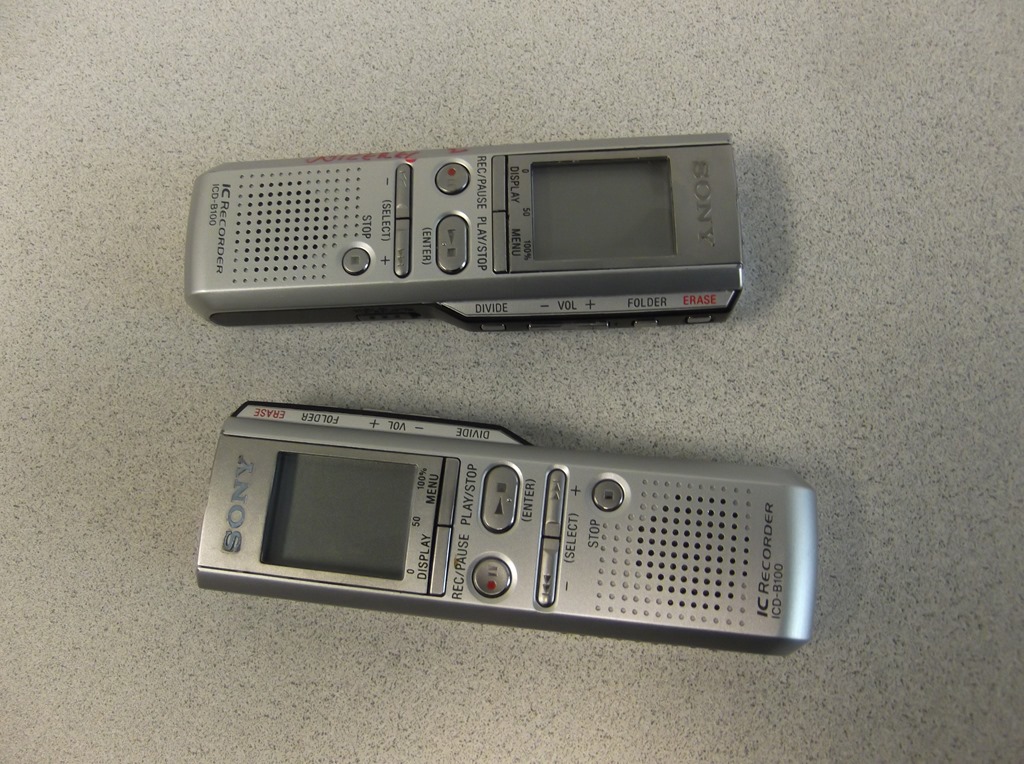
- Recorder

- Batteries (2) AAA
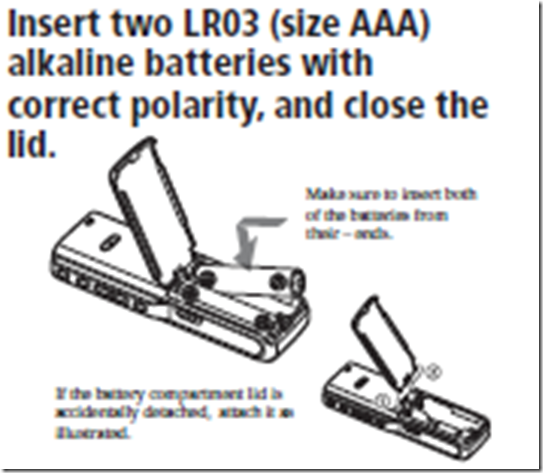
- Recorder
- Test the Functionality
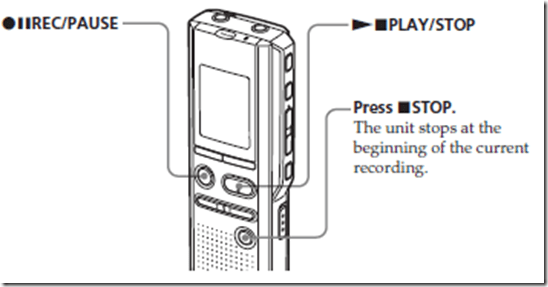
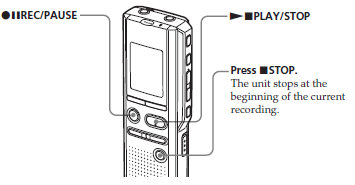
- Record for 5secs.
- Playback
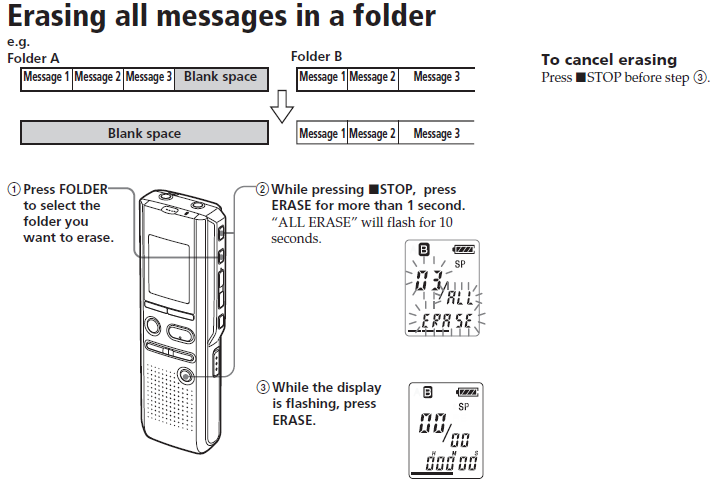
- Erase everything, according to manual: Operating Instructions
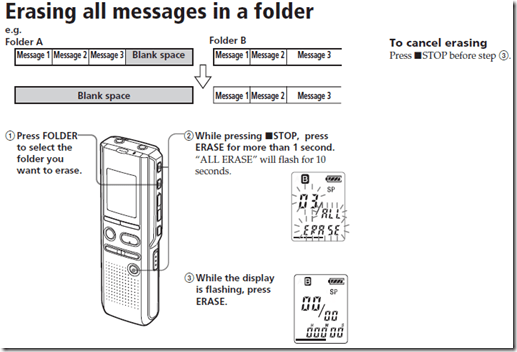
- Maintenance
- If needed, replace batteries from box on shelves with sign “office supplies”.

Checklist for light kit (08-11)
2013/12/23
Leave a comment
- Are all Parts there(25)
- 4 plates (1)
- 2 more plates (2)
- 3 extension power cables (3)
- 3 lamps (4), containing 3 bulbs (not pictured)
- 2 thingamabobs (5)
- 8 clamps (6)
- 2 stands (7
- See also various documentation sheets included (not pictured below, but here)

- Test the Functionality
- Assemble light and stand, as shown:

- Plug in and turn light on
- Assemble light and stand, as shown:
- Maintenance
- If necessary, exchange bulb

Functionality tests for LRC microphones
2013/12/23
Leave a comment
- Using one of the Vixias, shoot a video with any of the LRC external microphones:
- Connect
- Select external microphone as audio source

- Record for 5 secs
- Playback:
![clip_image002_thumb[4]](https://thomasplagwitz.com/wp-content/uploads/2013/12/clip_image002_thumb4_thumb.png?w=589&h=399 "clip_image002_thumb[4]")

![clip_image002_thumb[4]](https://thomasplagwitz.com/wp-content/uploads/2013/12/clip_image002_thumb4.png "clip_image002_thumb[4]")
Checklist for Vixia cameras (11-14)
2013/12/23
Leave a comment
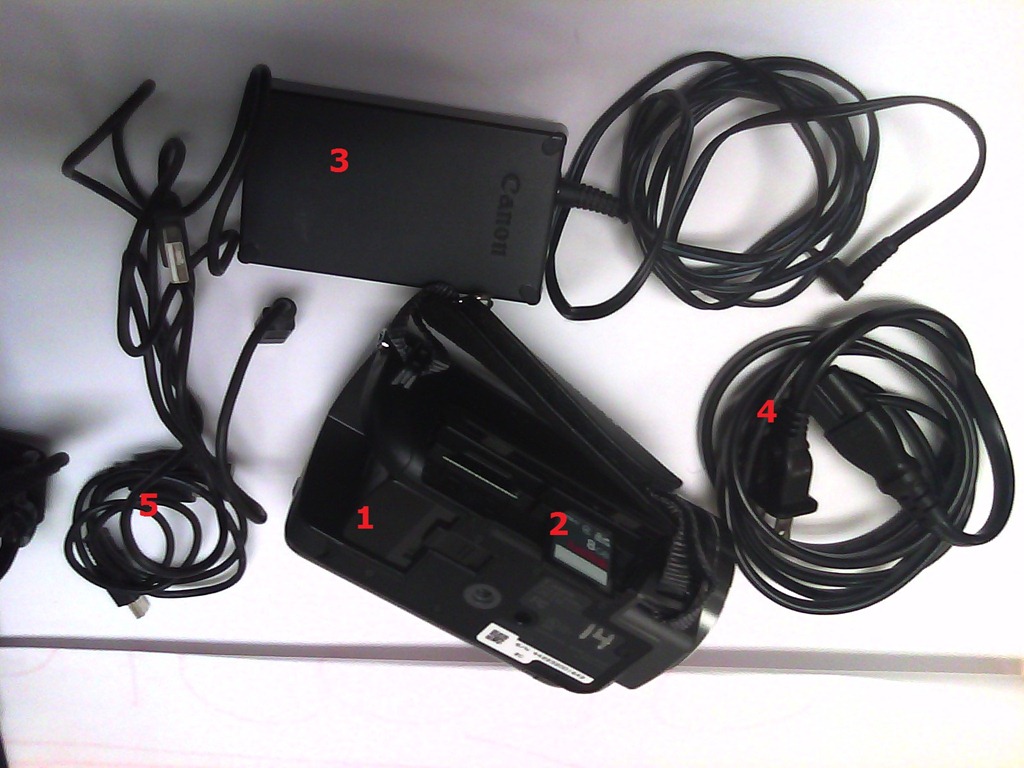
- Parts
- Battery
- SD Memory Card
- Battery Charger
- Power cable
- USB cable

- Test the Functionality
- Start camera
- Record for 5 seconds

- Playback:

- Maintenance
- Charge battery
- Initialize sd card: Sd-card like so.


LRC Wireless microphone basics
2013/12/23
Leave a comment
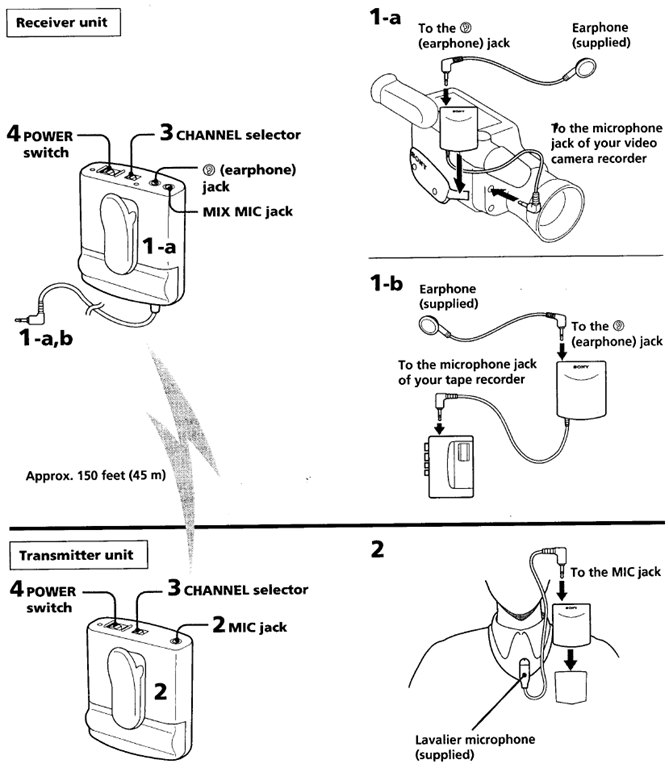
- Parts:

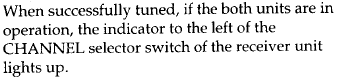
- Functionality test:
- In general, see here.
- For specifics:
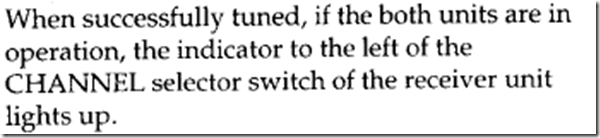
- The lavaliere is optional, you can plug in another 3.5mm microphone.
- Maintenance:
- Check batteries
- Incidentally, in many classrooms, the Office of classroom technology can provide wireless microphones that connect to the teacher podium.
How to initialize memory card on the LRC cameras
2013/12/23
Leave a comment
- Initializing the memory cards formats, erases, readies them (= speeds up) for future use and protects the innocent from video footage being distributed.
- Hence camera users need to do this when they return the cameras (and LRC assistants do it during weekly inventory).
- Vixia 4:
- hardware buttons:
- power on
-

- software buttons:
- “menu”
- tab:

- (scroll down, then tab: ) “Initialize SD”
- hardware buttons:
- Vixia 5:
- hardware buttons:
- power on
-

- home
- software buttons:
- “other settings”
- tab:

- (scroll down, then tab: ) “Initialize SD” .
- hardware buttons:
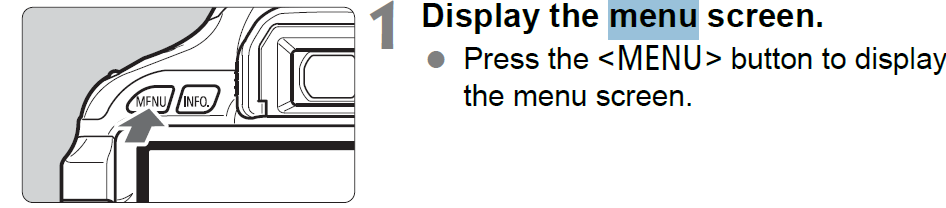
- Rebel: Both for 550 (LRCcamera 17,18) and 600 (LRCcamera 19,20):
 . Select “Low-level format”: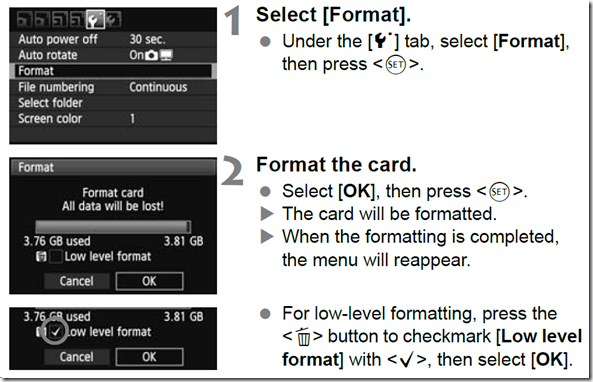




ATR3350 lavaliere microphone–Parts
2013/12/23
Leave a comment
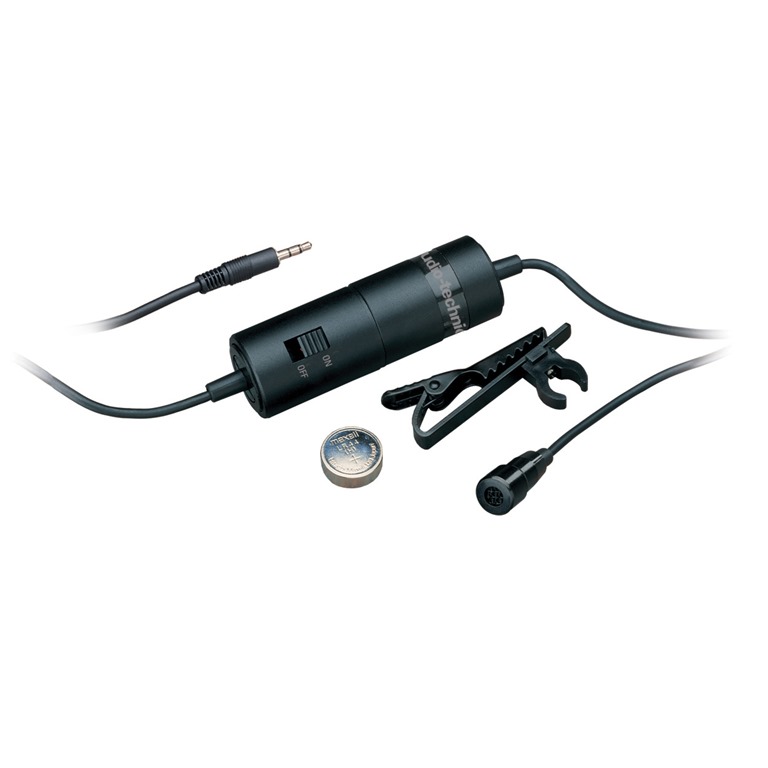
Make sure the microphone switch is turned to off before shelving it – or else the battery will drain which is not easy to replace.


Questions? Read the About. Or just ask me a quick Our Databases: Resources with calendars -- Language learning material Moodle Sites, multimedia files -- films


FAQs for LRC student staff or for students or for teachers. To search our FAQs, in the browser addressbar, add after "https://plagwitz.wordpress.com/feed/?tag=faqs+/" "+TAG1" (from tag cloud below) OR "https://plagwitz.wordpress.com/feed/tag=faqs
&category_name=" "CAT1" (from category hierarchy below). OR search both categories and tags, and multiple TAGs/CATs (connect with "," for OR-search, with "+" for AND-search), like so: https://plagwitz.wordpress.com/feed/?tag=TAG1+TAG2+...TAGn&category_name=CAT1
+CAT2+...CATn"
Other ways to find help
If you cannot find it here, look there: 5,500 Language-Learning Links and Programs for learning or teaching 150 languages
Shortcuts:Our Lists, Our Maps, LRC Staff Moodle Site,LRC Project Moodle Site, 49erexpress, UNCC Moodle, Student Recordings: s:claslcslrcsanakostudent
Learning usage samples: Sanako oral exam, Kaltura webcam presentation, Dictation with speech recognition, Sanako written exam, Chinese and Japanese interactive stroke-order practice
Test the Sanako Installer, Webbrowser Popup Konfigurator for XP, or Windows7, faster LRC TeacherPC Log-in Let MS facilitate diacritics writing by installing for you US-International keyboard layout
This is my personal blog (Google+). The views expressed on these pages are mine alone and not those of my employer. The information in this weblog is provided “AS IS” with no warranties, and confers no rights.
 Thomas' Work Space