Archive
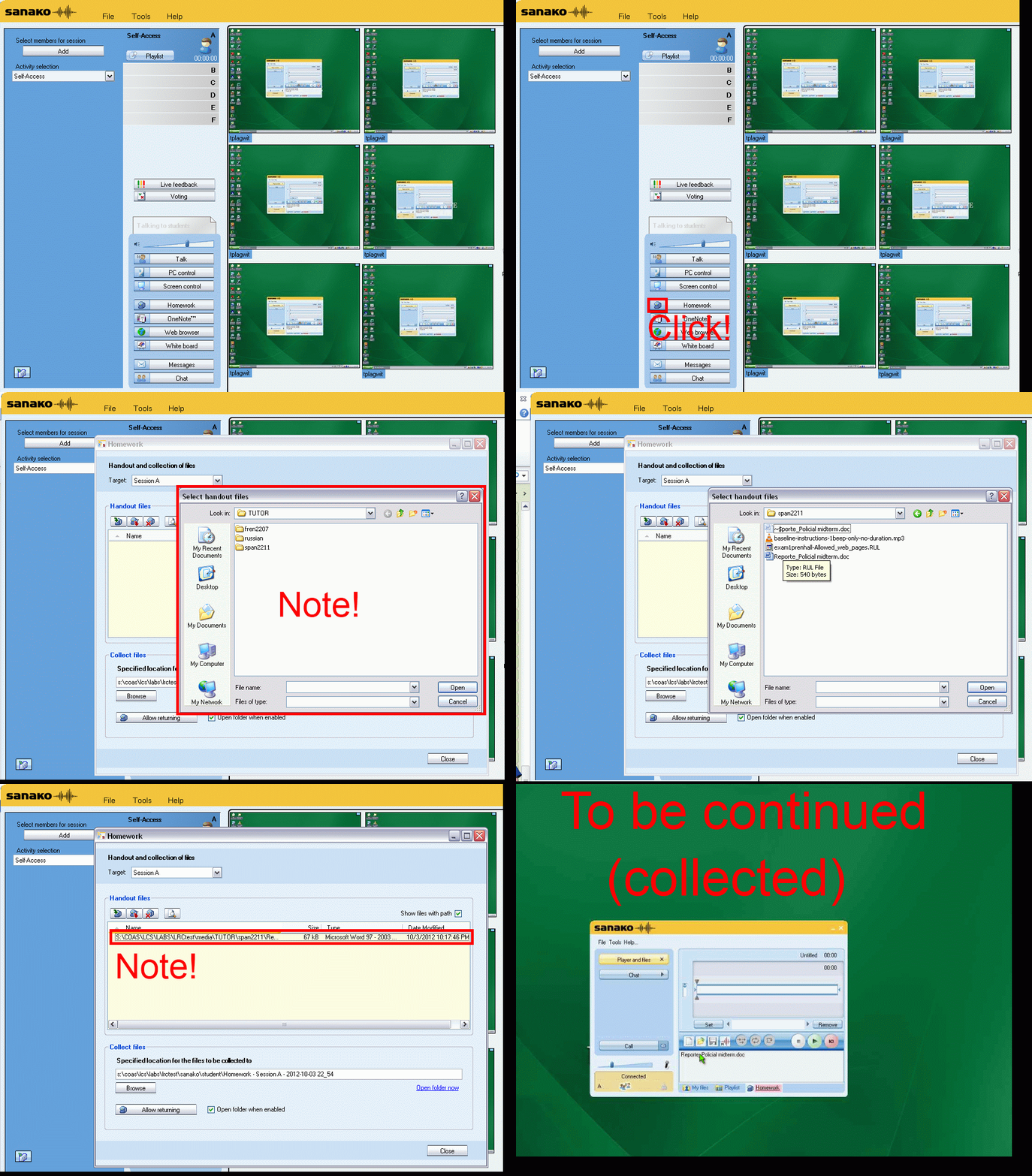
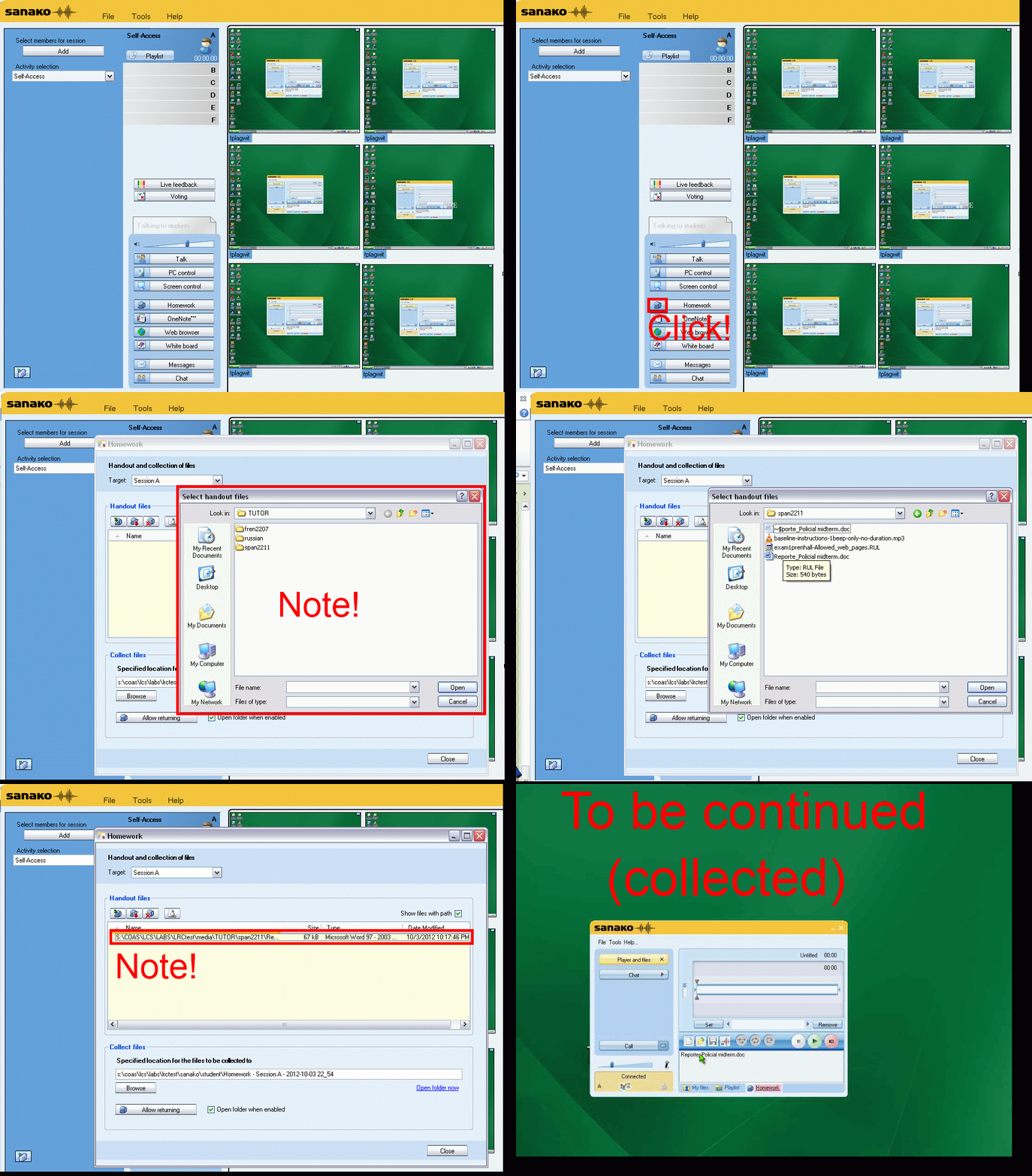
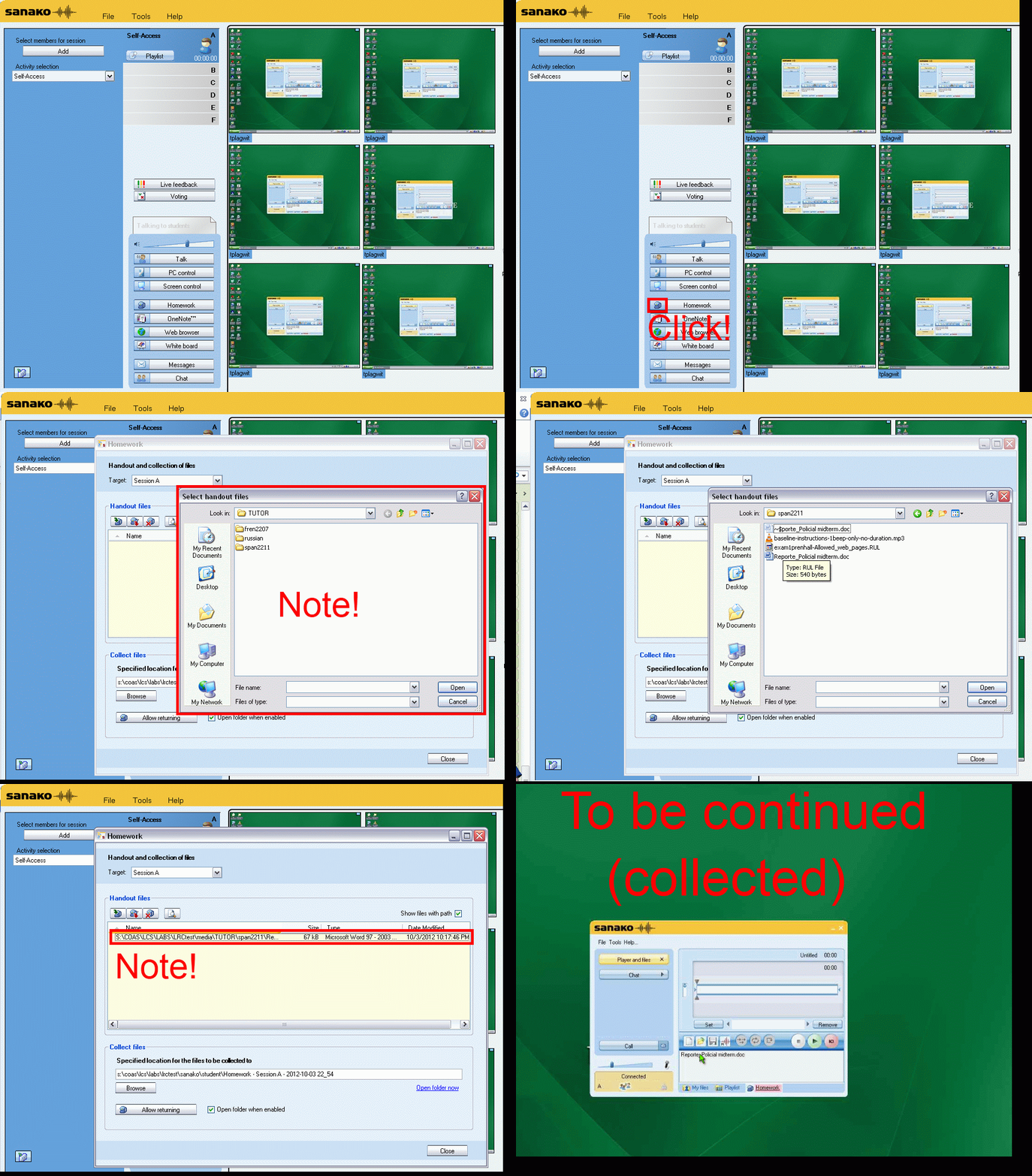
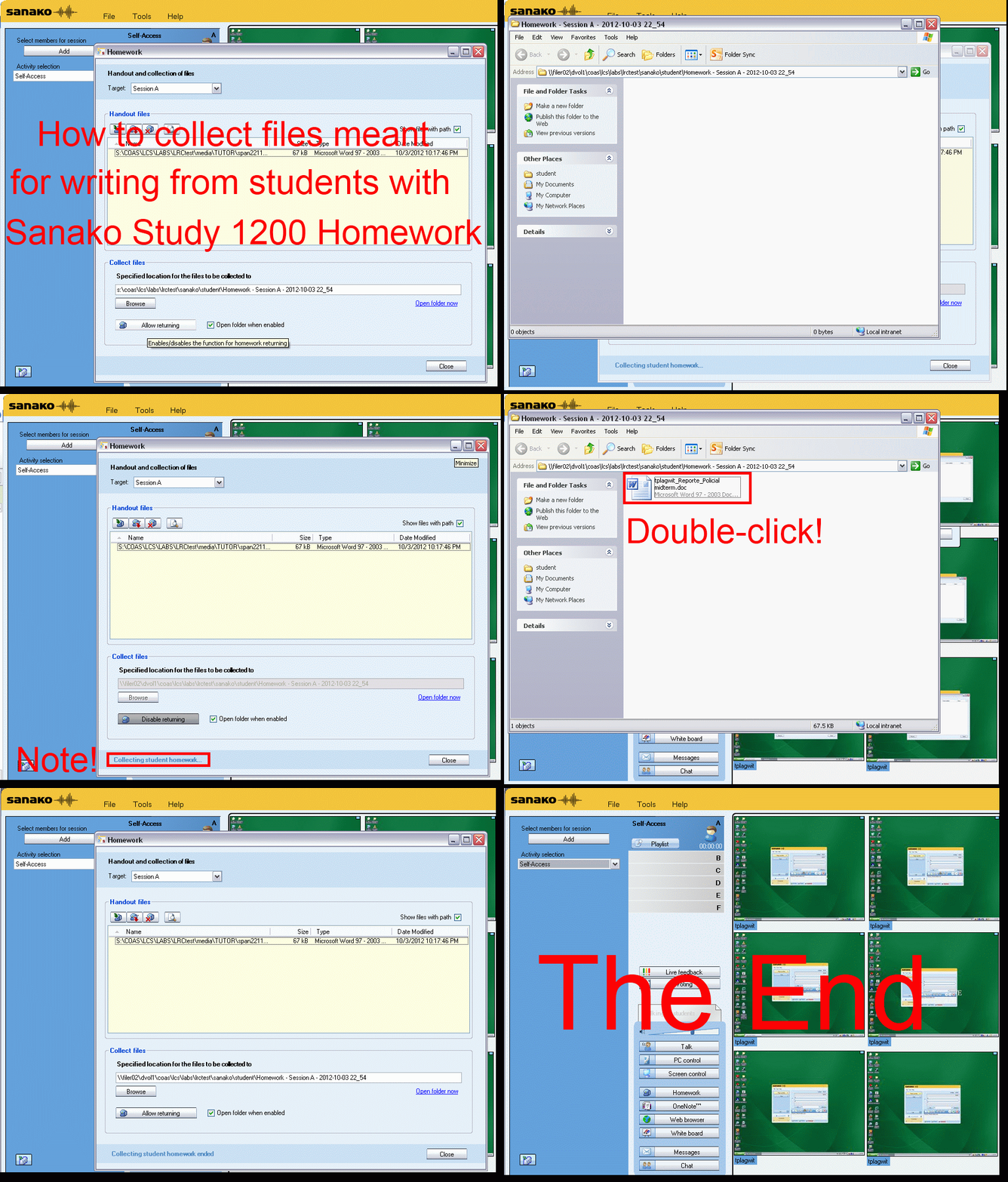
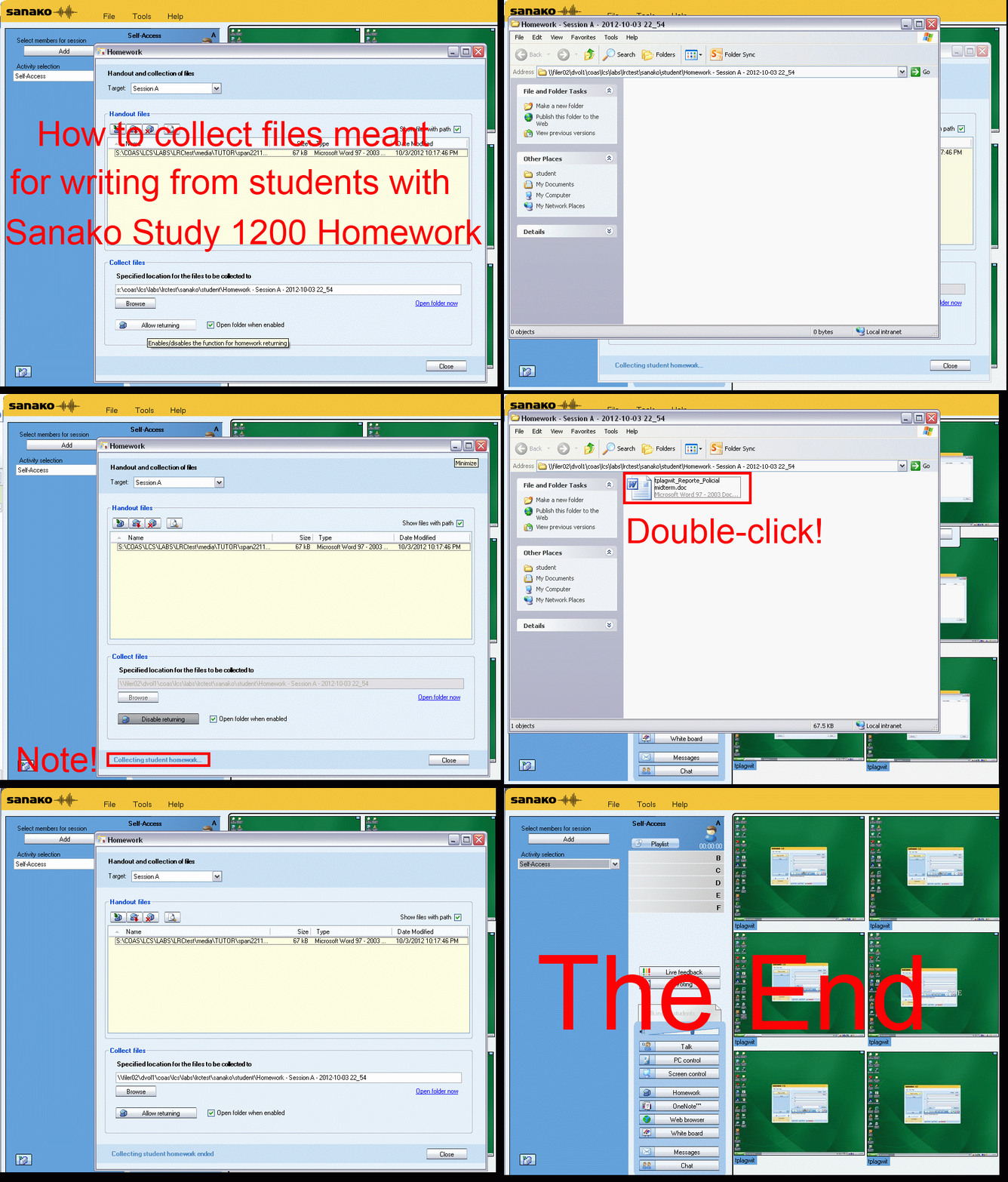
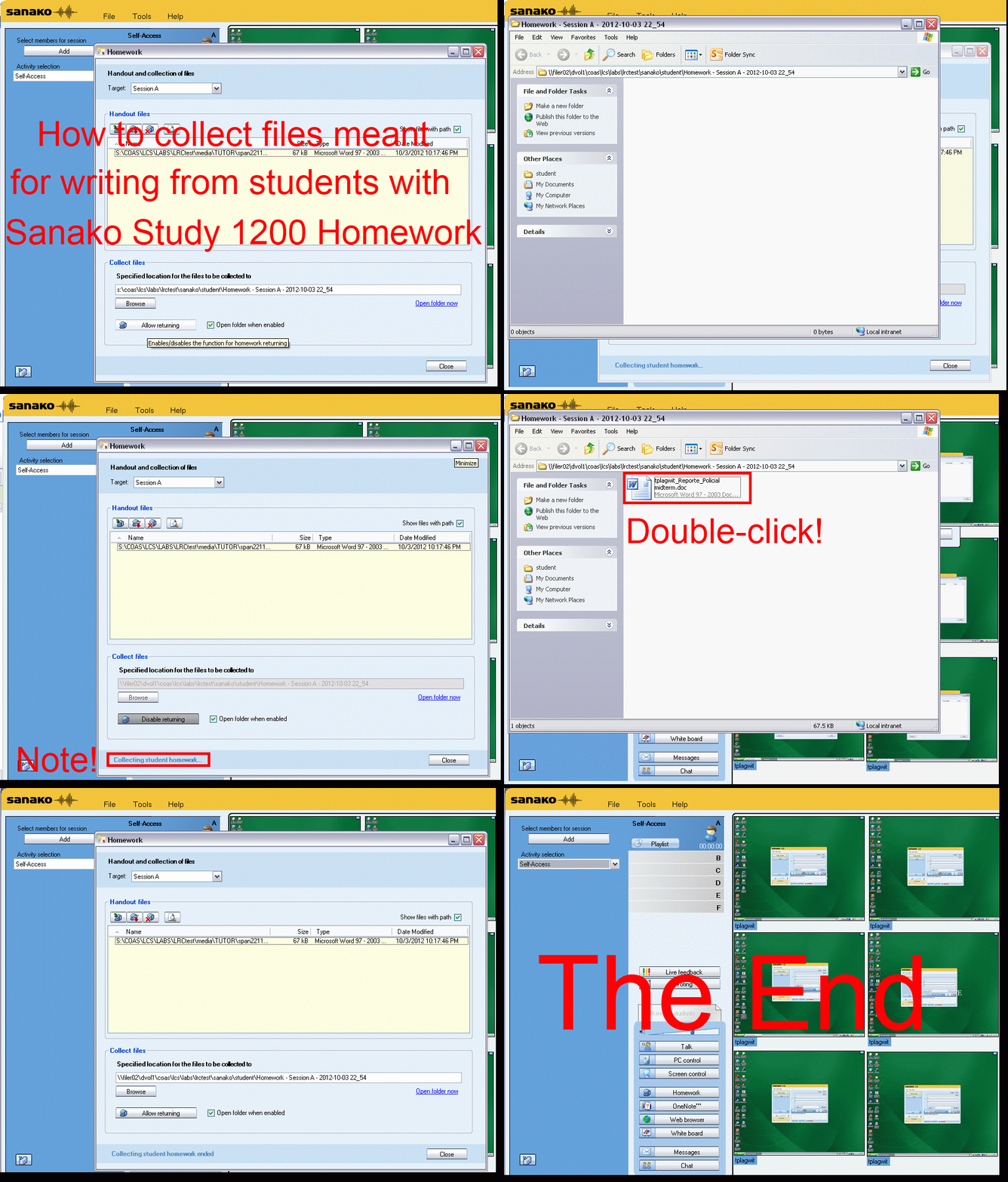
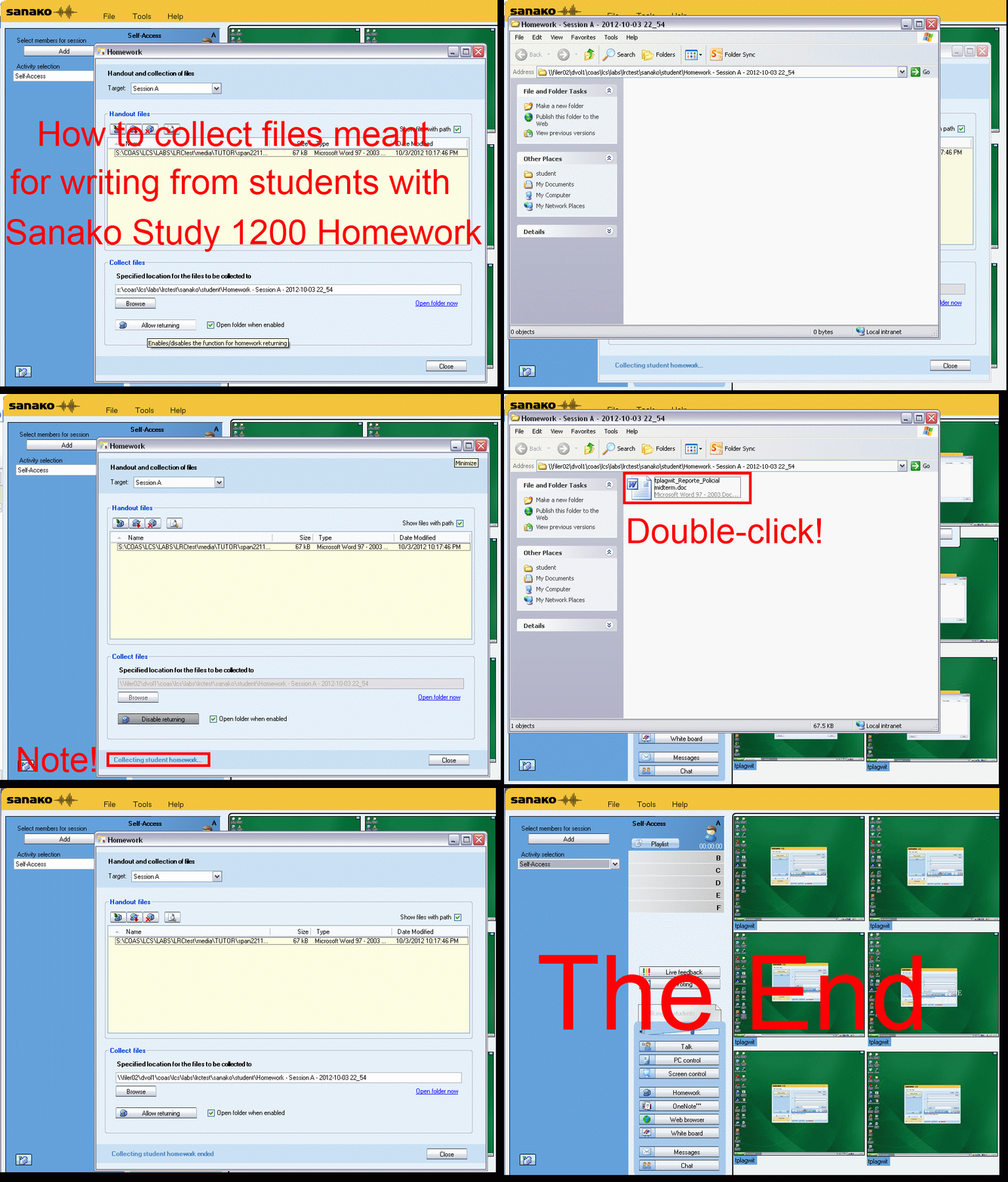
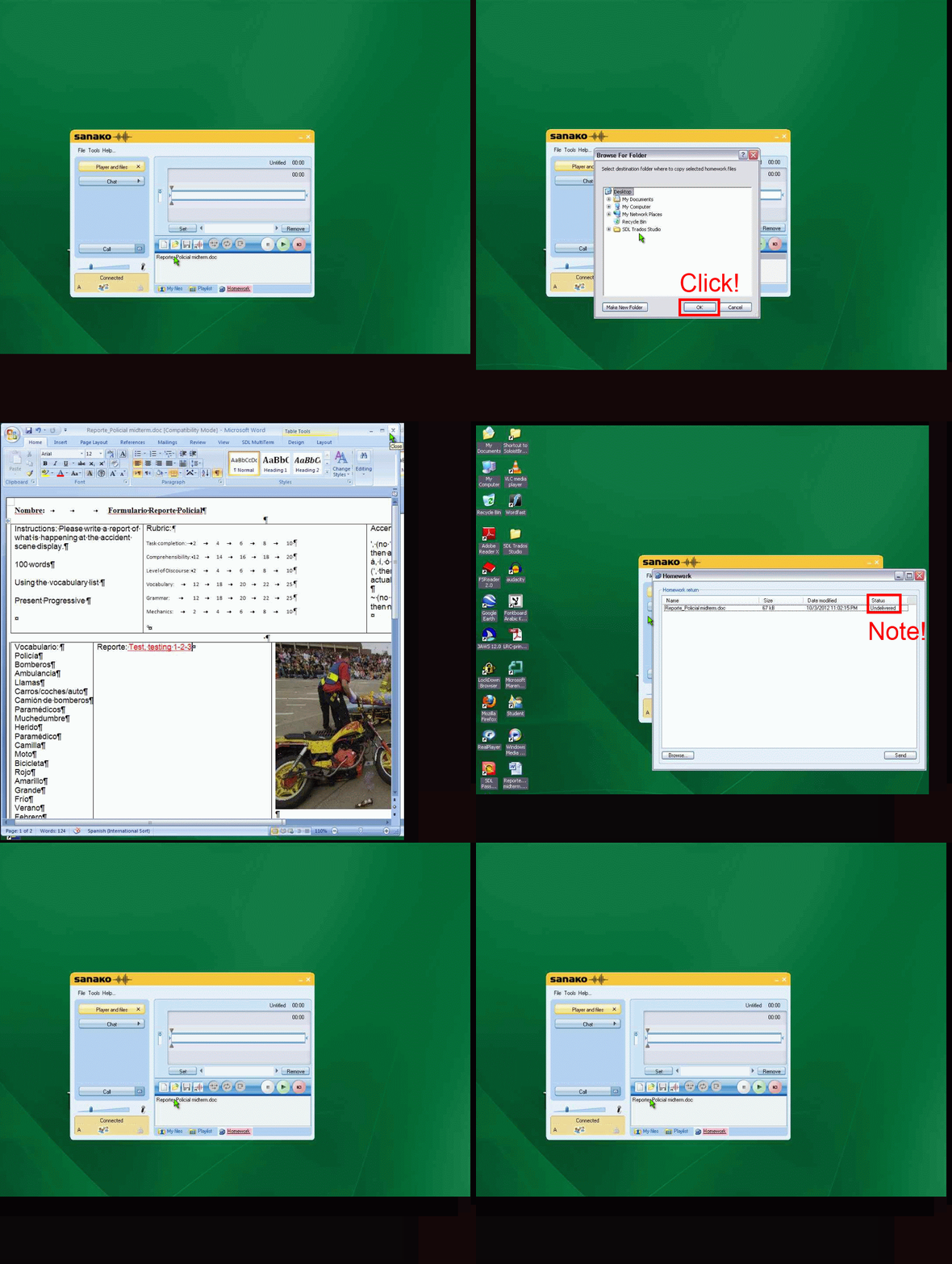
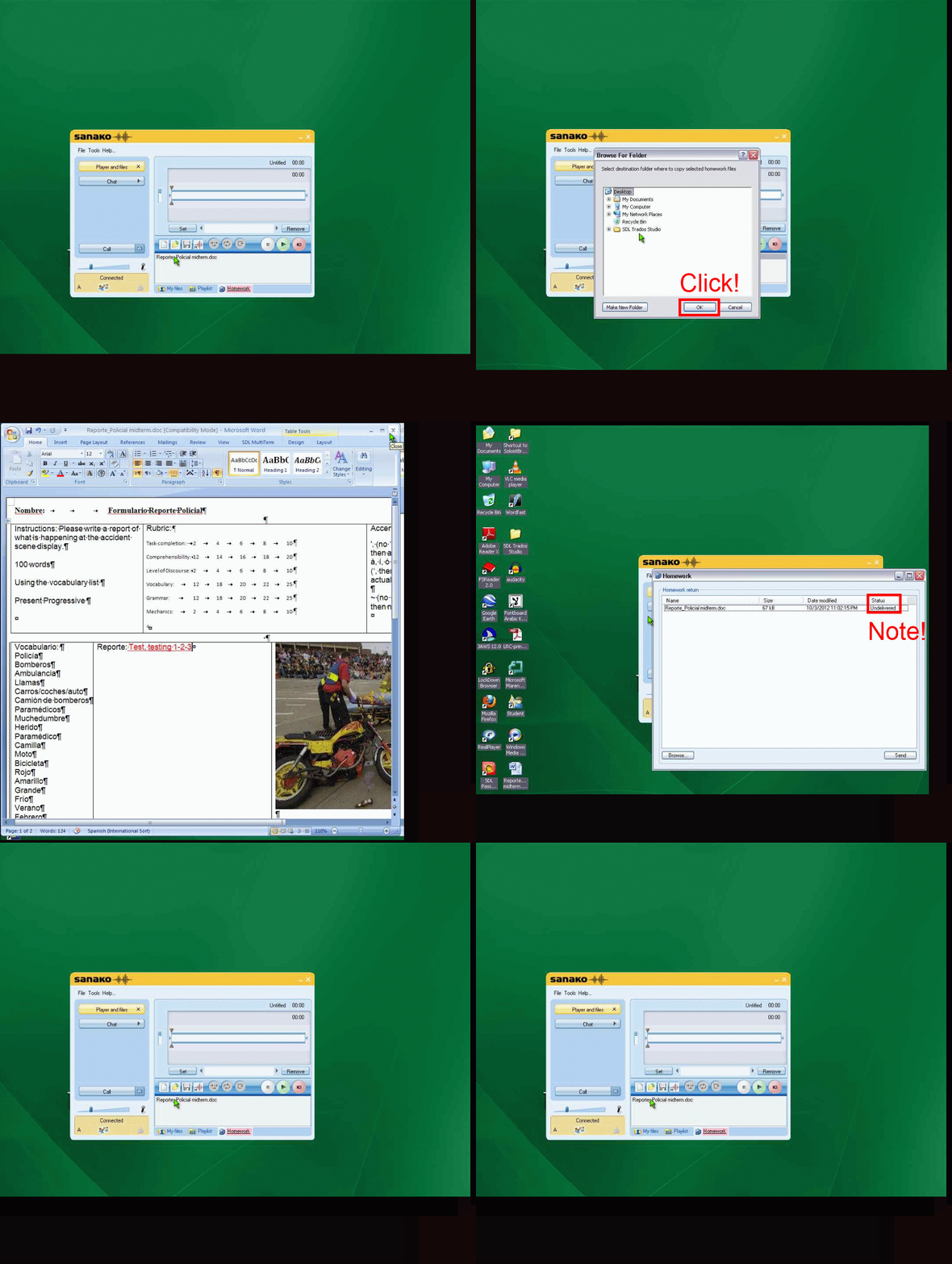
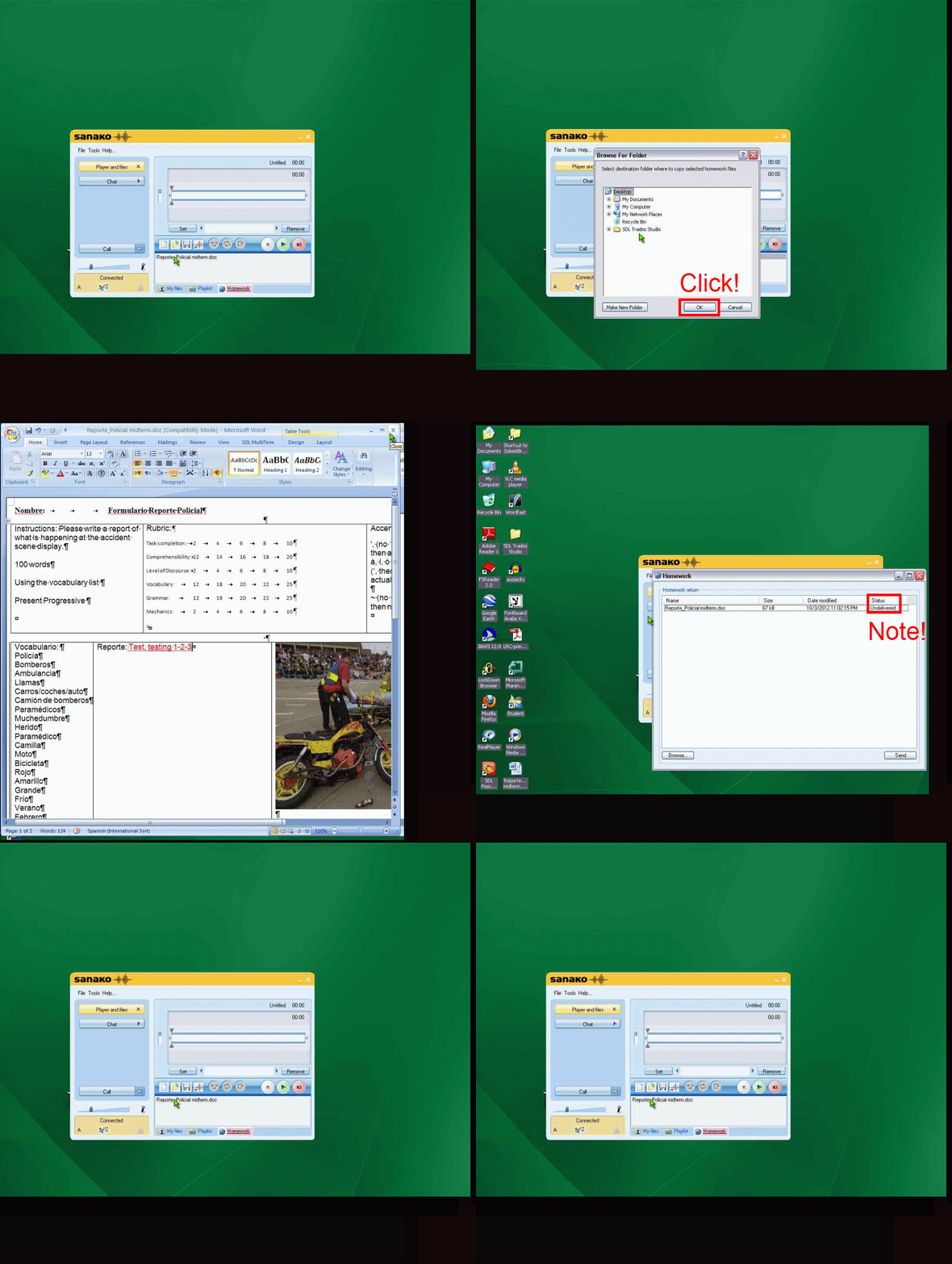
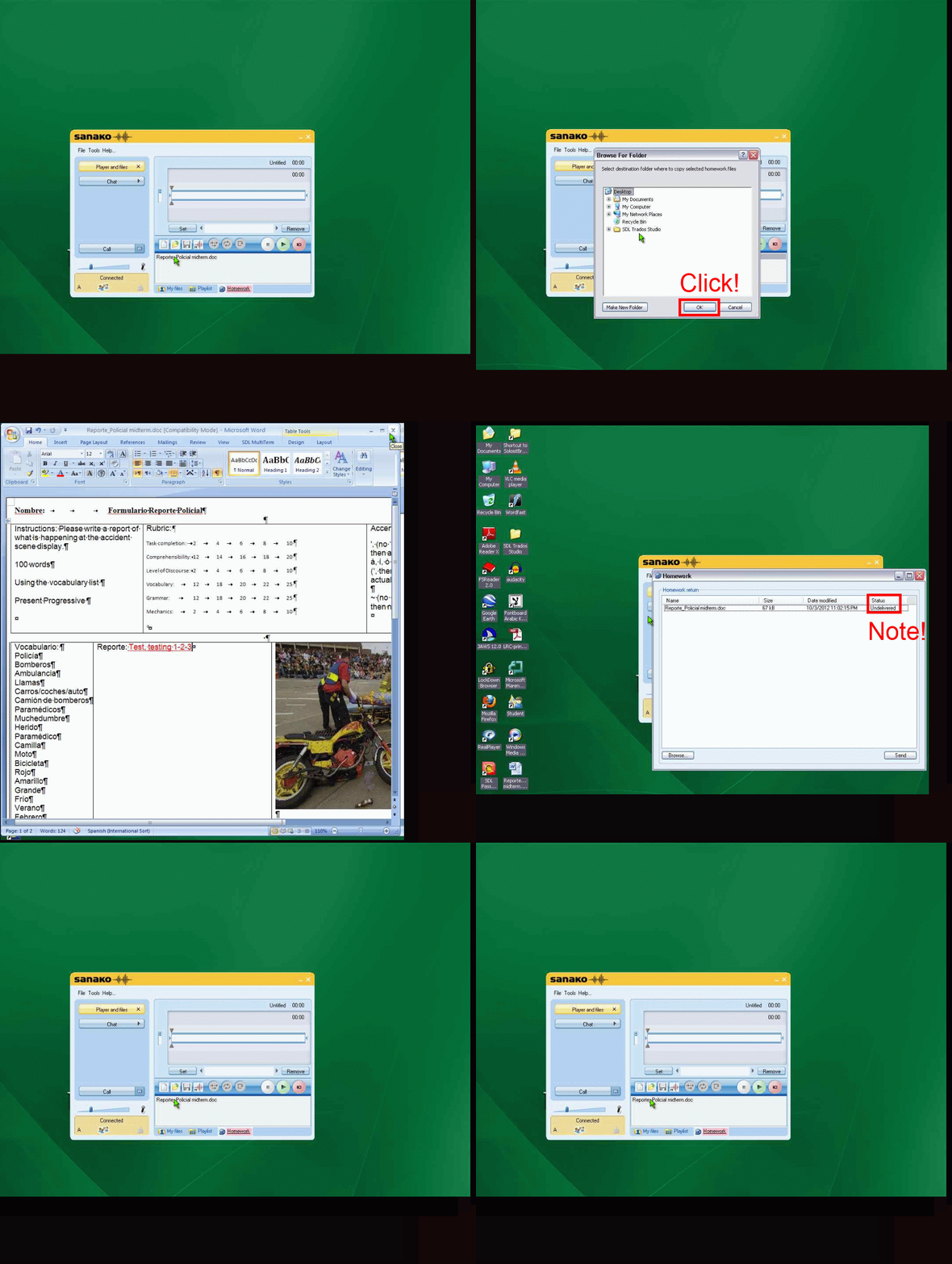
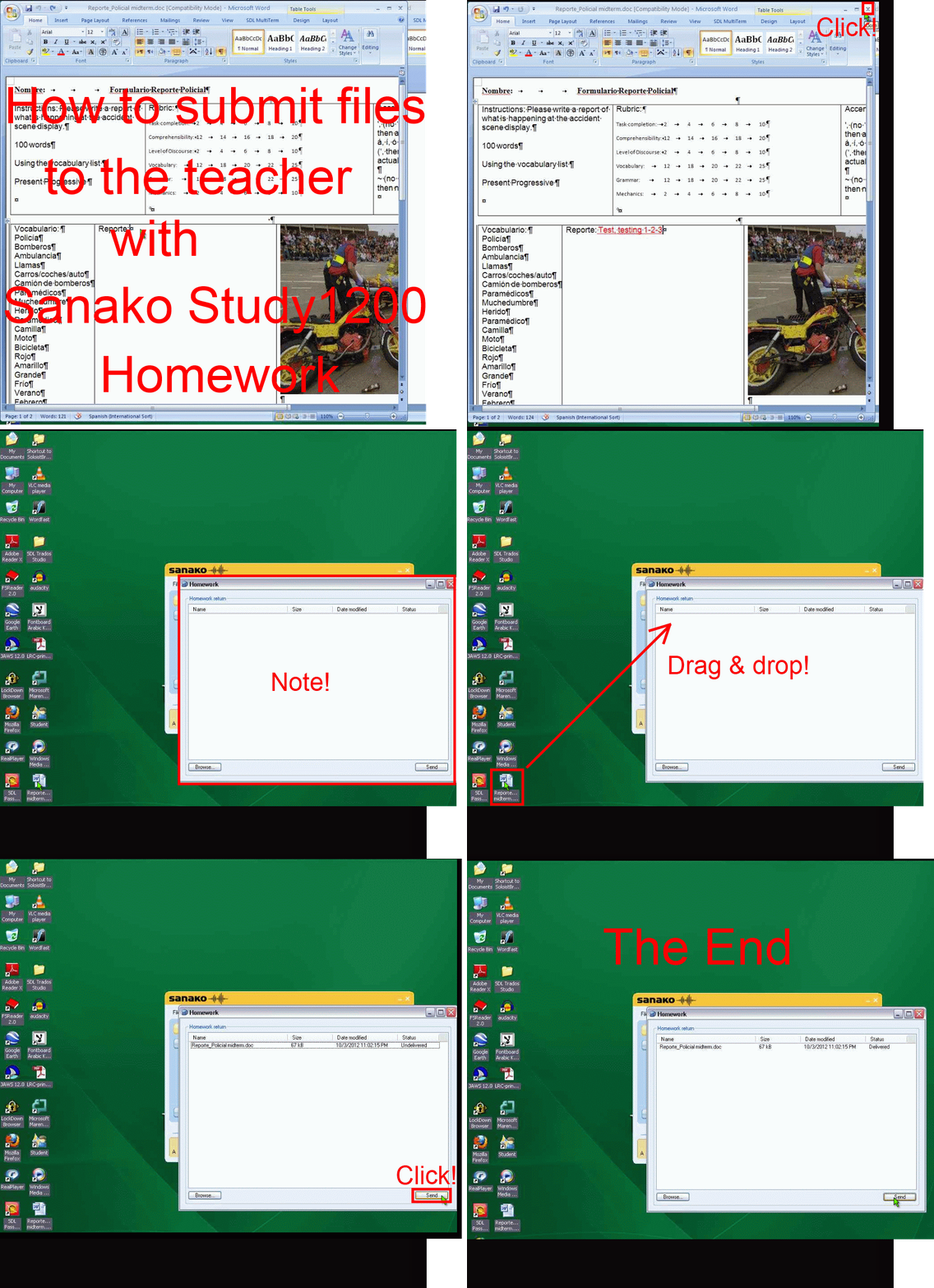
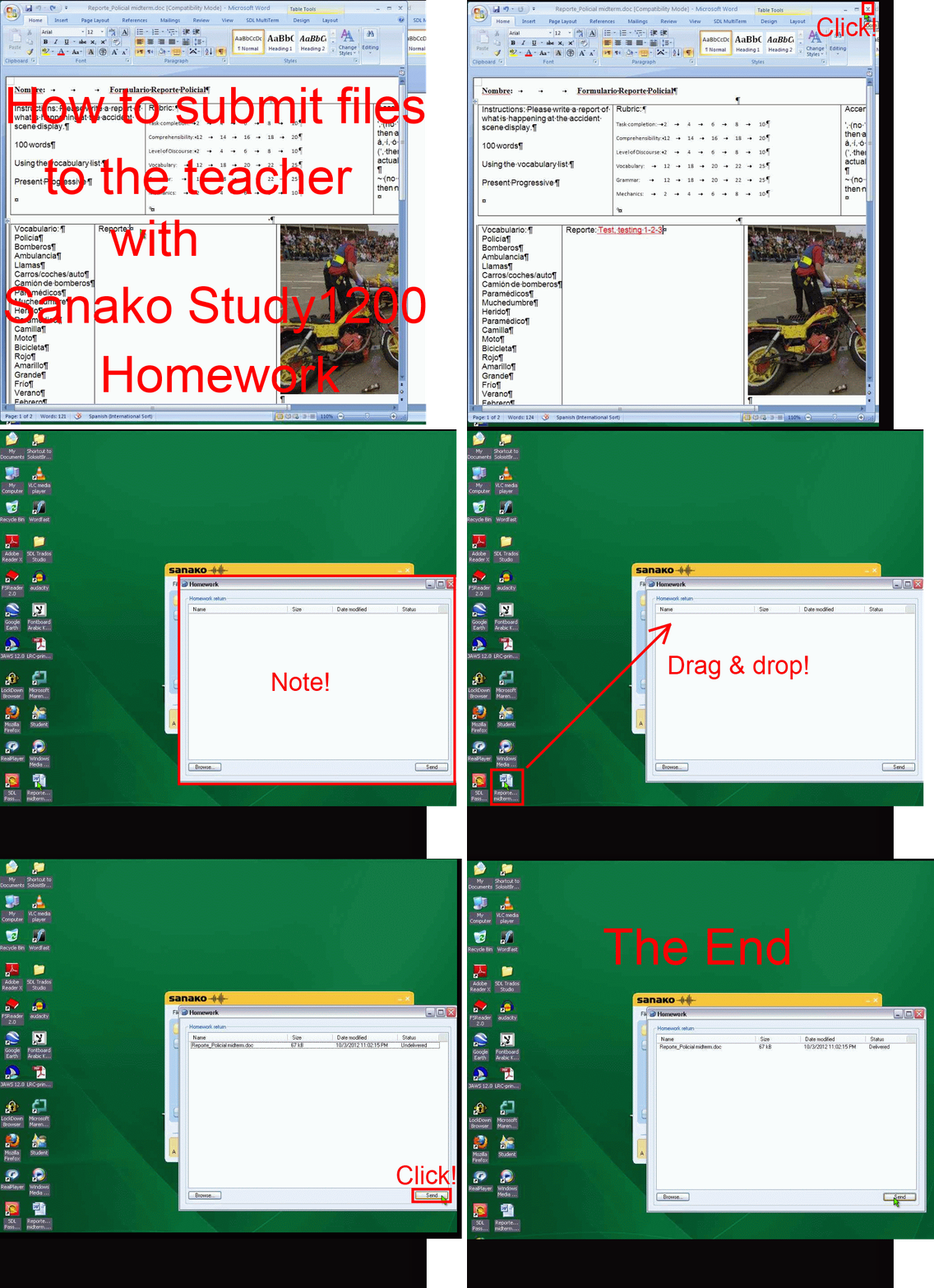
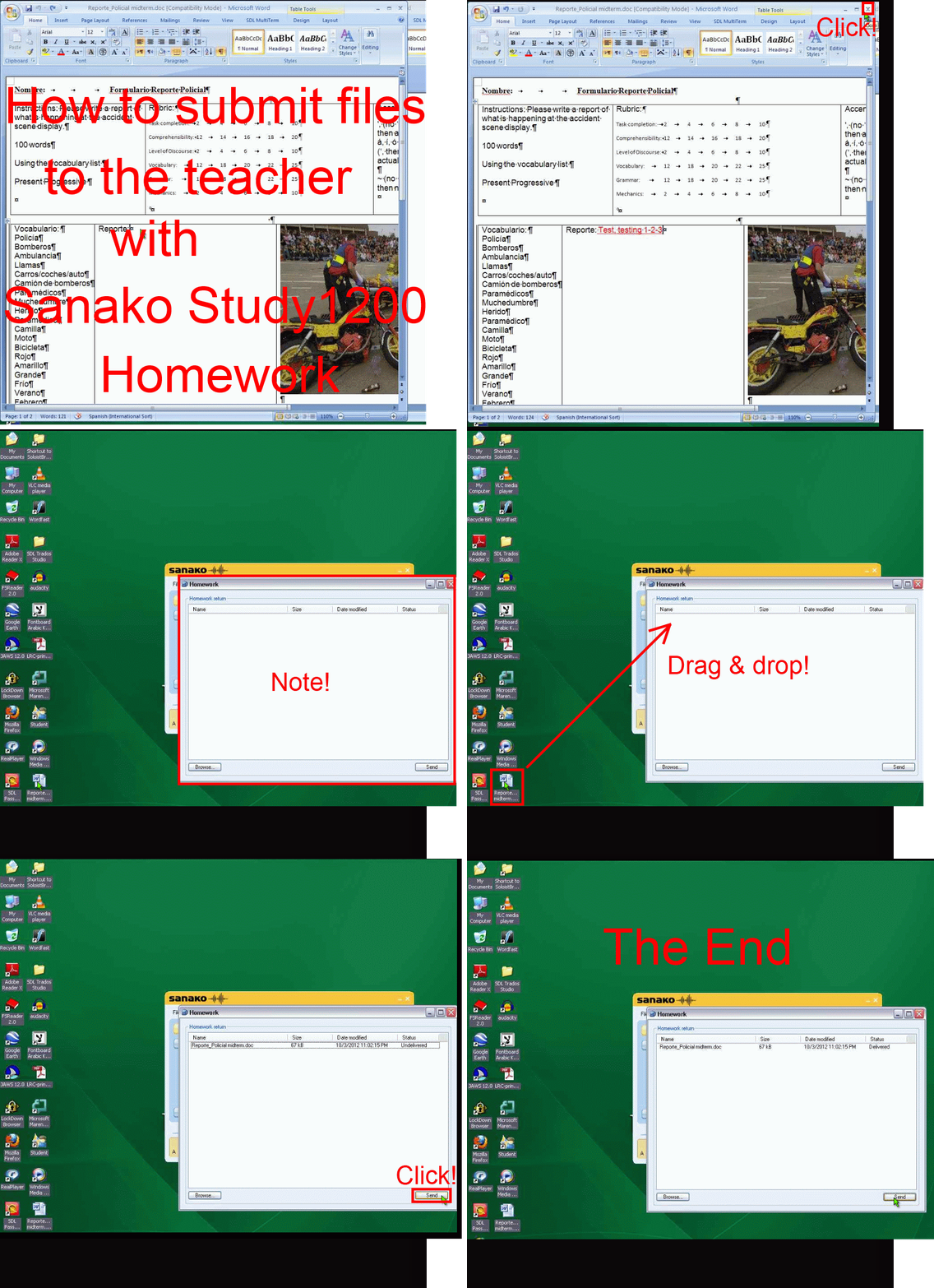
How teachers give files meant for writing to students with Sanako Study 1200 Homework, part 1(give)&2(collect)–the ultimate training summary….
…using animated GIFs. (Here is the part your students have to do). Load the speed of your choosing (or several, use CTRL-Click to open links in a new tab) into the left screen of the teacher station before administering an oral exam, with the window active, press F5 to restart the animation from the beginning at any time.
Part 1 (hand out files).
025ms, 050ms, 075ms, 75ms,100ms, 100ms, 200ms, 300ms, 400ms, 500ms, 600ms, 700ms, 800ms, 900ms, 800ms, 1000ms , 
Part 2 (collect files):
025ms, 050ms 075ms, 100ms 200ms, 300ms 400ms, 500ms 600ms, 700ms 800ms, 900ms 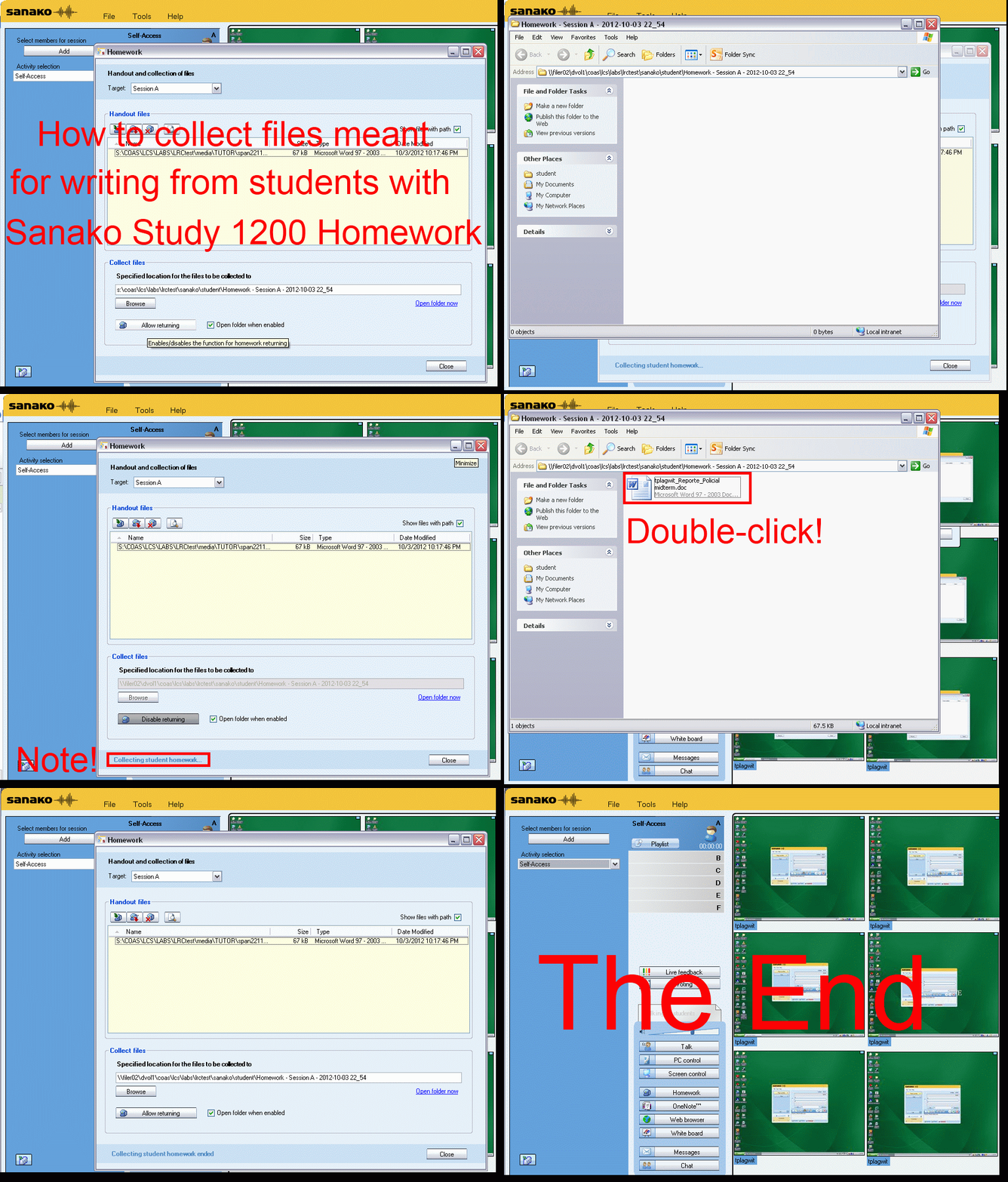
Replacing the Sanako Authoring Tool
- Problem: Oral exams with visual cues have been popular, but the Sanako Authoring Tool we used to create them has been faded out. How can we quickl replace it?
- Workaround:
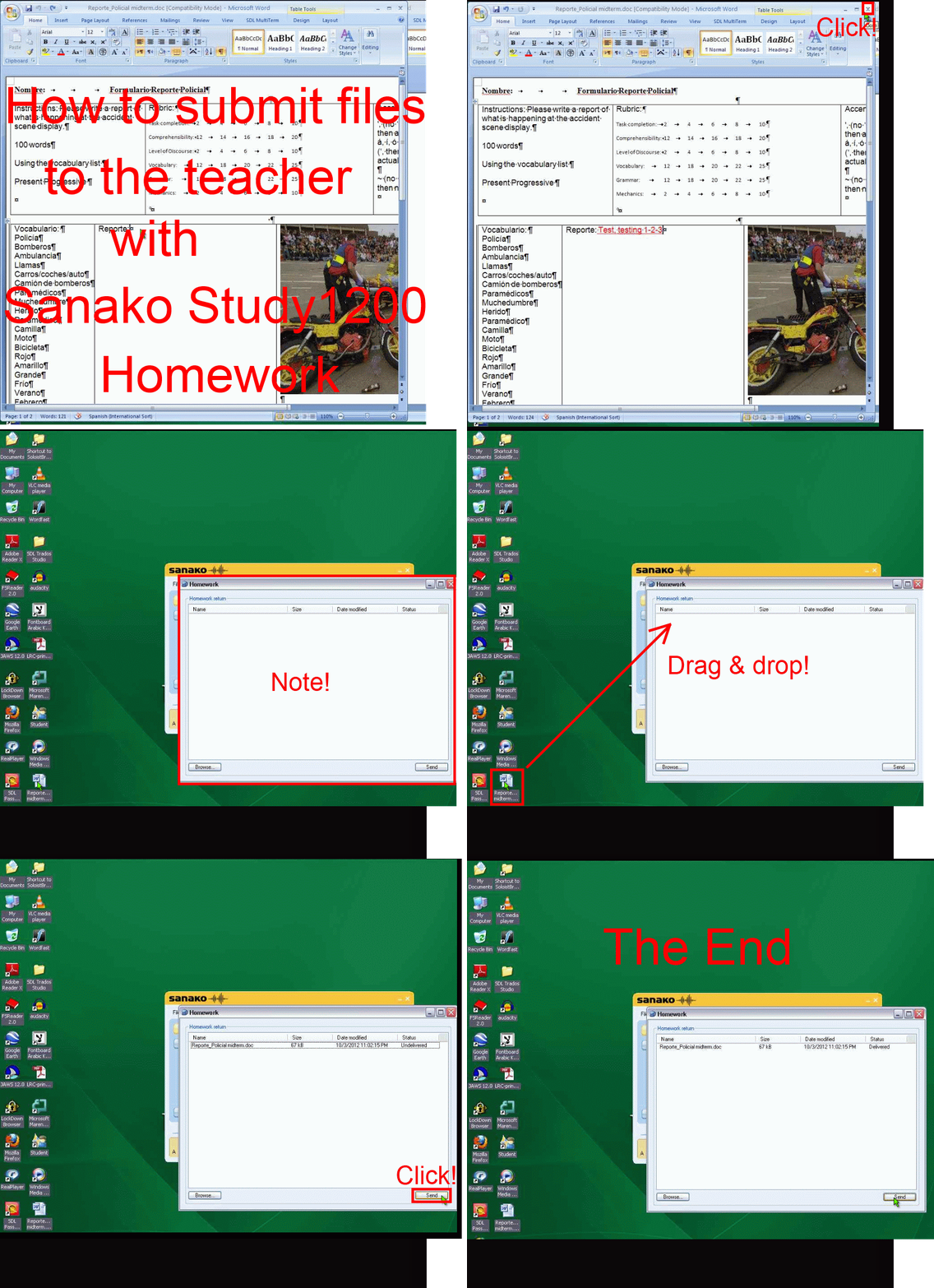
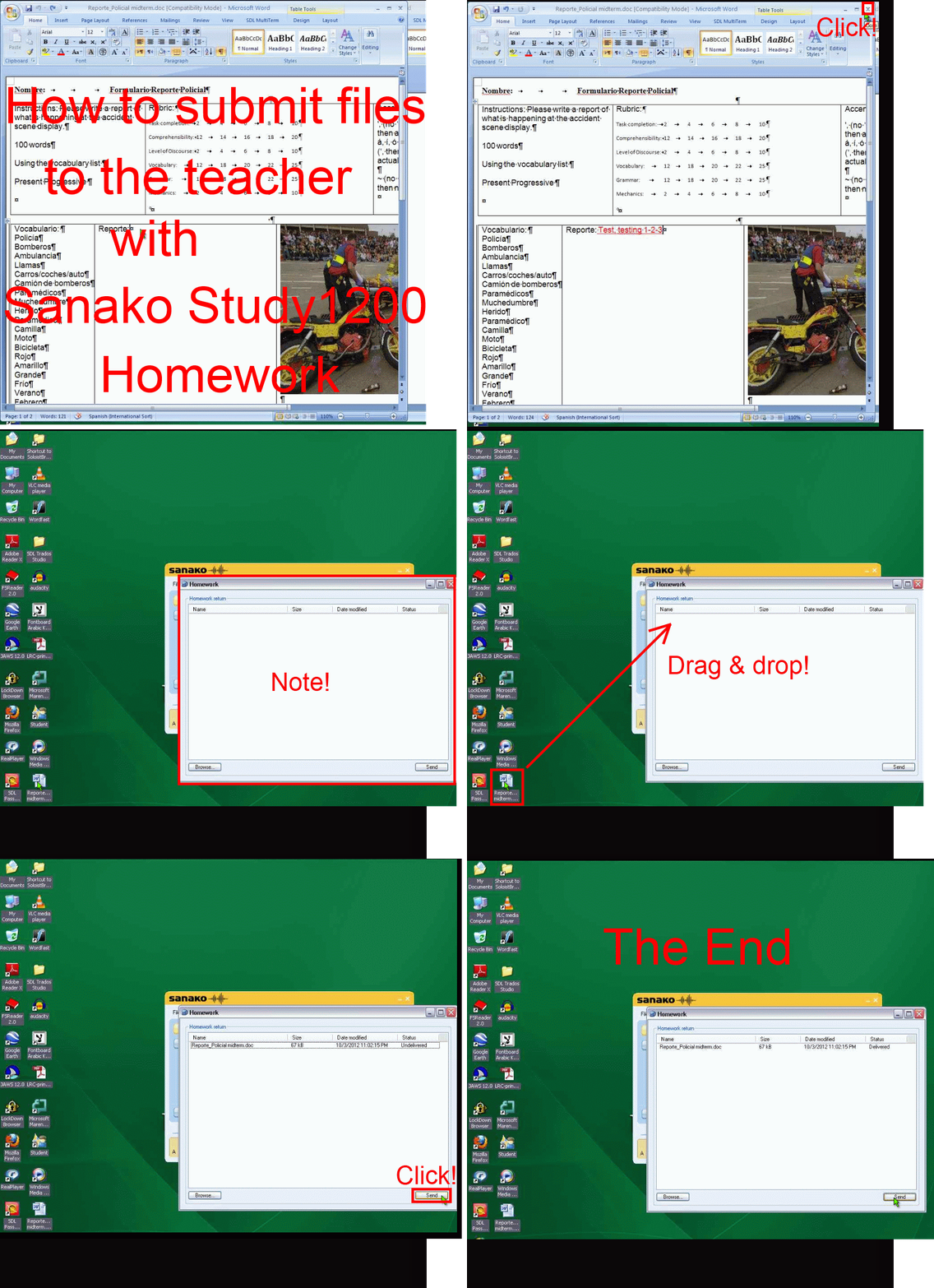
- collect your files in my Word template (left part of screenshot) like before (question/cue, repetitions, response pause time), including your images
- Save your MS-Word files as html.
- This will create a subfolder with media (right-side of screenshot). All your images are numbered sequentially in the order they appear in your template. Some are duplicated: select the first ones (the duplicate is a size reduction), plus the unique ones, and copy them to a new folder, e.g. “pictures”, on the Sanako teacher share, somewhere underneath your course folder where also your audio exam files resides.
- During the exam , you can display the pictures while playing the audio portion of your oral exam, from this folder sorted by name (= numbered sequentially) with the default teacher computer image viewer. No need even to fling out PowerPoint….

Mylanguagelab.com “Authentication failed” glitch in audio recorder
Common error in IE8 when students review their test before submitting. No worries, the student recording is not lost. Still, what is the solution?

How teachers can use MS-Word Mail merge with filtering and if-then-else to quickly provide personalized feedback based to students depending on grade
- Intelligence is adaptation to feedback. Providing personalized feedback to students depending on their performance could make student development much more successful.
- Intelligence is expensive. How can the teacher provide personalized feedback time-efficiently? Likely by blending artificial intelligence with her own.
- Sounds like Sci-fi? A great practical example, using existing familiar IT infrastructure, you can find here: MS-Word’s (2010; 2007 works the same) mail merge feature, on the basis of a downloaded Moodle gradebook with student results, can customize semi-automatically your reusable feedback email message template to individual recipient’s performance and needs:
- Step-by-step instructions: http://teaching.uncc.edu/moodle/grade-book/how-to/using-mail-merge-grade-book.
- Screencast of the webinar instruction: http://mt202.sabameeting.com/SiteRoots/main/User/GuestAttend.jhtml?pb=true&s_guid=0000018151460000013a0a22cfb39443&domain=/Customers/uncc&domain=/
Sanako Study 1200 StudentRecorder.exe install in the LRC
Here is the screencast recording I made during local installation:  . It includes the install option “static classroom” and (near the end) our classroom name.
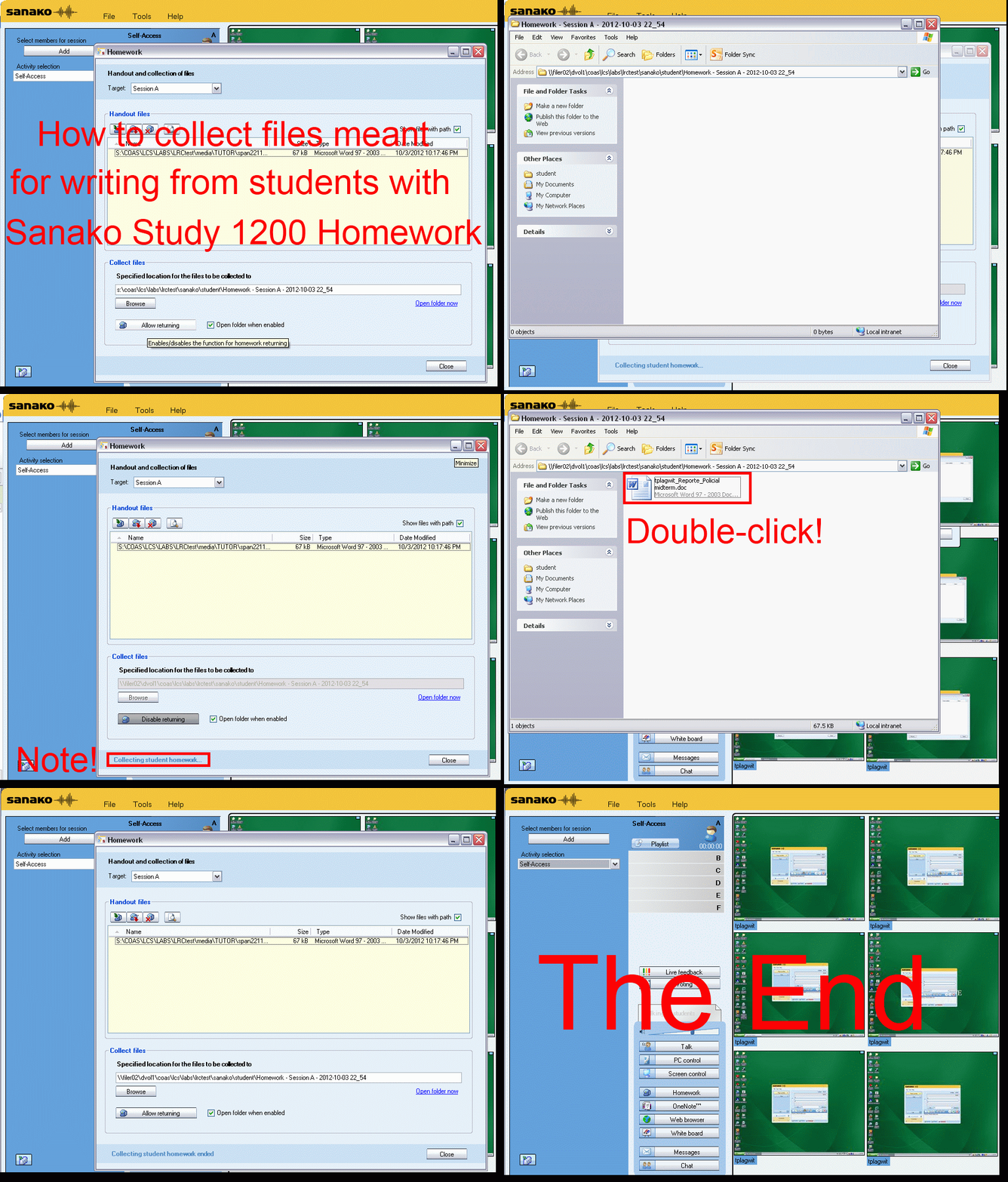
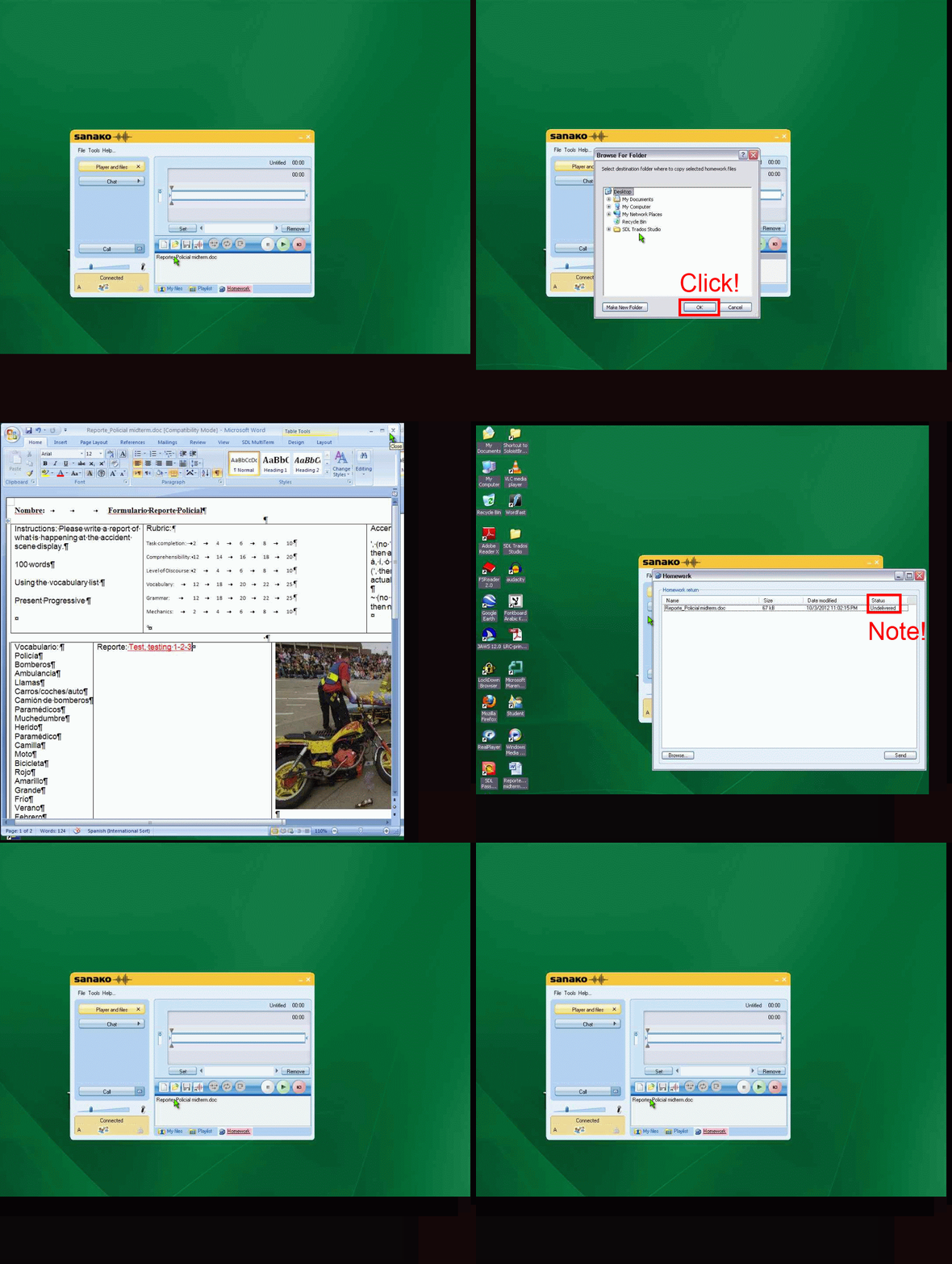
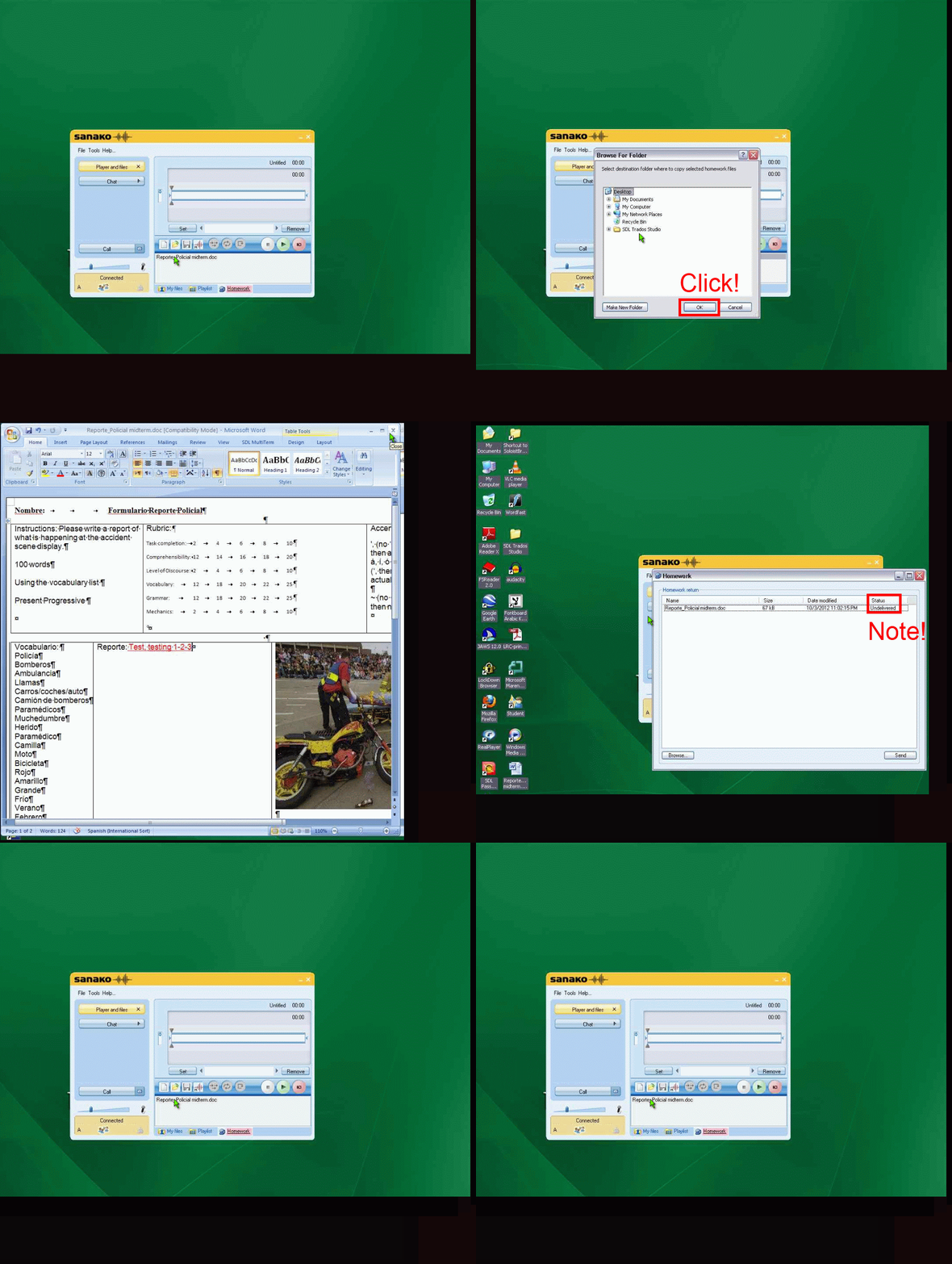
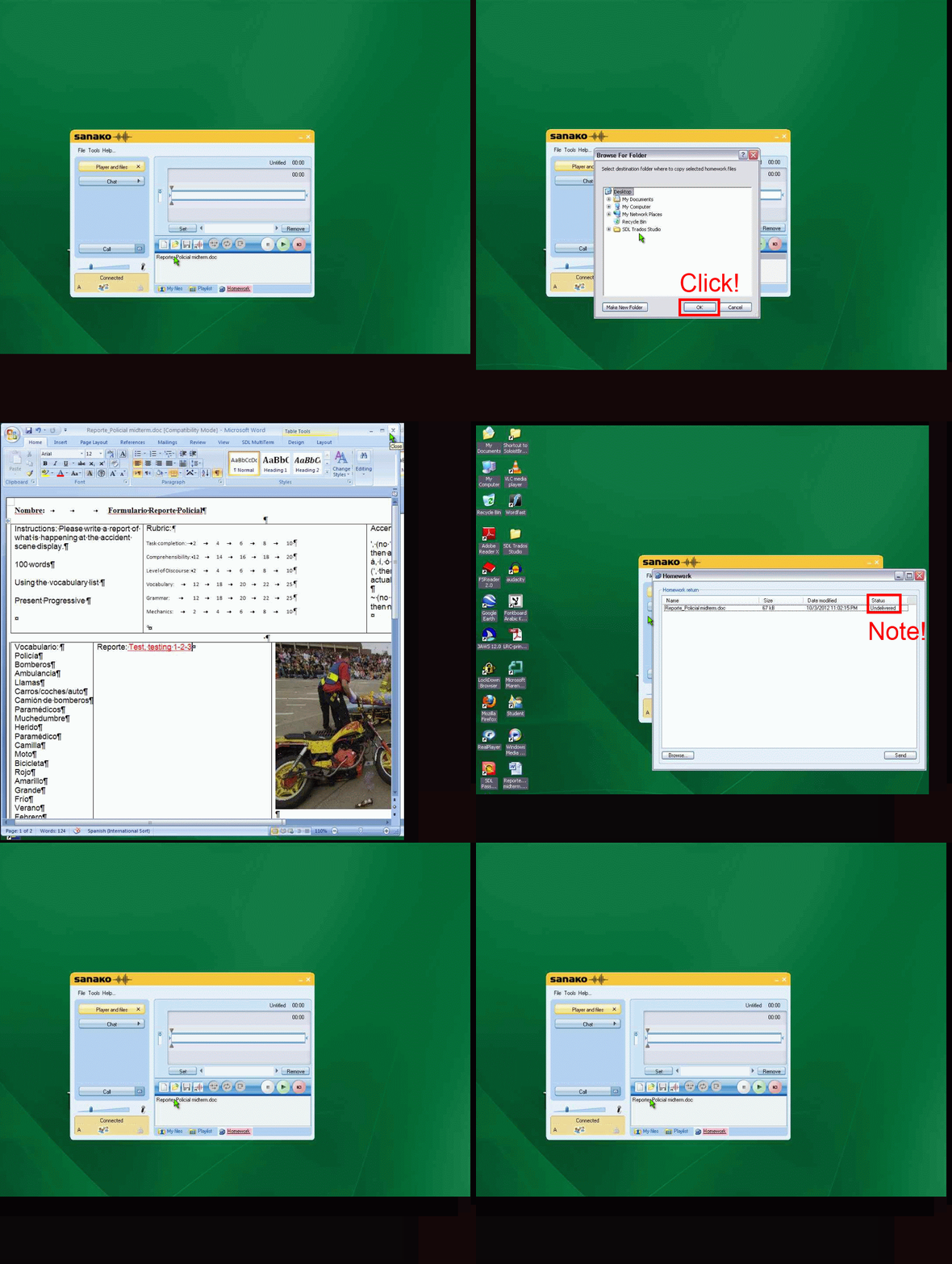
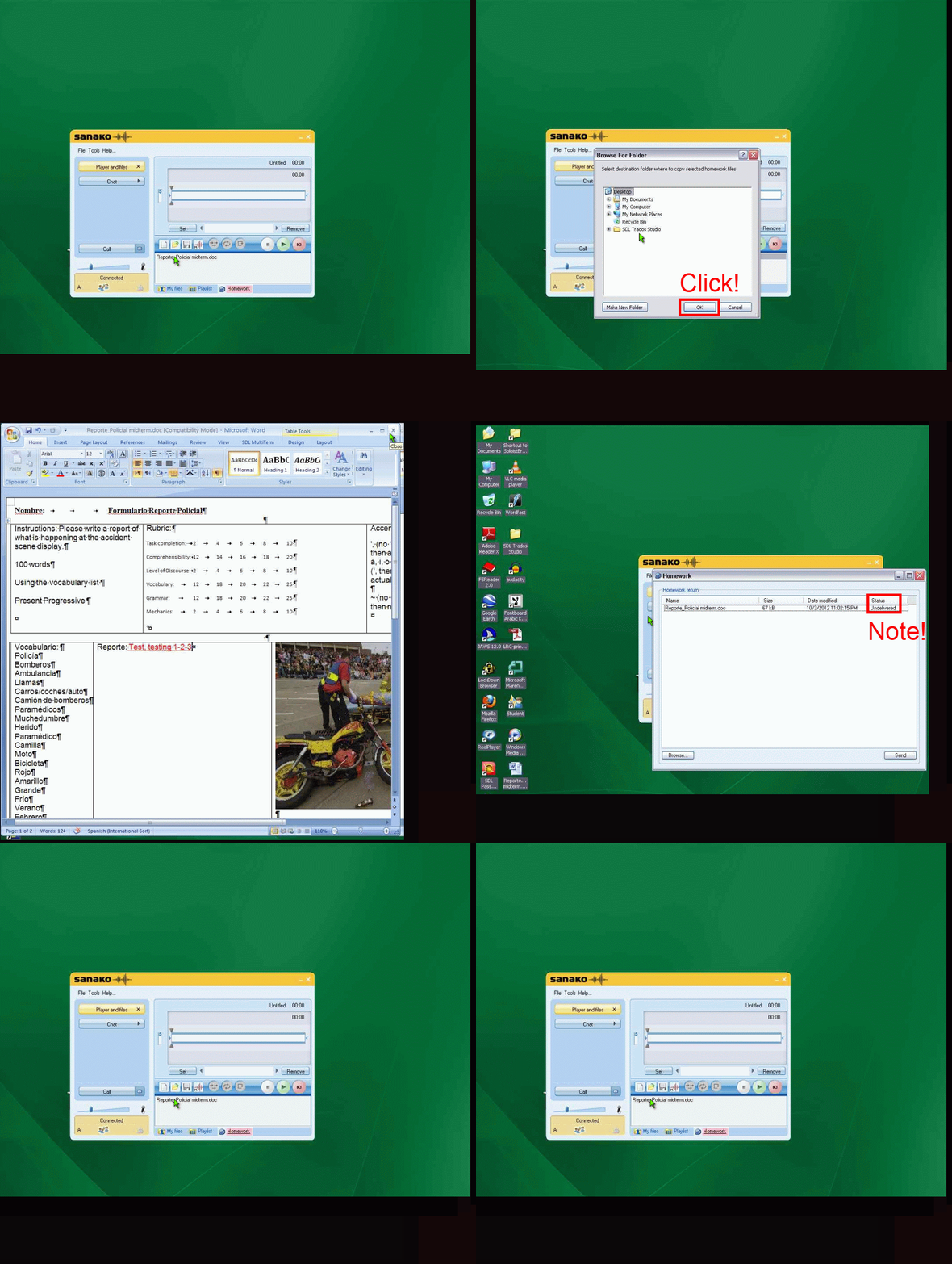
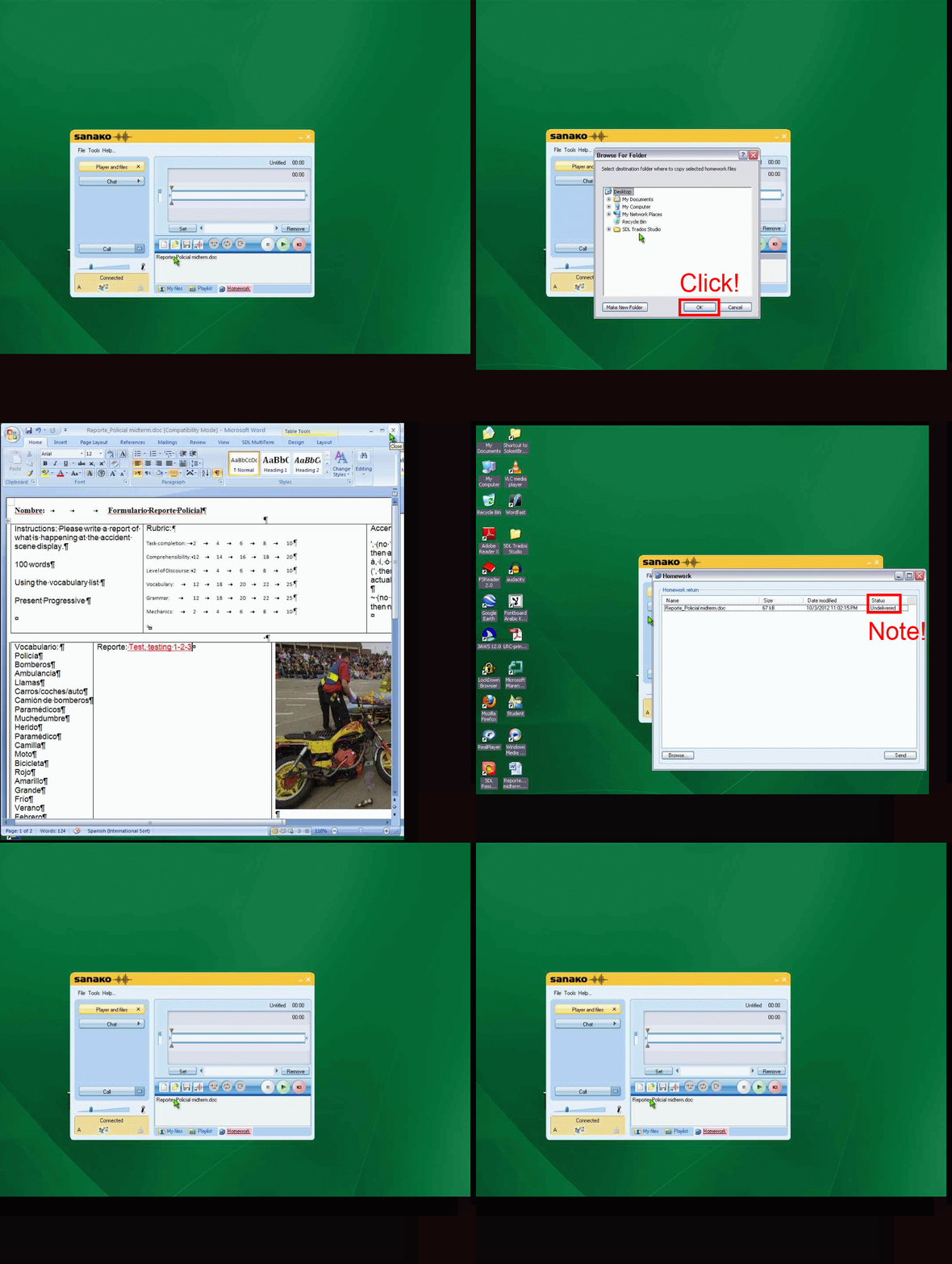
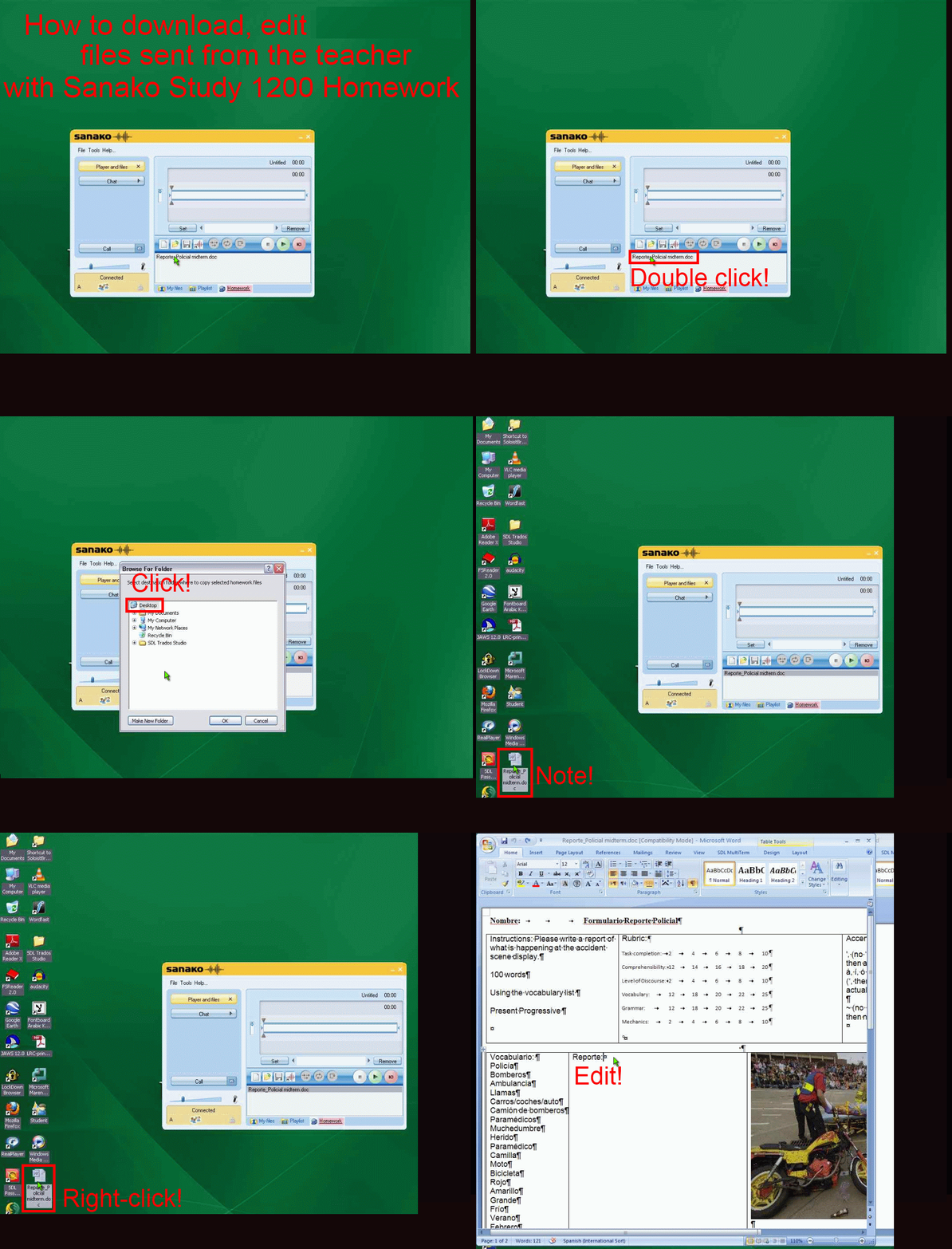
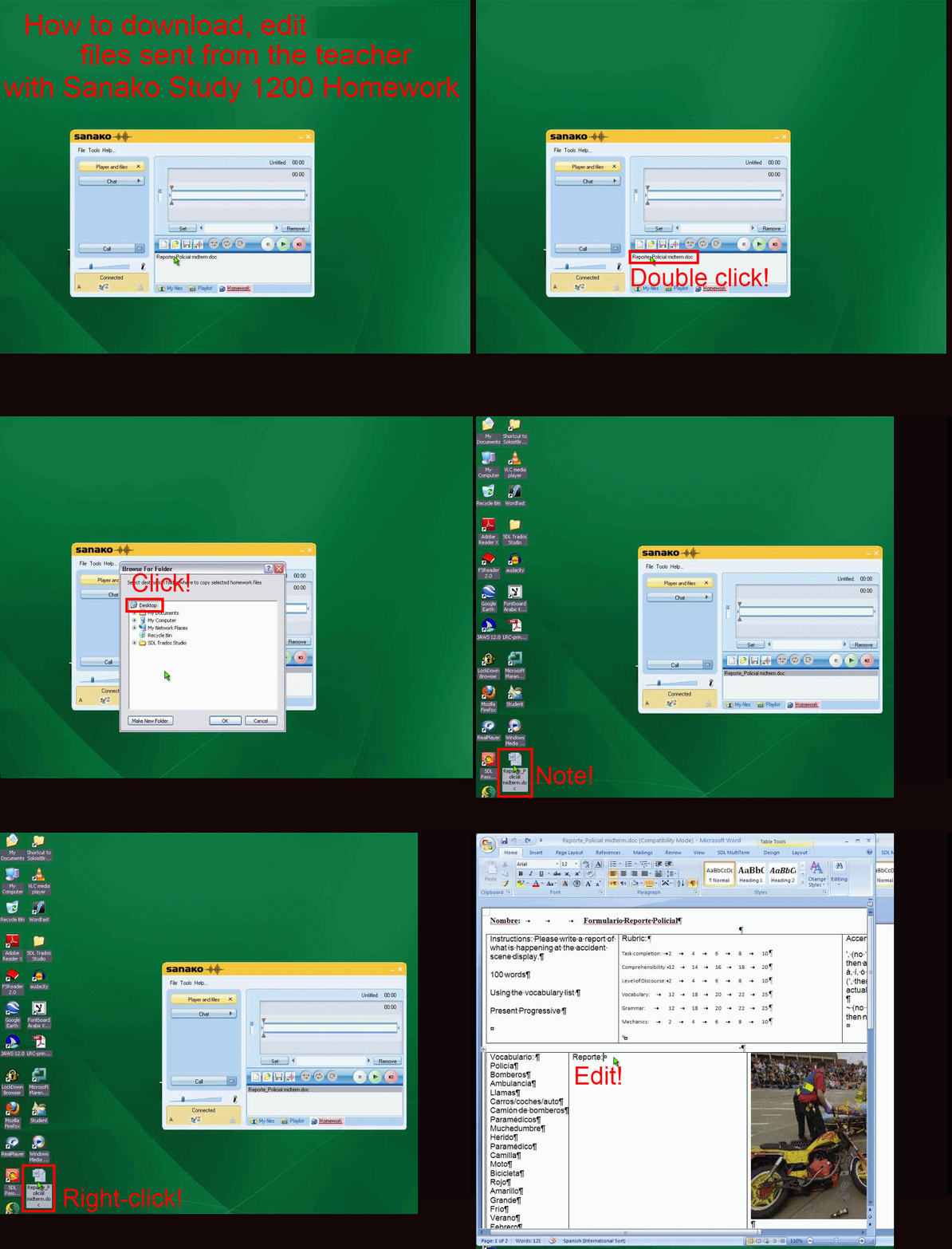
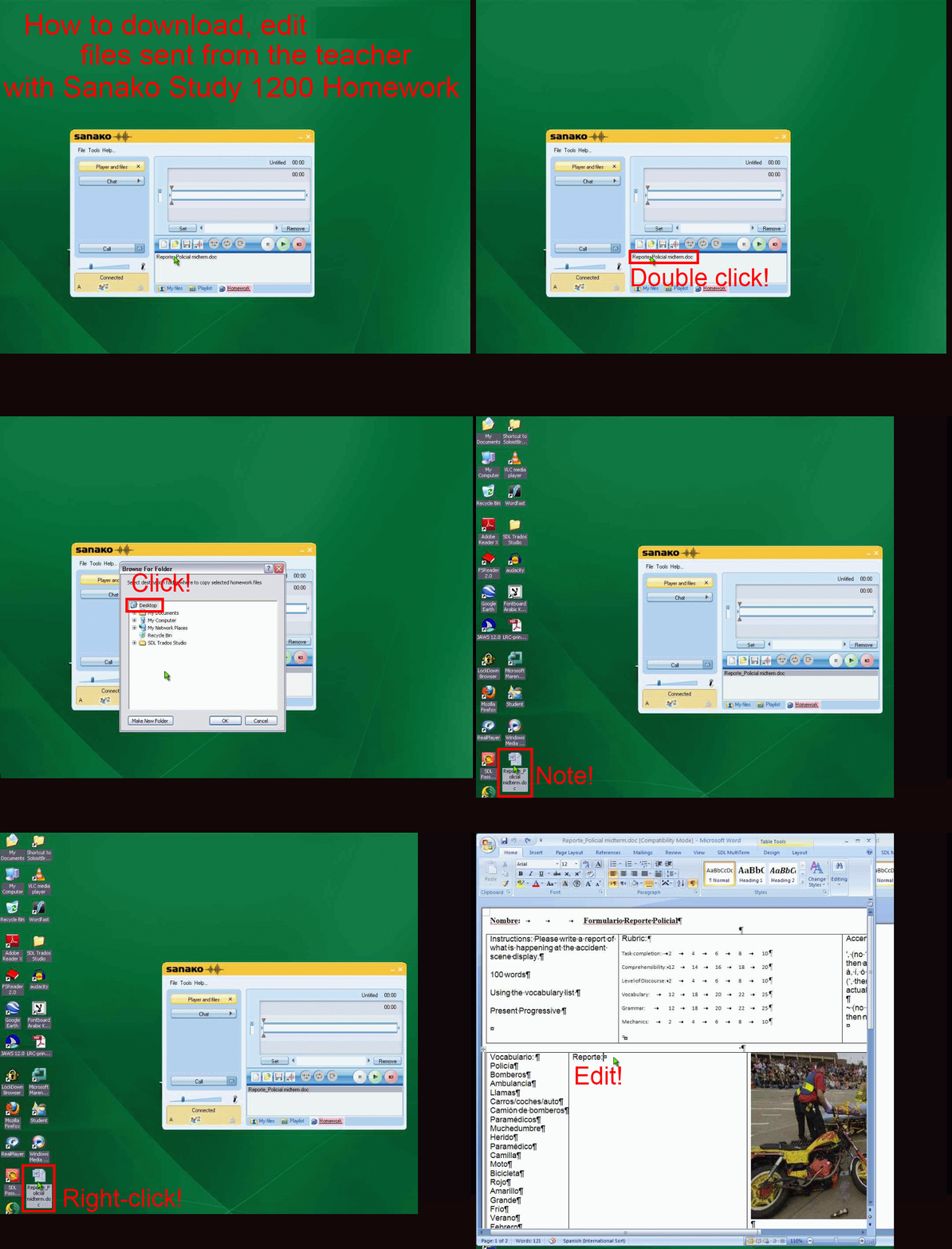
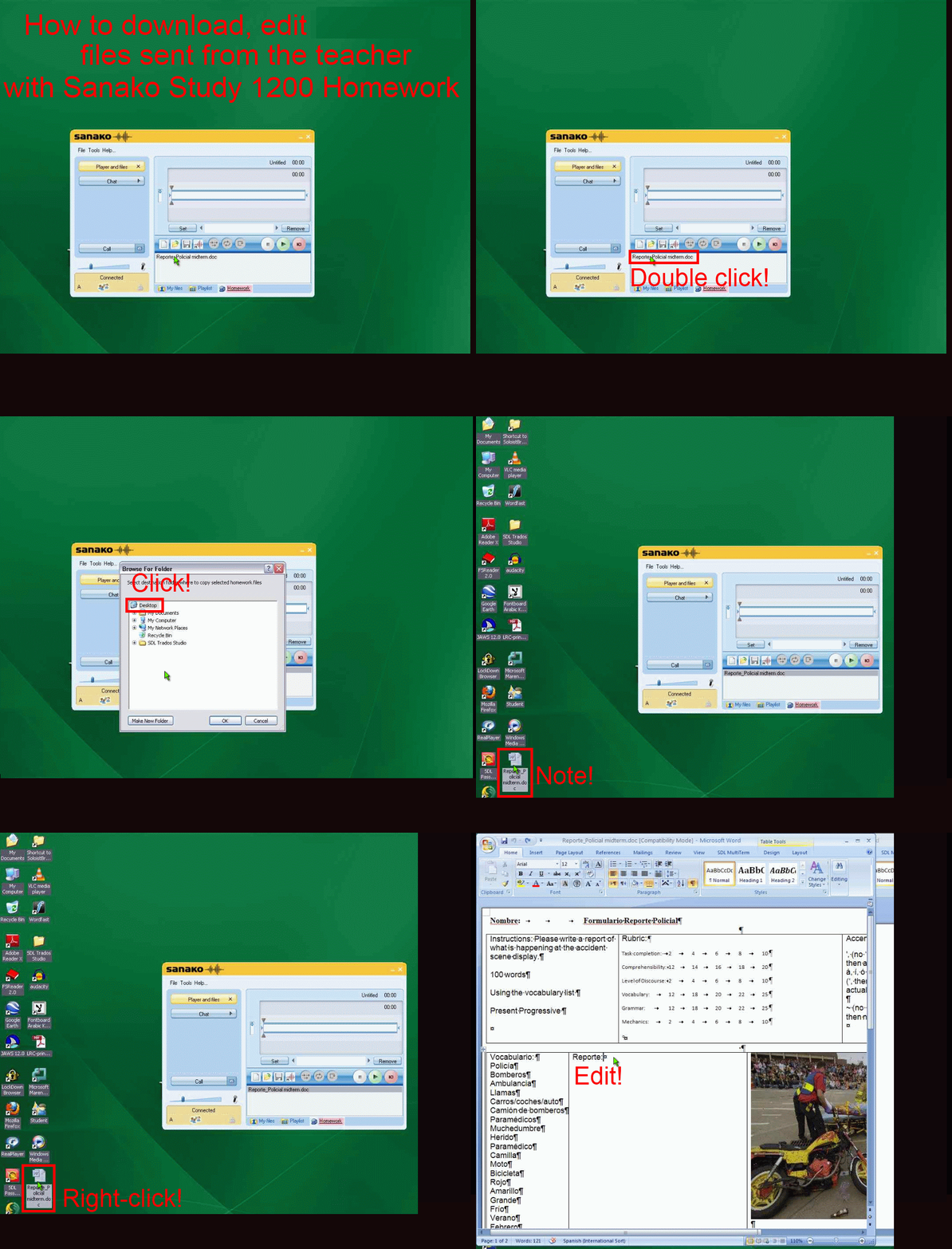
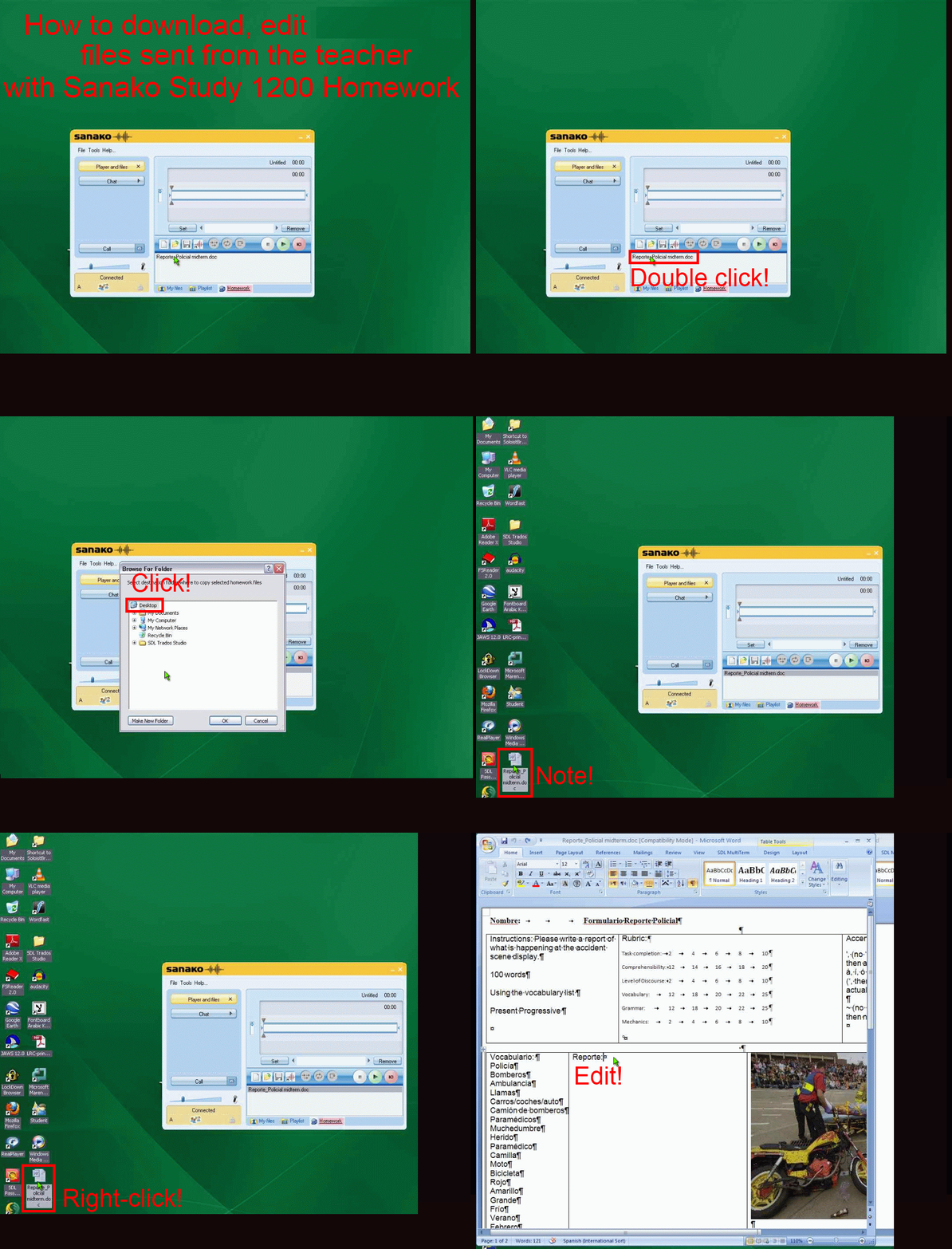
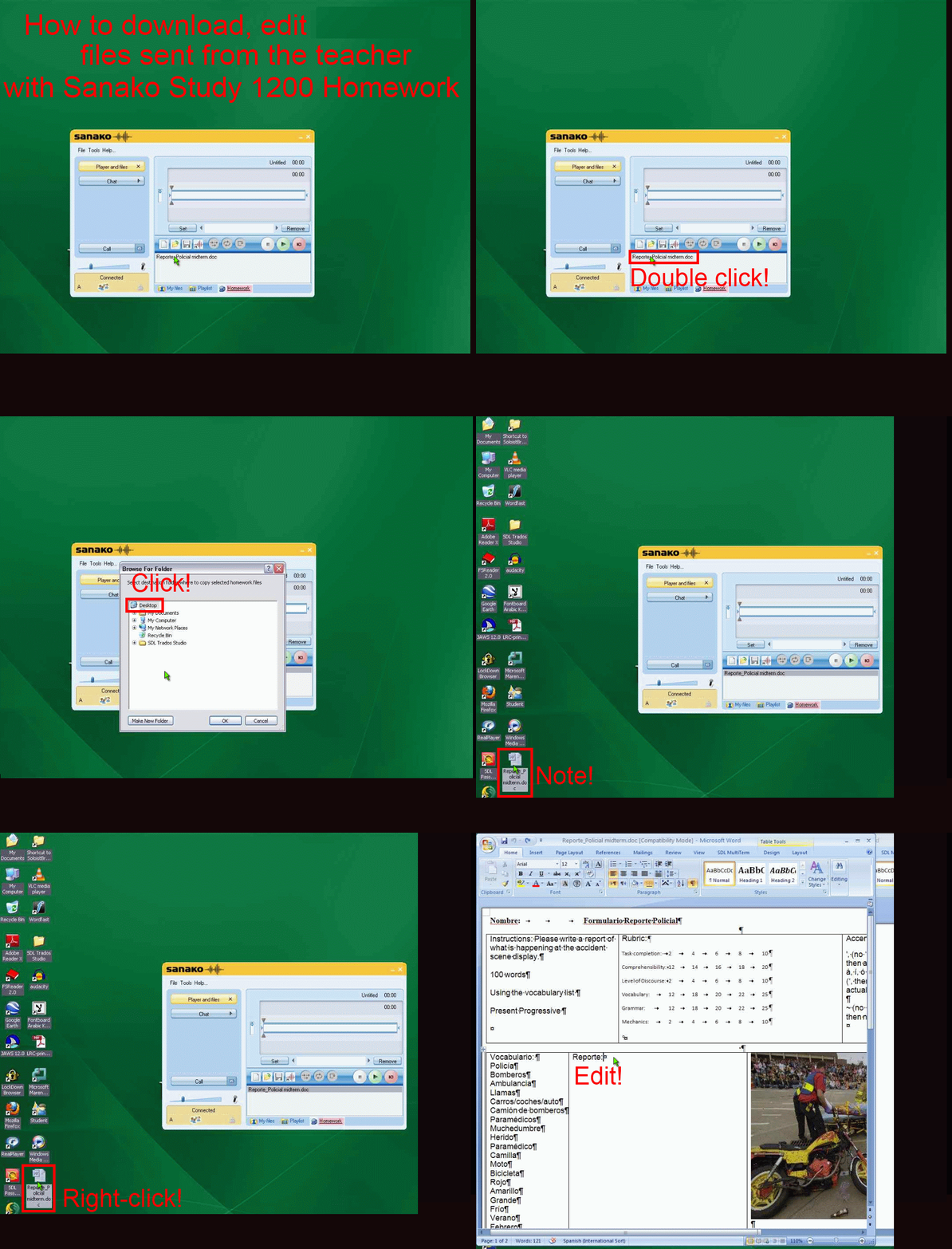
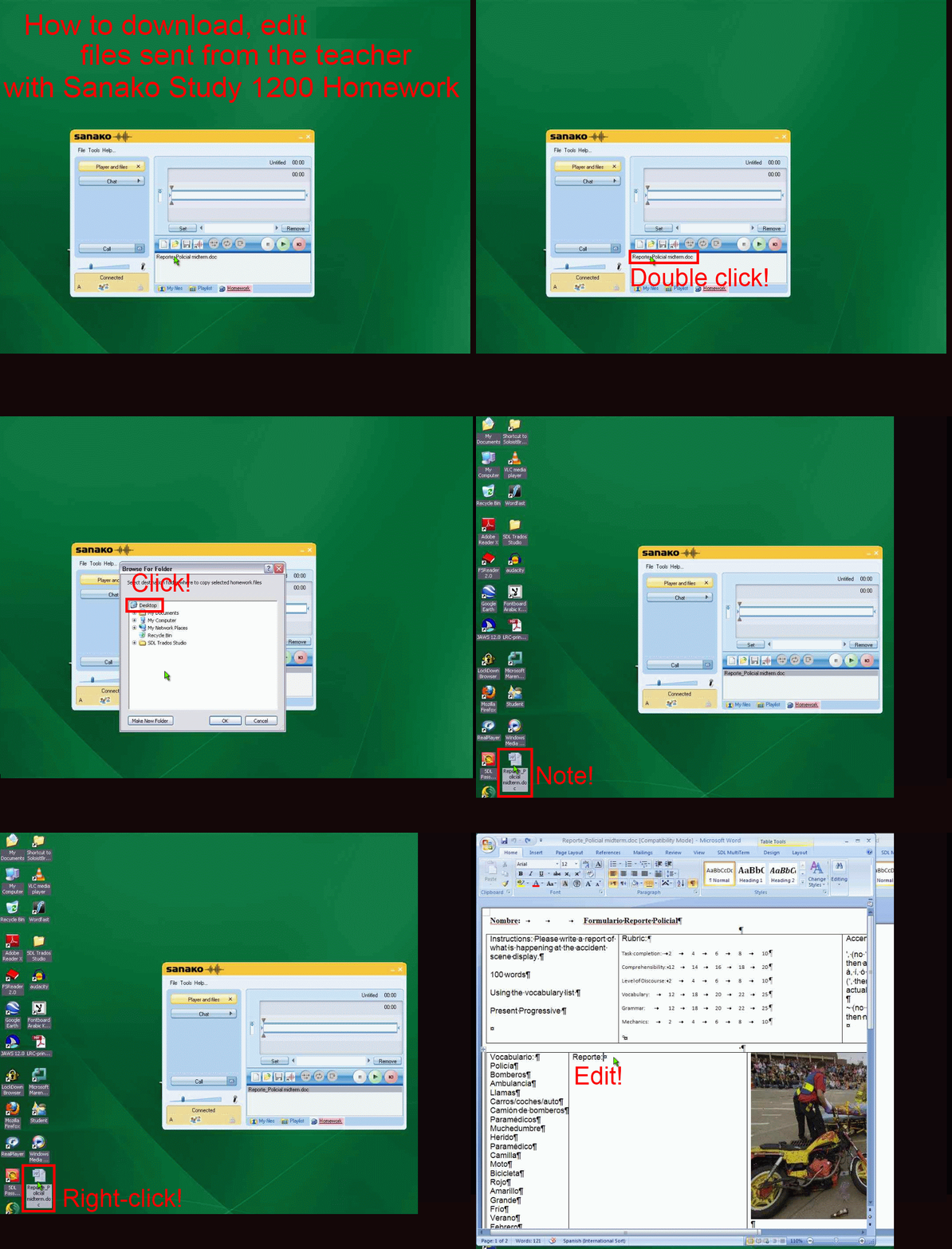
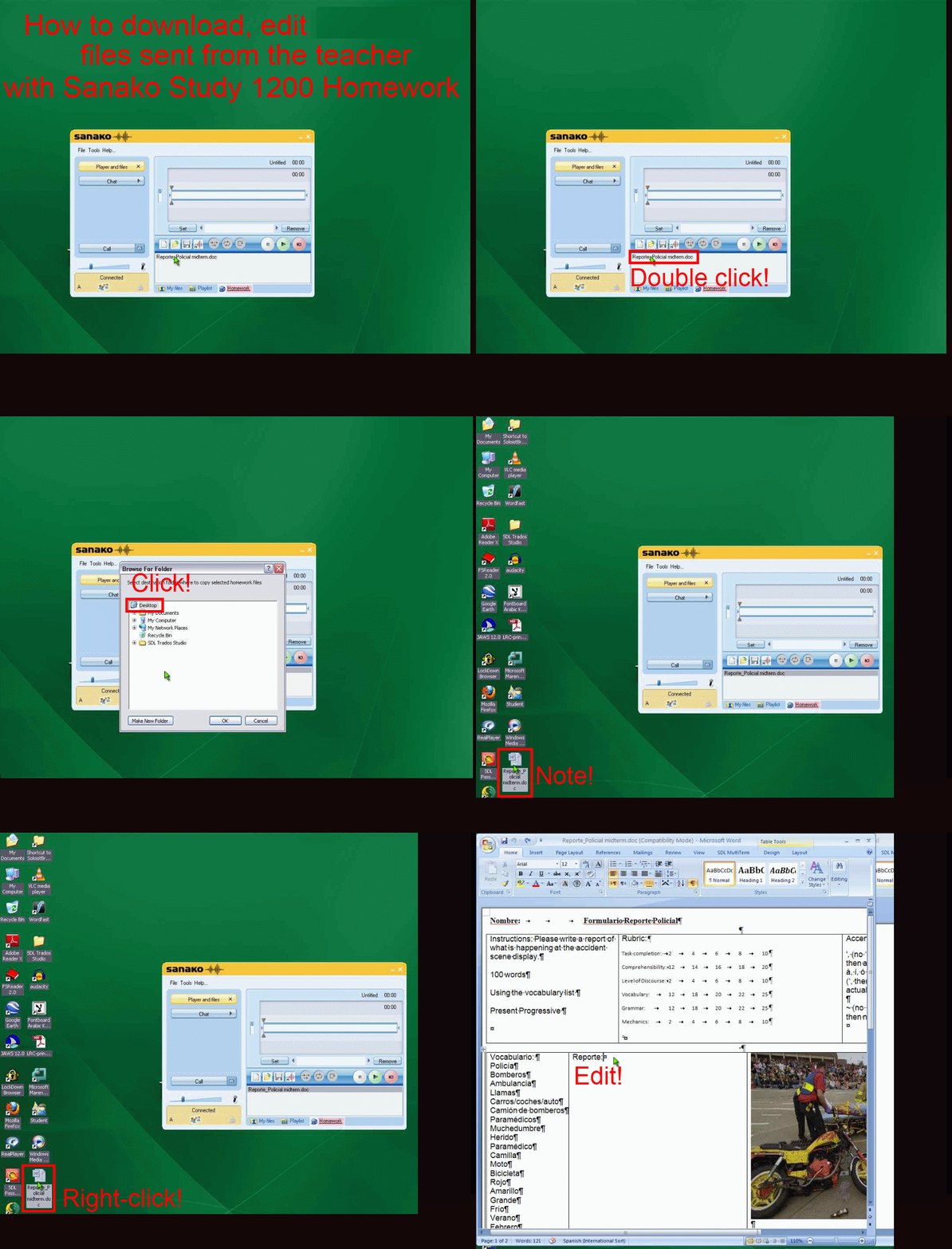
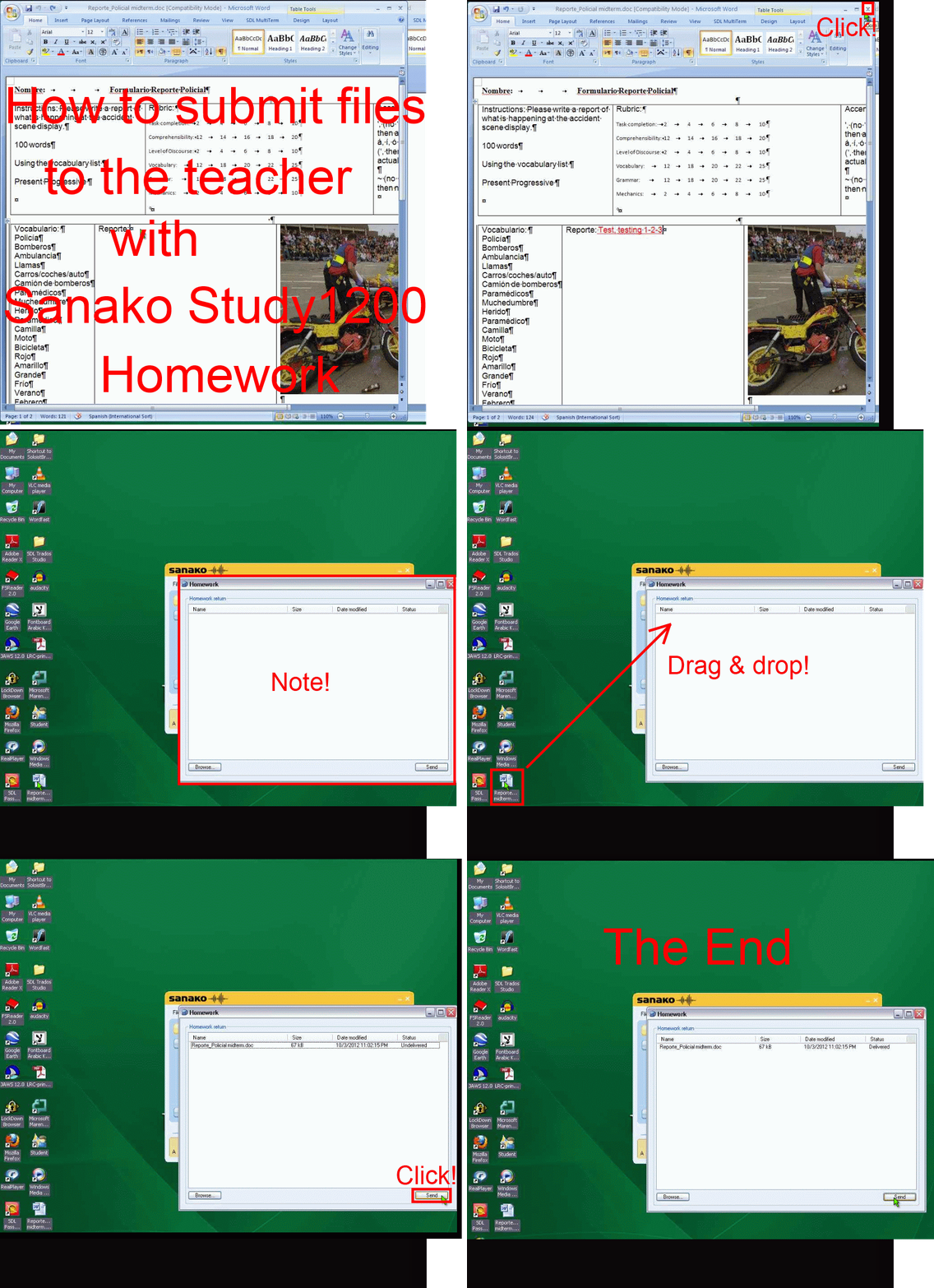
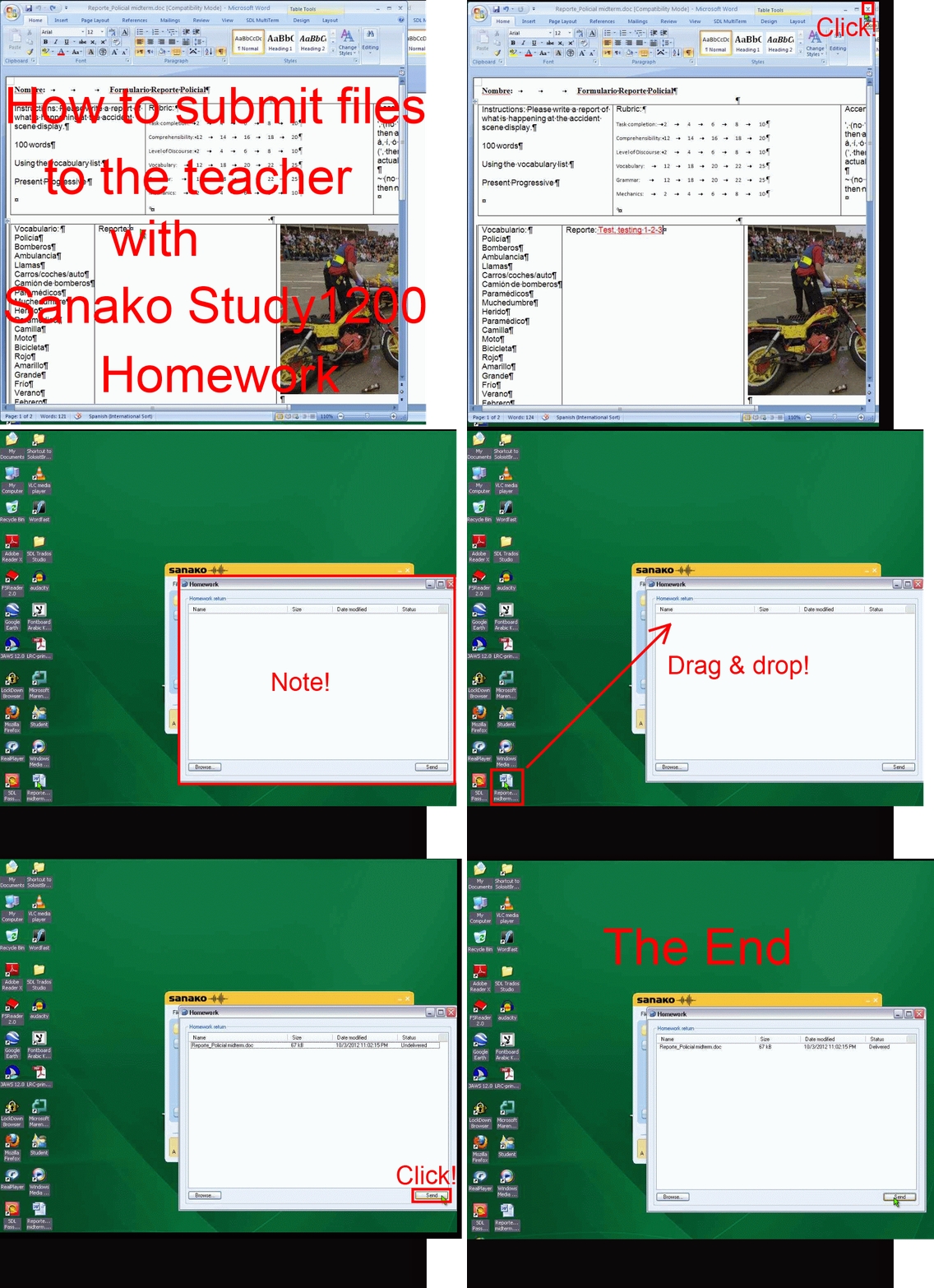
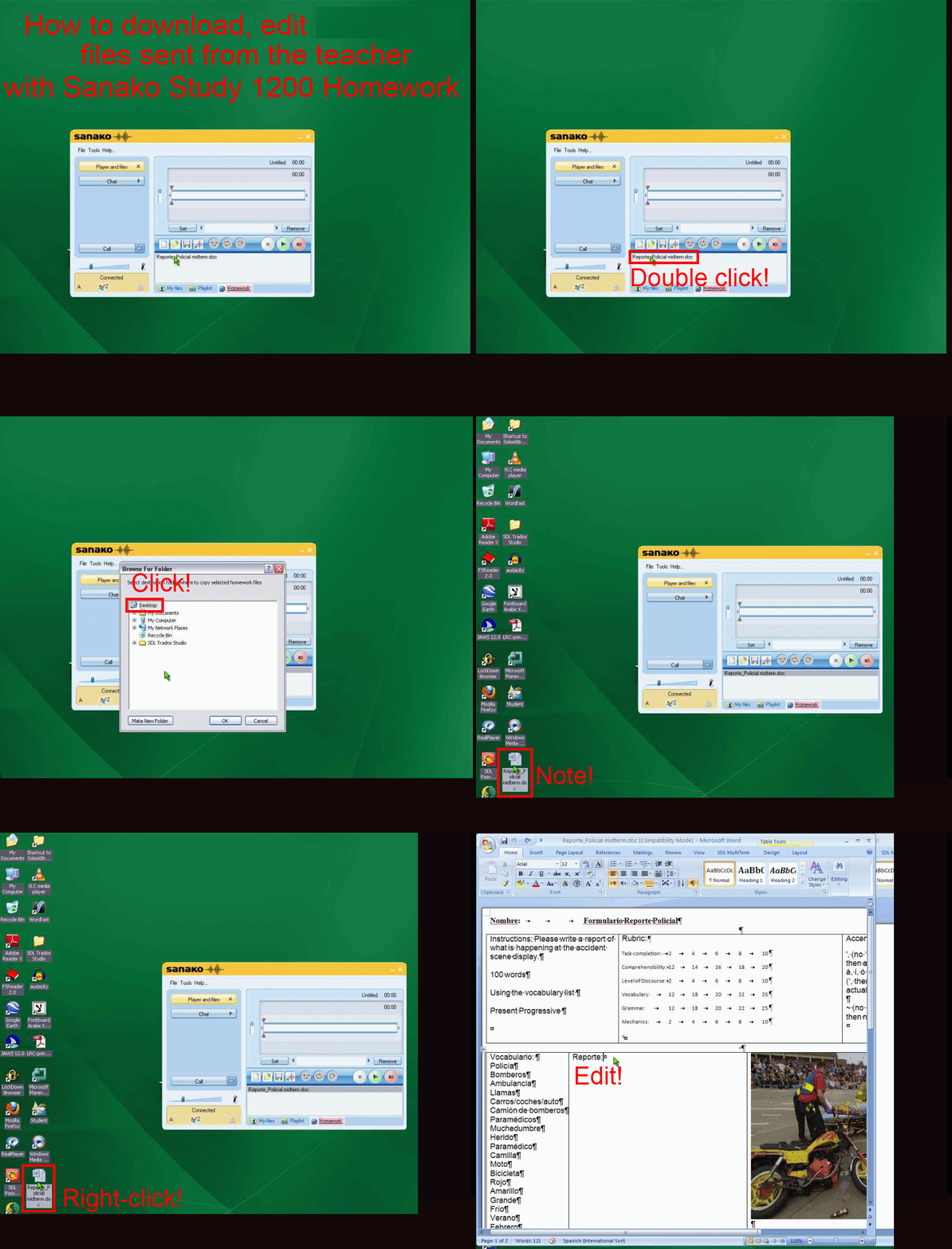
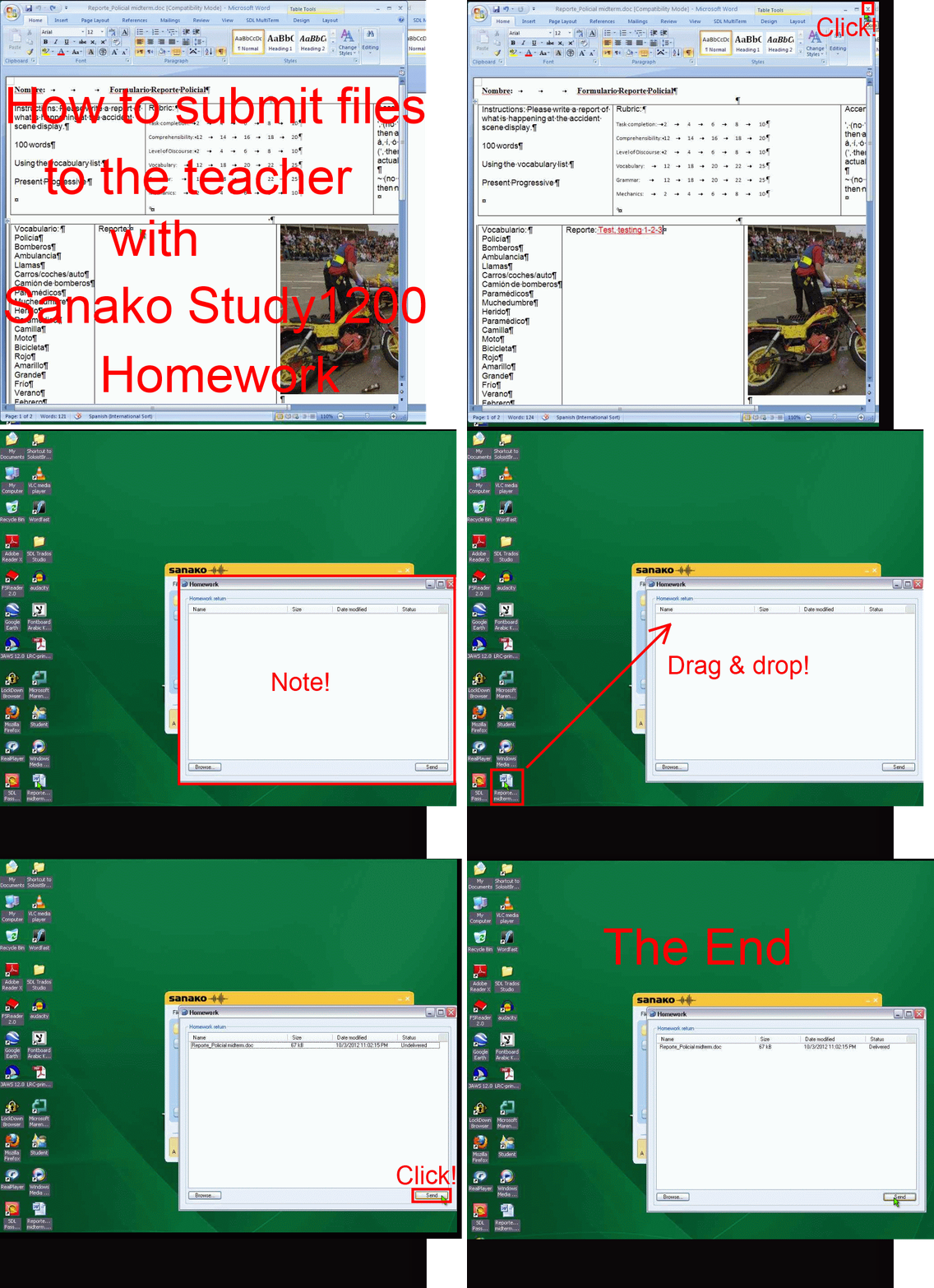
How student downloads, edits and submits files sent from the teacher with Sanako Study 1200 Homework –the ultimate training summary….
…using animated GIFs. (Here are the parts 1+2 that your teacher has to do). Slower? Click , 0.50sec, 0.75sec, 1sec, 2sec, 3sec, 4sec, 5sec, 6sec, 7sec, 8sec, 9sec, 10sec.
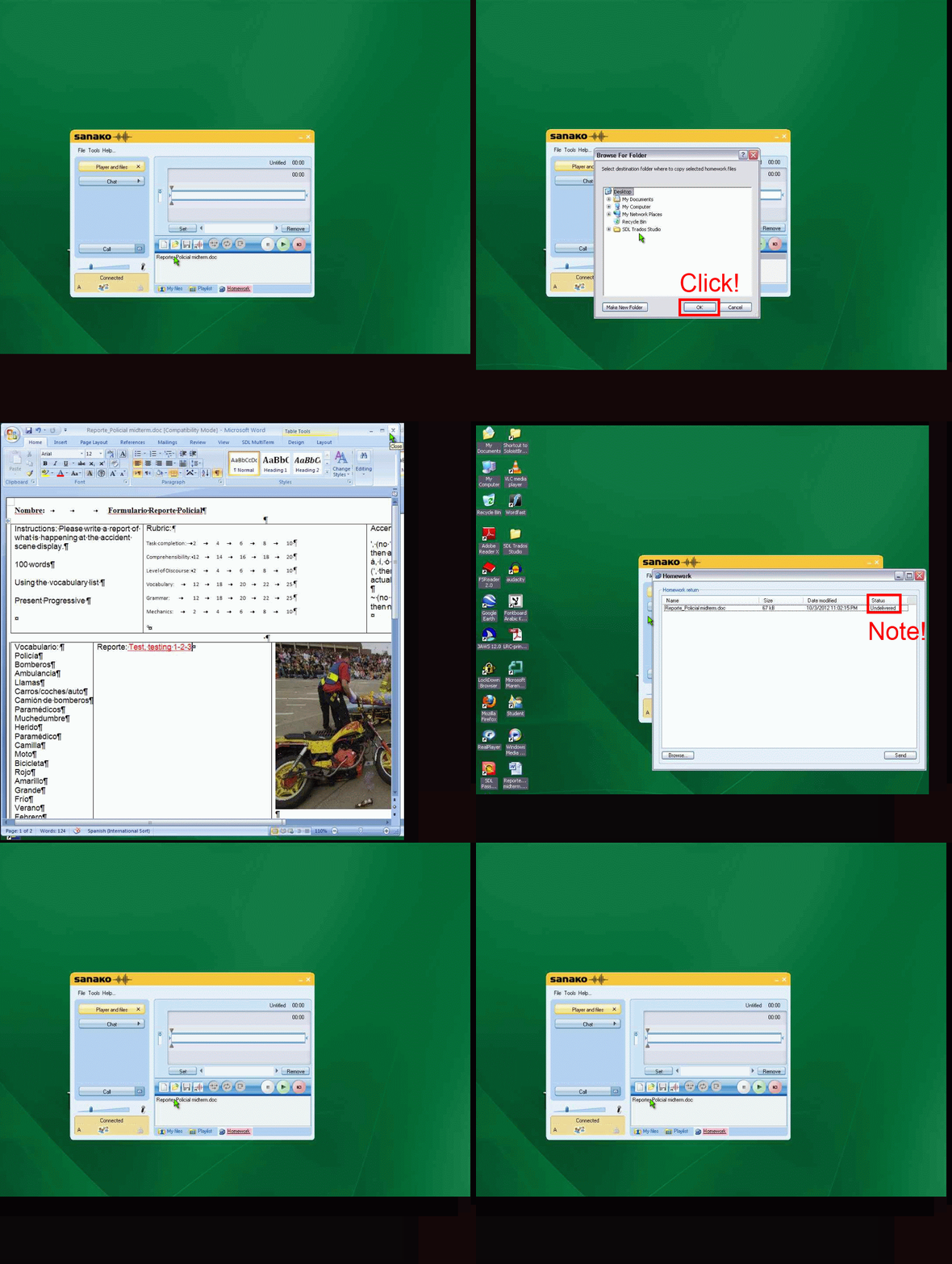
UPDATE: Now also split into
- PART 1: download from teacher (Here are the parts 1+2 that your teacher has to do). Slower? Click , 0.50sec, 0.75sec, 1sec, 2sec, 3sec, 4sec, 5sec, 6sec, 7sec, 8sec, 9sec, 10sec.

- PART 2: submission to teacher(Here are the parts 1+2 that your teacher has to do). Slower? Click , 0.50sec, 0.75sec, 1sec, 2sec, 3sec, 4sec, 5sec, 6sec, 7sec, 8sec, 9sec, 10sec.

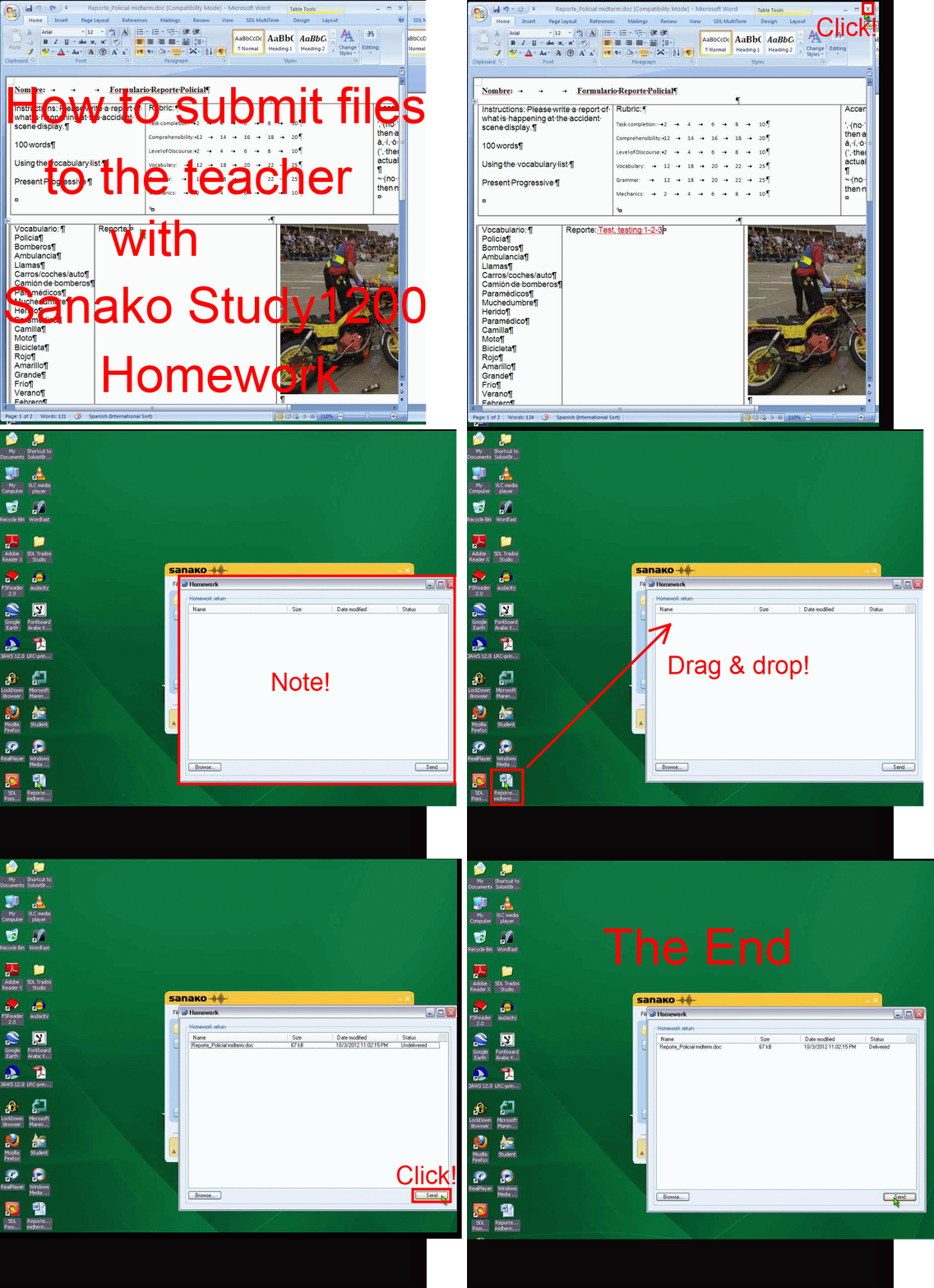
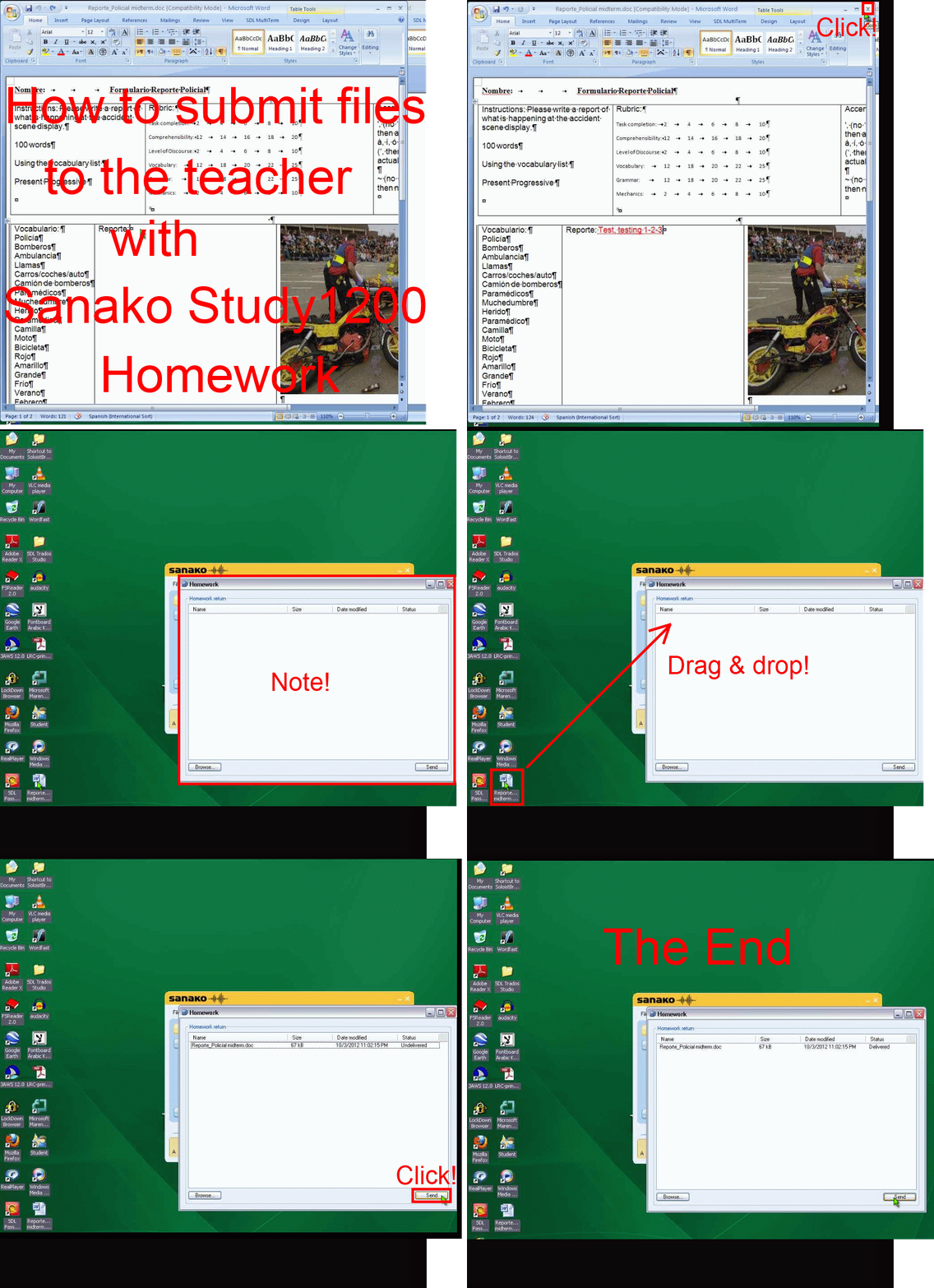
How a teachers gives files not meant for writing to students with Sanako Study 1200 Playlist –the ultimate training summary…
…using animated .gifs. Slower? Compact: 0.25sec,0.5sec, 0.75sec, 1sec, 1.5sec, 2sec, 3sec, 4sec, 5sec, 6sec, 7sec, 8sec, 9sec, 10sec. Or including unmarked frames: 0.25sec, 0.5sec, 0.75sec, 1sec, 1.5sec, 2sec, 3sec, 4sec, 5sec, 6sec, 7sec, 8sec, 9sec, 10sec. 1sec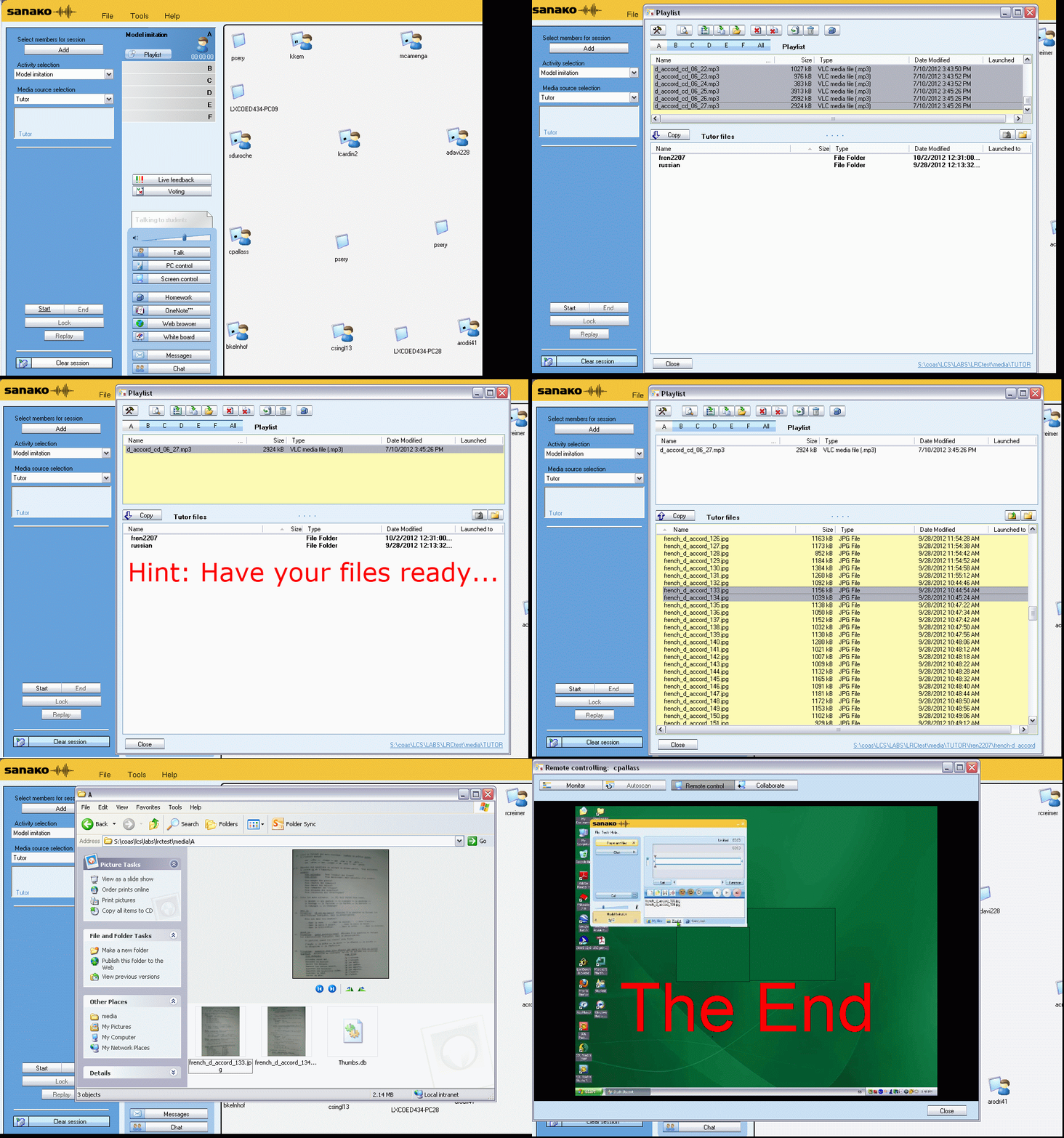
Or proceed manually:




Questions? Read the About. Or just ask me a quick Our Databases: Resources with calendars -- Language learning material Moodle Sites, multimedia files -- films


FAQs for LRC student staff or for students or for teachers. To search our FAQs, in the browser addressbar, add after "https://plagwitz.wordpress.com/feed/?tag=faqs+/" "+TAG1" (from tag cloud below) OR "https://plagwitz.wordpress.com/feed/tag=faqs
&category_name=" "CAT1" (from category hierarchy below). OR search both categories and tags, and multiple TAGs/CATs (connect with "," for OR-search, with "+" for AND-search), like so: https://plagwitz.wordpress.com/feed/?tag=TAG1+TAG2+...TAGn&category_name=CAT1
+CAT2+...CATn"
Other ways to find help
If you cannot find it here, look there: 5,500 Language-Learning Links and Programs for learning or teaching 150 languages
Shortcuts:Our Lists, Our Maps, LRC Staff Moodle Site,LRC Project Moodle Site, 49erexpress, UNCC Moodle, Student Recordings: s:claslcslrcsanakostudent
Learning usage samples: Sanako oral exam, Kaltura webcam presentation, Dictation with speech recognition, Sanako written exam, Chinese and Japanese interactive stroke-order practice
Test the Sanako Installer, Webbrowser Popup Konfigurator for XP, or Windows7, faster LRC TeacherPC Log-in Let MS facilitate diacritics writing by installing for you US-International keyboard layout
This is my personal blog (Google+). The views expressed on these pages are mine alone and not those of my employer. The information in this weblog is provided “AS IS” with no warranties, and confers no rights.
 Thomas' Work Space