Archive
Posts Tagged ‘scheduling’
How to book a resource in Office365–the ultimate training…
2013/10/14
Leave a comment

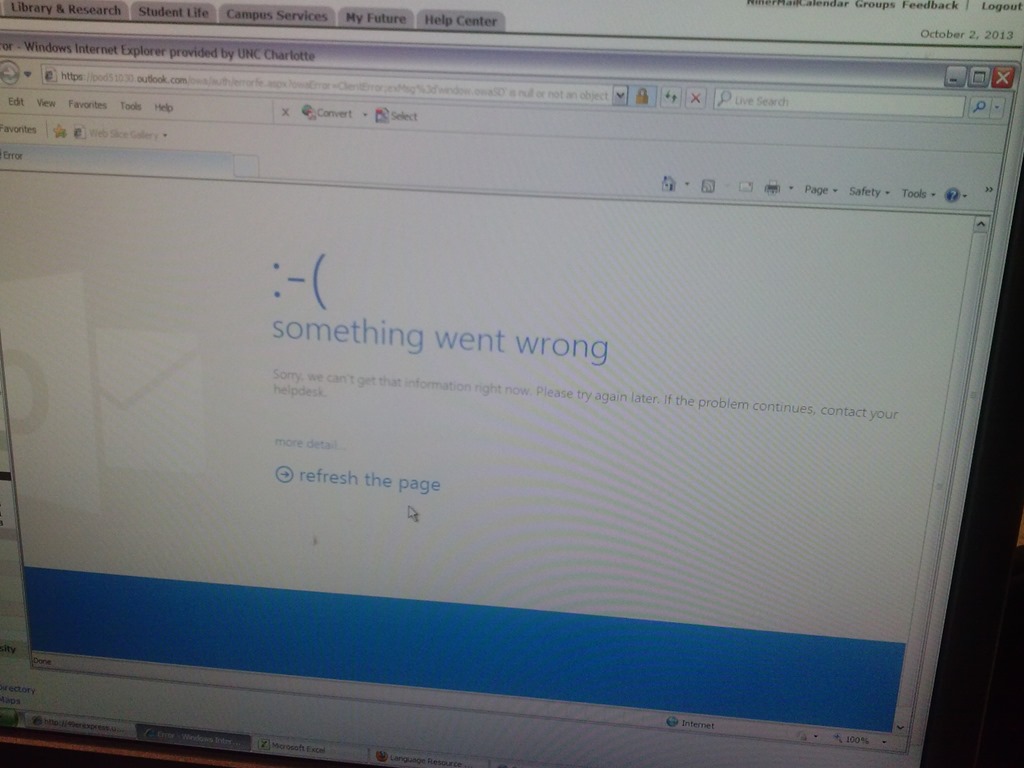
Some users cannot check out LRC items since they cannot log into their NINERMAIL Office365 Outlook
2013/10/02
Leave a comment

- This seems to have been going on for a while. We have no good way to use another browser on the computers that we use for our room booking and equipment circulation system. Besides,
- IE8 is the default browser on campus.
- Microsoft seems to say it not deprecate it without notice. Rather, pasted from http://community.office365.com/en-us/wikis/manage/office-365-and-internet-explorer-8.aspx states the following (they do not mention XP though, but that is also supported until April 2014):
- Why is Office 365 ending support for Internet Explorer 8? [in short, html5]
-
Why 8 April 2014? Office 365 provides customers 12 months’ notice of disruptive change under our Online Services Support Lifecycle. We announced Office 365 is ending support for Internet Explorer 8 on the System Requirements Wiki on 9 April 2013.
-
Will Internet Explorer 8 users be blocked from connecting to Office 365 after 8 April 2014? No, Office 365 will not deliberately block Internet Explorer 8 users from accessing the service after 8 April 2014. But after that date, users connecting to Outlook Web App will only be able to use Outlook Web App Light.
- ITS says Microsoft told them IE8 is not supported.
- The following change does not fix it here on XP SP3:
-
Windows Registry Editor Version 5.00
-
[HKLM and HKCU\SOFTWARE\Microsoft\Internet Explorer\Main]
“XMLHTTP”=dword:00000001
-
- Go figure.
Categories: audience-is-IT-staff, audience-is-language-learning-center-staff, audience-is-language-learning-center-temp-staff, Glitches&Errors, Institution-is-University-of-North-Carolina-Charlotte, office-software
calendaring, live@edu, ms-exchange, office365, outlook, outlook-live, resources, scheduling, upgrading
Student users in the wrong time zone still cause problems with our equipment circulation system
2013/09/30
Leave a comment
- Imagine you are trying to pick up an item on local time, but the previous users will return it on Japan time – or (like in the example below)`vice versa. It happens all the time here …
- We can see the misconfiguration when opening the meeting in Outlook (Desktop), but we rarely do this.

- What gets routinely done here is opening the meeting in the OWA of the organizer:
- is there an obvious way to see the time zone for the organizer?
- The best I have found is this, and it is anything but obvious, deeply hidden in the OWA settings dialogues. Any change with Office365?

Changes in how to make a meeting request to resource mailboxes after students’ mid-term upgrade to Office365
2013/09/27
Leave a comment
- Update: We made a brief summary which you can read instead here.
- The interface has changed quite a bit, but don’t worry: the basic processes are still the same. Here is a very quick rundown:
- You now have to start from the Calendar / + new Event, like so:
 and
and 
- To add resources
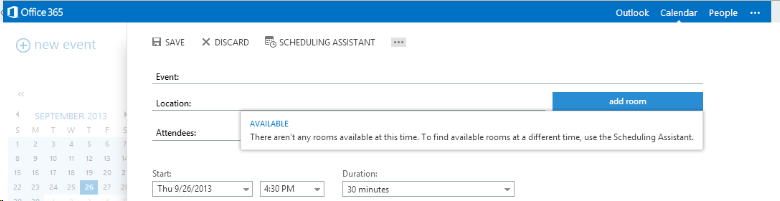
- Don’t try the “button:add room”, you will get this error:

- instead, either type the resource email address

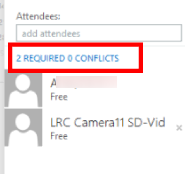
- or click the + next to “Attendees’

- and search the database for the “LRC[whatever]” resource,
- note: no need for a new window anymore
- and by double-clicking or clicking the + , from the search results, add the desired resources to the “Attendees”, finally click top menu: “OK”
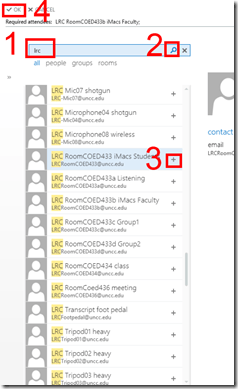
- or to remove spurious ”Attendees”, right-click them:

- and search the database for the “LRC[whatever]” resource,
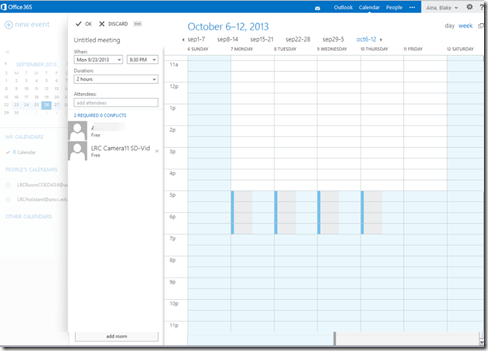
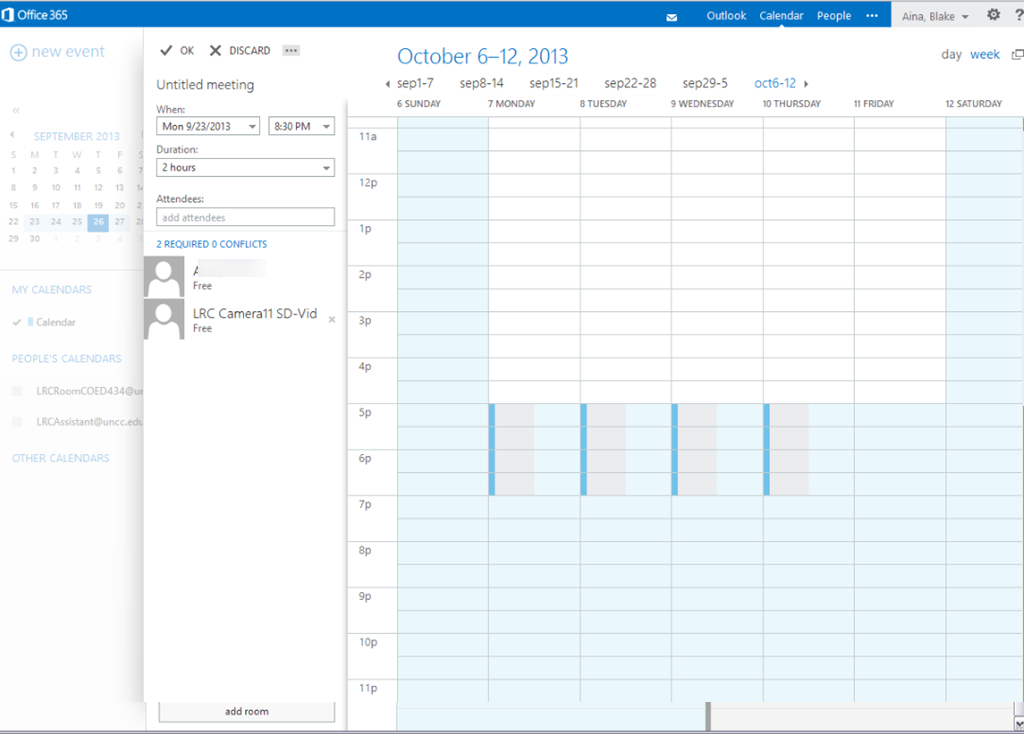
- to preview the availability, you can still click top menu: “Scheduling assistant”.
- Note that the “Scheduling Assistant”looks very different, not like a parallel timeline, more like a parallel calendars, you can choose form thee upper right
- either day view:

- or week view:
- either day view:
- Note that the “Scheduling Assistant”looks very different, not like a parallel timeline, more like a parallel calendars, you can choose form thee upper right
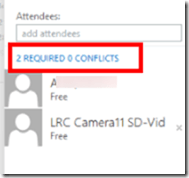
- and it tries to help you by giving more explicit information about conflicts:
- when happy with how you scheduled your “event”, click top menu: “send”
- read the response
- unfortunately, there seems to be no “toast” (tested in Chrome on Windows 7 and Firefox on Window XP)
- there is, however, still a response
- “accept”
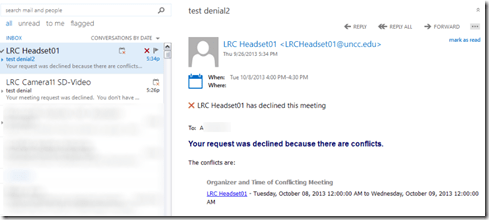
- or,”with explanation, “declined”:

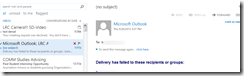
- there seems to be also a bug that you cannot send messages to yourself (huh? investigating), ignore for the time being:
- from the “Event” in your calendar, you can still
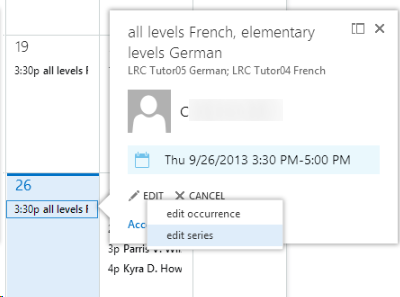
- edit (including, for repeating events, single occurrence or series :

- right-click the “Event” from the calendar and choose “cancel”, which still brings up a popup window where you have to “send”:

- edit (including, for repeating events, single occurrence or series :
- Don’t try the “button:add room”, you will get this error:








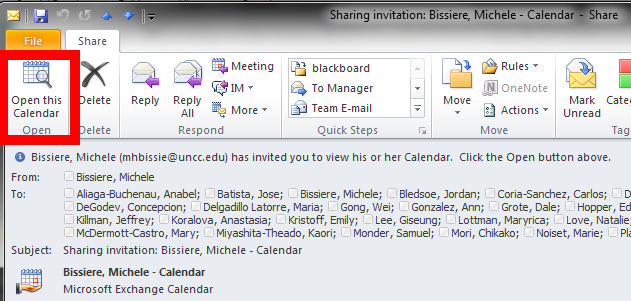
If you receive a calendar sharing invitation, click “Open the calendar”
2013/09/16
Leave a comment
- In Outlook (Desktop), like it says in the first item on the upper left:

- This will add the calendar to the list of calendars on the left of your Outlook, like so

- That is, if you do a calendar overlay, like so.

Equipment circulation training with NINERMAIL meeting requests for Film studies students Fall 2013
2013/09/12
Leave a comment
Click to view screencast: .
.
Click to view handout.
“I can haz all my online appointment and schedule information in one merged calendar in NINERMAIL?”
2013/09/06
Leave a comment
- Yes, you can! Overlay calendars, a much needed feature from Outlook Desktop (as we mentioned earlier) has finally made it into the web version of Outlook (in Office365 the migration of which from live@edu will be finished by the end off the month), as was announced today: “Users can have multiple calendars in a merged view.”
- Example: In Outlook Desktop (not available to students), you can not only add a calendar like, icsexport.ics to the right, but, if you click on the (1) little black arrow, add/merge icsexport.ics to the (2) already overlaid calendars on the left, which is much more usable if you need to aggregate content from different sources:

- And now also in OFFICE365 NINERMAIL:

- This should make the sharing of calendar information much easier, not only for the about 100 LRC resource calendars, but also for other useful calendars that are published on campus:
- the new LCS calendar
- the registrar’s academic calendar
- the campus-wide faculty calendar
- last not least: your Moodle calendar (view all your moodle assignment deadlines in one place, the same place you check your email)
- And more… ? Do you know of other calendars, and/or a way to discover them?
- The details
- yet need to be panned out. We assume the feature will “just work” like above in Outlook Desktop when you
- We’ll provide more information and examples once we see this feature… TBA

Categories: audience-is-language-learning-center-staff, audience-is-language-learning-center-temp-staff, audience-is-students, audience-is-teachers, e-infrastructure, Institution-is-University-of-North-Carolina-Charlotte, office-software
calendaring, live@edu, ms-exchange, office365, outlook, outlook-live, resources, scheduling, sharing, subscribing


Questions? Read the About. Or just ask me a quick Our Databases: Resources with calendars -- Language learning material Moodle Sites, multimedia files -- films


FAQs for LRC student staff or for students or for teachers. To search our FAQs, in the browser addressbar, add after "https://plagwitz.wordpress.com/feed/?tag=faqs+/" "+TAG1" (from tag cloud below) OR "https://plagwitz.wordpress.com/feed/tag=faqs
&category_name=" "CAT1" (from category hierarchy below). OR search both categories and tags, and multiple TAGs/CATs (connect with "," for OR-search, with "+" for AND-search), like so: https://plagwitz.wordpress.com/feed/?tag=TAG1+TAG2+...TAGn&category_name=CAT1
+CAT2+...CATn"
Other ways to find help
If you cannot find it here, look there: 5,500 Language-Learning Links and Programs for learning or teaching 150 languages
Shortcuts:Our Lists, Our Maps, LRC Staff Moodle Site,LRC Project Moodle Site, 49erexpress, UNCC Moodle, Student Recordings: s:claslcslrcsanakostudent
Learning usage samples: Sanako oral exam, Kaltura webcam presentation, Dictation with speech recognition, Sanako written exam, Chinese and Japanese interactive stroke-order practice
Test the Sanako Installer, Webbrowser Popup Konfigurator for XP, or Windows7, faster LRC TeacherPC Log-in Let MS facilitate diacritics writing by installing for you US-International keyboard layout
This is my personal blog (Google+). The views expressed on these pages are mine alone and not those of my employer. The information in this weblog is provided “AS IS” with no warranties, and confers no rights.
 Thomas' Work Space