Archive
How to fix Sync Error code: 0xE0000793 in Microsoft OneNote 2010
That did it:
1.Close all notebooks (will delete the corrupted cache)
2.Open them with the Office Web App using your browser
3.Open them from within the browser using "Open in OneNote" (the cache is rebuild)
OneNote “absolutely loved by everyone who uses it” according to LifeHacker
 Microsoft’s note-taking application OneNote is one of those apps no one really talks about much, but is absolutely loved by everyone who uses it. Heck, you guys even voted it your favorite outlining tool, personal project management tool, and minutes meeting service, not to mention third place for best note taking app. It’s available for a ton of platforms, too (despite it being part of Microsoft Office), so if you’re finding that Evernote just isn’t quite powerful enough for your organizational needs, give OneNote a shot—you might be surprised at everything it can do given its lesser-known status.” (Onenote makes #1 of Top 10 Underhyped Windows Apps, via OneNote Testing). Now how to spread that love?
How you can share MS-Office files via MS-OneNote instead of directly through MS-SkyDrive
- Simple steps:
- Drag and drop your MS-Office File to your MS-OneNote page.
- When prompted, choose to “insert a copy” (rather than merely linking the original file).

- This puts a copy of the file in the MS-OneNote folder on your local drive,
- which (file and folder) gets synched with your online (MS-SkyDrive) version,
- which, if you shared it, gets synched with the MS-OneNote folder on the local drive of the PC of the person you are sharing with,
- who, by double-clicking, can open and edit his synched local version of MS-Office file in the corresponding MS-Office application.
- Stepping back:
- Benefit: If you have a working MS-OneNote-based workflow, embedding MS-Office file can quickly extend this workflow.
- Risk: If you do not share the MS-OneNote with other editors, you should have no problem. Be aware, though, that concurrency is limited. Unlike accessing the MS-Office file in MS-Office through Office Web apps from MS-SkyDrive directly, editing the MS-Office file from MS-OneNote does not block updating the MS-Office file on remote computers – so expect synching conflicts later if you do not manage concurrency (e.g. by limiting editing sessions).

Why MS-OneNote may let you run out of storage space here
I am running into out of file space issues in a number of applications. Turns out that OneNote is the culprit, but it is not obvious from the OneNote Save & Backup why: 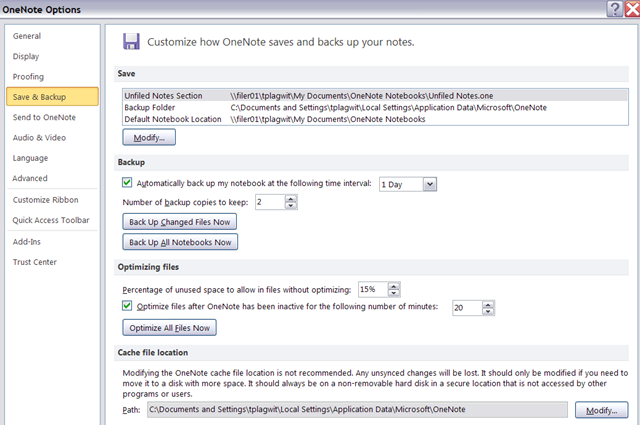
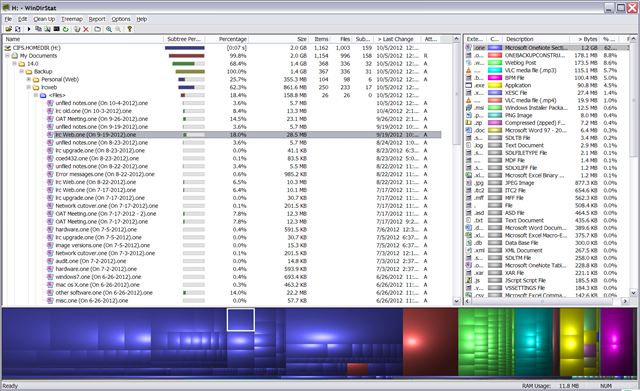
The Reason is that Application Data\Microsoft\OneNote gets redirected to the personal network drive:\My documents folder, the disk quota for which is limited:
Animated GIFs workflow using MS-OneNote, MS-Paint, Irfanview and UnFREEZ
- To keep things simple (and, at least in our work environment, free) during smaller Animated GIF projects (larger projects may warrant use of ImageMagick, scriptable image editor), you can use
- MS-OneNote screen clipping (configured right, it seems the fastest way to collect source material)
- Update: I recommend now screenshotcaptor instead, if you do screenshot projects more than occasionally. MS-Paint (or pretty much any image editor) to mark up your images
- IrfanView to batch convert to GIF:

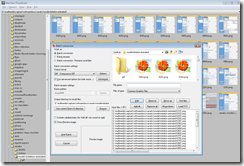
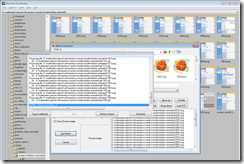
- UnFreez to easily create animated GIFs in differing speeds:

 , which can be automated.


Why does MS-OneNote fail to linkify my URLs properly?
If this is a bug, it seems a pretty basic one:
 ,
,
for a 3rd generation software plus a service pack:  . Unless I am doing something wrong, of course (I only paste those links). It is not a link length issue, not all links break at the same length (94 would be an odd length in a binary world anyway). If it is a special character, I fail to see it.
How to fix inability to open notebook from web in MS-OneNote
- A lot of people seem to experience this problem, where the menu item “Open in OneNote” in the OneNote webapp results in the error: “To open this notebook your computer must be running a supported version of Microsoft OneNote and a browser that supports opening files directly from the Office Web Apps.”
- Here is what seems to have solved it for me (it only started to work when owssupp.dll was reinstalled. However, some of the earlier steps may also be necessary, notably adding to the “trusted sites”).
- To open from OneNote desktop, as opposed to form the webapp, I tried to find out the URL of OneNote notebook
- Easiest way is subtracting the edit.aspx portion from the OneNote webapp URL you are viewing.
- Or if you can open the notebook on a different computer in OneNote, right-click on the notebook in the left tree and choose properties, or hover over one of its section headers above it to read the tooltip).
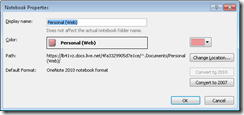
- Then in OneNote on the offending computer, menu:file/open/ instead of browsing, paste the URL. This failed without providing any feedback:

- Then I tried following the tips under the link “troubleshooting” in the error message.
- However, Firefox had the office plugin already enabled:
- I made sure you I was not not running Internet Explorer IE 64-bit.
- In IE 32-bit: Enable the SharePoint OpenDocuments Class add-on in “Tools”/”Manage Add-ons”: Display the list of add-ons, Dropdown “Show” / “All add-ons” / SharePoint OpenDocuments Class, “Enable”, this had also already been the case.

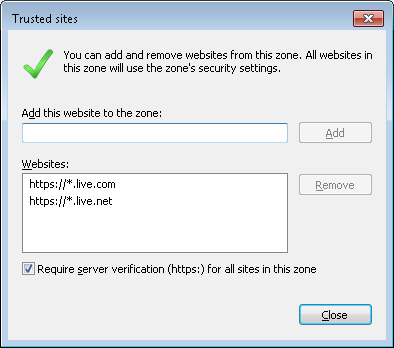
- I added in IE trusted sites (these were missing – did it matter?): Tools / Internet Options./ Security / Trusted sites/ Level needs to be lower than High, Sites, Add this website to this zone box, added liv e.com and live.net (IE adds the asterisk) :
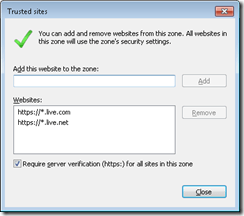
- I then followed the MS Answers forum instructions to reinstall MS-Office, or rather remove and reenable the owssupp.dll:
- before:
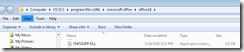 , then rename extension to “old”.
 - In control panel / programs and features / office 2010 professional plus / configure / office tools / Microsoft SharePoint Foundation support, run from my computer, to re-add the SharePoint plugin:
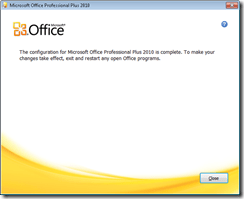
- after:
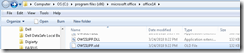
- Voilà: Now I could open in OneNote from OneNote webapp:

- before:
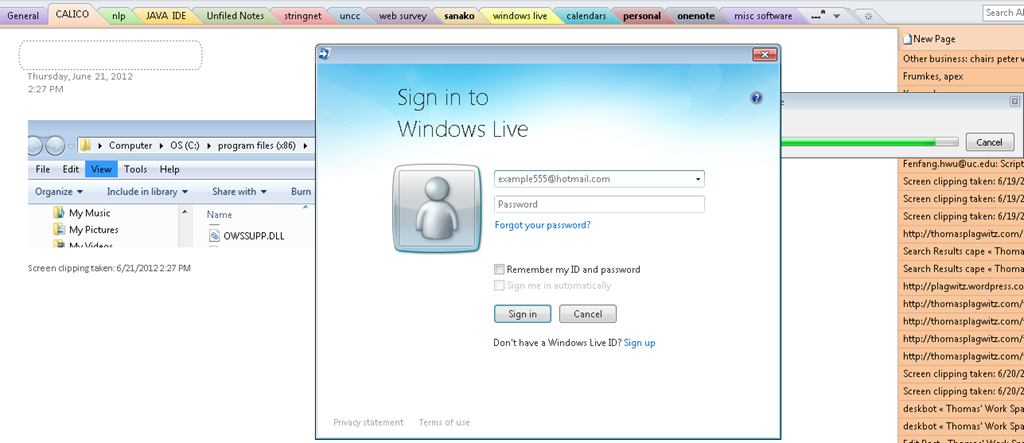
- Here is wishing that this were easier.., but now I can also open from OneNote / File / Open, and give the URL on live.net (giving the URL does not open directly, I have to press open again to open the OpenNotebook.onetoc2):






Thoughts on use of MS-OneNote for Learner Portfolios in Interpreting?
What are aspects of portfolios, according to Wikipedia.org? Portfolios “document education, work samples and skills” “more in-depth than a resume” can. They come in different flavours: “developmental (e.g., working), reflective (e.g., learning), and representational (e.g., showcase)” and can contain “personal information, evaluations, sample work, and awards and acknowledgments”. If they are e-Portfolios, implying online, they can be “updated often” and with ease, and are “assembled and managed by a user” who controls the “varying degrees of audience access”. With this come “problems of exporting data and related interoperability issues” and the pros and cons of portfolios integrated into existing VLEs of educational institutions, who are initially easily available, but may lack in “learner-centered-ness” beyond the institutional affiliation.
In the OneNote ecosystem, there is a lot of student workbooks samples – may be closer to what I mean to be a portfolio, if they would groom it and reflect on their work –, plus a so called “Digital portfolio: Sample digital portfolio of a teacher that contains multiple sets of student work, stored and organized within OneNote. Includes homework, quizzes, tests and projects.”
“If you want to use recordings made in OneNote, be aware that the default recording quality for OneNote is not meant for speech recognition. We use a voice codec and bit rate/sample rate designed to compress spoken word audio as small as can be while still usable by human beings. In OneNote 2007 we increased the settings slightly to make audio search work better, but speech recognition (transcription) requires a much higher level of quality. To set up your future recordings in OneNote to be transcribable, first go to Tools/Options/Audio and Video. Switch the codec to Windows Media Audio 9.1 Professional. ”
8+x computers in the interpreting suite and maybe 8 extra in the language center could get us started. (an configuration of these computers which is different from the it labs configuration may save some money initially, but incurs maintenance cost permanently, which may be somewhat hidden, but is very real. so a site license for OneNote, if the licensing cost is reasonable at all, would probably be preferable. of course we are past the deadline for software image upgrades, i just managed to get the OneNote in the interpreting suite request in before the deadline).
if we want to enable students to work remotely, they need personal licenses. this is not necessarily expensive (ca 40 pounds for a full office 2007 suite from ms directly for students only which i recommend to any student just to get ms-word, much more so if you use more advanced office applications)..
one of the nicest features of ms-OneNote and which, even if i have not had a chance to test, would most likely strongly recommend using, is the following:
we can store these OneNote portfolios as shared files on our intranet so that students can keep editing /adding to them, and Danielle and other staff at the same time, without conflicts or need for copying and keeping files in synch, open for checking and giving feedback.
this seems much more usable than copying and transmitting (email is impossible, Weblearn, sans webdav and learner portfolio feature at least, very inconvenient) large multimedia files.
using this feature requires, however, a network share which the students can write to (which will also be required for the digitization of the interpreting suite, even my personal hack), and, if we want to support students doing this from home, probably VPN access (i do not think the current FTP access to the home drive would help us any with this task).


Questions? Read the About. Or just ask me a quick Our Databases: Resources with calendars -- Language learning material Moodle Sites, multimedia files -- films


FAQs for LRC student staff or for students or for teachers. To search our FAQs, in the browser addressbar, add after "https://plagwitz.wordpress.com/feed/?tag=faqs+/" "+TAG1" (from tag cloud below) OR "https://plagwitz.wordpress.com/feed/tag=faqs
&category_name=" "CAT1" (from category hierarchy below). OR search both categories and tags, and multiple TAGs/CATs (connect with "," for OR-search, with "+" for AND-search), like so: https://plagwitz.wordpress.com/feed/?tag=TAG1+TAG2+...TAGn&category_name=CAT1
+CAT2+...CATn"
Other ways to find help
If you cannot find it here, look there: 5,500 Language-Learning Links and Programs for learning or teaching 150 languages
Shortcuts:Our Lists, Our Maps, LRC Staff Moodle Site,LRC Project Moodle Site, 49erexpress, UNCC Moodle, Student Recordings: s:claslcslrcsanakostudent
Learning usage samples: Sanako oral exam, Kaltura webcam presentation, Dictation with speech recognition, Sanako written exam, Chinese and Japanese interactive stroke-order practice
Test the Sanako Installer, Webbrowser Popup Konfigurator for XP, or Windows7, faster LRC TeacherPC Log-in Let MS facilitate diacritics writing by installing for you US-International keyboard layout
This is my personal blog (Google+). The views expressed on these pages are mine alone and not those of my employer. The information in this weblog is provided “AS IS” with no warranties, and confers no rights.
 Thomas' Work Space