Archive
Google Calendar embedded aggregated calendar won’t show calendar names?
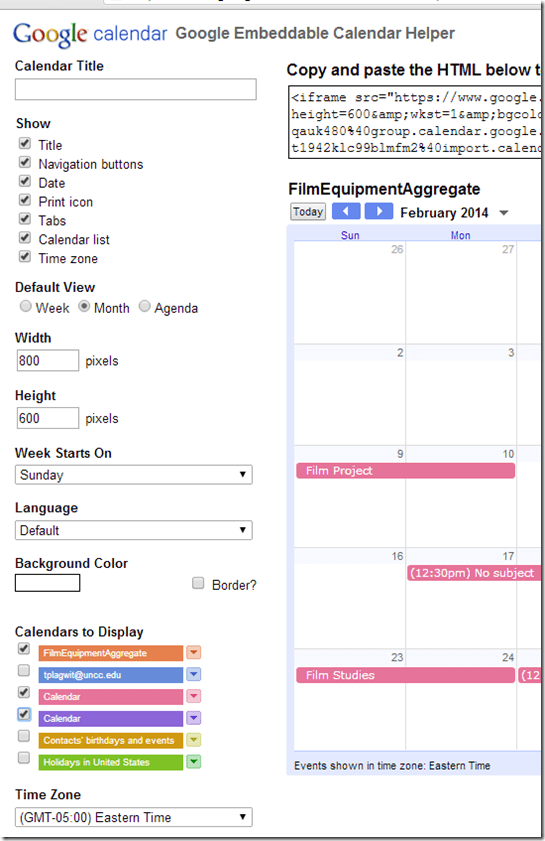
- When I add "Calendars to Display" in the "Google Embeddable Calendar Helper" ,
- Google calendar lets me select calendars I added from iCal sources,
- but it does not "remember" the names I have given these calendars,

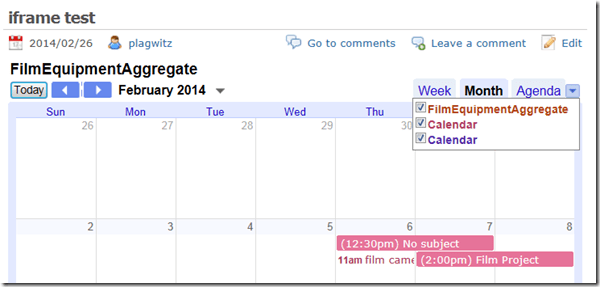
- displaying only the default name "Calendar",
- both in the "Google Embeddable Calendar Helper"
- and in the iframe embed:
- both in the "Google Embeddable Calendar Helper"
- rendering the aggregation feature useless (Which is which?).
- Is there a workaround or hidden feature like a “name parameter” in the embed query-string? What is it? I cannot find it in the Google Calendar API reference.

Calendaring can improve instruction
It’s coming: “An Interactive On-line Course Calendar for Multi-Section Courses, by María Paredes Fernández (University of Pennsylvania): The interactive online course calendar was project that received funding from the Penn Language Center at the University of Pennsylvania in early 2012 to streamline class preparation for fellow colleagues, promote transparency for the students, and ensure continuity and quality instruction of the Accelerated Elementary Spanish Course, Spanish 121. The day’s lesson plans organized and uploaded on an interactive webpage on the course management systems Blackboard and Canvas. The lesson plans were comprehensive, as it featured the links, PDF documents and PowerPoint presentations of the day in one convenient location, and were easily shared with students to aid in their preparation. This talk will focus on how the interactive syllabus shaped this course and how it could work for other programs.”
Moodle can ICS exporting, which students and teaches can subscribe to in their NINERMAIL.
If MS-Exchange room mailbox does not auto-decline, but forwards conflicting requests
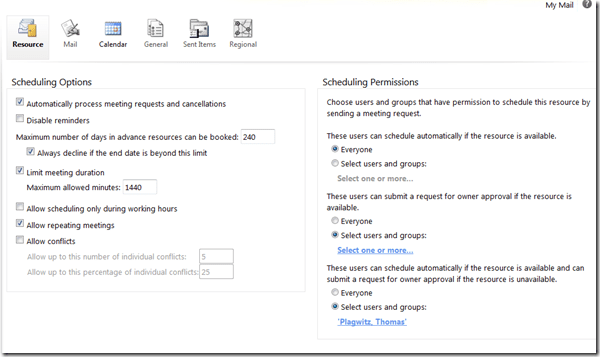
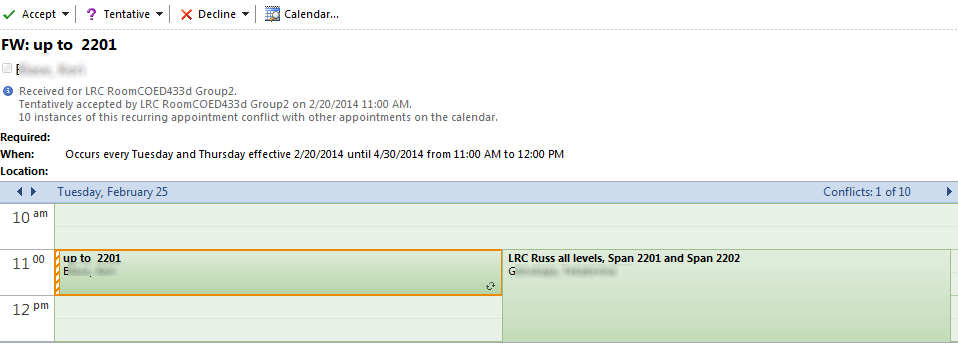
- This room should auto-decline conflicting requests, but forwards them:

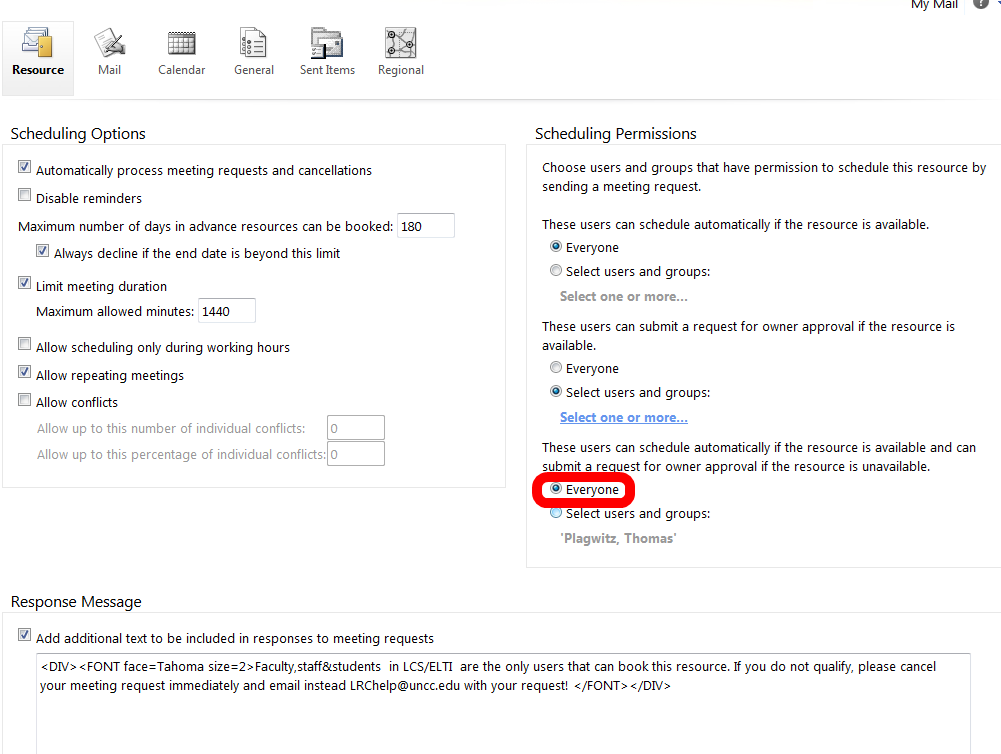
- If you log in as the room and look under Options / See more options / Settings / Resource:

- You see that 433d has it wrong here:

- 434 has it set correctly:


Protected: Facilitating equipment circulation and room booking with website calendar aggregation?
Why does MS-Exchange calendar publishing with Limited details show the name of the organizer in the subject?
- Partial answer: Because the organizer name gets already put into the booking itself, before publishing (I first thought it was put in by a bug the publishing settings, where there is supposed to be an option to enable/disable showing the organizer name ). UPDATE: Another part of the answer: AddOrganizerToSubject is set to true on the mailbox (Doh! Hm, but why did this not seem to cause a problem before)?
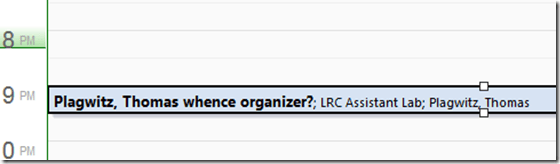
- Booking:

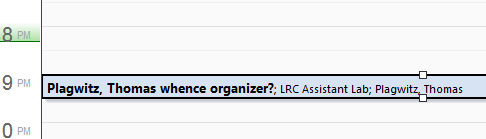
- Result (I saw the correct “whence”part of the subject briefly flickering up, but then the organizer name appeared in front of it):
- Publishing Setting:

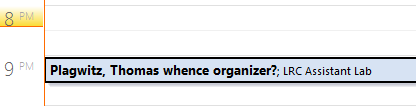
- Published View (which is where we do not want the organizer to show):

 2010 SP?.



Protected: How LRC assistants help with LRC room and resource mailboxes
How staff can connect their smart phones to Ninermail
Including Calendars, useful if you need to receive a reminder for your LRC bookings. It is all documented here (but the student instructions are on top of the search results, which may be confusing to some): http://itservices.uncc.edu/facultystaff-services/email/mobile.
Scheduling assistant shows no information on free/busy
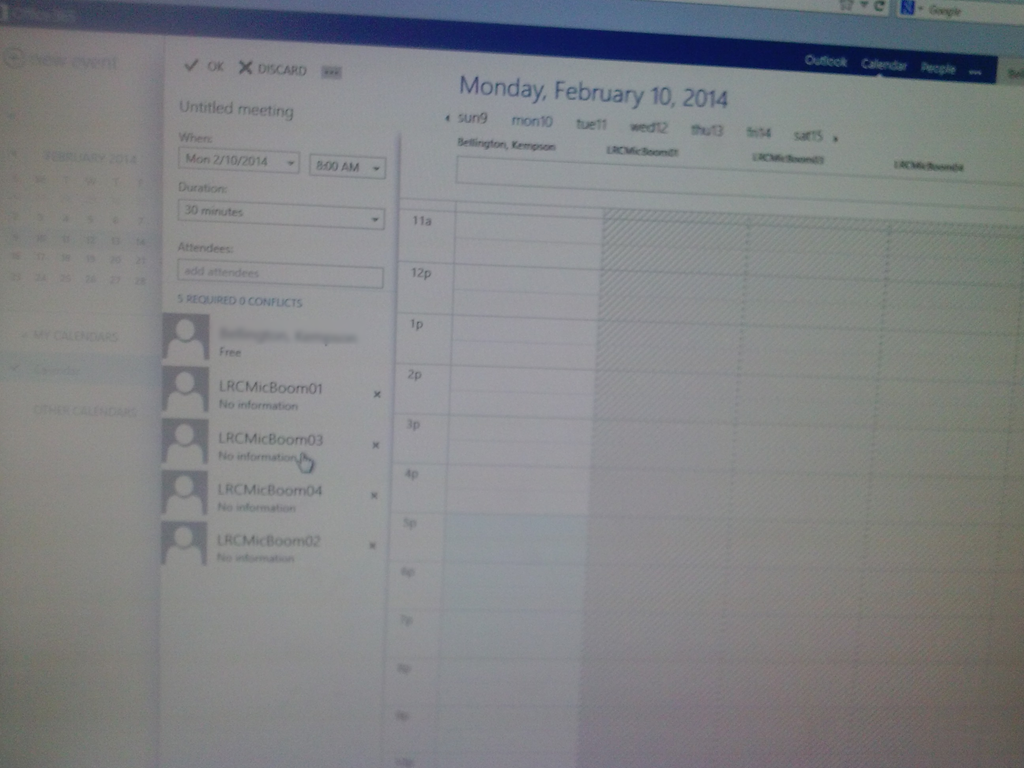
This effectively prevents all reservations of shared equipment. We tested with these 4 resources, and increasingly nearer dates in the future (from May to today). This is in Offcie265 from a student account. From a staff account in OWA, I do not see the same behavior: 
Update: A resolution is being worked on… Update2: FIXED


Questions? Read the About. Or just ask me a quick Our Databases: Resources with calendars -- Language learning material Moodle Sites, multimedia files -- films


FAQs for LRC student staff or for students or for teachers. To search our FAQs, in the browser addressbar, add after "https://plagwitz.wordpress.com/feed/?tag=faqs+/" "+TAG1" (from tag cloud below) OR "https://plagwitz.wordpress.com/feed/tag=faqs
&category_name=" "CAT1" (from category hierarchy below). OR search both categories and tags, and multiple TAGs/CATs (connect with "," for OR-search, with "+" for AND-search), like so: https://plagwitz.wordpress.com/feed/?tag=TAG1+TAG2+...TAGn&category_name=CAT1
+CAT2+...CATn"
Other ways to find help
If you cannot find it here, look there: 5,500 Language-Learning Links and Programs for learning or teaching 150 languages
Shortcuts:Our Lists, Our Maps, LRC Staff Moodle Site,LRC Project Moodle Site, 49erexpress, UNCC Moodle, Student Recordings: s:claslcslrcsanakostudent
Learning usage samples: Sanako oral exam, Kaltura webcam presentation, Dictation with speech recognition, Sanako written exam, Chinese and Japanese interactive stroke-order practice
Test the Sanako Installer, Webbrowser Popup Konfigurator for XP, or Windows7, faster LRC TeacherPC Log-in Let MS facilitate diacritics writing by installing for you US-International keyboard layout
This is my personal blog (Google+). The views expressed on these pages are mine alone and not those of my employer. The information in this weblog is provided “AS IS” with no warranties, and confers no rights.
 Thomas' Work Space