French TV on the internet
2011/10/06
Leave a comment
TV5 seems still in the satellite/per-per-view phase. But it offers free video learning resources: http://www.tv5.org/TV5Site/enseigner-apprendre-francais/accueil_enseigner.php
Categories: Advanced, audience-is-students, audience-is-teachers, Beginner, French, Intermediate, learning-materials, Listening, Near-Native, websites
tv, tv5, video
International TV on the Internet
2011/10/06
Leave a comment
http://wwitv.com/portal.htm, lists 2244 online TV stations, by topic and “country” (note that this does not equal “language”).
Categories: all-languages, audience-is-students, audience-is-teachers, learning-materials, Listening, websites
tv, video
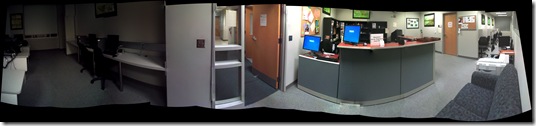
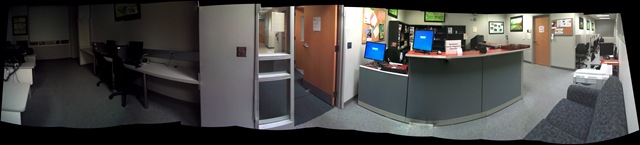
How we provide more computer support for walk-up clients at the LRC reception desk
2011/10/05
Leave a comment
- We have set up 3 PCs at the reception desk. They all contain an exactly identical software configuration (based on Symantec Ghost imaging and Faronics Deepfreeze).
- Except that two (we could not get hold of another monitor) have a secondary screen connected that can extend the Windows Desktop, or mirror it (use CTRL-ALT-F11 and CTRL-ALT-F10 to switch between the modes of the )

- To aid in this communication over the counter, press CTRL-2 to freeze and on the screen (uses MS-ZoomIt) which helps when pointing out screen elements.
- So that LRC staff and clients can both use the university’s most important web applications, the computers have been configured to automatically launch a number of web browsers on startup, and within each browser, open a number of home pages with(LRC website, Moodle, NINERNET, faculty&staff Mail, WordPress, Excel Web App with he LRC databases for hardware, software, media and learning materials inventories). (When done, instead of closing the browser, use the “sign out” link of each web application).
- As a reminder, the most basic instructions (with keyboard shortcuts) have been posted on both primary and secondary monitor.
- Can we also implement a screen sharing solution allowing for MS-remote assistance, to enable reception desk LRC staff to escalate client questions they cannot resolve, like our IT department?

Categories: audience-is-language-learning-center-staff, audience-is-language-learning-center-temp-staff, audience-is-teachers, e-infrastructure, Institution-is-University-of-North-Carolina-Charlotte, Reception-desk, software
ati, FAQs, faronics-deepfreeze, ms-excel-web-app, ms-zoomit, symantec-ghost
Moodle Https Warnings
2011/10/05
Leave a comment
This now appears in every page I load in Moodle (in Internet-Explorer-8). I realize that client-wise this warning should not be suppressed globally. If this cannot be updated server-side, is it possible to blacklist individual websites? 
Categories: e-learning, Glitches&Errors, websites
https, webbrowsers
Meta: WordPress Categories–what are they good for?
2011/09/29
Leave a comment

Not for AND-searches, as a matter of fact.
How to remove the Calendar by editing the Joomla Menus
2011/09/29
Leave a comment
- JEvent was planning to add the capability of loading ICS for 1.6, but we are running 1.5 and we seem to fade it out instead of upgrading it. It is better anyway for clients use their personal communication environment to personalize the events they need to know about, instead of going to a one-size-fits-all website. So we are removing this menu item. Here is how:
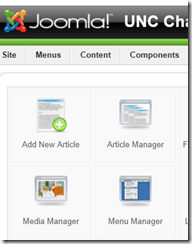
- In the Joomla Administrator Control Panel, click on the Menu Manager:
- Locate the menu item that you want to remove in the hierarchy.
- Open the Menu item – from here you can
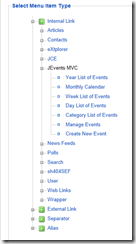
- either “unpublish” the menu
- or, lest you confuse your users, change the type to a page and post an explanation and directions where users can get the information they want in a better way.
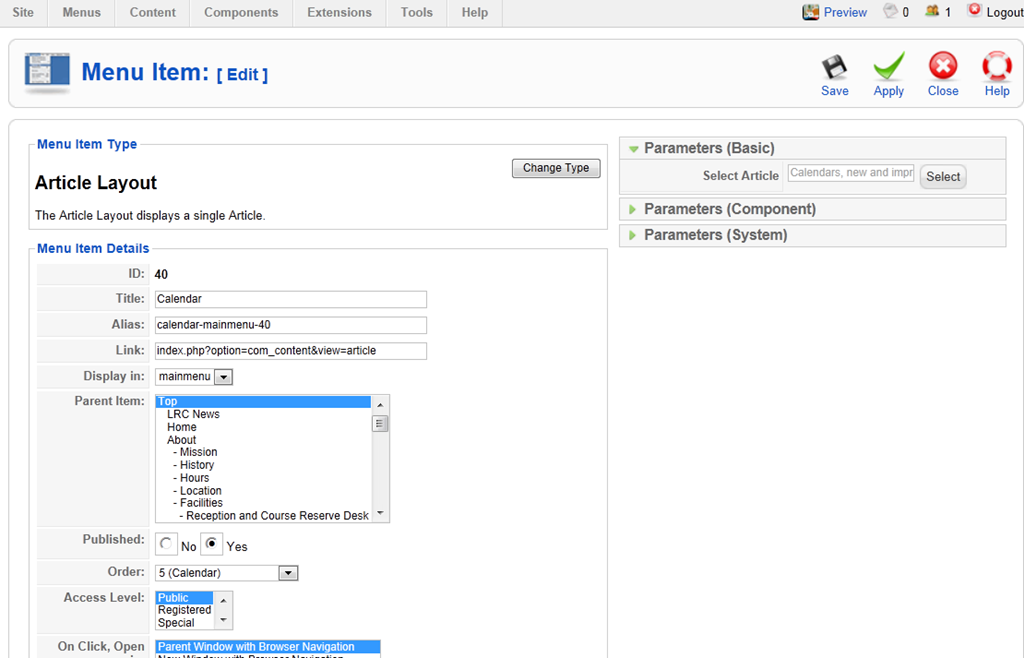
- replace the Calendar by an Article, then choose first the article format, then the article (article has to exist, you have to author it before editing the menu):

- Result:



LRC Outlook/Exchange 2010 Resource Calendaring: How LRC staff can group calendars in Outlook 2010
2011/09/28
1 comment
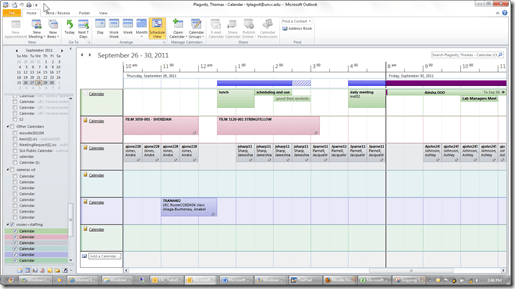
- You can save the currently loaded calendars as a preset or “group” from the ribbon in the calendar view of outlook 2010, like so:

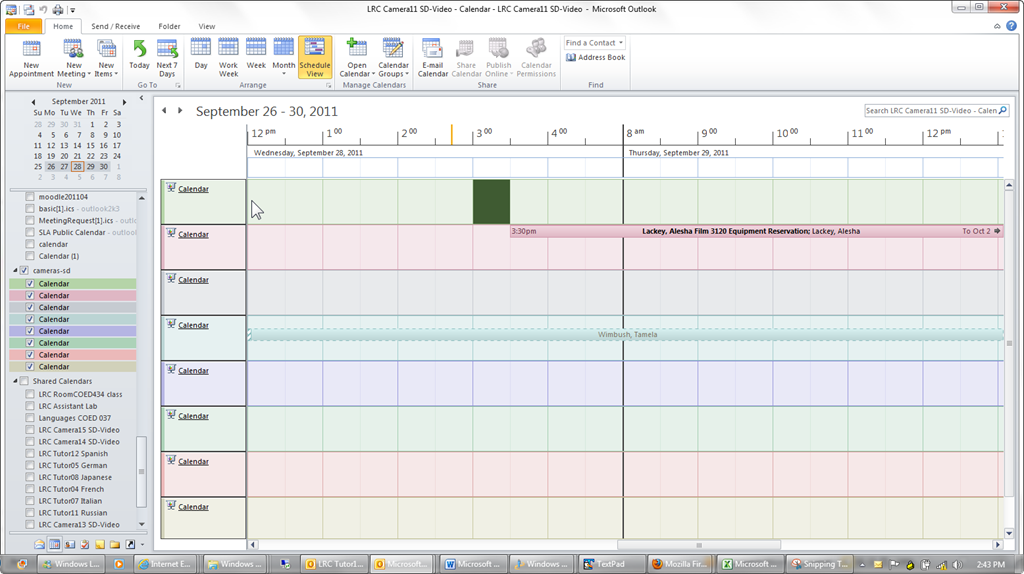
- The group and its members will be added to your calendar tree, and you can load all members with one click, like so:

- Then you can create multiple presets which correspond to your typical workflows: E.g. when you do not have to check the availability of equivalent sets of equipment, you may want to have an easy overview of staffing in the LRC:
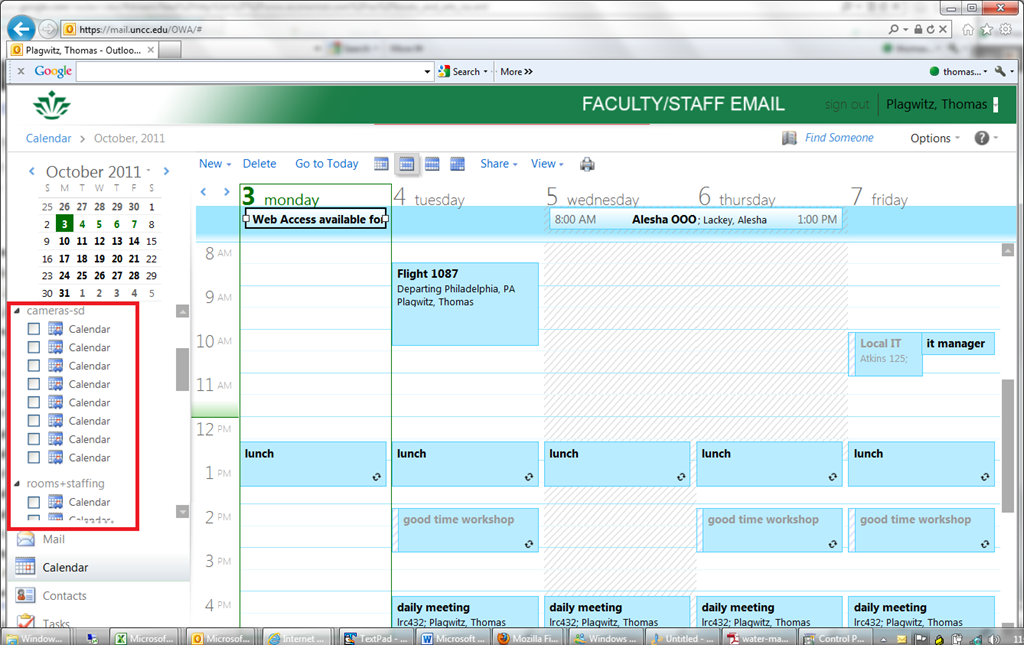
- Note that – while we have to load individually the calendars of other mailboxes we own –, calendar groups we create in Outlook are automagically mirrored in OWA
- But the calendar names get lost in the process? And: the batch select checkbox is missing. And: only up to 5 calendars can be viewed in OWA simultaneously. And: OWA does not support overlay mode for calendars.):

- It would be great if calendar groups, with the help of ActiveSync, even worked their way through to mobile devices, but apparently they do not:



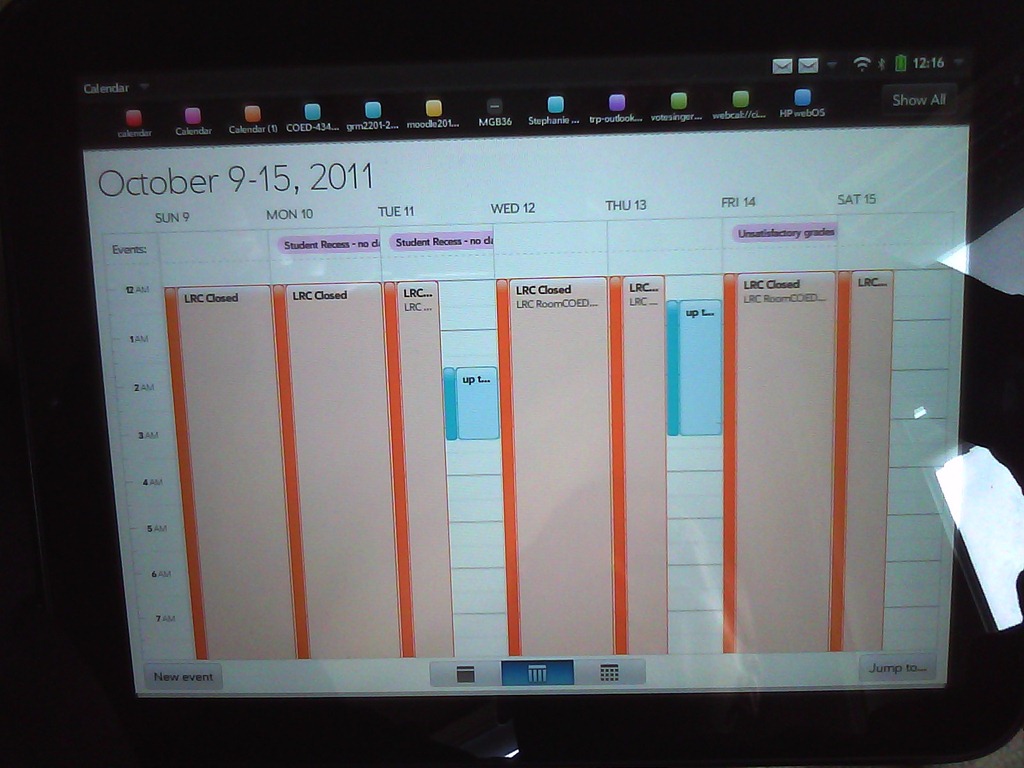
LRC Outlook/Exchange 2010 Resource Calendaring: How to display a Room/Staff/Tutor calendar aggregate at the reception desk using live@edu
2011/09/28
1 comment
- The LRC needs an overview aggregate calendar of its many rooms and services for clients in the entrance area. This should be always on display on the higher one of the reception area dual screen computers when screens are in extended mode
- From the calendar mailbox in OWA , these calendars can and have been published to the internet.
- LRC assistants can load and bookmark multiple (published or shared) calendars in their OWA, but there are limitations
- We do not want to clutter LRC Assistants OWA with LRC calendars more than we have to.
- OWA displays calendars (currently = 2011) only side-by-side, there is no overlay (=aggregate) mode like in Outlook 2010, and only up to 5 simultaneously, again unlike Outlook 2010 (30) (Students do not have Outlook (although it is being considered installing it on student staffed computers).
- A standard web browser allows for display of only one (HTML) calendar at a time in a web browser.
- ICS compatible applications like live@edu
- LRC assistants can load and bookmark multiple (published or shared) calendars in their OWA, but there are limitations
- can display many (=aggregate) ICS-based calendars in overlay mode.
- In addition, it is easy to change the display color (like in Outlook 2010) and display color (unlike in Outlook 2010, for me at least).
- In live@edu, this looks promising:

- To display more meaningful/less misleading subjects than “Busy” for pseudo-rooms (“offices” like LRC assistants or language tutors), add a subject (office name “LRC Assistant”or max class-level tutored).
- To have LRC assistants easily and consistently load this aggregate calendar view,
- we need to give tutors the password to uncc-lrc credentials – being “friends” not enough (which makes their own access to SkyDrive which we finally achieved yesterday useless – unless they log in as themselves and as uncc-lrc in 2 different browsers)
- However, I have not found a way to aggregate calendar ics files and display them without password (ideally in Joomla)
- Workaround: use a AutoIT auotmation script that runs when LRC Assistant logs in form the All users Startup Folder.



Questions? Read the About. Or just ask me a quick Our Databases: Resources with calendars -- Language learning material Moodle Sites, multimedia files -- films


FAQs for LRC student staff or for students or for teachers. To search our FAQs, in the browser addressbar, add after "https://plagwitz.wordpress.com/feed/?tag=faqs+/" "+TAG1" (from tag cloud below) OR "https://plagwitz.wordpress.com/feed/tag=faqs
&category_name=" "CAT1" (from category hierarchy below). OR search both categories and tags, and multiple TAGs/CATs (connect with "," for OR-search, with "+" for AND-search), like so: https://plagwitz.wordpress.com/feed/?tag=TAG1+TAG2+...TAGn&category_name=CAT1
+CAT2+...CATn"
Other ways to find help
If you cannot find it here, look there: 5,500 Language-Learning Links and Programs for learning or teaching 150 languages
Shortcuts:Our Lists, Our Maps, LRC Staff Moodle Site,LRC Project Moodle Site, 49erexpress, UNCC Moodle, Student Recordings: s:claslcslrcsanakostudent
Learning usage samples: Sanako oral exam, Kaltura webcam presentation, Dictation with speech recognition, Sanako written exam, Chinese and Japanese interactive stroke-order practice
Test the Sanako Installer, Webbrowser Popup Konfigurator for XP, or Windows7, faster LRC TeacherPC Log-in Let MS facilitate diacritics writing by installing for you US-International keyboard layout
This is my personal blog (Google+). The views expressed on these pages are mine alone and not those of my employer. The information in this weblog is provided “AS IS” with no warranties, and confers no rights.
 Thomas' Work Space