Archive
Archive for the ‘technology-domains-is-any’ Category
Mousewithoutborders, software KVM from Microsoft
2011/10/31
Leave a comment
- Mousewithoutborders, a free tool from Microsoft, allows you to control, from one keyboard and mouse two (or more) computers on the same network. These could be – as in my case – a laptop temporarily placed on the same desk as a desktop, or a desktop next to a server (if you do not run it headless anyway).
- Limitations
- Mousewithoutborders needs to control the Windows Firewall which is at work, in a domain administrator controlled windows network, disabled – so no luck getting it to work at the office desk, where it would be even more useful.
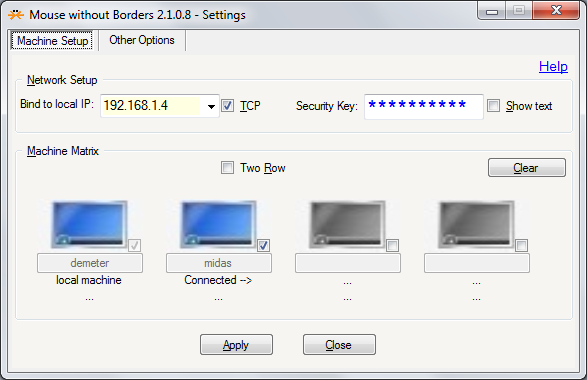
- For my Mousewithoutborders setup, to not exhibit connection issues, it seems crucial that both local and remote machine a checked in the matrix, and you even may have to type the network name of the remote computer.
- While initially, my network configuration was autodiscovered and the clients on the two computers that I try to control from one keyboard and mouse autoconnected, once I type the ID key into both installations
- Later, after I once used the “Clear”-button to cut the connection (when I temporarily had to physically reconfigure the arrangement of the two computers where the mouse movement across screens interrupted the new work flow)
- they lost their connection, and also could not discover the other client, when I requested reconnection (using the practical keyboard shortcut option form the “Other Options”tab: one client managed to remember the other, but “timed out”trying to connect; the other client I could not get to remember or autodiscover the other client), until I manually checked the checkbox next to the computer icon (screen icon turns blue) and typed the network name of the other computer into the textbox. Glad that I have the functionality back now…


Categories: e-infrastructure, mental-notes
kvm, utilities
RSS feed XML categories are case-sensitive on IE9, if not on WordPress.com
2011/10/31
Leave a comment

- From which follows: tightly manage your metadata…..

Deutsche Welle ends her live German program streaming today
2011/10/29
5 comments
- Too bad:
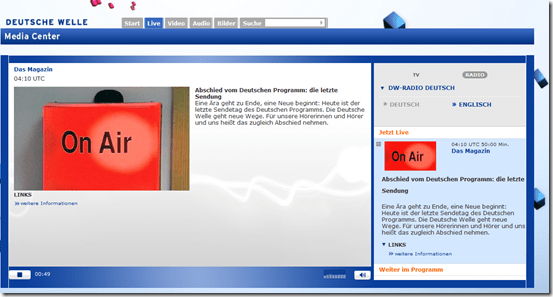
- And in those last news: “The Chinese government demands reforms in the Euro-zone before providing financial help”.
- I remember a time when Deutsche Welle was available during family vacation only via short wave radio. Now, the on-demand offerings of the Deutsche Welle will be expanded. They are more useful for language learning than live streaming anyway.

Categories: audience-is-students, audience-is-teachers, e-languages, German, Media
dwelle, links, radio
MS-Engkoo glossing of Chinese newspaper text
2011/10/28
Leave a comment
- Learners of Mandarin can increase not only their cross-cultural knowledge, when using the English versions of two of the biggest Chinese newspapers: “China Daily has adopted Engkoo’s “hover translation” feature—hover your cursor over an English word or phrase and get an inline Chinese translation— on its China-facing website” and the People’s Daily, the largest official newspaper in China, uses the same feature in its English website”
- Make sure you are on the right version (English version for Chinese user) of the site (
 are the choices you want to see on top) and “Enable Bing Dictionary”in lower right corner:
 ![china daily engkoo enable_thumb[1]](https://thomasplagwitz.com/wp-content/uploads/2011/10/china-daily-engkoo-enable_thumb1_thumb.png?w=244&h=40 "china daily engkoo enable_thumb[1]")
- Then hover:
![china daily engkoo example_thumb[1]](https://thomasplagwitz.com/wp-content/uploads/2011/10/china-daily-engkoo-example_thumb1_thumb1.png?w=559&h=462 "china daily engkoo example_thumb[1]") .
.

![china daily engkoo enable_thumb[1]](https://thomasplagwitz.com/wp-content/uploads/2011/10/china-daily-engkoo-enable_thumb1.png "china daily engkoo enable_thumb[1]")
![china daily engkoo example_thumb[1]](https://thomasplagwitz.com/wp-content/uploads/2011/10/china-daily-engkoo-example_thumb11.png "china daily engkoo example_thumb[1]")
Categories: Advanced, Beginner, e-languages, Intermediate, Mandarin, Media, Reading, Vocabulary, websites
engkoo, glossing, links, microsoft, newspapers
Easy adding and viewing GeoTags with your phone camera
2011/10/27
Leave a comment
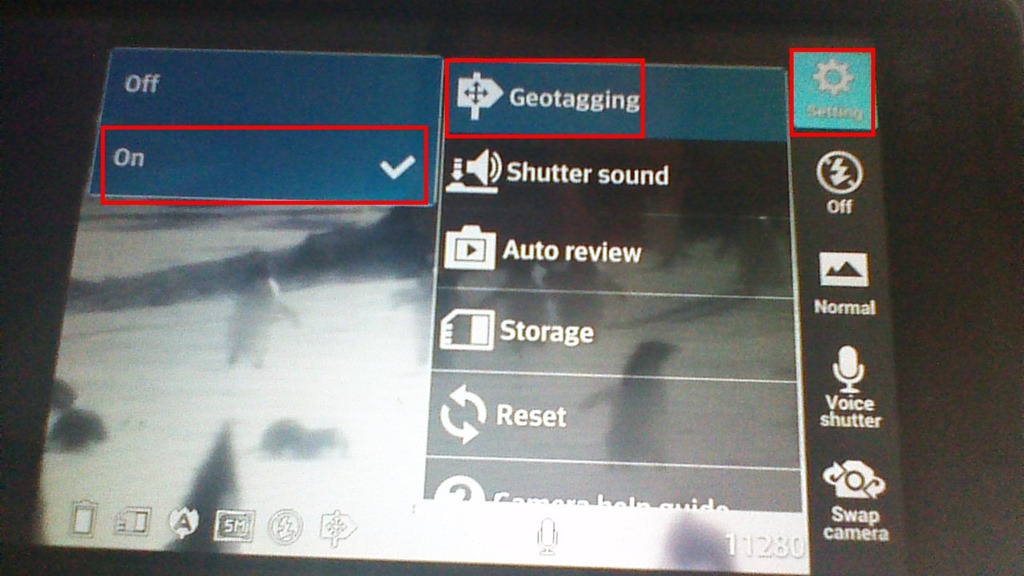
- “Open your camera app, go to “Settings” (sprocket), menu item: “Geotagging”, “On”:

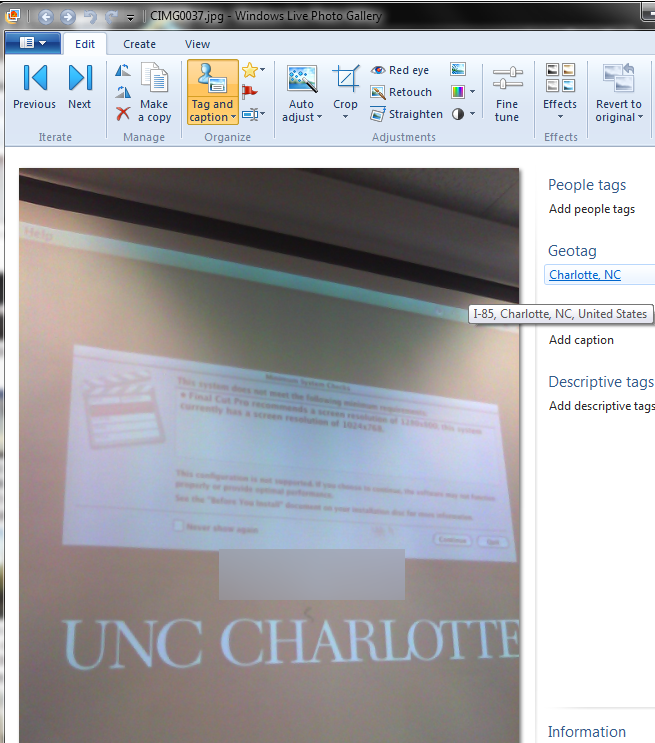
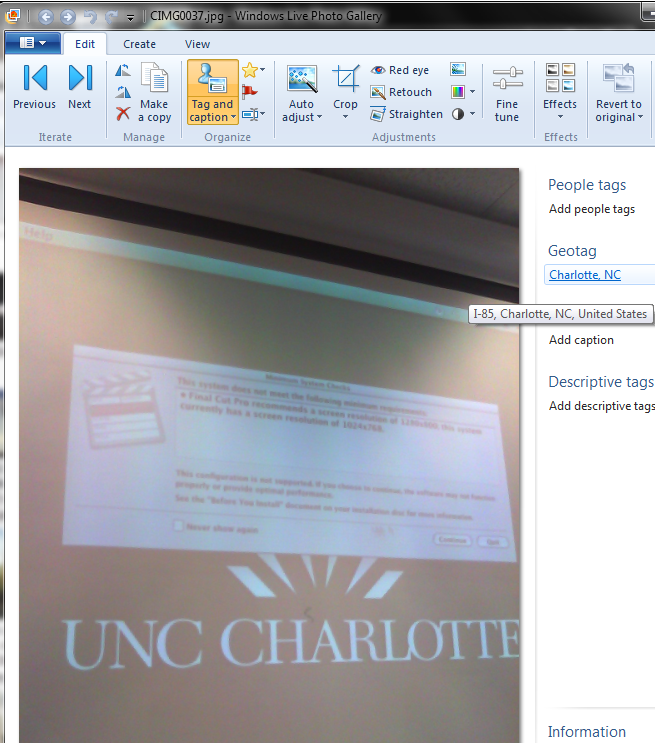
- Turning the phone’s the GPS on is not absolutely necessary, as this indoor basement shot proves:

- but will likely increase the accuracy of the Geotag in your photo greatly:

- How to view depends on your photo viewer application, above examples are taken from the free Windows Live Photo Gallery.

Categories: assignments, audience-is-students, digital-humanities, GIS, phones
camera, geotags, google-android, gps, windows-live-photo-gallery
Using geolocation information in photos for documentation?
2011/10/26
Leave a comment
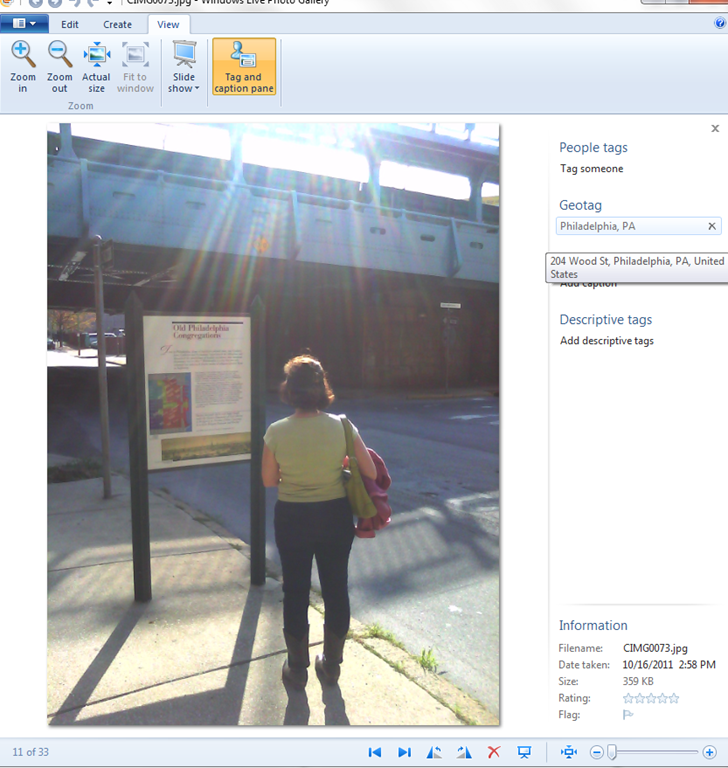
- During documentation writing today, I noticed that my WlGallery suddenly (?) started displaying the geotags in pictures taken with my Palm Pixi which I set a long time ago to store (and share) location information. I t looks like this has started working earlier, but gone unnoticed.
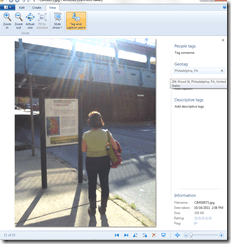 I also looks like it uses cell tower triangulation, not GPS data (when the latter is not available?):
 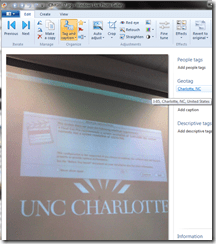 At such a granularity, this feature can not be useful for generating documentation. But maybe for excursions?
 - But seems still a bit iffy, on the Pixi side of things: I am pretty sure that previously, I could not see geotags in my photos, even though I tried several image metadata viewers. Also, the Pixi does not always add geotags: is this limited to pictures taken when there are network connectivity issues?
- Also seems like editing operations in wlgallery, including create panorama, “eat” the geotags in the output image….
Categories: e-infrastructure, GIS, mobile-phones, Notes, service-is-documenting
geotagging, gps, photos, pixi
LRC assistant responsibilities: A checklist (on reception desk next to your screen)
2011/10/26
Leave a comment
For larger view, click “Full screen”windows in lower right corner. Mote that the sheet with LRC assistant responsibilities is handily posted right under your screen at your work station – refer to it as needed,

How to use the online Portuguese pronunciation help to generate phonetic alphabet transcriptions and text-to-speech
2011/10/20
1 comment
- Go to http://www.co.it.pt/~labfala/g2p/
- Write or paste your text into the textbox:“Grafemas”
- Choose your preferred phonetic alphabet (IPA, SAMPA) and other options.
- Press button: “Converter” to see results.
- Press button: “Sintetizar” to hear results.
- Like so:
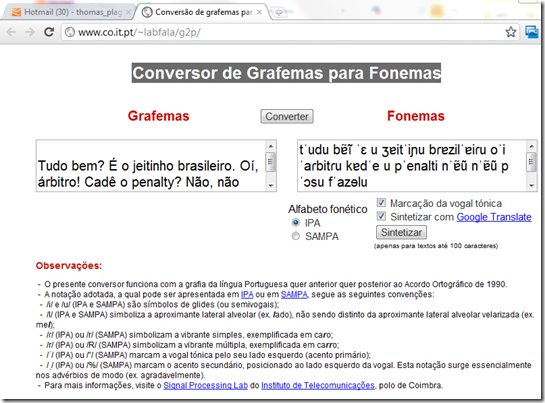
- Or click here to view a demo (requires Windows Media Player) with audio (download requires Windows Media Player). Our example was:
- Input: Tudo bem? É o jeitinho brasileiro. Oí, árbitro! Cadê o penalty? Não, não posso faze-lo.
- Output: tˈudu bɐ̃ĩ ˈɛ u ʒɐitˈiɲu bɾɐzilˈɐiɾu oˈi ˈaɾbitɾu kɐdˈe u pˈenalti nˈɐ̃ũ nˈɐ̃ũ pˈɔsu fˈazɘlu



Questions? Read the About. Or just ask me a quick Our Databases: Resources with calendars -- Language learning material Moodle Sites, multimedia files -- films


FAQs for LRC student staff or for students or for teachers. To search our FAQs, in the browser addressbar, add after "https://plagwitz.wordpress.com/feed/?tag=faqs+/" "+TAG1" (from tag cloud below) OR "https://plagwitz.wordpress.com/feed/tag=faqs
&category_name=" "CAT1" (from category hierarchy below). OR search both categories and tags, and multiple TAGs/CATs (connect with "," for OR-search, with "+" for AND-search), like so: https://plagwitz.wordpress.com/feed/?tag=TAG1+TAG2+...TAGn&category_name=CAT1
+CAT2+...CATn"
Other ways to find help
If you cannot find it here, look there: 5,500 Language-Learning Links and Programs for learning or teaching 150 languages
Shortcuts:Our Lists, Our Maps, LRC Staff Moodle Site,LRC Project Moodle Site, 49erexpress, UNCC Moodle, Student Recordings: s:claslcslrcsanakostudent
Learning usage samples: Sanako oral exam, Kaltura webcam presentation, Dictation with speech recognition, Sanako written exam, Chinese and Japanese interactive stroke-order practice
Test the Sanako Installer, Webbrowser Popup Konfigurator for XP, or Windows7, faster LRC TeacherPC Log-in Let MS facilitate diacritics writing by installing for you US-International keyboard layout
This is my personal blog (Google+). The views expressed on these pages are mine alone and not those of my employer. The information in this weblog is provided “AS IS” with no warranties, and confers no rights.
 Thomas' Work Space