Archive
How to check if components of Shotgun Microphones (05-08) are complete
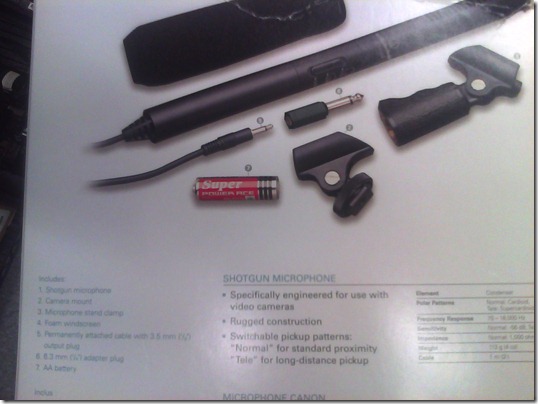
- Use this list:
- micro
- seat1
- seat2
- cable1
- cable2
- adapter1/4”
- windshield
- Or use the illustration from the microphone package:

How to check if components of Microphone Boom pole (01-04) are complete
- Boom
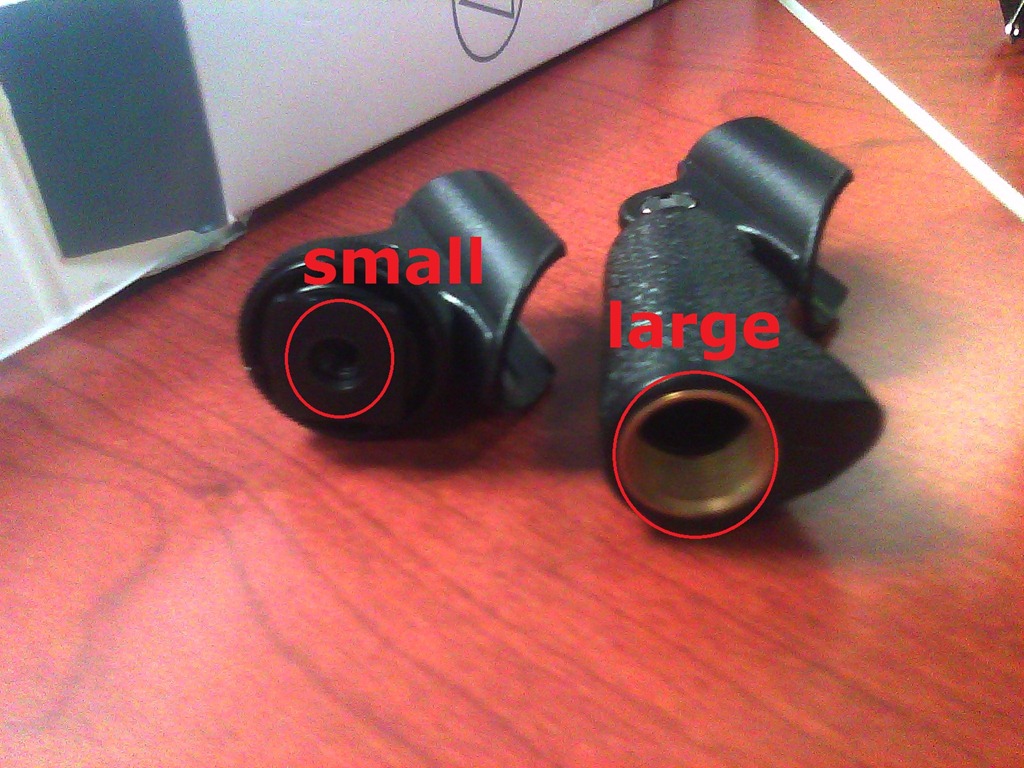
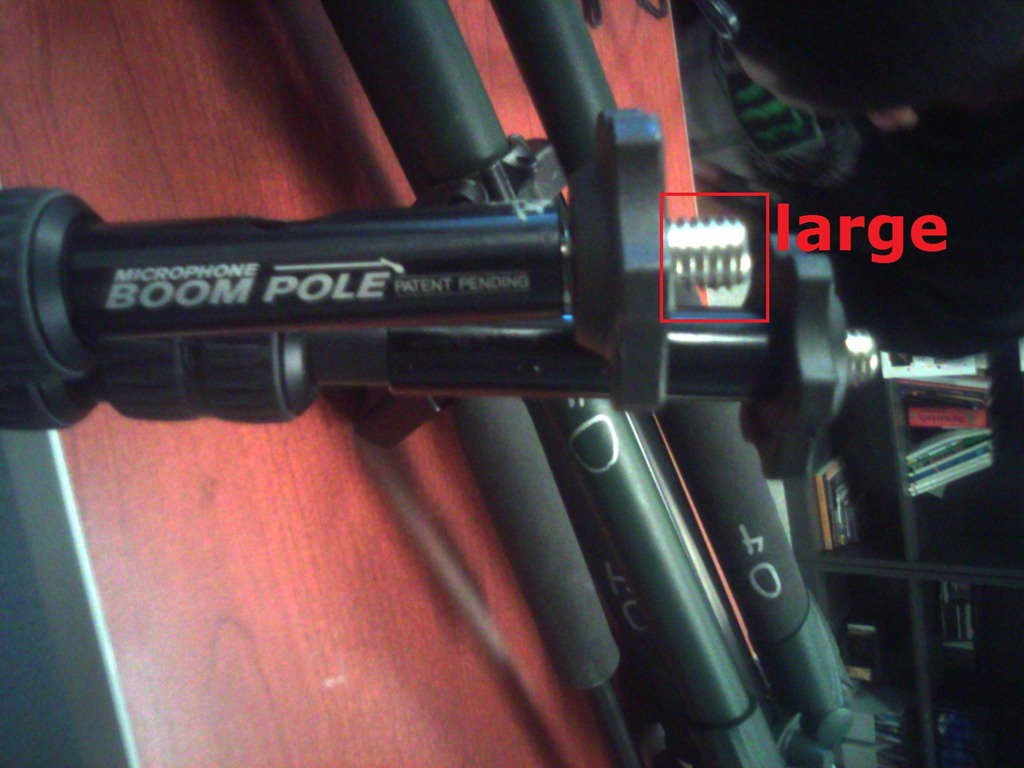
- Adapter for microphone holder. To change the screw size to that of the microphone holder you have

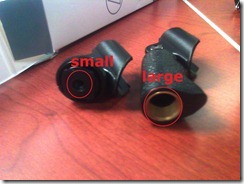 , you can unscrew the adapter and turn it around – however, do not lose it!



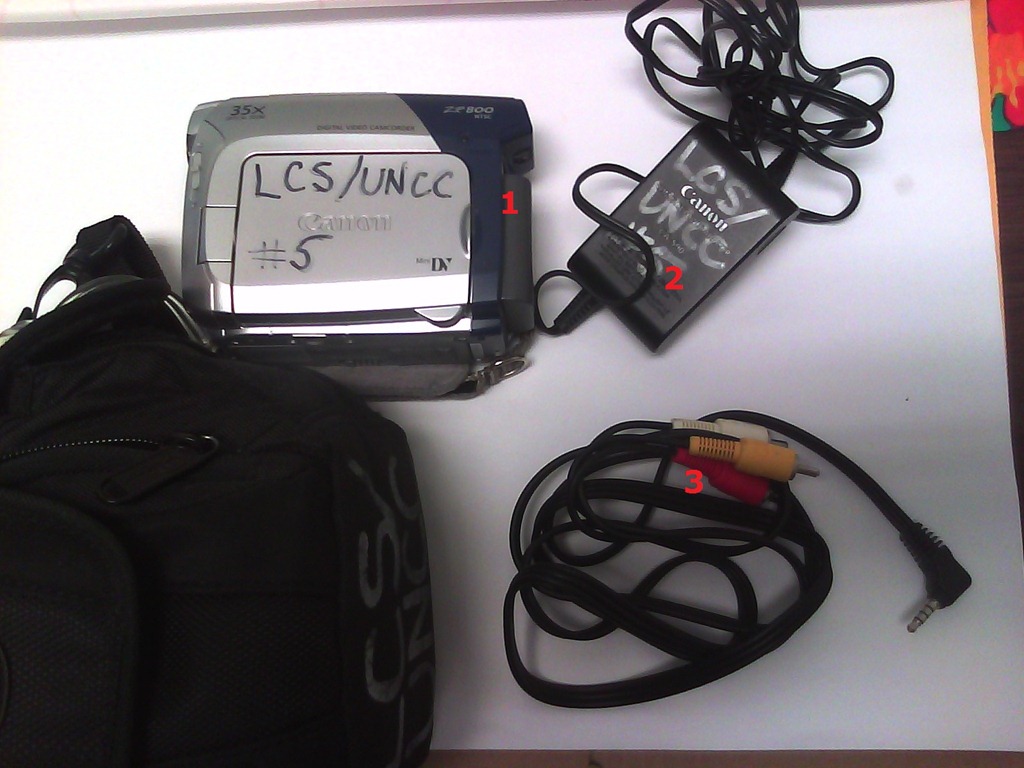
How to check if components of Canon camera (01-10) are complete
- Battery
- Battery Charger
- AV cable – FIREWIRE cables for transferring video are not included, we do not have enough. Use in the LRC only.

How to download videos from YouTube.com, and other video sites
- Don’t know what this institution recommends – here is a list of software that I have accumulated over time – I stopped a while ago, since there is always something newer coming out - try googling what is currently most popular.
- http://www.viloader.net/addon.htm: You have to click on download, and save the file with the name you want and in the end you have to add .flv that its the video format. Then when the video has been saved to your PC you have to convert the video in a comercial format like wmv, mpg, etc. or download a flv player to be able to see the videos.
- Youtube Catcher can download videos from Youtube, Google Video, Myspace Video, Yahoo video Dailymotion Stage6 Veoh. The downloaded videos can be exported to various formats like MPG,AVI, MP4,3GP, 3G2, WMV, PSP, MOV, FLV with the quality you choose: http://www.teknobites.com/2007/08/23/youtube-catcher-youtube-and-other-video-downloader-tool/
- zamzar.com
- http://userscripts.org/scripts/show/25105,
- http://www.googlewatchblog.de/2008/04/13/youtube-video-als-mp4-herunterladen/
- MPEG Streamclip can download YouTube files. They are always opened or downloaded in MP4 (MPEG-4) format, so they can be used in MPEG Streamclip.
- this works well as of 8/17/2009 1.Go to http://edtech.nwresd.org/?q=node/157 . You will see the words ""download script"" (in blue – a hyperlink). Right click on that text and then on ""Bookmark this link"" (at least that’s what it says using Mozilla Firefox as a browser). You can move this bookmark within your Bookmarks or Favorites Folder wherever you want. 2.Go to YouTube and locate a video you want to save. While the video is actually playing, go to your Bookmarks Folder and click on the ""download script"" link you saved there.3.Next look in the right hand column on the screen – to the right of the video playing. Just below the section that says URL, and EMBED (right below URL) you will see a text that says download as MP4. 4.Right click on that text and then click on SAVE LINK AS. You can choose where you want the file to be saved and you can even rename the file (for me the default name is ""video""). Just to be sure I’d let the video play to the end before checking to see if it actually where you put it.
-
if (document.getElementById(‘download-youtube-video’)==null && !!(document.location.href.match(/http:\/\/[a-zA-Z\.]*youtube\.com\/watch/))) {var yt_mp4_path=’http://www.youtube.com/get_video?fmt=18&video_id=’+swfArgs%5B‘video_id’%5D+’&t=’+swfArgs%5B‘t’%5D; var div_embed=document.getElementById(‘watch-embed-div’);if(div_embed){var div_download=document.createElement(‘div’);div_download.innerHTML=’ <br /><span id="\’download-youtube-video\’"><a href="\”+yt_mp4_path+’\’">Download as MP4</a> ‘+ ((navigator.userAgent.indexOf(‘Safari’)!=-1)?'(control-click and select <i>Download linked file as</i>)’:(‘(right-click and select <i>Save ‘+ (navigator.appName==’Microsoft Internet Explorer’?’target’:’link’) +’ as)</i>’))+’</span>’;div_embed.appendChild(div_download);}}void(0)
-
- Updates for the the 2013/4 academic year:
- YouTube Center, includes download functionality, more on YouTube center here.
- Orbit downloader:
- Claims to be a generic downloader, and looks complicated enough to convince me of that
 .
. - However, I did not have any luck here, at least I did not find a practical (=automated) way to cobbling these clips together (are media outlets, even if they are under non-US legislation and trying so hard, still bound by the fair use legislation?):
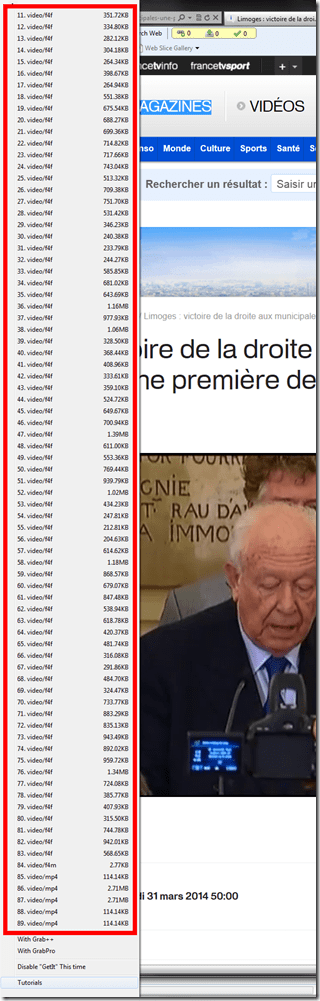
- Also changes your browser home page without asking – I can’t say I like the territory I get myself into with these teacher download requests.
- Claims to be a generic downloader, and looks complicated enough to convince me of that

Film-studies educational community can get free Autodesk Software
Autodesk offers free software licenses to the educational community if you register (free), some of which may be of interest for film studies (see selection of software below). Make sure you check fit into the licensing conditions: “Important Note :The Autodesk Student Version software incorporates all the functionality of our professional licenses, but includes a print banner making the software inappropriate for professional, commercial, or for-profit purposes. Autodesk Student Version software may not be used in the classroom or lab for instructional purposes, or for commercial or for-profit purposes. Annual licenses of Autodesk student software are not eligible for product upgrade or transfer to a commercial license. View print banner sample.”
Autodesk Maya
Autodesk® Maya® 2012 software delivers powerful new toolsets for previsualization and games prototyping; offers extended simulation capabilities; and opens the way for better pipeline integration.
Autodesk MotionBuilder
Autodesk® MotionBuilder® 2012 software delivers new tools for virtual movie-making, performance animation, and stereoscopic productions, and enhanced interoperability with other products in the Autodesk® Entertainment Creation Suites 2012.
Autodesk Mudbox
Autodesk® Mudbox™ 2012 software delivers enhancements to the painting toolset; innovative new UV and topology-independent workflows; practical posing tools; and improved performance and large dataset handling.
Autodesk 3ds Max Design
Autodesk® 3ds Max® Design 2012 software delivers powerful new rendering toolsets, accelerated iterative workflows, and enhanced interoperability that together help increase overall productivity.
Autodesk Softimage
Autodesk® Softimage® 2012 software delivers innovative new creative toolsets; enhanced interoperability with Autodesk®
Autodesk Smoke for Mac OS X
Autodesk® Smoke® 2012 software offers a timeline-based, all-in-one creative toolset for editorial finishing that spans color correction, keying, tracking, paint, cleanup, titling and 3D visual effects.


Questions? Read the About. Or just ask me a quick Our Databases: Resources with calendars -- Language learning material Moodle Sites, multimedia files -- films


FAQs for LRC student staff or for students or for teachers. To search our FAQs, in the browser addressbar, add after "https://plagwitz.wordpress.com/feed/?tag=faqs+/" "+TAG1" (from tag cloud below) OR "https://plagwitz.wordpress.com/feed/tag=faqs
&category_name=" "CAT1" (from category hierarchy below). OR search both categories and tags, and multiple TAGs/CATs (connect with "," for OR-search, with "+" for AND-search), like so: https://plagwitz.wordpress.com/feed/?tag=TAG1+TAG2+...TAGn&category_name=CAT1
+CAT2+...CATn"
Other ways to find help
If you cannot find it here, look there: 5,500 Language-Learning Links and Programs for learning or teaching 150 languages
Shortcuts:Our Lists, Our Maps, LRC Staff Moodle Site,LRC Project Moodle Site, 49erexpress, UNCC Moodle, Student Recordings: s:claslcslrcsanakostudent
Learning usage samples: Sanako oral exam, Kaltura webcam presentation, Dictation with speech recognition, Sanako written exam, Chinese and Japanese interactive stroke-order practice
Test the Sanako Installer, Webbrowser Popup Konfigurator for XP, or Windows7, faster LRC TeacherPC Log-in Let MS facilitate diacritics writing by installing for you US-International keyboard layout
This is my personal blog (Google+). The views expressed on these pages are mine alone and not those of my employer. The information in this weblog is provided “AS IS” with no warranties, and confers no rights.
 Thomas' Work Space