Archive
Archive for the ‘Mandarin’ Category
How students can record their picture or photo presentations with PowerPoint 2010
2013/01/17
Leave a comment
- The screencast shows the necessary steps:

- inserting a photo album,
- presenting while recording the presentation with narration
- saving as a show (.ppsx) – make sure you have ribbon:”Slide show”/ “Play narrations” checked:

- to prepare an assignment for a Moodle single-file-upload (How a student takes a Moodle Simple file upload assignment).

Categories: Arabic, assignments, audience-is-students, documentation, e-languages, English, Farsi, French, German, Greek (modern), Hebrew, Hindi, Italian, Japanese, Korean, Latin, Mandarin, multimedia-recording, office-software, Polish, Portuguese, recording-software, Russian, Screencasts, service-is-applying-learning-tools, Spanish, Speaking, Swahili, Yoruba
2010, ms-powerpoint, narration

Pictolang, another flashcard site for vocabulary learning
2012/12/05
Leave a comment
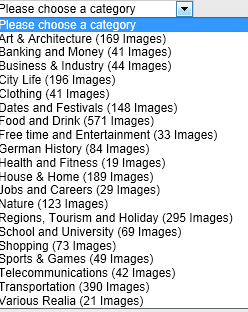
- Distinguishing mark: Pictolang is based on the Culturally authentic Picture Lexicon. Here is an overview of the currently available languages and imagery:
-
Language Region # Images German 2631 Mandarin China 2336 ESL North America 2074 Russian 1420 French France 1231 Spanish Southern Cone 1022 Spanish Mexico 1000 Spanish Central America & Caribbean 872 Spanish Peninsular 579 Arabic 287 Special Collections 151 Ukrainian 139 Japanese 106 French Canada 47 Arabic Oman 11 - You can focus vocabulary your study on specific topics, which will likely integrate it better with your core textbook material (often divided into topical chapters).

- Suitable for self-study, the use of CAPL makes this an especially interesting tool for preparing work/study/travel abroad. It also allows for playing a classroom flashcard game in language culture and area studies, where the teacher can provide context and background information in the images from the target culture.

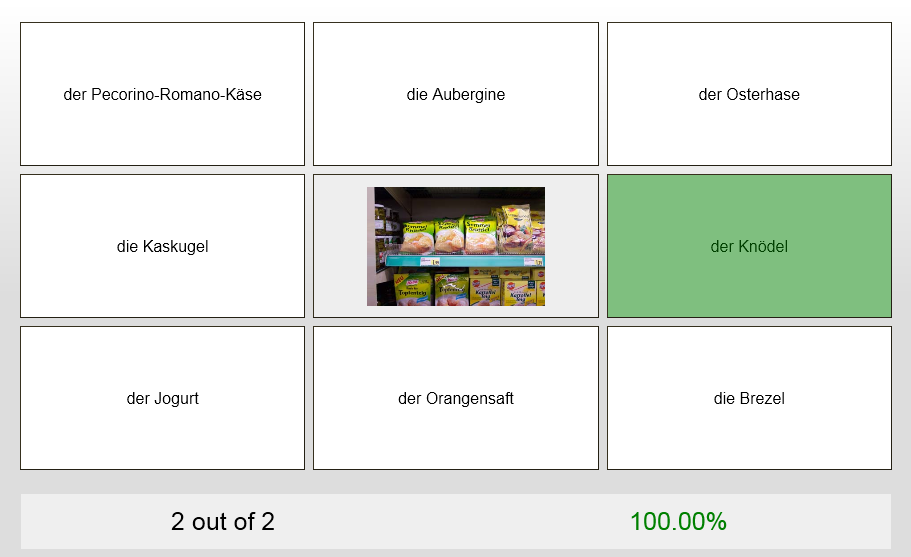
- Example o the Word Match Game right answer feedback:
- Wrong answer feedback:


Categories: Absolute-Beginner, Advanced, Arabic, audience-is-students, audience-is-teachers, Beginner, English, French, German, Intermediate, Japanese, Mandarin, Photos, Russian, Spanish, Vocabulary, websites
flashcards, pictolang
Use SharePointDesigner here to quickly and cleanly edit legacy static web pages
2012/10/23
Leave a comment
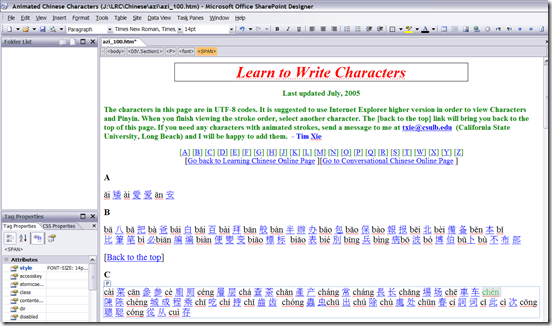
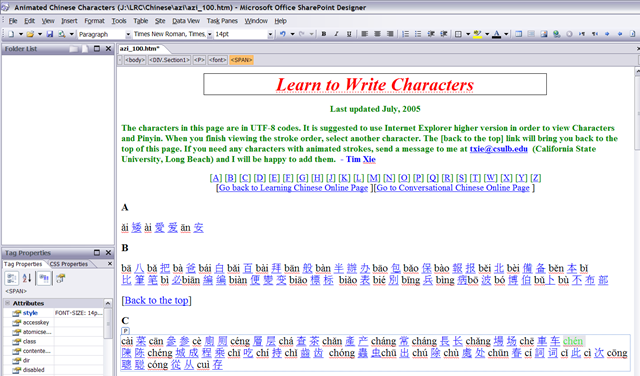
- Confronted with the need to have faculty classify my variable speed animated GIF collection of Mandarin characters linked from static HTML pages, I find:
- SharePointDesigner is a FrontPage derivative, but still beats dealing with the special markup MS-Office tends to smuggle into your legacy web pages.
- And you can download it for free from MS here, install and open a file by right-clicking it and “Open with”, like so:
 .
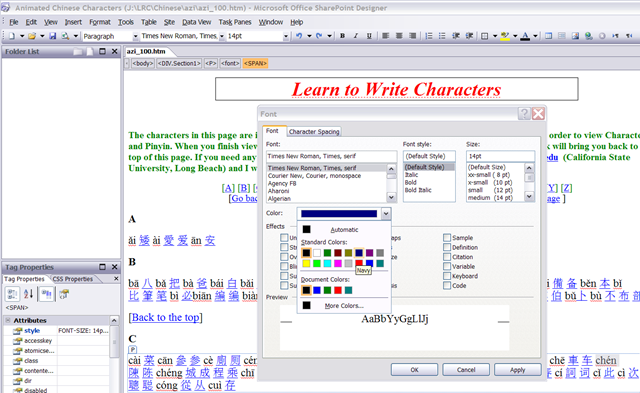
. - User then can e.g. select a pinyin word, right-click it, access the font-dialogue, like so:
 , and, to align this alphabetic pinyin list to the progression in the syllabus if the Chinese language program, assign a heat-scale like so:
  . E.g this would denote an easy character for Chinese 101:
  .
. - Note 1: Do not use SharePointDesigner 2010,, this doe not allow easy editing of single web pages anymore:
 .
. - Note 2: The CSS style markup that SharePointDesigner puts in smartly for the font color change is ignored by Internet Explorer 8 (Huh?!), so we will have to TBA:ask students to use Firefox instead.
- Note3: Why not just use MS-Word as HTML-Editor. Even if you save as and choose “Web-page filtered, like so:
 , to avoid MS-Office specific markup, MS-word puts spurious markup in that makes it not only slow down the road to open the file, but also difficult to post-process them with regular expression (I have a few hundred copies to make for different animation speeds). Compare the file sizes here:



How to switch the input language in Respondus Lockdown browser, e.g. to Arabic
2012/10/23
Leave a comment
- Short answer:
- Right-click the Language bar on the taskbar and choose “Restore the Language bar”, like so:

- This makes the language bar a floating toolbar on top of the screen, like here:
 . This floating toolbar you can still access when in Lockdown browser.
 - The language bar can be temperamental, you may need to bring it up again, try switching back and forth between input fields.
- Long Answer:
- Respondus Lockdown browser blocks many functionalities, including the shortcut combination to change input languages (usually LEFT ALT + SHIFT) and access to the Language bar on the task bar.
- This is not an issue when your quiz is in a western language and you have US- international keyboard layout configured as your default (which lets you type most Western diacritics without need for keys blocked by Respondus Lockdown browser )
- It is an issue with e.g. Arabic. You cannot even temporarily set Arabic to your default input language before starting lockdown browser, since then you cannot log in (with MS Maren IME, you can override the Arabic default to enter your username in western characters, but not the password. Respondus Lockdown Browser is built on Internet Explorer, but it does not share the cookies, so being logged into your LMS in Internet Explorer does not carry over to your Lockdown Browser session).
- Workaround: See above.


Ipatrainer.com community provides free phonetic transcription tables with sounds and exercises
2012/10/11
Leave a comment
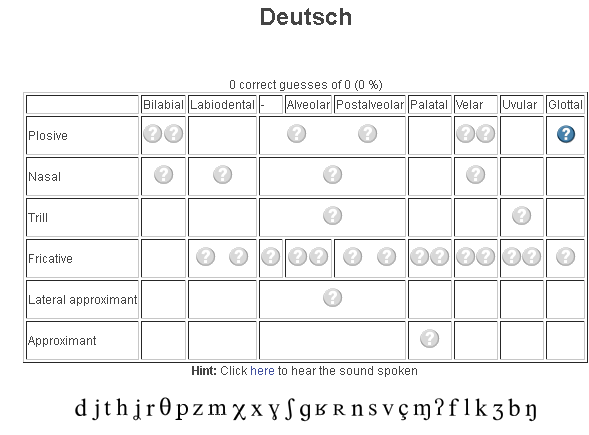
- This is looking good, but …
- There seem to be some coding issues, I am getting server errors 500 after registering.
- The site is advertisement-based.
- There is no content beyond the IPA sound which would put these bare basics in phonetics into language learning context and practice.
- Site Contains:
- tables for teaching your language – complete with phonetic symbols and sound samples

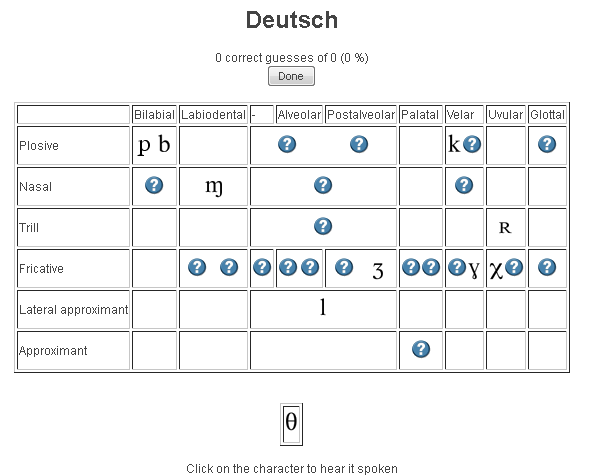
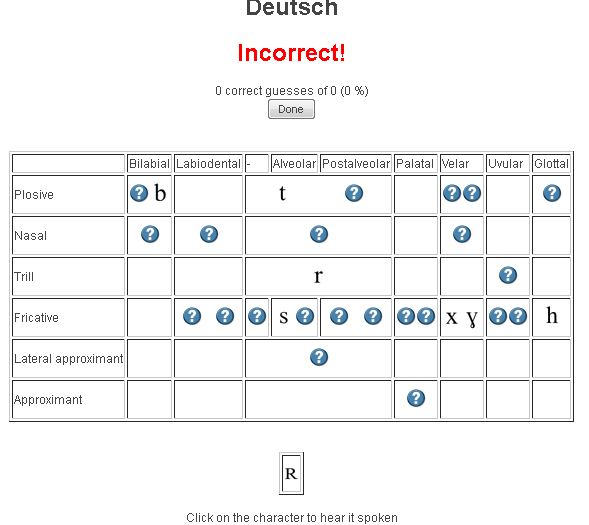
- and exercises for your students (e.g. Memory games, Identifying characters


 , places,
 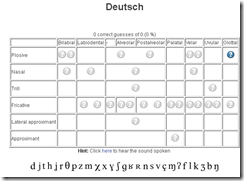 and sounds.
- tables for teaching your language – complete with phonetic symbols and sound samples
- You can
- Create your own, after free registration,
- or assign one of the ones from many other teachers.
- Most popular ones are listed here: http://www.ipatrainer.com/user/site/?language=, and if the use numbers are accurate, there must be really some serious IPA learning going on here…
- I see no way to browse other tables without having the username of the teacher who created and assigned it.
- There is also a phonetic writer.
- And a user forum, in its infancy.



Categories: Arabic, audience-is-students, audience-is-teachers, e-languages, English, Farsi, French, German, Greek (modern), Hebrew, Hindi, Italian, Japanese, Korean, Latin, learning-materials, Mandarin, Polish, Portuguese, Russian, service-is-evaluating-learning-tools, Spanish, Speaking, Swahili, websites, Yoruba
ipa, phonetics


Questions? Read the About. Or just ask me a quick Our Databases: Resources with calendars -- Language learning material Moodle Sites, multimedia files -- films


FAQs for LRC student staff or for students or for teachers. To search our FAQs, in the browser addressbar, add after "https://plagwitz.wordpress.com/feed/?tag=faqs+/" "+TAG1" (from tag cloud below) OR "https://plagwitz.wordpress.com/feed/tag=faqs
&category_name=" "CAT1" (from category hierarchy below). OR search both categories and tags, and multiple TAGs/CATs (connect with "," for OR-search, with "+" for AND-search), like so: https://plagwitz.wordpress.com/feed/?tag=TAG1+TAG2+...TAGn&category_name=CAT1
+CAT2+...CATn"
Other ways to find help
If you cannot find it here, look there: 5,500 Language-Learning Links and Programs for learning or teaching 150 languages
Shortcuts:Our Lists, Our Maps, LRC Staff Moodle Site,LRC Project Moodle Site, 49erexpress, UNCC Moodle, Student Recordings: s:claslcslrcsanakostudent
Learning usage samples: Sanako oral exam, Kaltura webcam presentation, Dictation with speech recognition, Sanako written exam, Chinese and Japanese interactive stroke-order practice
Test the Sanako Installer, Webbrowser Popup Konfigurator for XP, or Windows7, faster LRC TeacherPC Log-in Let MS facilitate diacritics writing by installing for you US-International keyboard layout
This is my personal blog (Google+). The views expressed on these pages are mine alone and not those of my employer. The information in this weblog is provided “AS IS” with no warranties, and confers no rights.
 Thomas' Work Space