Archive
How to use Google translate for writing Cyrillic letters with a western keyboard, pronunciation help, and text-to-speech
Go to Google translate and do like so. Useful for learning, as well as typing when teaching.
Jim Breen (Monash) Japanese-English Dictionary
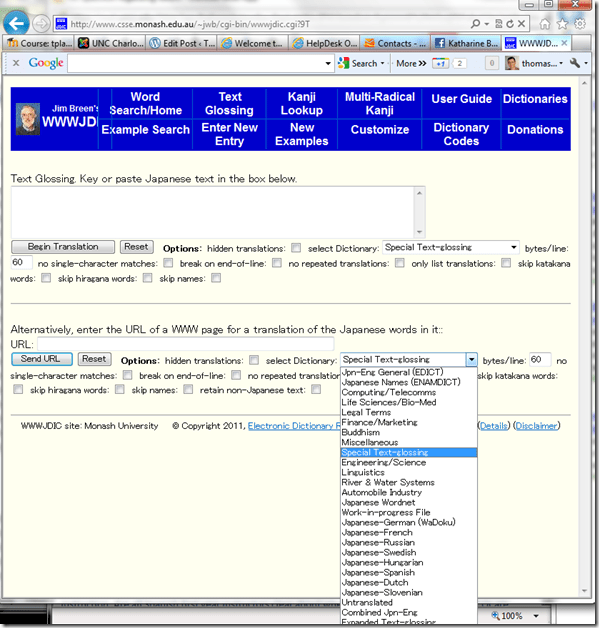
Collections of online dictionaries
- Here you can haz dictionaries. And if you use them in the Language Resource Center, you even have the chance to run into someone who can show you how to use them well.
- http://linguistlist.org/sp/GetWRListings.cfm?WRAbbrev=Dict
- http://lexicall.widged.com/repository/listing.php?category=words
Treffpunkt Deutsch Companion Website with Online Exercises
- This first-year German textbook comes with a Companion Website with free online exercises, organized by chapter, on the publisher’s website (different from the Quia.com –based workbook and lab manual exercises).
- From the instructor guide: “The Companion Website is a robust online resource designed to give students a chance to practice and further explore the vocabulary, structures, and cultural themes introduced in the text. For each chapter, students will find self-grading practice exercises on vocabulary and grammar topics as well as Web-based reading and writing activities. Web links to carefully selected sites in Germany, Austria, Switzerland, Luxemburg, Liechtenstein, and South Tyrol (Italy), accompanied by interesting activities, provide additional interaction with the cultures of these German-speaking areas of Europe. Also available on the Website are the audio components of the Student Text and the SAM, as well as an interactive vocabulary flashcards tool. ”
- These exercises include vocabulary practice, even flash cards.
- The auto-correction feature provides:
- some useful feedback for further study,

- summary grades

- and an email to teacher function that should facilitate Syllabus integration of this useful resource:

- some useful feedback for further study,


Memrise: Another flashcard site for vocabulary learning
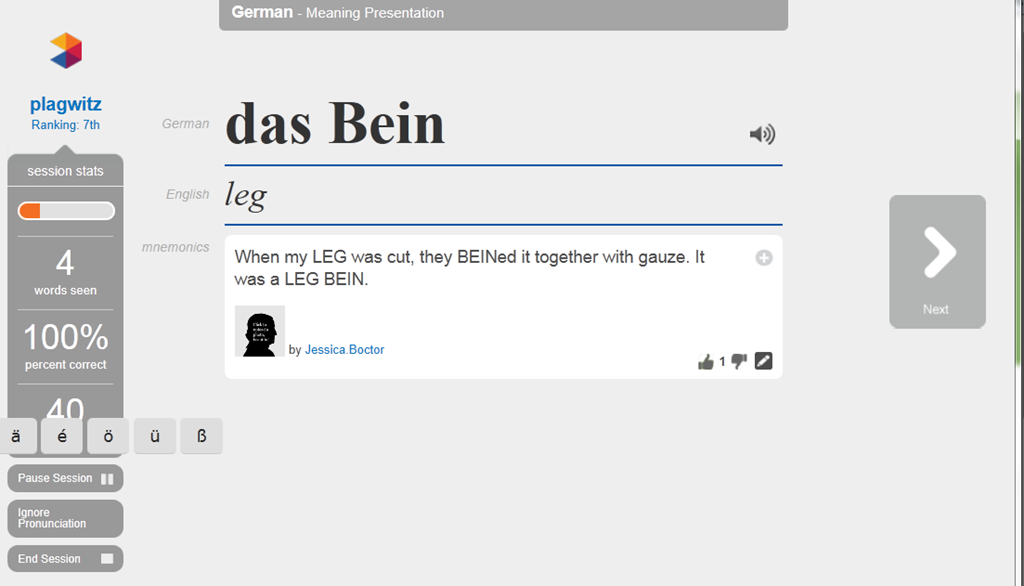
- Yet another attempt to tackle foreign language vocabulary learning with a crowd-sourced flashcard site: What is different this time, other than the layout?
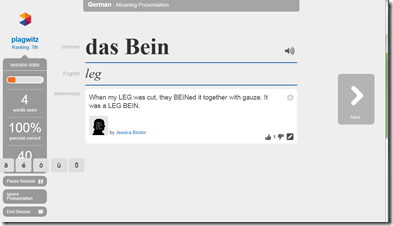
- The site works with a seed/greenhouse/garden metaphor for spaced repetition (how intelligent is the underlying algorithm for that?) and processing/short/long term memory

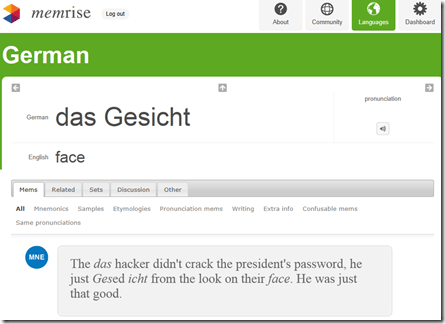
- You can have the word pronounced (is this Text-to-speech? does not sound like it. So will it scale?) The focus on non-target language “ponies” seems not fruitful. Actual target language context should be under “Samples”, but seems widely missing. Communicative motivation also. Multiple meanings and grammatical information seem to be missing from the lemmata. .
-
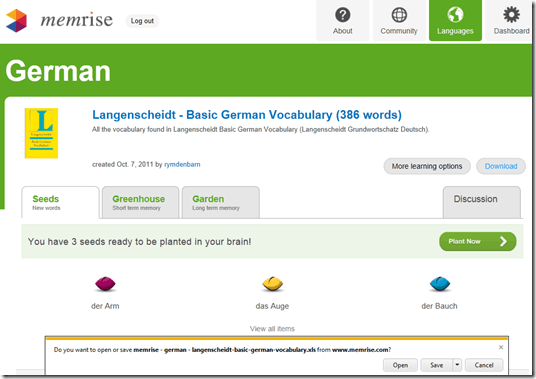
- Looks like a long list of flashcard lists, but note that the number of included words is descending quickly, hardly one of the many textbooks

- The site allows you to download the word lists as Excel files:




MS-Engkoo glossing of Chinese newspaper text
- Learners of Mandarin can increase not only their cross-cultural knowledge, when using the English versions of two of the biggest Chinese newspapers: “China Daily has adopted Engkoo’s “hover translation” feature—hover your cursor over an English word or phrase and get an inline Chinese translation— on its China-facing website” and the People’s Daily, the largest official newspaper in China, uses the same feature in its English website”
- Make sure you are on the right version (English version for Chinese user) of the site (
 are the choices you want to see on top) and “Enable Bing Dictionary”in lower right corner:
 ![china daily engkoo enable_thumb[1]](https://thomasplagwitz.com/wp-content/uploads/2011/10/china-daily-engkoo-enable_thumb1_thumb.png?w=244&h=40 "china daily engkoo enable_thumb[1]")
- Then hover:
![china daily engkoo example_thumb[1]](https://thomasplagwitz.com/wp-content/uploads/2011/10/china-daily-engkoo-example_thumb1_thumb1.png?w=559&h=462 "china daily engkoo example_thumb[1]") .
.

![china daily engkoo enable_thumb[1]](https://thomasplagwitz.com/wp-content/uploads/2011/10/china-daily-engkoo-enable_thumb1.png "china daily engkoo enable_thumb[1]")
![china daily engkoo example_thumb[1]](https://thomasplagwitz.com/wp-content/uploads/2011/10/china-daily-engkoo-example_thumb11.png "china daily engkoo example_thumb[1]")
MS-Bing Dictionary for Chinese learners of English–and vice versa?
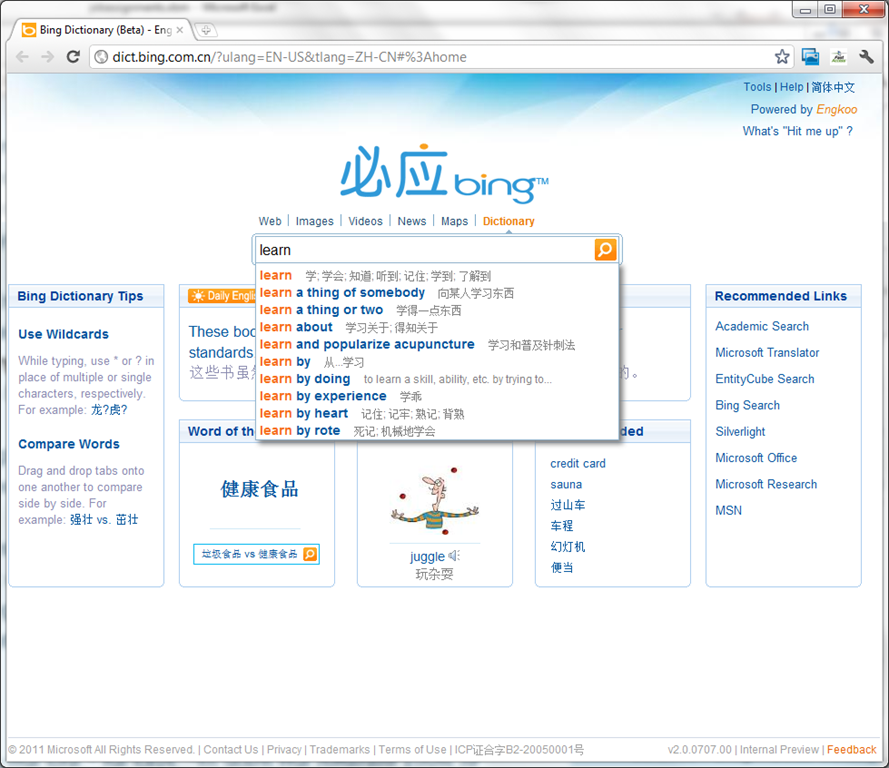
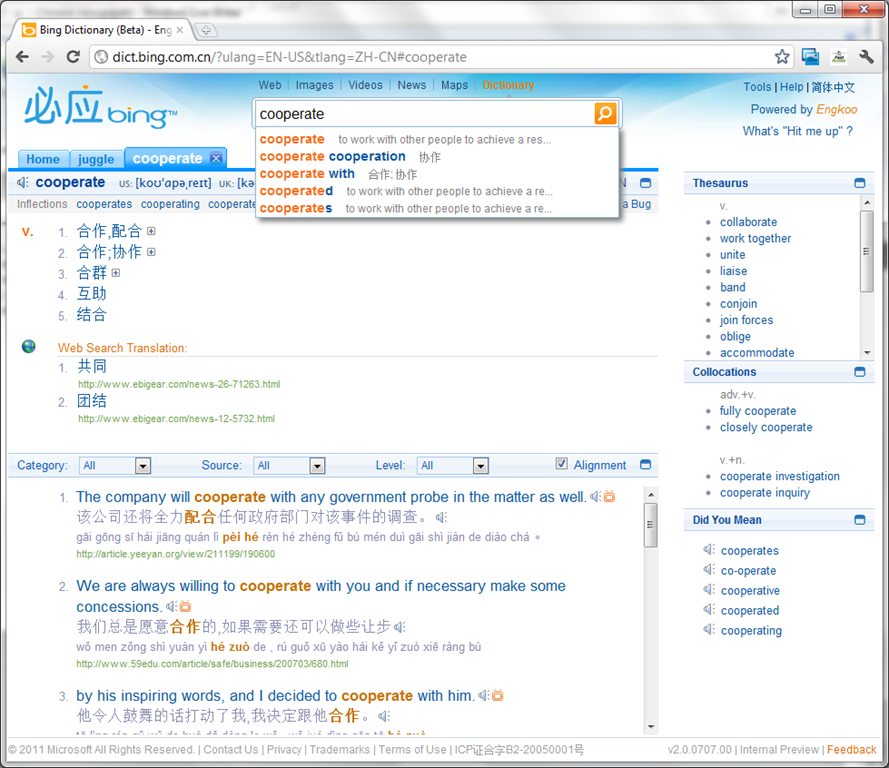
- Link: http://dict.bing.com.cn/?ulang=EN-US&tlang=ZH-CN#%3Ahome, powered by Engkoo:
- This looks like a pretty evolved learning tool: It has instant suggestions that include usage information and translations.

- Rich results that include contextual, parallel web-as-corpus matches in text and text-to-speech (that, on spot-checking, seems barely noticeably computer-generated).

Learn Chinese character stroke-order with slowed-down animated GIFs
Further to our prior tips on learning Chinese stroke order, now you can take your time, in the LRC: To facilitate your practicing of Chinese character stroke-order, we have used the most helpful site (also available by direct download) created by Tim Xie for the California State University, Long Beach, to create 100 different speed versions, and one comic strip like static image, for each of the several hundred of animated GIFs demonstrating Chinese character writing, and made them available on the LRC computers under Internet Explorer Favorites – Example:
 |
 |
 |
|
 |
|
 |
|
 |
|
 |
|
 |
|
 |
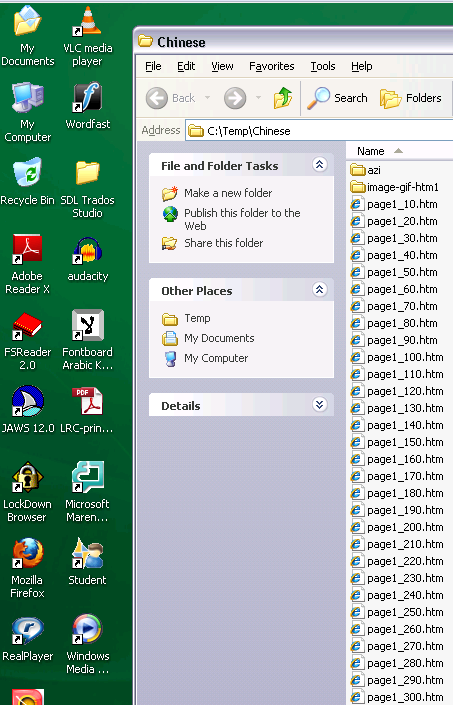
You can access the files with the stroke order speed of your preference from the LRCCOED434 student computers, like so:
(Many thanks also to the authors of programmable ImageMagick image editor and corresponding Unix shell scripts that we could use in the production of the slowed down animated GIFs. To create your own version of these slowed down animated GIFs, or others similar websites, feel free to pick up and/or adapt our shell script here).


Questions? Read the About. Or just ask me a quick Our Databases: Resources with calendars -- Language learning material Moodle Sites, multimedia files -- films


FAQs for LRC student staff or for students or for teachers. To search our FAQs, in the browser addressbar, add after "https://plagwitz.wordpress.com/feed/?tag=faqs+/" "+TAG1" (from tag cloud below) OR "https://plagwitz.wordpress.com/feed/tag=faqs
&category_name=" "CAT1" (from category hierarchy below). OR search both categories and tags, and multiple TAGs/CATs (connect with "," for OR-search, with "+" for AND-search), like so: https://plagwitz.wordpress.com/feed/?tag=TAG1+TAG2+...TAGn&category_name=CAT1
+CAT2+...CATn"
Other ways to find help
If you cannot find it here, look there: 5,500 Language-Learning Links and Programs for learning or teaching 150 languages
Shortcuts:Our Lists, Our Maps, LRC Staff Moodle Site,LRC Project Moodle Site, 49erexpress, UNCC Moodle, Student Recordings: s:claslcslrcsanakostudent
Learning usage samples: Sanako oral exam, Kaltura webcam presentation, Dictation with speech recognition, Sanako written exam, Chinese and Japanese interactive stroke-order practice
Test the Sanako Installer, Webbrowser Popup Konfigurator for XP, or Windows7, faster LRC TeacherPC Log-in Let MS facilitate diacritics writing by installing for you US-International keyboard layout
This is my personal blog (Google+). The views expressed on these pages are mine alone and not those of my employer. The information in this weblog is provided “AS IS” with no warranties, and confers no rights.
 Thomas' Work Space