Archive
How to transcribe English into phonetic alphabet using Phonetizer.com
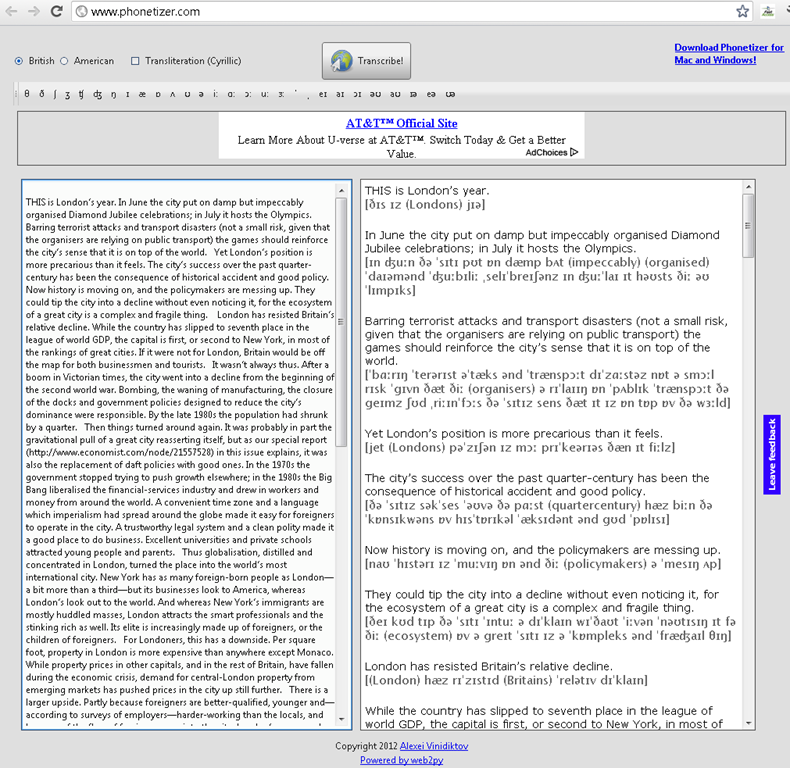
Phonetizer transcribes into IPA. The vocabulary seems somewhat limited (45000 claimed) – English spelling variants do not help, although Phonetizer offers BE as an input option. I have not found a length limit for the transcription with an article from the current Economist of over 1000 words – should be plenty for most reading/recording assignments in the LRC. Easy as (web2)py.  The web version is advertisement-based. The downloadable version is not free, so we cannot install it in the LRC, unfortunately.
Phonetic transcription websites
Computerized Language resource centers are supposed to work wonders improving SLA students’ pronunciation: Can’t computers analyze and visualize sound for us?
However, it turned out there seems to be a considerable “impedance mismatch” not only between computers analyzing and understanding the signal, but also between a computer voice graph and the capability of a language learner to process and improve pronunciation on the basis of it.
Voice graphs may have some use for tonal languages. But can you even tell from a voice graph of a letter which sound is being produced?
Enter the traditional phonetic transcription that pre-computerized language learners remember from their paper dictionaries (provided you can teach your language learners phonetic symbol sets like the IPA). Not only are good online dictionaries perfectible capable of displaying phonetic symbol sets on the web (it’s all in Unicode nowadays).
There are now experimental programs that can automate the transcription of text into phonetic symbol sets for e.g. English, Portuguese or Spanish. The more advanced ones also come with text-to-speech.
You can provide your students with audio (or, text-to-speech capability provided) or text models and have them study the phonetic transcription, listen to the audio, and record their model imitation in the LRC. Maybe you will find that practice with recording and a phonetic transcription of the recorded text is more useful for your students’ pronunciation practice than a fancy voice graph.
Setting up European Union translation memories and document corpora for SDL-Trados
-
SDL-Trados installation allows the translation program to teach this industry-standard computer-aided translation application . So far, however, we had no actually translation memory loaded into this translation software.
-
The European Union is a powerhouse for translation and interpreting – at least for the wide range of their member languages many of which are world languages – , and makes some of their resources – which have been set up for translation and interpreting study use here before – available to the community free of charge as reported during a variety of LREC’s.
-
This spring, the Language Technology Group at the Joint Research Centre of the European Union this spring updated their translation memory offer DTG-TM can fill that void at least for the European Languages that have a translation component at UNC-Charlotte.
-
We download on demand (too big to store: http://langtech.jrc.ec.europa.eu/DGT-TM.html#Download)
-
Is the DGT-TM 2011 truly a superset of the 2007, or should both be merged? probably too much work?
-
-
and extract only the language pairs with English and the language only the languages “1”ed here : “G:\myfiles\doc\education\humanities\computer_linguistics\corpus\texts\multi\DGT-tm\DGT-tm_statistics.xlsx” (using “G:\myfiles\doc\education\humanities\computer_linguistics\corpus\texts\multi\DGT-tm\TMXtract.exe”)
-
and convert
-
English is the source language by default, but should be the target language in our programs,
-
The TMX format this translation memory is distributed provided in, should be “upgradeable ” to the SDL Trados Studio 2011/2011 SP1 format in the Upgrade Translation Memories wizard”.,
-
TBA:where is this component?
-
-
-
configure the Trados to load the translation memory
-
how much computing resources does this use up?
-
how do you load a tm?
-
can you load in demand instead of preload all?
-
- Here are the statistics for the translation memories for “our” languages
-
uncc Language Language code Number of units in DGT – release 2007 Number of units in DGT – release 2011 1 English EN 2187504 2286514 1 German DE 532668 1922568 1 Greek EL 371039 1901490 1 Spanish ES 509054 1907649 1 French FR 1106442 1853773 1 Italian IT 542873 1926532 1 Polish PL 1052136 1879469 1 Portuguese PT 945203 1922585 Total 8 8 7246919 15600580
-
-
Would it be of interest to have the document-focused jrc-acquis distribution of the materials underlying the translation materials available on student/teachers TRADOS computers so that sample texts can be loaded for which reliable translation suggestions will be available – this is not certain for texts from all domains – and the use of a translation memory can be trained in under realistic conditions?
-
“The DGT Translation Memory is a collection of translation units, from which the full text cannot be reproduced. The JRC-Acquis is mostly a collection of full texts with additional information on which sentences are aligned with each other.”
-
It remains to be seen how easily one can transfer documents from this distribution into Trados to work with the translation memory
-
Here is where to download:
-
uncc
lang
inc
1
de
1
en
1
es
1
fr
1
it
1
pl
1
pt
-
The JRC-Acquis comes with these statistics:
-
-
uncc
Language ISO code
Number of texts
Total No words
Total No characters
Average No words
1
de
23541
32059892
232748675
1361.87
1
en
23545
34588383
210692059
1469.03
1
es
23573
38926161
238016756
1651.3
1
fr
23627
39100499
234758290
1654.91
1
it
23472
35764670
230677013
1523.72
1
pl
23478
29713003
214464026
1265.57
1
pt
23505
37221668
227499418
1583.56
Total
7
164741
247374276
1588856237
10509.96
-
- What other multi corpora are there (for other domains and other non-European languages)?
Corpus del Español Actual (CEA)
-
Link:
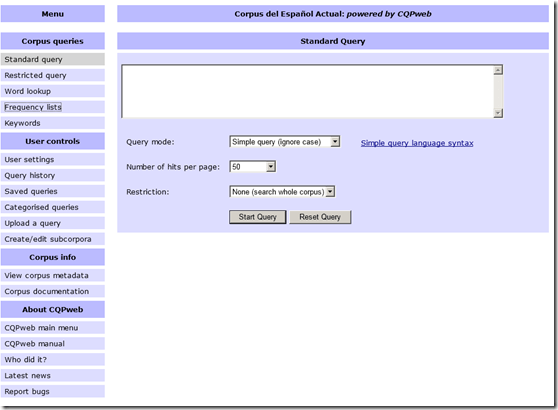
- Example of KWIC view result:

- Based on Europarl, Wikicorpus (2006!), MultiUN. From their metadata page:
Metadata for Corpus del Español Actual
Corpus name
Corpus del Español Actual
CQPweb’s short handles for this corpus
cea / CEA
Total number of corpus texts
73,010
Total words in all corpus texts
539,367,886
Word types in the corpus
1,680,309
Type:token ratio
0 types per token
Text metadata and word-level annotation
The database stores the following information for each text in the corpus:
There is no text-level metadata for this corpus.
The primary classification of texts is based on:
A primary classification scheme for texts has not been set.
Words in this corpus are annotated with:
Lemma (Lemma)
Part-Of-Speech (POS)
WStart (WStart)
The primary tagging scheme is:
Part-Of-Speech
Further information about this corpus is available on the web at:
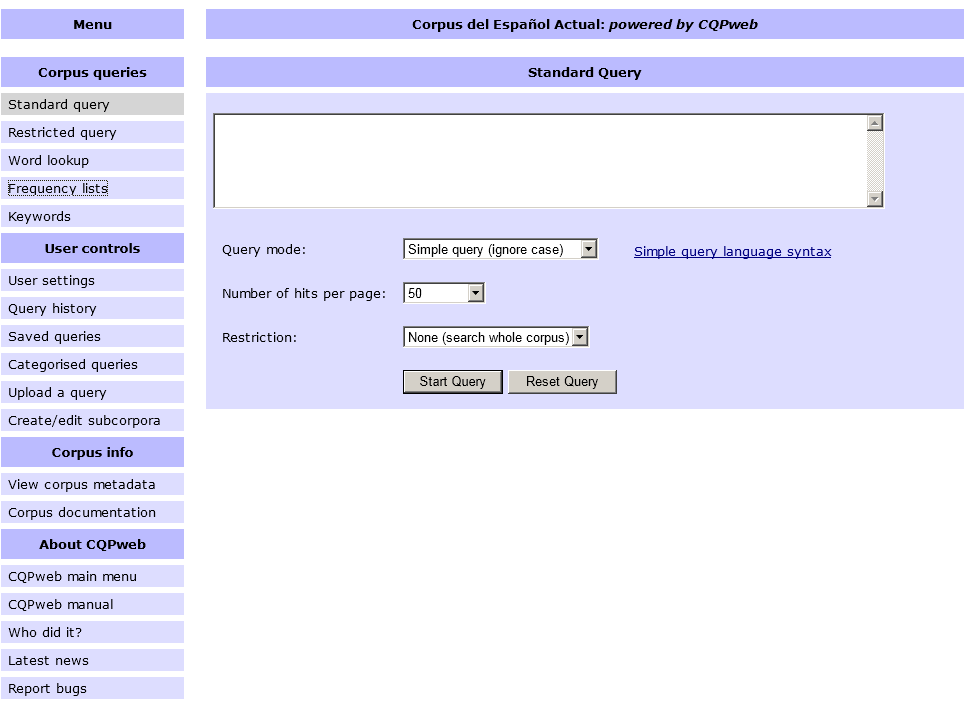
- To use, “consult the IMS’s brief description of the regular-expression syntax used by the CQP and their list of sample queries. If you wish to define your query in terms of grammatical and inflectional categories, you can use the part-of-speech tags listed on the CEA’s Corpus Tags page.”
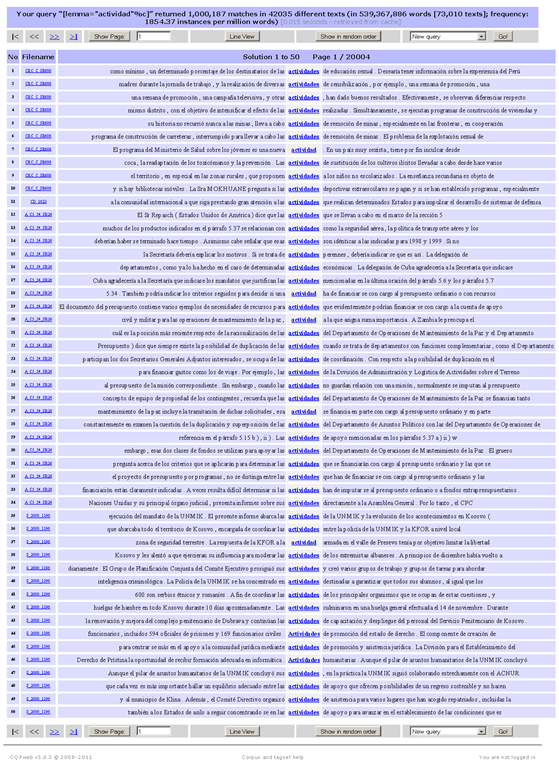
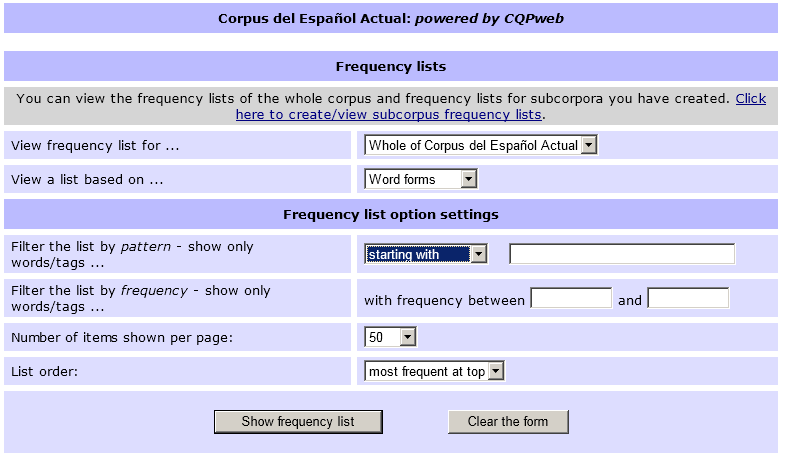
- Also provides frequency data (based on word forms or lemmas, and others – up to a 1000):

- Examples of a frequency query result (click for full-size image. Note that a lemmatized list was requested here which links all inflected forms back to the lemma, and vice versa, upon clicking the lemma, displays a KWIC view containing all forms subsumed under that lemma, see picture above):


Linguee dictionary lookup based on parallel corpora
- Support for more languages is planned (Chinese, Japanese):
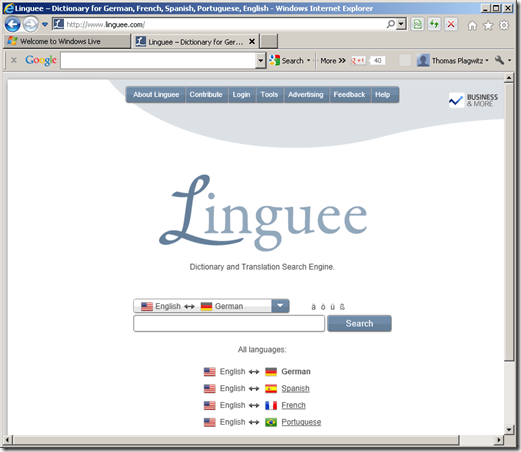

- The interesting approach based on parallel corpora provides a wealth of empirical data, albeit a bit raw and of varying quality, e.g.:



Eva English Word Lookup against Wordnet
- Eva Word Lookup – not listed under the extensions, but run against Wordnet, the lexical database for English – enables you to study your English words in depth. This lookup gives you information organized by the following aspects of your word, linked from an overview of each word type your search term can belong to:
- the coordinate terms (sisters)
- the derived forms
- the synonyms/hypernyms (ordered by estimated frequency)
- the hyponyms (troponyms for verbs)
- the holonyms, for nouns
- the meronyms, for nouns
- sample sentences, for verbs
- Below is what results look like for example search term “design”:


Protected: Mock exam for Spanish combines various learning technologies in the LRC
How to display Furigana phonetic guide for Japanese Kanji in MS-Word 2010
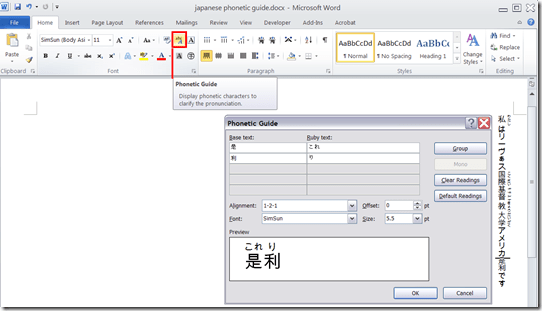
- Furigana uses Kana (usually Hiragana) to phonetically transcribe Kanji, above (for horizontally written Kanji) or to the right (if in vertical writing mode), for special characters or audiences (children and second language learners).
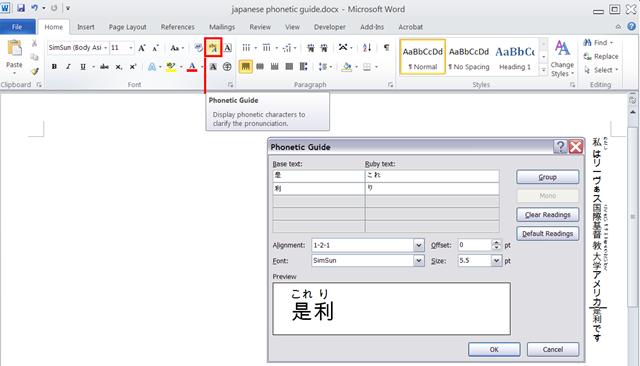
- In MS-Office, if you have a Japanese Input Method Editor selected in MS-Windows, select some Kanji and in the ribbon, under tab: home, section: font; click on the Phonetic guide, to bring up a dialogue that attempts to auto detect the furigana.
- You can make adjustments there, click “OK “to insert. Like so:


Questions? Read the About. Or just ask me a quick Our Databases: Resources with calendars -- Language learning material Moodle Sites, multimedia files -- films


FAQs for LRC student staff or for students or for teachers. To search our FAQs, in the browser addressbar, add after "https://plagwitz.wordpress.com/feed/?tag=faqs+/" "+TAG1" (from tag cloud below) OR "https://plagwitz.wordpress.com/feed/tag=faqs
&category_name=" "CAT1" (from category hierarchy below). OR search both categories and tags, and multiple TAGs/CATs (connect with "," for OR-search, with "+" for AND-search), like so: https://plagwitz.wordpress.com/feed/?tag=TAG1+TAG2+...TAGn&category_name=CAT1
+CAT2+...CATn"
Other ways to find help
If you cannot find it here, look there: 5,500 Language-Learning Links and Programs for learning or teaching 150 languages
Shortcuts:Our Lists, Our Maps, LRC Staff Moodle Site,LRC Project Moodle Site, 49erexpress, UNCC Moodle, Student Recordings: s:claslcslrcsanakostudent
Learning usage samples: Sanako oral exam, Kaltura webcam presentation, Dictation with speech recognition, Sanako written exam, Chinese and Japanese interactive stroke-order practice
Test the Sanako Installer, Webbrowser Popup Konfigurator for XP, or Windows7, faster LRC TeacherPC Log-in Let MS facilitate diacritics writing by installing for you US-International keyboard layout
This is my personal blog (Google+). The views expressed on these pages are mine alone and not those of my employer. The information in this weblog is provided “AS IS” with no warranties, and confers no rights.
 Thomas' Work Space