Archive
Archive for the ‘Proficiency-Levels’ Category
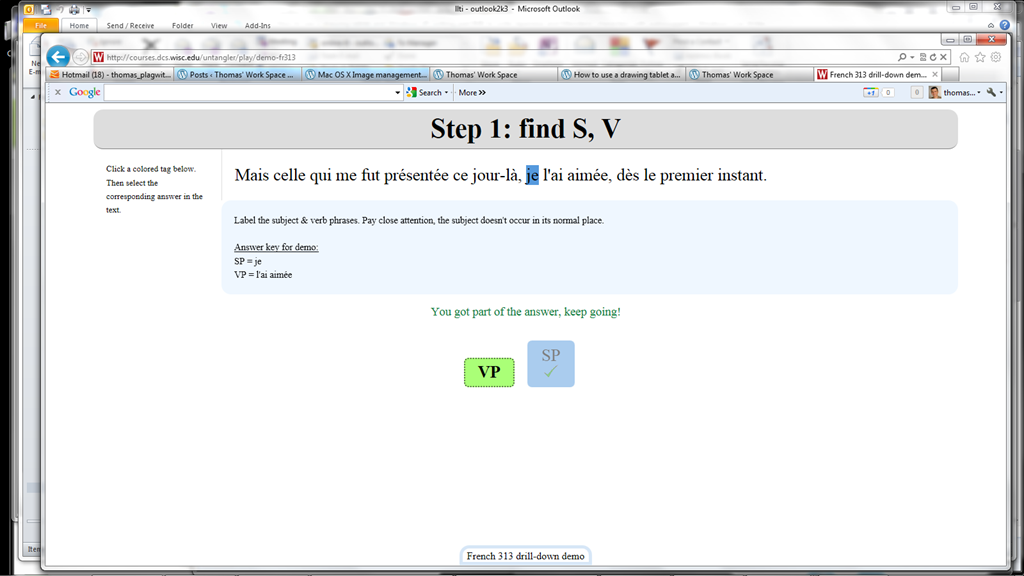
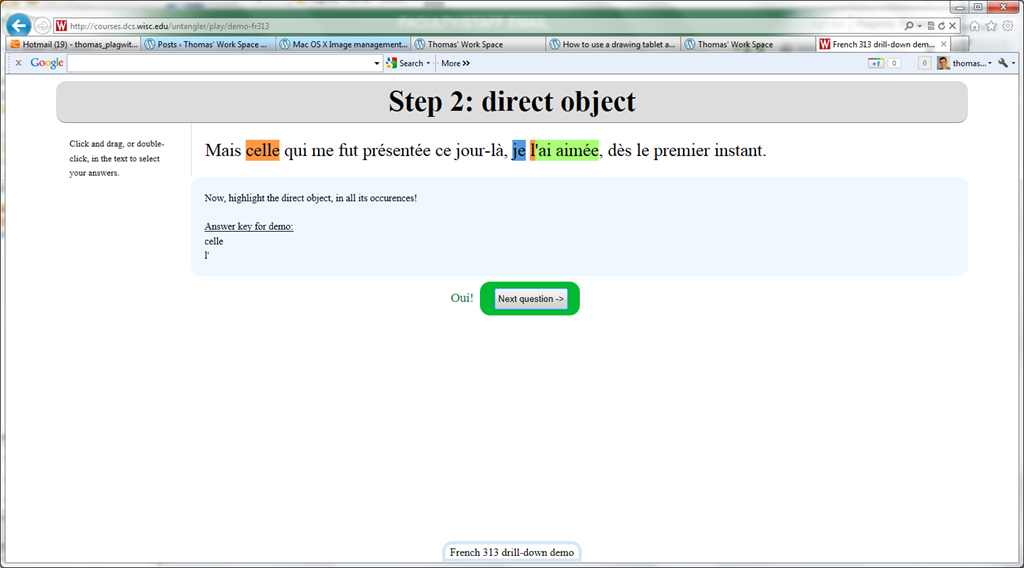
Nice Syntax highlighter tool from wisc.edu @ Madison
2012/02/10
Leave a comment
-
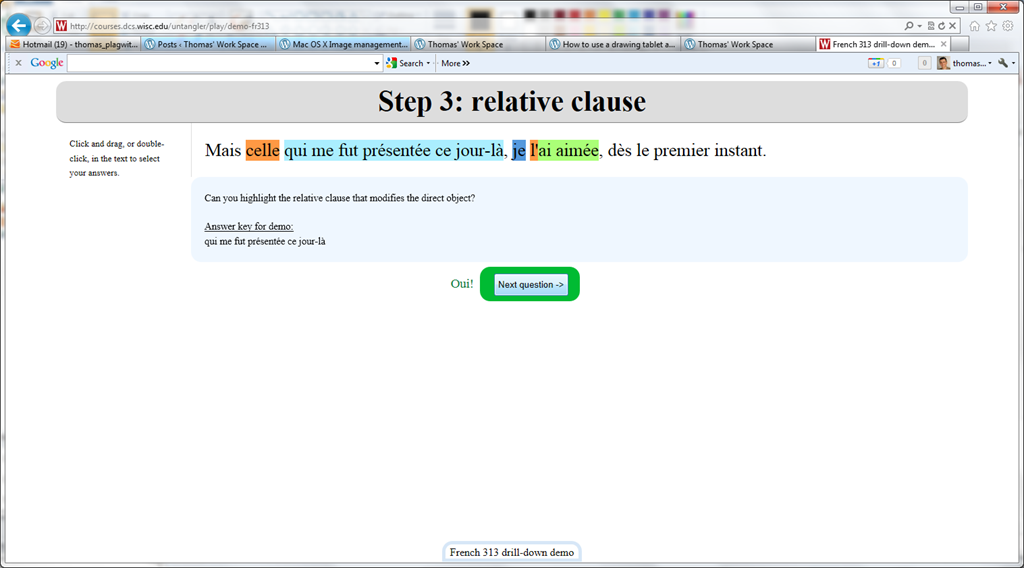
Wish my Latin teacher at home would have had such a nice tool when he analyzed the “Ante mare et terras et quod tegit omnia caelum / unus erat toto naturae vultus in orbe / quem dixere chaos”, he had only me:

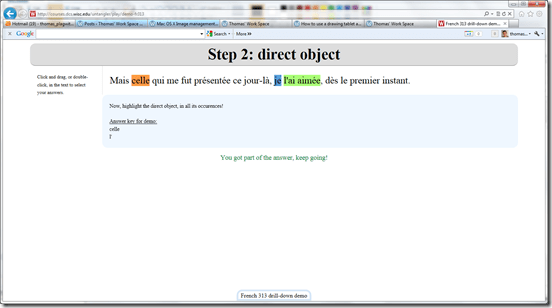

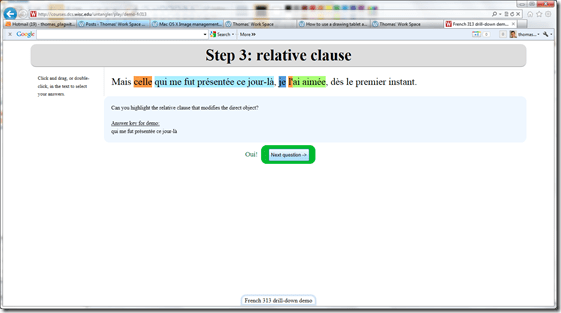

- Now how could such exercise creation made more automated by having it accept the output of NLP tools like Treetagger?


How to use a drawing tablet and Windows XP writing pad IME to write Japanese and Mandarin characters with autosuggest
2012/02/04
2 comments
- Our small group work spaces each now have a Wacom Bamboo drawing tablet installed.
- You can use these tablets in conjunction with the Windows XP writing pad IME to input Mandarin/Kanji character strokes and receive autosuggest options you can pick you character from which make not only writing faster, but also reward you for remembering your characters, expose you to more and help you identify the correct one from a list of options.
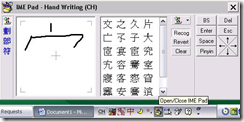
- Here is what the Windows XP writing pad IME and Wacom tablet looks like in action:
 (behind the pen: our Japanese tutor).
 - Here is how to access Windows XP Japanese IME keyboard and handwriting:
- Open the application you want to write in, e.g. MS Word (the language input option is specific to the current window and defaults to”English-US international” in the LRC if you open a new window).
- In the taskbar, in the language toolbar section, select Japanese or Chinese or Korean.
- If only the language identifier is showing in the language toolbar, right-click on it and choose “Show additional icons”
- Select as input method for the chosen language from icon “Options” or “Tools”” , the “IME pad” / “Handwriting”
- Prerequisites
- you need to have the handwriting IME installed for Japanese or Chinese or Korean in Control Panel / Regional and Language Options / Text Input, and East Asian language support).
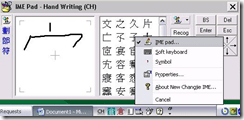
- For simplified Chinese, the IME Pad may not be checked to be displayed by default. Access the Tools icon menu to check it.
- For both simplified and traditional Chinese, if checked, the IME Pad becomes a separate top-level ion in the language bar.
- Some screenshots may help:




Sanako comparative recording exercises using Moodle
2012/01/13
Leave a comment
- Comparative recordings are one of the best-established practices in SLA with technology. We can implement them here using:
- The Sanako Study 1200 language lab software installed in LRCRoomCoed434 facilitates comparative recordings by students, based on a teacher-provided model audio, with its student dual track recorder software.
- Moodle’s Simple file upload assignment aids in managing the workflow,
- from delivering the audio file with the model recording to the student
- to organizing, assessing and grading the student input.
- For the teacher
- to create such an exercise, she
- creates an audio recording that serves as a model for the student pronunciation – a special application of our Audacity recording introduction. It is advised, however, to insert clear cues for the student to start his repetition.
- creates a Moodle’s Simple file upload assignment to which she attaches the audio recording
- continue with How a teacher grades a Moodle simple file upload assignment
- to create such an exercise, she
-
For the students to take such an exercise:
- How a student takes a Moodle Simple file upload assignment
- TBA: Sanako Student Recorder
Categories: Absolute-Beginner, Arabic, audience-is-teachers, Beginner, documentation, e-languages, English, Farsi, French, German, Greek (modern), Intermediate, Italian, Japanese, Korean, Mandarin, Polish, Portuguese, Russian, software, Spanish, Speaking, Student-Computers, Yoruba
moodle, sanako-study-1200, student.exe
Treffpunkt Deutsch Companion Website with Online Exercises
2012/01/11
Leave a comment
- This first-year German textbook comes with a Companion Website with free online exercises, organized by chapter, on the publisher’s website (different from the Quia.com –based workbook and lab manual exercises).
- From the instructor guide: “The Companion Website is a robust online resource designed to give students a chance to practice and further explore the vocabulary, structures, and cultural themes introduced in the text. For each chapter, students will find self-grading practice exercises on vocabulary and grammar topics as well as Web-based reading and writing activities. Web links to carefully selected sites in Germany, Austria, Switzerland, Luxemburg, Liechtenstein, and South Tyrol (Italy), accompanied by interesting activities, provide additional interaction with the cultures of these German-speaking areas of Europe. Also available on the Website are the audio components of the Student Text and the SAM, as well as an interactive vocabulary flashcards tool. ”
- These exercises include vocabulary practice, even flash cards.
- The auto-correction feature provides:
- some useful feedback for further study,

- summary grades

- and an email to teacher function that should facilitate Syllabus integration of this useful resource:

- some useful feedback for further study,


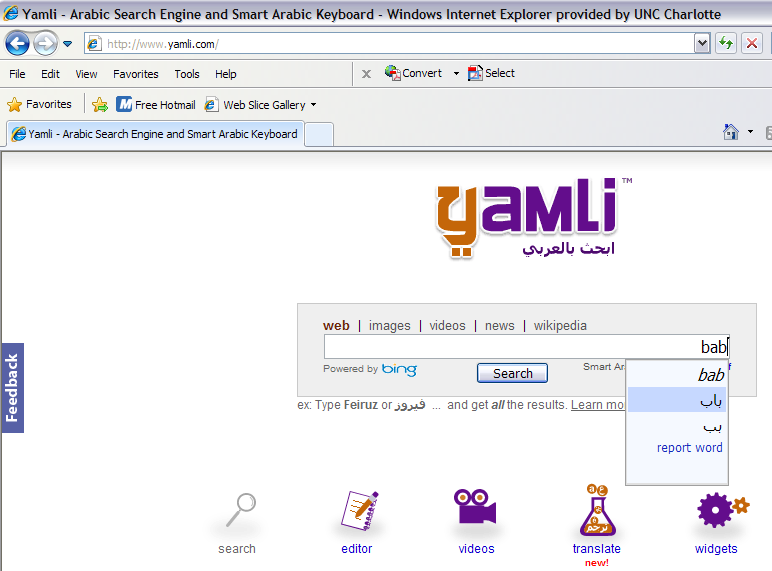
Transcribe sounds into Arabic letters on the web using Yamli
2012/01/06
Leave a comment
How do you compare this to Microsoft Maren and Google Arabic keyboard input?
How to use the online Spanish pronunciation help to generate phonetic alphabet transcriptions and text-to-speech
2011/11/18
Leave a comment
- Go to http://showroom.daedalus.es/es/tecnologias-de-la-lengua/phonetictrans/phonetictrans.php, enter your text, select your phonetic symbol set:
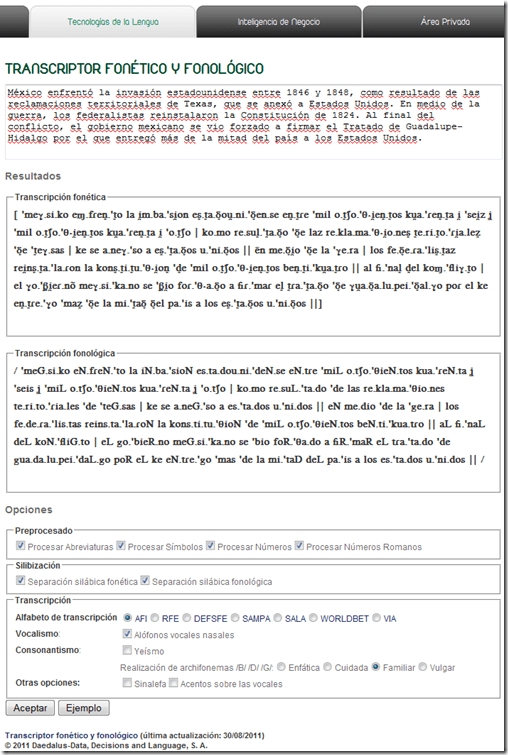
- Unlike with the Portuguese help, there is no text-to-speech option here.

Web-based romanized letters to Cyrillic transliteration tool.
2011/11/16
Leave a comment
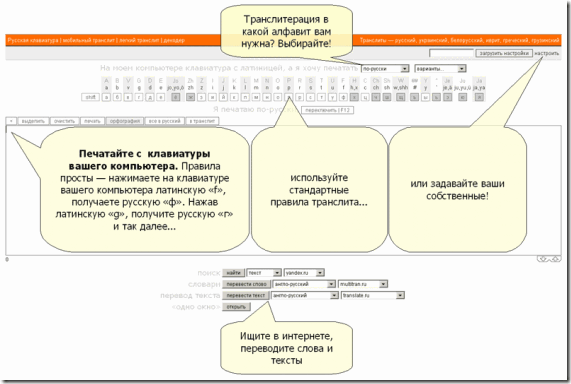
- Our Russian tutor uses this transliteration tool HTTP://TRANSLIT.RU which allows for phonetic input on a keyboard that does not have Cyrillic letters and seems popular with native speakers of languages written in Cyrillic.
- As so often, that implies: not designed for language learners. The explanation attests to that:
Categories: Advanced, audience-is-students, audience-is-teachers, e-languages, Intermediate, Russian, websites, Writing
character-input, websites
Microsoft Contextual Translator
2011/11/14
Leave a comment
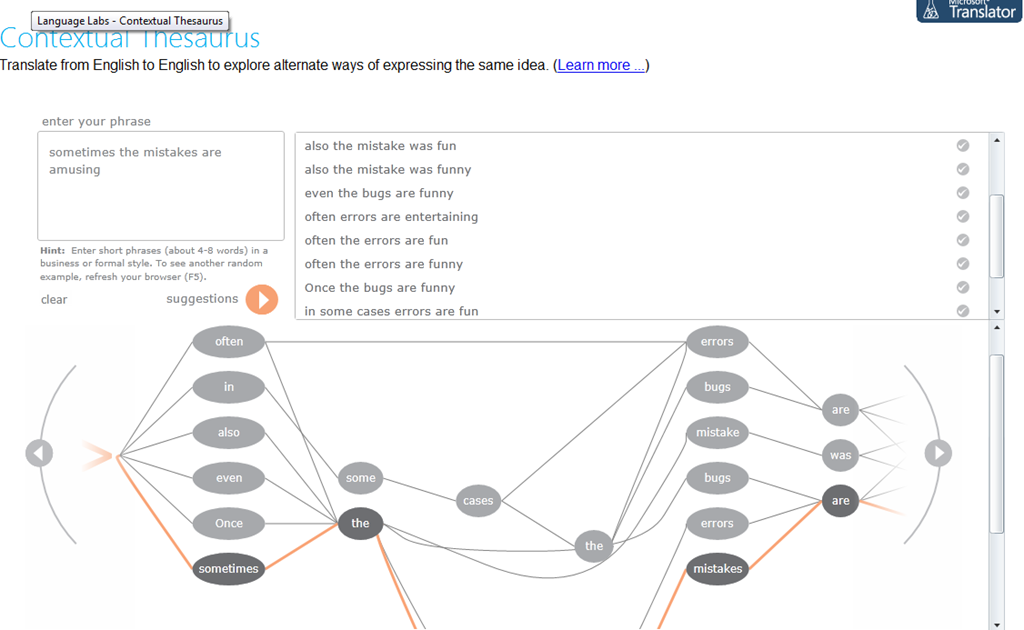
Certainly an advance over the MS-Word thesaurus (unlike the MS-Word 2007 and up spell check, still not contextual). Does this work at least well enough to serve as a fruitful pedagogical exercise: “Which phrase does not belong in the group?”
Categories: Advanced, audience-is-students, audience-is-teachers, Beginner, e-languages, English, Intermediate, Speaking, websites, Writing
links, thesaurus


Questions? Read the About. Or just ask me a quick Our Databases: Resources with calendars -- Language learning material Moodle Sites, multimedia files -- films


FAQs for LRC student staff or for students or for teachers. To search our FAQs, in the browser addressbar, add after "https://plagwitz.wordpress.com/feed/?tag=faqs+/" "+TAG1" (from tag cloud below) OR "https://plagwitz.wordpress.com/feed/tag=faqs
&category_name=" "CAT1" (from category hierarchy below). OR search both categories and tags, and multiple TAGs/CATs (connect with "," for OR-search, with "+" for AND-search), like so: https://plagwitz.wordpress.com/feed/?tag=TAG1+TAG2+...TAGn&category_name=CAT1
+CAT2+...CATn"
Other ways to find help
If you cannot find it here, look there: 5,500 Language-Learning Links and Programs for learning or teaching 150 languages
Shortcuts:Our Lists, Our Maps, LRC Staff Moodle Site,LRC Project Moodle Site, 49erexpress, UNCC Moodle, Student Recordings: s:claslcslrcsanakostudent
Learning usage samples: Sanako oral exam, Kaltura webcam presentation, Dictation with speech recognition, Sanako written exam, Chinese and Japanese interactive stroke-order practice
Test the Sanako Installer, Webbrowser Popup Konfigurator for XP, or Windows7, faster LRC TeacherPC Log-in Let MS facilitate diacritics writing by installing for you US-International keyboard layout
This is my personal blog (Google+). The views expressed on these pages are mine alone and not those of my employer. The information in this weblog is provided “AS IS” with no warranties, and confers no rights.
 Thomas' Work Space