Archive
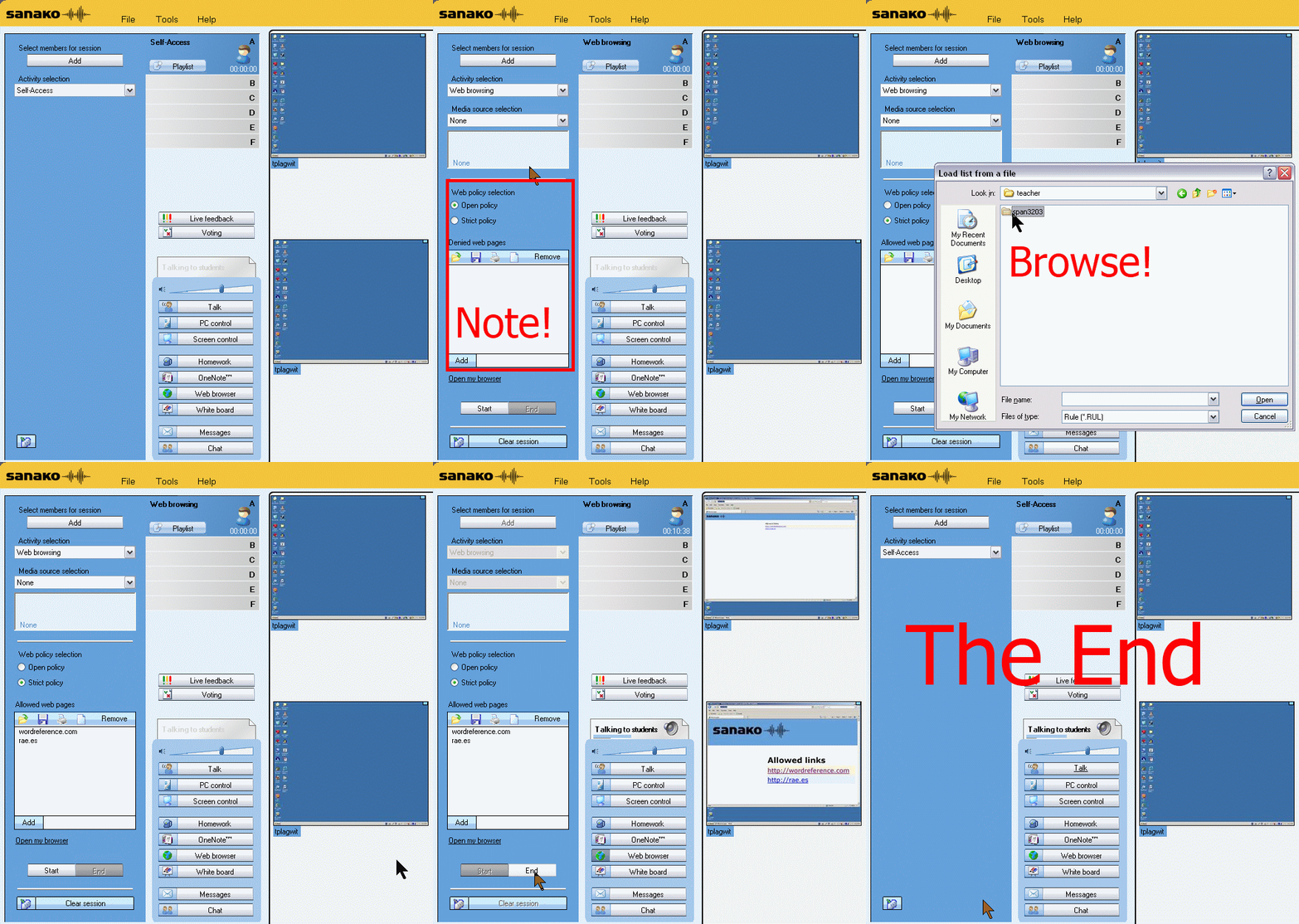
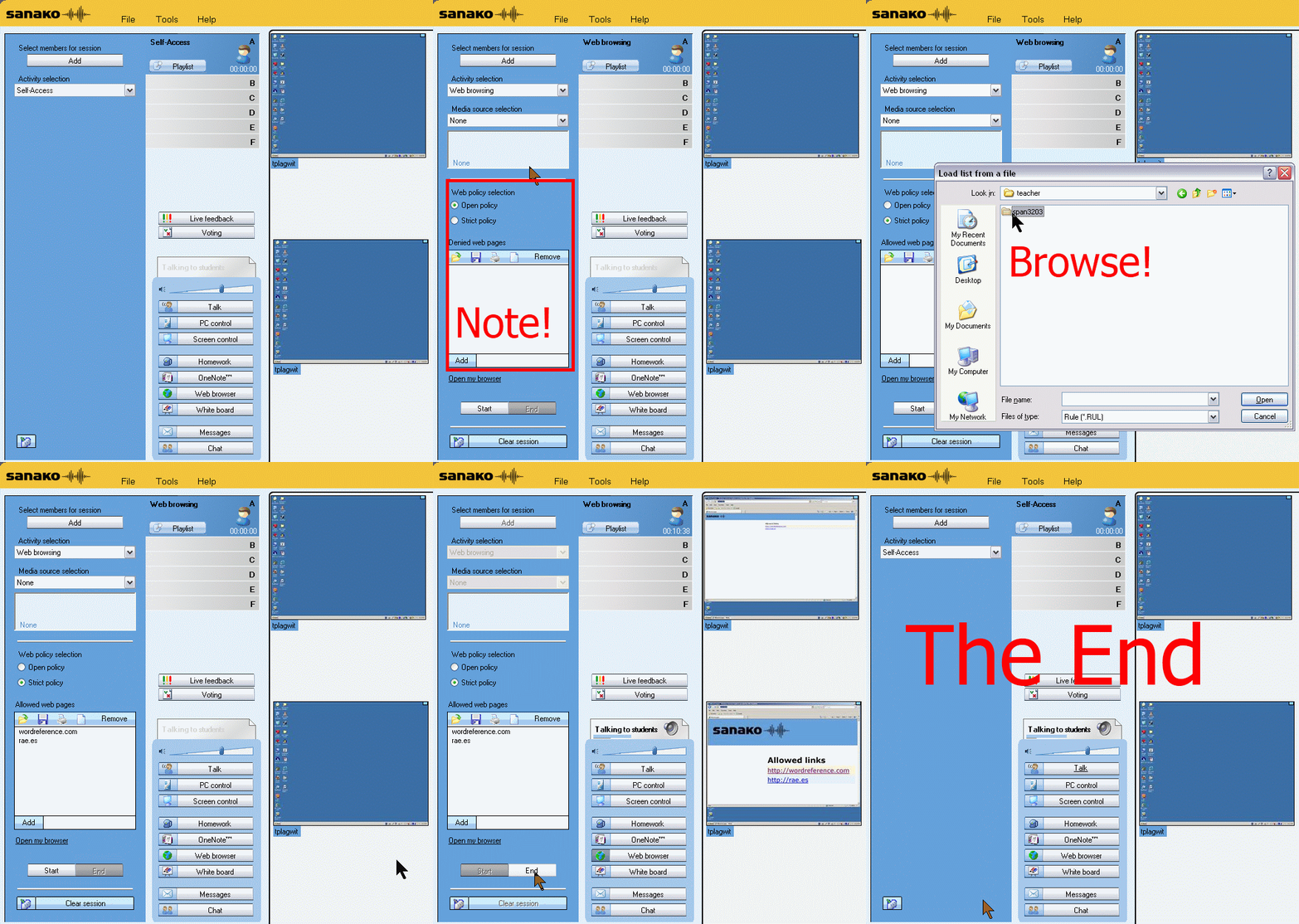
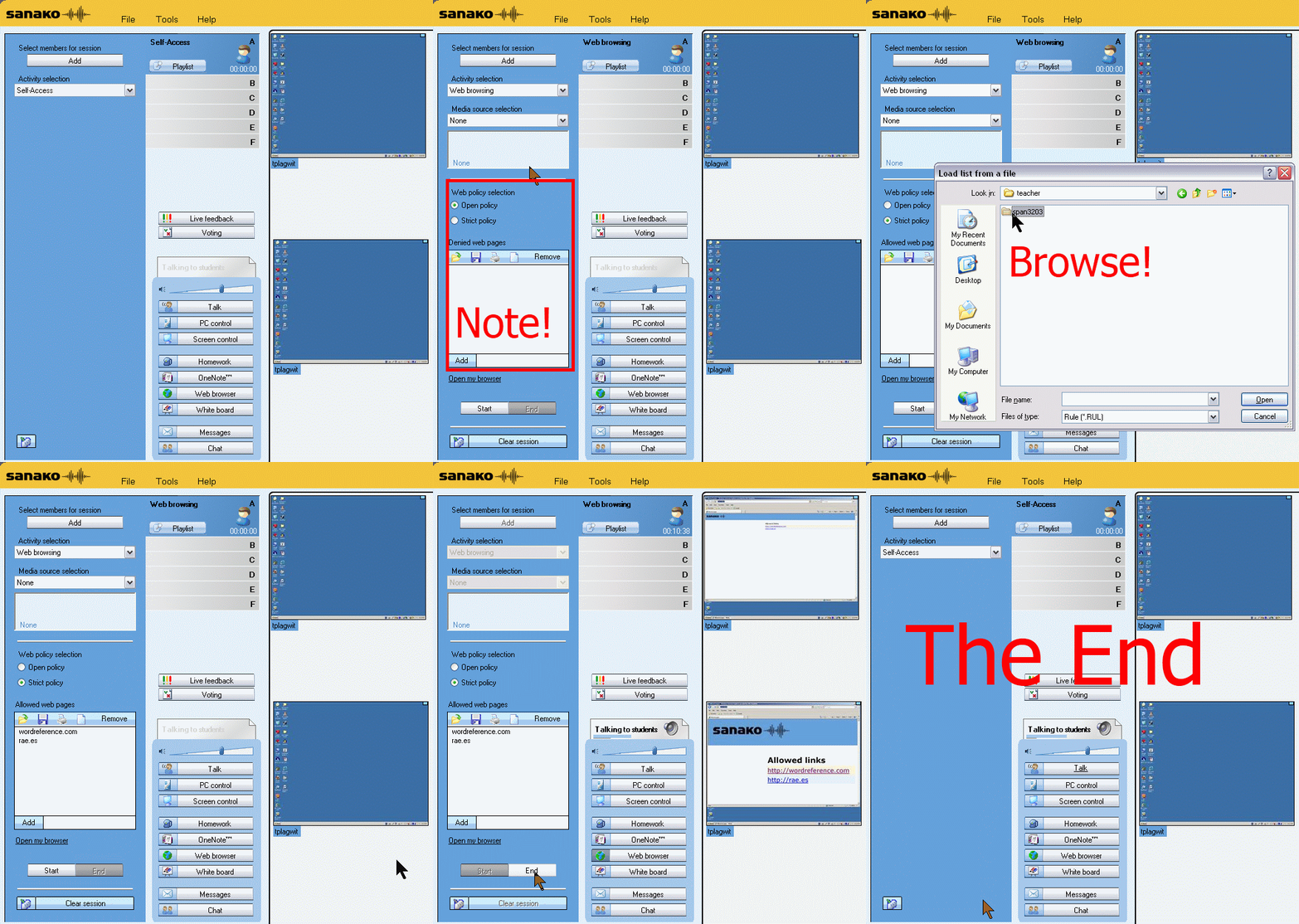
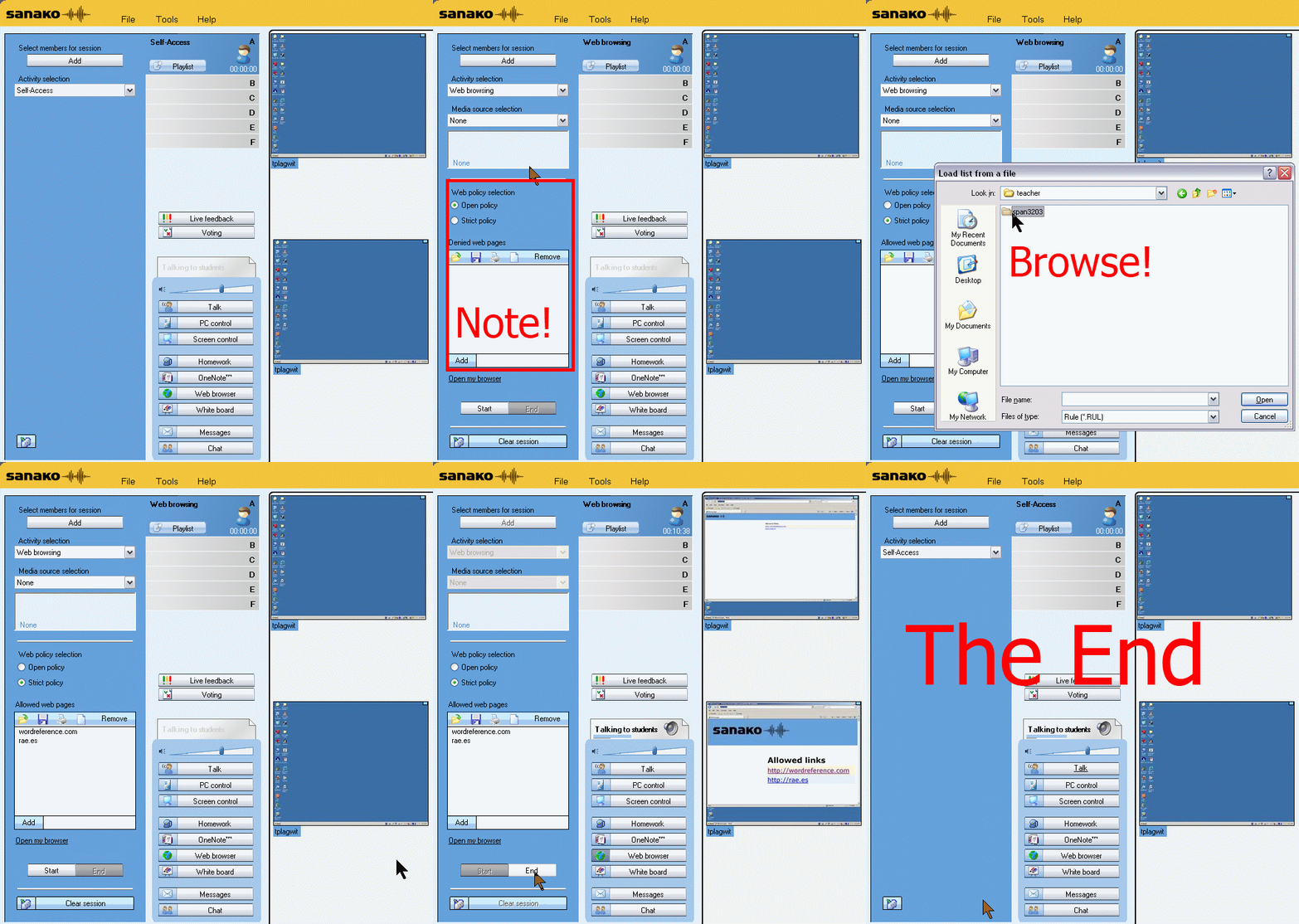
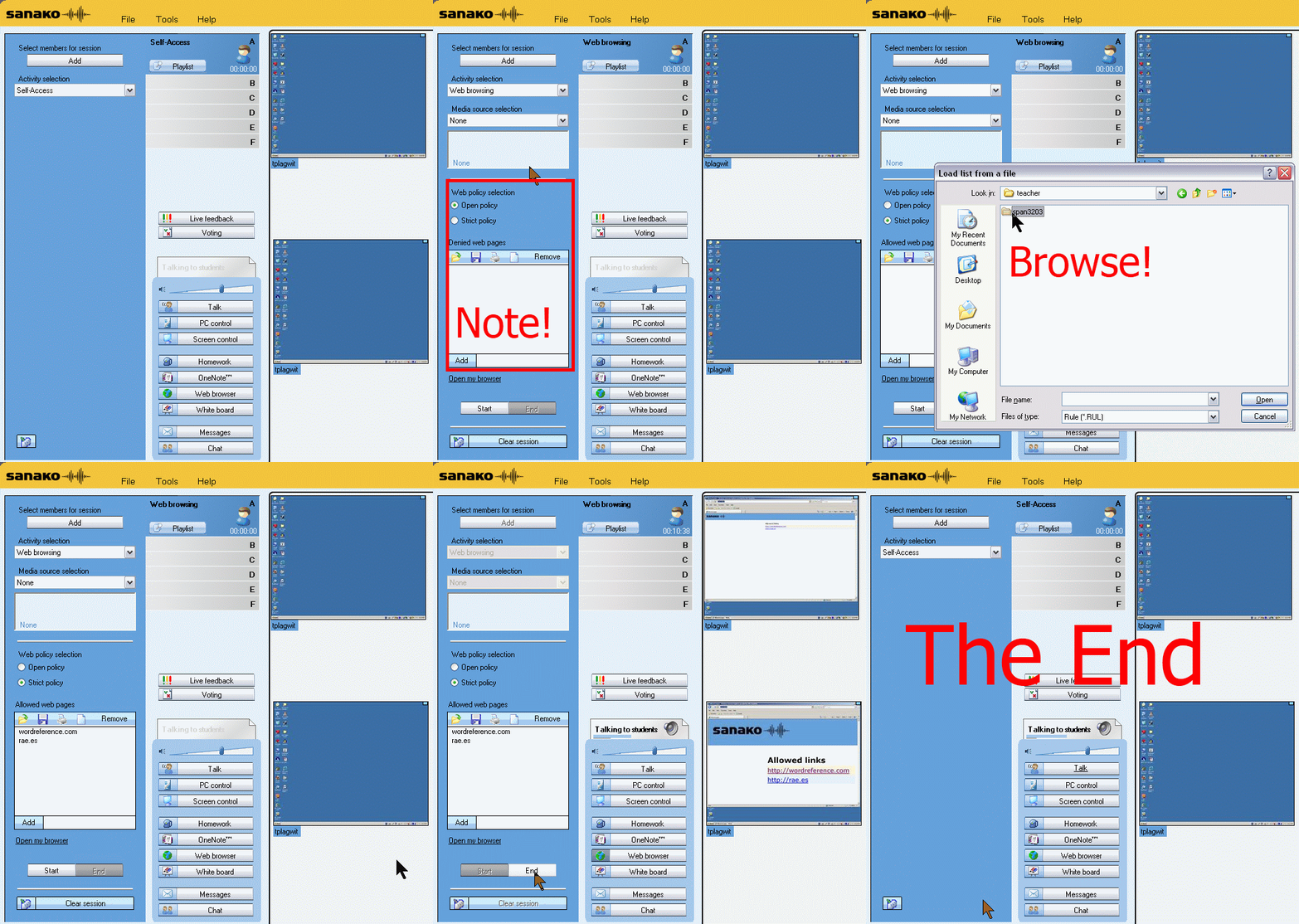
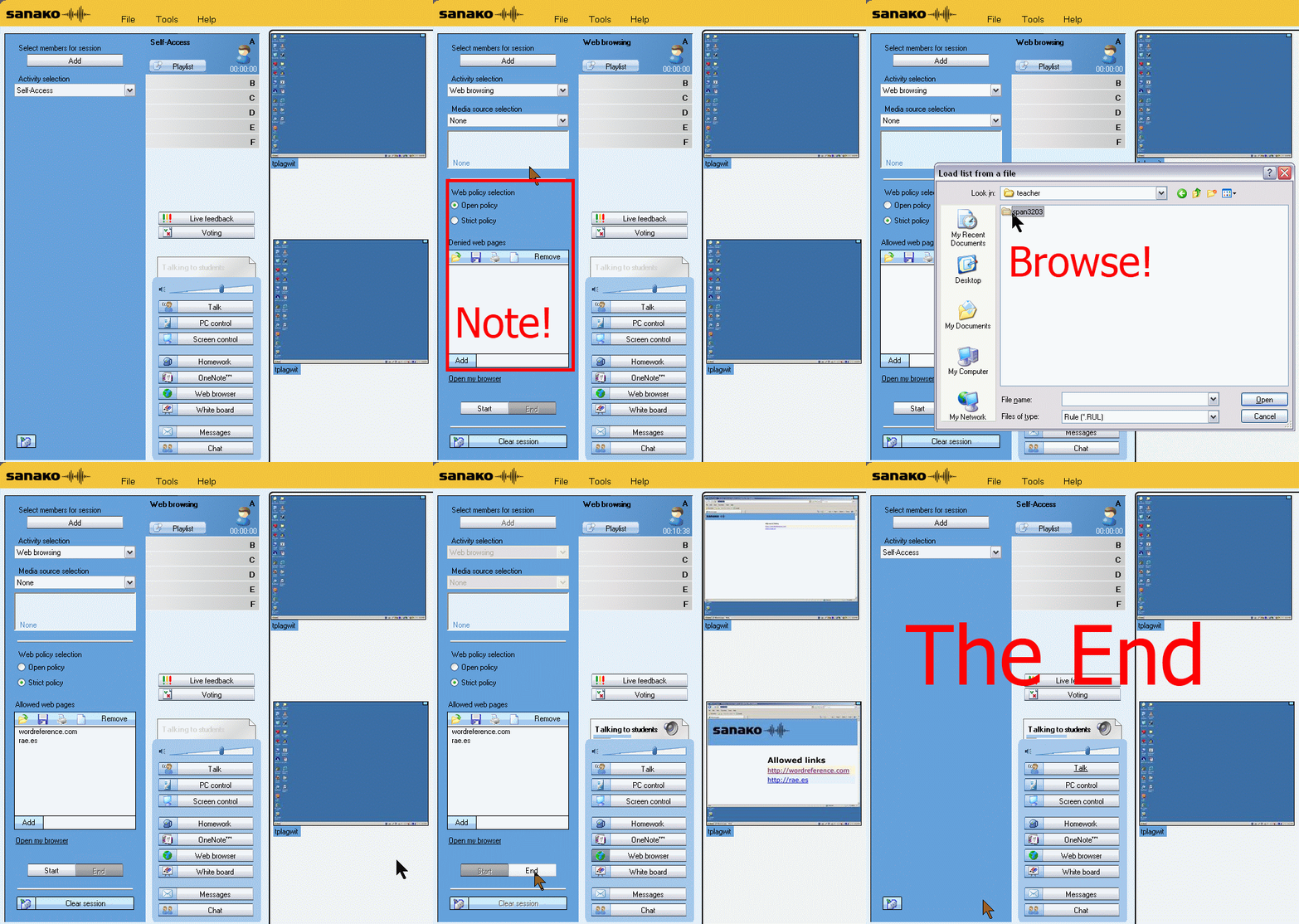
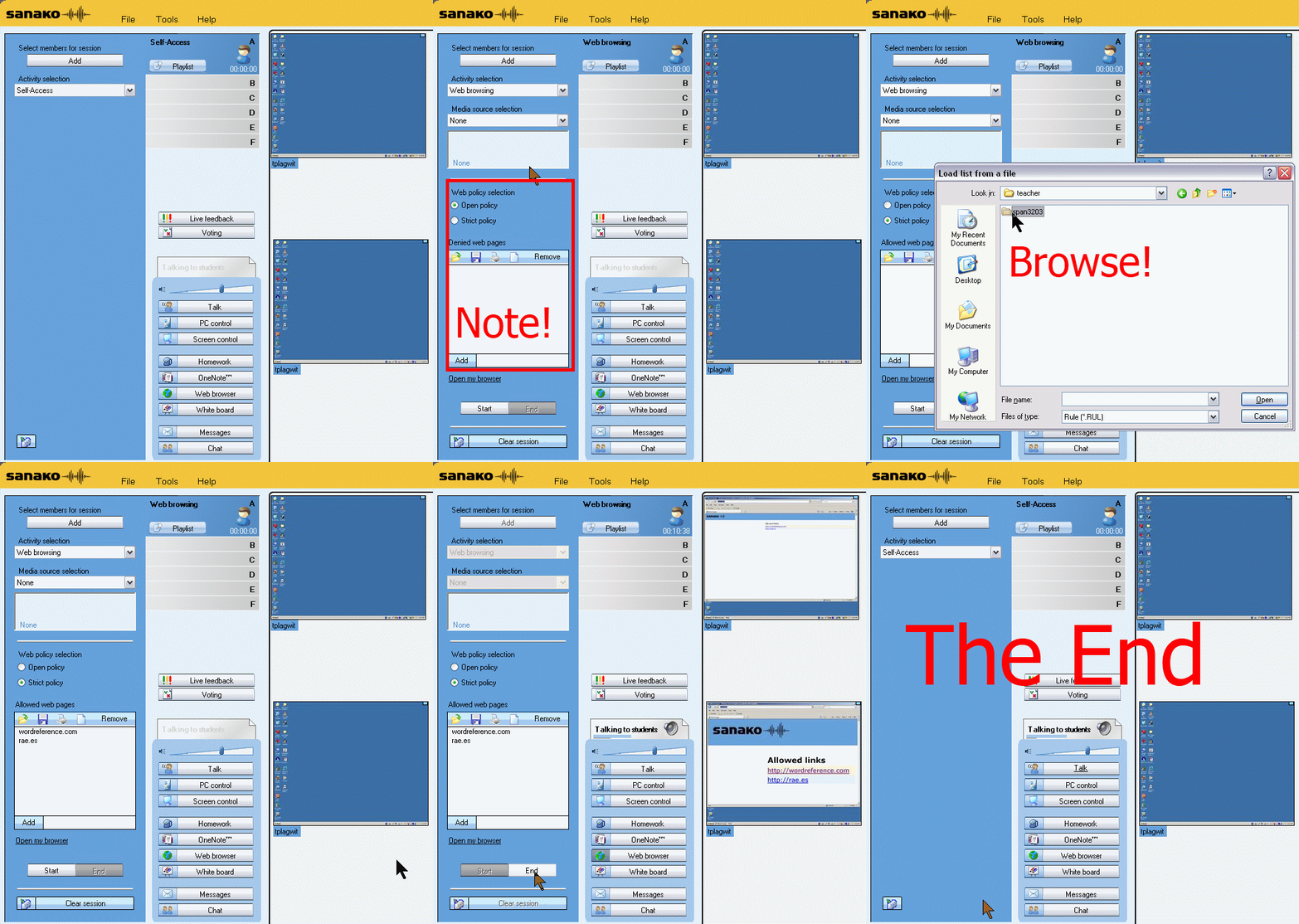
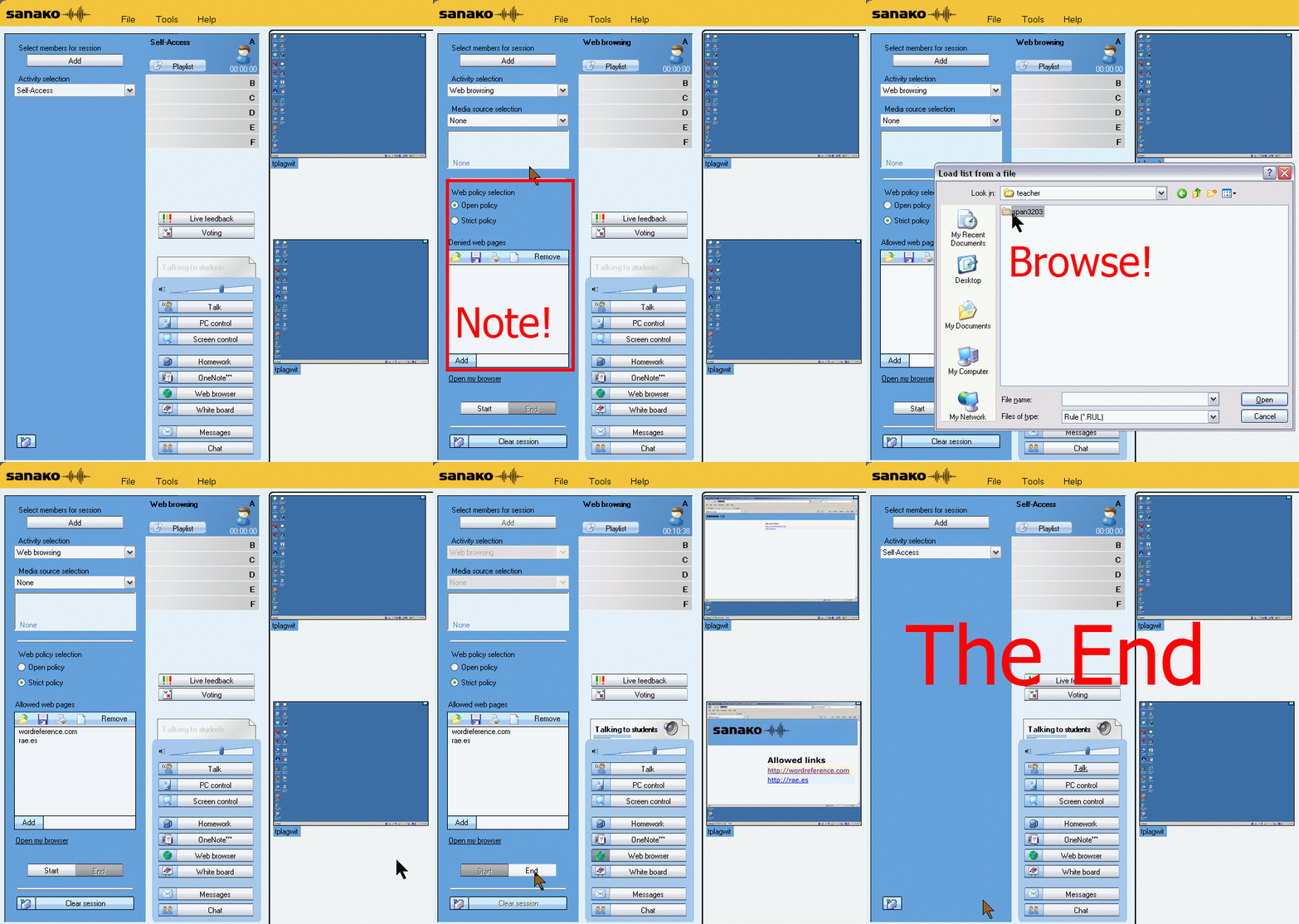
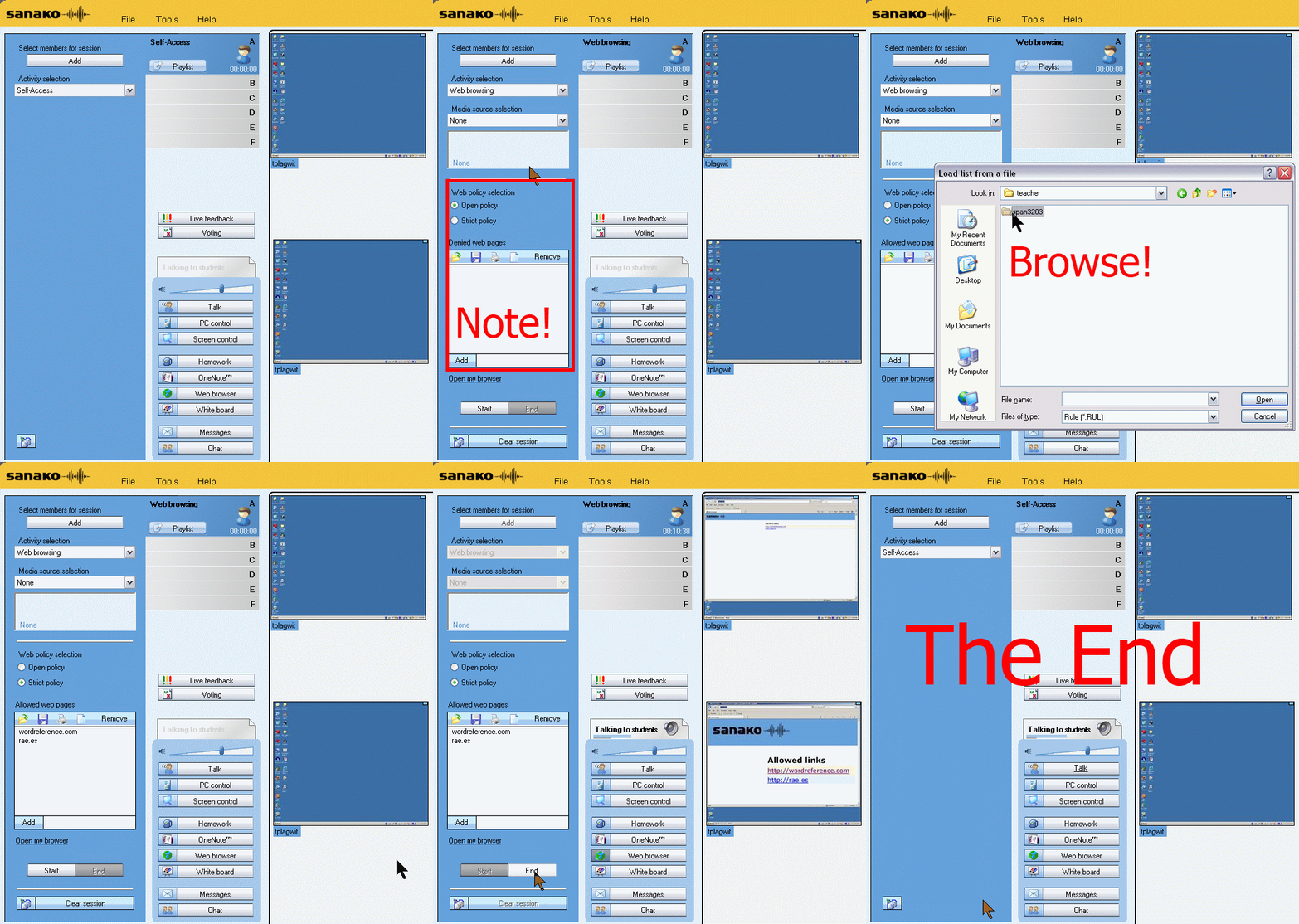
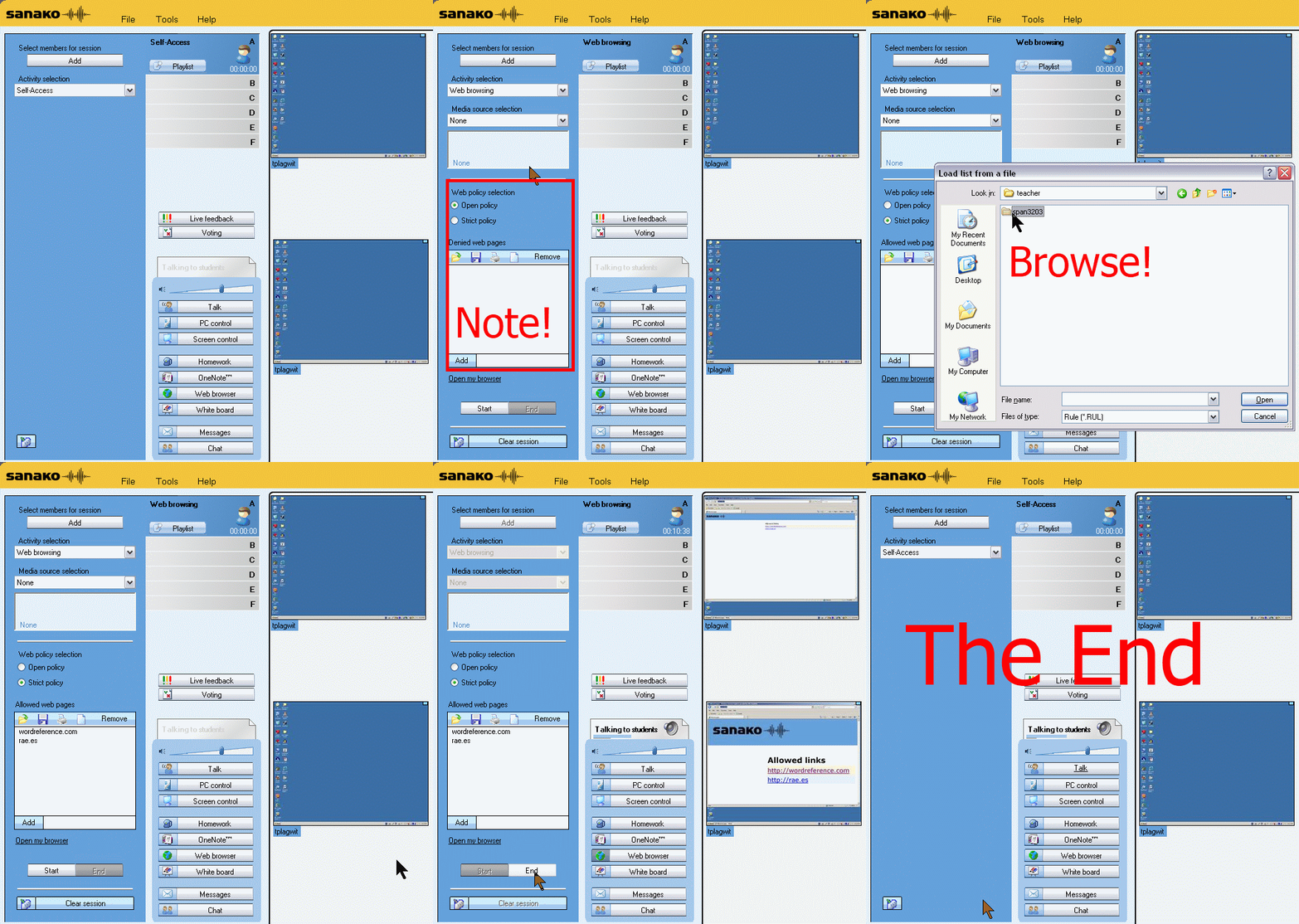
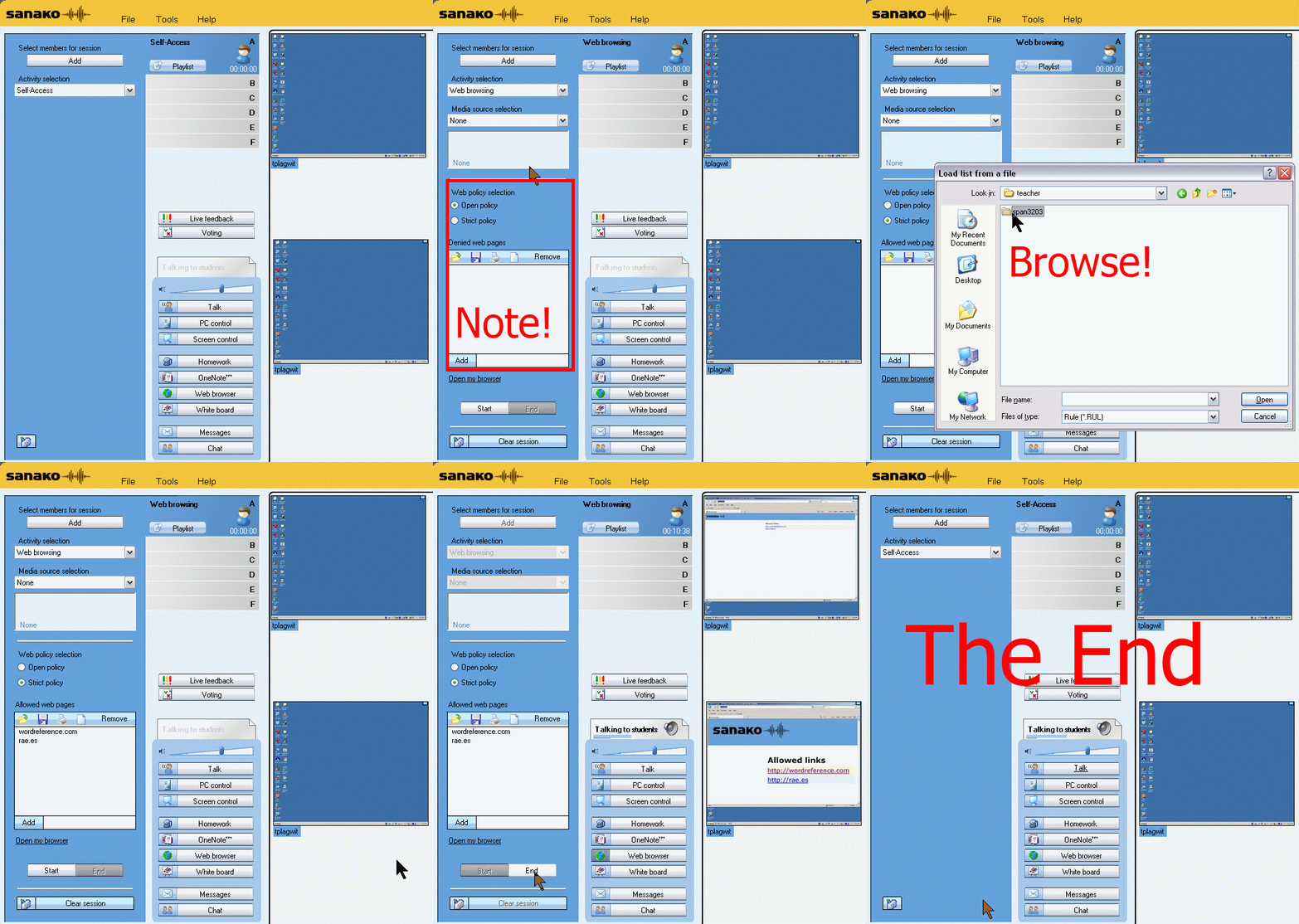
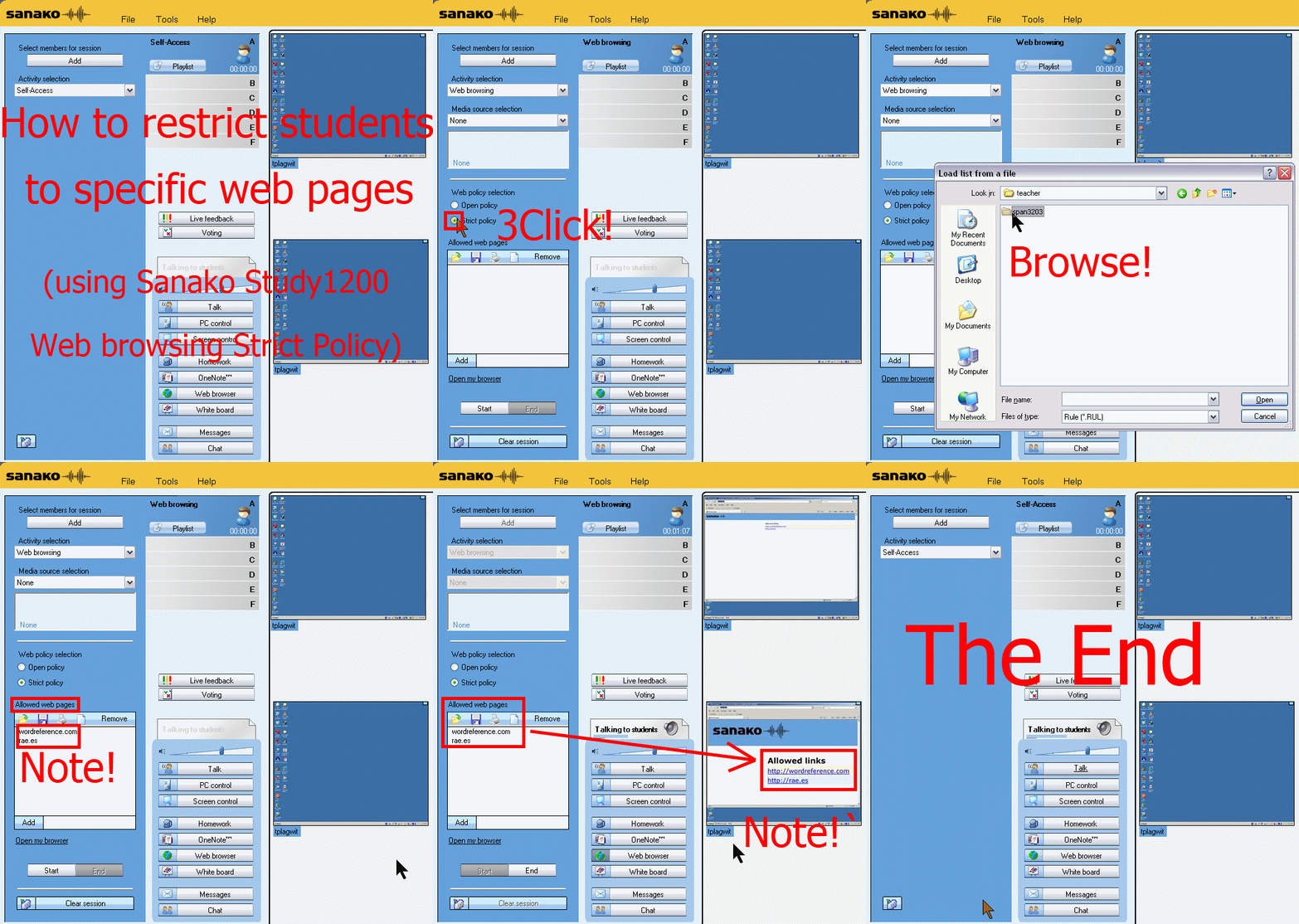
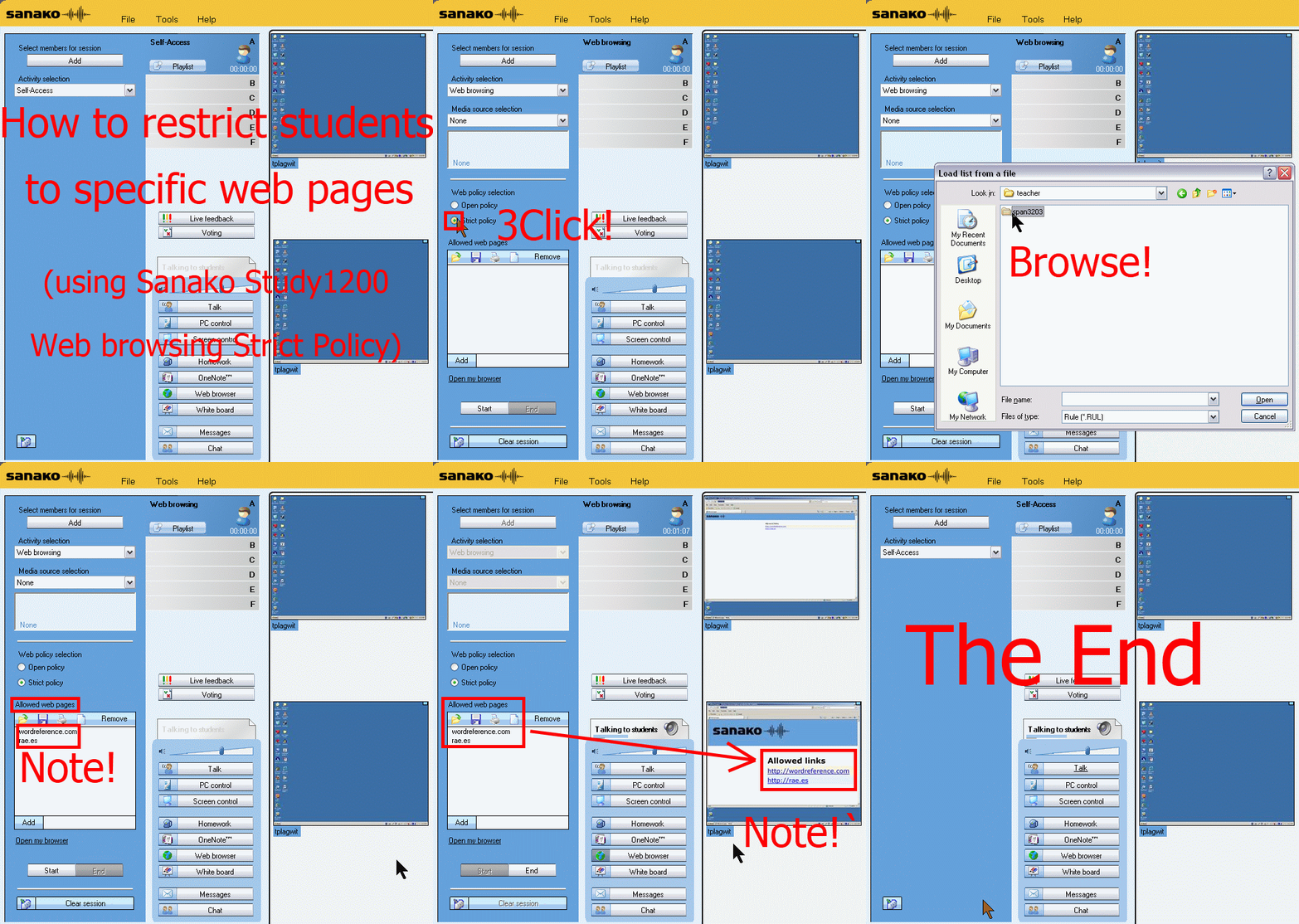
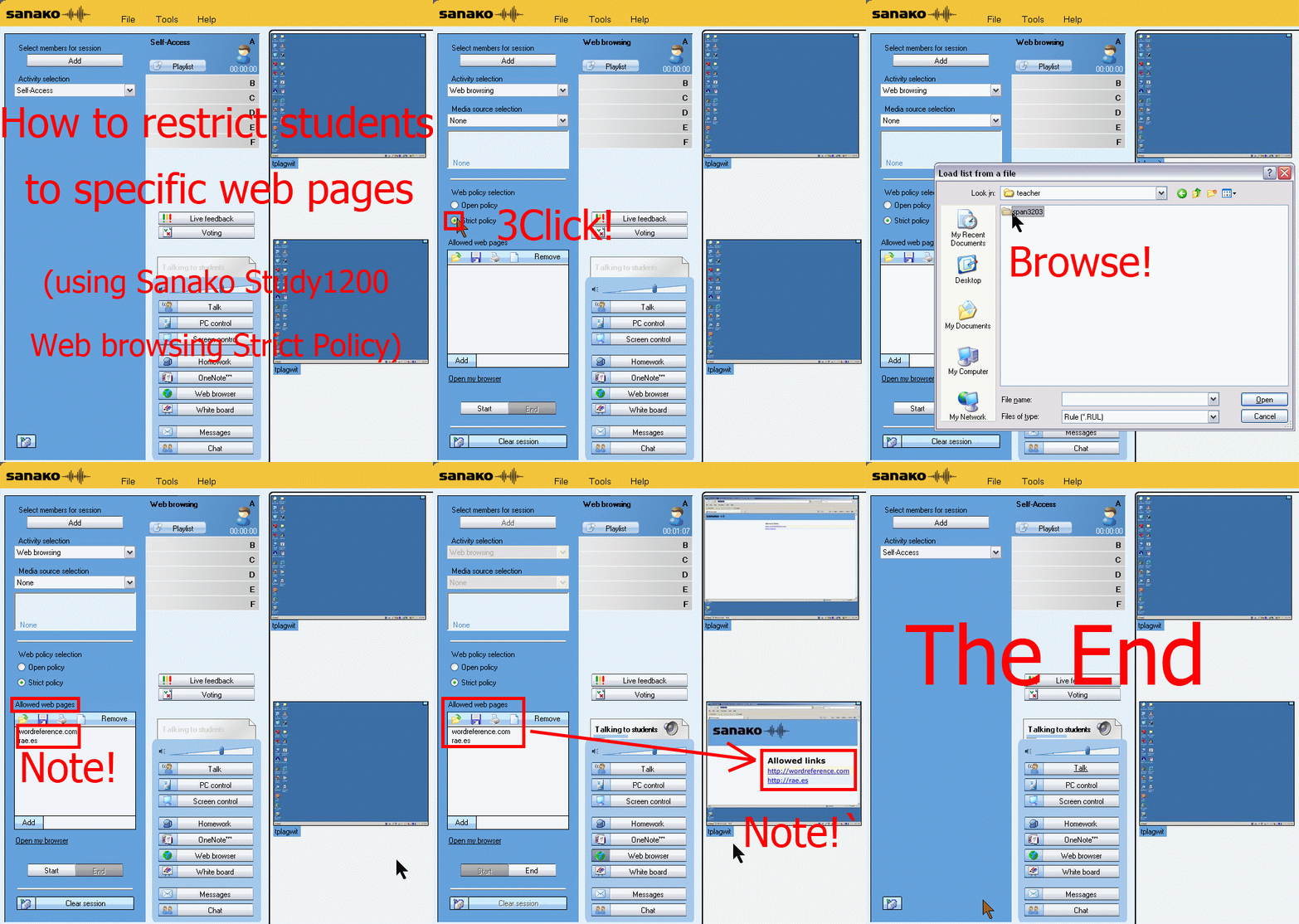
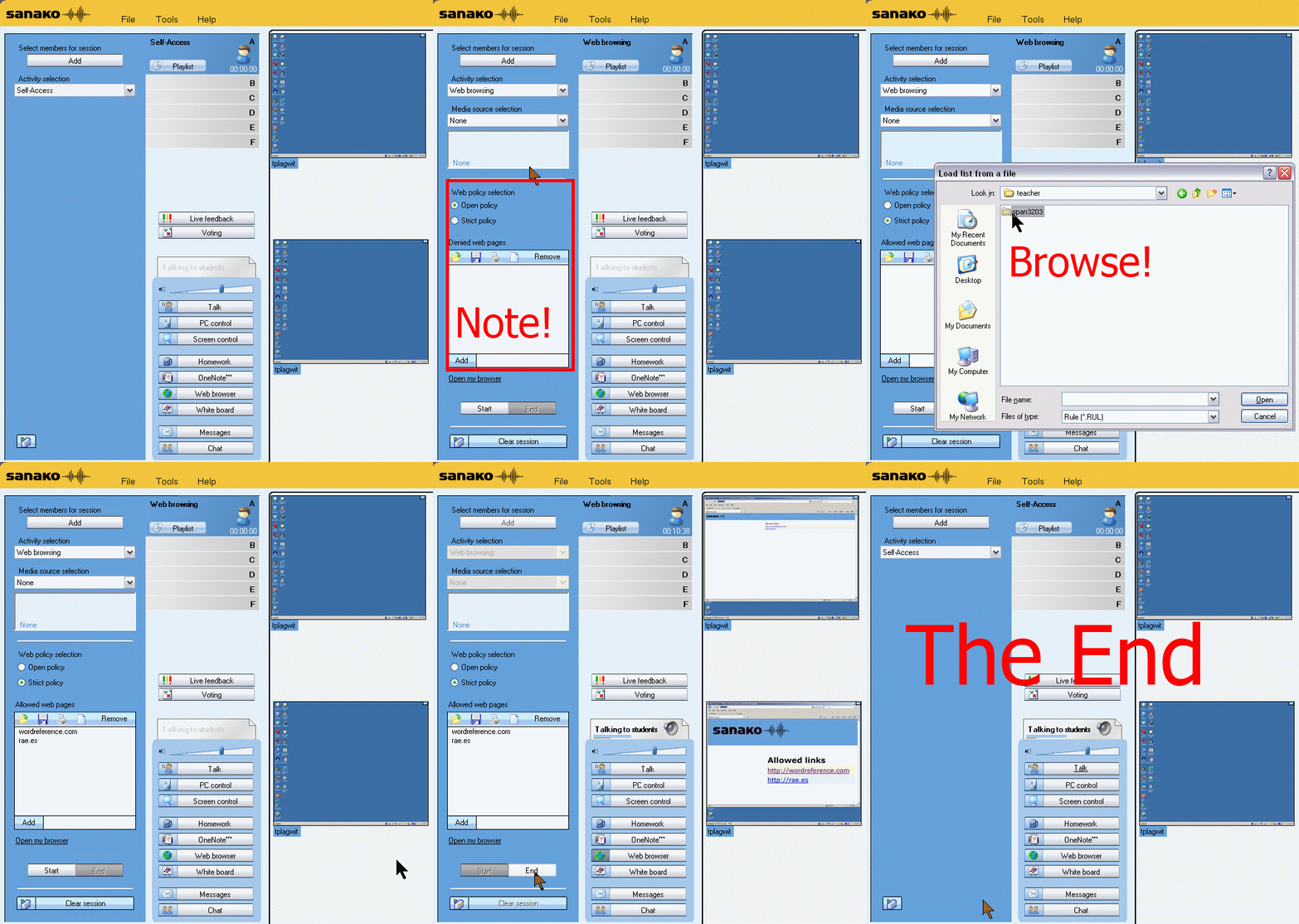
How teachers restrict students to allowed web pages with Sanako Study 1200 web browsing (strict) activity–the ultimate training summary
…using animated GIFs. Load the speed of your choosing (or several, use CTRL-Click to open links in a new tab) into the left screen of the teacher station before administering an oral exam, with the window active, press F5 in your web browser to restart the animation from the beginning:0.50sec,0.75sec,1sec,2sec,3sec,4sec,5sec,6sec,7sec,8sec,9sec,10sec
 .
.
Condensed (instructions only) for recap: 100cs, 200cs, 300cs, 400cs, 500cs, 600cs, 700cs, 800cs, 900cs, 1000cs. And if you need to pause:


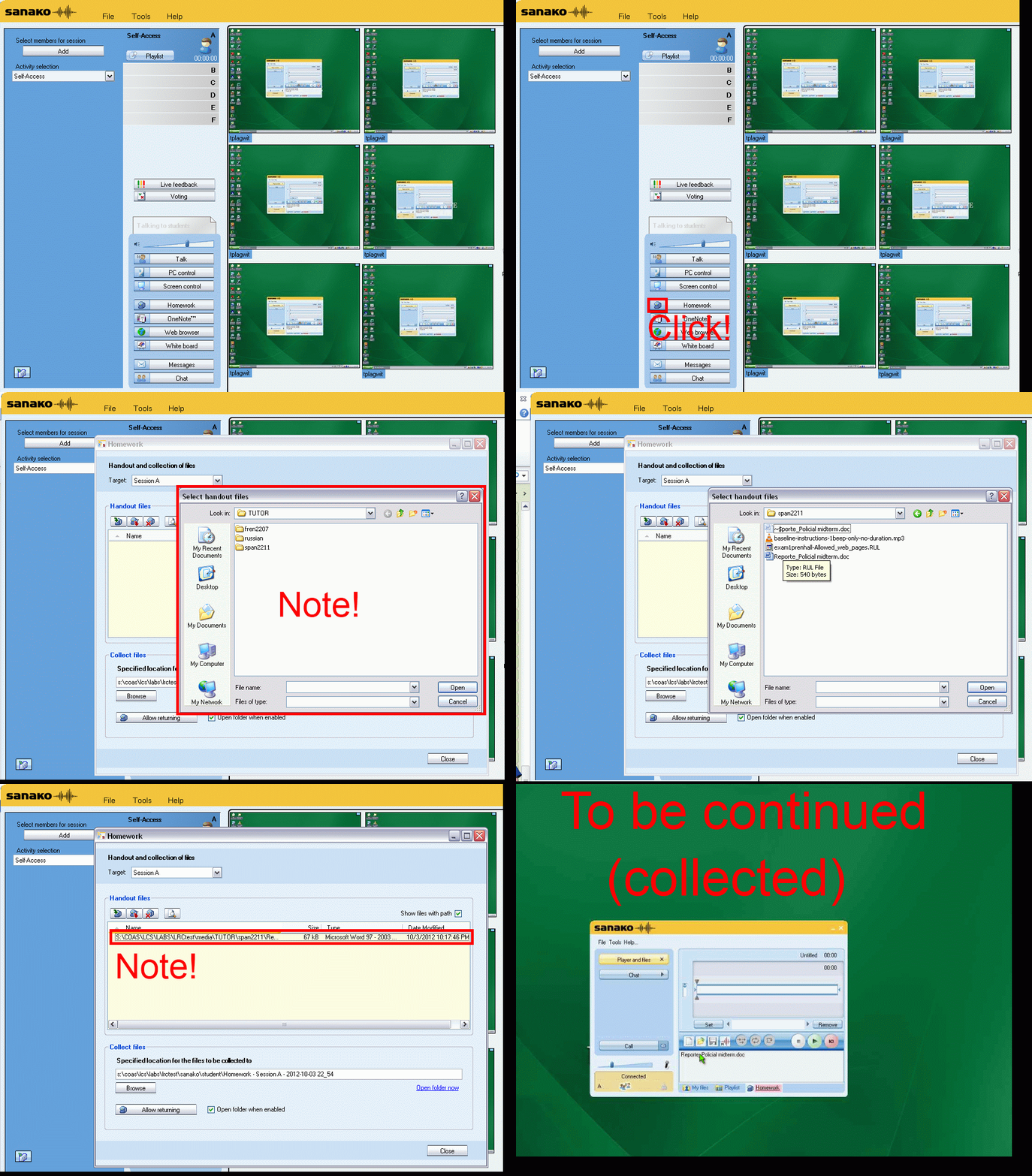
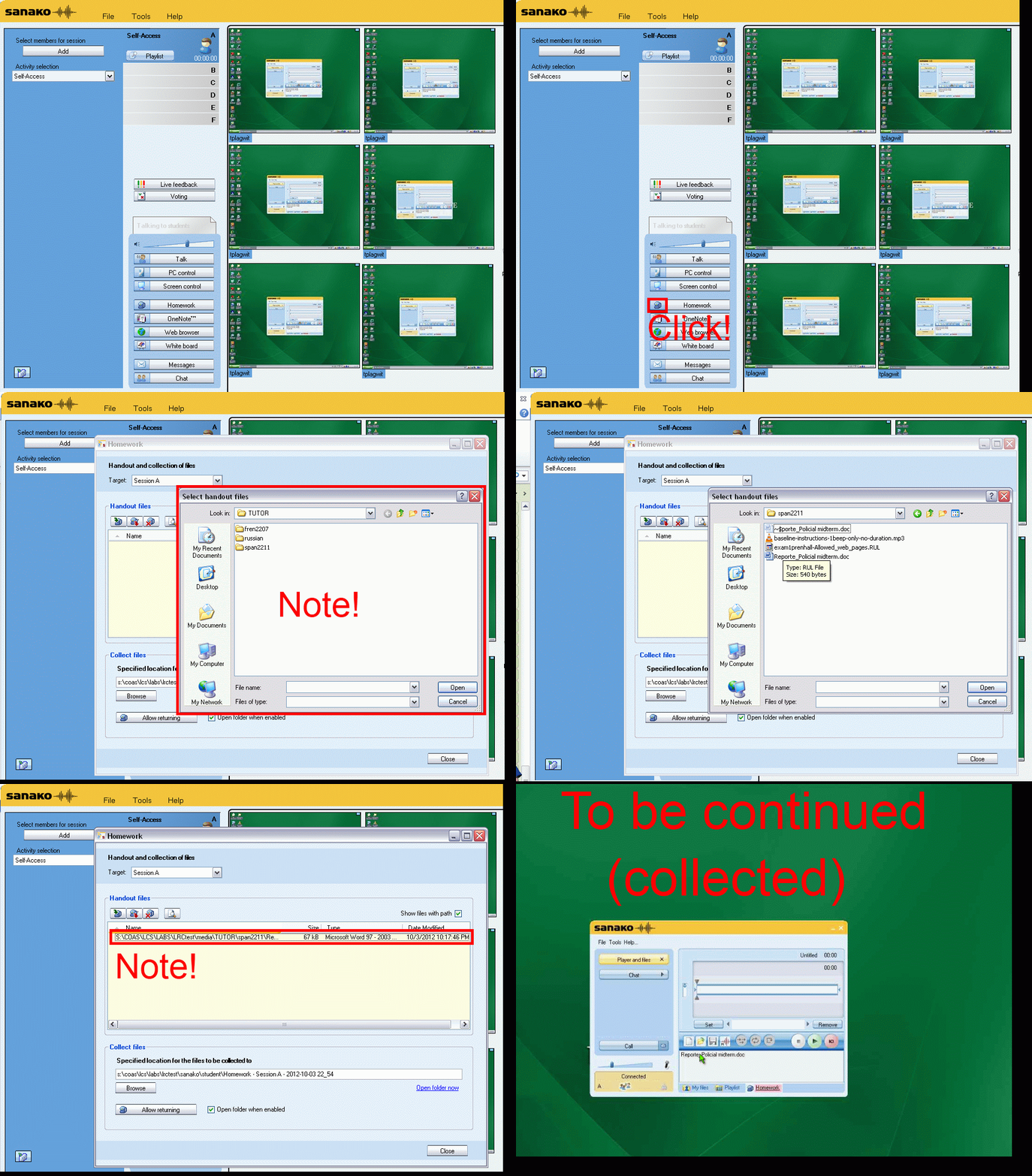
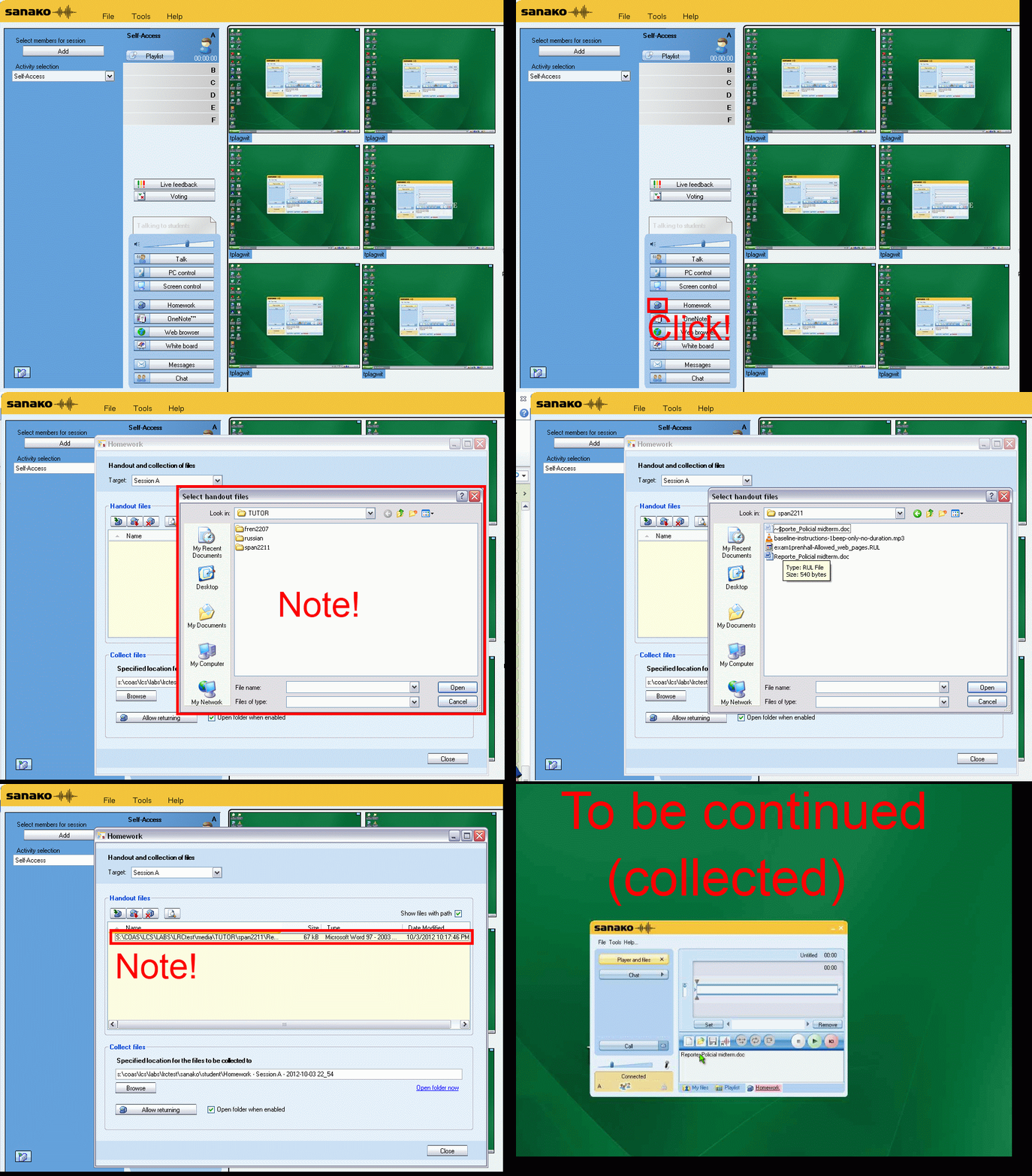
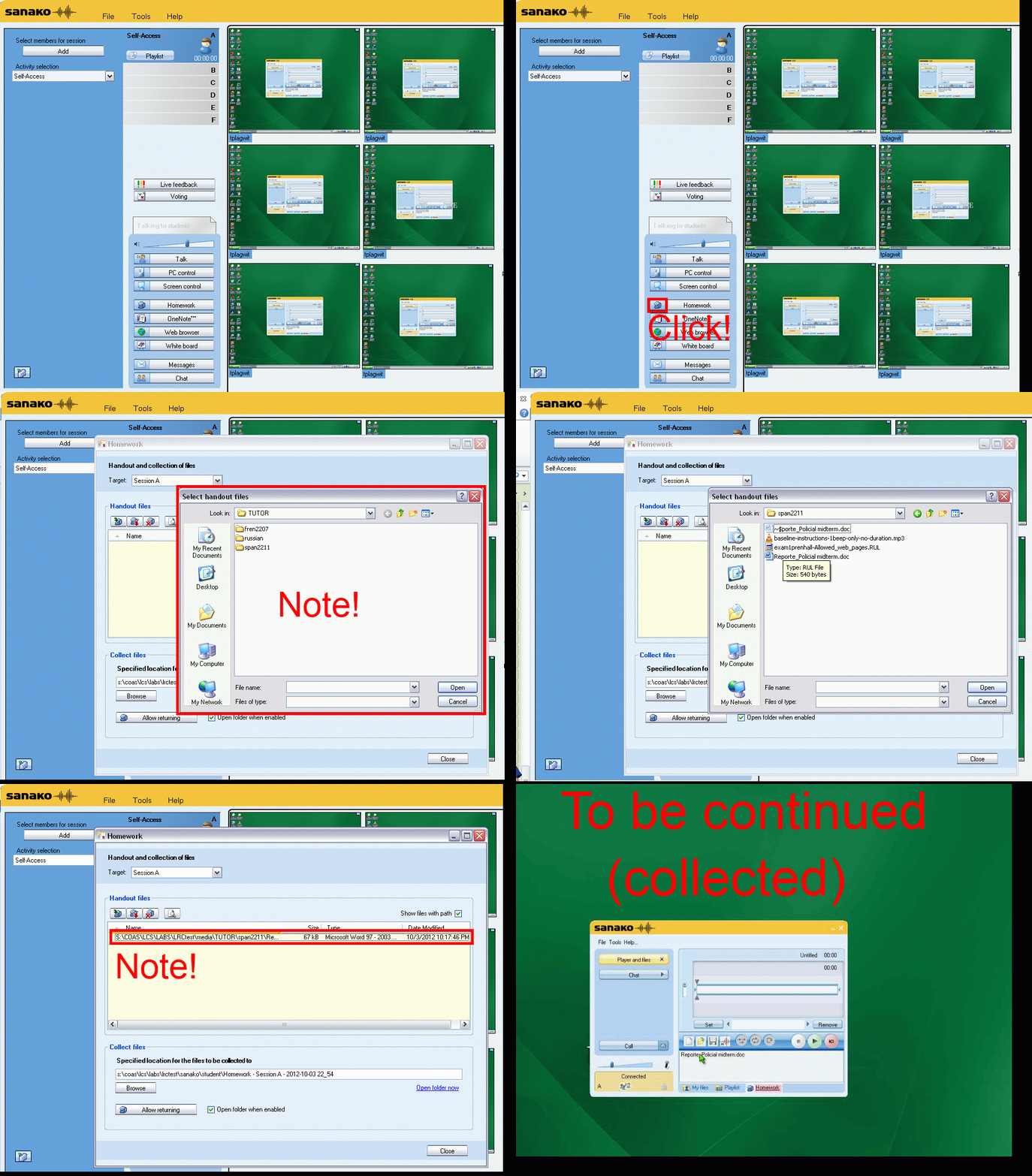
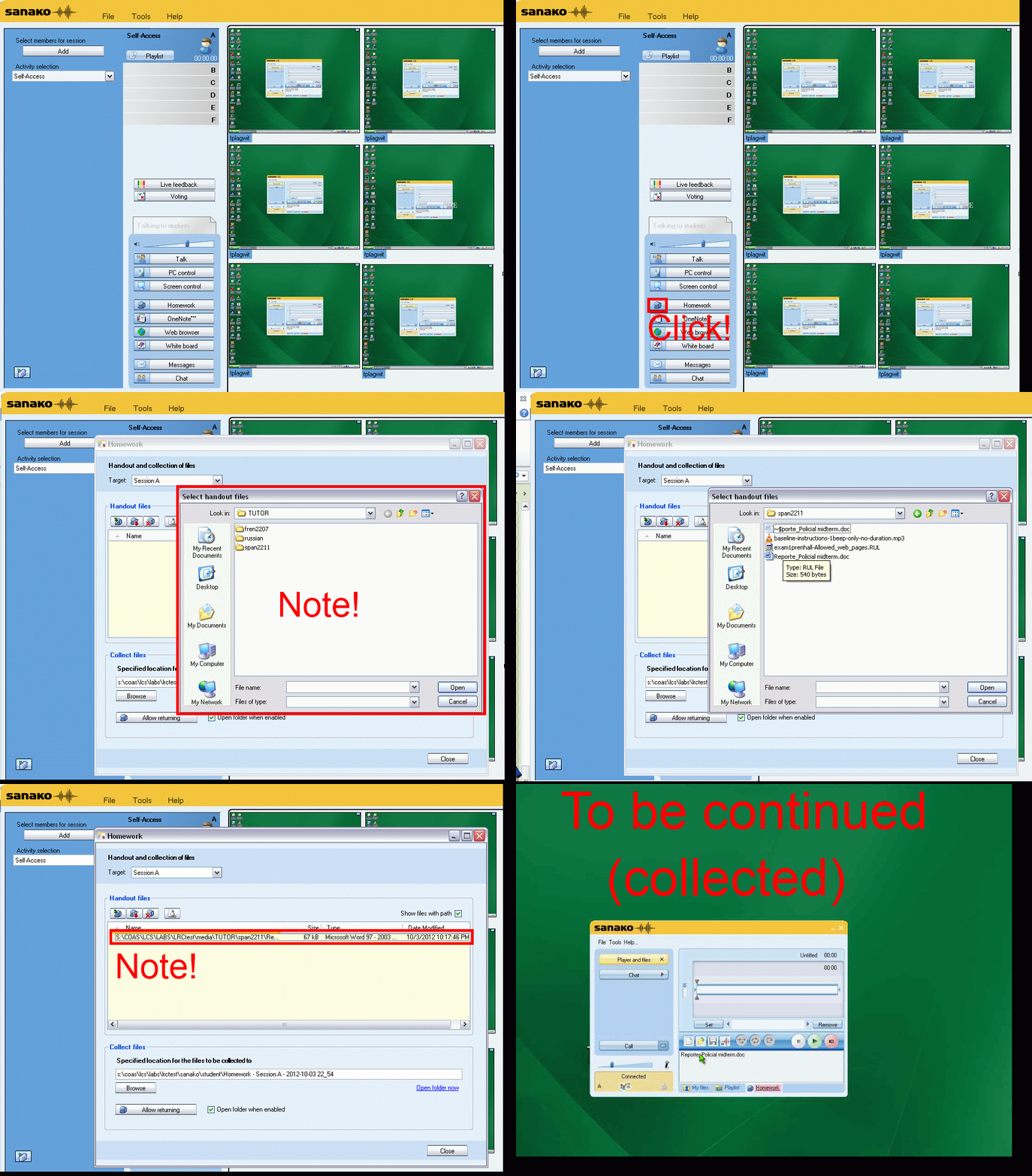
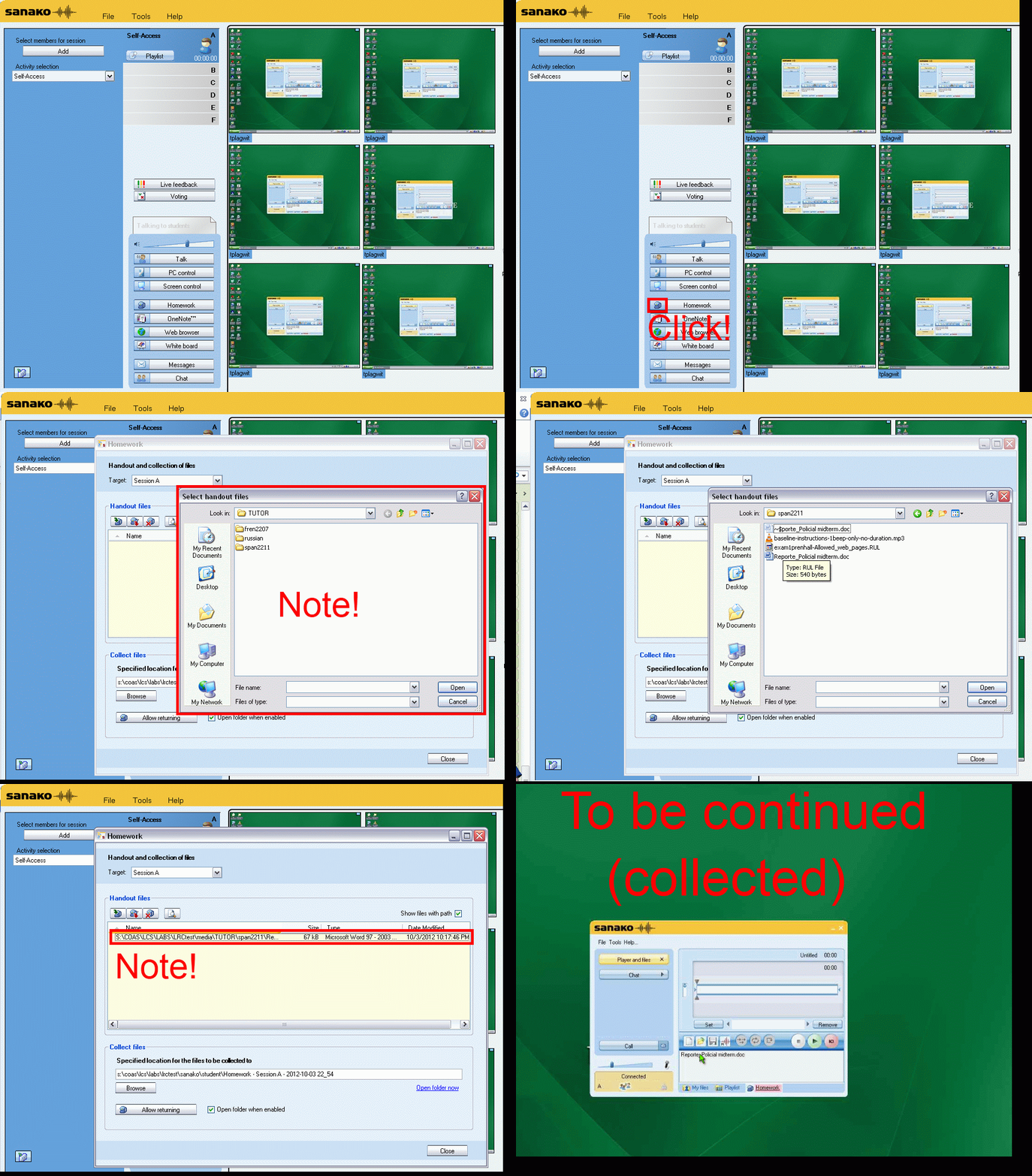
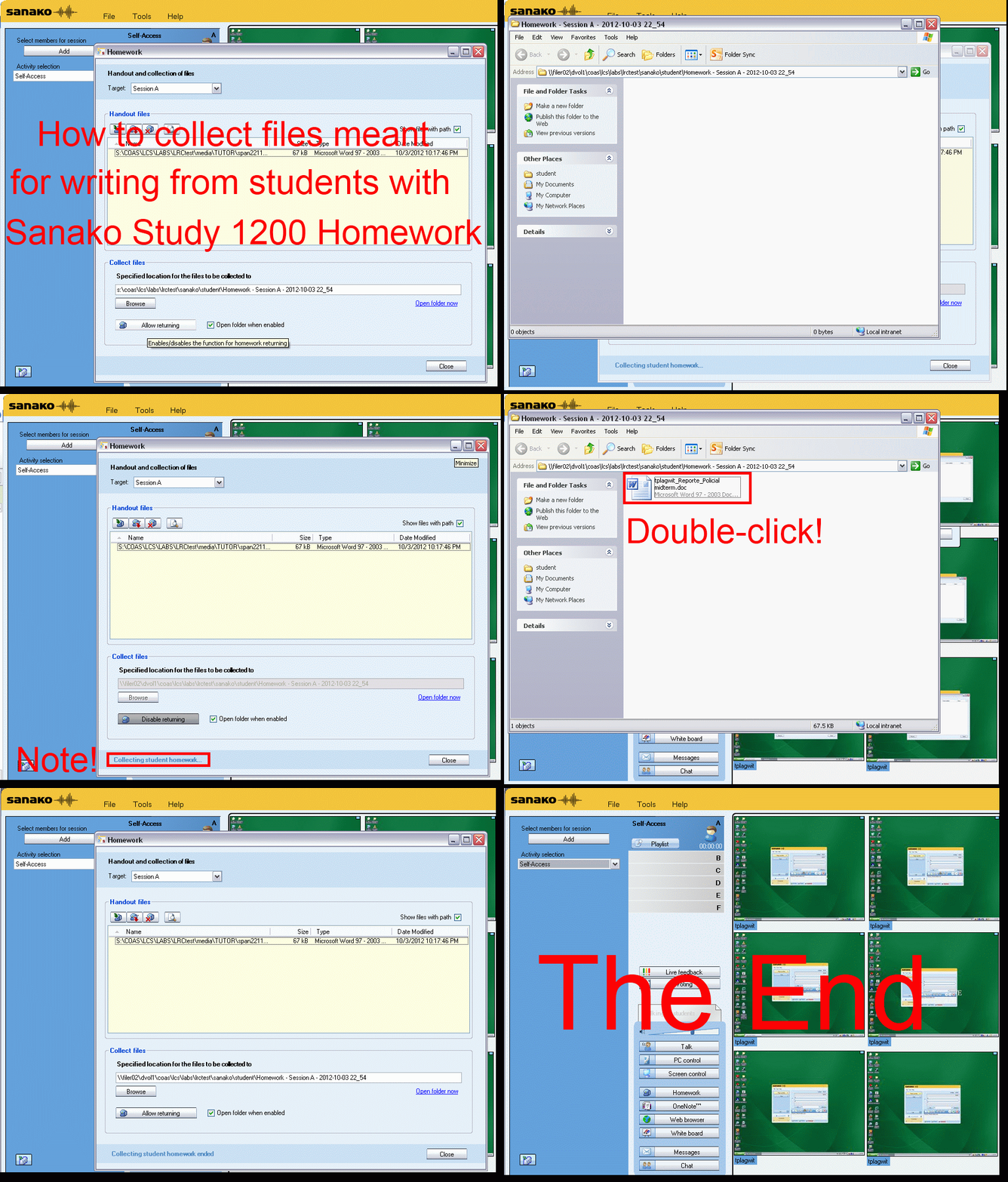
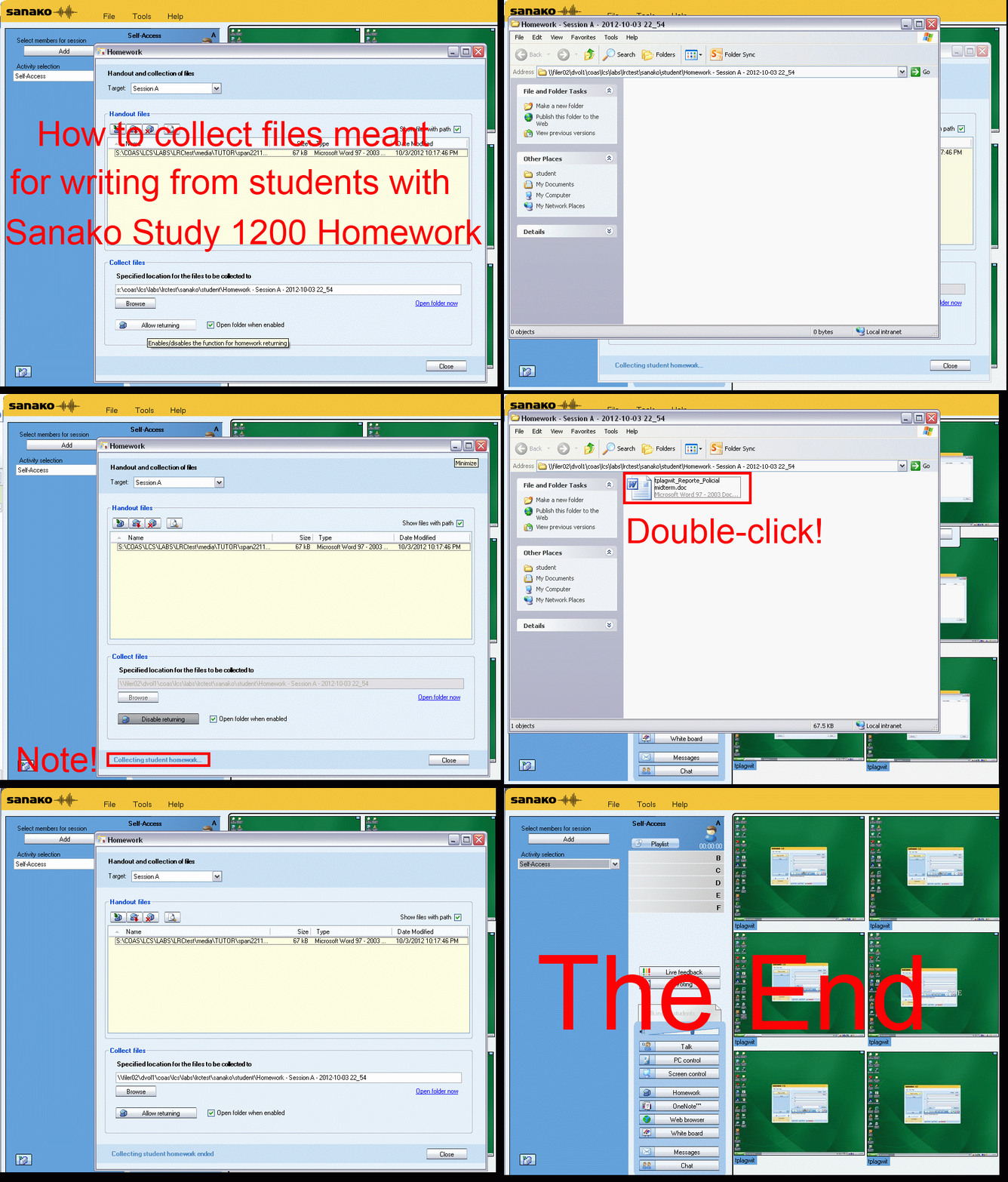
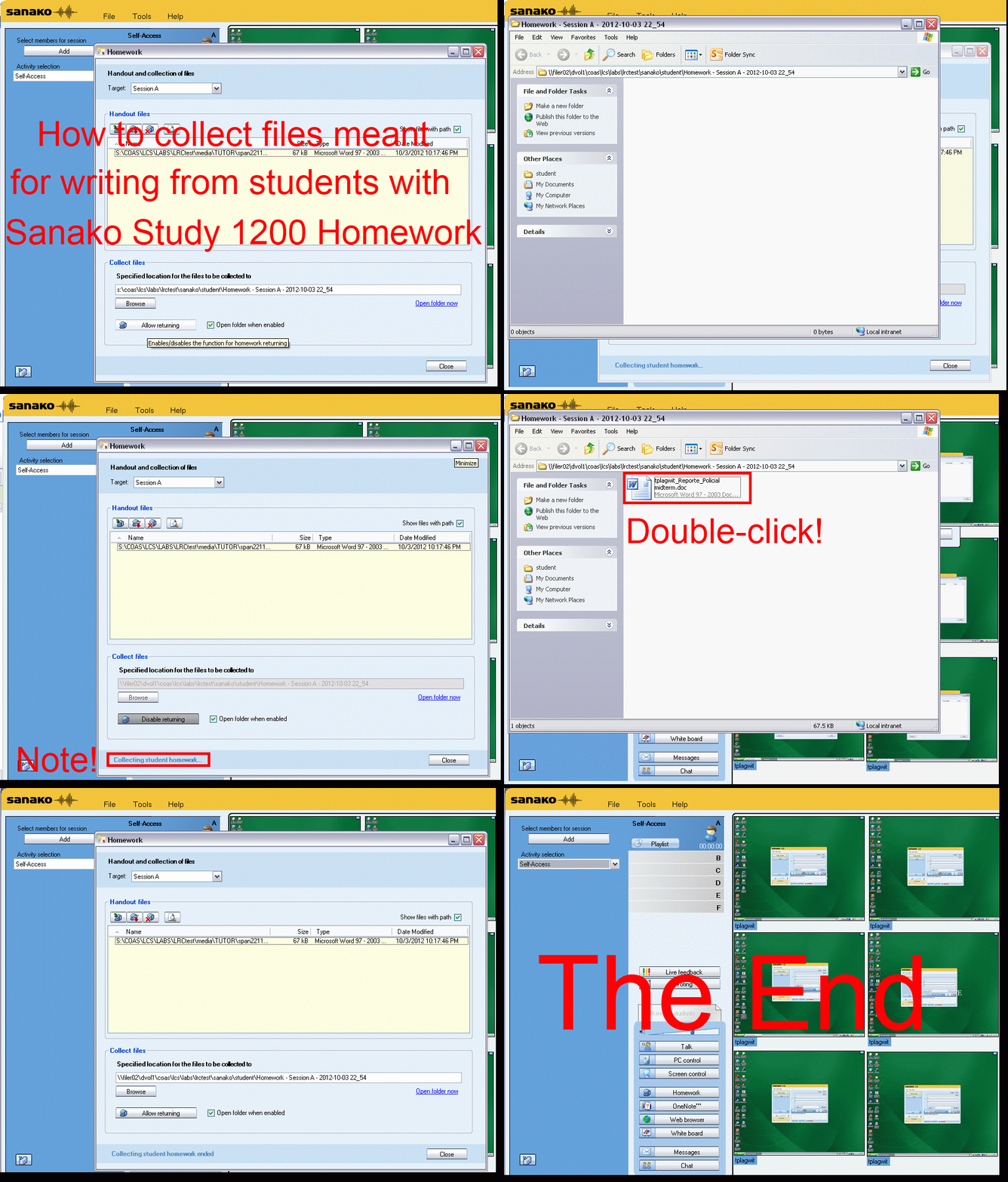
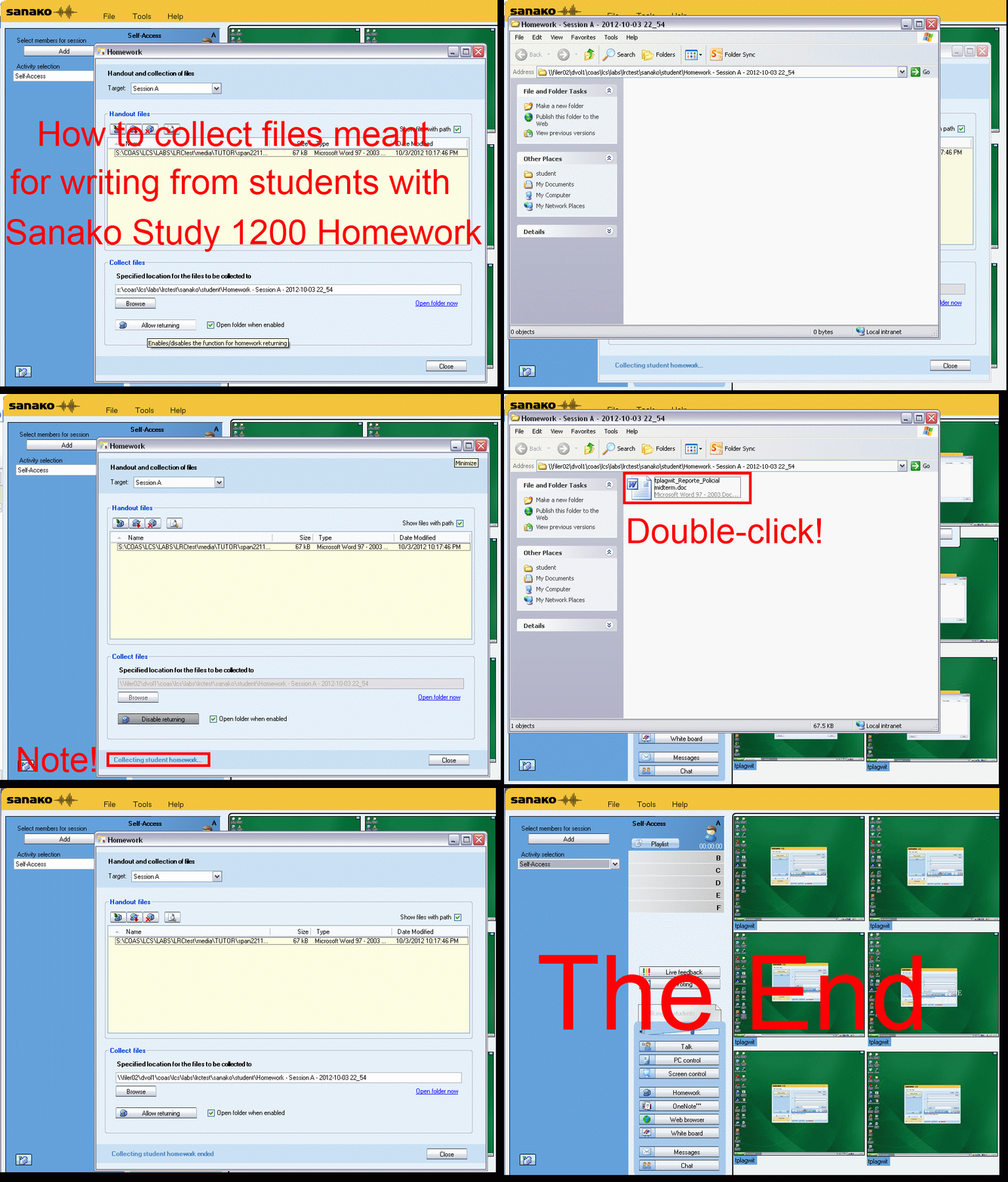
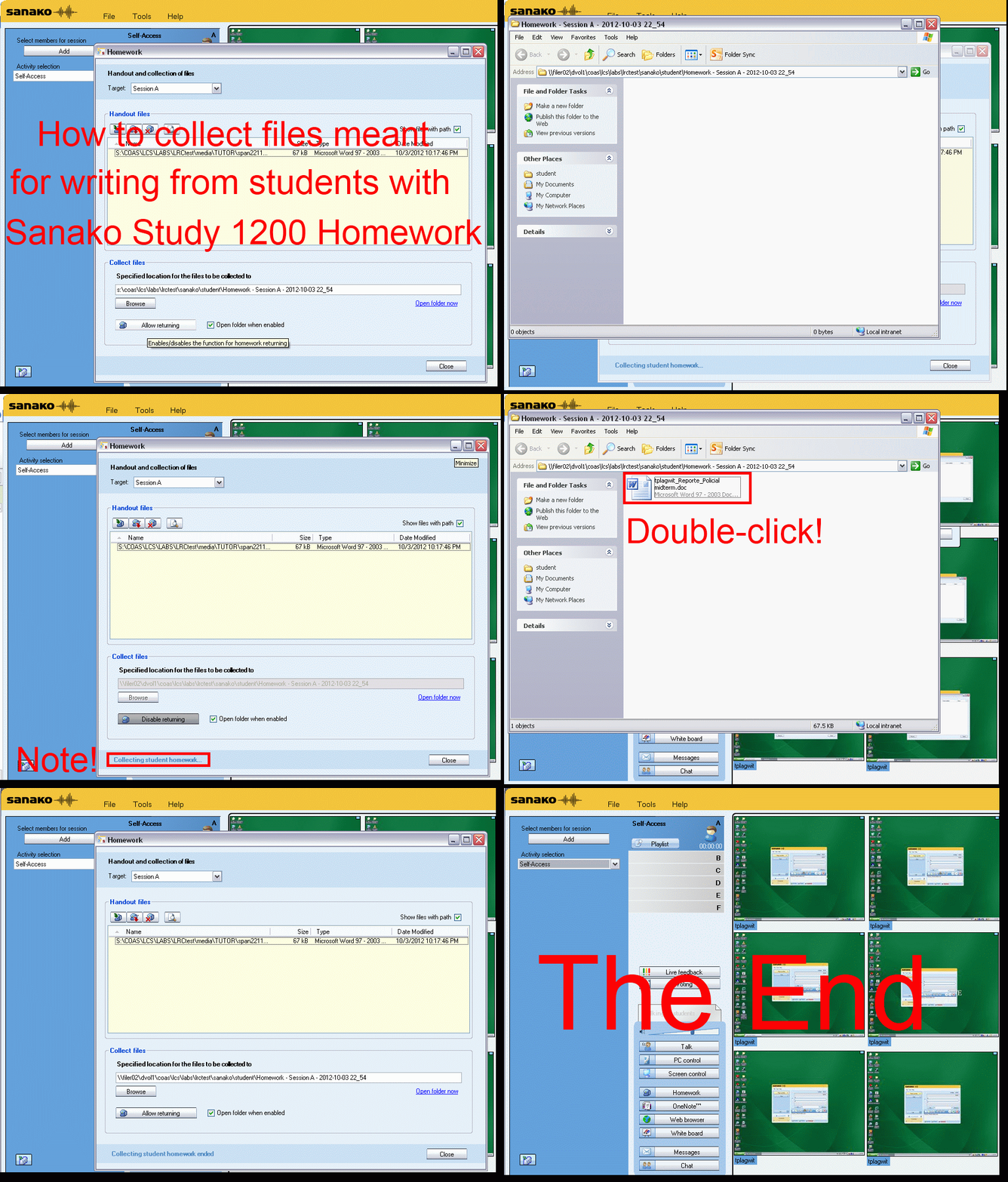
How teachers give files meant for writing to students with Sanako Study 1200 Homework, part 1(give)&2(collect)–the ultimate training summary….
…using animated GIFs. (Here is the part your students have to do). Load the speed of your choosing (or several, use CTRL-Click to open links in a new tab) into the left screen of the teacher station before administering an oral exam, with the window active, press F5 to restart the animation from the beginning at any time.
Part 1 (hand out files).
025ms, 050ms, 075ms, 75ms,100ms, 100ms, 200ms, 300ms, 400ms, 500ms, 600ms, 700ms, 800ms, 900ms, 800ms, 1000ms , 
Part 2 (collect files):
025ms, 050ms 075ms, 100ms 200ms, 300ms 400ms, 500ms 600ms, 700ms 800ms, 900ms 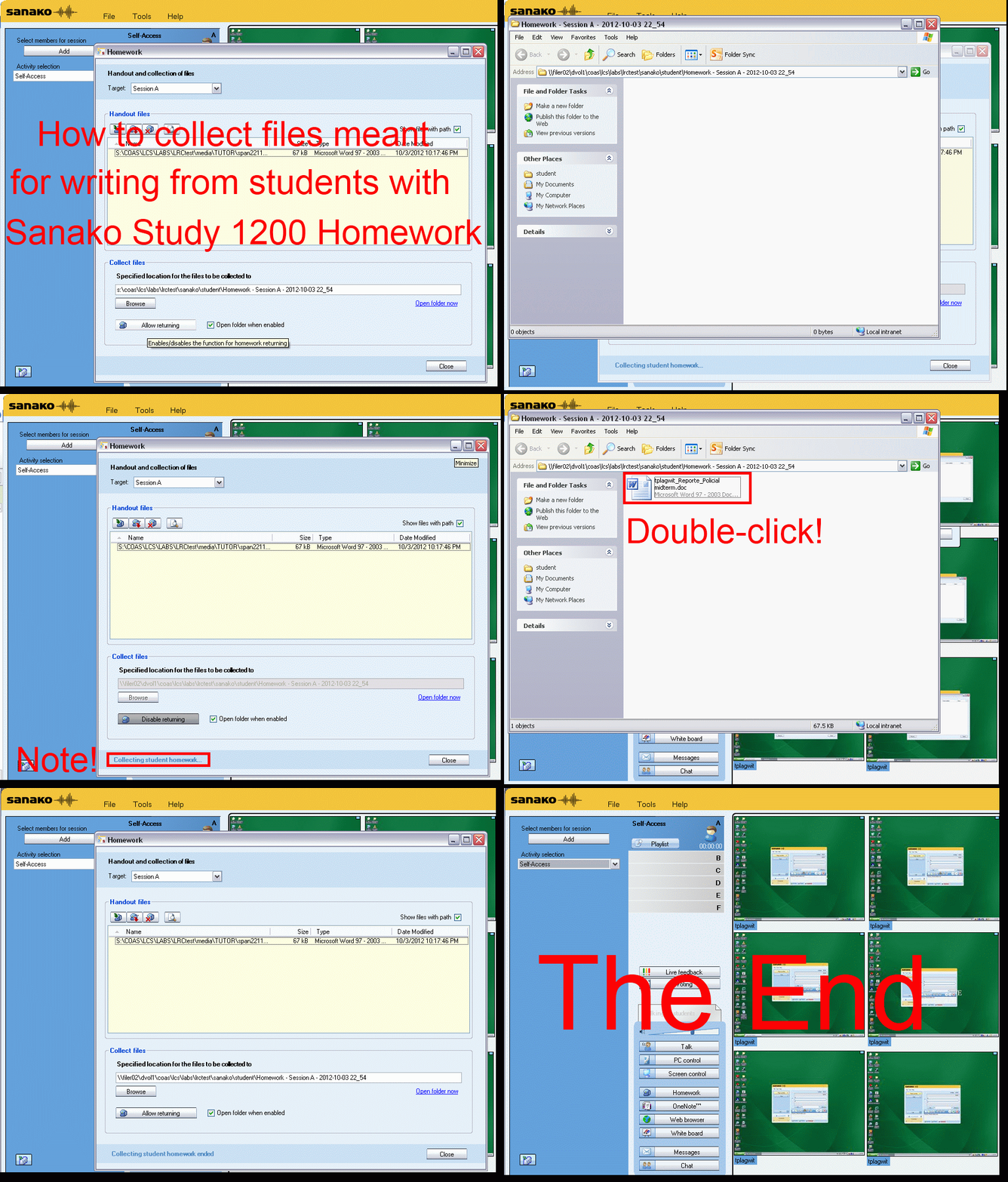
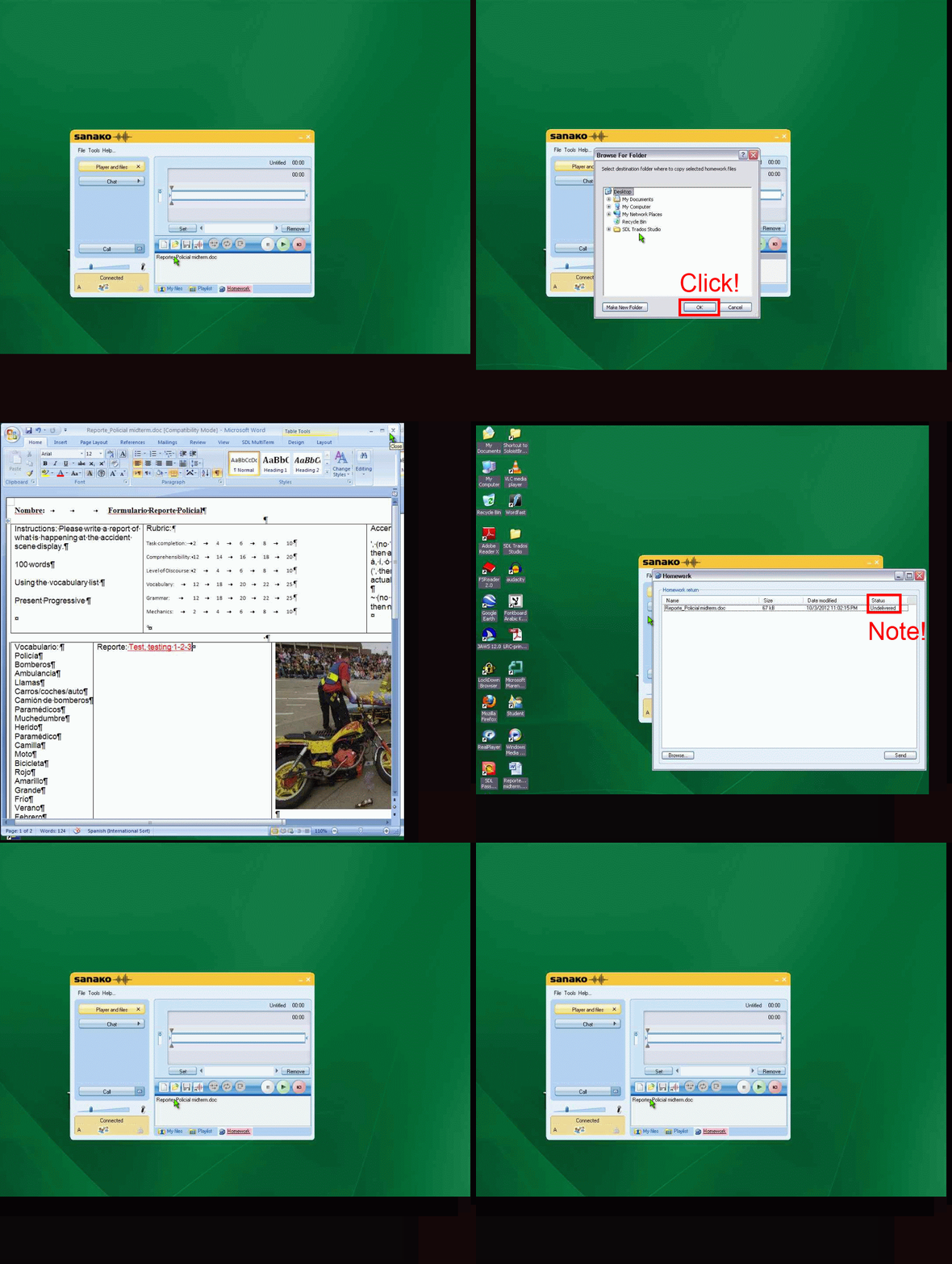
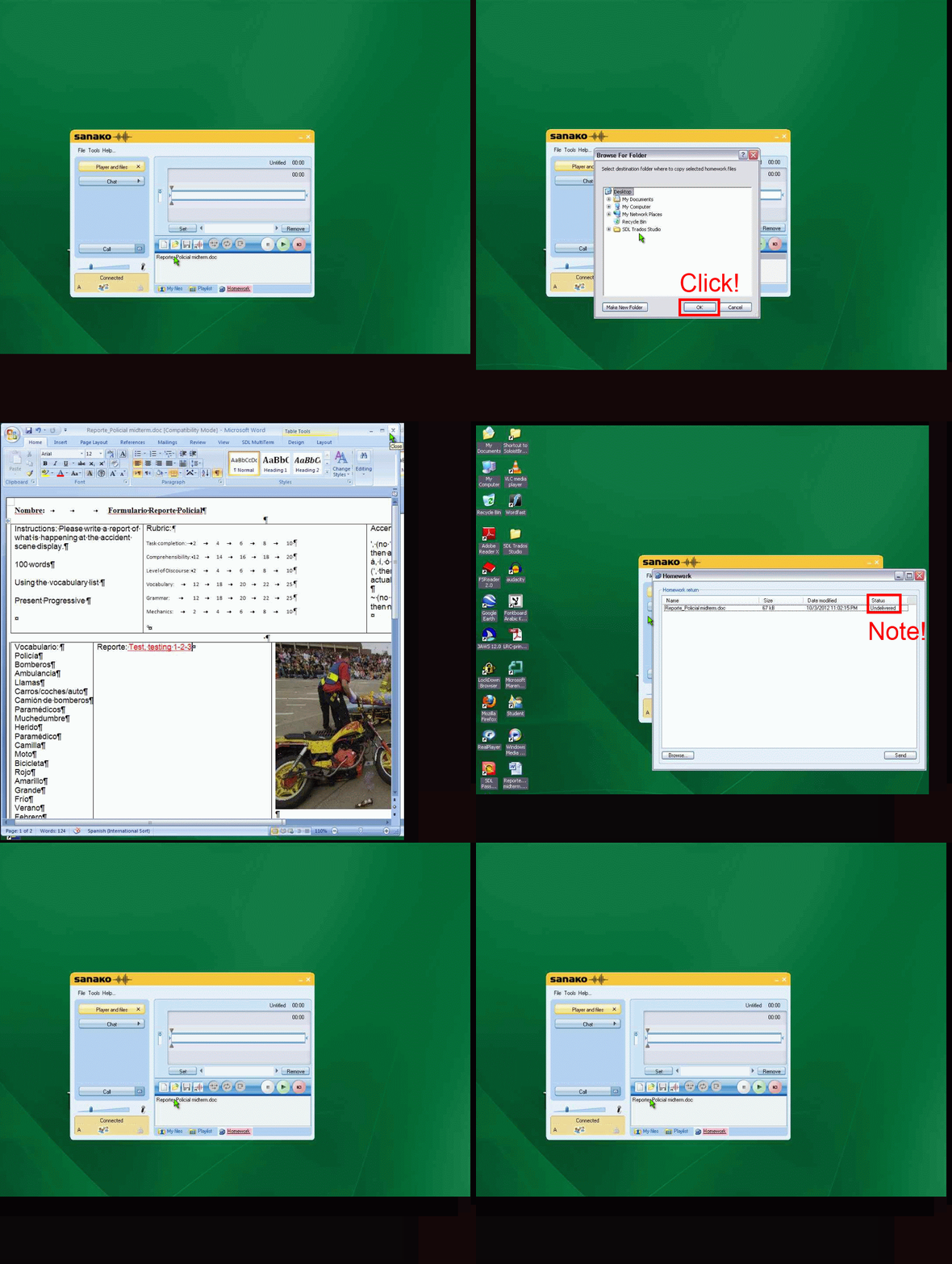
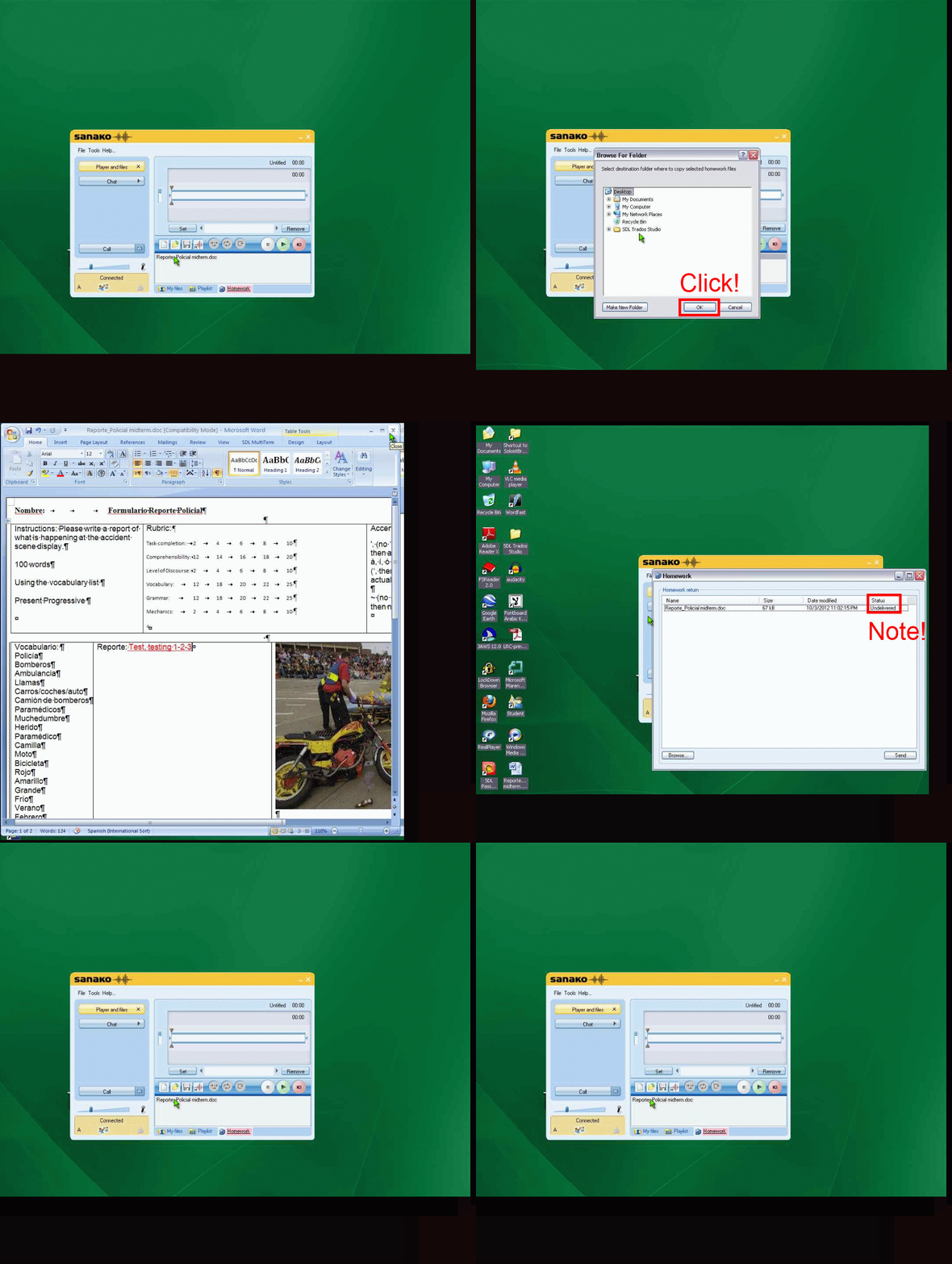
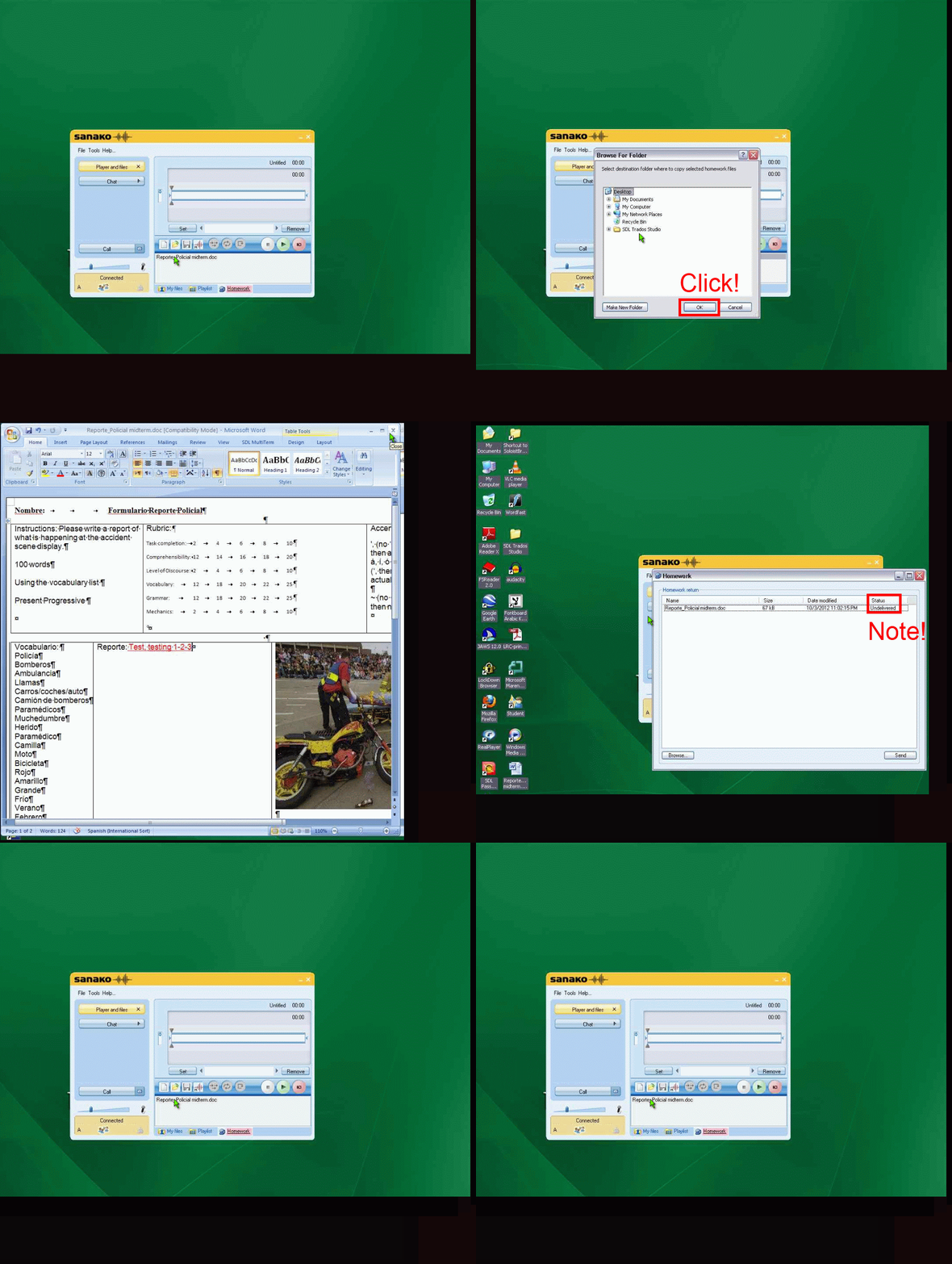
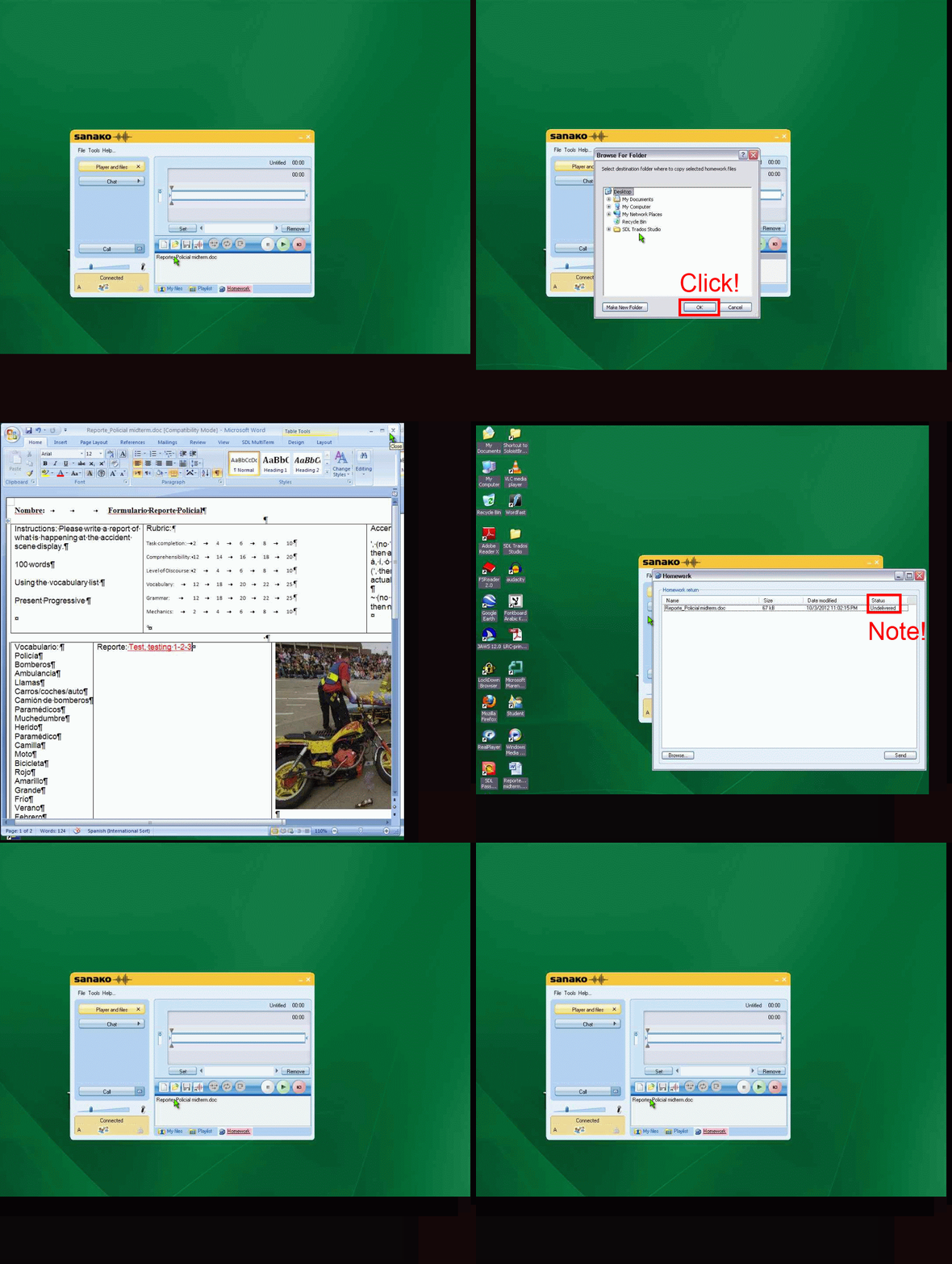
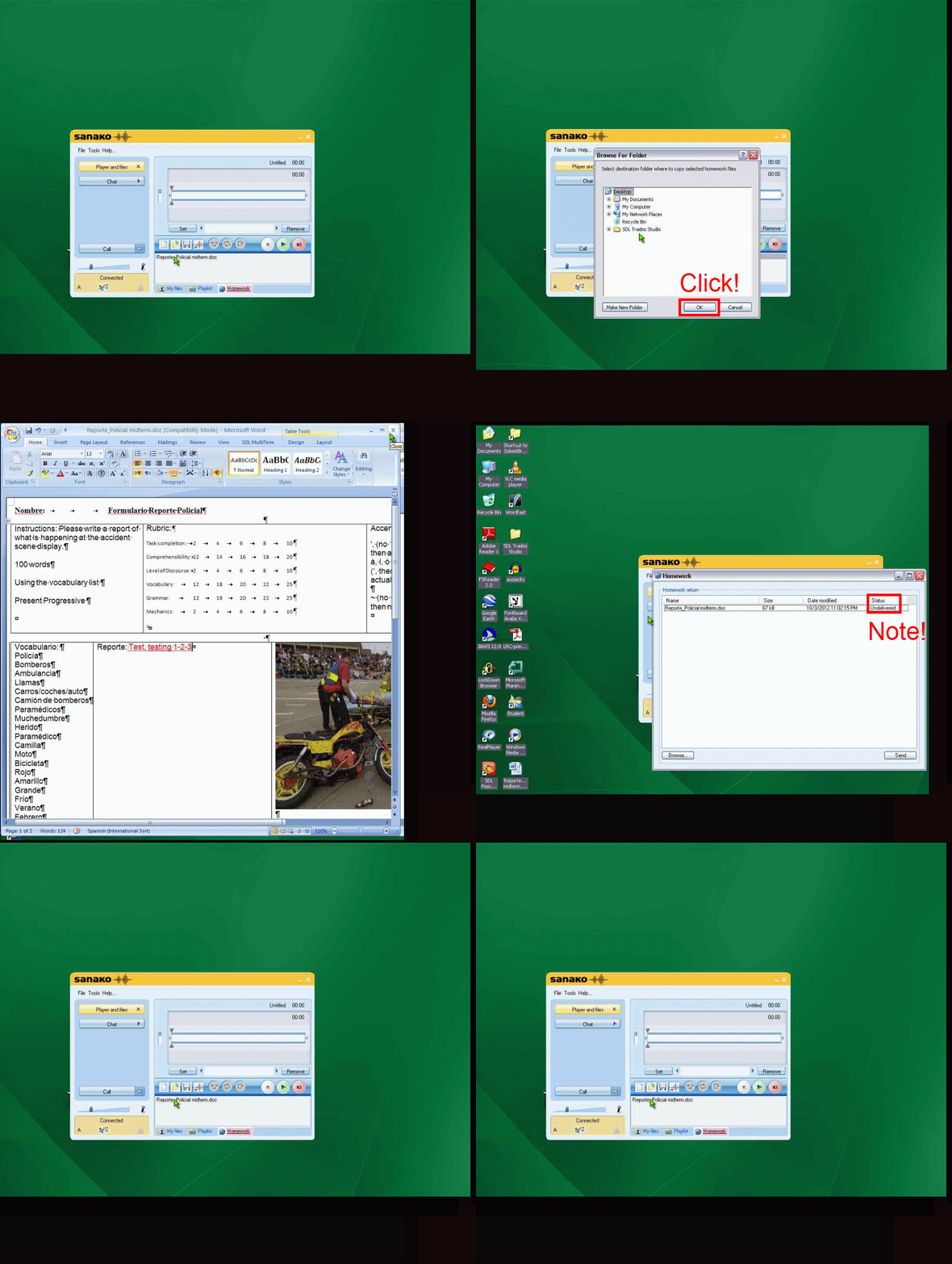
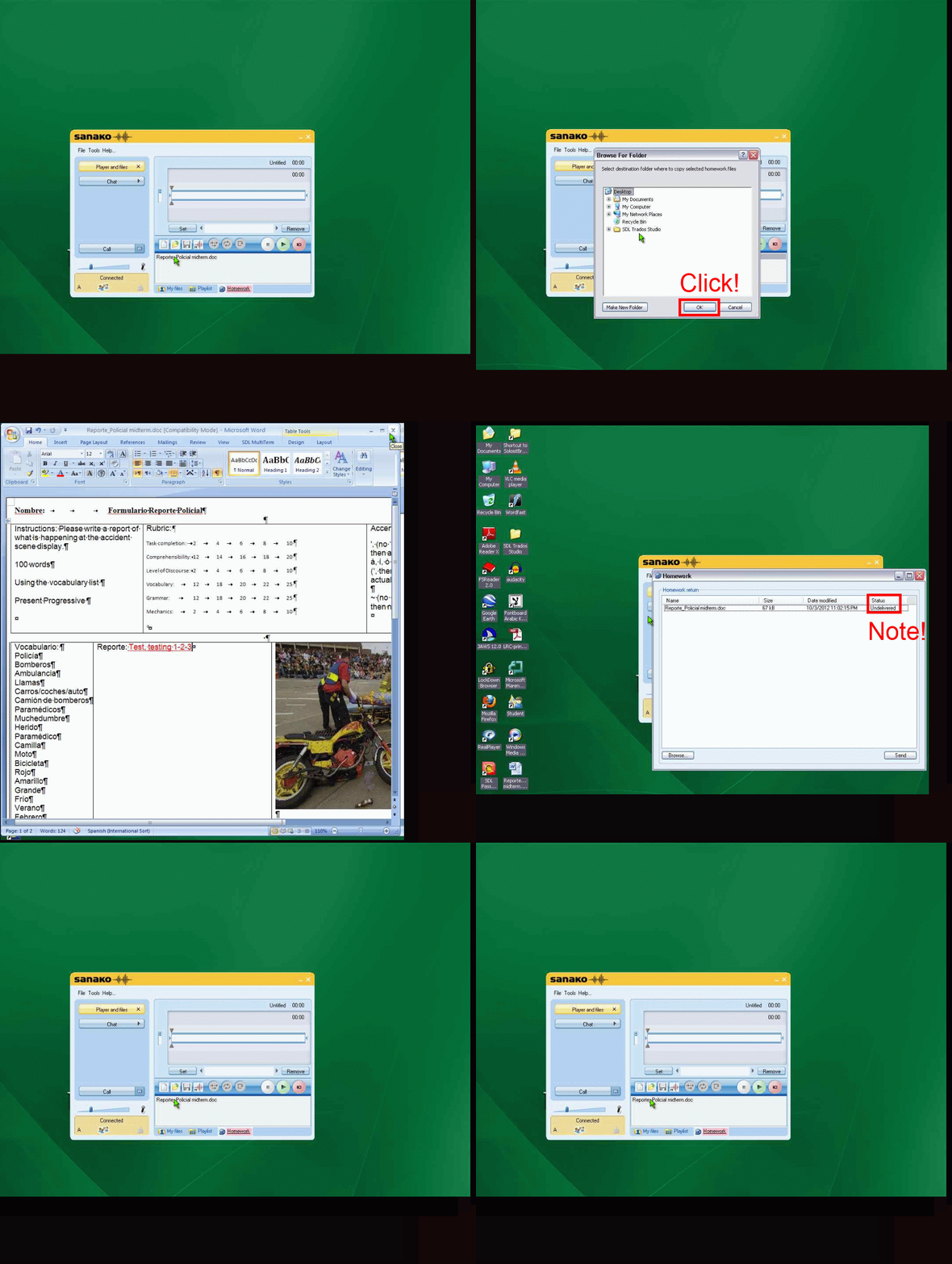
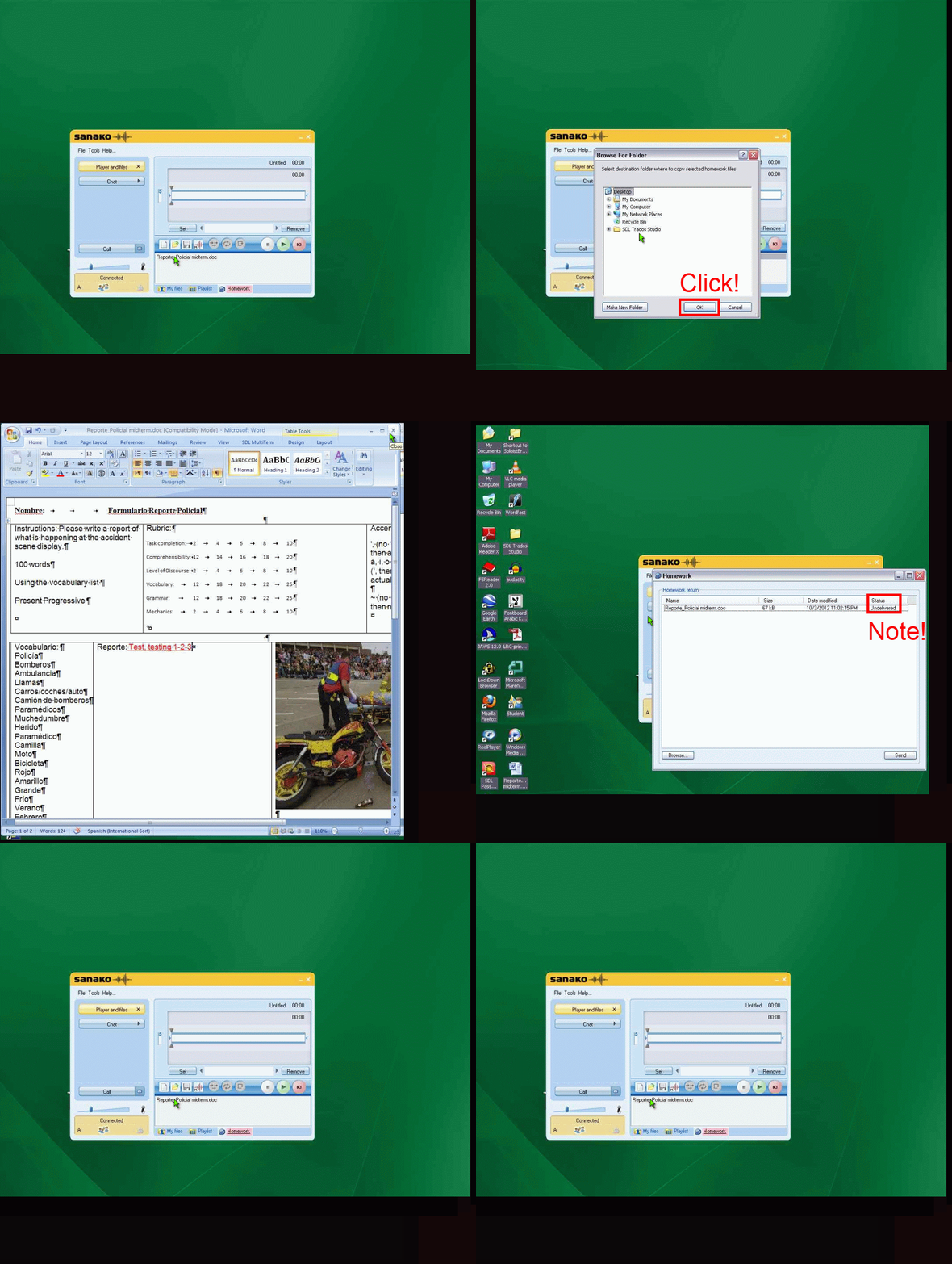
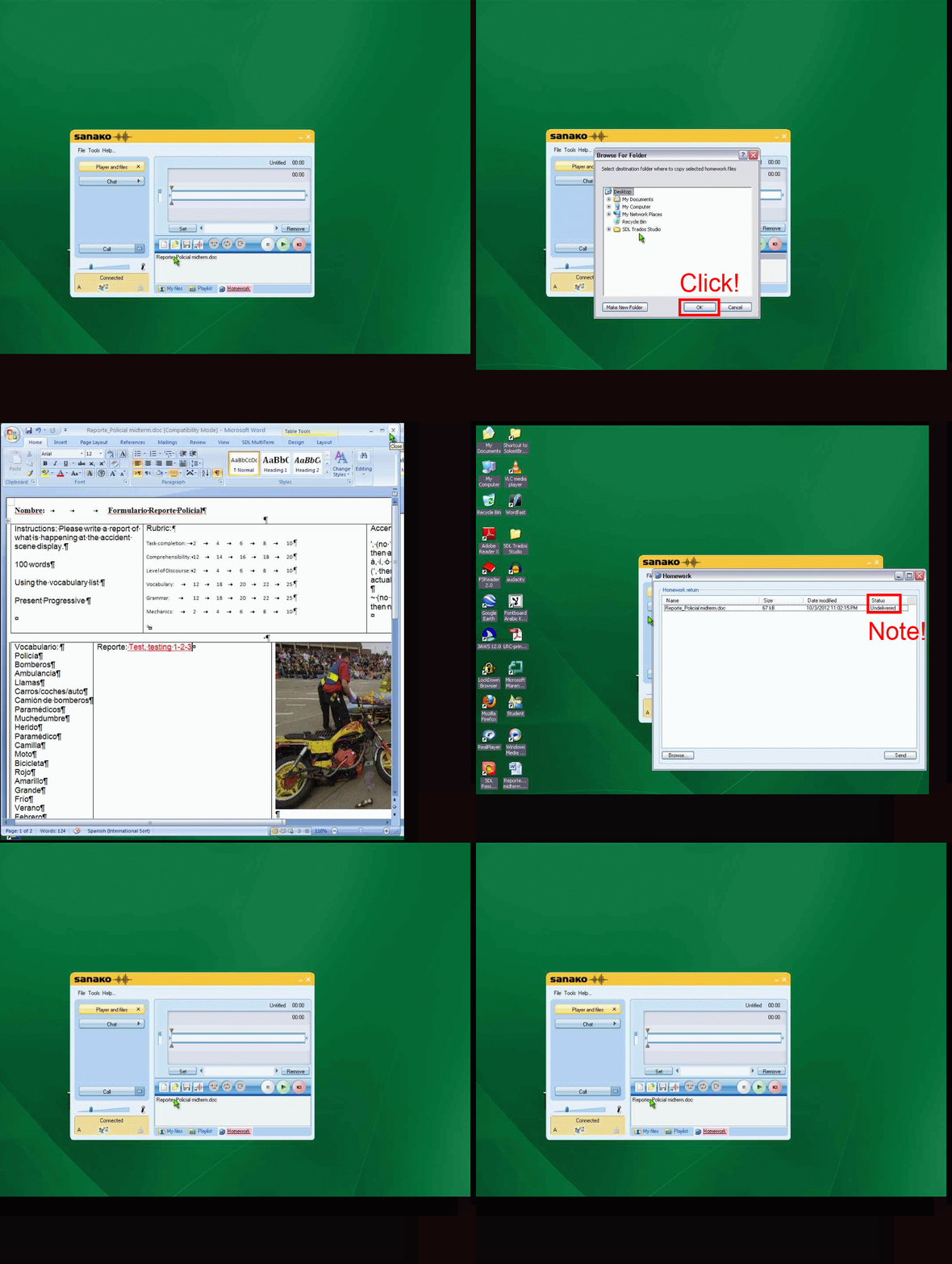
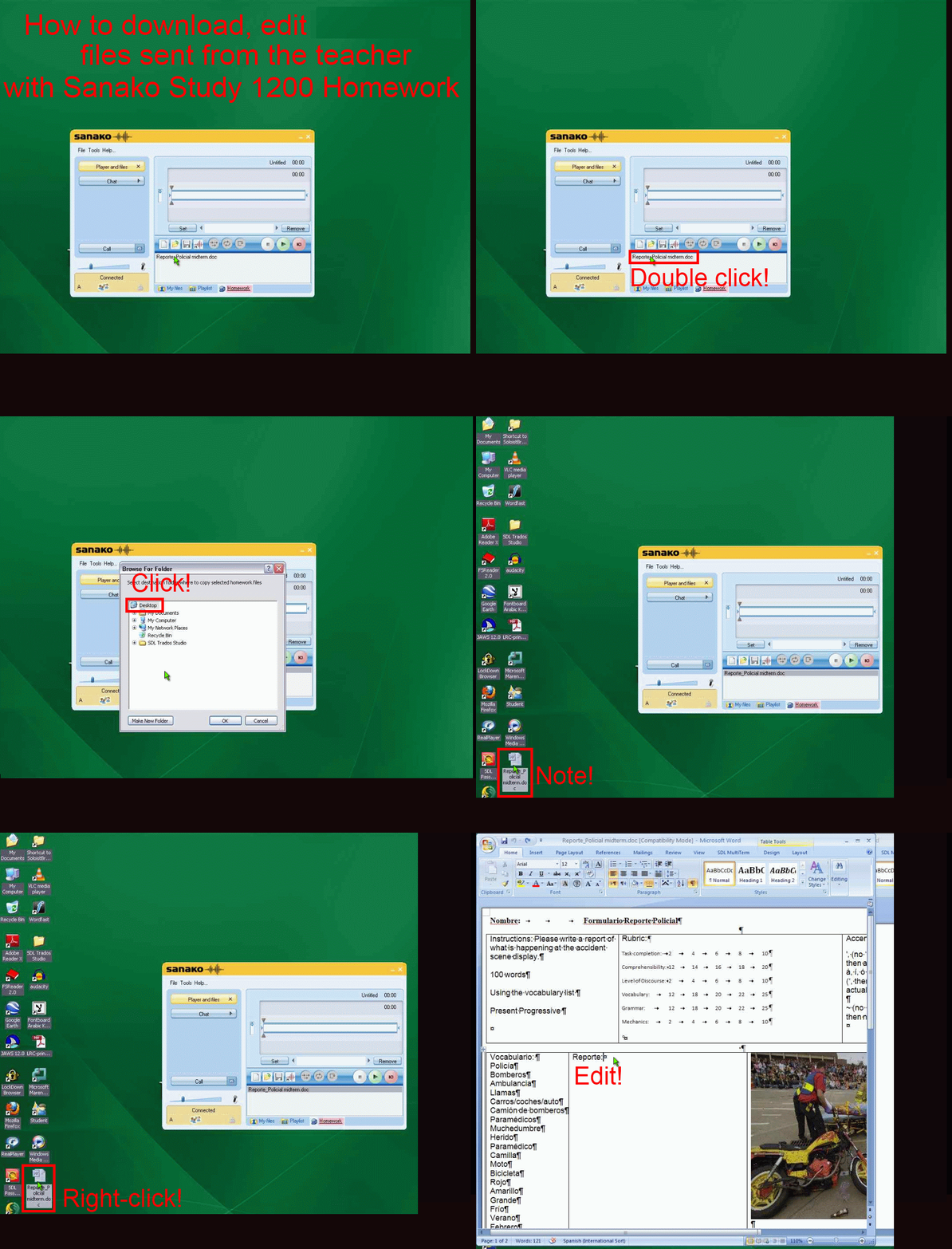
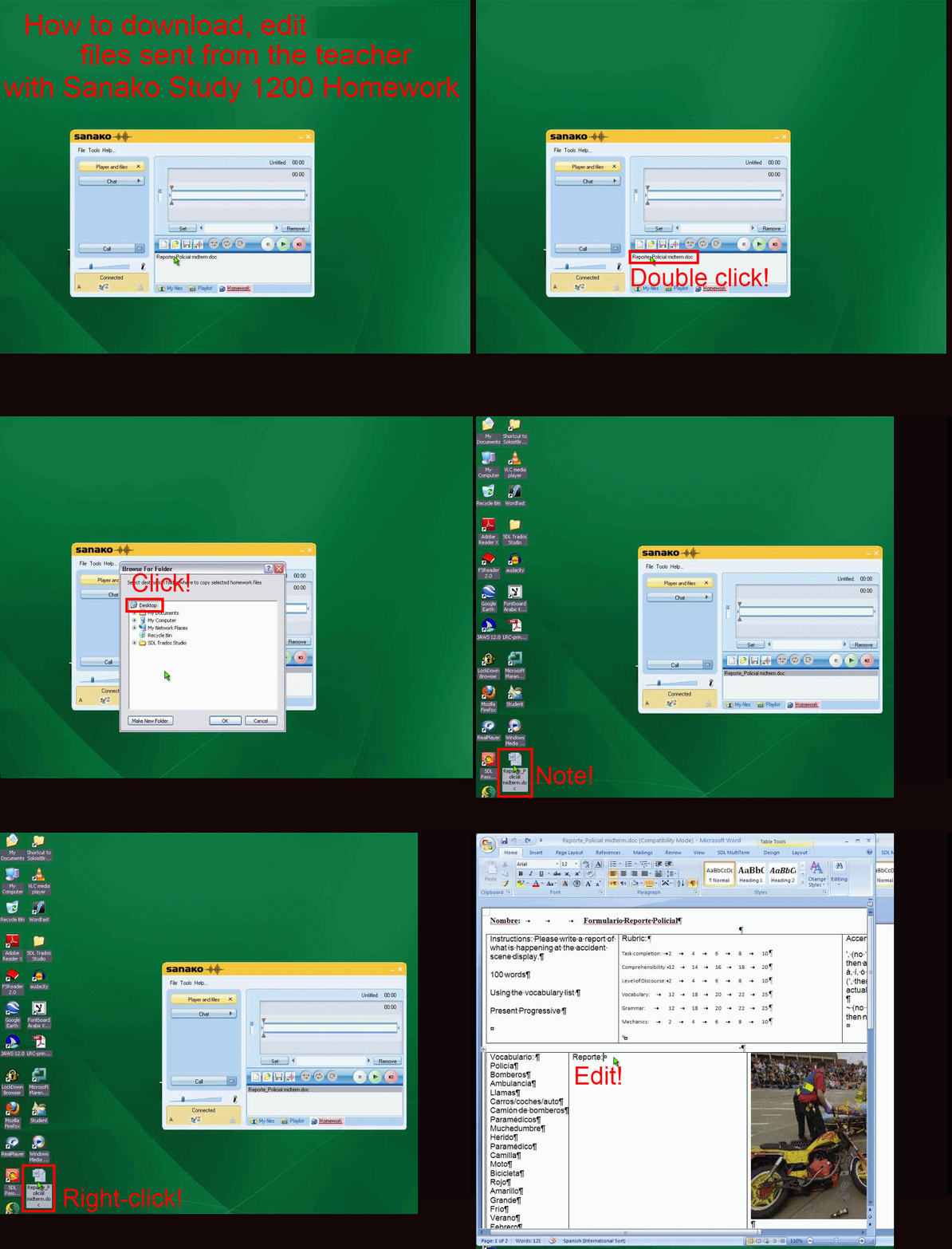
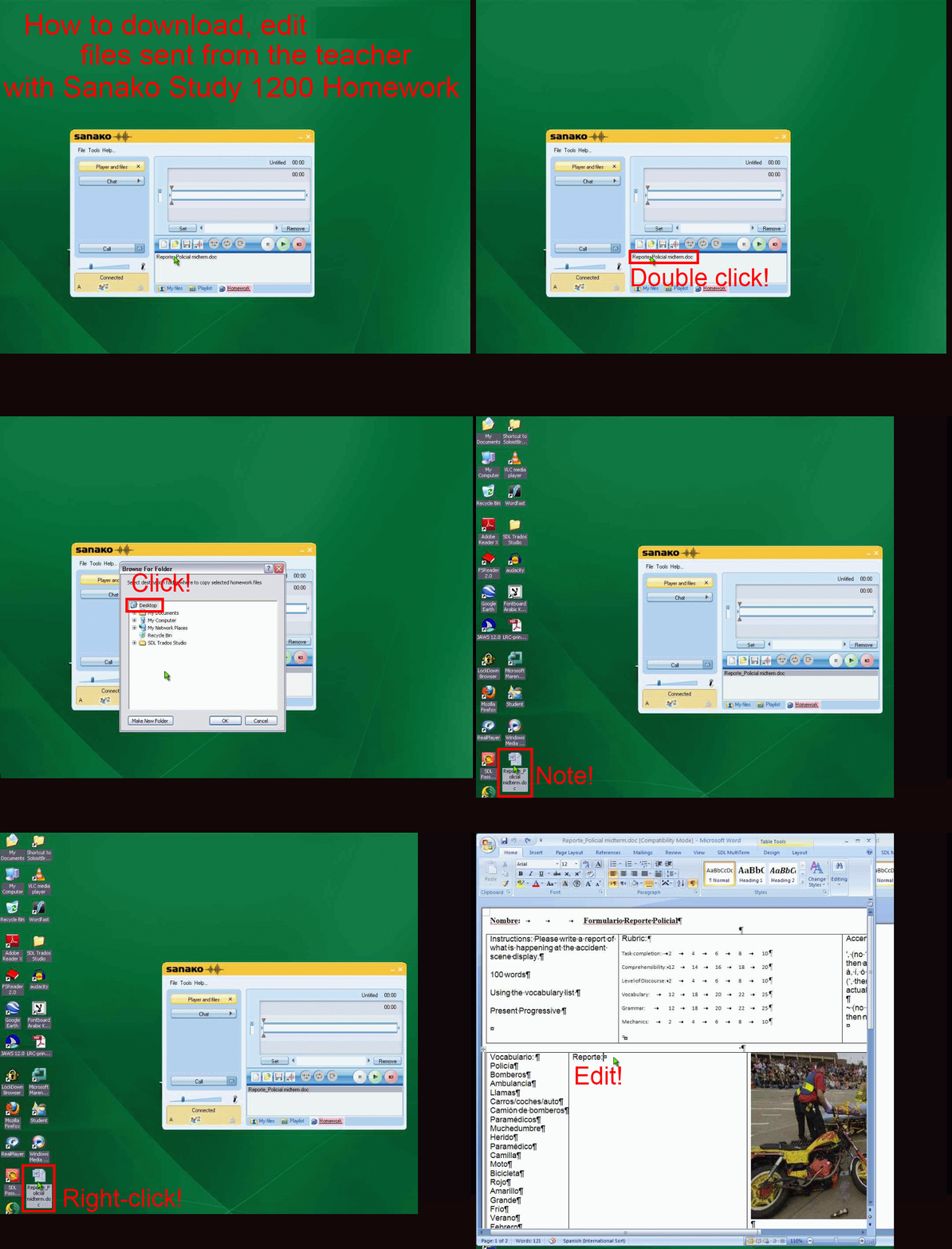
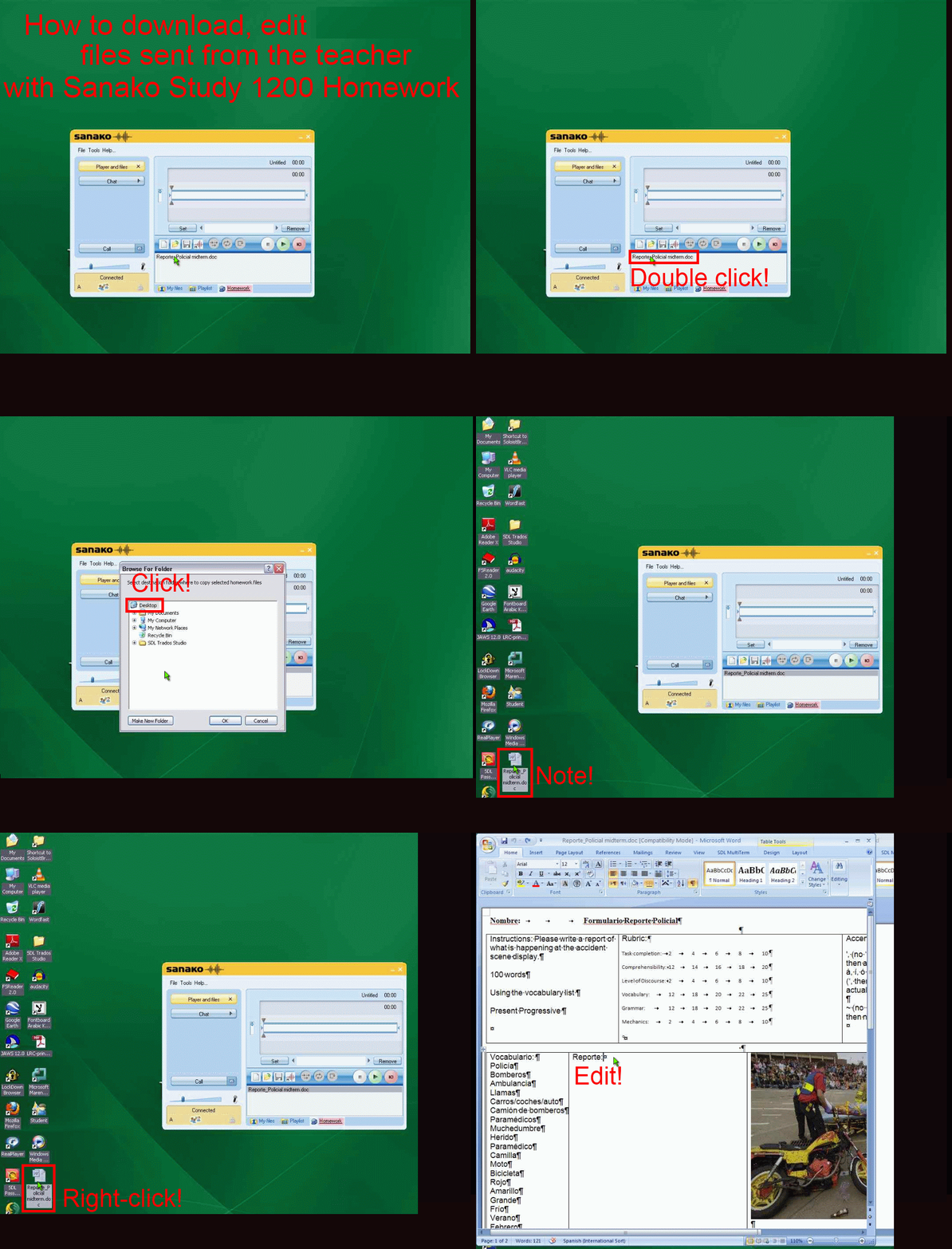
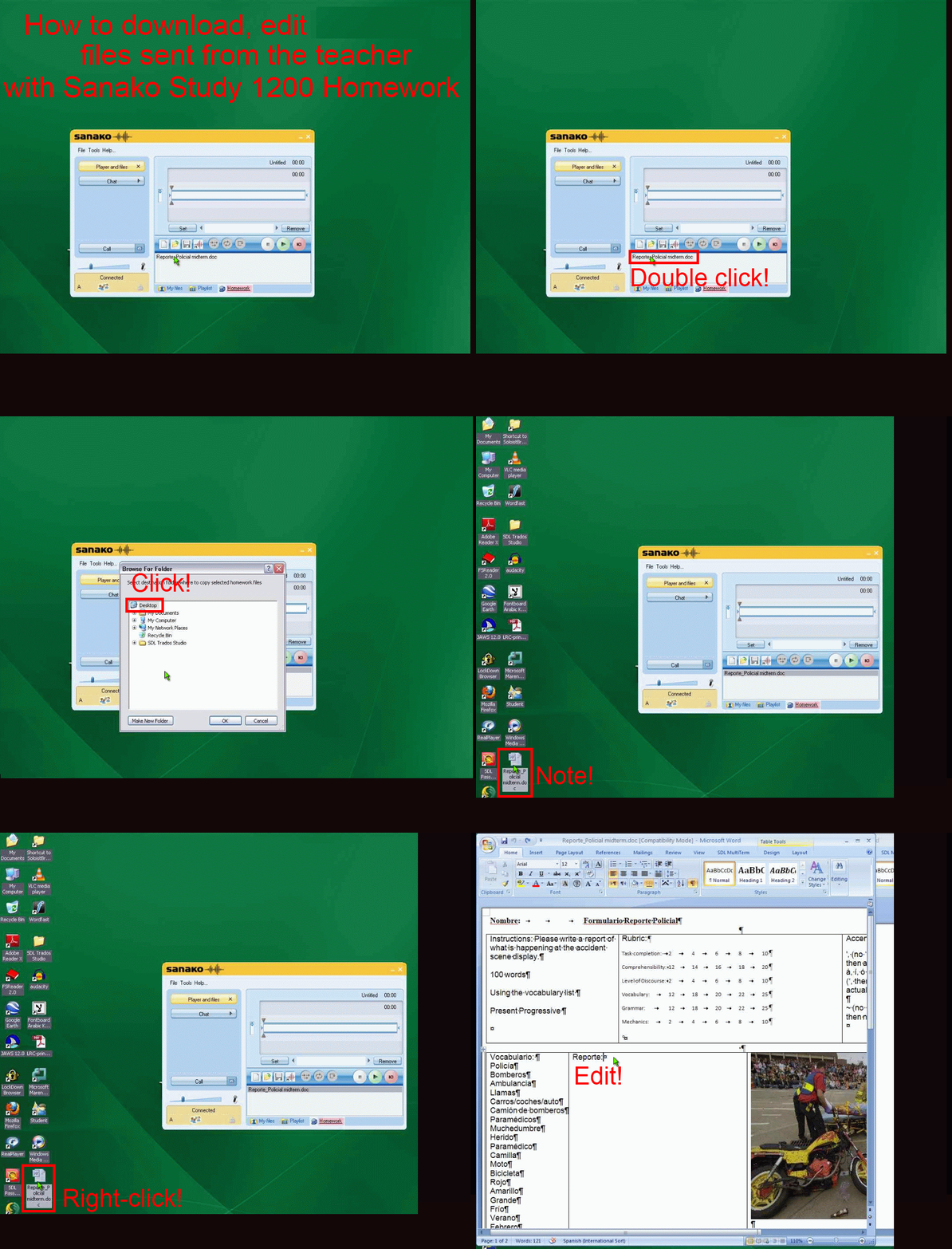
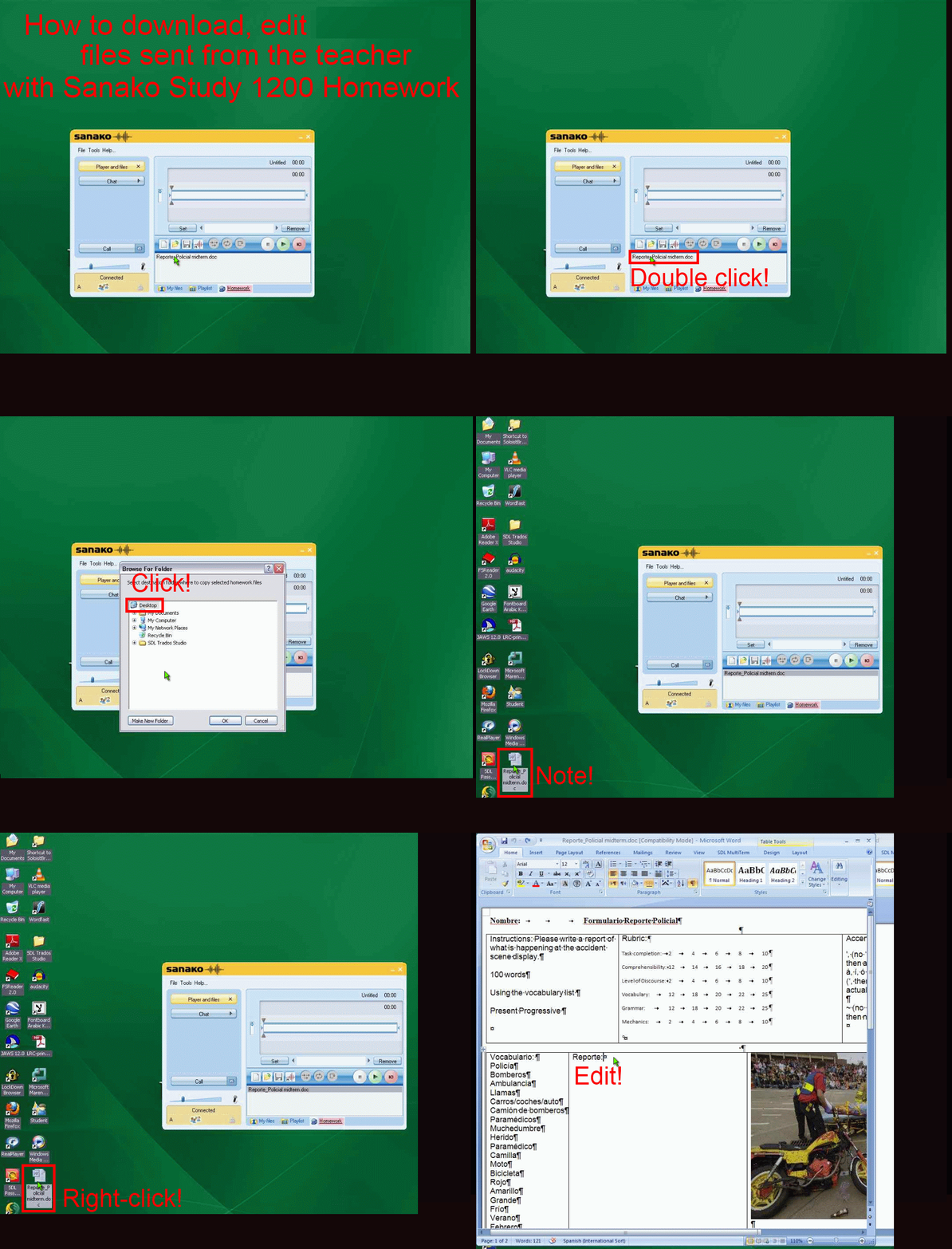
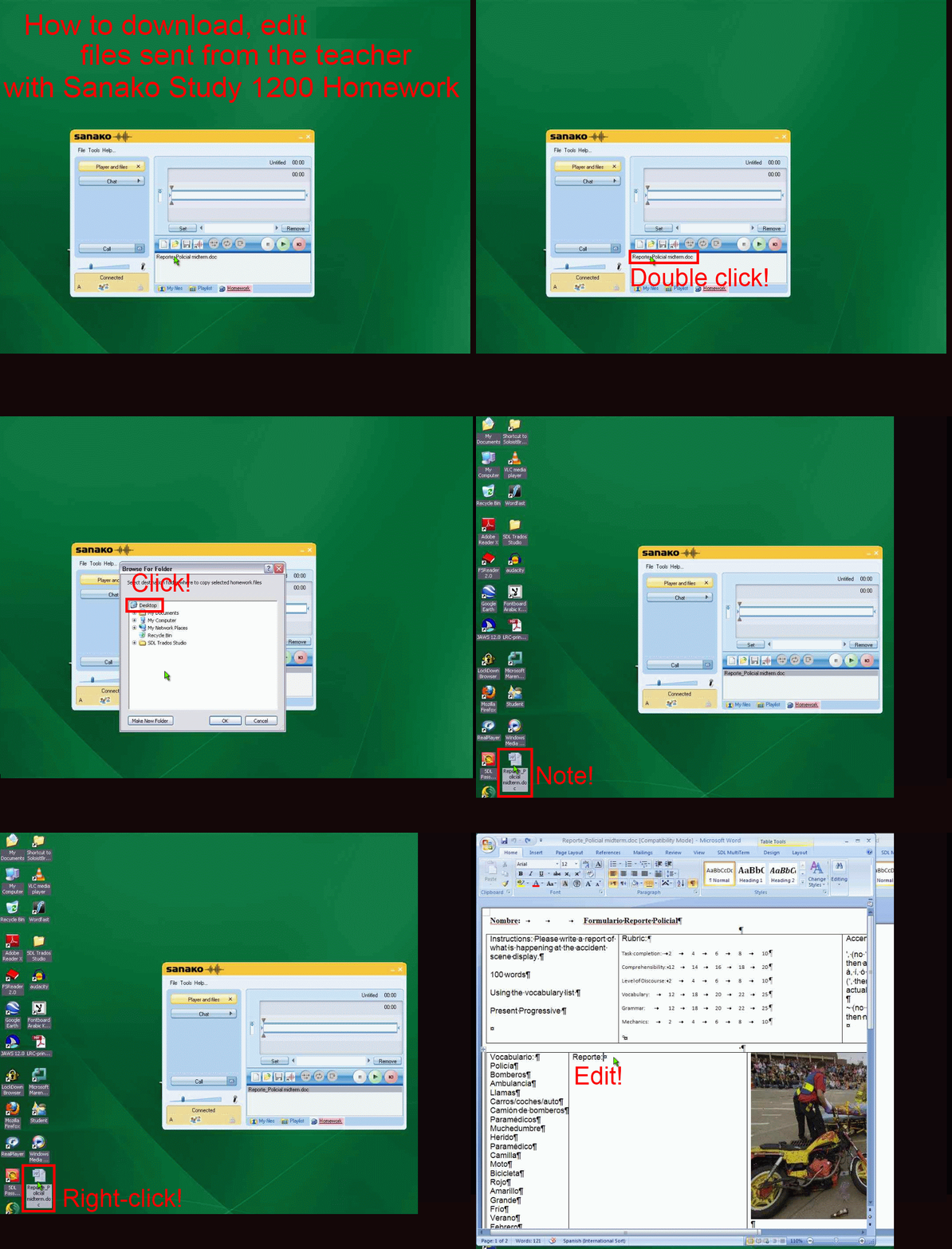
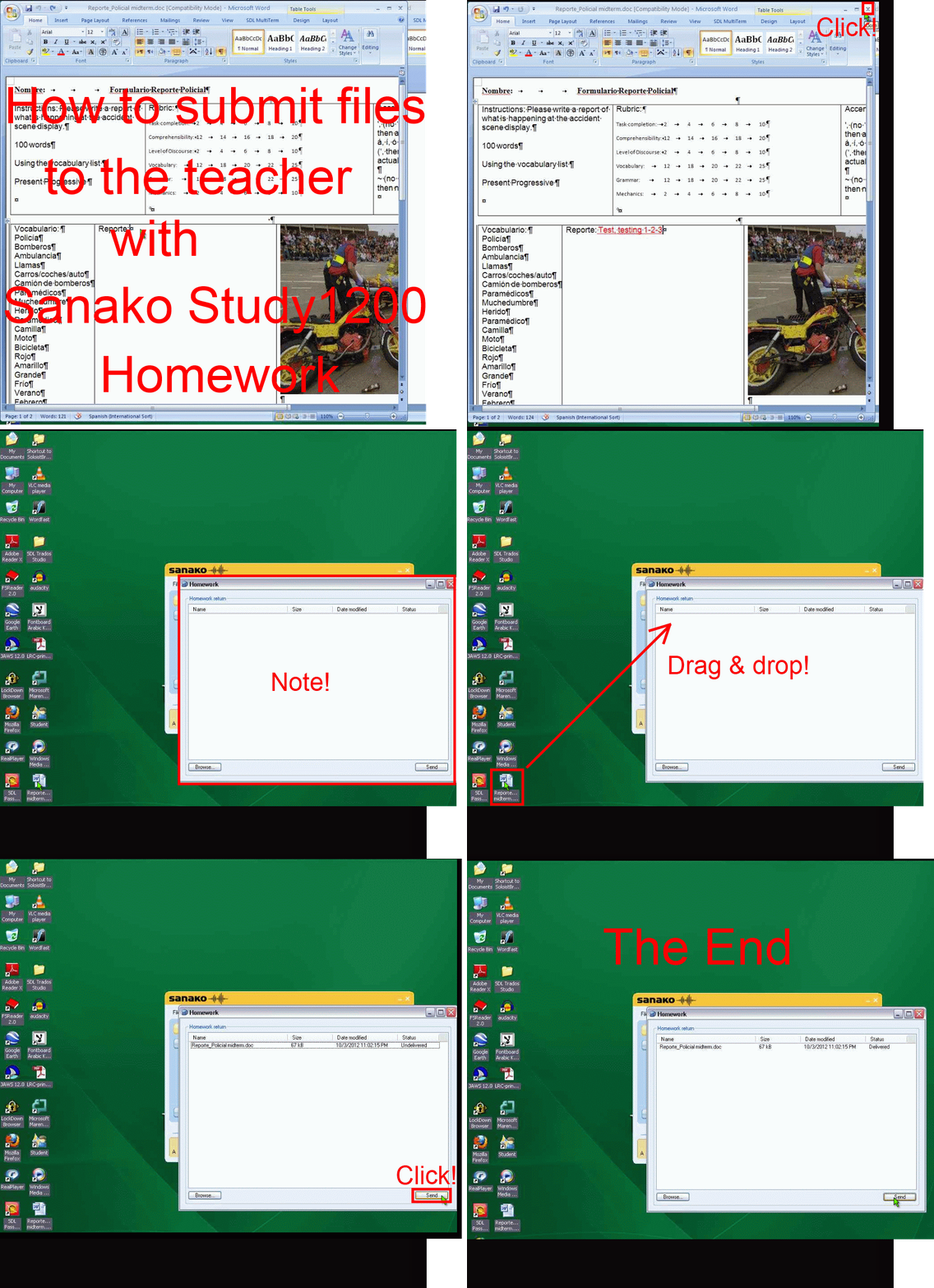
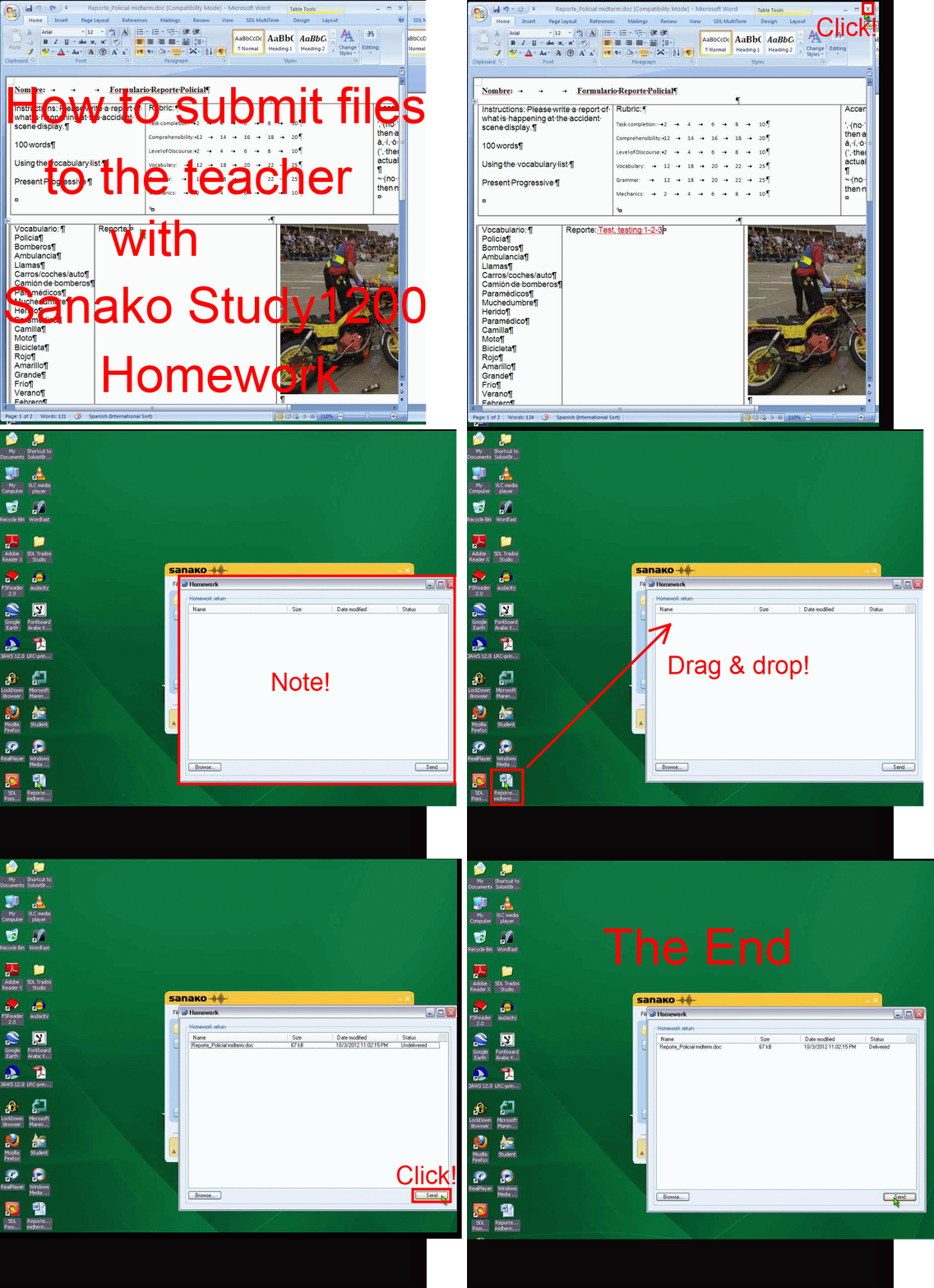
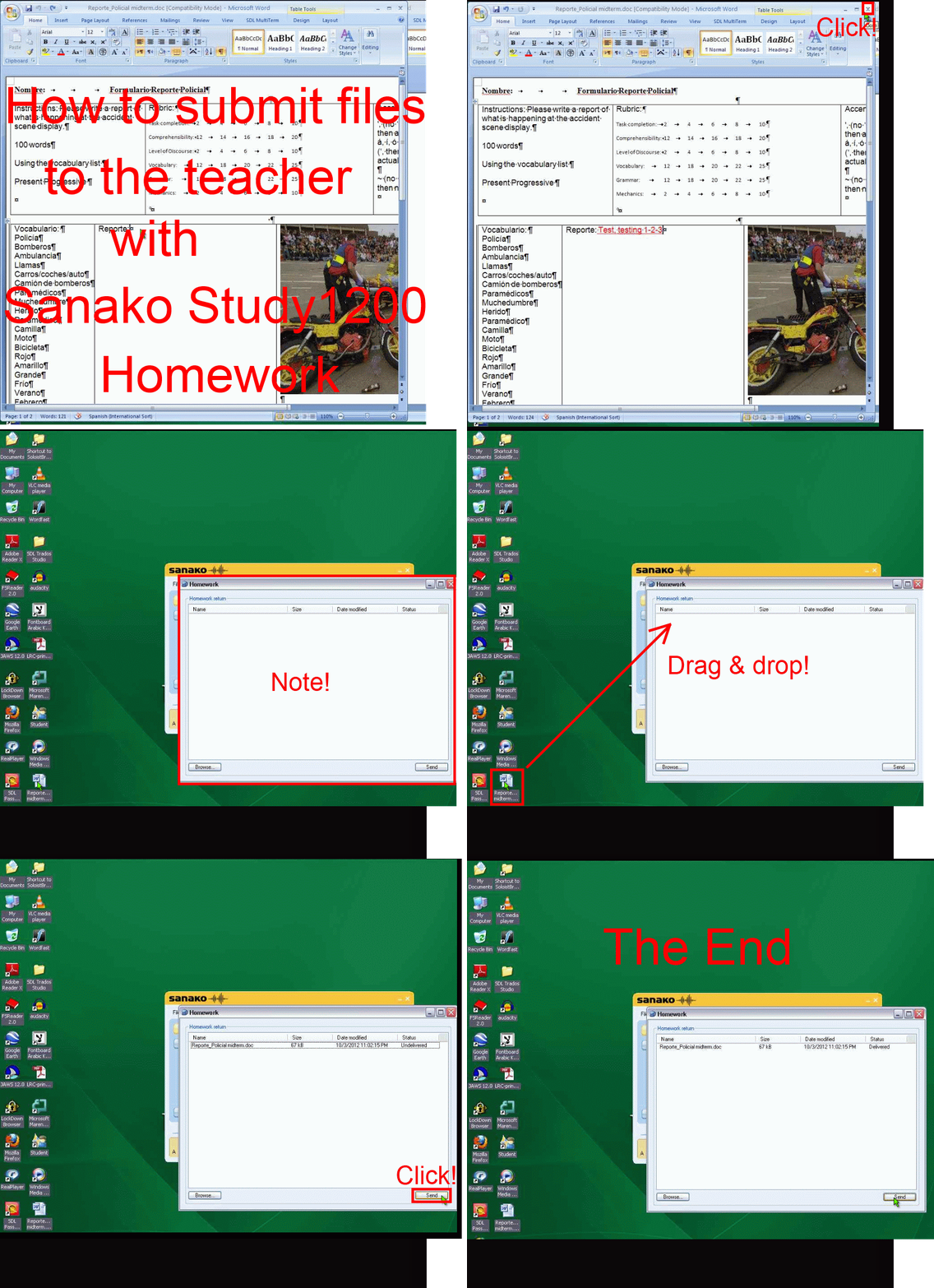
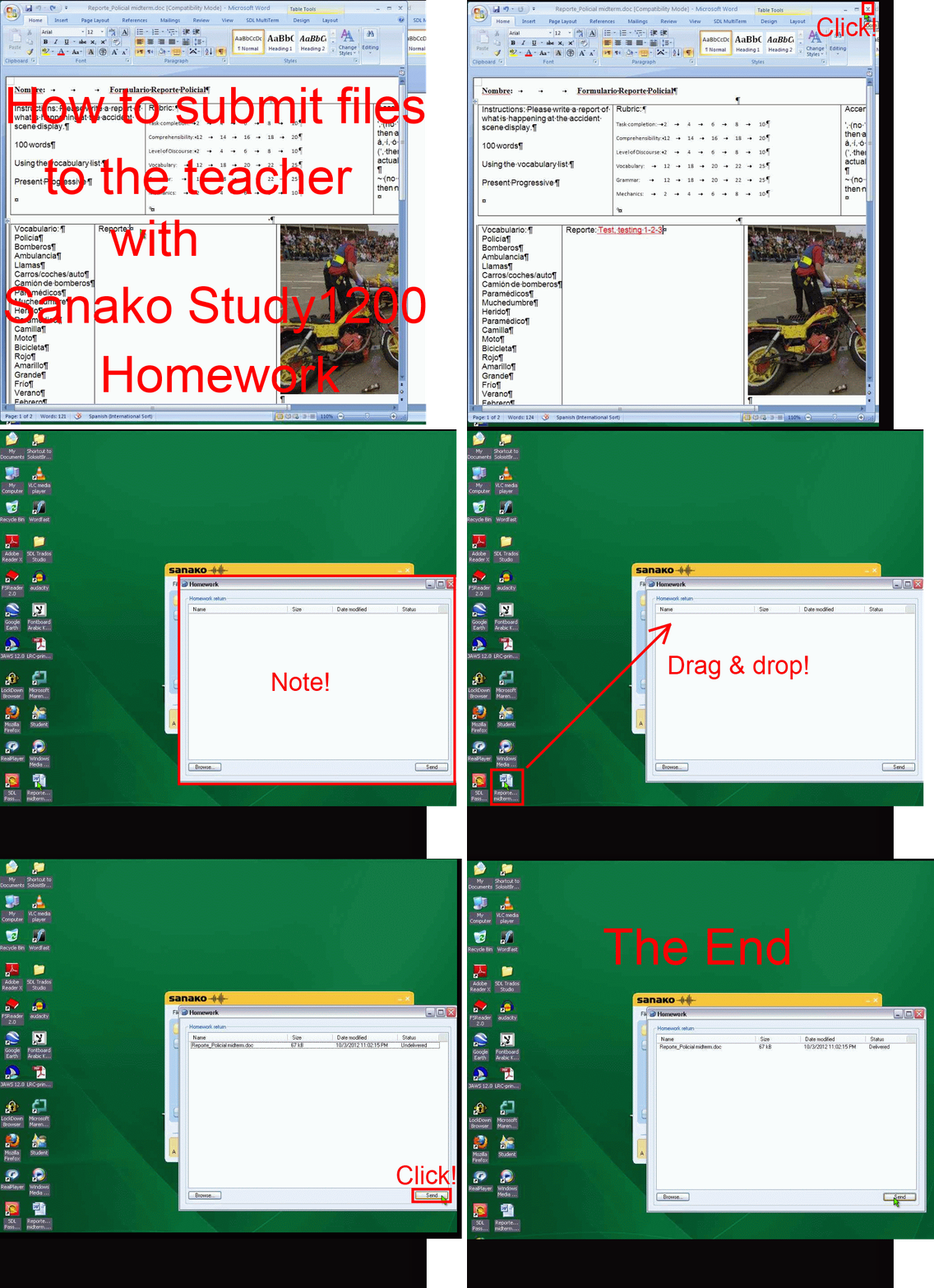
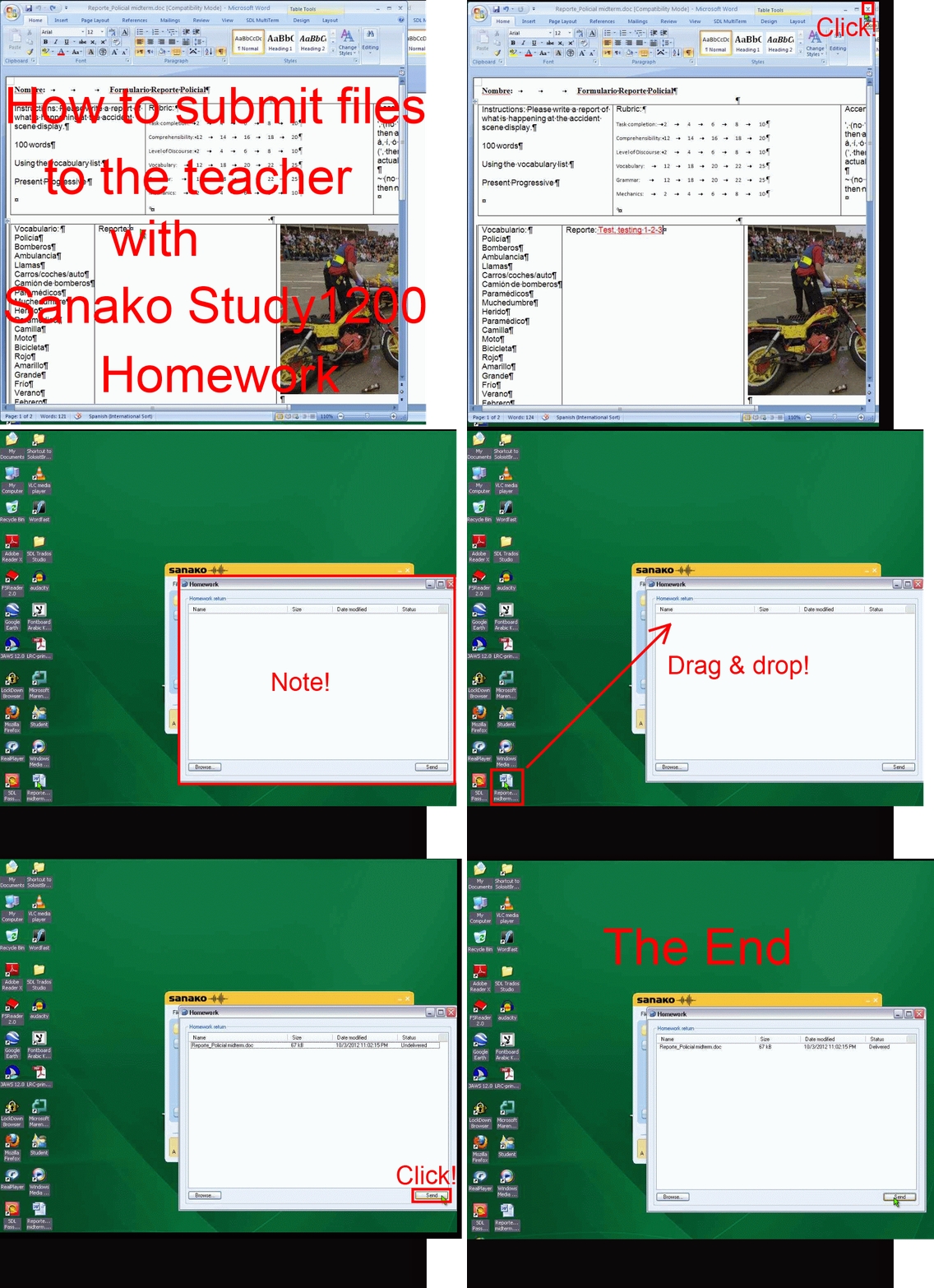
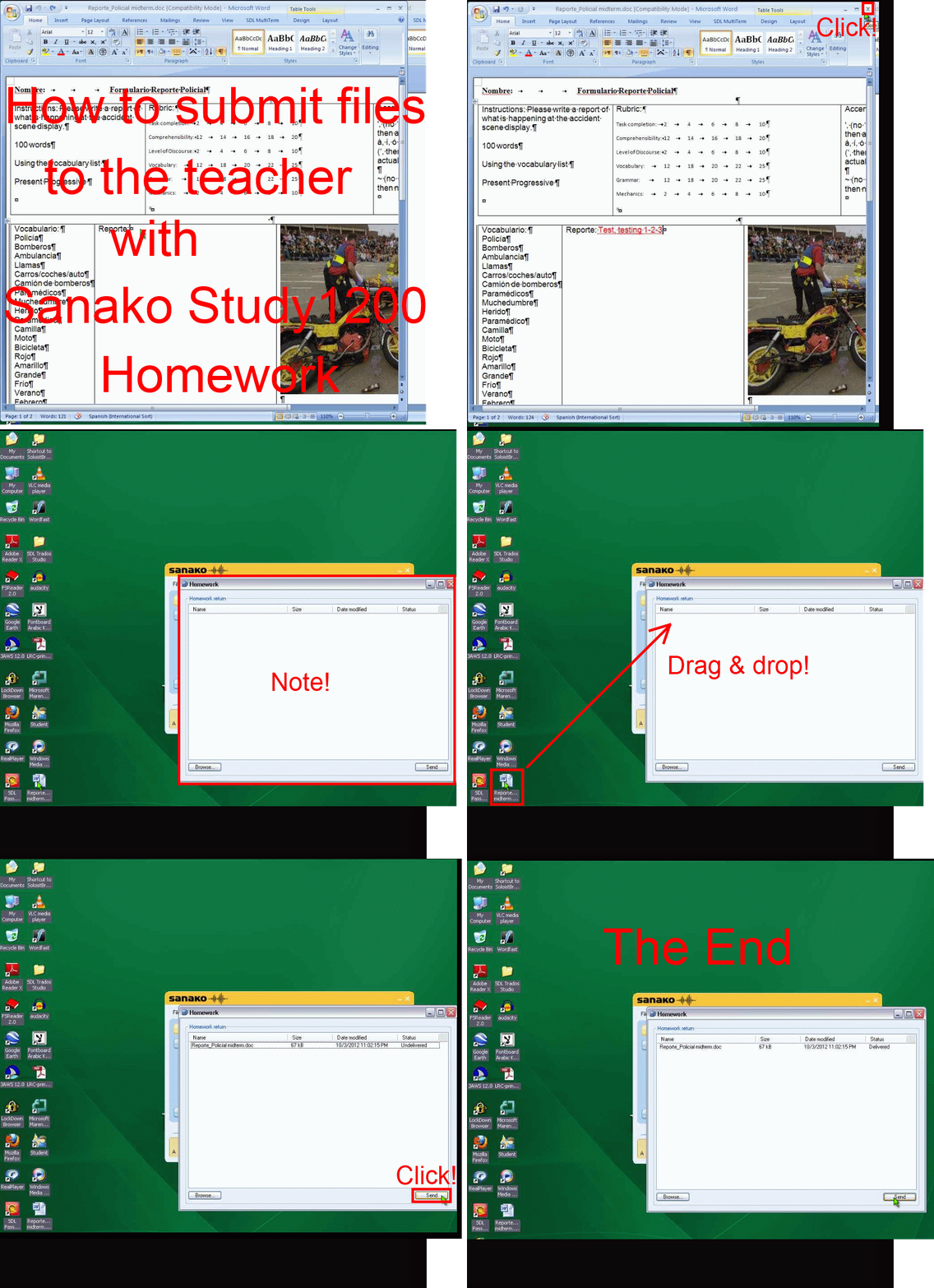
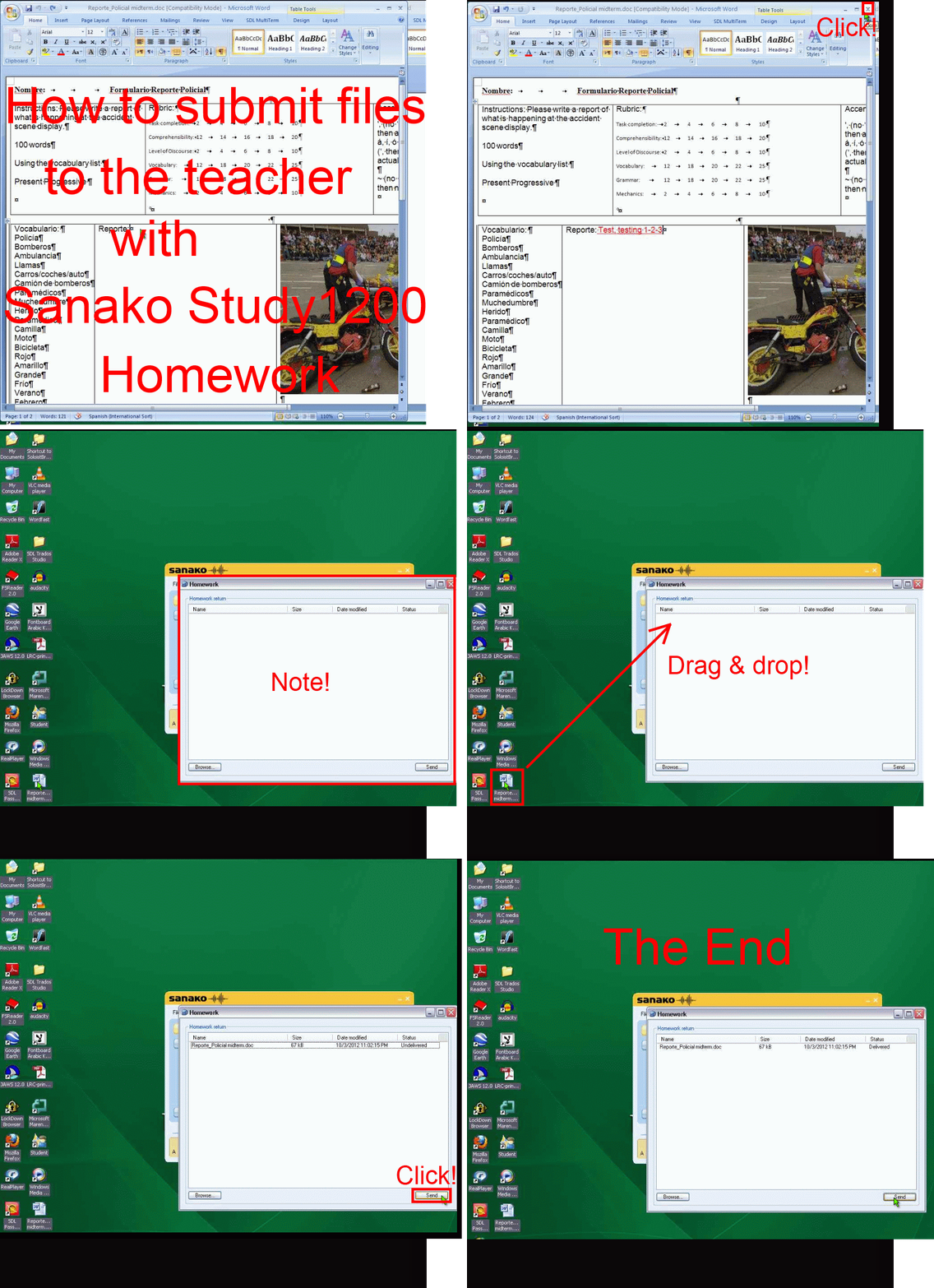
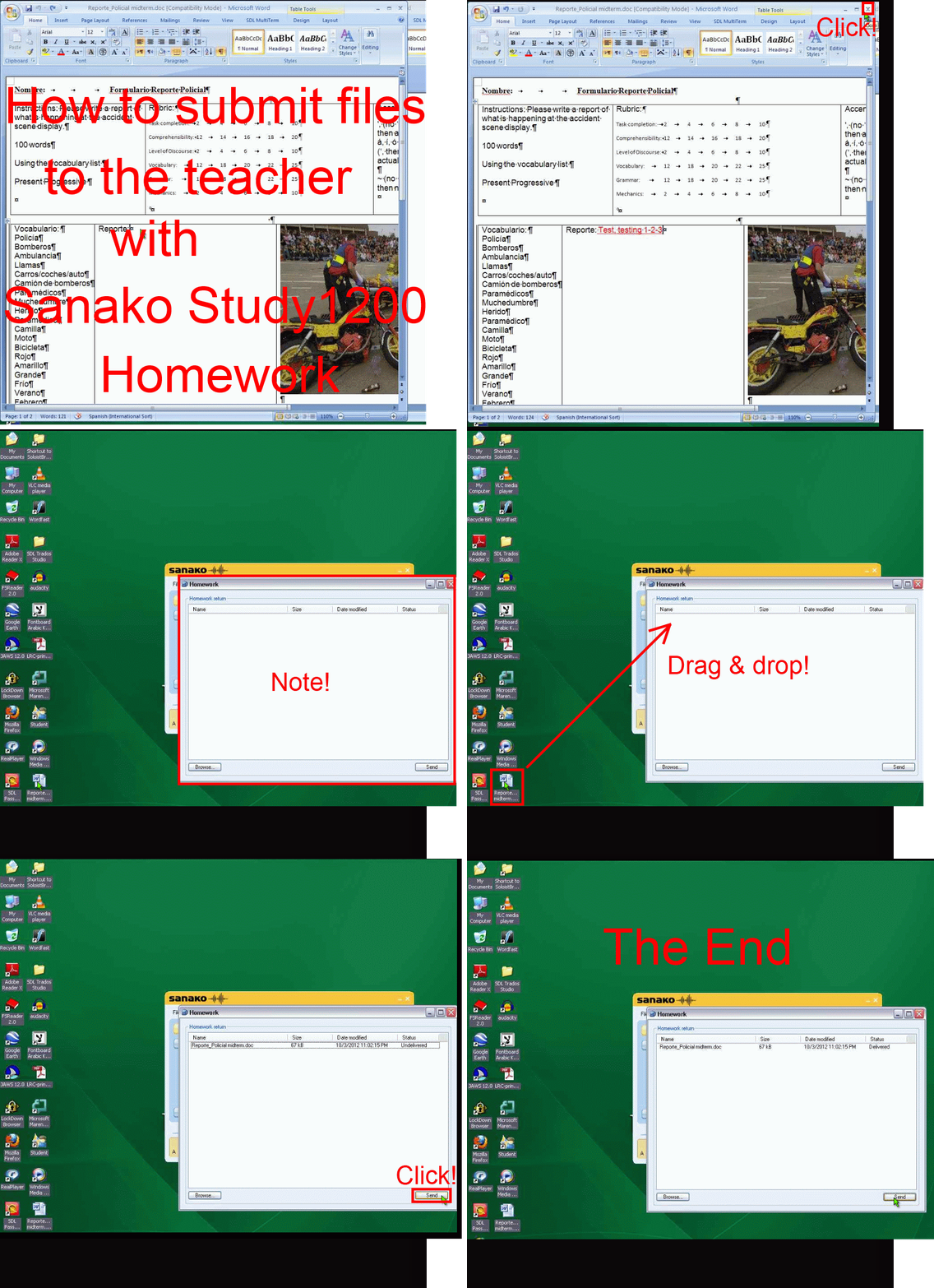
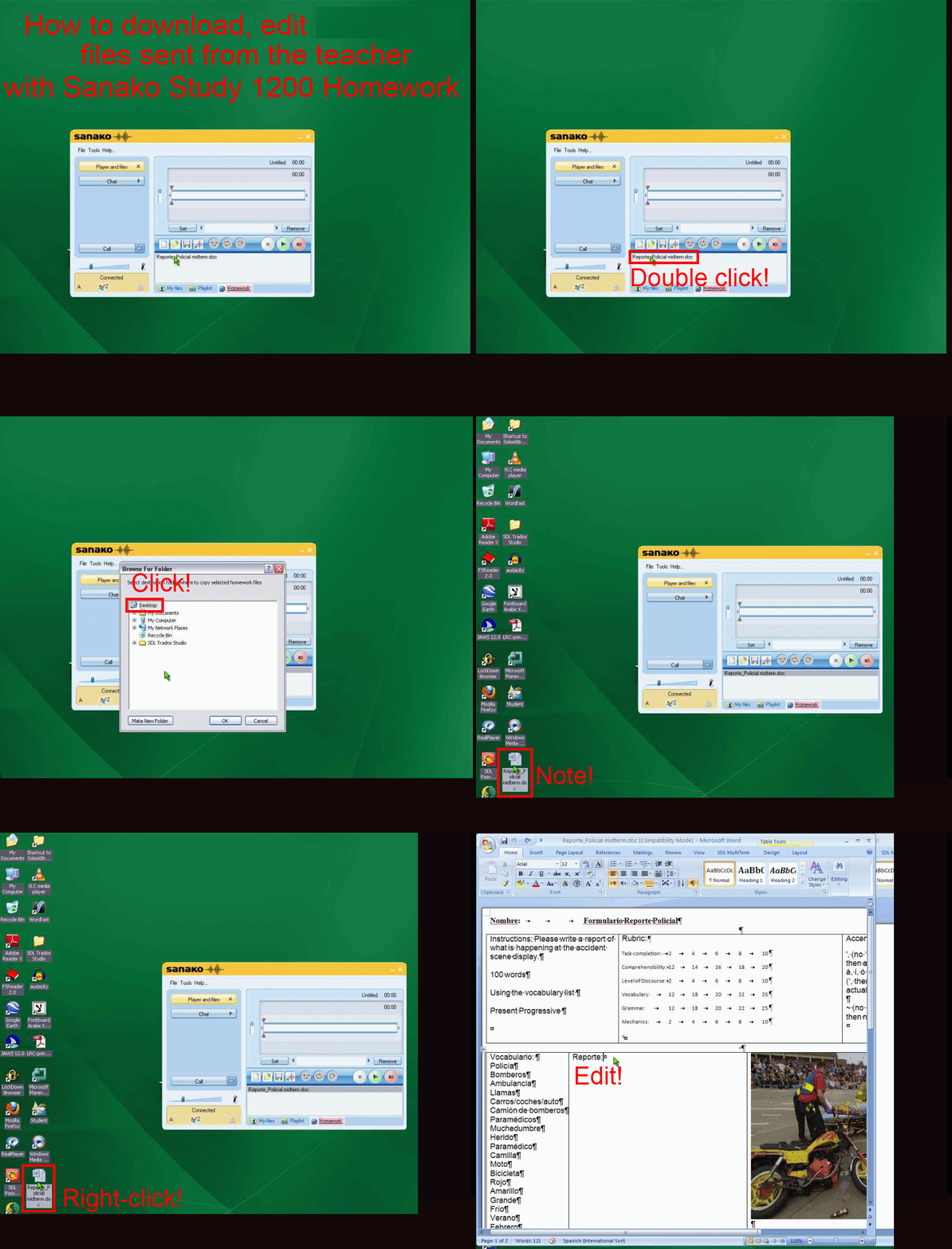
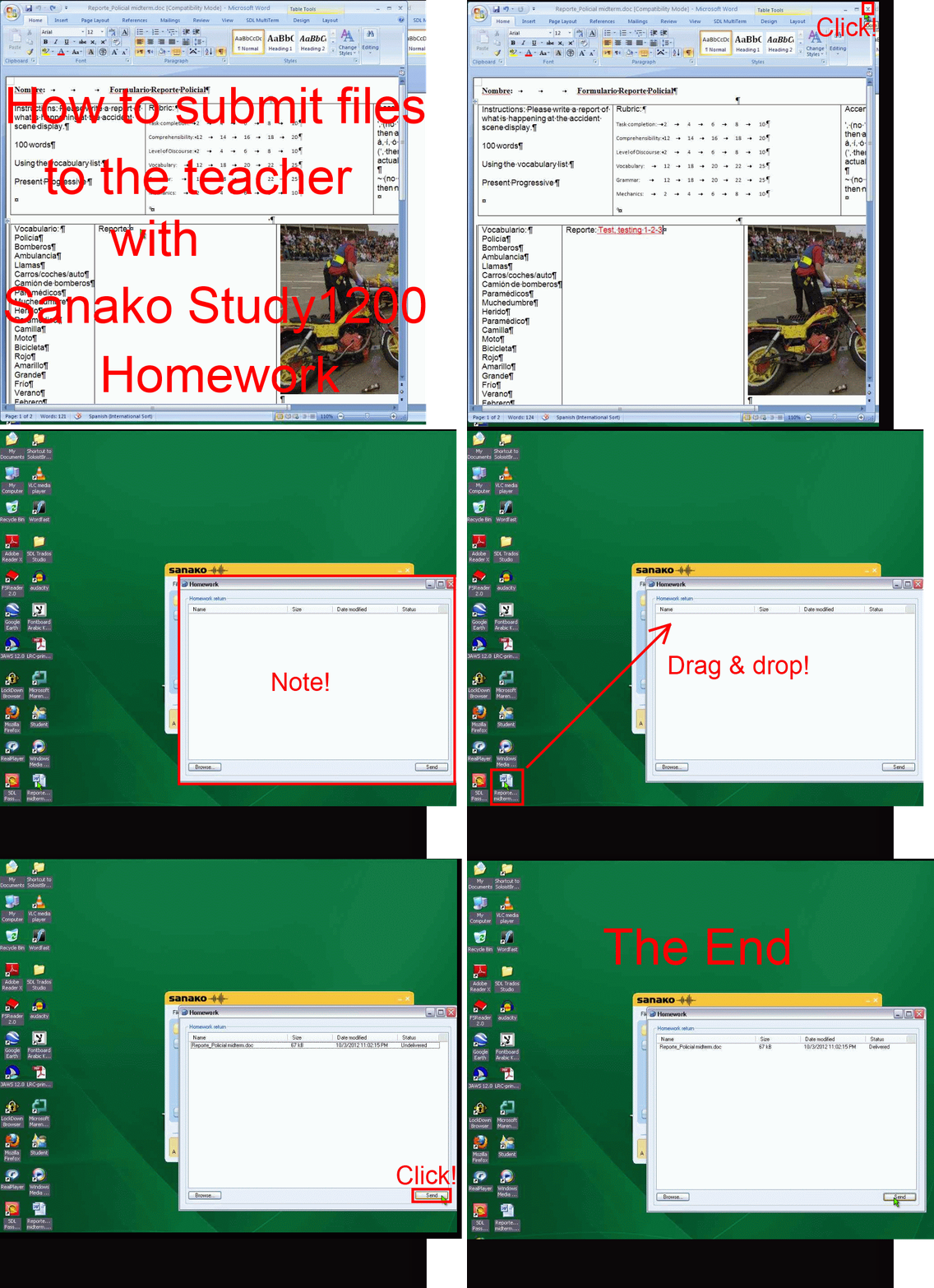
How student downloads, edits and submits files sent from the teacher with Sanako Study 1200 Homework –the ultimate training summary….
…using animated GIFs. (Here are the parts 1+2 that your teacher has to do). Slower? Click , 0.50sec, 0.75sec, 1sec, 2sec, 3sec, 4sec, 5sec, 6sec, 7sec, 8sec, 9sec, 10sec.
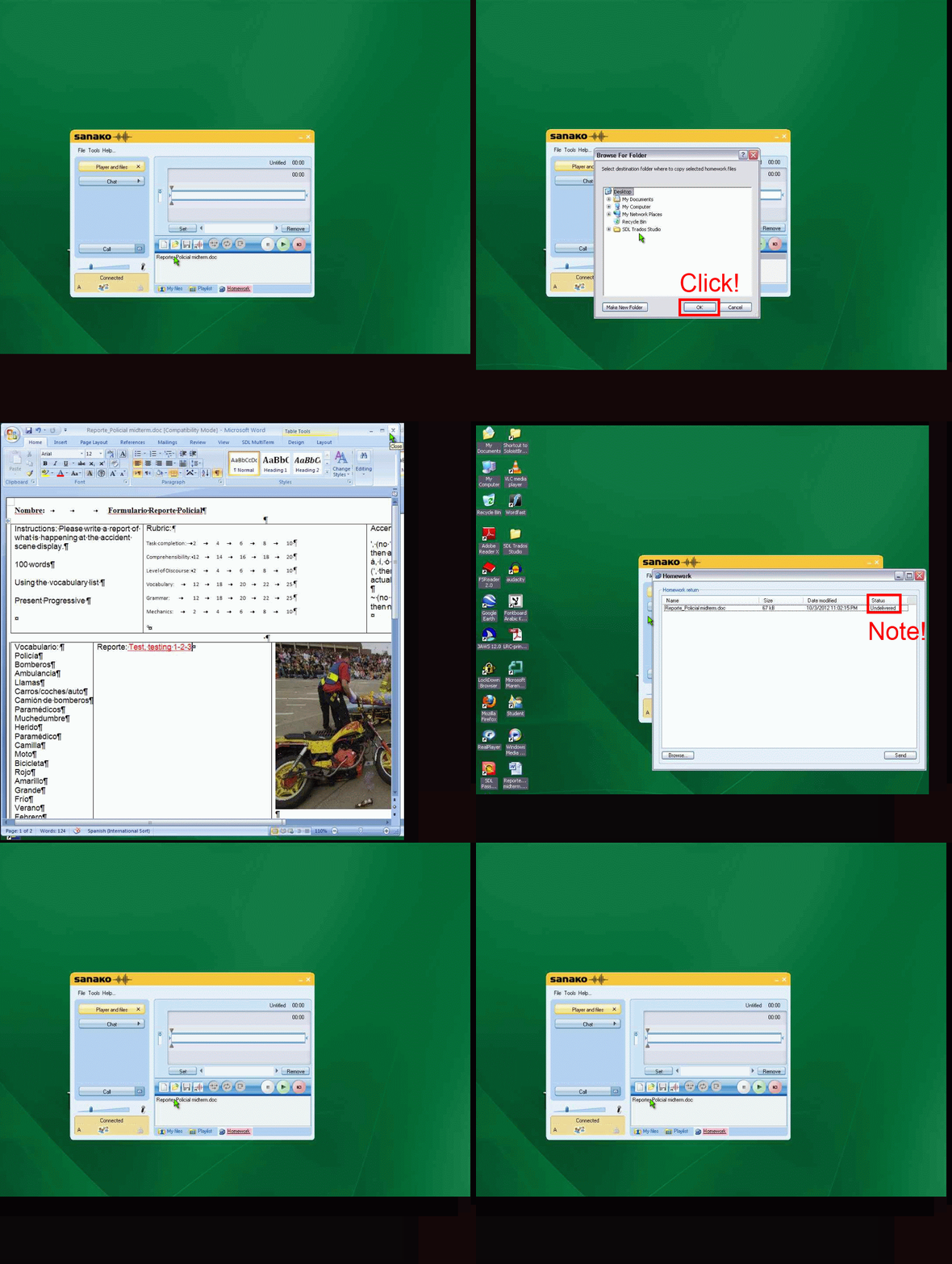
UPDATE: Now also split into
- PART 1: download from teacher (Here are the parts 1+2 that your teacher has to do). Slower? Click , 0.50sec, 0.75sec, 1sec, 2sec, 3sec, 4sec, 5sec, 6sec, 7sec, 8sec, 9sec, 10sec.

- PART 2: submission to teacher(Here are the parts 1+2 that your teacher has to do). Slower? Click , 0.50sec, 0.75sec, 1sec, 2sec, 3sec, 4sec, 5sec, 6sec, 7sec, 8sec, 9sec, 10sec.

How a teachers gives files not meant for writing to students with Sanako Study 1200 Playlist –the ultimate training summary…
…using animated .gifs. Slower? Compact: 0.25sec,0.5sec, 0.75sec, 1sec, 1.5sec, 2sec, 3sec, 4sec, 5sec, 6sec, 7sec, 8sec, 9sec, 10sec. Or including unmarked frames: 0.25sec, 0.5sec, 0.75sec, 1sec, 1.5sec, 2sec, 3sec, 4sec, 5sec, 6sec, 7sec, 8sec, 9sec, 10sec. 1sec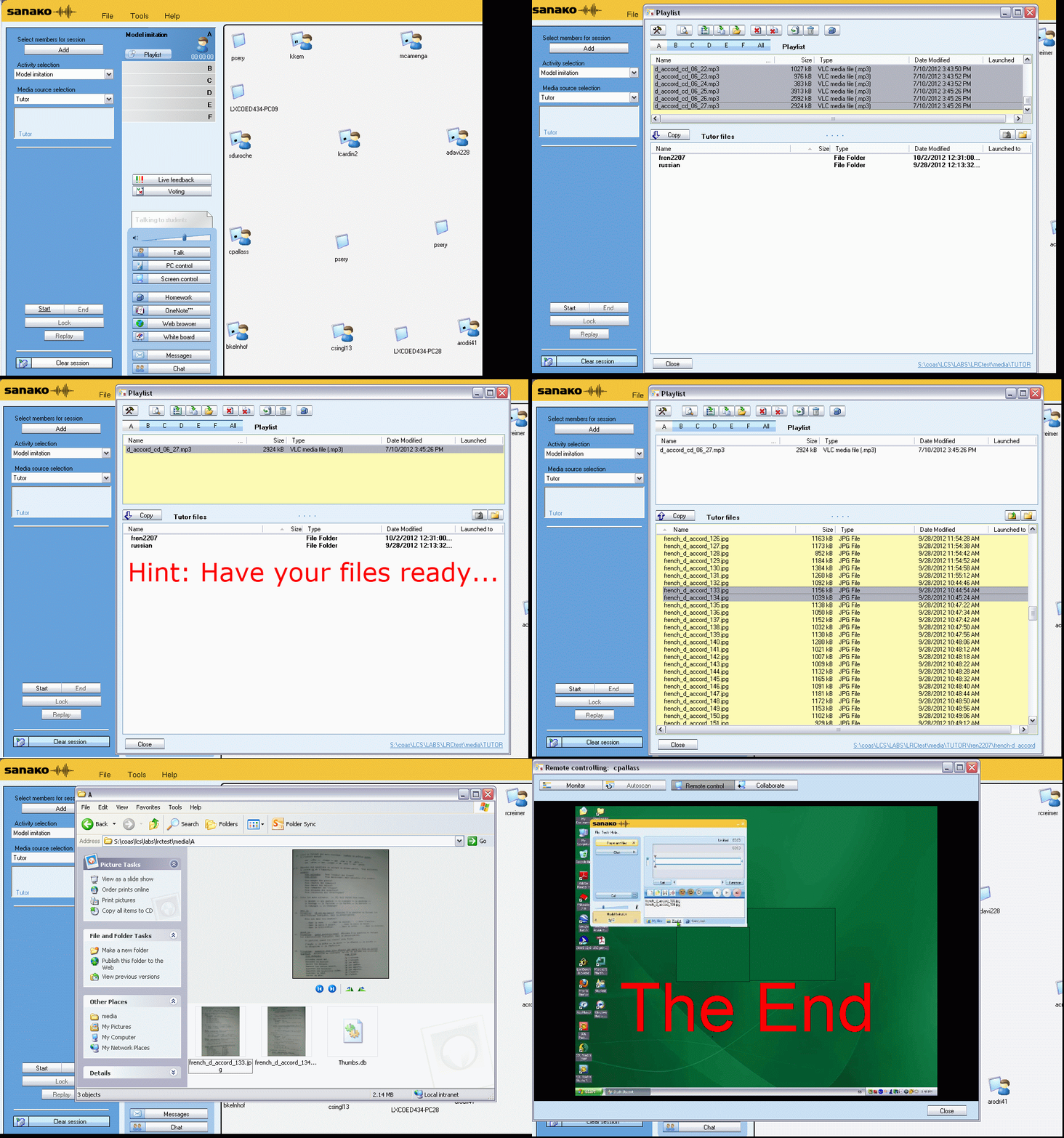
Or proceed manually:


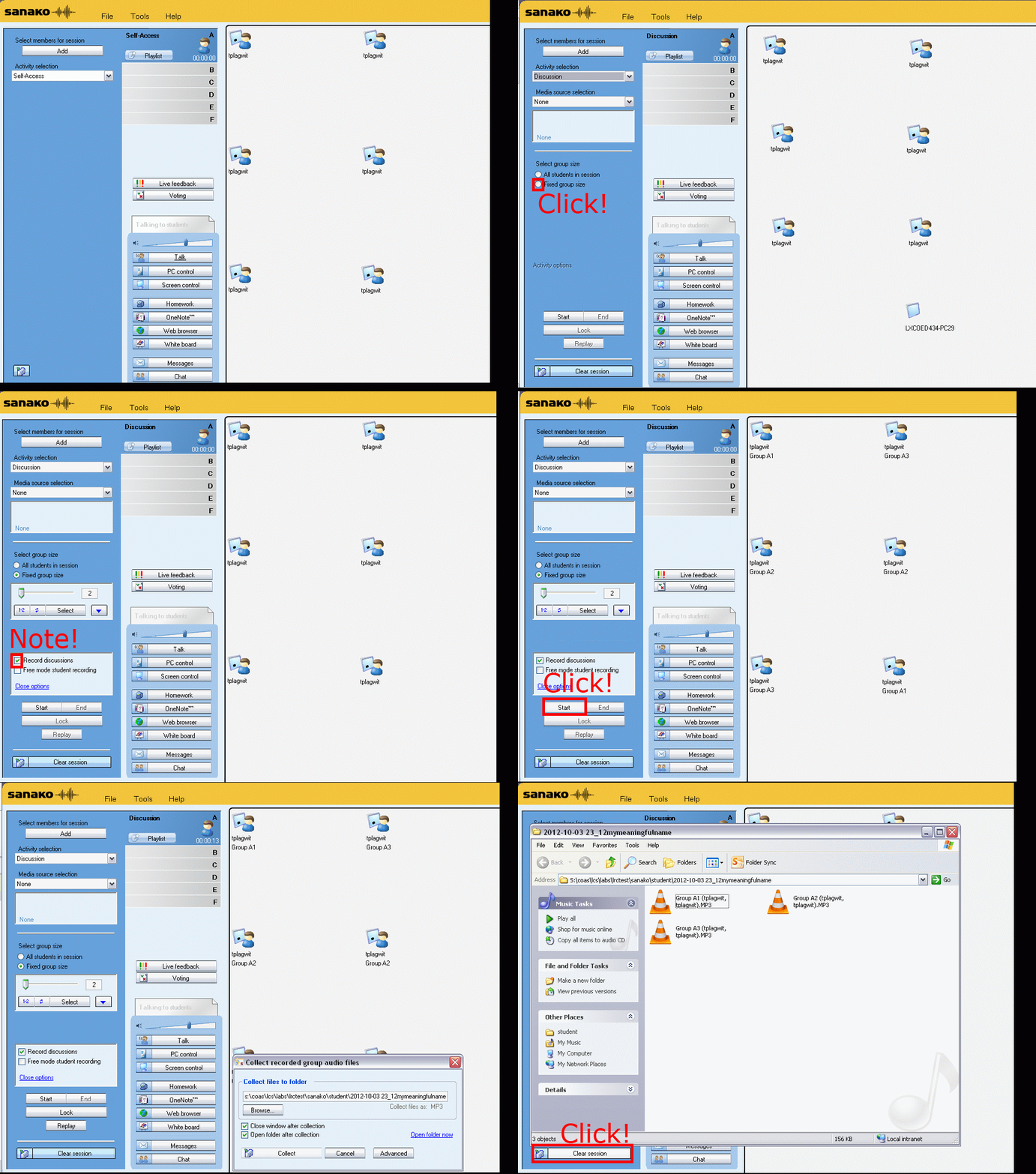
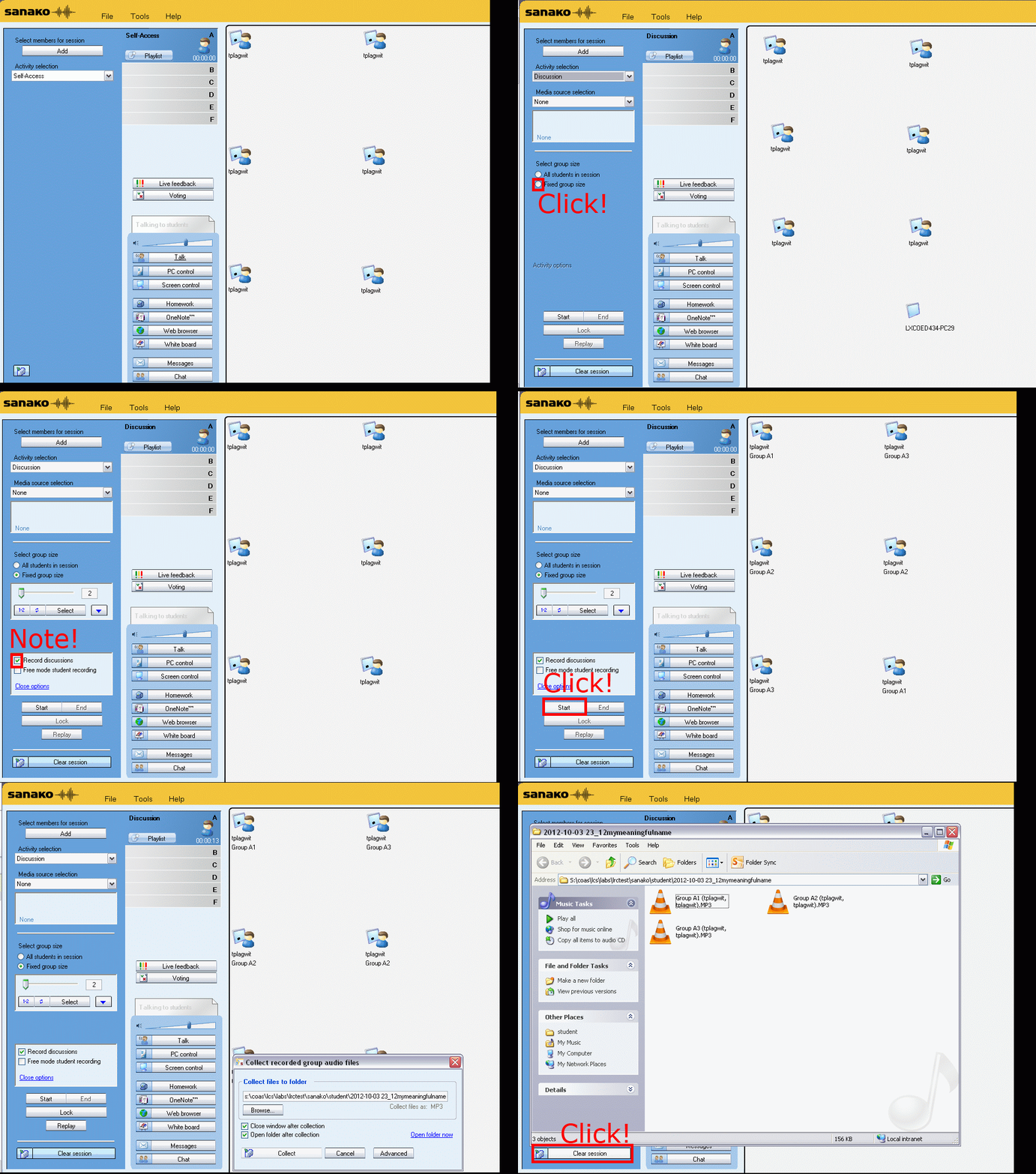
How teachers randomly pair and record students over their headphones with Sanako Study 1200–the ultimate training summary…
…thanks to animated gGIFs. Slower? 050ms, 075ms, 100ms, 200ms, 300ms, 400ms,500ms, 600ms, 700ms, 800ms,900ms, 1000ms. Load the speed of your choosing into the left screen of the teacher station before trying to pair your students, with the window active, press F5 to restart the animation from the beginning at any time:

Animated GIFs workflow using MS-OneNote, MS-Paint, Irfanview and UnFREEZ
- To keep things simple (and, at least in our work environment, free) during smaller Animated GIF projects (larger projects may warrant use of ImageMagick, scriptable image editor), you can use
- MS-OneNote screen clipping (configured right, it seems the fastest way to collect source material)
- Update: I recommend now screenshotcaptor instead, if you do screenshot projects more than occasionally. MS-Paint (or pretty much any image editor) to mark up your images
- IrfanView to batch convert to GIF:

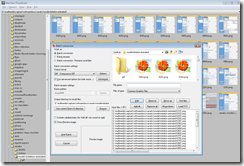
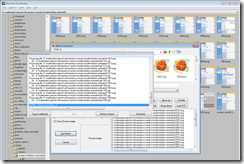
- UnFreez to easily create animated GIFs in differing speeds:

 , which can be automated.


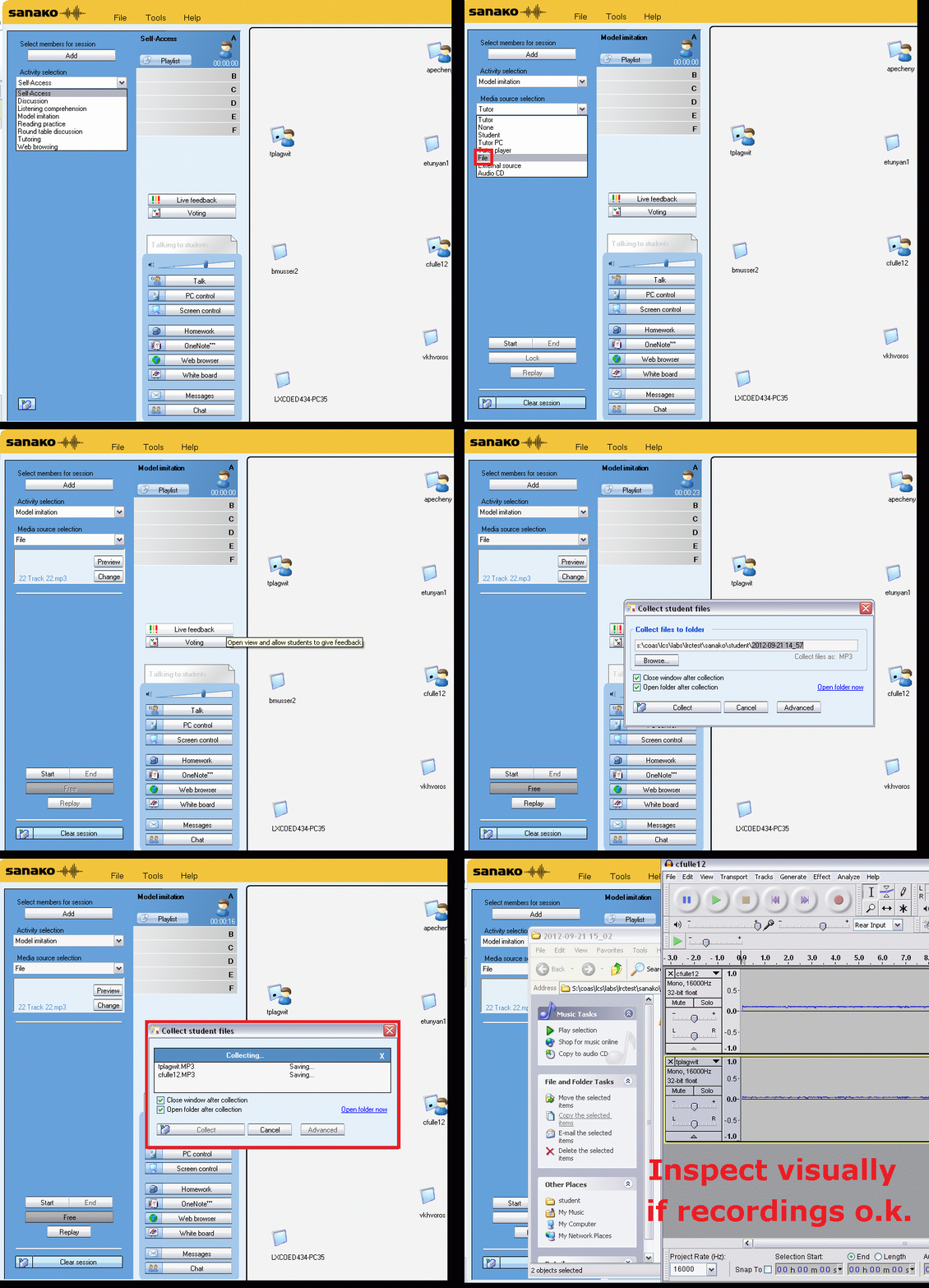
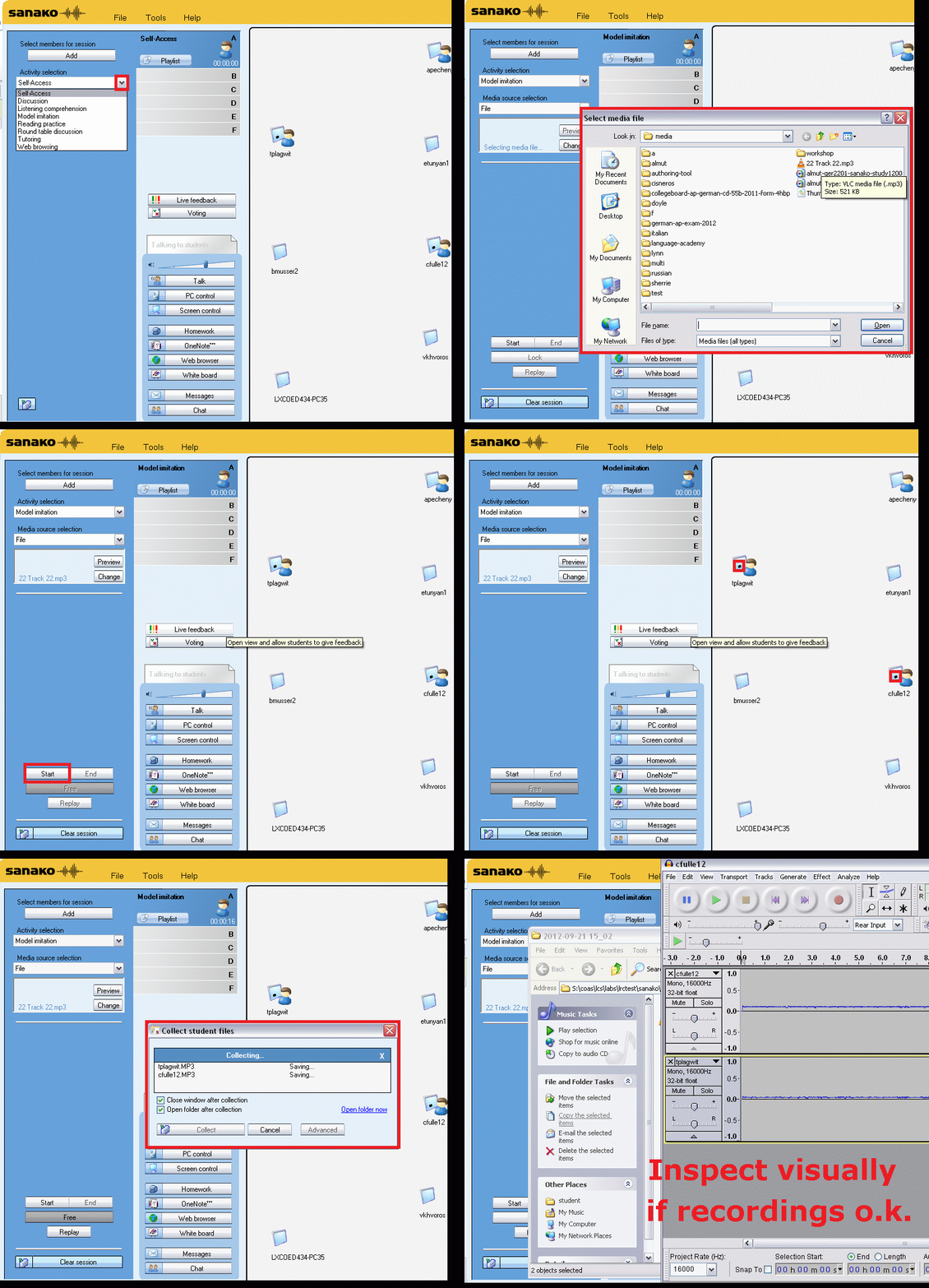
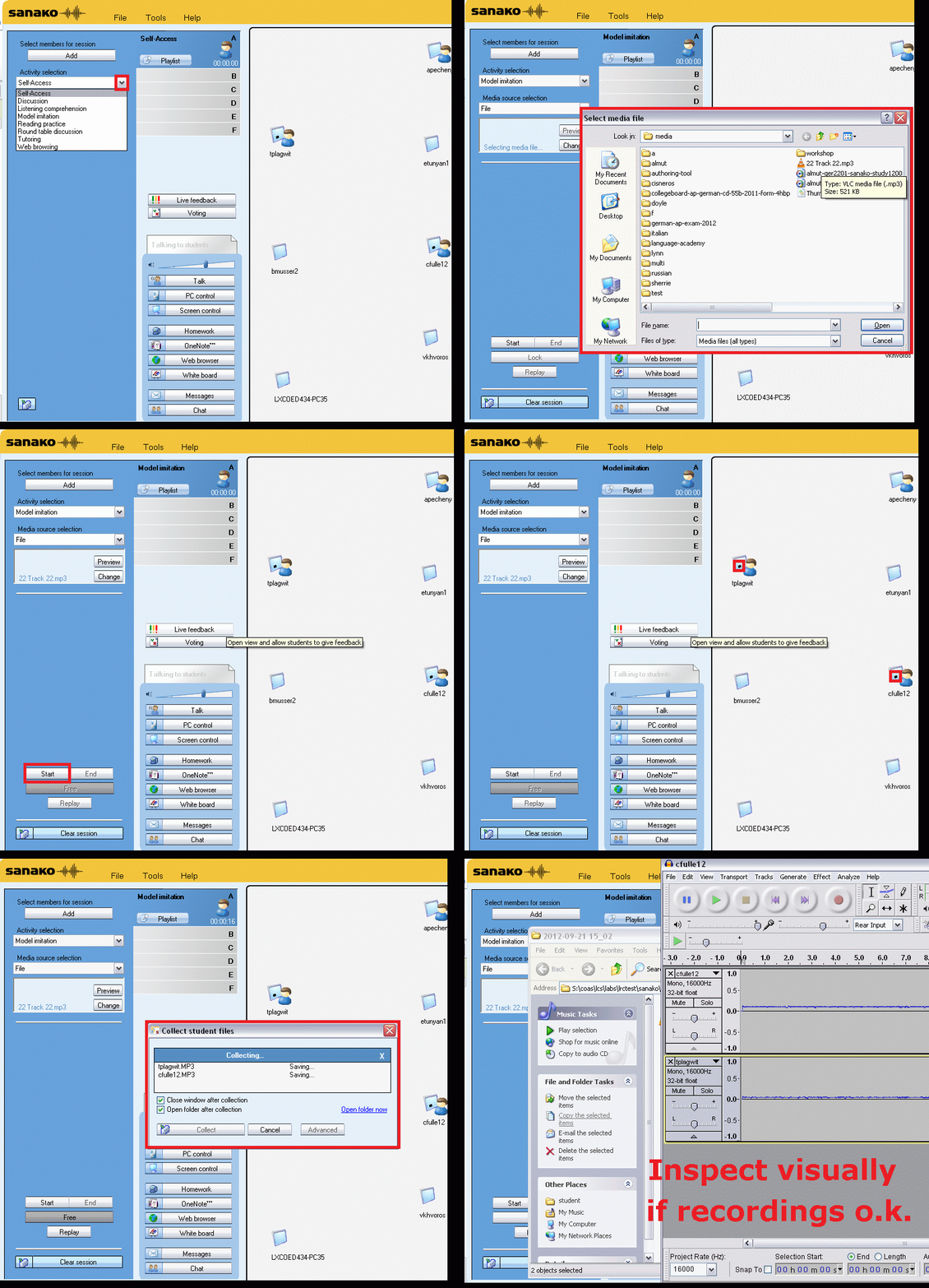
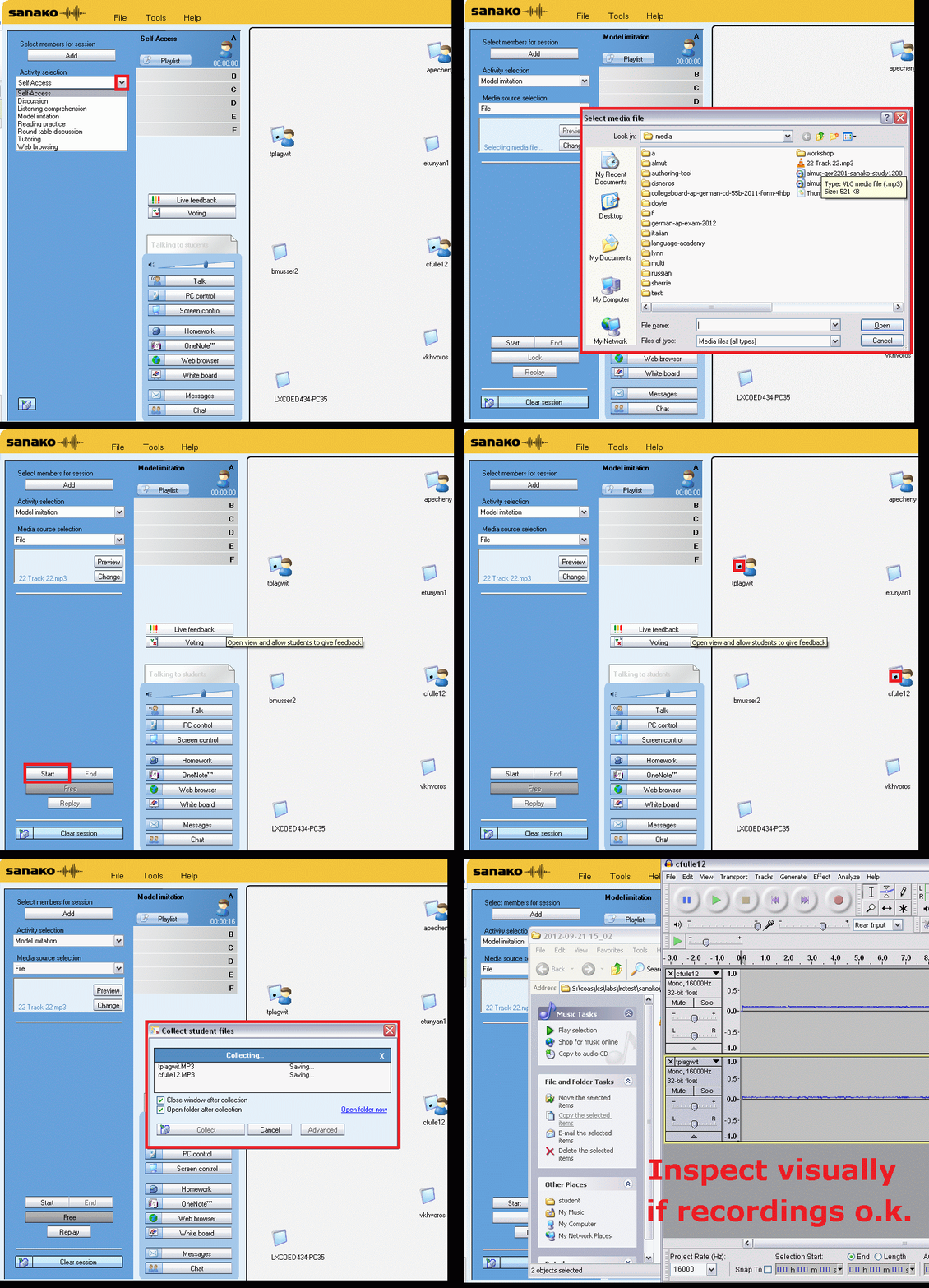
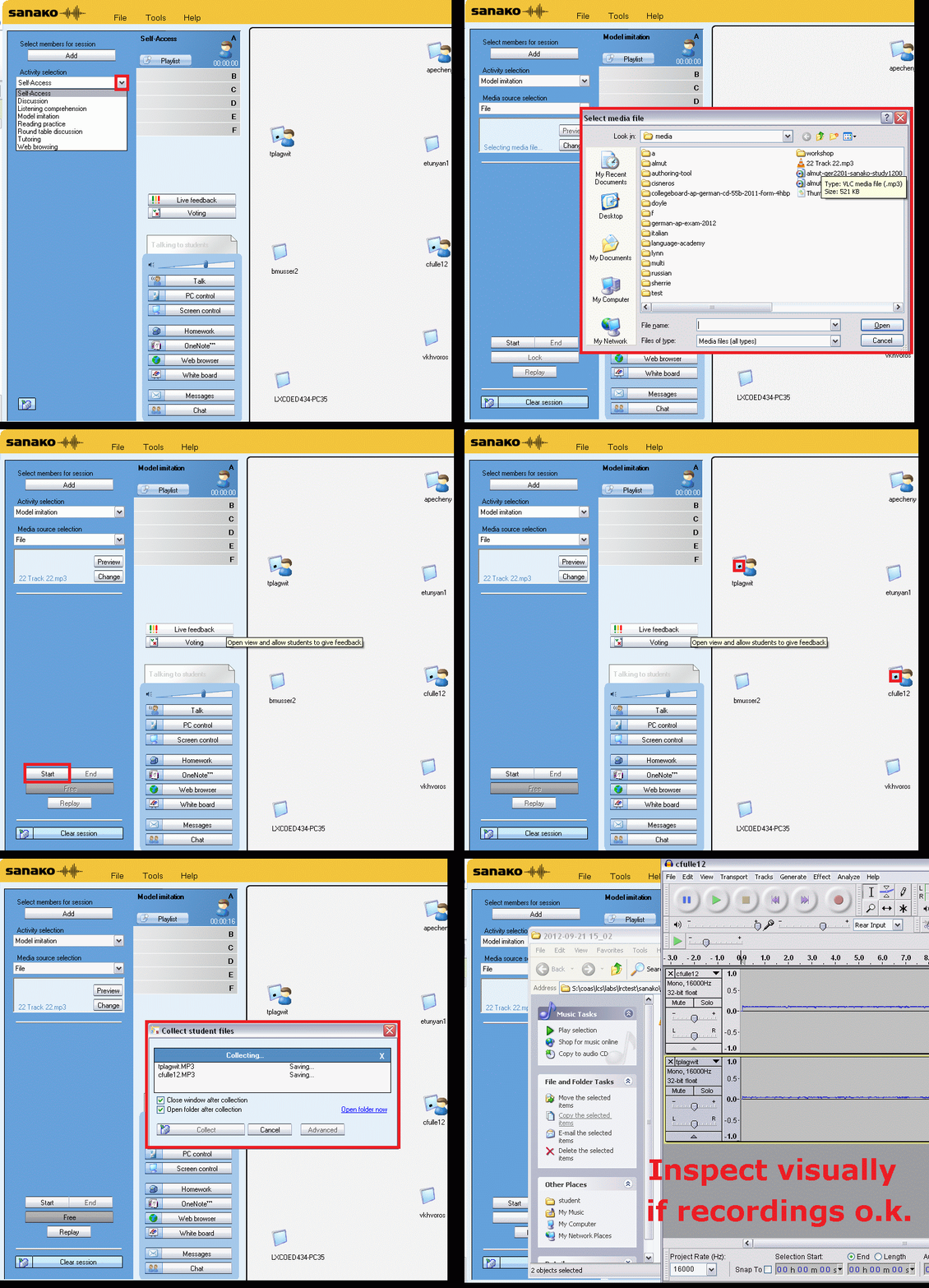
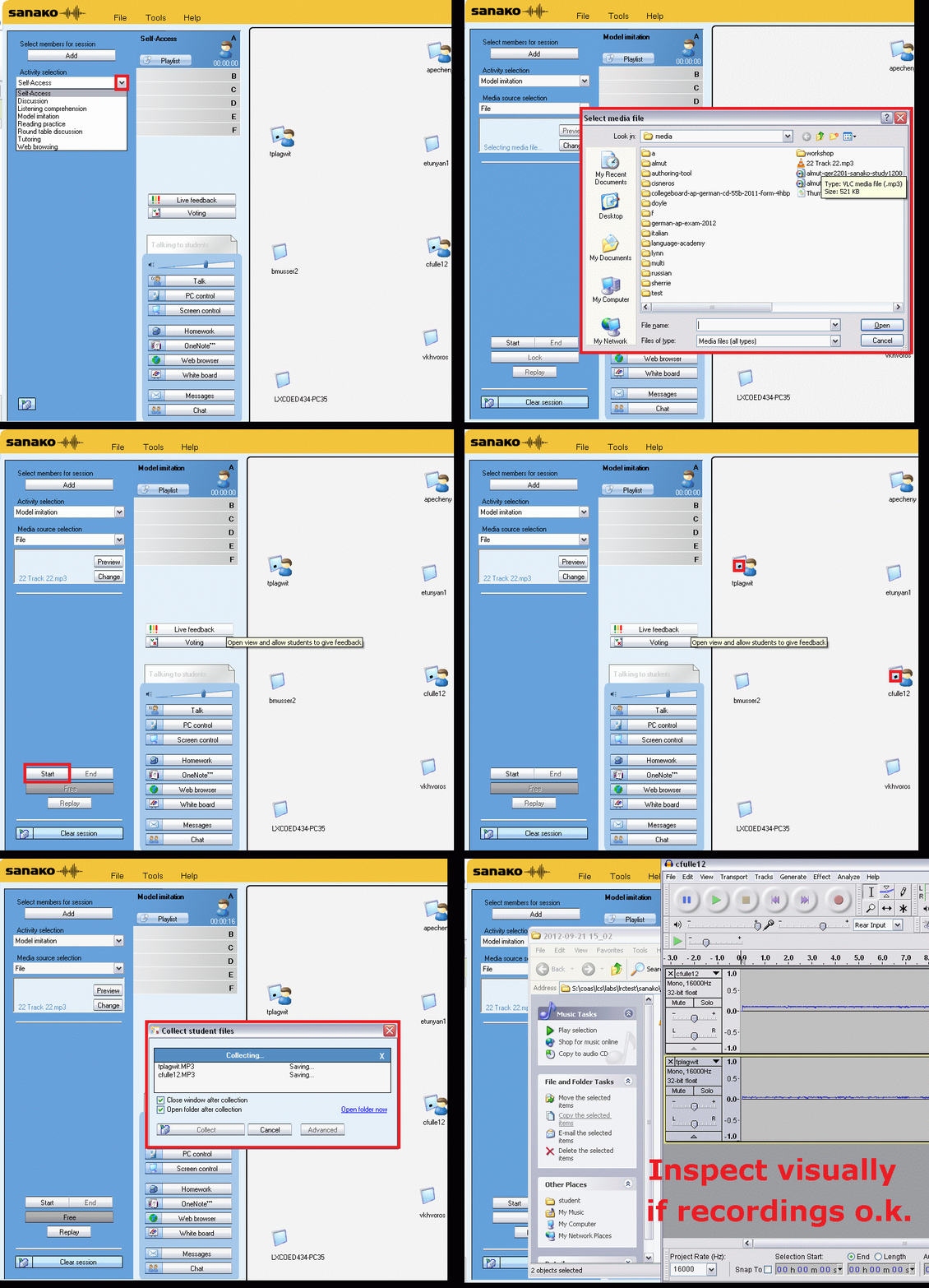
Oral assessments with Sanako model imitation – The ultimate training summary…
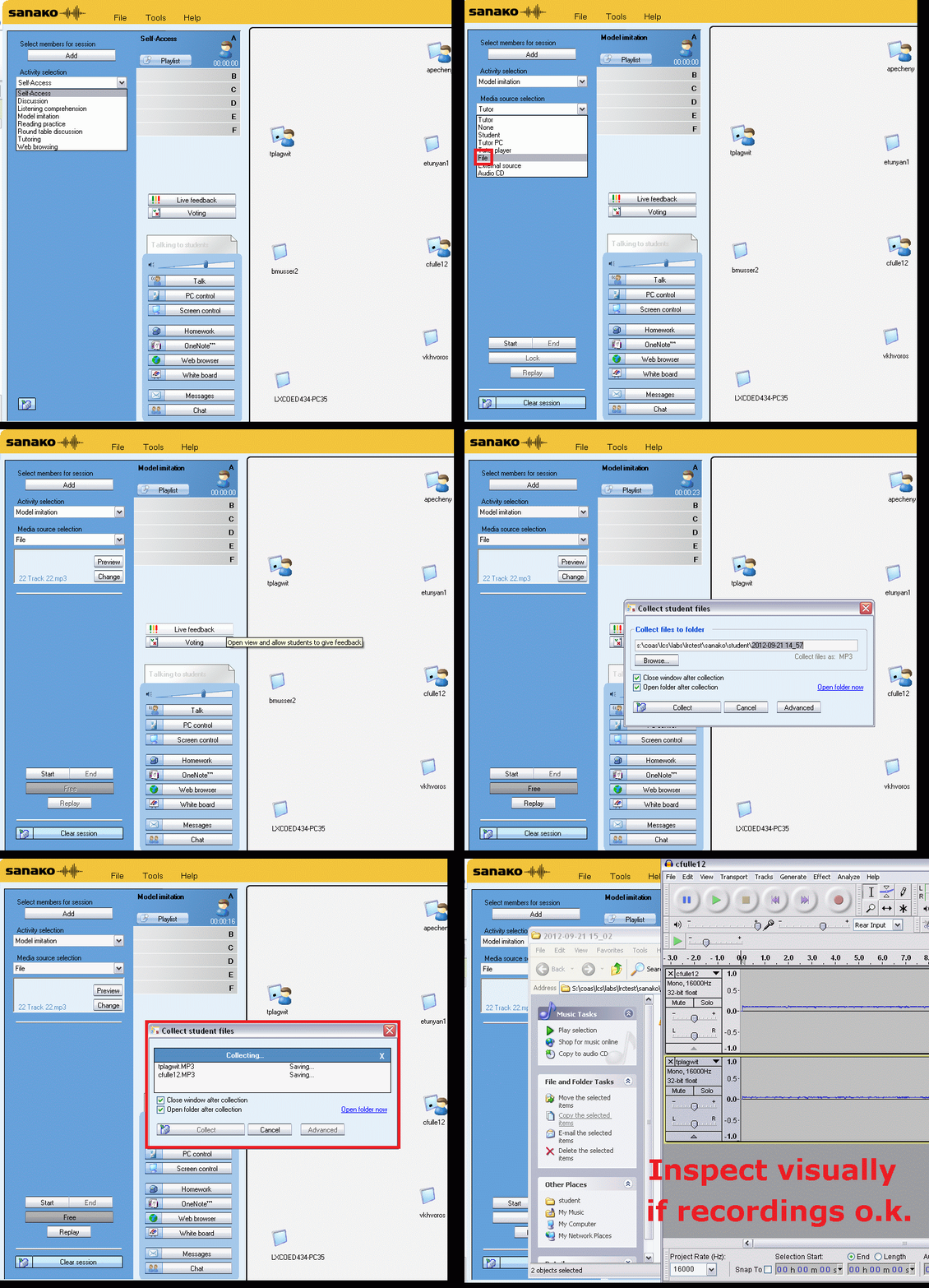
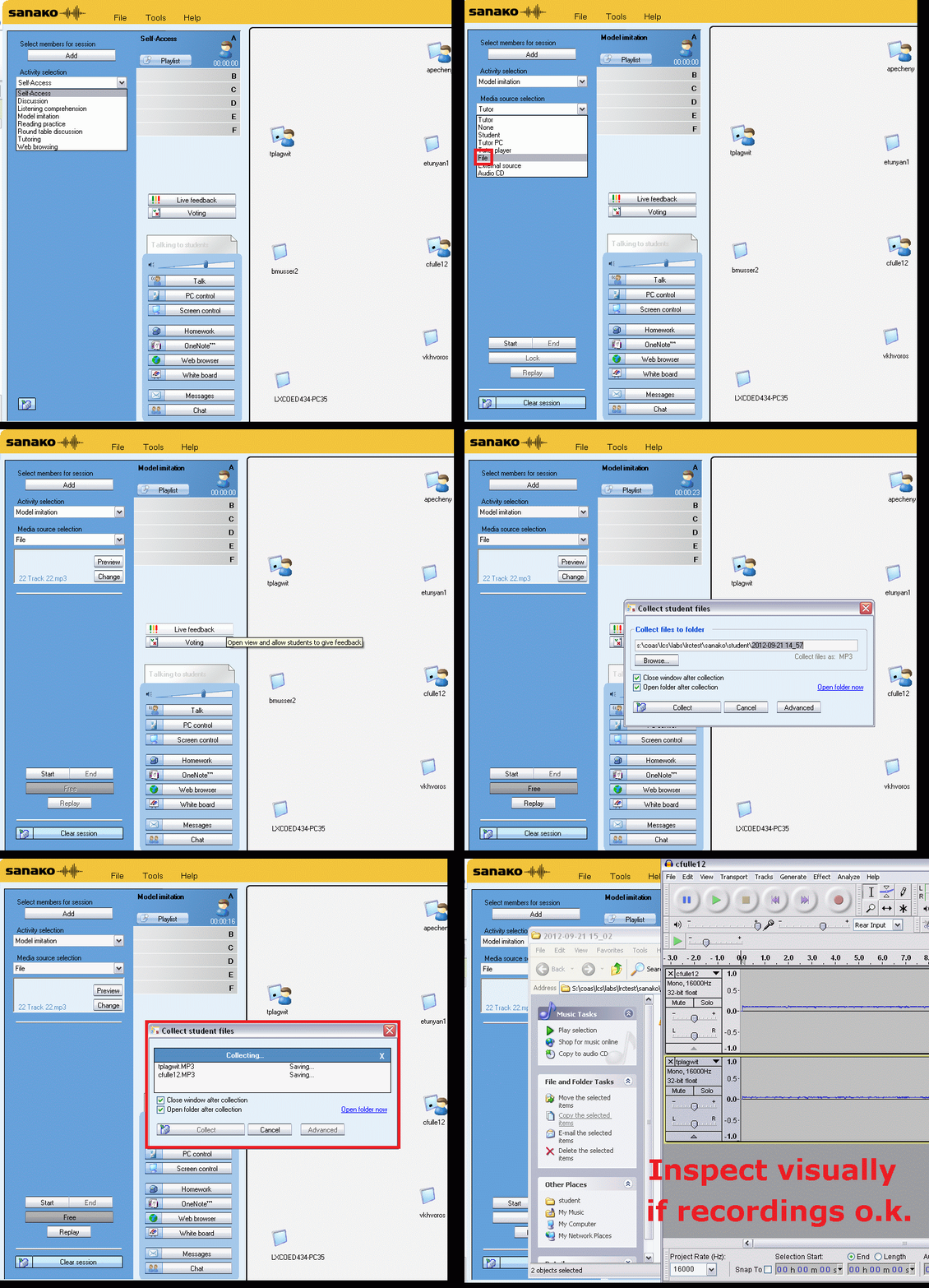
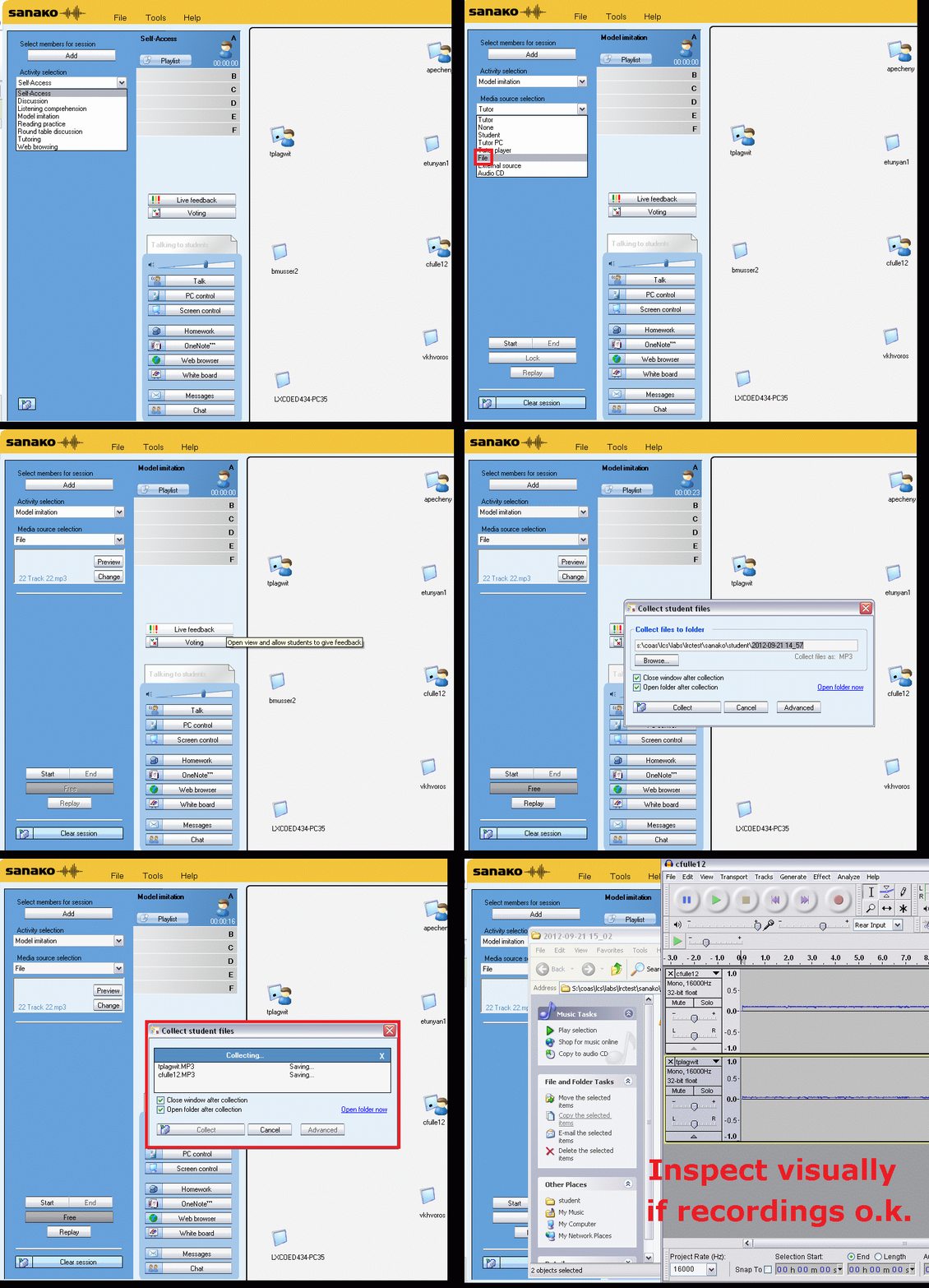
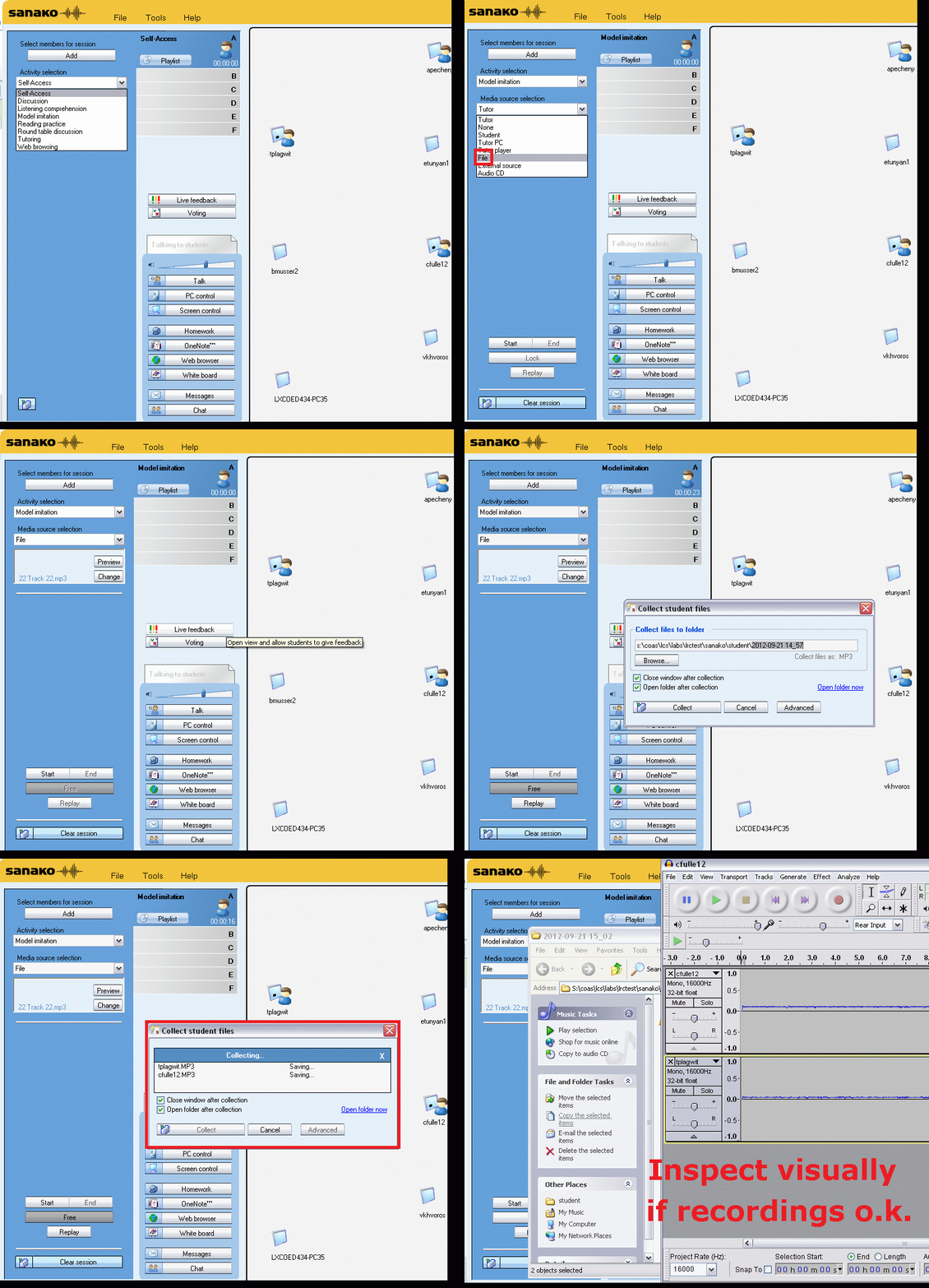
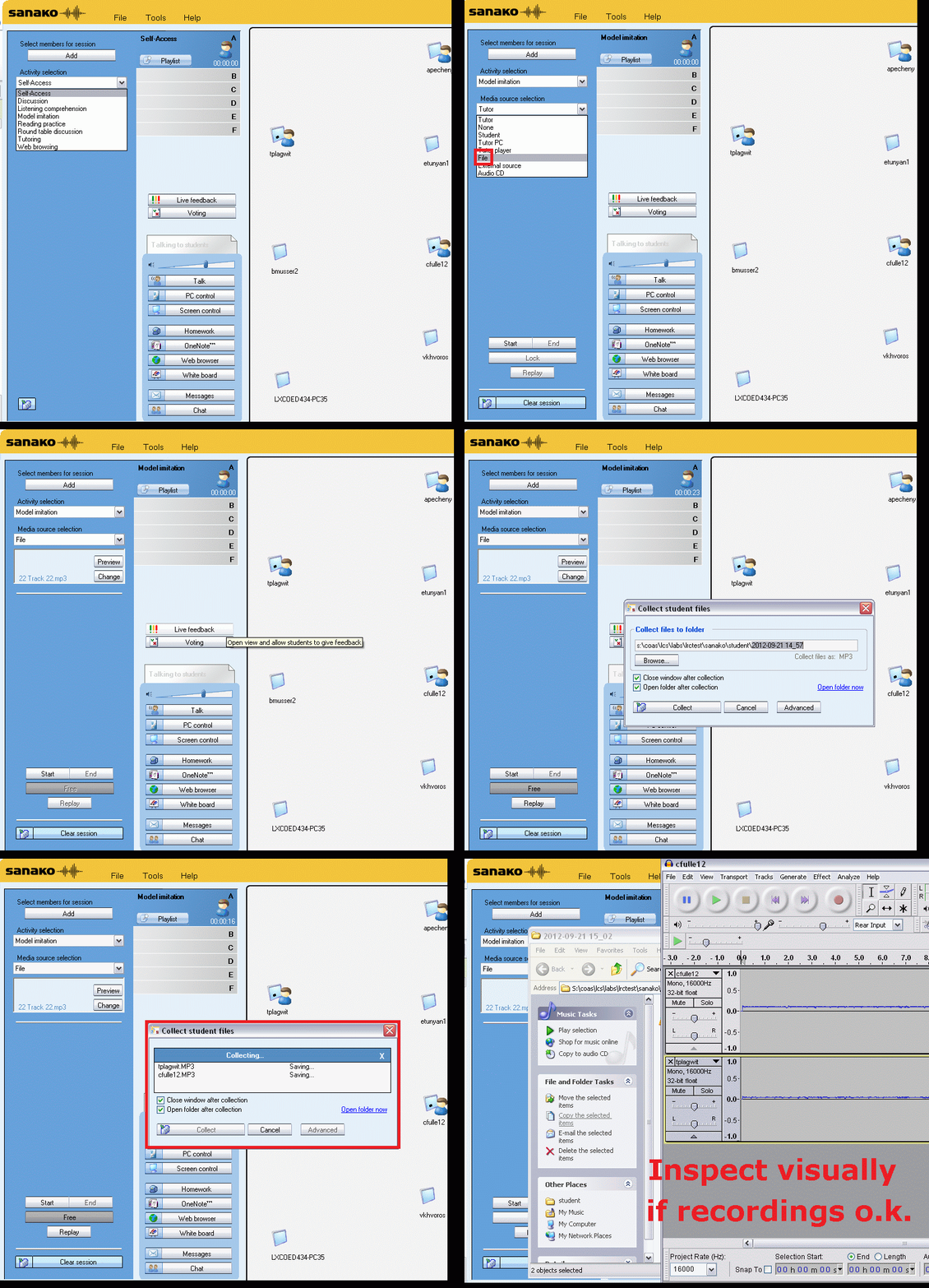
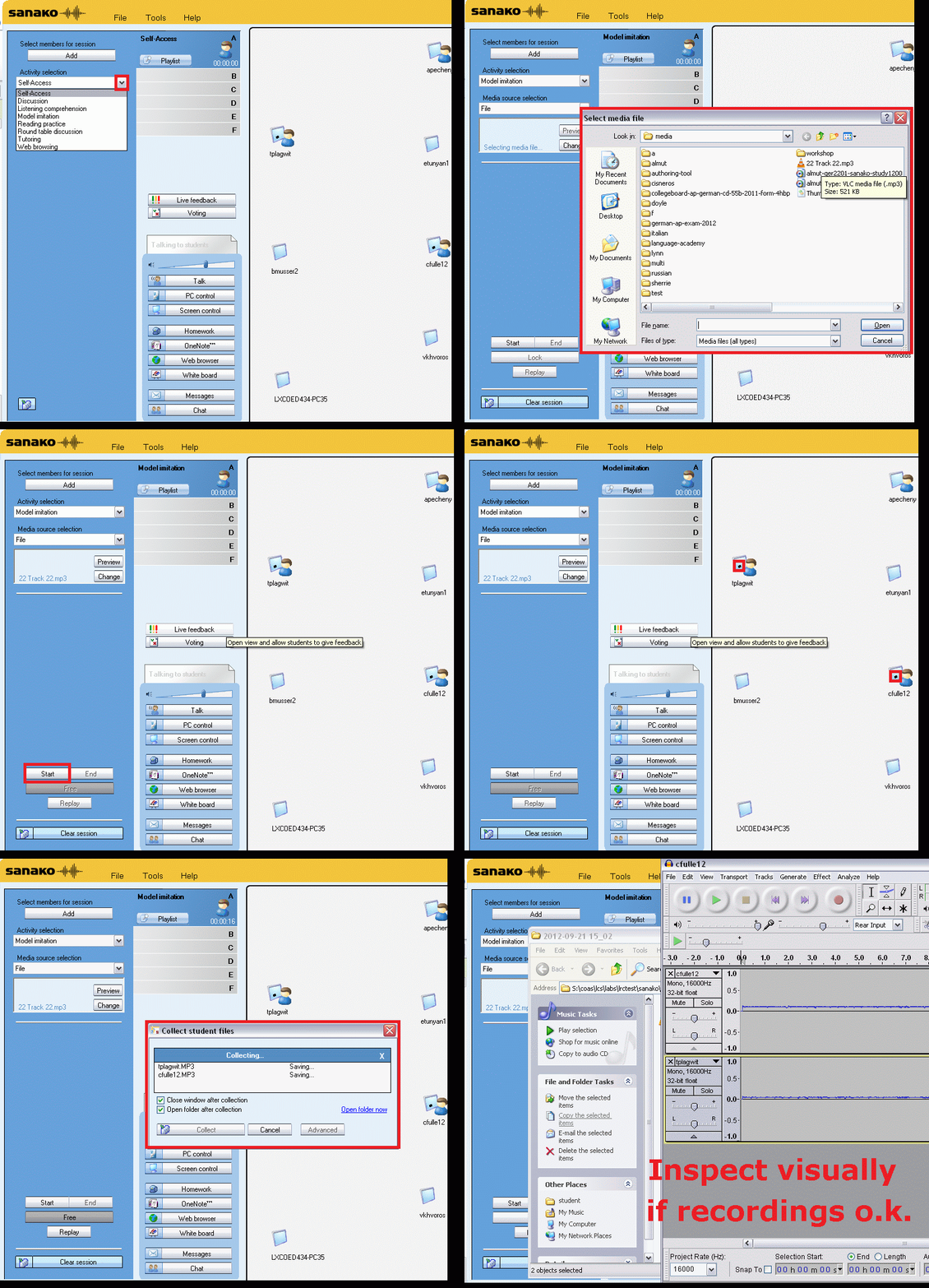
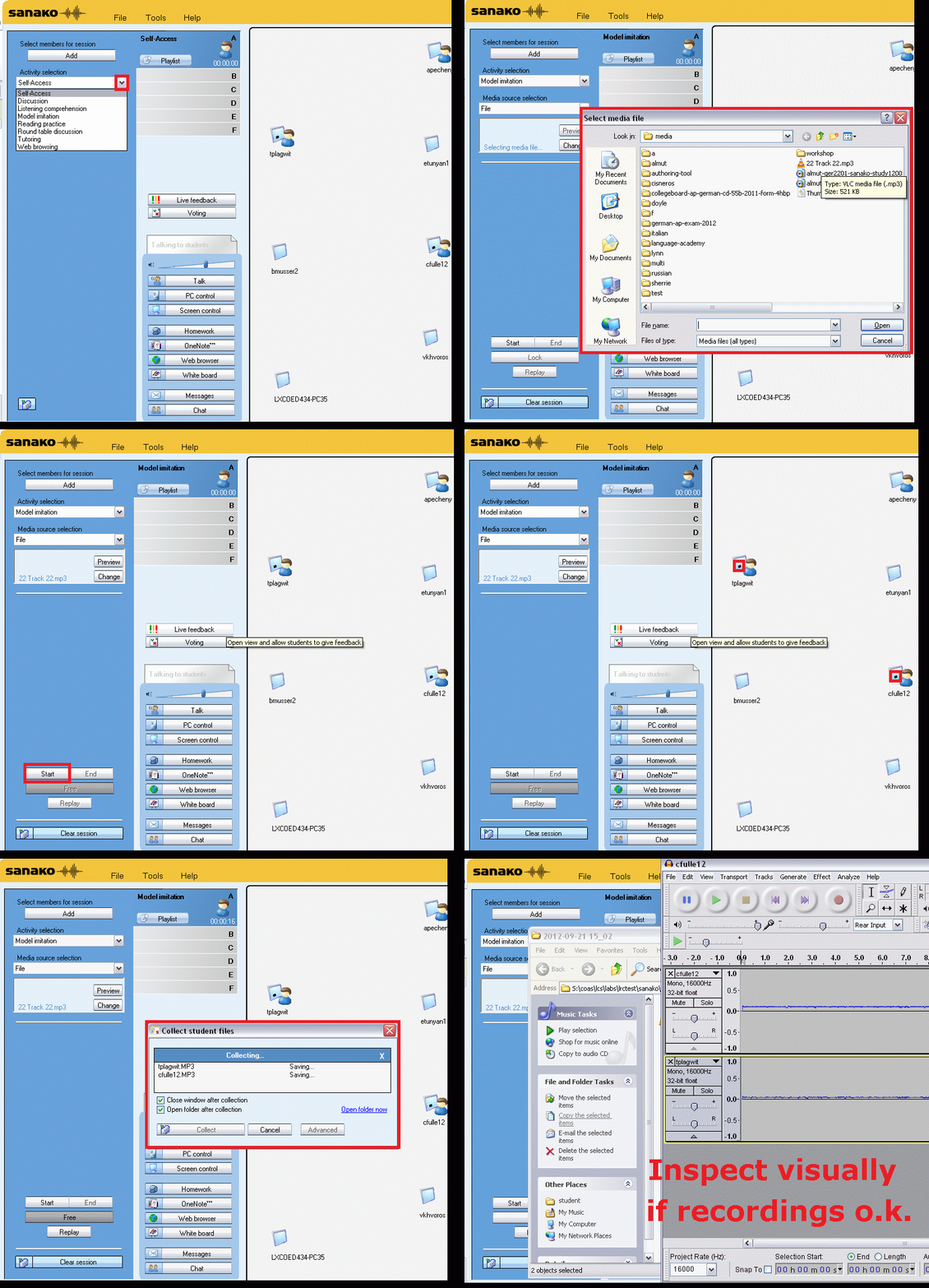
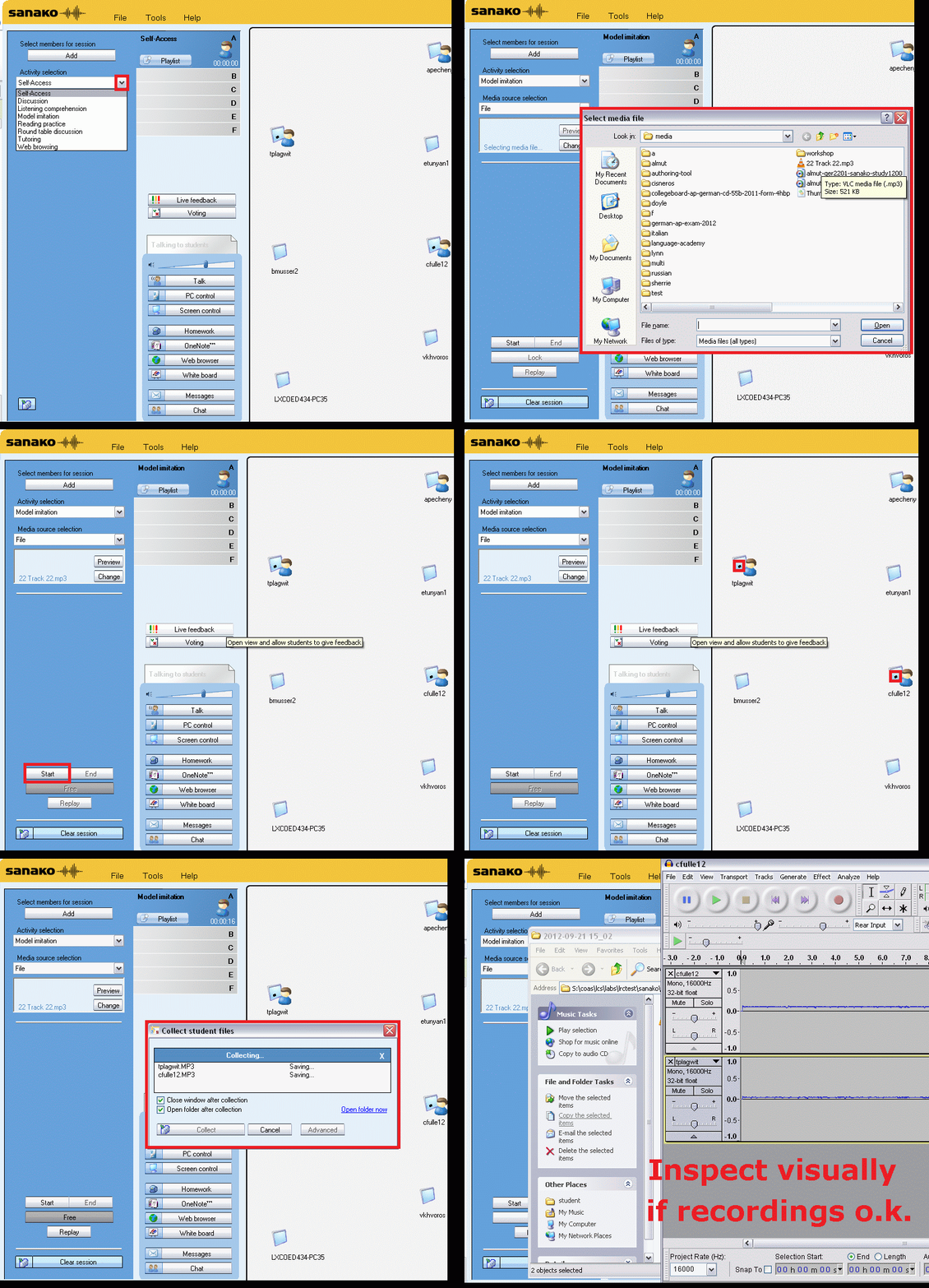
…using animated GIFs. Load the speed of your choosing (or several, use CTRL-Click to open links in a new tab) into the left screen of the teacher station before administering an oral exam, with the window active, press F5 in your web browser to restart the animation from the beginning. Slower? Expanded:050cs, 075cs, 100cs, 150cs, 200cs, 300cs, 400cs, 500cs, 1000cs.Or compact for recapitulation: 025cs, 050cs, 075cs, 100cs, 150cs, 200cs, 300cs, 400cs, 500cs, 600cs, 700cs, 800cs, 900cs, 1000cs. 
Learn Chinese character stroke-order with slowed-down animated GIFs
Further to our prior tips on learning Chinese stroke order, now you can take your time, in the LRC: To facilitate your practicing of Chinese character stroke-order, we have used the most helpful site (also available by direct download) created by Tim Xie for the California State University, Long Beach, to create 100 different speed versions, and one comic strip like static image, for each of the several hundred of animated GIFs demonstrating Chinese character writing, and made them available on the LRC computers under Internet Explorer Favorites – Example:
 |
 |
 |
|
 |
|
 |
|
 |
|
 |
|
 |
|
 |
You can access the files with the stroke order speed of your preference from the LRCCOED434 student computers, like so:
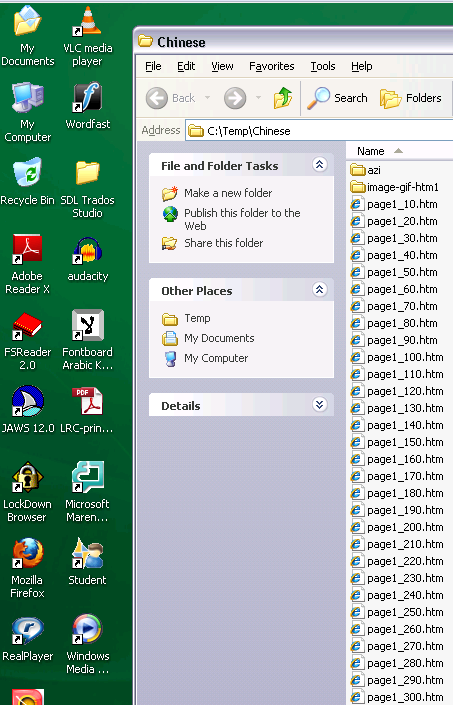
(Many thanks also to the authors of programmable ImageMagick image editor and corresponding Unix shell scripts that we could use in the production of the slowed down animated GIFs. To create your own version of these slowed down animated GIFs, or others similar websites, feel free to pick up and/or adapt our shell script here).


Questions? Read the About. Or just ask me a quick Our Databases: Resources with calendars -- Language learning material Moodle Sites, multimedia files -- films


FAQs for LRC student staff or for students or for teachers. To search our FAQs, in the browser addressbar, add after "https://plagwitz.wordpress.com/feed/?tag=faqs+/" "+TAG1" (from tag cloud below) OR "https://plagwitz.wordpress.com/feed/tag=faqs
&category_name=" "CAT1" (from category hierarchy below). OR search both categories and tags, and multiple TAGs/CATs (connect with "," for OR-search, with "+" for AND-search), like so: https://plagwitz.wordpress.com/feed/?tag=TAG1+TAG2+...TAGn&category_name=CAT1
+CAT2+...CATn"
Other ways to find help
If you cannot find it here, look there: 5,500 Language-Learning Links and Programs for learning or teaching 150 languages
Shortcuts:Our Lists, Our Maps, LRC Staff Moodle Site,LRC Project Moodle Site, 49erexpress, UNCC Moodle, Student Recordings: s:claslcslrcsanakostudent
Learning usage samples: Sanako oral exam, Kaltura webcam presentation, Dictation with speech recognition, Sanako written exam, Chinese and Japanese interactive stroke-order practice
Test the Sanako Installer, Webbrowser Popup Konfigurator for XP, or Windows7, faster LRC TeacherPC Log-in Let MS facilitate diacritics writing by installing for you US-International keyboard layout
This is my personal blog (Google+). The views expressed on these pages are mine alone and not those of my employer. The information in this weblog is provided “AS IS” with no warranties, and confers no rights.
 Thomas' Work Space