Archive
Archive for the ‘websites’ Category
How a teacher can easily assign an audio recording in Moodle, using the new NanoGong plugin
2013/10/17
Leave a comment
- We are back in business with easy audio recording assignments in the LMS, thanks to NanoGong – the free recorder I recommended when first starting here – now being available in MOODLE (presumably with the Upgrade to Moodle 2, I almost missed that….)
- To assign, click “turn editing on”, “Add activity or resource”, select “NanoGong voice activity”, as pictured below:

- There are a few interesting options:
- you can limit the duration
- you can limit the number of recordings (attempts?) allowed (0 is unlimited)
- You can let students listen to each other recordings. (Is there a rating feature that can be combined with this?)
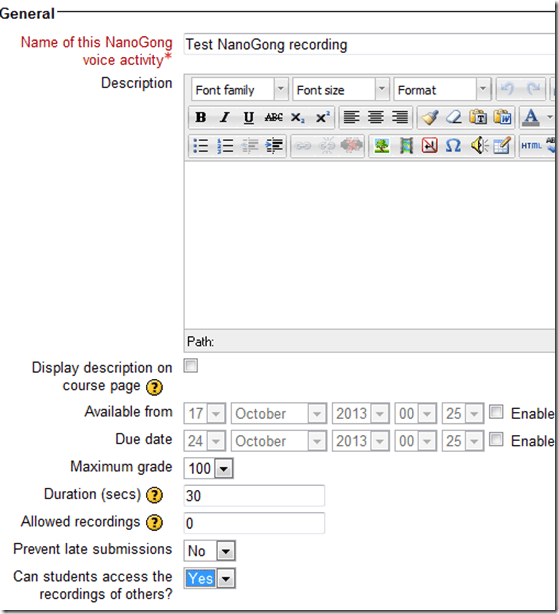
- And this is what
- you will see (TBA:read on for how to listen to student submissions, give feedback and grade.)

- you will see (TBA:read on for how to listen to student submissions, give feedback and grade.)
- your students will see…


Categories: Arabic, assignments, audience-is-teachers, e-languages, English, Farsi, French, German, Greek (modern), Hebrew, Hindi, Italian, Japanese, Korean, lms, Mandarin, multimedia-recording, Polish, Portuguese, Russian, Spanish, Speaking, Swahili, Yoruba
moodle, nanogong
If you get an error when trying to edit your Moodle settings…
2013/10/03
Leave a comment
- Like this: “Error: Database connection failed It is possible that the database is overloaded or otherwise not running properly. The site administrator should also check that the database details have been correctly specified in config.php”
- Try click on “Edit settings” again. It may well work the second time (overload?).
Categories: Glitches&Errors, lms
moodle
Courseworld.org offers foreign language learning video clips
2013/10/01
Leave a comment
- Over a 100 videos currently available:
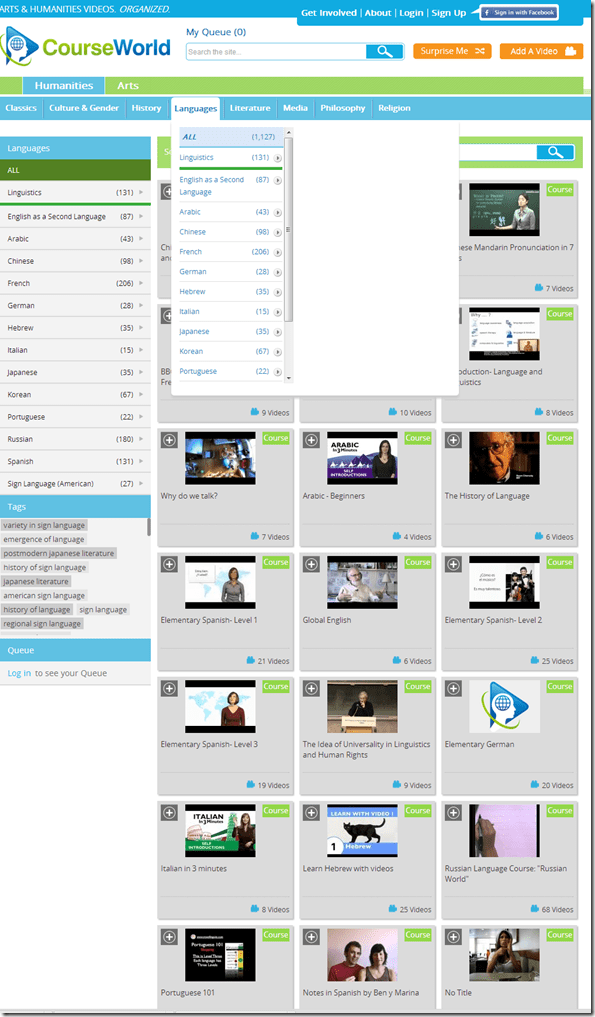
- Summaries show when you hover over a video tile:

- Can it beat YouTube.com for scope? Can it beat textbook-integrated videos for applicability? Likely not, but you may find an add-on for your course, and even more for self-study.


Categories: Arabic, audience-is-students, audience-is-teachers, e-languages, French, German, Hebrew, Italian, Japanese, Korean, Mandarin, Portuguese, Russian, Spanish, Videos, websites
self-study
Search Rhapsodie, a syntactic and prosodic Treebank of spoken French
2013/10/01
Leave a comment
- The Rhapsodie Treebank is made up of “57 short samples of spoken French (5 minutes long on average, amounting to 3 hours of speech and a 33 000 word corpus)” endowed with an orthographical phoneme-aligned transcription”.
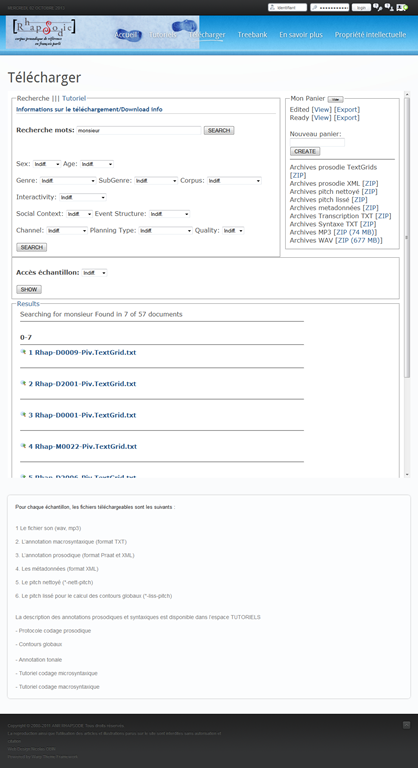
- Rhapsodie can be searched at http://www.projet-rhapsodie.fr/queryql.html:

- View list, read (1) text or (2”phonetic transcription, click (3) and (4) to listen to found segment

- You can also search for text and download:

- The best is obviously the markup and query language – and hence has a learning curve.


Protected: Security alert about revocation information on LRC machines
2013/09/16
Enter your password to view comments.
LRC web browser popup blockers are currently misconfigured
2013/09/14
Leave a comment
- Problem: I noticed that mail.uncc.edu is not configured correctly, when our hands-on exercises during out training of film students and lrc assistants failed, but I did not have the time to take photos of which browser was involved.
- Workarounds:
- You can always (hold the key:) CTRL-click on the link where your web browsing fails.
- I have a temp solution for the lab, but why not configure these few sites, if you get fed that your users need it.
- Solution: We already asked for these sites be allowed through popup blockers of web browsers in use (chrome, firefox, internet explorer 8):
- *.uncc.edu
- *.mt202sabameeting.com
- *.Mygermanlabs.com
- *.pearsoned.com
- *.pearsoncmg.com
- *.mylanguagelabs.com
- *.mylabs.px.pearsoned.com
- *.pearsonvt.wimba.com
- *.outlook.com
- newly added: *.connect.mcgraw-hill.com.
What to do if university websites seem to be not working, nothing happens when you click?
2013/09/14
Leave a comment
- Try and get the popup blocker on your office or lab PC fixed here (if you are on Windows 7 here, you need to use the 64-bit version): choose "Run" – preferable to “Download” and "Open".
- Then use Internet Explorer to try again what you were trying to do on one of our websites.
- Background:
- My users have been reporting for a while problems getting simple things done on campus websites. Last week I observed a few in their office and in the LRC being stalled by mis- or non-configured popup blocker, and not noticing the cause, being flummoxed.
- The above little program configures the built-in internet explorer popup blocker to allow popups from websites that are part of our infrastructure.
- It does not attempt to configure other popup blockers, whether inside or outside of this web browser.
- The end user could also try
- (holding the key:) CTRL-click on the link where your web browsing fails.
- Or configure the popup blocker manually.
- However, it would likely be best if this were done via GPO…
New issues with Respondus-lockdown-browser
2013/09/04
Leave a comment
- Problem description:
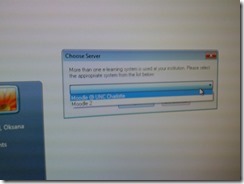
- Upon starting the quiz, Students are asked to select the right Moodle server (assuming Moodle2 is the right answer – how long will this step be necessary?)
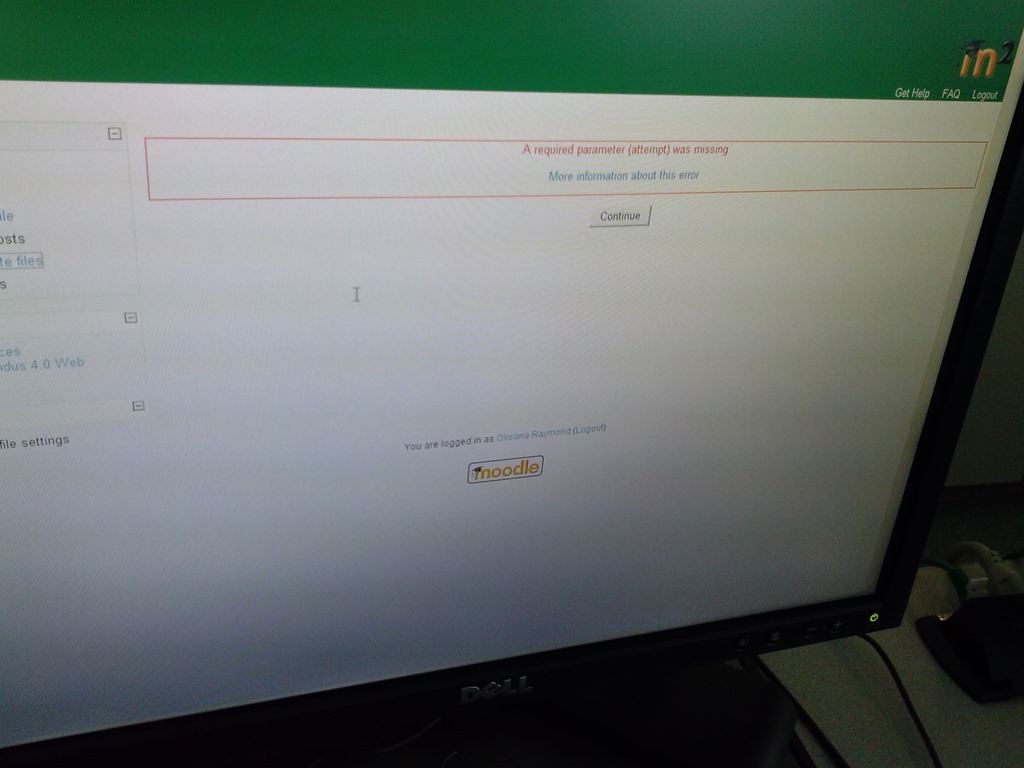
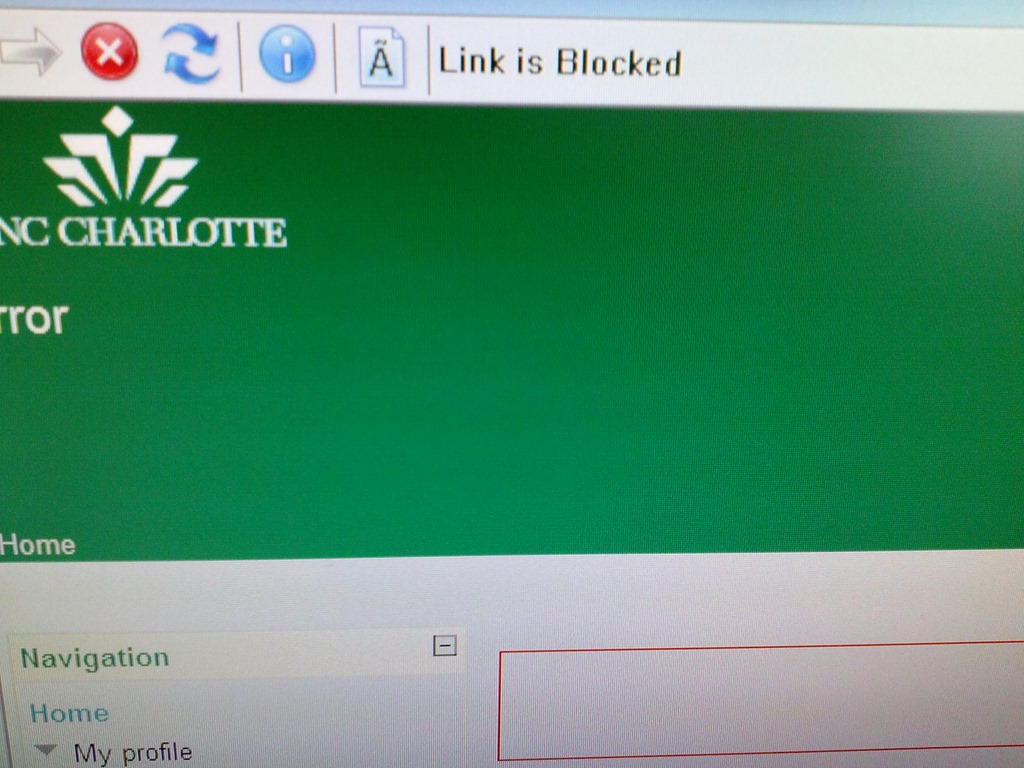
- When they are finished with the quiz, Students receive a combined “Ar required parameter is missing” (a link with “more information on this error” is offered underneath the red error message, but cannot be opened) and “Link is blocked” error

- before they reach the “SAVED” screen with the “submit all and finish”button: Meaning their attempt was not saved and since it cannot be submitted, will be lost.
- When logging in on a different computer, and starting the quiz in Lockdown browser, it tells students that the attempt is in progress,
- upon continue, they have to start afresh (nothing has been saved).
- This is on version from Dec 6 , 2012.

- Upon starting the quiz, Students are asked to select the right Moodle server (assuming Moodle2 is the right answer – how long will this step be necessary?)
- Workaround: Restarting the quiz on a different computer has been the best workaround I have seen so far.


Categories: French, Learning-logs, lms
moodle, Respondus-lockdown -browser


Questions? Read the About. Or just ask me a quick Our Databases: Resources with calendars -- Language learning material Moodle Sites, multimedia files -- films


FAQs for LRC student staff or for students or for teachers. To search our FAQs, in the browser addressbar, add after "https://plagwitz.wordpress.com/feed/?tag=faqs+/" "+TAG1" (from tag cloud below) OR "https://plagwitz.wordpress.com/feed/tag=faqs
&category_name=" "CAT1" (from category hierarchy below). OR search both categories and tags, and multiple TAGs/CATs (connect with "," for OR-search, with "+" for AND-search), like so: https://plagwitz.wordpress.com/feed/?tag=TAG1+TAG2+...TAGn&category_name=CAT1
+CAT2+...CATn"
Other ways to find help
If you cannot find it here, look there: 5,500 Language-Learning Links and Programs for learning or teaching 150 languages
Shortcuts:Our Lists, Our Maps, LRC Staff Moodle Site,LRC Project Moodle Site, 49erexpress, UNCC Moodle, Student Recordings: s:claslcslrcsanakostudent
Learning usage samples: Sanako oral exam, Kaltura webcam presentation, Dictation with speech recognition, Sanako written exam, Chinese and Japanese interactive stroke-order practice
Test the Sanako Installer, Webbrowser Popup Konfigurator for XP, or Windows7, faster LRC TeacherPC Log-in Let MS facilitate diacritics writing by installing for you US-International keyboard layout
This is my personal blog (Google+). The views expressed on these pages are mine alone and not those of my employer. The information in this weblog is provided “AS IS” with no warranties, and confers no rights.
 Thomas' Work Space