Archive
Archive for the ‘Genre-is-any’ Category
German public TV on the internet
2011/10/06
Leave a comment
Categories: audience-is-students, audience-is-teachers, German, learning-materials, Listening, websites
ard, deutsche-welle, tv, video, zdf
French TV on the internet
2011/10/06
Leave a comment
TV5 seems still in the satellite/per-per-view phase. But it offers free video learning resources: http://www.tv5.org/TV5Site/enseigner-apprendre-francais/accueil_enseigner.php
Categories: Advanced, audience-is-students, audience-is-teachers, Beginner, French, Intermediate, learning-materials, Listening, Near-Native, websites
tv, tv5, video
International TV on the Internet
2011/10/06
Leave a comment
http://wwitv.com/portal.htm, lists 2244 online TV stations, by topic and “country” (note that this does not equal “language”).
Categories: all-languages, audience-is-students, audience-is-teachers, learning-materials, Listening, websites
tv, video
Moodle Https Warnings
2011/10/05
Leave a comment
This now appears in every page I load in Moodle (in Internet-Explorer-8). I realize that client-wise this warning should not be suppressed globally. If this cannot be updated server-side, is it possible to blacklist individual websites? 
Categories: e-learning, Glitches&Errors, websites
https, webbrowsers
Meta: WordPress Categories–what are they good for?
2011/09/29
Leave a comment

Not for AND-searches, as a matter of fact.
LRC Outlook/Exchange 2010 Resource Calendaring: How LRC staff can group calendars in Outlook 2010
2011/09/28
1 comment
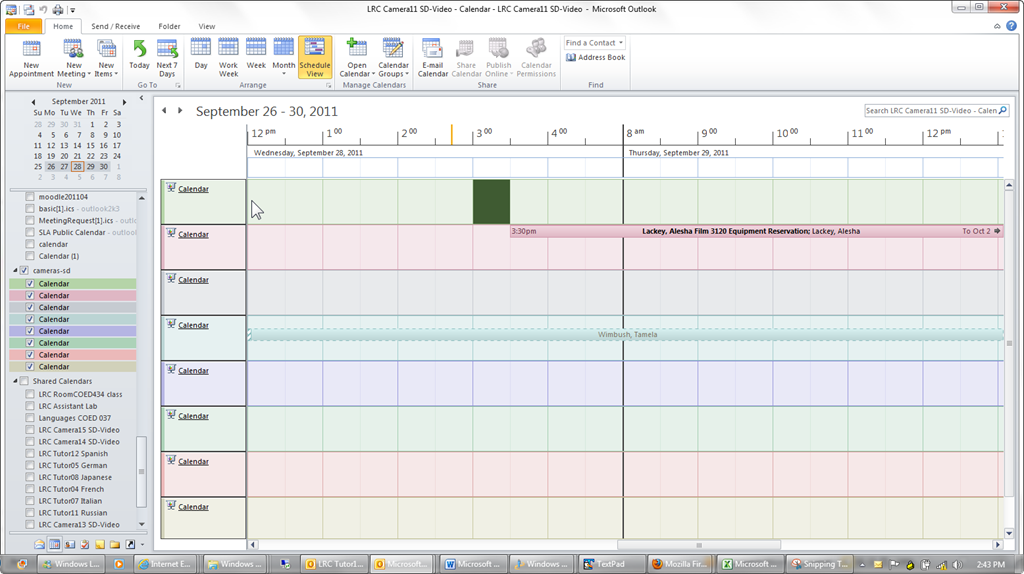
- You can save the currently loaded calendars as a preset or “group” from the ribbon in the calendar view of outlook 2010, like so:

- The group and its members will be added to your calendar tree, and you can load all members with one click, like so:

- Then you can create multiple presets which correspond to your typical workflows: E.g. when you do not have to check the availability of equivalent sets of equipment, you may want to have an easy overview of staffing in the LRC:
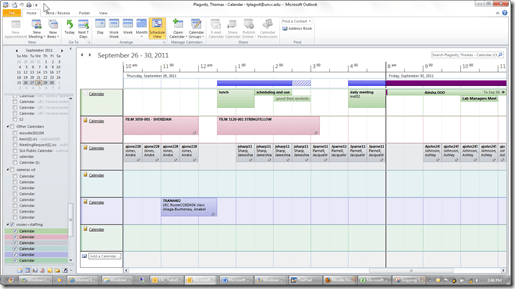
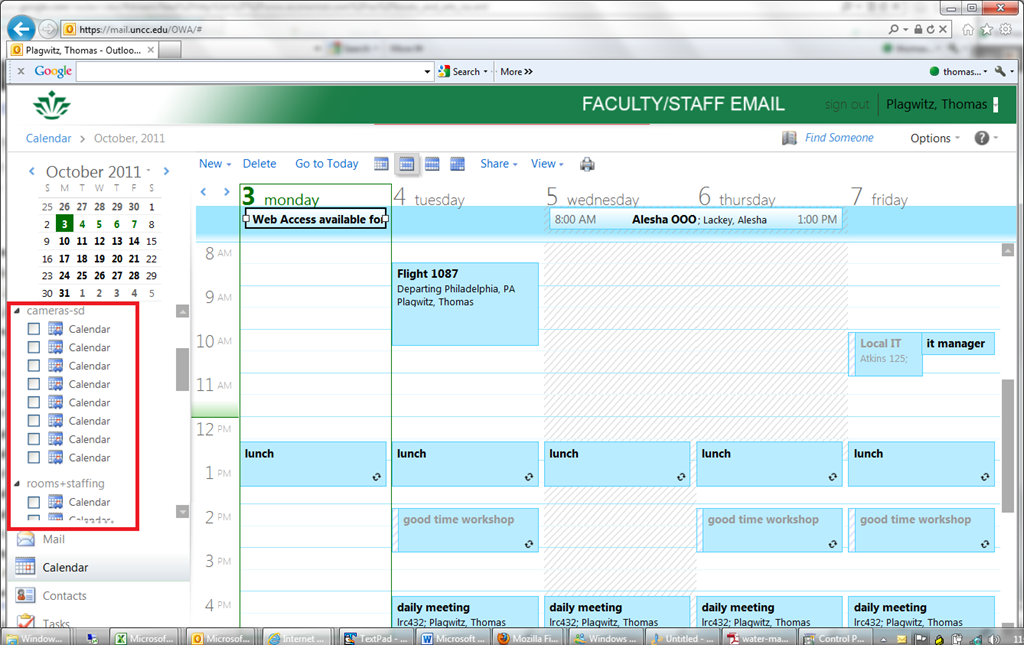
- Note that – while we have to load individually the calendars of other mailboxes we own –, calendar groups we create in Outlook are automagically mirrored in OWA
- But the calendar names get lost in the process? And: the batch select checkbox is missing. And: only up to 5 calendars can be viewed in OWA simultaneously. And: OWA does not support overlay mode for calendars.):

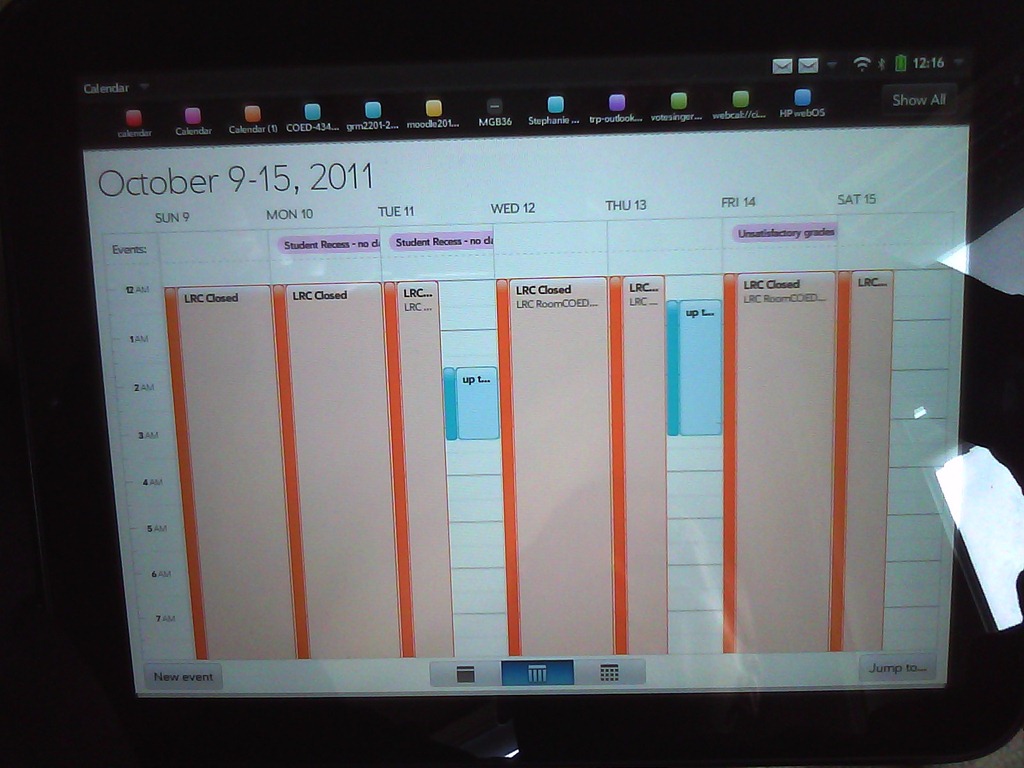
- It would be great if calendar groups, with the help of ActiveSync, even worked their way through to mobile devices, but apparently they do not:



Skydrive@uncc.edu
2011/09/27
Leave a comment
- Ninermail’s live@edu implementation includes SkyDrive, Microsoft’s cloud document sharing and collaboration solution,
- Log in with your UNCC credentials at http://skydrive.live.com:

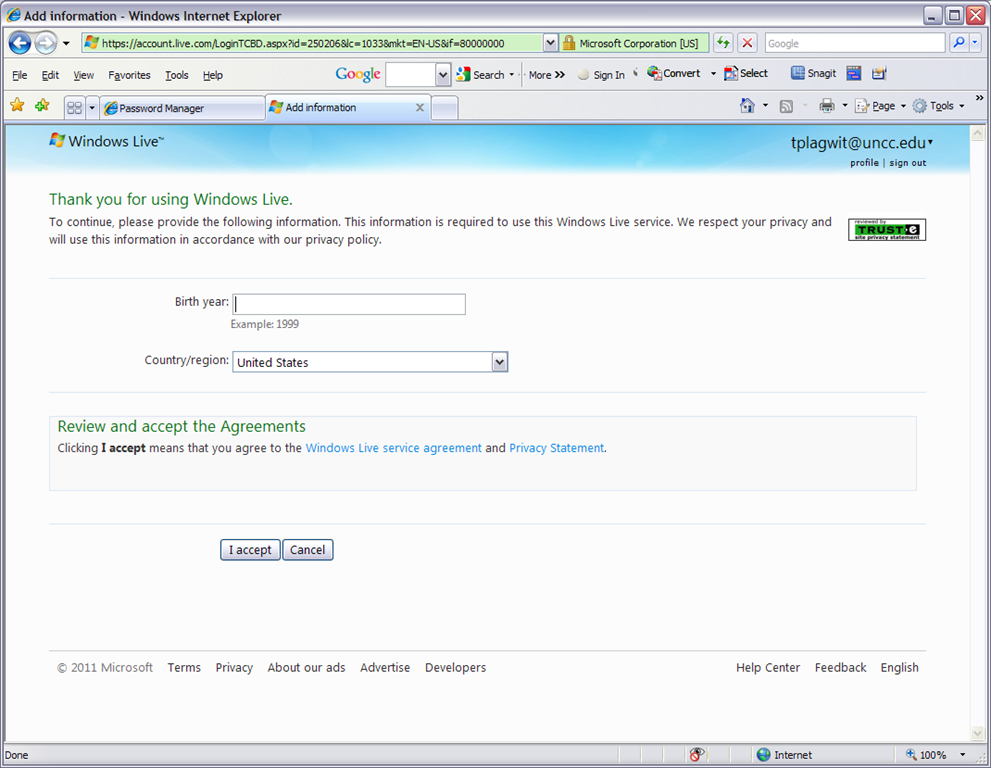
- OK, you may have to reset your password, then log in:


Categories: e-infrastructure, Glitches&Errors
live@edu, MS-OneDrive
How not to book LRC equipment: Scheduling conflicts
2011/09/23
3 comments
- Do not send a meeting request to an item for a time when the item has a prior meeting request.
- The tab: scheduling assistant within the meeting request you edit is there to tell you when items have prior meeting requests.
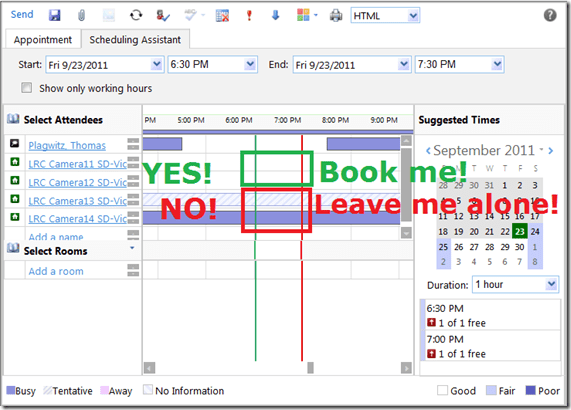
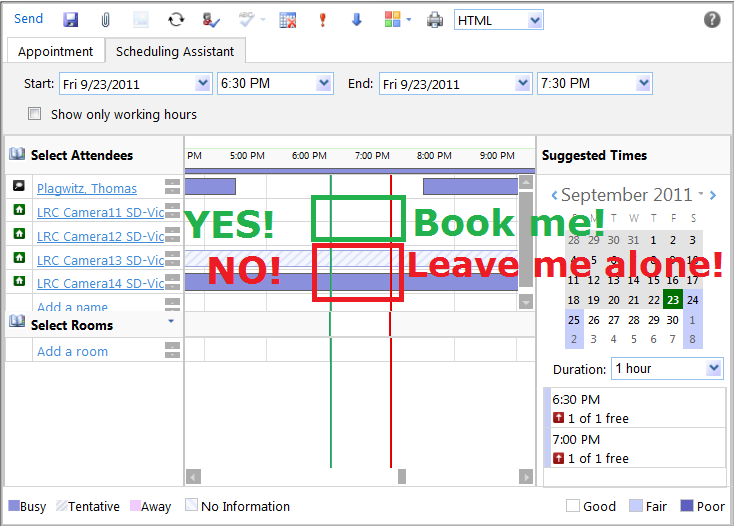
- A “blocked” timeline denotes a prior meeting request: The item has already been booked (solid block) or requested (hatched block) during the start and end time of your meeting. Do not crash their party.
- “blank” timeline means “item is free”. Go ahead: You can request a meeting with this item between your start and end time.
- Once you have this overview, you can easily remove, by right-clicking on the resource, extra resources that you cannot book or could, but which you do not need:

- Once the university has mail-enabled your cloud-accounts on campus, we will have a computer decline such conflicting requests automatically, and force you to start over with a new meeting request. It will be still worth your while memorizing the above: You can save time and avoid disappointment.



Questions? Read the About. Or just ask me a quick Our Databases: Resources with calendars -- Language learning material Moodle Sites, multimedia files -- films


FAQs for LRC student staff or for students or for teachers. To search our FAQs, in the browser addressbar, add after "https://plagwitz.wordpress.com/feed/?tag=faqs+/" "+TAG1" (from tag cloud below) OR "https://plagwitz.wordpress.com/feed/tag=faqs
&category_name=" "CAT1" (from category hierarchy below). OR search both categories and tags, and multiple TAGs/CATs (connect with "," for OR-search, with "+" for AND-search), like so: https://plagwitz.wordpress.com/feed/?tag=TAG1+TAG2+...TAGn&category_name=CAT1
+CAT2+...CATn"
Other ways to find help
If you cannot find it here, look there: 5,500 Language-Learning Links and Programs for learning or teaching 150 languages
Shortcuts:Our Lists, Our Maps, LRC Staff Moodle Site,LRC Project Moodle Site, 49erexpress, UNCC Moodle, Student Recordings: s:claslcslrcsanakostudent
Learning usage samples: Sanako oral exam, Kaltura webcam presentation, Dictation with speech recognition, Sanako written exam, Chinese and Japanese interactive stroke-order practice
Test the Sanako Installer, Webbrowser Popup Konfigurator for XP, or Windows7, faster LRC TeacherPC Log-in Let MS facilitate diacritics writing by installing for you US-International keyboard layout
This is my personal blog (Google+). The views expressed on these pages are mine alone and not those of my employer. The information in this weblog is provided “AS IS” with no warranties, and confers no rights.

