Archive
Archive for the ‘Notes’ Category
Why does MS-Exchange calendar publishing with Limited details show the name of the organizer in the subject?
2014/01/22
Leave a comment
- Partial answer: Because the organizer name gets already put into the booking itself, before publishing (I first thought it was put in by a bug the publishing settings, where there is supposed to be an option to enable/disable showing the organizer name ). UPDATE: Another part of the answer: AddOrganizerToSubject is set to true on the mailbox (Doh! Hm, but why did this not seem to cause a problem before)?
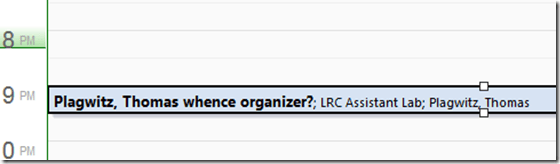
- Booking:

- Result (I saw the correct “whence”part of the subject briefly flickering up, but then the organizer name appeared in front of it):
- Publishing Setting:

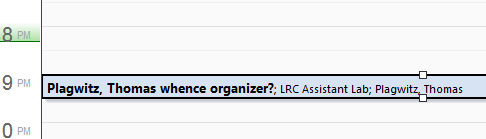
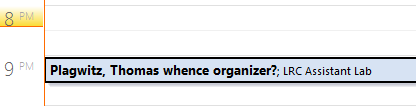
- Published View (which is where we do not want the organizer to show):

 2010 SP?.



Categories: e-infrastructure, Glitches&Errors
calendaring, ms-exchange, outlook, outlook-live, publishing, resources
Scheduling assistant shows no information on free/busy
2014/01/16
Leave a comment
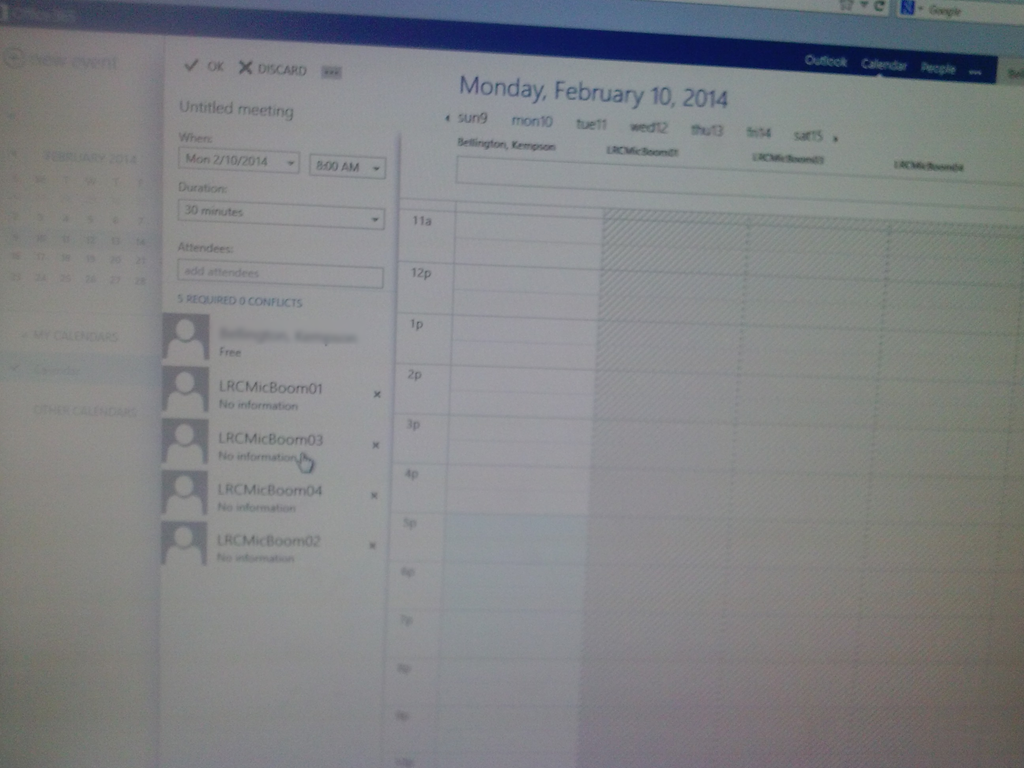
This effectively prevents all reservations of shared equipment. We tested with these 4 resources, and increasingly nearer dates in the future (from May to today). This is in Offcie265 from a student account. From a staff account in OWA, I do not see the same behavior: 
Update: A resolution is being worked on… Update2: FIXED
Deepfreeze rebooting the lab computers again during use
2014/01/14
Leave a comment
- I have been told that Deepfreeze will reboot lab computers (hourly?) only when they are idle (on login screen).
- However, I have observed the unsolicited reboot also when trying to work with these computers.
- Today, I had both lab computers that I was working on with the Sanako , reboot in the middle of my testing, with the 1 minute warning dialogue.

- Will pressing “cancel” prevent this, especially during high-stakes writing and speaking assessments with the Sanako? What if the users misses it (we sometimes deliberately have the screens blocked/blacked out during parts of classes).

Google etymology feature
2014/01/11
Leave a comment
- Etymology information has been added to Google end of August, still need to review this more closely (other languages supported?), but for now:
- Type “etymology” followed by the English word to get the Etymology (and unfold the arrow below to get additional dictionary information, including historical frequency)
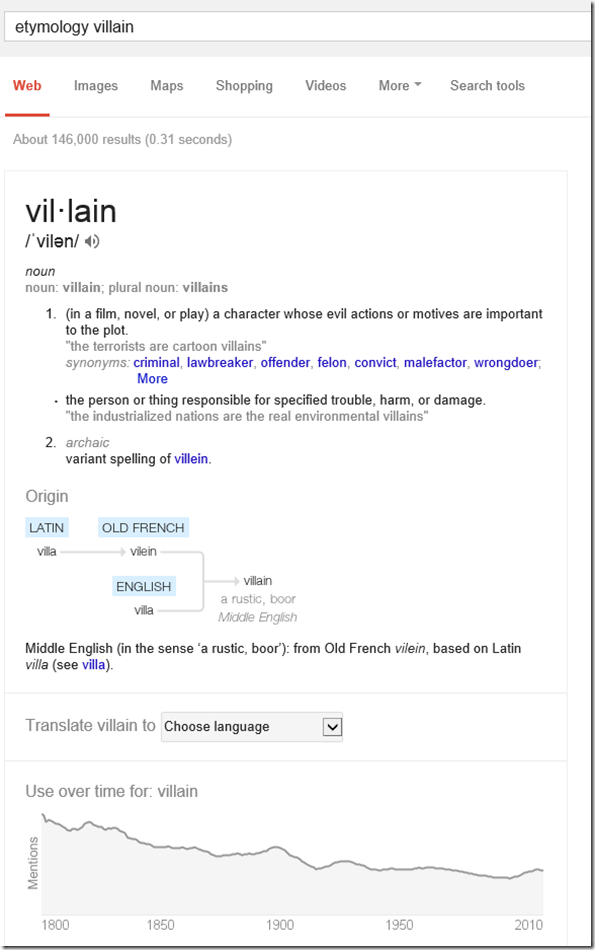
- Of course this feature cannot replace a historical legal dictionary, but I what I was looking for was the juxtaposition with “freeman” in English feudal history, which I would have liked to find a reference here to also
- Etymology does not seem to be supported if I type “Etymology Schmetterling” (or “Etymologie Schmetterling”), the feature does not come up. It does if I type “etymology butterfly", however: Is this right?! The next thing which is missing (and this reminds me too much of how our students use Google translate) is the admission of that these explanations are theories which are contentious, and should be debated:


Categories: Dictionaries, e-languages, English, mental-notes
etymology, google
Positioning of Language Lab PCs needs improving
2014/01/11
3 comments
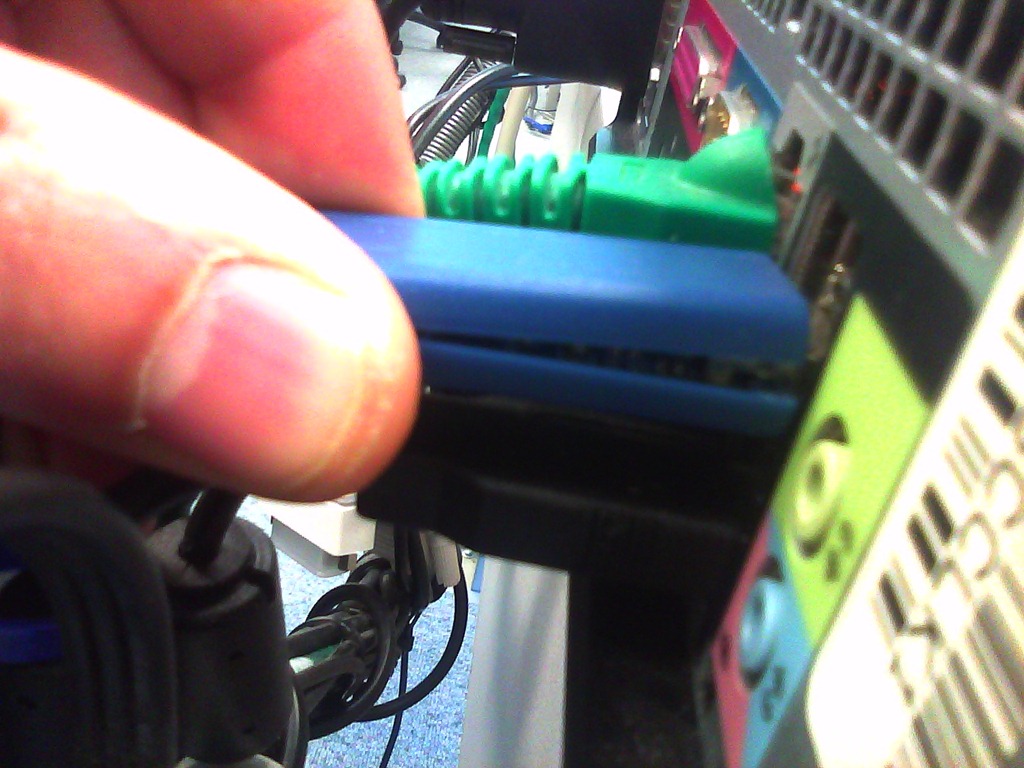
- Update: We worked around the issue with a male/female USB extension cord (black) to connect the Sanako USB connector (blue) into, this way, the whole setup can be aligned with the rear of the PC and won’t stick out and get in the way:

- Problem: Rear connectors of computers get disconnected or even damaged. Input (keyboard, mouse, microphone) and output devices (headset) get disconnected connected and therefore fails to work. Damaged equipment needs to be ordered and replaced, at considerable cost of time and money ($TBA per Sanako cable). It is too time-consuming to test equipment functionality (30 headsets and mice and keyboards) before each assessments and exam.
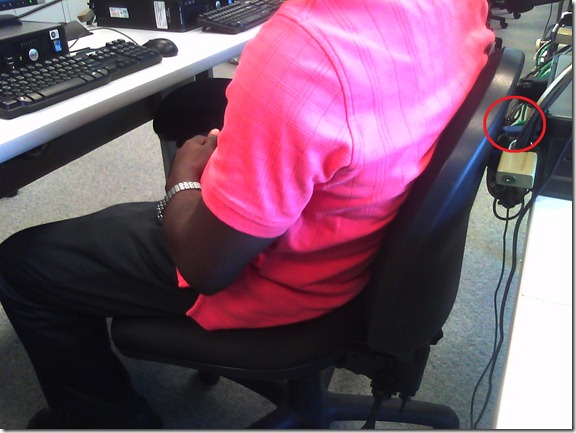
- Example of student in seat:
- We have observed these and similar damages regularly:


- Cause: Our language lab computer desks and rows are too narrow, for individual student sitting in front of the computer, not to mention classes moving in and out of their seats
- Other requirements:
- We need to have equipment plugged in the rear connectors of the computer and cable-tied to prevent students from trying to adjust or “fix” computers by re-plugging the equipment (often improperly, making them fail to work), and also because there is limited desk surface in front of the computers, given keyboard and mouse need to fit in front.
- For the functionality of the Sanako digital audio language lab system, we especially need to make sure, that the headset is plugged in on the same USB port in all computers.
- Solutionsthat we have
- already tried
- we have tied down the connectors with cable ties, but this has not worked sufficiently.
- yet to try: is there a way
- to permanently attach computers in a different, safer position on the existing furniture?
- or to buy and install different furniture, computers seated under desks inaccessible for end user and locked?
- already tried



Categories: e-infrastructure, Glitches&Errors, headphones, Photos, proposals, Student-Computers
furniture
Sanako recorder still requiring configuration from student on every log in?
2014/01/08
Leave a comment

Personalization error when logging in?
2014/01/07
Leave a comment
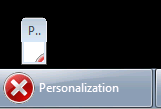
This dialogue – an error message apparently, but not expandable to a size where it is legible – seems to hang around.


Questions? Read the About. Or just ask me a quick Our Databases: Resources with calendars -- Language learning material Moodle Sites, multimedia files -- films


FAQs for LRC student staff or for students or for teachers. To search our FAQs, in the browser addressbar, add after "https://plagwitz.wordpress.com/feed/?tag=faqs+/" "+TAG1" (from tag cloud below) OR "https://plagwitz.wordpress.com/feed/tag=faqs
&category_name=" "CAT1" (from category hierarchy below). OR search both categories and tags, and multiple TAGs/CATs (connect with "," for OR-search, with "+" for AND-search), like so: https://plagwitz.wordpress.com/feed/?tag=TAG1+TAG2+...TAGn&category_name=CAT1
+CAT2+...CATn"
Other ways to find help
If you cannot find it here, look there: 5,500 Language-Learning Links and Programs for learning or teaching 150 languages
Shortcuts:Our Lists, Our Maps, LRC Staff Moodle Site,LRC Project Moodle Site, 49erexpress, UNCC Moodle, Student Recordings: s:claslcslrcsanakostudent
Learning usage samples: Sanako oral exam, Kaltura webcam presentation, Dictation with speech recognition, Sanako written exam, Chinese and Japanese interactive stroke-order practice
Test the Sanako Installer, Webbrowser Popup Konfigurator for XP, or Windows7, faster LRC TeacherPC Log-in Let MS facilitate diacritics writing by installing for you US-International keyboard layout
This is my personal blog (Google+). The views expressed on these pages are mine alone and not those of my employer. The information in this weblog is provided “AS IS” with no warranties, and confers no rights.
 Thomas' Work Space