Archive
Archive for the ‘Glitches&Errors’ Category
Moodle Streaming Video Recording Assignment Glitch 2
2011/11/02
Leave a comment
- environment: win xp sp3, firefox 3.6
- If you view the Moodle video assignment from the grade book table, inline, in Firefox 3.6, how do you close the popup window?
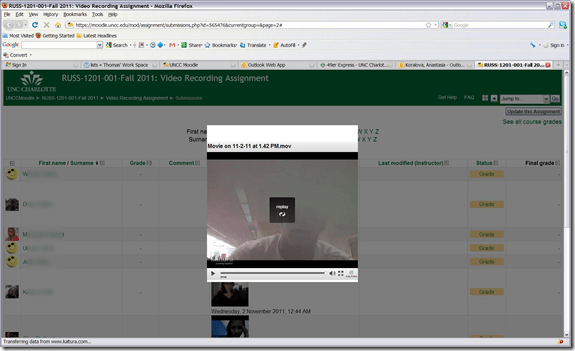
- no hovering around revelaed a close control to us, escape did not help eithe, nor the brwoser back button.
- workarounds:
- copy the url from the address bar, open a new tab, paste the url, close the old tab
- do not view the video in the grade book overview chart, but after opening the individual submission form the grade button.
- try a differnet browser than firefox. on the mac, safari solved a similar problem with firefox and kaltura.

Categories: audience-is-teachers, Glitches&Errors, lms, websites
kaltura, moodle, video
Outlook secondary accounts error: “Cannot display folder”
2011/10/31
Leave a comment

Categories: Glitches&Errors
2010, mailboxes, outlook
RSS feed XML categories are case-sensitive on IE9, if not on WordPress.com
2011/10/31
Leave a comment

- From which follows: tightly manage your metadata…..

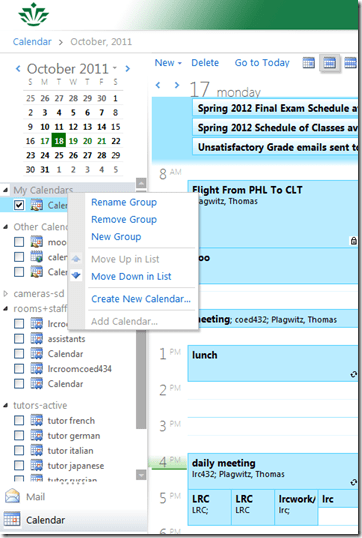
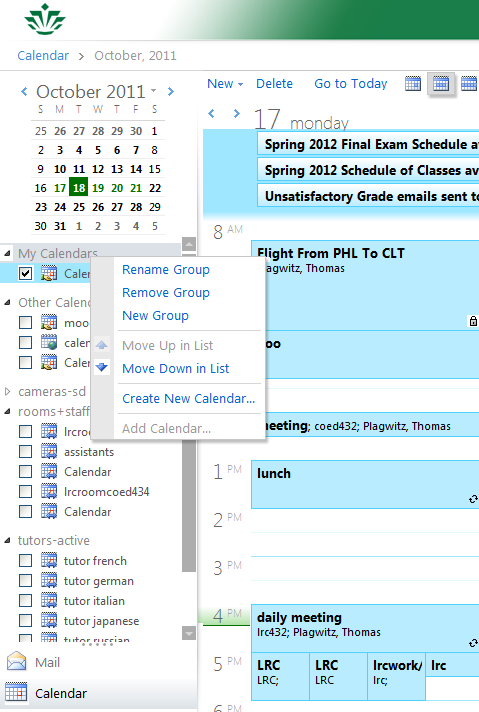
Why is the “Add calendar” item in the OWA’s My Calendars context menu often grayed out/not available
2011/10/18
2 comments
- This can been observed in IE8 and IE9.
Categories: e-infrastructure, Glitches&Errors
add-calendars, calendaring, OWA
Does your OWA look different from others’, but you do not want the low vision version?
2011/10/18
Leave a comment
- If you log in on http://mail.uncc.edu and see this:
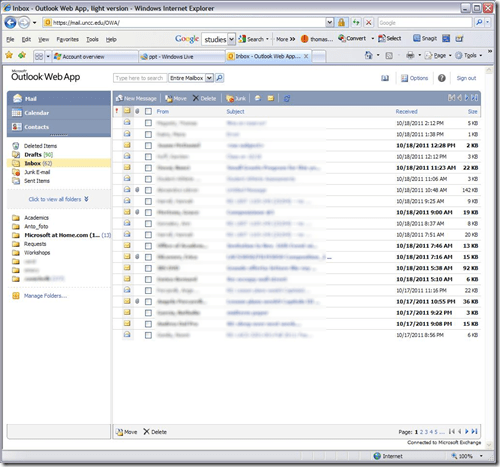
- do this
- Click on Options in the upper right corner
- Click on Accessibility on the left side of the screen
- Uncheck the box for ‘Use the blind and low vision experience’
- Click Save at the top of the screen
- Sign out in the upper right hand corner
- Go back to mail.uncc.edu and login normally without checking the ‘light version’ box, and you will see this:

- Not sure how you managed to inadvertently set it to “low vision”, but this is how to fix it, per our helpdesk.


Categories: e-infrastructure, Glitches&Errors
2007, 2010, 2011, accessibility, outlook, OWA
Moodle Https Warnings
2011/10/05
Leave a comment
This now appears in every page I load in Moodle (in Internet-Explorer-8). I realize that client-wise this warning should not be suppressed globally. If this cannot be updated server-side, is it possible to blacklist individual websites? 
Categories: e-learning, Glitches&Errors, websites
https, webbrowsers
Skydrive@uncc.edu
2011/09/27
Leave a comment
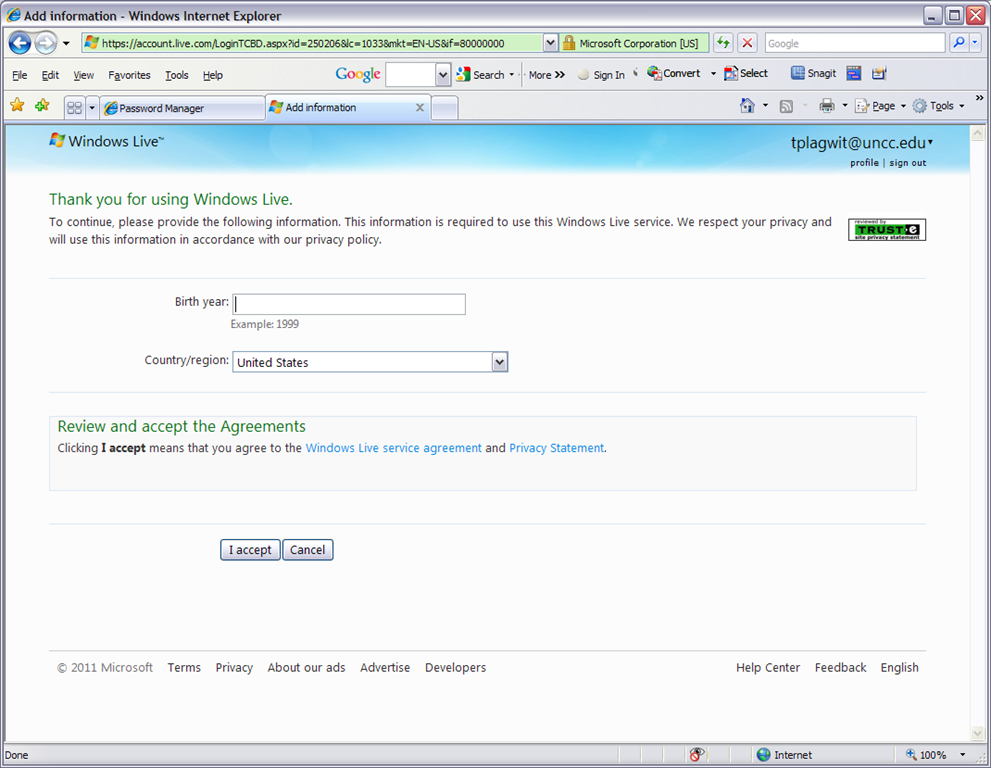
- Ninermail’s live@edu implementation includes SkyDrive, Microsoft’s cloud document sharing and collaboration solution,
- Log in with your UNCC credentials at http://skydrive.live.com:

- OK, you may have to reset your password, then log in:


Categories: e-infrastructure, Glitches&Errors
live@edu, MS-OneDrive
Protected: Exchange 2010 Resource Mailboxes: Running Log
2011/09/22
Enter your password to view comments.


Questions? Read the About. Or just ask me a quick Our Databases: Resources with calendars -- Language learning material Moodle Sites, multimedia files -- films


FAQs for LRC student staff or for students or for teachers. To search our FAQs, in the browser addressbar, add after "https://plagwitz.wordpress.com/feed/?tag=faqs+/" "+TAG1" (from tag cloud below) OR "https://plagwitz.wordpress.com/feed/tag=faqs
&category_name=" "CAT1" (from category hierarchy below). OR search both categories and tags, and multiple TAGs/CATs (connect with "," for OR-search, with "+" for AND-search), like so: https://plagwitz.wordpress.com/feed/?tag=TAG1+TAG2+...TAGn&category_name=CAT1
+CAT2+...CATn"
Other ways to find help
If you cannot find it here, look there: 5,500 Language-Learning Links and Programs for learning or teaching 150 languages
Shortcuts:Our Lists, Our Maps, LRC Staff Moodle Site,LRC Project Moodle Site, 49erexpress, UNCC Moodle, Student Recordings: s:claslcslrcsanakostudent
Learning usage samples: Sanako oral exam, Kaltura webcam presentation, Dictation with speech recognition, Sanako written exam, Chinese and Japanese interactive stroke-order practice
Test the Sanako Installer, Webbrowser Popup Konfigurator for XP, or Windows7, faster LRC TeacherPC Log-in Let MS facilitate diacritics writing by installing for you US-International keyboard layout
This is my personal blog (Google+). The views expressed on these pages are mine alone and not those of my employer. The information in this weblog is provided “AS IS” with no warranties, and confers no rights.
 Thomas' Work Space