Archive
Archive for the ‘audience-is-any’ Category
How to duplicate assignments in Moodle course sections by importing
2011/11/30
Leave a comment
- Limitation: You cannot use other users’content. Use the backup/restore content procedure instead.
- Benefits are:
- You can save the time it would take to redo the assignment from scratch.
- plus avoid breaking things when you try and copy the assignment over manually: this built –in way does not break links.
- But have to jump through these hoops:
- Start here:
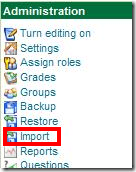
- Choose your source course which has the assignment:
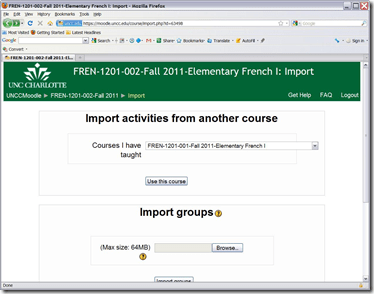
- Then choose what assignment you want to import:
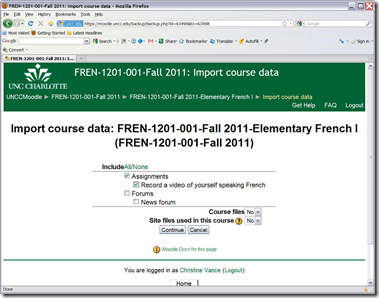
- Jump

- through
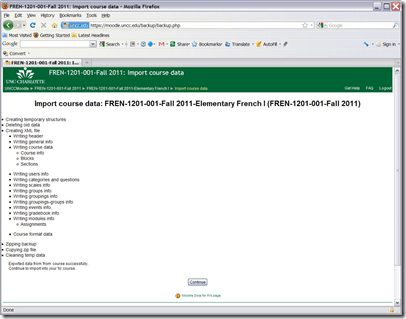
- the

- hoops

- done:
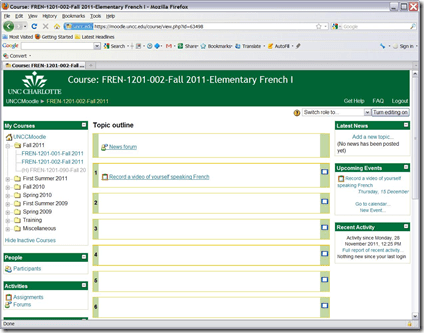
- Choose your source course which has the assignment:
- Start here:


LRC computer and other hardware inventory
2011/11/24
Leave a comment
- These lists document hardware owned by the LRC:
- Symantec-Ghost generated.
- A handmade overview (partially based on the previous) can be (permissions provided) viewed or edited here.
How to set up SDL-Trados 2009 Licensing Server
2011/11/24
Leave a comment
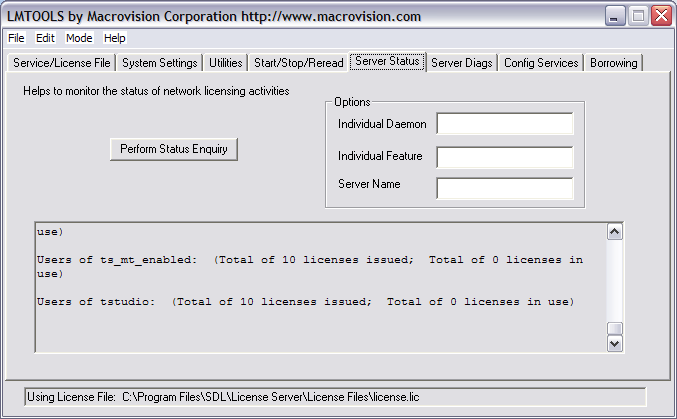
No time getting this post in shape since SDL is keeping me on my toes by changing the licensing infrastructure for 2011 (abandoned FlexLM), but for what it is worth: the difficultty with FLexLM was managing the licensing service from the proviced GUI, I had to resort to restarting it manually through services.msc. 




How to poll for the best meeting time using Meeting Requests
2011/11/21
1 comment
- Please also see the follow-up user-perspective video here: How to respond to a poll for the best meeting time using Meeting Requests.
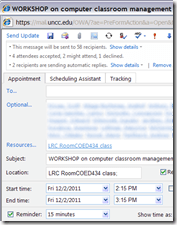
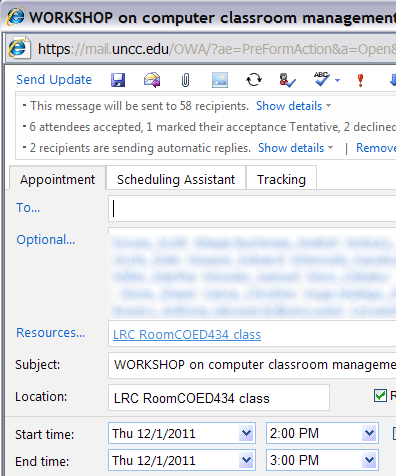
- A traditional issue around the LRC is getting busy teachers to agree on a common workshop time. Ideally, the scheduling assistant would automate this by allowing you to see the common free time slot in their busy timelines. However, this requires that the university calendaring system has already been widely adopted. In the meantime, meeting requests can still greatly facilitate finding this most common free time, by serving as a poll.
- To find the most popular time slot, send a number of alternative meeting requests with the instruction: “If interested in the workshop, please accept those times during which you could attend. I will only not cancel the most popular meeting time”. (Make sure that respondents know that they can “Edit response before sending” to include a message, or else this will skew the tally).
- At the end, you can easily tally the response in your calendar, and, as the meeting organizer, cancel the unpopular ones:


- And you can spare everybody one final summary email: “ Mark your calendars!” . The interested parties’ calendar has already be marked.


How to stay up to date by receiving RSS like email newsletters in MS-Outlook
2011/11/21
Leave a comment
- Why subscribe?
- RSS is a great way to get your information both fast and filtered.
- For advanced filtering of RSS feeds, try Yahoo Pipes.
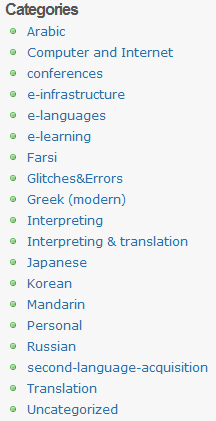
- However, WordPress makes this even easier by allowing for a wealth of atomic searching and filtering options. Choosing the right template (and content strategy), if you click on any of the linked items in either the category list or tag cloud on WordPress,


- the resulting page will include an RSS link
 , or simply add “/feed” to the URL of your category, tag or even search result page, to get a feed that you can subscribe to.
- How to subscribe?
- MS-Outlookmakes subscribing to RSS more convenient since you do not need to go to a separate application like an RSS-Reader. Read your RSS with your email, think of the RSS feed as an email list, but personalized to your interests.
-
You can subscribe to the “RSS feed” link like so:
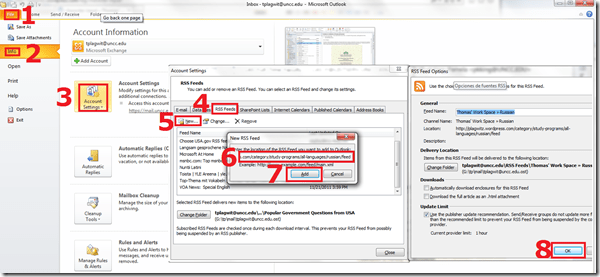
- For historical reasons, I still use Google Reader, but I rely on Outlook’s advanced automated content download (including full text posts and multimedia attachments) and well-understood archiving, search and export features to not miss podcasts which I want to collect for potential use as teaching content:
 When Outlook fails, as with some RSS formats, you can still try and resort to the Internet Explorer Feed store:
-
- If you use OWA: you can read feeds, but not add them through the OWA interface. If you are staff, you can still add them in Outlook first. If you are a student and restricted to NINERMAIL, you need to use a different feed reader. I recommend the free web-based Google Reader.
- MS-Outlookmakes subscribing to RSS more convenient since you do not need to go to a separate application like an RSS-Reader. Read your RSS with your email, think of the RSS feed as an email list, but personalized to your interests.




Calendaring: How to view all your Moodle course assignments in Ninermail, OWA or MS-Outlook – Short version
2011/11/21
2 comments
- In Moodle:
- With Firefox (3.6 here), go to Moodle Calendar: https://moodle.uncc.edu/calendar/view.php?view=upcoming&course=1
- Right-Click on
 and choose “Copy Shortcut”: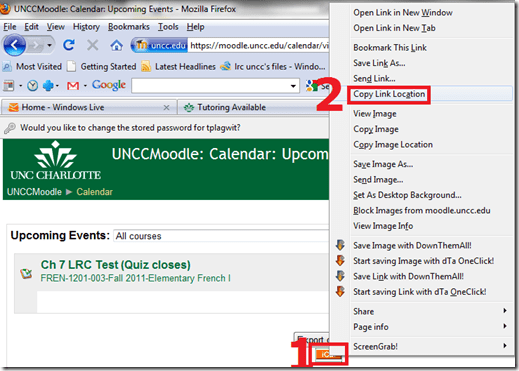
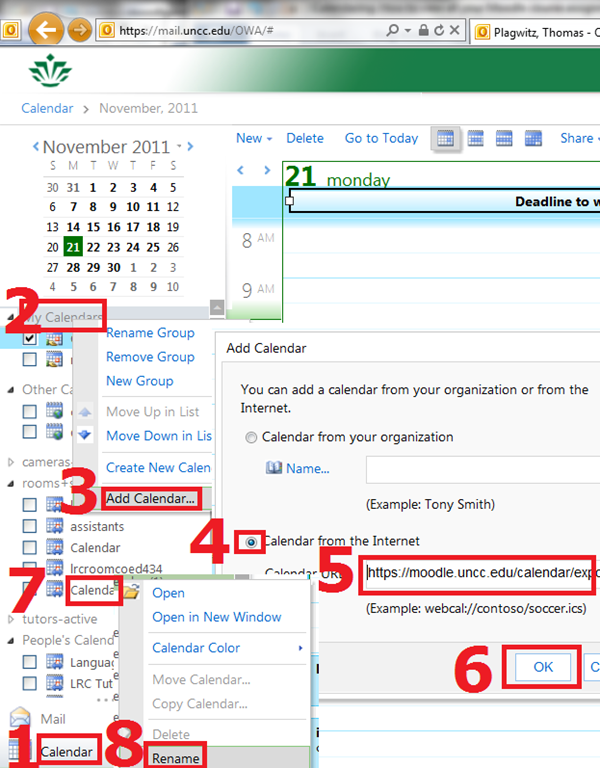
- In Ninermail/OWA: click “Calendar”, right-click “My calendars” , click “Add calendar’, click radio-button “From internet”, paste URL you put in clipboard into textbox, click button “OK”, right-click calendar added, click “rename” and call it “Moodle”

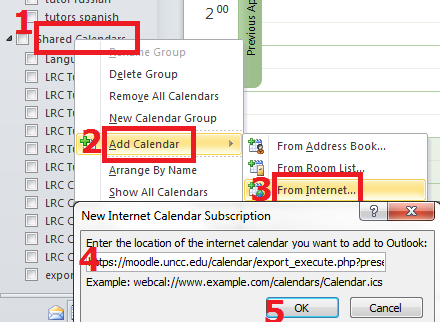
- Alternatively, in Outlook Desktop: go to “calendars”, right-click “shared calendars” , click “add calendar’, click “from internet”, paste URL you put in clipboard into textbox, click button “OK”, right-click calendar added, click “rename” and call it “Moodle”

- Want a longer explanation?

Categories: audience-is-students, audience-is-teachers, documentation, lms
calendaring, moodle, ms-outlook, OWA


Questions? Read the About. Or just ask me a quick Our Databases: Resources with calendars -- Language learning material Moodle Sites, multimedia files -- films


FAQs for LRC student staff or for students or for teachers. To search our FAQs, in the browser addressbar, add after "https://plagwitz.wordpress.com/feed/?tag=faqs+/" "+TAG1" (from tag cloud below) OR "https://plagwitz.wordpress.com/feed/tag=faqs
&category_name=" "CAT1" (from category hierarchy below). OR search both categories and tags, and multiple TAGs/CATs (connect with "," for OR-search, with "+" for AND-search), like so: https://plagwitz.wordpress.com/feed/?tag=TAG1+TAG2+...TAGn&category_name=CAT1
+CAT2+...CATn"
Other ways to find help
If you cannot find it here, look there: 5,500 Language-Learning Links and Programs for learning or teaching 150 languages
Shortcuts:Our Lists, Our Maps, LRC Staff Moodle Site,LRC Project Moodle Site, 49erexpress, UNCC Moodle, Student Recordings: s:claslcslrcsanakostudent
Learning usage samples: Sanako oral exam, Kaltura webcam presentation, Dictation with speech recognition, Sanako written exam, Chinese and Japanese interactive stroke-order practice
Test the Sanako Installer, Webbrowser Popup Konfigurator for XP, or Windows7, faster LRC TeacherPC Log-in Let MS facilitate diacritics writing by installing for you US-International keyboard layout
This is my personal blog (Google+). The views expressed on these pages are mine alone and not those of my employer. The information in this weblog is provided “AS IS” with no warranties, and confers no rights.
 Thomas' Work Space