Archive
Archive for the ‘audience-is-language-learning-center-manager’ Category
Automating language learning listening material creation with Google Translate text-to-speech: The technology
2013/02/28
Leave a comment
- A digital audio lab heavily depends on the availability of, but does not usually come with digital learning materials (and recent exceptions are exceptions for a reason) Some digital audio materials that come with your textbook may be adaptable. “Rolling your own” has all kinds of advantages (allows for personalization, for both teachers to express themselves, and for students to learn), but can be a chore.
- Can the LRC find a workaround? Here is one attempt: making Google translate (too often abused by students in its original interface) text-to-speech (unusable for learning material in its original interface since severely crippled) usable for digital audio learning material production, provided you have a source text in the target language.

- GoogleTTS can serve as the gateway to better suiting Google Translate text-to-speech features to the needs of the LRC:
 GoogleTTS allows for arbitrary-length input text (it chunks it automatically).
- GoogleTTS produces intermediate local audio files which we can postprocess.
- Google Translate’s automatic language recognition remains a sore point: it is not reliable. Unlike Google Translate, GoogleTTS has no interface to set the language manually when the automatic recognition fails.
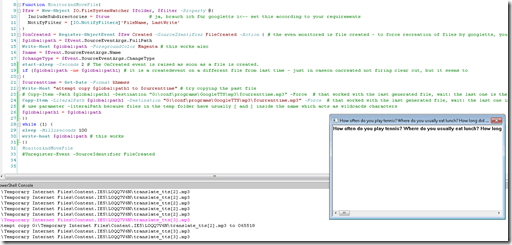
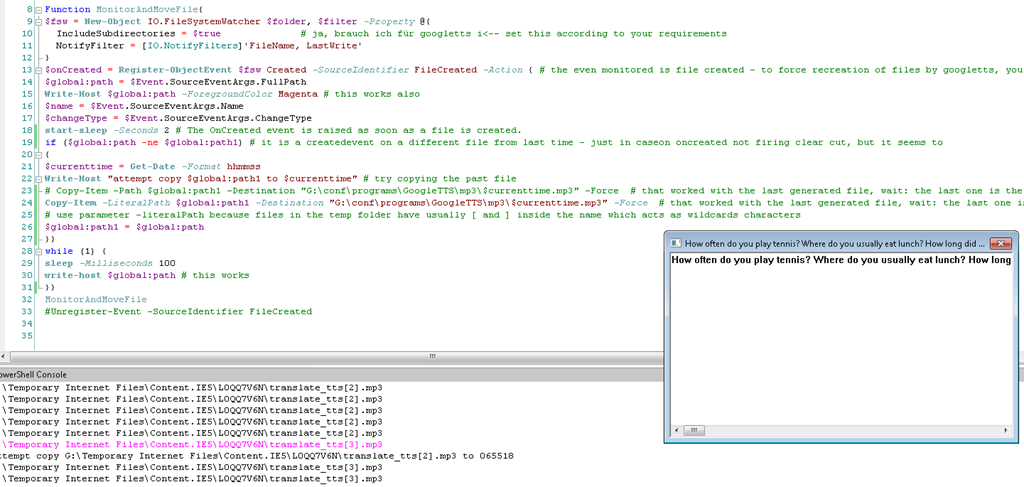
- Batch-download the files from Google Translate, using MS-PowerShell: <
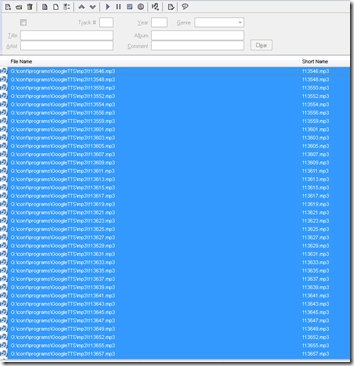
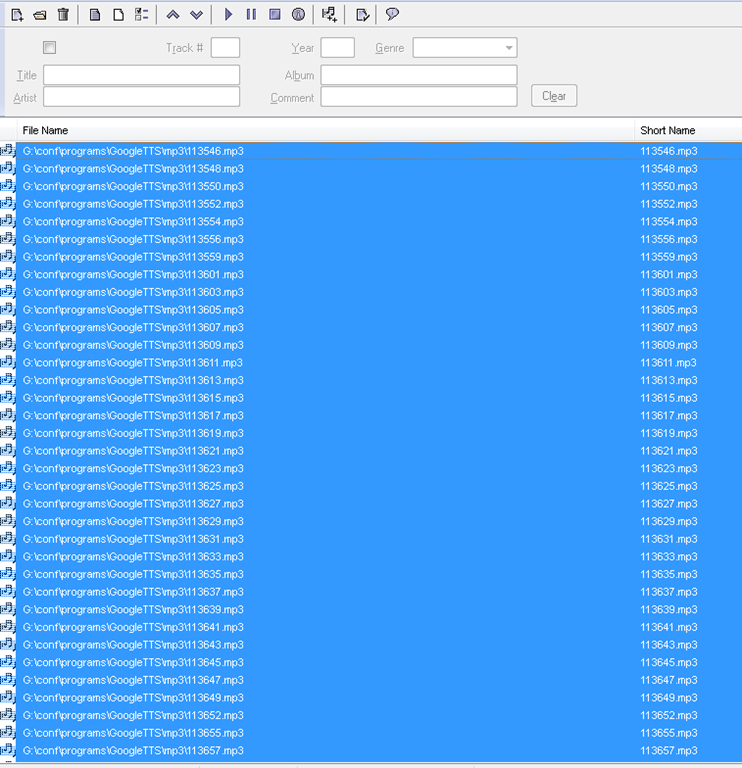
$global:folder = 'G:\Temporary Internet Files\Content.IE5' $filter = '*.mp3' # <-- set this according to your requirements $global:destination = 'G:\conf\programs\GoogleTTS\mp3' $global:path $global:path1 $currenttimeFunction MonitorAndMoveFile{ $fsw = New-Object IO.FileSystemWatcher $folder, $filter -Property @{ IncludeSubdirectories = $true # ja, brauch ich für googletts i<-- set this according to your requirements NotifyFilter = [IO.NotifyFilters]'FileName, LastWrite' } $onCreated = Register-ObjectEvent $fsw Created -SourceIdentifier FileCreated -Action { # the even monitored is file created - to force recreation of files by googletts, you may have to clear watched folder of all mp3 < 100kb first $global:path = $Event.SourceEventArgs.FullPath Write-Host $global:path -ForegroundColor Magenta # this works also $name = $Event.SourceEventArgs.Name $changeType = $Event.SourceEventArgs.ChangeType start-sleep -Seconds 2 # The OnCreated event is raised as soon as a file is created. if ($global:path -ne $global:path1) # it is a createdevent on a different file from last time - just in caseon oncreated not firing clear cut, but it seems to { $currenttime = Get-Date -Format yyyy-MM-dd-hhmmss Write-Host "attempt copy $global:path1 to $cuurrenttime" # try copying the past file # Copy-Item -Path $global:path1 -Destination "G:\conf\programs\GoogleTTS\mp3\$currenttime.mp3" -Force # that worked with the last generated file, wait: the last one is the one that remaisn behind, earlier ones get overwritten Copy-Item -LiteralPath $global:path1 -Destination "G:\conf\programs\GoogleTTS\mp3\$currenttime.mp3" -Force # that worked with the last generated file, wait: the last one is the one that remaisn behind, earlier ones get overwritten # use parameter -literalPath because files in the temp folder have usually [ and ] inside the name which acts as wildcards characters $global:path1 = $global:path }} while (1) { sleep -Milliseconds 100 write-host $global:path # this works }} MonitorAndMoveFile #Unregister-Event -SourceIdentifier FileCreated - Merge the downloaded files (wisely numbered sequentially):
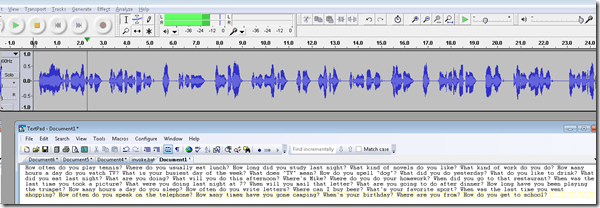
- Fix minor errors in your audio editor:
- Done:
- Here I have a lot of questions for a speaking exam in ESL, and with a much better accent than my own.
- Nifty, plus output sounds even better for German than for English. Note, there is no attempt to parse sentences semantically. Some languages chunk better than others (I made some little improvements in this regard to the original program). Other common problems include numbers and in German I find myself, when listening, tending to look up once in a while and shake a high school students by the shoulders, asking him: “Do you actually understand what you are reading?!”
 – which in my eyes is an indicator to the progress made in speech-synthesis.
 - Other examples include French,
- Hindi,
- Italian,
- Spanish.
- So can the LRC relieve teachers from recording their cue files for the digital audio lab listening comprehension and exam? Within limitiations.


Categories: audience-is-language-learning-center-manager, audience-is-teachers, digital-audio-lab, English, French, German, Hindi, Italian, learning-materials, Listening, service-is-applying-learning-tools, service-is-learning-materials-creation, service-is-programming, sourcecode, Spanish
automation, google-translate, powershell, text-to-speech
How to terminate Sanako student.exe
2012/12/04
Leave a comment
- Since I am getting search engine hits from the above query on my blog, a quick answer:
- You likely need to terminate the helper.exe in the process manager first, since this service restarts the student.exe, for the good reason that
- you do not want students to opt out of your Sanako class,
- and also in case of student.exe crashes.
- Now here is wondering why you want to terminate it….


Getting answers for the LRC management from Report Express
2012/08/30
Leave a comment
- Report Express is a powerful tool to get current enrolment data which seems vital for running the LRC, but which I have not been able to get my hands on before easily (SCT-Banner limits access too much).
- Excel download format – which I recommend : cleaner (fewer graphics) and more information – DOES work, but for Excel 2010, I have to rename the download file extension from XLS to HTML (which the download is) and “open with” –> Excel.
- I have not been successful merging these output files per language on the command line into one large HTML file and cleaning up the <html><body> framework – so I have to open each one, merge by copy/paste the contents of the result worksheet into a new worksheet and clean up the data in there by converting into an Excel Table and sorting by a suitable table column, e.g. ID, which puts all actual enrolment data sequentially, and separates all (redundant anyways) header and footer information.
- I finally added table columns with array formulas to calculate the enrolment aggregates,
- per this section (to answer questions like: will this class fit into the language resource center?),
- this course # (to answer questions like: where can we have maximum impact on improving learning with technology with creating the minimum of new learning/assessment materials. Assessment is standardized per course #.)
- and per language-level.
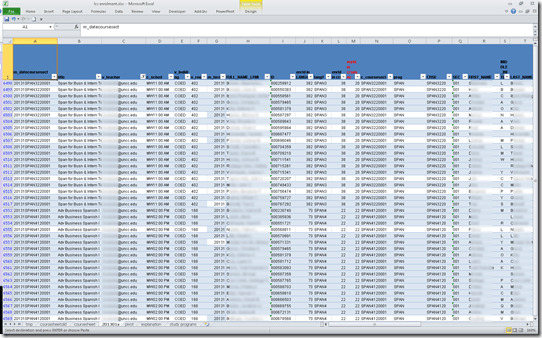
- Finally, vlookup-columns allow me to link the instructor of record and other missing class information (room, building, time) to the student enrolment rows. This allows me to filter, sort and search the enrolment sheet with real-life questions, like
- can we support this size class/course/level and language in the LRC
- is it practical to relocate this course for part/a whole class meeting to the LRC
- which students need be given access permissions to the SANAKO
- etc.
-
Sample filter of the aggregate sheet:

Java IDE for NLP with DkPro – A running log.
2012/05/19
2 comments
- UPDATE: dkPro has been updated, see the comment below by the dkPro Project Lead.
- MyLyn Web Connector 3.8 for Eclipse Indigo

- I next got an error (“Cannot complete the install because one or more required items could not be found.
Software being installed: Mylyn Incubator SDK (Incubation) 3.8.0.I20120414-0402 (org.eclipse.mylyn.experimental_sdk_feature.feature.group 3.8.0.I20120414-0402)
Missing requirement: Mylyn Tasks Connector: Web Templates (Advanced) (Incubation) 3.8.0.I20120414-0402 (org.eclipse.mylyn.web.tasks_feature.feature.group 3.8.0.I20120414-0402) requires ‘org.eclipse.mylyn_feature.feature.group [3.8.0,4.0.0)’ but it could not be found
Cannot satisfy dependency:
From: Mylyn Incubator SDK (Incubation) 3.8.0.I20120414-0402 (org.eclipse.mylyn.experimental_sdk_feature.feature.group 3.8.0.I20120414-0402)
To: org.eclipse.mylyn.web.tasks_feature.feature.group [3.8.0,4.0.0)”), but starting over and updating my MyLyn installations form menu: Help / Install Updates fixed that. - Show Task repositories window:
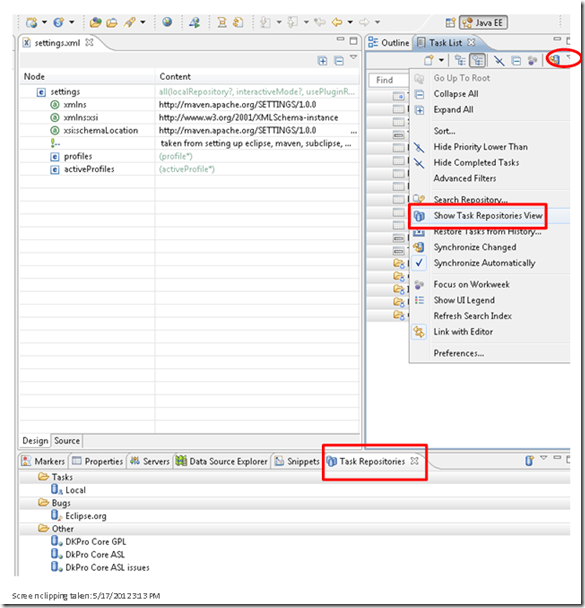
- Error: “Query Synchronization Failed _______ Q Failed to parse RSS feed: “Invalid XML: Error on line 114: The element type “meta” must be terminated by the matching end-tag “«meta>”,””
- . Well, the Google Code integration is anyways only for users that cannot run Maven. Maybe I can
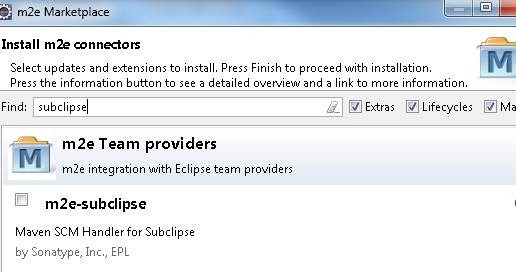
- [window /]Preferences -> Maven -> Discovery -> Open Catalog
- search for “subclipse”

- Install Fails also (“Missing requirement”, again: this time it is “org.sonatype.m2e.subclipse.feature.feature.group 0.13.0.201107071330”), and here we are up the creek with no paddle: You do not want to read a thread on the developer site that ends in ”this must be a bad joke”.
- Then there are the heroes (as opposed to process) who make it work nevertheless: To bring back back the SVN SCM handler, extract this to your Eclipse dropins folder.

- Unless of course you suffer from extremely bad timing:
- Now to the real getting started
- Wait: “First Programming Steps with DKPro Core: This page is currently outdated. We are working on a new DKPro Core release which makes several steps of this tutorial obsolete and changes others (Updated May 8, 2012)”. Can referring to the help provided on the mailing list may bridge that gap for you? Or may this “Setting up Maven and Eclipse for DKPro Core development (Updated May 10, 2012)” currently be the best instruction?
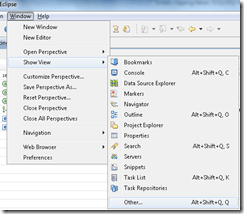
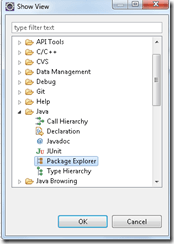
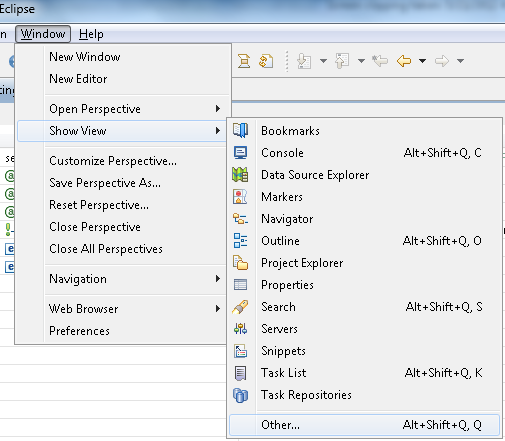
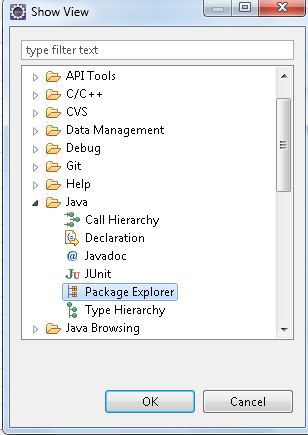
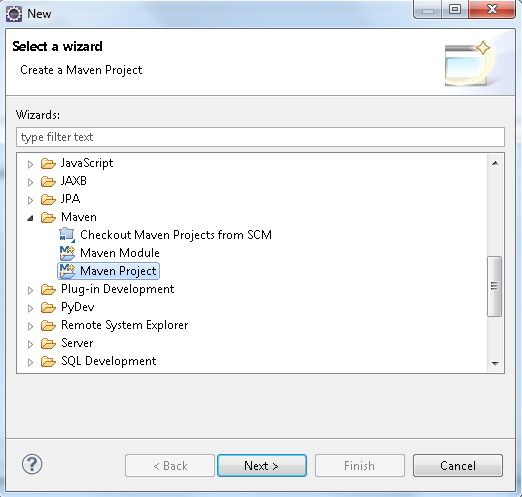
- “Go to the Package Explorer in Eclipse [Window->Show View->Other…->Java->Package Explorer] and create new a Maven Project”:
-


- Other potential sources of confusion:
- settings.xml: There are 2, one in your Maven install directory and one in your .m2e directory – it seems the latter which counts
- my .m2e recursed (think ~/.m2e/.m2e) – did I cause this when trying to change its location (which supposedly you can)?
- file: nexus-maven-repository-index, in various forms of compression: What is this, and what prevents it from getting downloaded?
- maven repositories:
- the expansion option for the ukp-oss-releases comes and goes. if I right-click / rebuild index, I even get an error “Unable to update index for ukp-oss-releases”, but afterwards, the expansion option reappears.
- You are provided a settings.xml for Maven (m2eclipse) that points to the dkPro online Maven repository.
- Which looks like it needs an update to include a pluginrepository for snapshots.
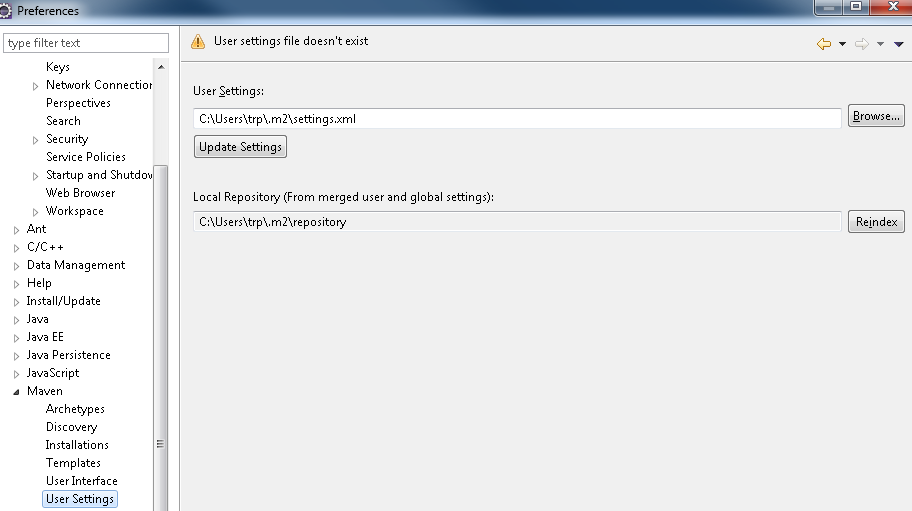
- Check you are loading it alright by going to Menu: Window / Preferences / Maven / User Settings:
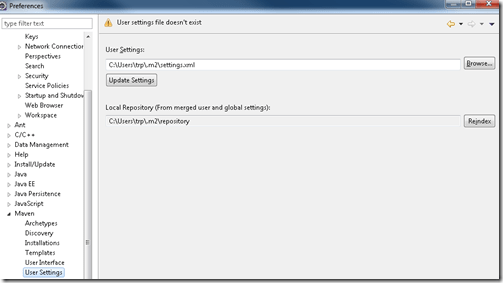
- You are advised “to check if your Maven and Eclipse are configured correctly, try opening the “Maven Repositories” view in Eclipse, open “Global Repositories” and check if there is a “ukp-oss” folder in it with contents”, like so:
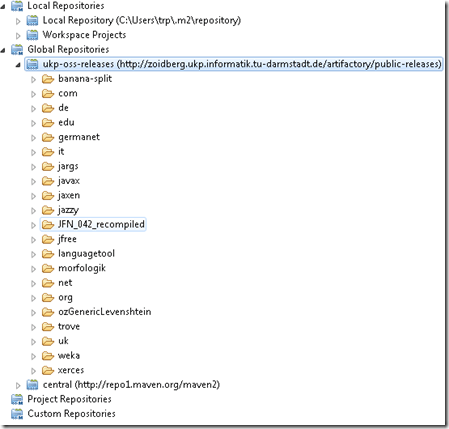 , or else fix your /m2e/settings.xml or Eclipse:
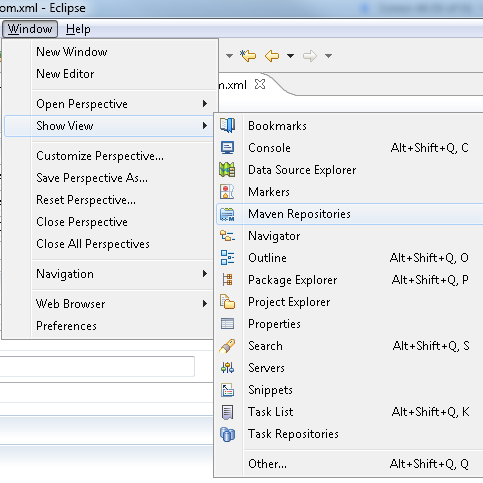
 - Show Maven Repositories View by going to Menu:Windows/ Show View / Maven Repository:
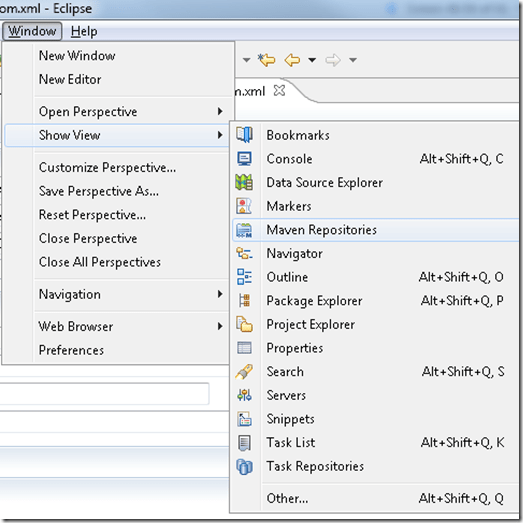
- Like so:

- You get an overview of updating
- You are advised “to check if your Maven and Eclipse are configured correctly, try opening the “Maven Repositories” view in Eclipse, open “Global Repositories” and check if there is a “ukp-oss” folder in it with contents”, like so:

- and finally:

- TBA: what causes the central maven repository to not get resolved?
- Build your own project, with guidance from a variety of documents (some need updating) and mailing lists
- My attempts to “browse” for the parent when creating my own project have remained unsuccessful:

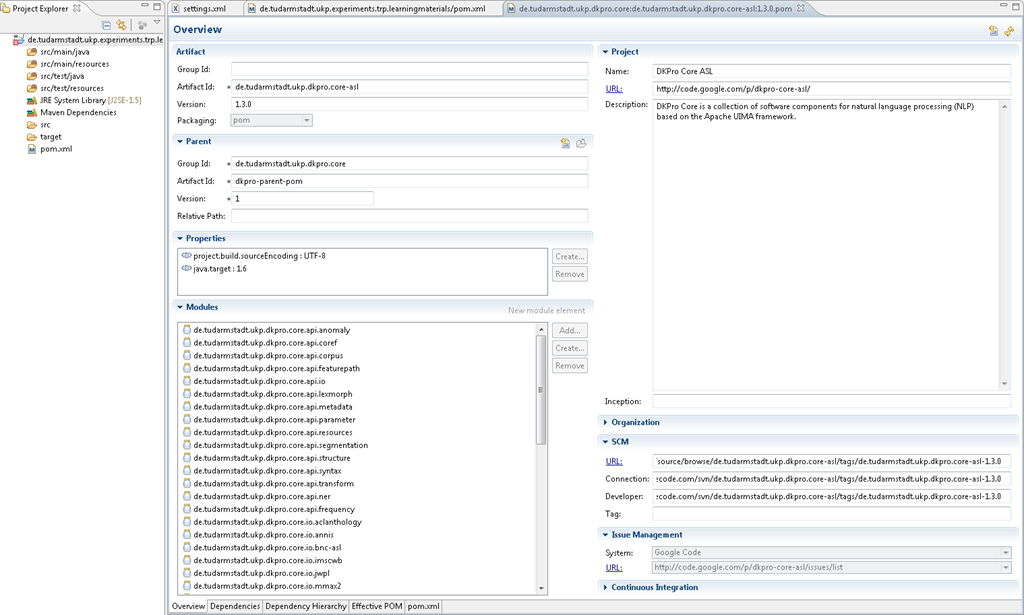
- I could however use as a model an existing POM.xml that loads a parent:

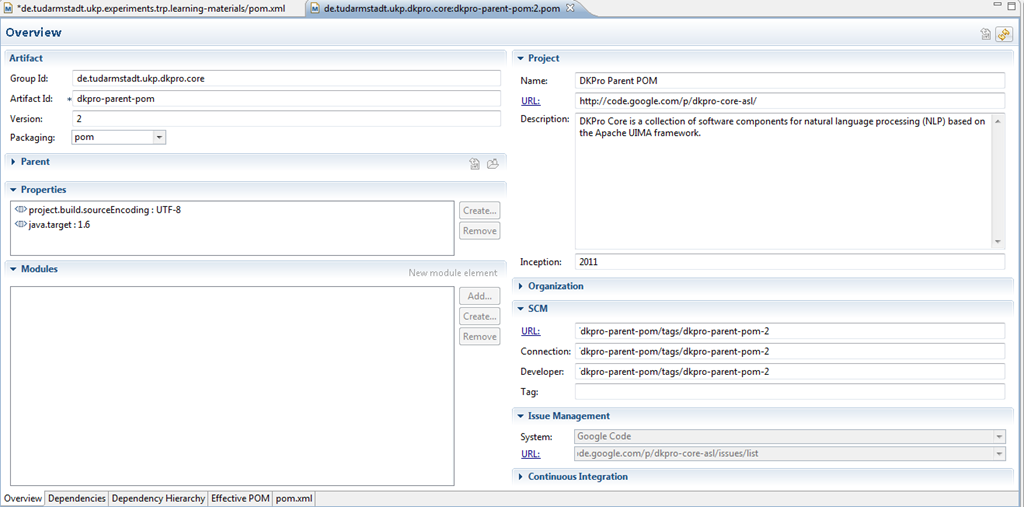
- Which seems to work, at least if you click “open parent pom”,

- it connects you to the dependency:
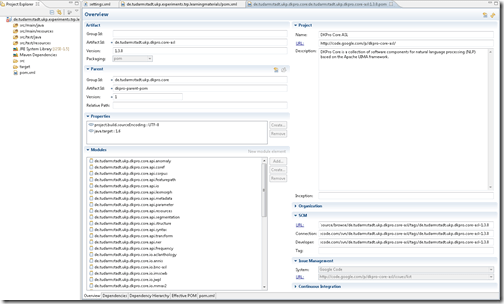
- Afterwards, the search feature started working when selecting dependencies:

- For the DkPro version updated 05-28, I also could not browse for parents or dependencies from m2eclipse, but needed to first manually add to my pom.xml (the syntax of which is explained here and here)
- the <parent> entry
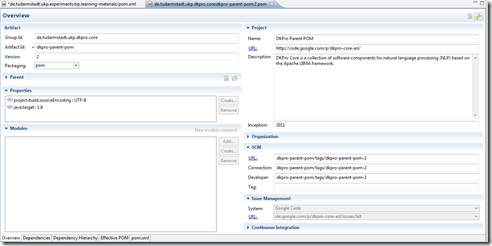
- Managing dependencies from within m2eclipse started to work for me only once I had added manually the <dependencyManagement> entries. This allows for autodiscovery of the snapshot-version (1.4.0 currently) version, whether you add a <dependency> into the pom.xml without <version>, like here:
 , or browse for and select the latest released version (1.3.0 – I cannot browse for snapshots). like here:
- the <parent> entry
- While I still can only browse for release versions (1.3 currently), the <dependencymanagement> updates
- Reminder: Given the current transitional status of DkPro, you need to first enable snapshots like in my settings.xml.
- HINTS
- You cannot “remove” through the gui-button a dependency that you erroneously added as empty.
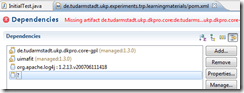 Open the pom.xml with a text/xml editor and remove it there, then have the GUI reload the pom.
- See here for some tools that helped me debug my project setup in Eclipse.
- You cannot “remove” through the gui-button a dependency that you erroneously added as empty.
- If you cannot use the built-in javadoc help for stanford-corenlp, and/or, when trying to set up, get “Can’t download JavaDoc for edu.stanford.nlp:stanford-corenlp:1.3.2:javadoc”, this is a known issue, seems to have no resolution currently, but may have one in the future.
 Workaround: browse the source elsewhere…
- My attempts to “browse” for the parent when creating my own project have remained unsuccessful:













Setting up European Union translation memories and document corpora for SDL-Trados
2012/05/10
Leave a comment
-
SDL-Trados installation allows the translation program to teach this industry-standard computer-aided translation application . So far, however, we had no actually translation memory loaded into this translation software.
-
The European Union is a powerhouse for translation and interpreting – at least for the wide range of their member languages many of which are world languages – , and makes some of their resources – which have been set up for translation and interpreting study use here before – available to the community free of charge as reported during a variety of LREC’s.
-
This spring, the Language Technology Group at the Joint Research Centre of the European Union this spring updated their translation memory offer DTG-TM can fill that void at least for the European Languages that have a translation component at UNC-Charlotte.
-
We download on demand (too big to store: http://langtech.jrc.ec.europa.eu/DGT-TM.html#Download)
-
Is the DGT-TM 2011 truly a superset of the 2007, or should both be merged? probably too much work?
-
-
and extract only the language pairs with English and the language only the languages “1”ed here : “G:\myfiles\doc\education\humanities\computer_linguistics\corpus\texts\multi\DGT-tm\DGT-tm_statistics.xlsx” (using “G:\myfiles\doc\education\humanities\computer_linguistics\corpus\texts\multi\DGT-tm\TMXtract.exe”)
-
and convert
-
English is the source language by default, but should be the target language in our programs,
-
The TMX format this translation memory is distributed provided in, should be “upgradeable ” to the SDL Trados Studio 2011/2011 SP1 format in the Upgrade Translation Memories wizard”.,
-
TBA:where is this component?
-
-
-
configure the Trados to load the translation memory
-
how much computing resources does this use up?
-
how do you load a tm?
-
can you load in demand instead of preload all?
-
- Here are the statistics for the translation memories for “our” languages
-
uncc Language Language code Number of units in DGT – release 2007 Number of units in DGT – release 2011 1 English EN 2187504 2286514 1 German DE 532668 1922568 1 Greek EL 371039 1901490 1 Spanish ES 509054 1907649 1 French FR 1106442 1853773 1 Italian IT 542873 1926532 1 Polish PL 1052136 1879469 1 Portuguese PT 945203 1922585 Total 8 8 7246919 15600580
-
-
Would it be of interest to have the document-focused jrc-acquis distribution of the materials underlying the translation materials available on student/teachers TRADOS computers so that sample texts can be loaded for which reliable translation suggestions will be available – this is not certain for texts from all domains – and the use of a translation memory can be trained in under realistic conditions?
-
“The DGT Translation Memory is a collection of translation units, from which the full text cannot be reproduced. The JRC-Acquis is mostly a collection of full texts with additional information on which sentences are aligned with each other.”
-
It remains to be seen how easily one can transfer documents from this distribution into Trados to work with the translation memory
-
Here is where to download:
-
uncc
lang
inc
1
de
1
en
1
es
1
fr
1
it
1
pl
1
pt
-
The JRC-Acquis comes with these statistics:
-
-
uncc
Language ISO code
Number of texts
Total No words
Total No characters
Average No words
1
de
23541
32059892
232748675
1361.87
1
en
23545
34588383
210692059
1469.03
1
es
23573
38926161
238016756
1651.3
1
fr
23627
39100499
234758290
1654.91
1
it
23472
35764670
230677013
1523.72
1
pl
23478
29713003
214464026
1265.57
1
pt
23505
37221668
227499418
1583.56
Total
7
164741
247374276
1588856237
10509.96
-
- What other multi corpora are there (for other domains and other non-European languages)?




Questions? Read the About. Or just ask me a quick Our Databases: Resources with calendars -- Language learning material Moodle Sites, multimedia files -- films


FAQs for LRC student staff or for students or for teachers. To search our FAQs, in the browser addressbar, add after "https://plagwitz.wordpress.com/feed/?tag=faqs+/" "+TAG1" (from tag cloud below) OR "https://plagwitz.wordpress.com/feed/tag=faqs
&category_name=" "CAT1" (from category hierarchy below). OR search both categories and tags, and multiple TAGs/CATs (connect with "," for OR-search, with "+" for AND-search), like so: https://plagwitz.wordpress.com/feed/?tag=TAG1+TAG2+...TAGn&category_name=CAT1
+CAT2+...CATn"
Other ways to find help
If you cannot find it here, look there: 5,500 Language-Learning Links and Programs for learning or teaching 150 languages
Shortcuts:Our Lists, Our Maps, LRC Staff Moodle Site,LRC Project Moodle Site, 49erexpress, UNCC Moodle, Student Recordings: s:claslcslrcsanakostudent
Learning usage samples: Sanako oral exam, Kaltura webcam presentation, Dictation with speech recognition, Sanako written exam, Chinese and Japanese interactive stroke-order practice
Test the Sanako Installer, Webbrowser Popup Konfigurator for XP, or Windows7, faster LRC TeacherPC Log-in Let MS facilitate diacritics writing by installing for you US-International keyboard layout
This is my personal blog (Google+). The views expressed on these pages are mine alone and not those of my employer. The information in this weblog is provided “AS IS” with no warranties, and confers no rights.
 Thomas' Work Space