Archive
Archive for the ‘audience-is-IT-staff’ Category
How to use the MS-Office Labs Community Clips Screen Capture Tool
2012/05/31
7 comments
- I seem to remember this initiative of having MS-Office users sharing tips and tricks using screencasts has been faded out – but the screen capture tool is still available, and it is not restricted to recording MS-Office applications.
- After download and install (here on Windows 7),

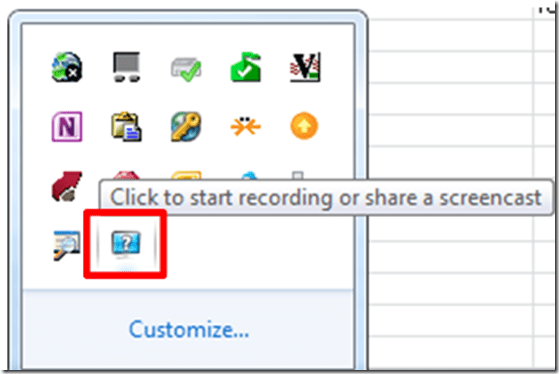
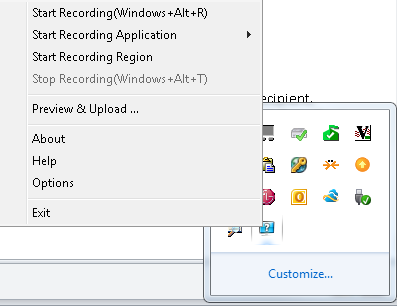
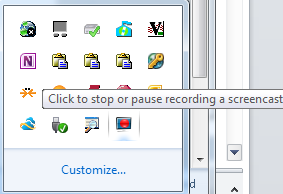
- click the community clips system tray icon to easily start a screen capture:
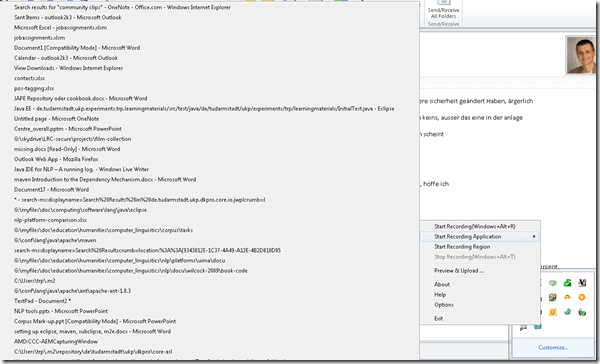
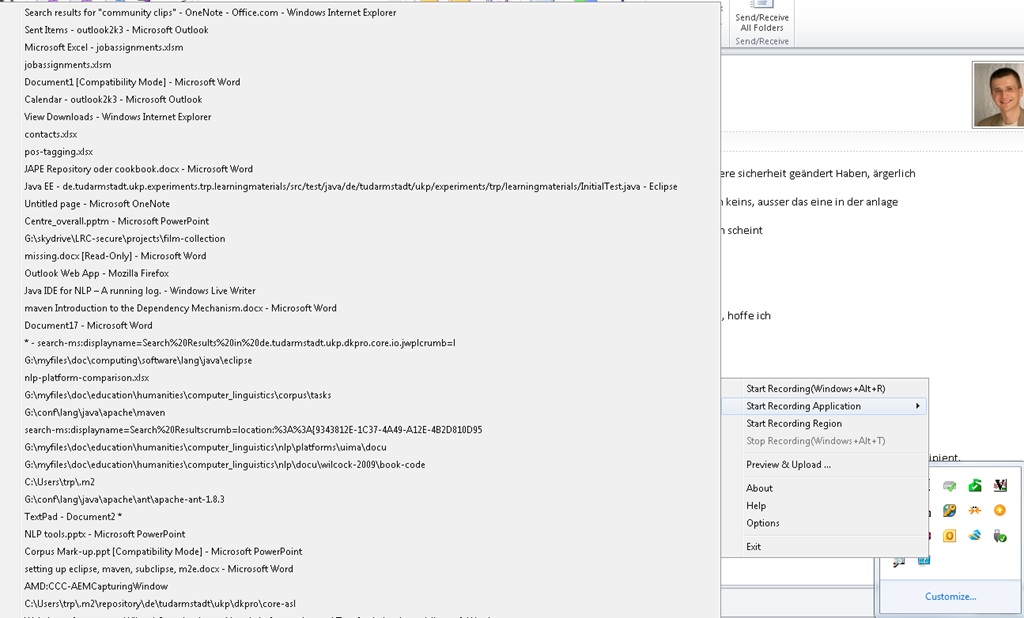
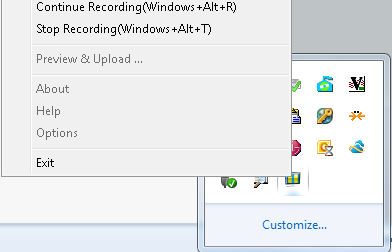
- Or access the context menu with advanced options:

- including restricting recording to specific windows:
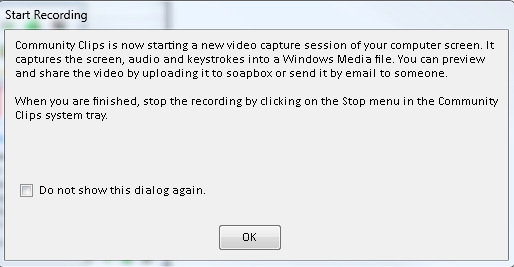
- It does not start up very fast:

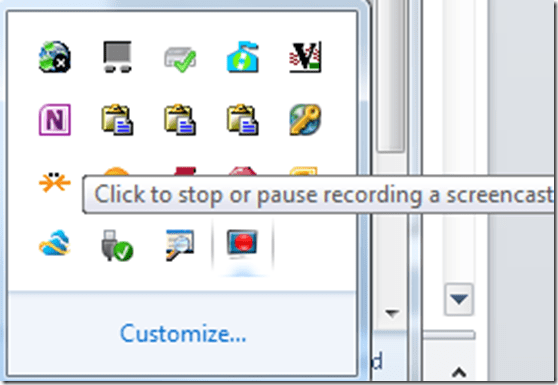
- It flashes a frame around the recorded area.
- This is a test…


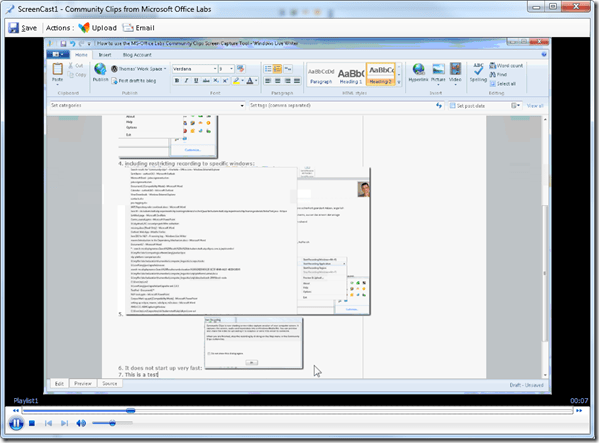
- The preview starts automatically:
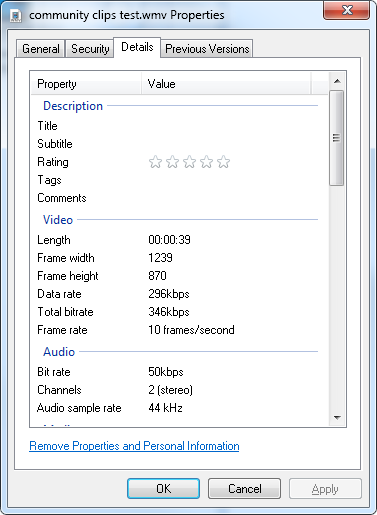
- About the file quality:

- Both the save and the email option
 work, only the built-in upload fails, likely due to the demise of MS-Soapbox:
  , but can be easily uploaded to other services, e.g. MS-SkyDrive
 - Unfortunately, like the Windows Media Encoder clips, it won’t preview without download on SkyDrive – unlike the (newer) MS-PowerPoint 2010-recorded screencasts:

- Still, the MS-Office Labs Community Clips Screen Capture Tool seems to have a friendlier interface than Windows Media Encoder, and is as free.






Categories: audience-is-IT-staff, audience-is-language-learning-center-staff, audience-is-language-learning-center-temp-staff, audience-is-students, audience-is-teachers, e-infrastructure, multimedia-recording, service-is-documenting, service-is-learning-materials-creation, software, Student-Computers
ms-community-clips
Error code 14001 when installing Audacity
2012/04/27
5 comments
- Symptom: Audacity installation seems to complete without error, but attempting to start Audacity at the end of the installation process results in an error about bad environment with the above error code.
- For your reference: It is has been the missing Visual C++ redistributable installation here in the past on staff computers.
- Solution: Download and install the redistributable, then try restarting Audacity: It should start now.
How to troubleshoot network share and thumb drive disk space issues with WinDirStat
2012/04/13
Leave a comment
- There are many such tools, but WinDirStat has served me well, and it is free.
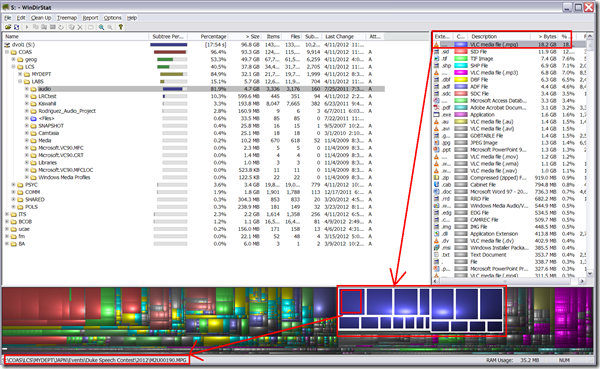
- Especially useful seems the treemap visualization and that you can drill in per file type, from the upper right pane, and to a file location from the tree map,. like so:
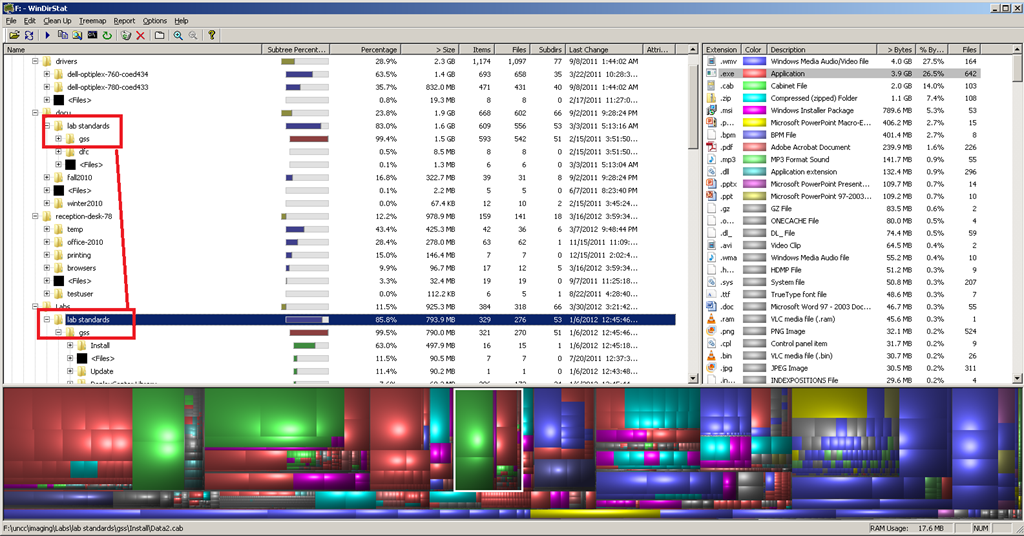
- Similarly useful on not-shared, but limited-storage drives, e.g. for deduplicating, like so:

- This detailed tutorial (which, incidentally, uses WinDirStat, can give you a list of ideas/folders where it is worthwhile checking the WinDirStat results (although one of the nice features of WinDirStat is that it sorts folders and an aggregate of the files in a folder by size).

Categories: audience-is-IT-staff, e-infrastructure, software
windirstat
The base hardware parts of the LRC iMacs
2012/03/20
Leave a comment
- Not so base that it all very much depends:
- LRC Room 434b
- West: Early 2009
- More on Apple’s website.
- West: Early 2009
- East: Mid 2009 [?]
- LRC Room 434b
- LRC Room Coed037


Moodle streaming video recording assignment glitch 9
2012/03/16
Leave a comment
- Are all things Moodle Kaltura on Windows better than on iMacs?
- I don’t think so (Windows 7, IE9): Webcamera cannot be activated, hourglass. Looks like the Flash security dialogue does not make it into the foreground.


Protected: Students still in wrong time zones in live@edu
2012/02/22
Enter your password to view comments.
Categories: audience-is-IT-staff, e-infrastructure
2007, 2010, 2011, calendaring, live@edu, ms-exchange, outlook, outlook-live, resources, scheduling, timezones
Protected: Moodle streaming video recording assignment glitches 3, 4, 5, 6, 7 & 8: A running log
2012/02/21
Enter your password to view comments.
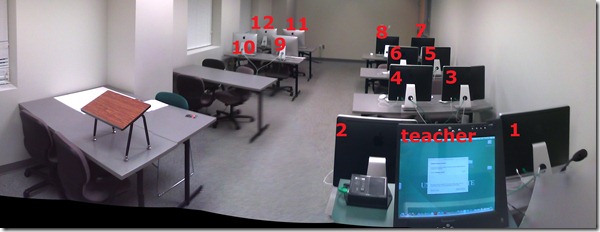
LRC Coed037 Film studies lab
2012/02/15
Leave a comment
- Panorama with computer numbering in lieu of a layout

Categories: audience-is-IT-staff, audience-is-language-learning-center-manager, audience-is-language-learning-center-staff, audience-is-students, audience-is-teachers, documentation, e-infrastructure, Film-studies, Institution-is-University-of-North-Carolina-Charlotte, Photos, presenter-computer, student-computers
maps


Questions? Read the About. Or just ask me a quick Our Databases: Resources with calendars -- Language learning material Moodle Sites, multimedia files -- films


FAQs for LRC student staff or for students or for teachers. To search our FAQs, in the browser addressbar, add after "https://plagwitz.wordpress.com/feed/?tag=faqs+/" "+TAG1" (from tag cloud below) OR "https://plagwitz.wordpress.com/feed/tag=faqs
&category_name=" "CAT1" (from category hierarchy below). OR search both categories and tags, and multiple TAGs/CATs (connect with "," for OR-search, with "+" for AND-search), like so: https://plagwitz.wordpress.com/feed/?tag=TAG1+TAG2+...TAGn&category_name=CAT1
+CAT2+...CATn"
Other ways to find help
If you cannot find it here, look there: 5,500 Language-Learning Links and Programs for learning or teaching 150 languages
Shortcuts:Our Lists, Our Maps, LRC Staff Moodle Site,LRC Project Moodle Site, 49erexpress, UNCC Moodle, Student Recordings: s:claslcslrcsanakostudent
Learning usage samples: Sanako oral exam, Kaltura webcam presentation, Dictation with speech recognition, Sanako written exam, Chinese and Japanese interactive stroke-order practice
Test the Sanako Installer, Webbrowser Popup Konfigurator for XP, or Windows7, faster LRC TeacherPC Log-in Let MS facilitate diacritics writing by installing for you US-International keyboard layout
This is my personal blog (Google+). The views expressed on these pages are mine alone and not those of my employer. The information in this weblog is provided “AS IS” with no warranties, and confers no rights.
 Thomas' Work Space