Archive
Author Archive
Student email in Office365/Outlook.com slow on reception desk computers
2014/04/09
Leave a comment
- Problem: Since last week (or so; interestingly, only individual users seem to have been affected at first), we seem to experiencing regular (but not consistent) issues with meeting requests mostly
- slowness
- browser-specific behavior
- internet explorer 9: crashes
- chrome: crashes
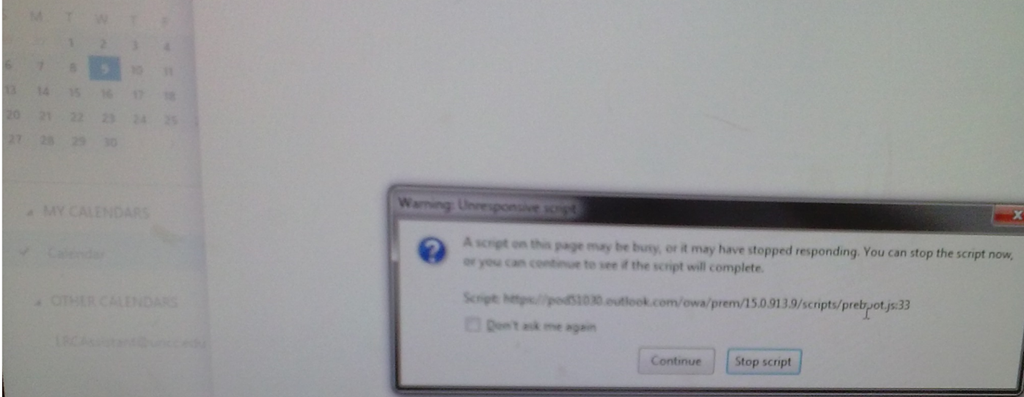
- Firefox: (sometimes just seems to hang, with some coercion can bring up an “unresponsive script” warning dialogue that a script is hanging:

- Workaround:
- Best so far: if you see the Firefox warning dialogue, check “do not warn again” and click on “continue”(?)
- we will try to look into common browser configuration (like popup blockers).
- Root cause: ?
- Firefox provides only this help on unresponsive script error;
- the slowness could be in the actual script, on the client, in the network, on the server…
- Resolution: ?
Protected: Elti0162 Syllabus with learning materials for listening and speaking
2014/04/07
Enter your password to view comments.
Categories: English, Listening, service-is-learning-materials-creation, Speaking, Spreadsheets
elti0162
How to find your computer’s name
2014/04/07
Leave a comment
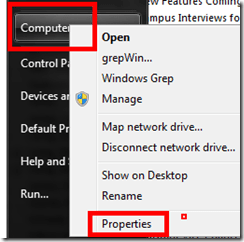
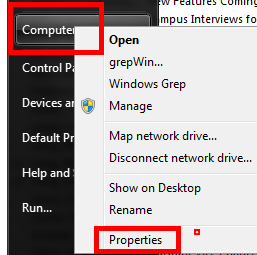
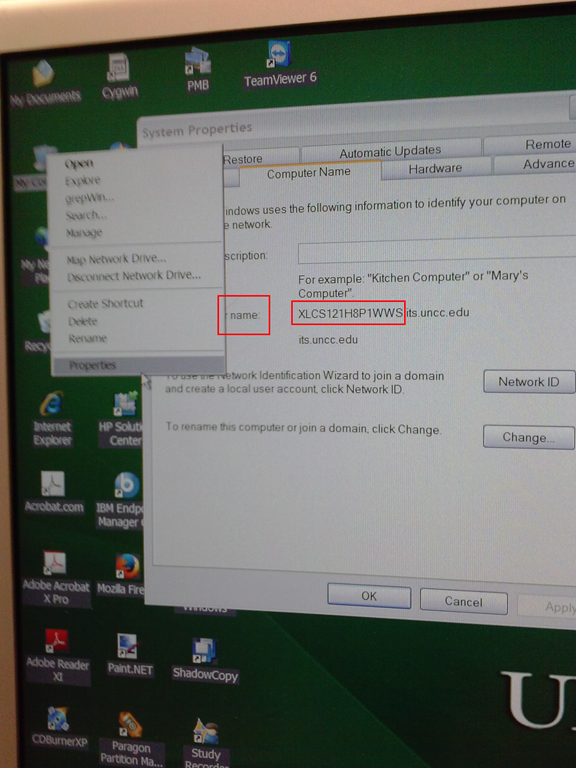
- Right click on “my computer” on desktop,
- or on “[My] computer” on start menu,
- and clicik “Properties”
- or hold the windows key and press “pause /break” on upper right,
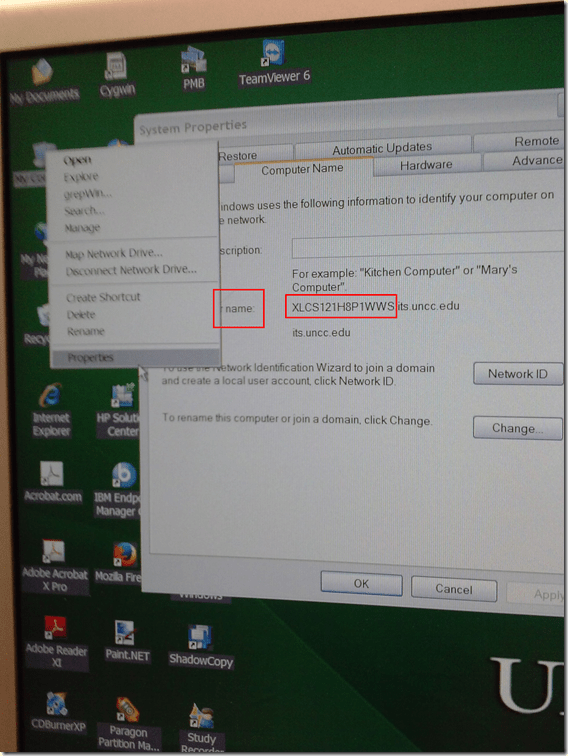
- in the window that comes up (tab computer name on XP), you can see the name:
Categories: e-infrastructure, Operating-system
7, windows, xp
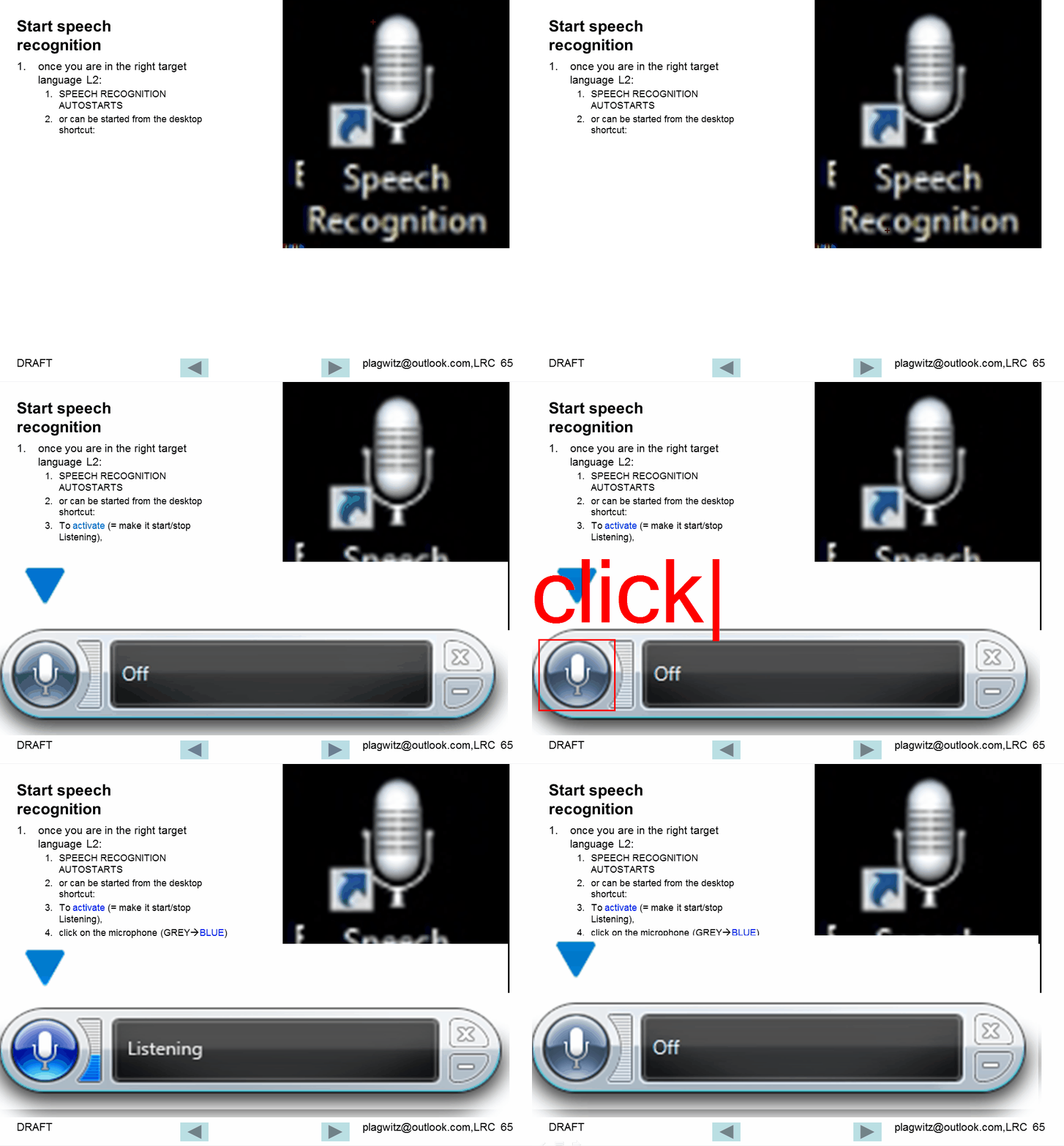
Watch how to start and activate speech recognition from the desktop
2014/04/04
Leave a comment
Categories: animated-GIFs, audience-is-students, Speaking
speech-recognition
Watch how to configure the speech recognition wizard on Windows 7
2014/04/04
Leave a comment
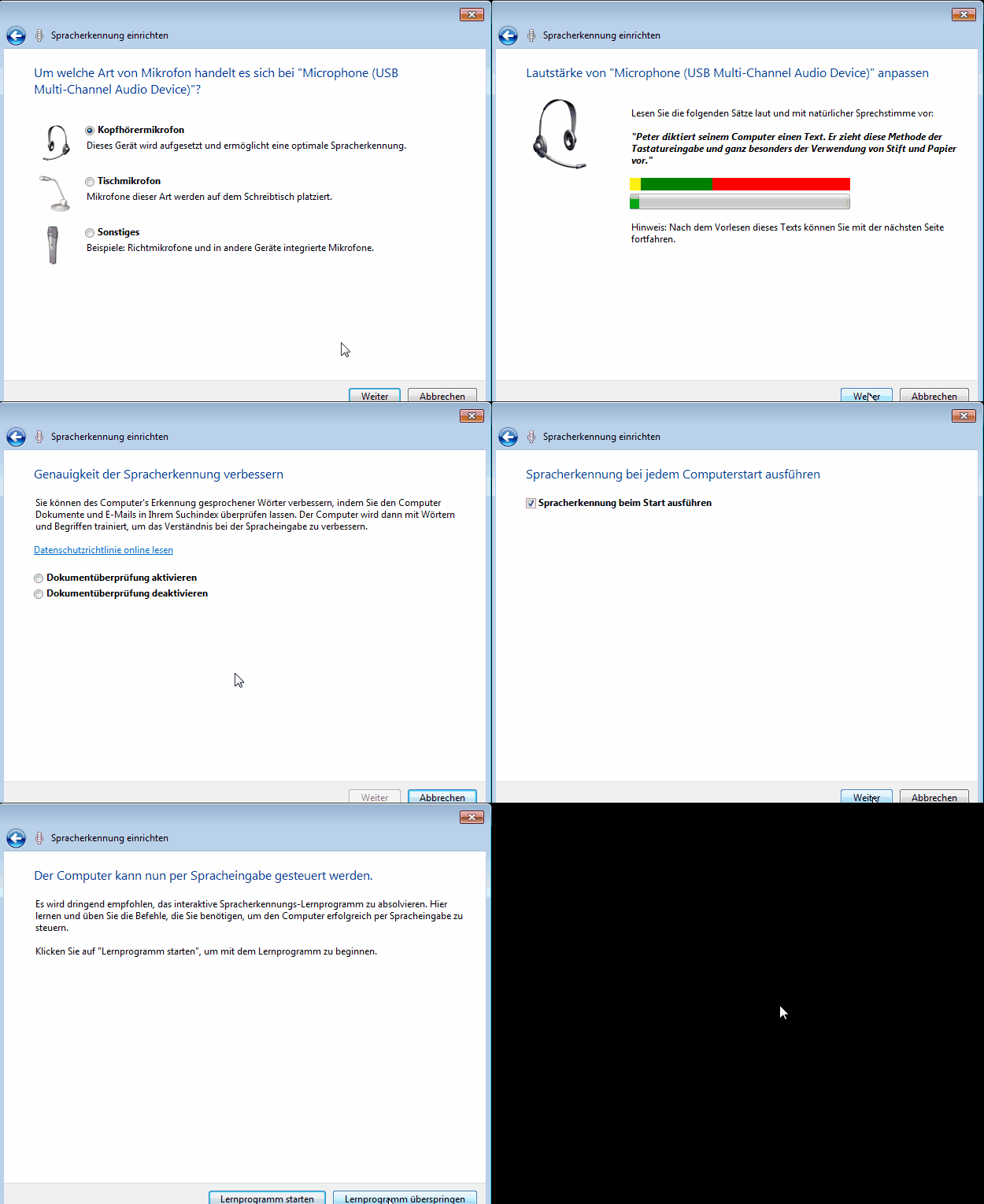
Choose the same options in your language (every time you log in, until we find a way to set these options on a per-machine level).
Categories: animated-GIFs, audience-is-students, Speaking
image2014spring, speech-recognition
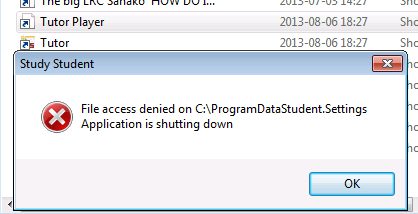
Our tutorplayer installation which comes with Sanako study 1200 tutor on the teacher computer is broken
2014/04/04
Leave a comment

- What’s with the non-existent path hard-coded here? Missing path delimiter? But that is not enoguh to fix the path: There is a student.settings in C:\ProgramData\Sanako\Study\Student\Tutor.Settings – not sure why tutorplayer is not accessing this file.
- Which is double annoying since I just had to enable MFF as default recording save format for some teachers that need dual track support which is buggy with MP3.
No usable dual track audio from Sanako Study 1200 version 7 when saving as MP3?
2014/04/04
Leave a comment
- We have not been using the dual track recording capabilities of the Sanako much here yet, or have relied on the diachronic separation of channels that the Sanako voice-insert mode provides. Now, however, we want to apply the Sanako to consecutive interpreting in our MA program where there is more of a need for the reviewing student/grading teacher to switch between source and target language on the recorded dual-track audio.
- As far as I remember, dual track recording, one of the core features of the digital audio lab, used to work out of the box in Sanako (up to version 5 on XP?), but to my surprise, no more when I saved a student exercise, the left and right channel were identical (and the source and interpreter voices very hard to separate, the entire interpretation impossible to follow).
- I had noticed before that with version 7 (at least, we skipped 6) all recording was dual channel, but simply duplicated the left and right audio channel (isn’t this a waste of bandwidth and storage resources?).
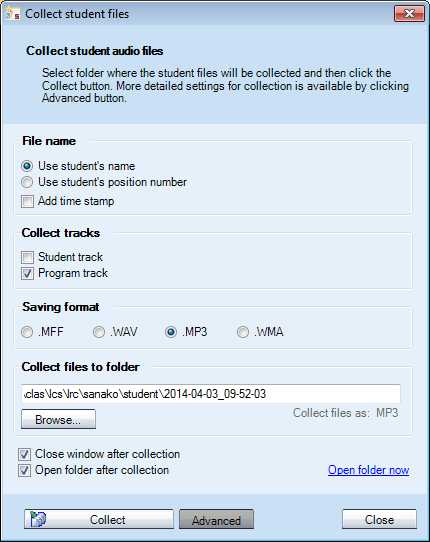
- I tested our 7.1 installation (on Windows 7 64-bit), by changing the advanced collection settings, for an interpreting audio file, clapping from the teacher station:
- First I changed the tracks to be saved:
- Test1:
 .This mixes student and program down onto each channel: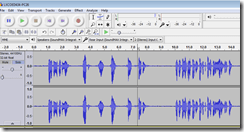
- Test 2:
 , Program track only, as expected (no clapping)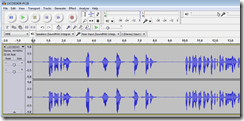
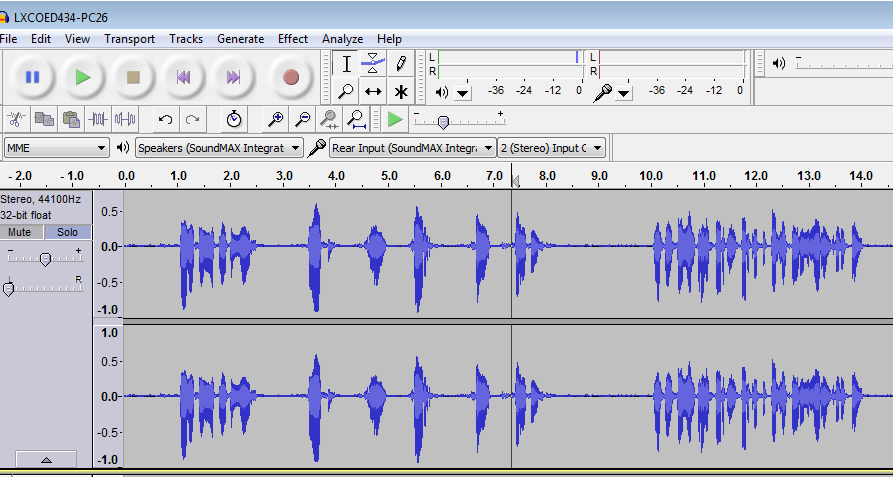
- Test 3:
 Student track, as expected (only clapping – pretty much)
- Workaround: After trying whether I can save manually from the student station, it occurred to me to change the file format also
- WMA:
- dual track
- works with “Save AS” from the student.exe (where the mp# options is conspicuously absent, or am I missing something):

- won’t work with “collect” from the tutor.exe: both tracks (saving both is – fortunately – only an option for “save as“ WMA from the student exe. You can also save only the student track as WMA) get mixed down to one (and the student is far too soft) , as you can witness here:

- works with “Save AS” from the student.exe (where the mp# options is conspicuously absent, or am I missing something):
- WMA is a technically nice, efficient (small file size) and widely supported format, but does require an add-on installation on the MacOS X, not to mention mobile devices.
- WMA on Windows plays in Windows Media Player, but from version 12, Windows Media Player has no easy way to adjust the balance anymore, you have to dig relatively deeply into the OS (mmsys.cpl) itself.
- dual track
- MFF:
- dual track works
also(saving single track is actually not an option in this format)both using- the student recorder “Save as” (which can also mix both tracks, see above)
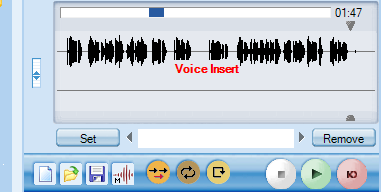
- “collect” from the tutor.exe: you can fade in the left and right channel with the balance tool that you find in the student recorder to the left of the timeline.
- Unfortunately,
- the file size quickly gets out of hand:

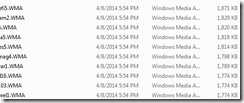
- and for no obvious reason, the biggest here is 12 times the size, but not longer than the smallest, and also only a 5-minute recording (I know that mff stores also the user’s bookmark information, but this can hardly be the culprit):

- compare this with how WMA compresses:
- MFF is a proprietary format, which only the Sanako recorder can play. This may be a nice way to get more adoption of the free Sanako student recorder which is great for language learning. However, I had not originally planned on forcing my users to use it who are most comfortable with mp3.
- the file size quickly gets out of hand:
- dual track works
- In addition, I now have a the problem with how to switch the Sanako default collection to MFF for interpreting teachers without confusing regular users.
- WMA:
 .
.
 ,
,




Manage some of your teacher computer settings per logged in user
2014/04/03
Leave a comment
- Another day, another hack, and inconsequential, unless of course you are in my situation:
- If you need a simple way to change some of your Sanako settings per logged in user
- but cannot use the logged-in user system built into Sanako Study 1200:
$path = "C:\ProgramData\Sanako\Study\Tutor\"If (@UserName = "PRTOTECTTHEINNOCENT") Then; change the sanako default save to dual track supporting mff; prereq: customized settings files in the folder ready to renameFileCopy($path & "mffTutor.Settings", $path & "Tutor.Settings", 1)ElseIf (@UserName = "tplagwit") Then; change the sanako default save to dual track supporting wma, for testingFileCopy($path & "wmaTutor.Settings", $path & "Tutor.Settings", 1)Else; keep the default mp3, but we may have to reset the tutorsettings on this unfrozen computerFileCopy($path & "mp3Tutor.Settings", $path & "Tutor.Settings", 1)EndIf; tutor.exe could be hardcoded to (re)load hereIf ProcessExists("Tutor.exe") Then; determine: we could kill tutor to reload it, but that could be disruptive of a classElseRun("C:\Program Files (x86)\SANAKO\Study\Tutor\Tutor.exe")EndIfExit


Questions? Read the About. Or just ask me a quick Our Databases: Resources with calendars -- Language learning material Moodle Sites, multimedia files -- films


FAQs for LRC student staff or for students or for teachers. To search our FAQs, in the browser addressbar, add after "https://plagwitz.wordpress.com/feed/?tag=faqs+/" "+TAG1" (from tag cloud below) OR "https://plagwitz.wordpress.com/feed/tag=faqs
&category_name=" "CAT1" (from category hierarchy below). OR search both categories and tags, and multiple TAGs/CATs (connect with "," for OR-search, with "+" for AND-search), like so: https://plagwitz.wordpress.com/feed/?tag=TAG1+TAG2+...TAGn&category_name=CAT1
+CAT2+...CATn"
Other ways to find help
If you cannot find it here, look there: 5,500 Language-Learning Links and Programs for learning or teaching 150 languages
Shortcuts:Our Lists, Our Maps, LRC Staff Moodle Site,LRC Project Moodle Site, 49erexpress, UNCC Moodle, Student Recordings: s:claslcslrcsanakostudent
Learning usage samples: Sanako oral exam, Kaltura webcam presentation, Dictation with speech recognition, Sanako written exam, Chinese and Japanese interactive stroke-order practice
Test the Sanako Installer, Webbrowser Popup Konfigurator for XP, or Windows7, faster LRC TeacherPC Log-in Let MS facilitate diacritics writing by installing for you US-International keyboard layout
This is my personal blog (Google+). The views expressed on these pages are mine alone and not those of my employer. The information in this weblog is provided “AS IS” with no warranties, and confers no rights.
 Thomas' Work Space