Archive
Archive for January, 2013
Imran’s Phonetic Keyboard for Arabic
2013/01/06
4 comments

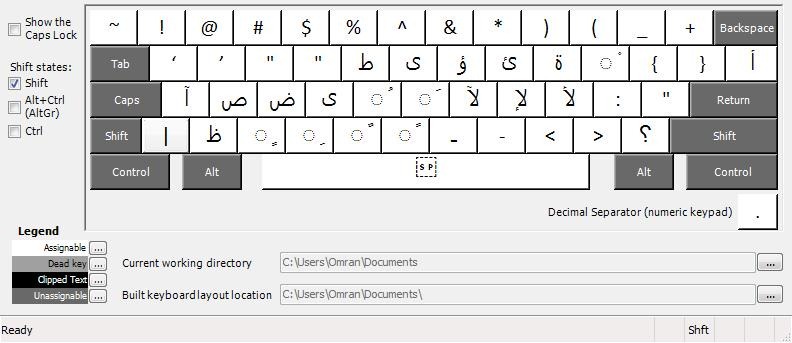

Learners of Arabic who type in Arabic on a Western Keyboard prefer a keyboard layout closer to the phonetic of the US keyboard than the Arabic keyboard layouts that MS provides (but try also phonetically transcribing IME like Google Arabic Input or Microsoft Maren – provided the pedagogy of your writing assignment permits that! Also note the LRC has 1 hardware keyboard with overlay keys for Arabic). Here is what your keyboard installation looks like in intl.cpl: 
Export options in Tivoli Endpoint Manager
2013/01/03
Leave a comment
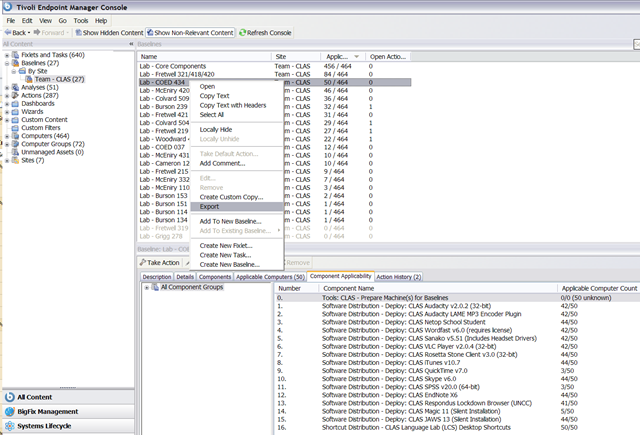
- You can batch export Baseline task sets by right-clicking the baseline and chooosing export from the context menu:

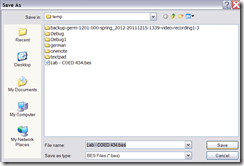
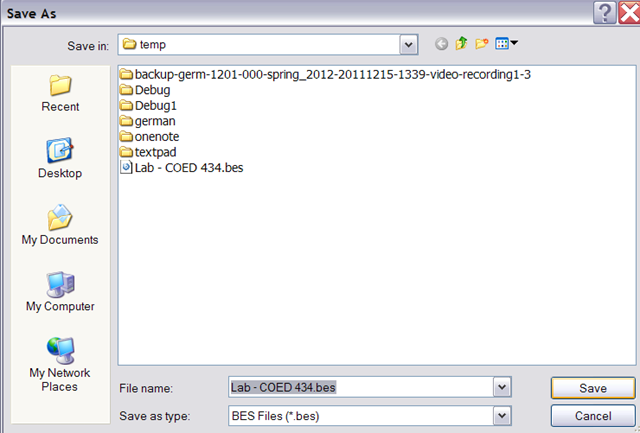
- Choose a download location:
- Open the BES file (which is an XML file) with MS-Excel for better human readability:

- Especially interesting information (highlighted in red here) for your documentation (tracking, potentially troubleshooting…) includes the task “name3” and the underlying Actionscript.

How you can share MS-Office files via MS-OneNote instead of directly through MS-SkyDrive
2013/01/02
Leave a comment
- Simple steps:
- Drag and drop your MS-Office File to your MS-OneNote page.
- When prompted, choose to “insert a copy” (rather than merely linking the original file).

- This puts a copy of the file in the MS-OneNote folder on your local drive,
- which (file and folder) gets synched with your online (MS-SkyDrive) version,
- which, if you shared it, gets synched with the MS-OneNote folder on the local drive of the PC of the person you are sharing with,
- who, by double-clicking, can open and edit his synched local version of MS-Office file in the corresponding MS-Office application.
- Stepping back:
- Benefit: If you have a working MS-OneNote-based workflow, embedding MS-Office file can quickly extend this workflow.
- Risk: If you do not share the MS-OneNote with other editors, you should have no problem. Be aware, though, that concurrency is limited. Unlike accessing the MS-Office file in MS-Office through Office Web apps from MS-SkyDrive directly, editing the MS-Office file from MS-OneNote does not block updating the MS-Office file on remote computers – so expect synching conflicts later if you do not manage concurrency (e.g. by limiting editing sessions).

Categories: e-infrastructure, office-software
2010, MS-Excel, ms-o, ms-office, ms-onenote, MS-Word


Questions? Read the About. Or just ask me a quick Our Databases: Resources with calendars -- Language learning material Moodle Sites, multimedia files -- films


FAQs for LRC student staff or for students or for teachers. To search our FAQs, in the browser addressbar, add after "https://plagwitz.wordpress.com/feed/?tag=faqs+/" "+TAG1" (from tag cloud below) OR "https://plagwitz.wordpress.com/feed/tag=faqs
&category_name=" "CAT1" (from category hierarchy below). OR search both categories and tags, and multiple TAGs/CATs (connect with "," for OR-search, with "+" for AND-search), like so: https://plagwitz.wordpress.com/feed/?tag=TAG1+TAG2+...TAGn&category_name=CAT1
+CAT2+...CATn"
Other ways to find help
If you cannot find it here, look there: 5,500 Language-Learning Links and Programs for learning or teaching 150 languages
Shortcuts:Our Lists, Our Maps, LRC Staff Moodle Site,LRC Project Moodle Site, 49erexpress, UNCC Moodle, Student Recordings: s:claslcslrcsanakostudent
Learning usage samples: Sanako oral exam, Kaltura webcam presentation, Dictation with speech recognition, Sanako written exam, Chinese and Japanese interactive stroke-order practice
Test the Sanako Installer, Webbrowser Popup Konfigurator for XP, or Windows7, faster LRC TeacherPC Log-in Let MS facilitate diacritics writing by installing for you US-International keyboard layout
This is my personal blog (Google+). The views expressed on these pages are mine alone and not those of my employer. The information in this weblog is provided “AS IS” with no warranties, and confers no rights.
 Thomas' Work Space