Archive
Archive for 2011
ECAR National Study of Undergraduate Students and Information Technology, 2011 Report released
2011/10/28
Leave a comment
- The Educause ECAR for 2011 Lists among its top actionable survey results: “Nail the basics. Help faculty and administrators support students’ use of core productivity software for academic work.
- Not a language learning specific result , but a reminder also for the LRC to prioritize:
- LRC posts on “productivity software”,
- and most of our students’ “academic work” lives online in Moodle.
Chinese newspapers
2011/10/28
Leave a comment
- China Daily is the largest Chinese newspaper available in English. It has a variety of versions: here is the version for the US, for cross-cultural learning, while the English version for speakers of Chinese is valuable both for learners of Mandarin and English.
- The government-run newspaper People’s Daily has an English version, also with language learner glossing.
Categories: Absolute-Beginner, Advanced, Beginner, English, Intermediate, Mandarin, Media, Near-Native, Reading, websites
newspapers
MS-Bing Dictionary for Chinese learners of English–and vice versa?
2011/10/28
Leave a comment
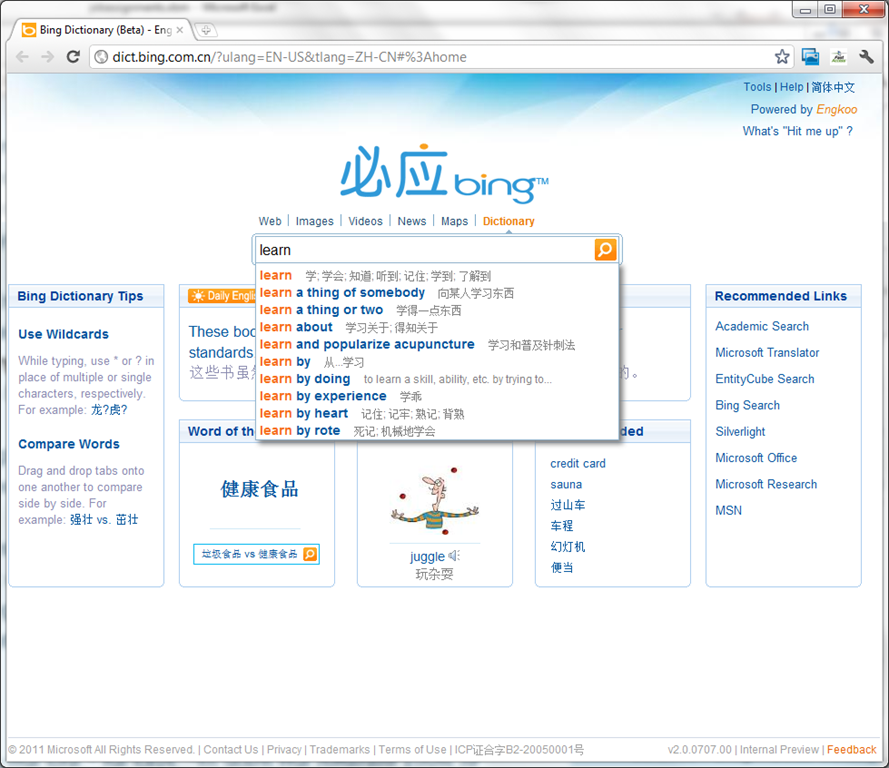
- Link: http://dict.bing.com.cn/?ulang=EN-US&tlang=ZH-CN#%3Ahome, powered by Engkoo:
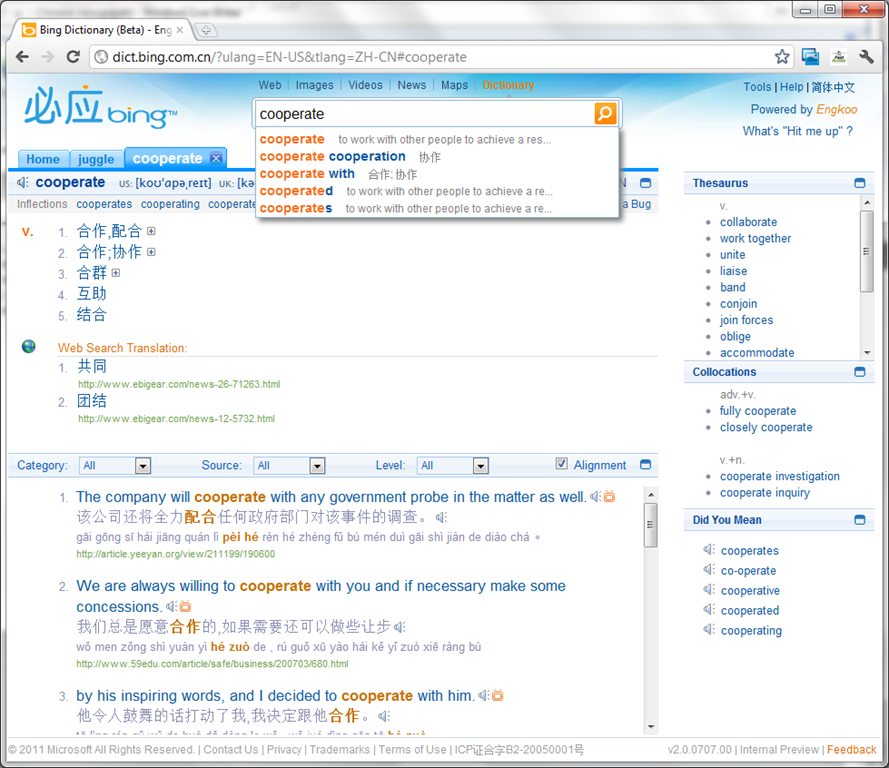
- This looks like a pretty evolved learning tool: It has instant suggestions that include usage information and translations.

- Rich results that include contextual, parallel web-as-corpus matches in text and text-to-speech (that, on spot-checking, seems barely noticeably computer-generated).

Categories: Absolute-Beginner, Advanced, Beginner, corpora, Dictionaries, English, Intermediate, Listening, Mandarin, Reading, Vocabulary, websites
links, ms-bing.ms-eengkoo
Dell Studio XPS 16
2011/10/28
Leave a comment
- When coming to my desk today, my laptop made a grinding noise. Even worse, the noise later decreased, sounding like grinding to a halt.
- here is a recording:
- Fan? That cannot be good with a laptop that always ran hot (video card cannot be disabled during normal, non-gaming operation).
- keyboard developed a mind of its own after half a year: cursor began jumping at random.
- side panels: started peeling off within the first few weeks
Categories: hardware
Microsoft & the future of interpreting
2011/10/28
Leave a comment
Microsoft is at it again: making predictions on the future of interpreting right at the beginning of their new “FUTURE VISION video: In 5-10 years, how will people get things done at work, at home, and on the go?”. The glasses should state “Interpreting” instead of “Translating”, yet anything that aids in cross-cultural communication would be most welcome. But will it happen in “5-10 years”? (This movie is also about the past: viewing it from their own site in Google’s Chrome brought down my computer with a BSOD relating to video driver (phone camera did not start up quite fast enough to capture it).
Categories: Interpreting, second-language-acquisition
machine-translation
Easy adding and viewing GeoTags with your phone camera
2011/10/27
Leave a comment
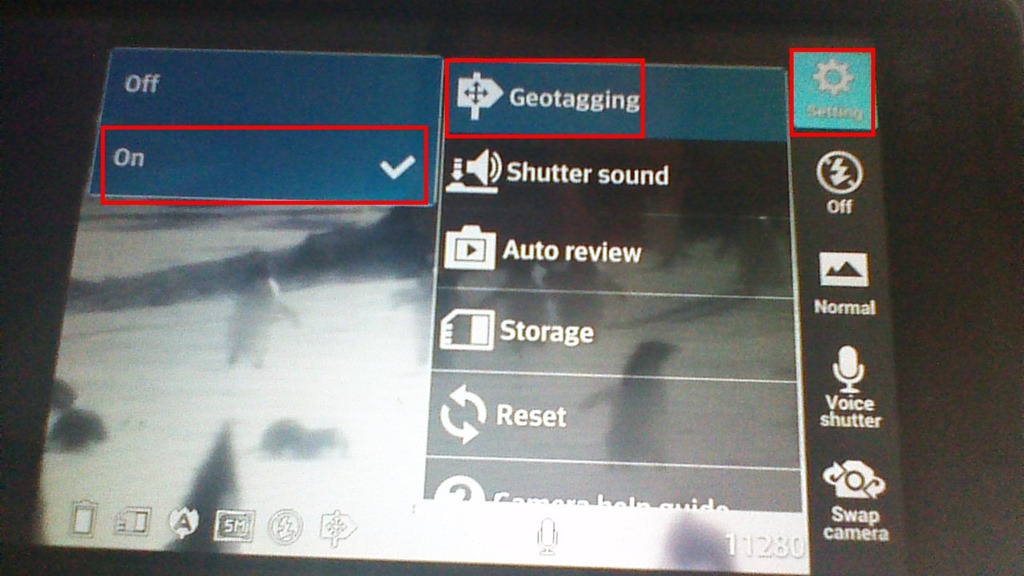
- “Open your camera app, go to “Settings” (sprocket), menu item: “Geotagging”, “On”:

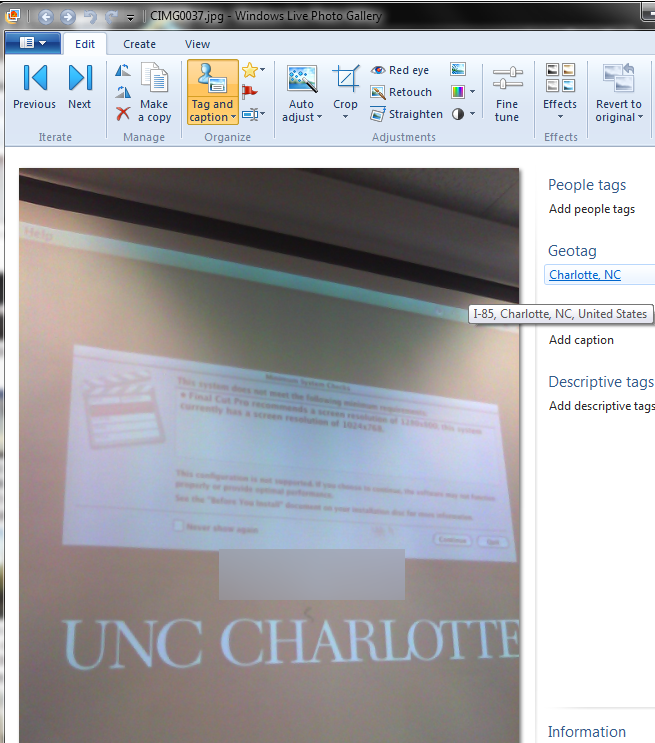
- Turning the phone’s the GPS on is not absolutely necessary, as this indoor basement shot proves:

- but will likely increase the accuracy of the Geotag in your photo greatly:

- How to view depends on your photo viewer application, above examples are taken from the free Windows Live Photo Gallery.

Categories: assignments, audience-is-students, digital-humanities, GIS, phones
camera, geotags, google-android, gps, windows-live-photo-gallery
Student peer assessment options for a more “social learning” experience in Moodle 1.9.
2011/10/26
Leave a comment
- The most simple solution, briefly explained:
- Add a forum: button: “Turn editing on”, dropdown: “Add activity: “discussion”, Set dropdown “Forum type”: “a single simple discussion”/ section: grade, dropdown: “aggregate type”: “average rating” (also set your max attachment size if you want uploads of multimedia recordings).
- Set Permissions: course administration block / item:assign roles / tab: override permissions (we do not have this!) / section:forum, enable checkbox:”rate posts”, disable checkbox: “view any ratings”, “view ratings” .
- Visually explained (notes deviously: “if you do not have tab: override permissions, ask your admin”. If she says “no”, ask to enable the workshop module in Moodle 1.9. If she says “no”, ask to upgrade to the workshop module in Moodle 2.0. If she says “no”, ask her for other ideas how to do “social learning” in Moodle…
 ).
).
Categories: audience-is-IT-staff, audience-is-teachers
forums, moodle, peer-assessments
New Teacher MAC Computer in Coed037 with Final Cut Pro 3
2011/10/26
Leave a comment
- A new Mac Mini on the teacher podium was installed today in Coed037.
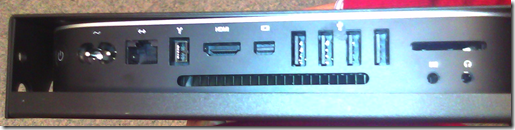
- Because of case size difference, the new Mac Mini had to be installed on the right side wall of the podium, unlike the old one which was smaller and fit on the keyboard tray.
- It is still switched through the podium as before:
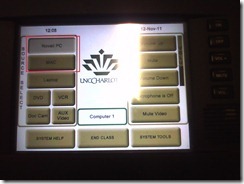
- For logging in, use the generic, not your personal account.
- Standard current ITS MAC image.
- Final Cut Pro 3
- was installed into the image, and run.
- Media components (Audio content, Motion content) allegedly have also been included in this install.
- We also added MPEG Streamclip 1.9.2. Note, however, that the non-beta version does not have the YouTube.com download capability mentioned here earlier (you will get this error more focused):
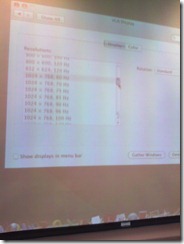
- Because of podium monitor incompatibility, we could not increase the screen resolution to the minimum 1280*800 required Final Cut Studio 3.
 We nevertheless were able to start Final Cut pro. You can permanently bypass this warning dialog if you see it, and report problems.
- Because of podium monitor incompatibility, we could not increase the screen resolution to the minimum 1280*800 required Final Cut Studio 3.
- We also permanently bypassed this firewire error:

- And here is the result:






Questions? Read the About. Or just ask me a quick Our Databases: Resources with calendars -- Language learning material Moodle Sites, multimedia files -- films


FAQs for LRC student staff or for students or for teachers. To search our FAQs, in the browser addressbar, add after "https://plagwitz.wordpress.com/feed/?tag=faqs+/" "+TAG1" (from tag cloud below) OR "https://plagwitz.wordpress.com/feed/tag=faqs
&category_name=" "CAT1" (from category hierarchy below). OR search both categories and tags, and multiple TAGs/CATs (connect with "," for OR-search, with "+" for AND-search), like so: https://plagwitz.wordpress.com/feed/?tag=TAG1+TAG2+...TAGn&category_name=CAT1
+CAT2+...CATn"
Other ways to find help
If you cannot find it here, look there: 5,500 Language-Learning Links and Programs for learning or teaching 150 languages
Shortcuts:Our Lists, Our Maps, LRC Staff Moodle Site,LRC Project Moodle Site, 49erexpress, UNCC Moodle, Student Recordings: s:claslcslrcsanakostudent
Learning usage samples: Sanako oral exam, Kaltura webcam presentation, Dictation with speech recognition, Sanako written exam, Chinese and Japanese interactive stroke-order practice
Test the Sanako Installer, Webbrowser Popup Konfigurator for XP, or Windows7, faster LRC TeacherPC Log-in Let MS facilitate diacritics writing by installing for you US-International keyboard layout
This is my personal blog (Google+). The views expressed on these pages are mine alone and not those of my employer. The information in this weblog is provided “AS IS” with no warranties, and confers no rights.
 Thomas' Work Space