Archive
Posts Tagged ‘sanako-study-1200’
Protected: Sanako Study 1200 Final oral exam for advanced Business Spanish: A Job interview
2012/04/19
Enter your password to view comments.
Categories: Advanced, Arabic, audience-is-teachers, classroom-management-system, English, Farsi, French, German, Greek (modern), Hindi, Italian, Japanese, Korean, learning-usage-samples, Listening, LRCRoomCoed434, Mandarin, multimedia-recording, Photos, Polish, Portuguese, Presenter-Computer, Russian, Screencasts, Spanish, Speaking, step-by-step-guides, Student-Computers, Swahili, Videos, Yoruba
oral-exams, sanako-study-1200
Sanako Study 1200 controlled web browsing–strict policy
2012/04/18
Leave a comment
- View an
 80-seconds screencast showing how a teacher can set up a student activity where students are only allowed to access on web site.
 - In this example, the website is a common dictionary: http://www.dict.cc which the student will be allowed to access during an exam (in lieu of a paper dictionary policy).
- Never mind that the voiceover is partially in German – the video should be self-explanatory. If not, here is a written step-by-step on Sanako controlled webbrowsing.
A template for Digital audio lab model-imitation/question-response oral exams
2012/04/11
Leave a comment
Sanako Study 1200 student in-class web browsing activity caveats, errors&glitches
2012/03/01
Leave a comment
- If we put the full URI of the website (e.g. http://www.dict.cc), we experience the student web browser not opening up (either hanging at "verifying access" dialogue or empty browser window and definitely no table of contents browser window). Workaround: put just e.g. http://www.dict.cc.
- CAVEAT: make sure you actually know which sub-pages will be loaded (and thus need to be allowable) during your web browsing activity
- the address-bar is misleading when a your pages are loaded within a frameset. like in this example:
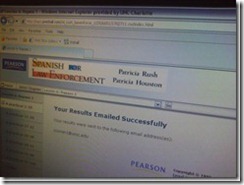 . In this example, allow all links in the left menu.
 - your list of allowable pages should cover the entire workflow, including feedback pages that the student may receive
- TBA: it is sufficient for a web page to be allowed/blocked if its URL string contains your listed URL as a substring
- the address-bar is misleading when a your pages are loaded within a frameset. like in this example:
- We have observed `the following issues:
- that the sanako web browser may hang, on startup or later, but a common workaround is closing a hanging sanako web browser which will reopen it on the table of contents page.
- that the “verifying access rights” window can disappear quickly, but may delay web browsing for a considerable time before your students are allowed to browse to a web page – please allow time for that (we are investigating whether the size of the class or the type of allow/deny list or individual allow/deny links cause this delay).
![sanako-webbrowsing-strict-policy_thumb[1]](https://thomasplagwitz.com/wp-content/uploads/2012/03/sanako-webbrowsing-strict-policy_thumb1_thumb.jpg?w=244&h=185 "sanako-webbrowsing-strict-policy_thumb[1]")
- that the sanako web browser on some computers (despite them have identical software images?) arbitrarily opening new windows which muddies the waters considerably – and also seems to require more time for the verifying –, but does not make the exercise fail:

![sanako-webbrowsing-strict-policy (1)_thumb[2]](https://thomasplagwitz.com/wp-content/uploads/2012/03/sanako-webbrowsing-strict-policy-1_thumb2_thumb1.jpg?w=600&h=451 "sanako-webbrowsing-strict-policy (1)_thumb[2]")

![sanako-webbrowsing-strict-policy_thumb[1]](https://thomasplagwitz.com/wp-content/uploads/2012/03/sanako-webbrowsing-strict-policy_thumb1.jpg "sanako-webbrowsing-strict-policy_thumb[1]")

![sanako-webbrowsing-strict-policy (1)_thumb[2]](https://thomasplagwitz.com/wp-content/uploads/2012/03/sanako-webbrowsing-strict-policy-1_thumb21.jpg "sanako-webbrowsing-strict-policy (1)_thumb[2]")
Protected: Mock exam for Spanish combines various learning technologies in the LRC
2012/03/01
Enter your password to view comments.
Categories: audience-is-teachers, classroom-management-system, e-languages, iMacs, learning-usage-samples, Listening, Listening-Stations, lms, LRCRoomCoed434, marketing, multimedia-recording, Photos, Practice&Demos, Reading, service-is-assessing, Spanish, Speaking, Vocabulary
kaltura, moodle, sanako-study-1200, web-browsing-activity
Clicker-like exercises: A comparison what the LRC has to offer
2012/03/01
Leave a comment
- PollEverywhere.com
- Sanako Study 1200
- Live Feedback
- Voting
- Exam (not currently installed)
- NetOp School: TBA


Questions? Read the About. Or just ask me a quick
Thank you for your response. ✨

FAQs for LRC student staff or for students or for teachers. To search our FAQs, in the browser addressbar, add after "https://plagwitz.wordpress.com/feed/?tag=faqs+/" "+TAG1" (from tag cloud below) OR "https://plagwitz.wordpress.com/feed/tag=faqs
&category_name=" "CAT1" (from category hierarchy below). OR search both categories and tags, and multiple TAGs/CATs (connect with "," for OR-search, with "+" for AND-search), like so: https://plagwitz.wordpress.com/feed/?tag=TAG1+TAG2+...TAGn&category_name=CAT1
+CAT2+...CATn"
Other ways to find help
If you cannot find it here, look there: 5,500 Language-Learning Links and Programs for learning or teaching 150 languages
Shortcuts:Our Lists, Our Maps, LRC Staff Moodle Site,LRC Project Moodle Site, 49erexpress, UNCC Moodle, Student Recordings: s:claslcslrcsanakostudent
Learning usage samples: Sanako oral exam, Kaltura webcam presentation, Dictation with speech recognition, Sanako written exam, Chinese and Japanese interactive stroke-order practice
Test the Sanako Installer, Webbrowser Popup Konfigurator for XP, or Windows7, faster LRC TeacherPC Log-in Let MS facilitate diacritics writing by installing for you US-International keyboard layout
This is my personal blog (Google+). The views expressed on these pages are mine alone and not those of my employer. The information in this weblog is provided “AS IS” with no warranties, and confers no rights.
 Thomas' Work Space