Archive
LRC learning resources Moodle metacourses: Our list
UPDATE: The LRC Metacourses are being rolled over to MOODLE2. Metacourses having only an OldID are currently still unavailable in Moodle2. And the student enrollment needs to be updated manually until the end of add/drop. On the upside, teachers do not need to make course available to students anymore. The LRC can do this (Metacourses for languages saying #Ref are waiting to be rolled over, tell me if you need them)..
The following LRC Moodle metacourses for teaching materials are available to LCS and ELTI (including LRC-Resource with training materials for using language learning technology in and outside of the LRC, as well as for independent study languages).
The naming scheme follows the course abbreviations taught in the departments that the LRC supports:
These courses appear in the Training branch of the Moodle-courses tree-menu on the left (for all study programs you teach in):

The metacourse for a language (or field of study) is accessible to all students studying this language during the term of their study.
A comparison of options for student oral photo presentation assignment
- Objective: Student presents personal photos in target language (e.g. home). b
- Contenders for Tools:
- Voicethread (free version)
- University-environment
- For Multimedia authoring:
- MS-PowerPoint
- not yet contenders
- MS-Community Clips (screen capture recording, to be installed)
- benefit: single purpose, record yourself talking while flipping through the images on your computer
- cost: new tool to learn, and no long term perspective
- Sanako Student Recorder: not a contender, it has subtitling options, but cannot author multimedia presentations (teachers used to with the Sanako authoring tool, but this is not longer supported).
- MS-Community Clips (screen capture recording, to be installed)
- As LMS: Moodle.
- For Multimedia authoring:
- Comparison:
- Student
- Authoring:
- (PowerPoint ties:) Image upload is easy in Voicethread (including batches):
 , but PowerPoints Insert / Photo album is as fast (if you have digital photos).
 - Image narration:
- (PowerPoint ties:) Image upload is easy in Voicethread (including batches):
-
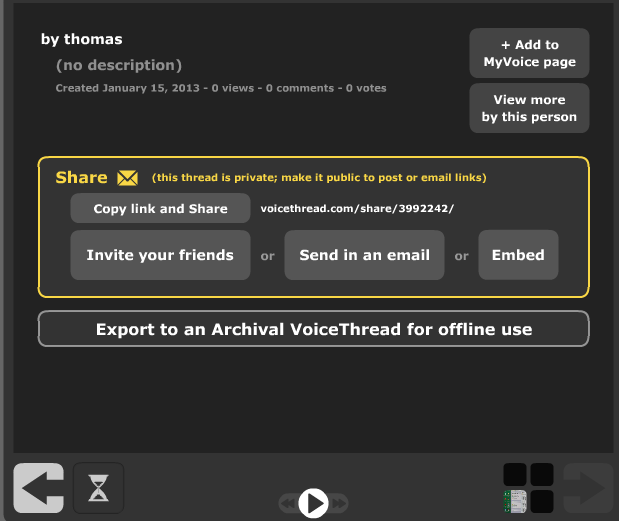
Assignment submission: Voicethread (free) has no support for assignments, only for sharing. Students have to find a way to submit their Voicethread,
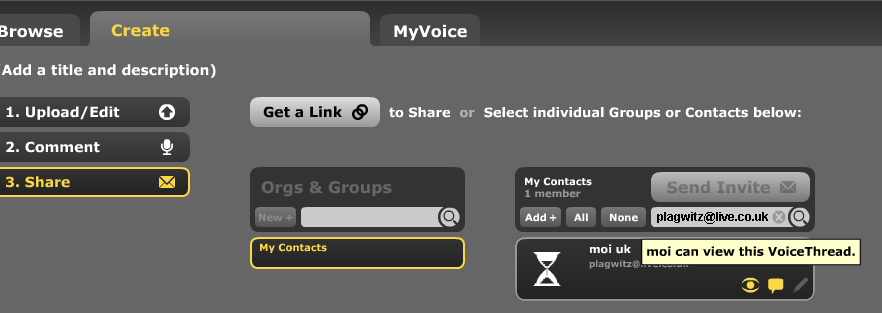
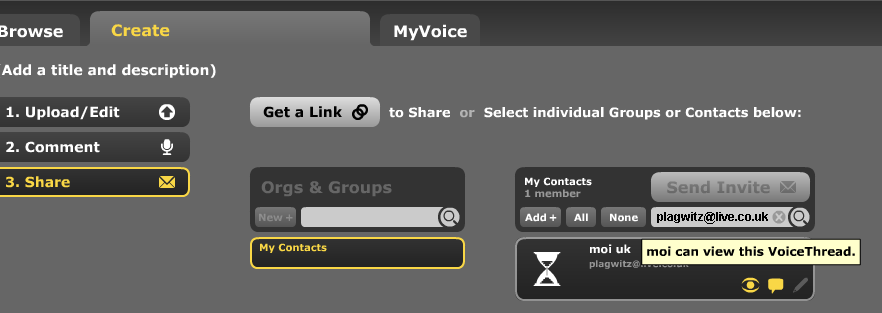
- either by email or invitation to pre-created contacts:

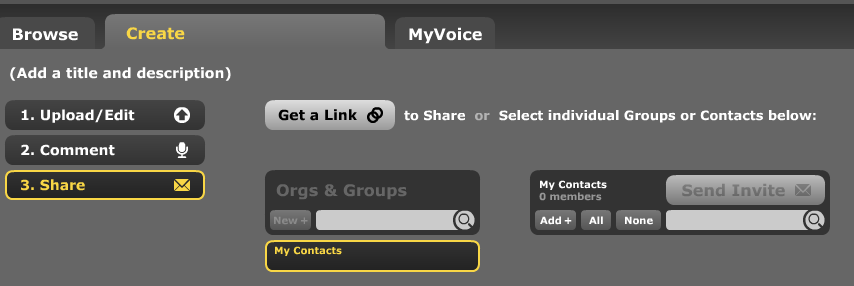
- or, – with higher initial setup cost, but greater reusability benefit – by invitation to a pre-created contact:
 ,
, 

- either by email or invitation to pre-created contacts:
- Sharing/peer-editing/grading:
- (Moodle would win where it has peer-grading options. YMMV:) Sharing within the class is possible, but sharing with "anyone" is a privacy (possibly FERPA) issue, and sharing with a handmade class list (no import) is tedious.
- Authoring:
- Teacher: grading
- Managing submissions
- (LMS wins?:) Voicethread (free) does not allow an export that could be uploaded to the LMS.
 Student can email links or invitations like these:
 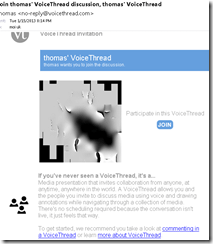 . It is up to you managing them, and completion of assignment and grading for the class. This is no LMS gradebook.
 - (Voicethread wins:) PowerPoint can be saved as a slideshow that starts on click (save as .ppsx) (including with narration). But opening and listening, without the need for saving to a local file, remains easier in Voicethread.
- (LMS wins?:) Voicethread (free) does not allow an export that could be uploaded to the LMS.
- (Voicethread wins:) Providing feedback is possible,
 including oral
  – but is this insert recording? And providing editing access is not the default: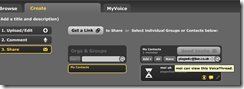
- Record-keeping:
- (Moodle wins:) Voicethread: Uh.. oh..?! I see no retention story, especially not in the free version. With Moodle, you can leave all that to the institutional support.
- Managing submissions
- Student: receiving feedback
- (A tie:) Voicethread’s audio feedback versus Moodle/PowerPoints gradebook access.
- Learning curve:
- Voicethread has the advantage of being a specialized tool (relatively few options, still relatively simple interface – few distractions).
- Other tools have the advantage of greater familiarity in the long run and reusability. Of course it depends also where you are working: stable positions get greater benefit from embarking on the institutional environment.
- Student
-
Summary: PowerPoint/Moodle remains the solution for the pedagogical task at hand that the LRC currently supports. Fortunately
- a narration of a picture presentation using PowerPoint and
- its submission by the student and grading by the teacher on the basis of a Moodle single file upload assignment are not too difficult.




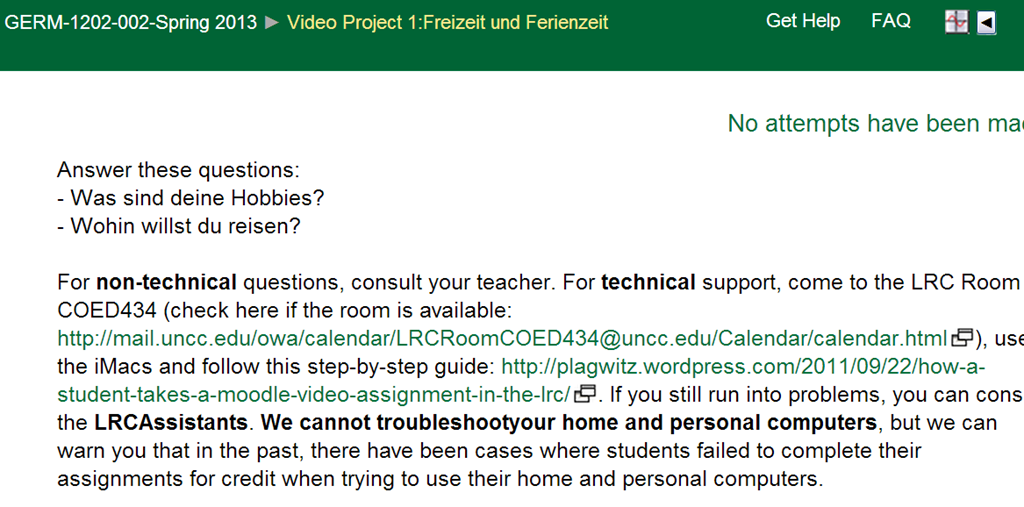
Kaltura Webcam assignment GRMN1201 example
ICS corruption in Moodle calendar events?
- I am seeing once again a large number of events loaded as internet calendar into MS-Outlook via an iCal link default to the same day:

- This time the iCal sources is Moodle, but it also displays the iCal feed internally so:

- I observed a similar issue when loading certain Drupal calendars into MS-Outlook, only that
- it seems to have affected only certain sites on the same (?) Drupal instance (is this user input error?)
- Events defaulted to the current day in MS-Outlook – the Moodle issue does not.
- All events were effected – not so in this Moodle issue.


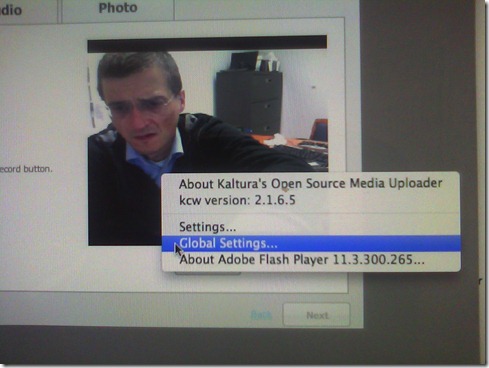
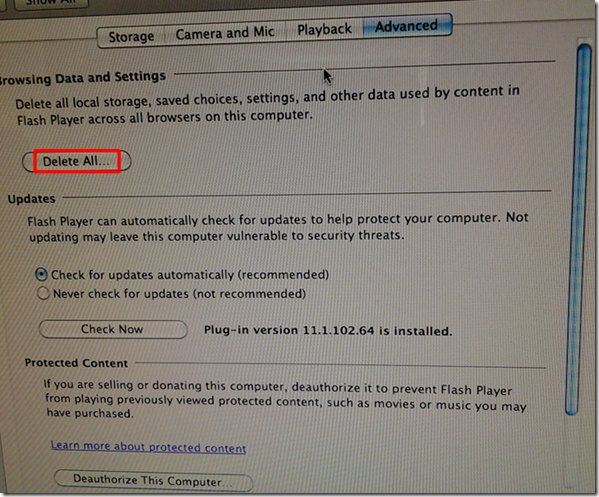
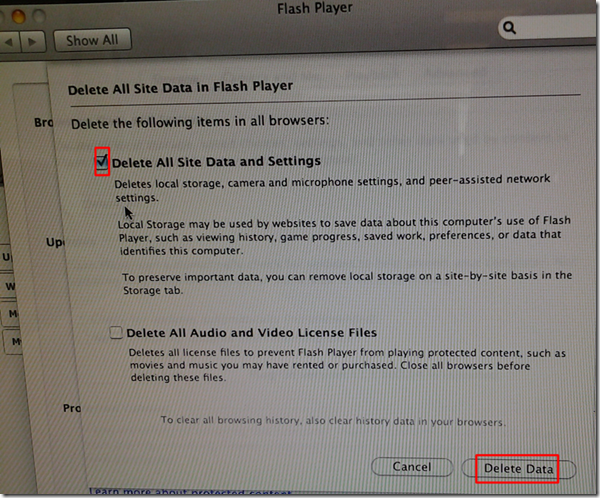
Delete the Flash Global Settings if the iMacs webcam displays black frame only
- Problem: Safari and (not recommended after last testing round) Firefox both hung on iMAC6 when a student tried to do a Moodle Kaltura Webcam assignment and got to the built-in ISight camera display page.
- Cause: maybe a Flash security problem accessing the web cam? maybe security dialogue was not answered by the student correctly earlier, and the “preference”stored in her account?
- Solution (presumably): System started working again after I deleted the Flash Global settings, by right-clicking on the webcam video preview window like so:
-
- Ceterum censeo that we need a computer management infrastructure if we want to use MACs for language learning technology. Faronics-Deepfreeze would have prevented this problem, provided we have a software imaging system (CASPER coming up apparently) that can let us start with a usable image, and the staff time to learn and configure 2 usable OS images and dual usable computer management infrastructures. TCO now > TCO dual OS infrastructure > TCO web cams for 45 PCs.


How to link your LRC tutor calendar and Moodle metacourse from your Moodle course

How to get started with Moodle here
- Moodle is the UNCC LMS – it is central to teaching with technology.
- The LRC provides Moodle-information specific to language learning, incuding FAQ’s.
- The CTL (= Center for Teaching and Learning) has oodles of general Moodle help.
- Search the CTL site for Moodle by clicking here, and you will find:
- Moodle specific:
- view Moodle on-demand screencast video tutorials,
- read Moodle FAQ’s (updated).
- sign up for instructor-led (face-to-face or webinars, some of which are archived and available on-demand) training:
- Updated Webinar list, which includes for Moodle (I highlighted the more general ones)
- Avoiding the Moodle Scroll of Death (30 min. Webinar)
- Copying a Moodle Course (30 min. Webinar)
- Find & Embed Videos in Moodle (30-min. Webinar)
- How Do I: Peer Review in Moodle (30 min. Webinar)
- Incorporating Streaming Media into Moodle (30 min. Webinar)
- Making Moodle Beautiful (30 min. Webinar)
- Moodle 2 FAQ (30 min. Webinar)
- Moodle Grade Book and Mail Merge (30-min. Webinar)
- Moodle Under the Hood (30 min. Webinar)
- Using Moodle’s Team Assignment (30 min. Webinar)
- Previous (Moodle 1.9)
- Updated Webinar list, which includes for Moodle (I highlighted the more general ones)
- There is more Moodle-information here, just no way for me to provide a direct, filtered link so just browse the pages:
- the CTL podcasts
- Episode 106 Getting Students to Read Your Syllabus: Quizzing in Moodle
- the CTL podcasts
- Moodle specific:


Questions? Read the About. Or just ask me a quick Our Databases: Resources with calendars -- Language learning material Moodle Sites, multimedia files -- films


FAQs for LRC student staff or for students or for teachers. To search our FAQs, in the browser addressbar, add after "https://plagwitz.wordpress.com/feed/?tag=faqs+/" "+TAG1" (from tag cloud below) OR "https://plagwitz.wordpress.com/feed/tag=faqs
&category_name=" "CAT1" (from category hierarchy below). OR search both categories and tags, and multiple TAGs/CATs (connect with "," for OR-search, with "+" for AND-search), like so: https://plagwitz.wordpress.com/feed/?tag=TAG1+TAG2+...TAGn&category_name=CAT1
+CAT2+...CATn"
Other ways to find help
If you cannot find it here, look there: 5,500 Language-Learning Links and Programs for learning or teaching 150 languages
Shortcuts:Our Lists, Our Maps, LRC Staff Moodle Site,LRC Project Moodle Site, 49erexpress, UNCC Moodle, Student Recordings: s:claslcslrcsanakostudent
Learning usage samples: Sanako oral exam, Kaltura webcam presentation, Dictation with speech recognition, Sanako written exam, Chinese and Japanese interactive stroke-order practice
Test the Sanako Installer, Webbrowser Popup Konfigurator for XP, or Windows7, faster LRC TeacherPC Log-in Let MS facilitate diacritics writing by installing for you US-International keyboard layout
This is my personal blog (Google+). The views expressed on these pages are mine alone and not those of my employer. The information in this weblog is provided “AS IS” with no warranties, and confers no rights.
 Thomas' Work Space