Archive
Posts Tagged ‘forums’
Use Moodle 2 Forums’ Mail Now Option to speed up communication
2013/10/04
Leave a comment
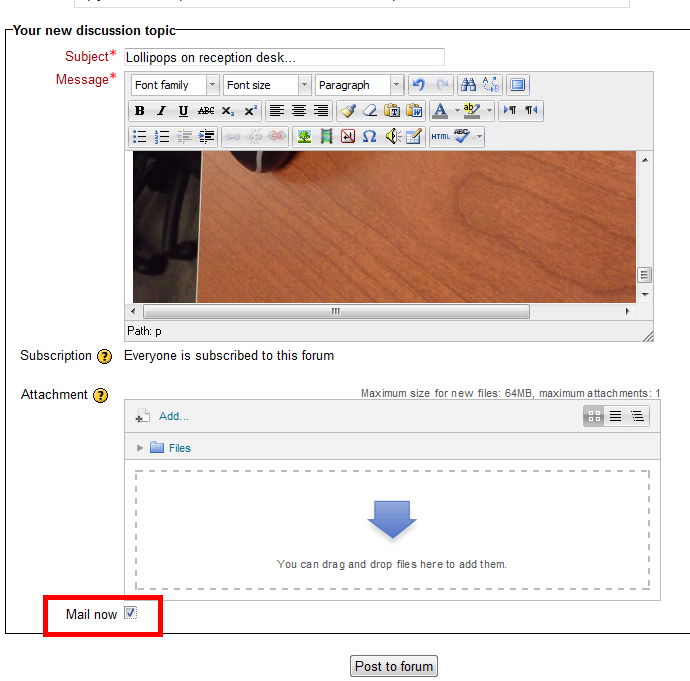
- The “Mail Now” checkbox is still there, just the location has changed, compared with Moodle 1..9.:
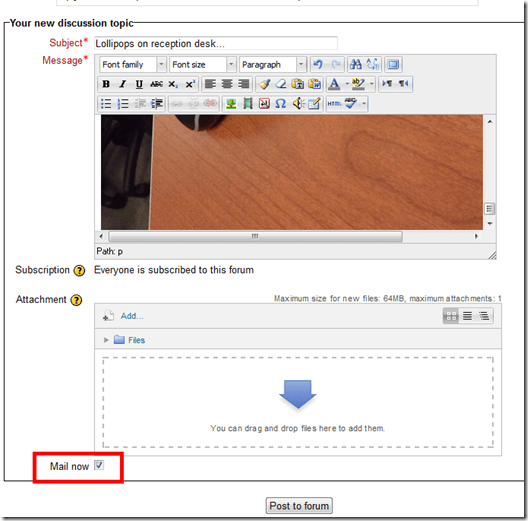
- Even without “Mail Now” checked, your post goes immediately to the forum – but on the forum, you can still edit it (if you didn’t proof read etc.).
- Email, however, you cannot recall after sending it (well, MS-Exchange email you can, but not Moodle email). That’s why “Mail Now” tries to provide a safety net for emailed forum messages.
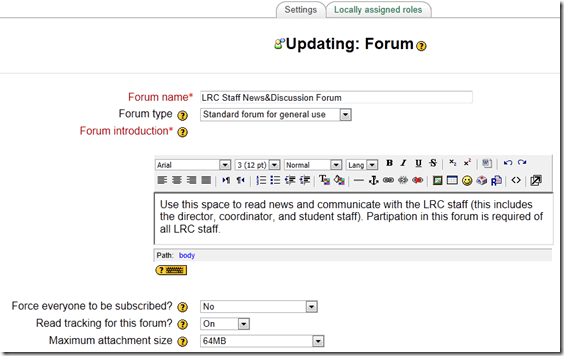
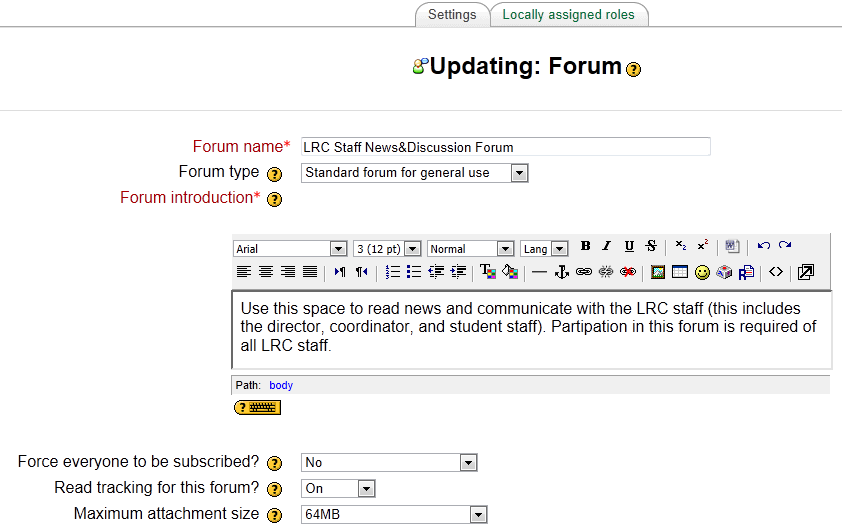
- That Forum messages are emailed (“notifications”) is a function of the subscription of users to a forum, which is (“force subscription”) the default, but can be changed in the forum settings.
- If you try to use the Moodle forum as a mailing list and/or real-time messaging system (like we do with the LRC Moodle as groupware for LRC staff), checking “Mail now” is recommended.
Student peer assessment options for a more “social learning” experience in Moodle 1.9.
2011/10/26
Leave a comment
- The most simple solution, briefly explained:
- Add a forum: button: “Turn editing on”, dropdown: “Add activity: “discussion”, Set dropdown “Forum type”: “a single simple discussion”/ section: grade, dropdown: “aggregate type”: “average rating” (also set your max attachment size if you want uploads of multimedia recordings).
- Set Permissions: course administration block / item:assign roles / tab: override permissions (we do not have this!) / section:forum, enable checkbox:”rate posts”, disable checkbox: “view any ratings”, “view ratings” .
- Visually explained (notes deviously: “if you do not have tab: override permissions, ask your admin”. If she says “no”, ask to enable the workshop module in Moodle 1.9. If she says “no”, ask to upgrade to the workshop module in Moodle 2.0. If she says “no”, ask her for other ideas how to do “social learning” in Moodle…
 ).
).
Categories: audience-is-IT-staff, audience-is-teachers
forums, moodle, peer-assessments
How to allow students to reply to News Forum posts in Moodle
2011/09/22
Leave a comment
- E.g. with this: “I have seen this post. I have followed the instructions. It worked for me.”

- Answered here: http://moodle.bath.ac.uk/faq/content/12/182/en/can-students-reply-to-news-forum-posts.html
- Does not work in our installation which is being investigated – maybe with good reason: I every study is forced to subscribe and can respond, their tend to be email floods which rather hide than surface important information.
- Workaround:
- Hide the news forum;
- create a regular Moodle Forum, where students can respond by default
- ask your users to read it and maybe monitor reading with tracking
- do not force them to subscribe = receive email
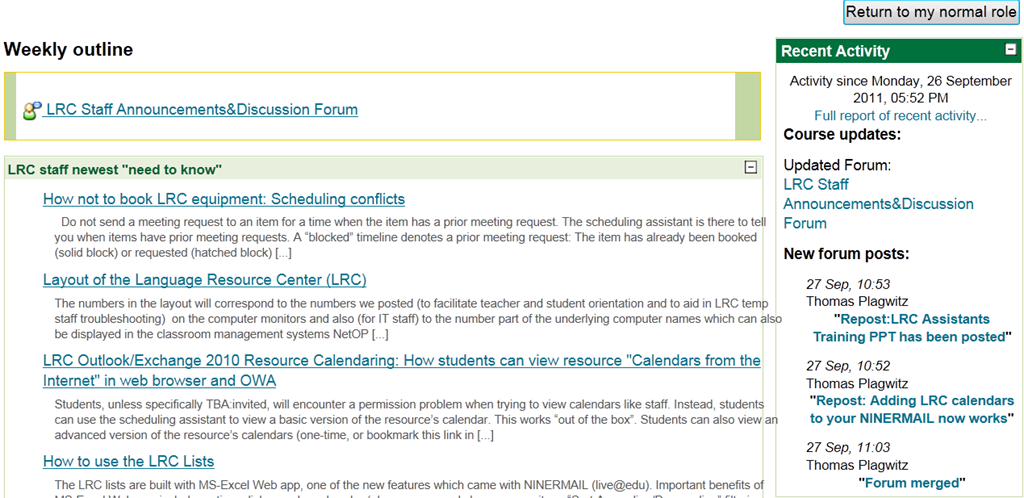
- I also hid the “Latest News” block, in the hope that the “Recent Activity” block can replace it:



Questions? Read the About. Or just ask me a quick Our Databases: Resources with calendars -- Language learning material Moodle Sites, multimedia files -- films


FAQs for LRC student staff or for students or for teachers. To search our FAQs, in the browser addressbar, add after "https://plagwitz.wordpress.com/feed/?tag=faqs+/" "+TAG1" (from tag cloud below) OR "https://plagwitz.wordpress.com/feed/tag=faqs
&category_name=" "CAT1" (from category hierarchy below). OR search both categories and tags, and multiple TAGs/CATs (connect with "," for OR-search, with "+" for AND-search), like so: https://plagwitz.wordpress.com/feed/?tag=TAG1+TAG2+...TAGn&category_name=CAT1
+CAT2+...CATn"
Other ways to find help
If you cannot find it here, look there: 5,500 Language-Learning Links and Programs for learning or teaching 150 languages
Shortcuts:Our Lists, Our Maps, LRC Staff Moodle Site,LRC Project Moodle Site, 49erexpress, UNCC Moodle, Student Recordings: s:claslcslrcsanakostudent
Learning usage samples: Sanako oral exam, Kaltura webcam presentation, Dictation with speech recognition, Sanako written exam, Chinese and Japanese interactive stroke-order practice
Test the Sanako Installer, Webbrowser Popup Konfigurator for XP, or Windows7, faster LRC TeacherPC Log-in Let MS facilitate diacritics writing by installing for you US-International keyboard layout
This is my personal blog (Google+). The views expressed on these pages are mine alone and not those of my employer. The information in this weblog is provided “AS IS” with no warranties, and confers no rights.
 Thomas' Work Space