Archive
How to make a screenshot of your computer screen
- You can look it up, or:
- on Windows, press the “PrintScr” key (upper right corner of your keyboard)
- on Mac OS X, Command+Shift+3.
- Then paste the clipboard into an application that can handle images and that you are familiar with (your best bet may be MS-Word).
How to do a screenshot of a full web page (beyond visible portion)
I have been meaning to find a screenshot software that can show the entire portion of a window – including the “scrollable” portion, i.e. more than the visible.
A long time ago, I used to do this with HyperSnap, but this software is not free.
Screengrab which I came by today, does it nicely – within Firefox:
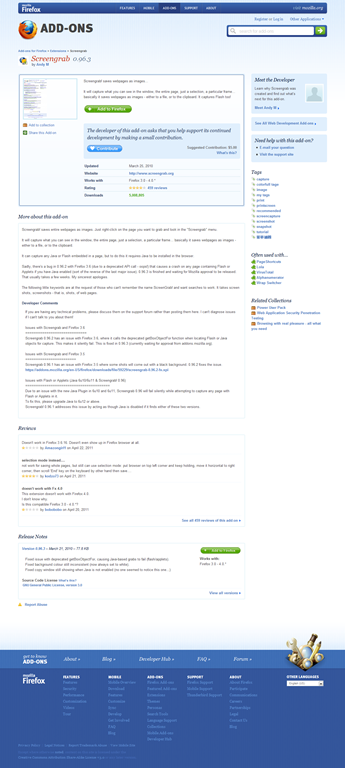
Limitation: Screengrab requires you to access the context-menu on the page via right-clicking – some web sites prevent this!
How to make screencasts in animated GIFs for free
If you want a persuasive web (blog) documentation solution for the most casual, time-pressed users and which is supported on the widest possible range of platforms;
and if you are lucky enough to work in environments where it is not the base infrastructure that forms the bottleneck (as this solution is not bandwidth optimized):
then even in the day of Flash 10, Silverlight 4 and HTML5, you might give some consideration the age-old animated GIF.
What you can visualize with animated GIFS will remain basic. But if the basics are what needs fixing, this approach can have remarkable benefits (think low-end, high-gain of the graph for “law of diminishing returns”).
I have been looking for a while for a “soup to nuts” write-up how to do this easily and for free, and experienced am unusually high noise to signal ratio. This is why I want to point to the following article that seems to fit the bill nicely:
http://omaralzabir.com/how-to-make-screencasts-in-optimized-animated-gif-for-free/
The author persuasively combines CamSoft, ImageMagick and the Microsoft GIF Animator.
An example to follow here.


Questions? Read the About. Or just ask me a quick Our Databases: Resources with calendars -- Language learning material Moodle Sites, multimedia files -- films


FAQs for LRC student staff or for students or for teachers. To search our FAQs, in the browser addressbar, add after "https://plagwitz.wordpress.com/feed/?tag=faqs+/" "+TAG1" (from tag cloud below) OR "https://plagwitz.wordpress.com/feed/tag=faqs
&category_name=" "CAT1" (from category hierarchy below). OR search both categories and tags, and multiple TAGs/CATs (connect with "," for OR-search, with "+" for AND-search), like so: https://plagwitz.wordpress.com/feed/?tag=TAG1+TAG2+...TAGn&category_name=CAT1
+CAT2+...CATn"
Other ways to find help
If you cannot find it here, look there: 5,500 Language-Learning Links and Programs for learning or teaching 150 languages
Shortcuts:Our Lists, Our Maps, LRC Staff Moodle Site,LRC Project Moodle Site, 49erexpress, UNCC Moodle, Student Recordings: s:claslcslrcsanakostudent
Learning usage samples: Sanako oral exam, Kaltura webcam presentation, Dictation with speech recognition, Sanako written exam, Chinese and Japanese interactive stroke-order practice
Test the Sanako Installer, Webbrowser Popup Konfigurator for XP, or Windows7, faster LRC TeacherPC Log-in Let MS facilitate diacritics writing by installing for you US-International keyboard layout
This is my personal blog (Google+). The views expressed on these pages are mine alone and not those of my employer. The information in this weblog is provided “AS IS” with no warranties, and confers no rights.
 Thomas' Work Space