Archive
Posts Tagged ‘adobe-flash’
Bad audio quality in Moodle Kaltura recordings on iMacs under ambient sound conditions. A running log (closed)
2014/08/22
Leave a comment
- Symptom: See title.
- Cause: While speakers of the 3.5 mm headset take over from the iMac speakers, when plugged in, the 3.5 mm headset micro does not disable the webcam micro. The webcam micro remains the recording source for Moodle Kaltura (mac os x.6, safari 6, flash 10).
- Possible solutions:
1st choice: is there a way for the admin to override this permanently?2nd choice: is there a way for the end user to override this on a case-by-case basis?- "The Califone 3066AV is compatible with both Windows and Mac audio outputs (but is not compatible with iMacs)." ("The Wow starts now!").. Do we have to tie up our boom and lavalier microphones for this?
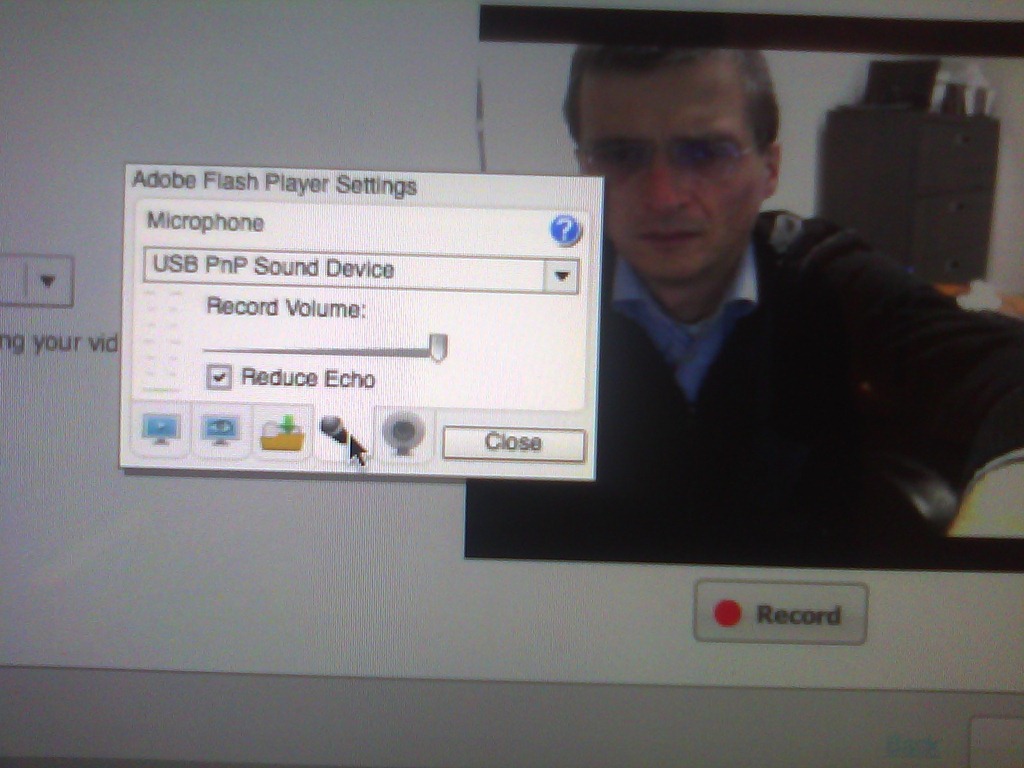
- Try the flash settings by right clicking in the video window, selecting the microphone icon, then choosing the external (= non-webcam) microphone for input.
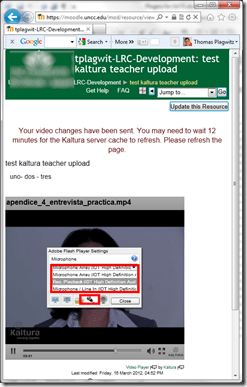
- Fail. The real culprit is the iMacs line-in audio-in for which you need a preamp to get it to work with analog microphones. Preamps seem to start at $40, but for that I can get a PC webcam (Microphone included).

Which browser and operating system we could get which Moodle Kaltura webcam assignments to work in
2013/02/14
Leave a comment
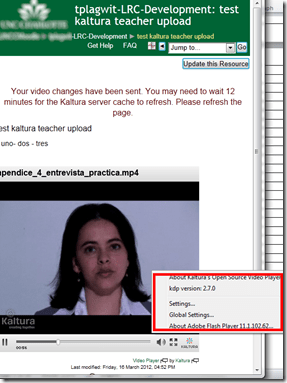
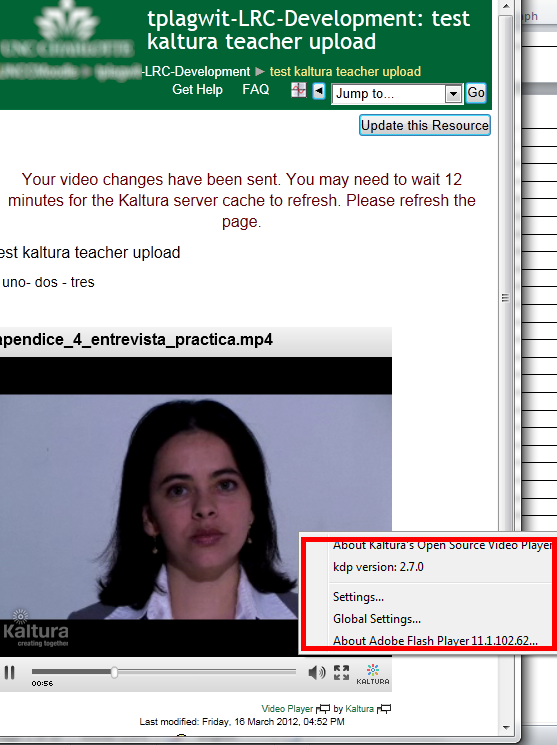
Below please find our current (work in progress) test matrix. Use one of the combinations that worked (“YES”) to avoid problems when taking or grading webcam assignments (or come to the LRC where we set up a working combination). You can view your version of the Kaltura video player and of Adobe Flash by right-clicking on the Kaltura video window.
SOLVED: How to record, in Adobe-Flash, video from my built-in iSight web camera on an 2010 iMac, combined with sound from an external cs100 PnP USB audio device
2012/07/13
Leave a comment
- Problem : Our new campus-wide Moodle Kaltura installation enables authentic oral proficiency examinations (we have no other Moodle Plugin for audio recordings). However, we still have no webcams on our mainstay PCs. We do have a few iMacs with built-in iSight webcams, but for providing students more privacy during their assignments in the language resource center, we need headphones. We have for spare some old headphones which we would like to use up, but they are analogue. These iMacs do not have an analog headset connector, only a line-in which would require a preamp. We have good sturdy USB headsets from Sanako, but these are too expensive to purchase for the iMacs that have no ways to secure them and little other specialized language learning use which we do not already get from the PCs (and more…).
- Workaround :
- Try an inexpensive USB audio device that has 3.5mm analog headset inputs.
- On my iMac 2010
- If in system preferences / sound/ I direct input and output to the USB PnP device
- test passes playing system sounds
- in audacity (if you CRANK the microphone sensitivity to the max!)
- recording test passes: The headset loudspeakers and micro work (not well, but they work, as a tab on the microphone indicate: there is static, and the recording volume is still softish, but better than the built in webcam microphone)
- in Kaltura,
- Flash only brings up the security dialogue (in Safari 5 and current Firefox ESR and Chrome) for allowing the web application accessing to the built-in iSight web camera, but no options to choose a separate audio device
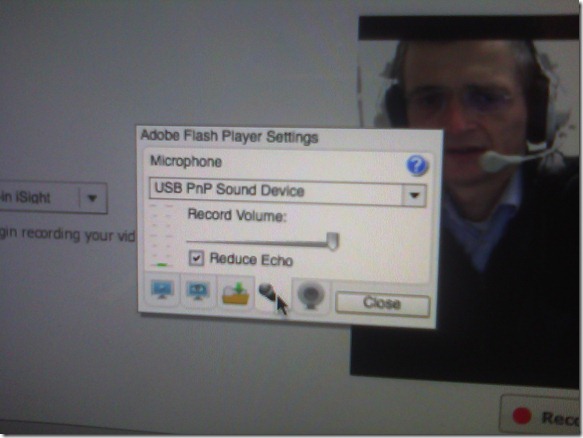
- However, if you control-click on Flash’s a video preview window for the web camera, and click on “settings” (not “global settings”, although that is useful for always allowing access from certain URLs like your LMS) .
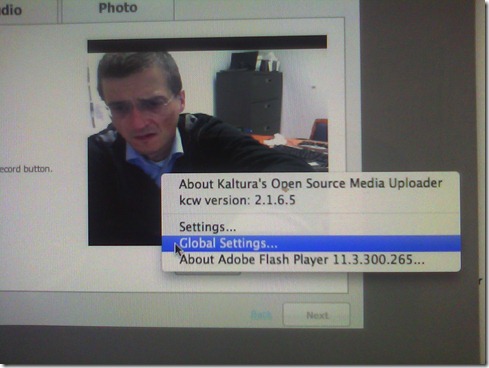
- Click on the microphone icon :

- Make sure the USB PnP device is selected.

- You can bring up the settings dialogue, make sure the USB PnP device is chosen for audio and CRANK up the microphone input sensitivity! Then test the volume levels with the built-in volume meter (should show lots of green bars when you speak. You may have to adjust the Califone headset microphone arm so that the microphone is very close in front of your mouth. ) Unlike in the picture, do not choose “reduce echo ”.
- Remaining
- Questions :
- Can this sensitivity setting be permanently stored for all users in the iMac software image, or do our students always have to adjust the microphone sensitivity?
- It remains to be seen whether this inexpensive and unsecurable device survives long when being used by our student population.
- Problem : The review video function of the Moodle Kaltura Flash video remains very temperamental on the Mac OS X (In my testing, one of the numerous problems we had with Moodle Kaltura on the iMacs popped up again: when starting to review the recording, the time counter goes, but the video stalls for a few seconds – afterwards everything seems to play fine, but this is enough to confuse the heck out of my users) . While we made another small step of progress towards enabling Moodle Kaltura webcam recordings in the language resource center, it seems easier to just get web cameras for the PCs.
- Questions :



How a teacher uploads a video resource to Moodle using Kaltura
2012/03/20
Leave a comment
- Moodle Kaltura facilitates making segments of video (created from e.g. source DVD with the video editor of your choice) available for film studies classes, within the bounds of Fair Use and the Teach Act, since it makes video
- easily available (streamed to anywhere where Adobe-Flash runs),
- but only to those who have an account in the Moodle installation and are registered for the course
- In addition, access to the video segments can be restricted further (by choosing from the management options that Moodle affords),
- only to the teacher, for display during face-to-face teaching)
- only during a time window, for timed assignments.
- Here is a (somewhat longwinded, but authentic) demonstration of how to make a Kaltura video resource available through a Moodle course.
- The demonstration includes the server-side encoding which happens only once during teacher upload – you do not have to wait for it to finish, just if you want to check immediately, like I do on the example whether your upload went through.
Categories: documentation, e-learning, Film-studies, lms, Screencasts, service-is-evaluating-learning-tools
adobe-flash, kaltura, moodle, videos
Moodle streaming video recording assignment glitch 9
2012/03/16
Leave a comment
- Are all things Moodle Kaltura on Windows better than on iMacs?
- I don’t think so (Windows 7, IE9): Webcamera cannot be activated, hourglass. Looks like the Flash security dialogue does not make it into the foreground.


Protected: Moodle streaming video recording assignment glitches 3, 4, 5, 6, 7 & 8: A running log
2012/02/21
Enter your password to view comments.


Questions? Read the About. Or just ask me a quick Our Databases: Resources with calendars -- Language learning material Moodle Sites, multimedia files -- films


FAQs for LRC student staff or for students or for teachers. To search our FAQs, in the browser addressbar, add after "https://plagwitz.wordpress.com/feed/?tag=faqs+/" "+TAG1" (from tag cloud below) OR "https://plagwitz.wordpress.com/feed/tag=faqs
&category_name=" "CAT1" (from category hierarchy below). OR search both categories and tags, and multiple TAGs/CATs (connect with "," for OR-search, with "+" for AND-search), like so: https://plagwitz.wordpress.com/feed/?tag=TAG1+TAG2+...TAGn&category_name=CAT1
+CAT2+...CATn"
Other ways to find help
If you cannot find it here, look there: 5,500 Language-Learning Links and Programs for learning or teaching 150 languages
Shortcuts:Our Lists, Our Maps, LRC Staff Moodle Site,LRC Project Moodle Site, 49erexpress, UNCC Moodle, Student Recordings: s:claslcslrcsanakostudent
Learning usage samples: Sanako oral exam, Kaltura webcam presentation, Dictation with speech recognition, Sanako written exam, Chinese and Japanese interactive stroke-order practice
Test the Sanako Installer, Webbrowser Popup Konfigurator for XP, or Windows7, faster LRC TeacherPC Log-in Let MS facilitate diacritics writing by installing for you US-International keyboard layout
This is my personal blog (Google+). The views expressed on these pages are mine alone and not those of my employer. The information in this weblog is provided “AS IS” with no warranties, and confers no rights.
 Thomas' Work Space